

-

-
-
Solutions
-
Product
-

-
-
Book Demo
Try for Free


 Wati for Marketing
 Wati for Support
 Wati for Sales
 eLearning
 E-commerce
 Marketing Agencies
 Healthcare
 No Code Chatbots
 AI Support Agent
 Instagram and Facebook messenger
 Click to WhatsApp ads
 Campaigns
 Team Inbox
 WhatsApp Business Calling
 Wati AI

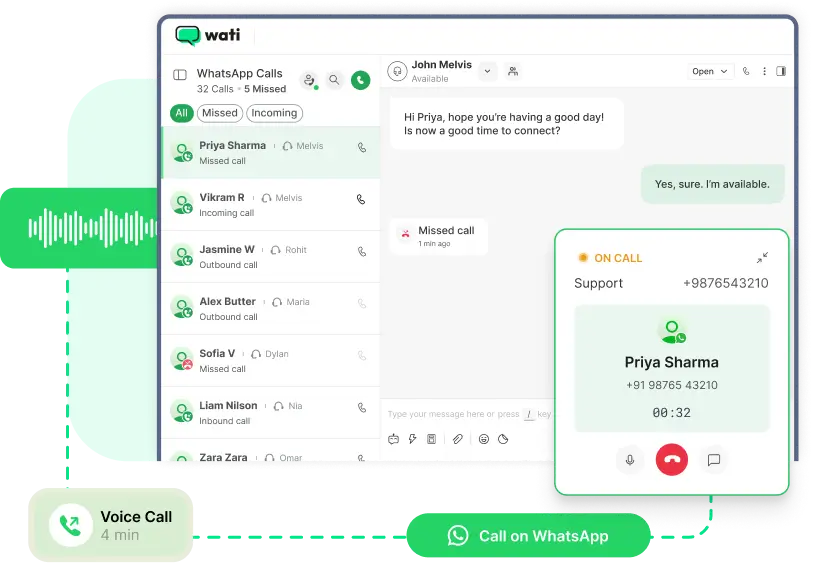
Turn WhatsApp into your full-fledged voice
channel. Resolve complex issues faster, build
trust, and close deals by seamlessly integrating
high-quality voice calls directly into your
WhatsApp Business workflows.
Why Add Voice to Your WhatsApp CX
Voice still wins when it comes to trust and conversion. With WhatsApp Calling, you can turn chats into real conversations — reducing friction, boosting conversions, and building lasting relationships.
10-15x
Higher revenue from
voice calls than web
leads
76%
Consumers want to
seamlessly switch
between messaging
and calling
30%
Faster conversion
through calls
28%
Higher retention
among callers
Powerful Calling Features Built for WhatsApp CX

One-Click Call from Chat
Start a voice call directly within WhatsApp. No switching apps, no missed opportunities.
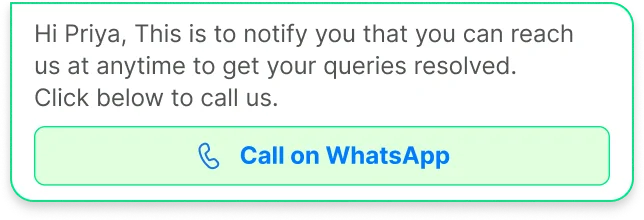
User- & Business-Initiated Calls
Empower customers to reach you or initiate outbound calls instantly.
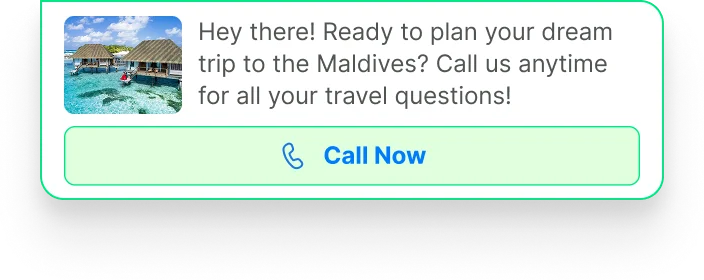
Click-to-Call Buttons
Add a “Call Now” button to WhatsApp messages, catalogs, or broadcasts to convert interest into action.

Business Hours Control
Define business availability and ensure calls happen only when your team is ready to engage.
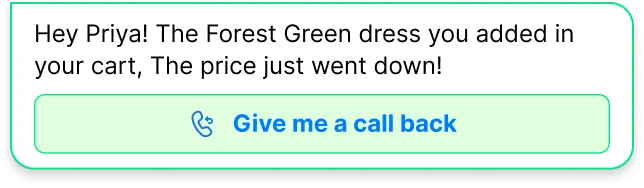
Interactive Call Templates
Request consent before calling — stay compliant and transparent with approved WhatsApp templates.

Verified Business Badge
Show customers they’re speaking to the official, trusted account of your brand.

Call Deep Links
Include “Tap to call” links in messages, websites, or emails — all routed through WhatsApp.
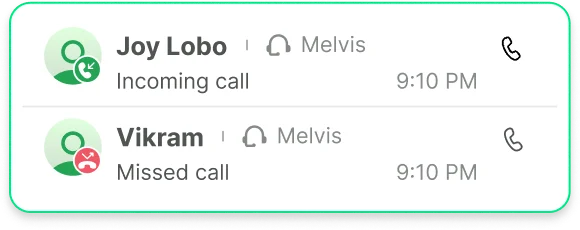
Call Logs & Analytics
View call outcomes, durations, and missed calls directly in Wati’s dashboard.
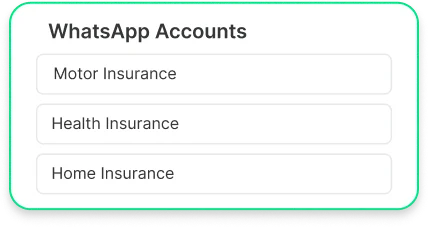
Multiple-Number Management
Manage calling across multiple numbers from one dashboard. Perfect for multi-region teams, franchises, or large support operations.
Where WhatsApp Business Calling Delivers Instant Impact
Sales & Lead Conversion
Customer Support & Service
Collections, Renewals & Reminders
Appointments & Consultations
- Follow up leads instantly from chat or ad responses.
- Offer real-time consultation for high-value purchases.
- Use click-to-call in marketing campaigns to shorten the decision cycle.
- Route hot leads to the right sales rep automatically.
- Boost close rates with personalized follow-ups by voice.
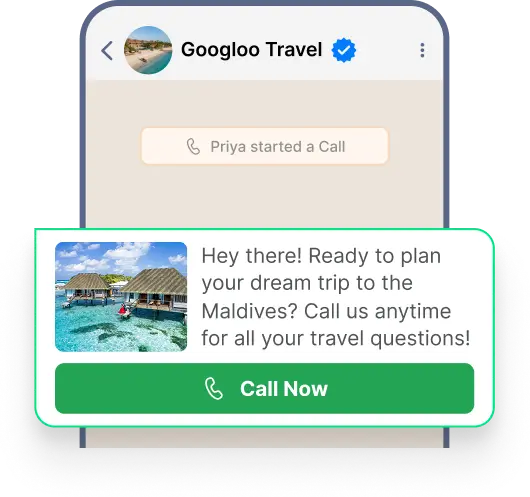
- Switch from chat to call when text isn’t enough.
- Resolve technical or billing issues faster with live voice.
- Call back directly from the chat window for smooth continuity.
- Use voice for onboarding or troubleshooting complex setups.
- Track call times and resolutions for agent performance.
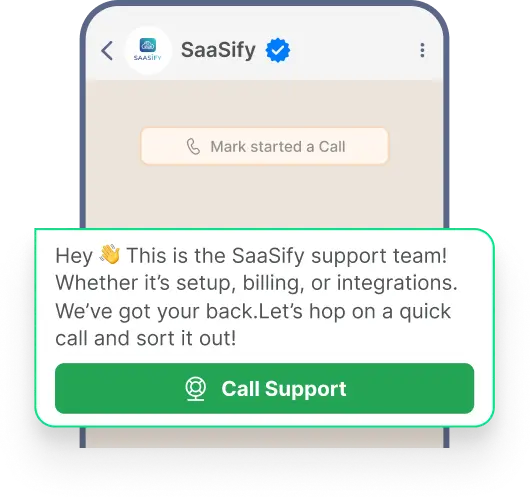
- Secure consent first, then make a compliant outbound call.
- Improve collection success with trusted verified calls.
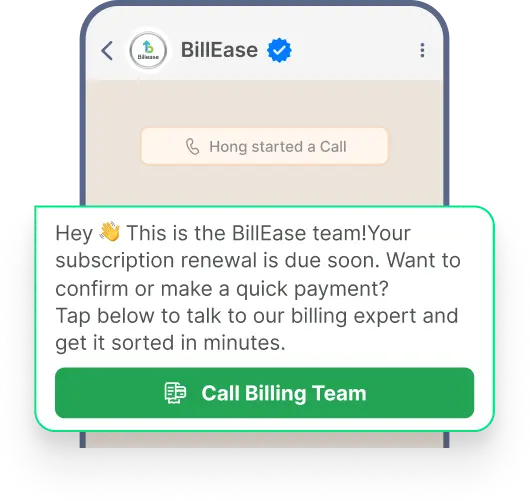
- Use deep-link buttons (“Tap to speak to billing”) in reminder messages.
- Track call logs for audit or quality control.
- Respect time zones and business hours to avoid off-hour calls.
- Great for healthcare, education, and financial services.
- Confirm or reschedule appointments through a quick WhatsApp call.
- Offer post-consultation check-ins to increase satisfaction.
- Use voice onboarding for premium users.
- Monitor call outcomes to optimize operations.
Where WhatsApp Business Calling Delivers Instant Impact
Sales & Lead Conversion
- Follow up leads instantly from chat or ad responses.
- Offer real-time consultation for high-value purchases.
- Use click-to-call in marketing campaigns to shorten the decision cycle.
- Route hot leads to the right sales rep automatically.
- Boost close rates with personalized follow-ups by voice.
Customer Support & Service
- Switch from chat to call when text isn’t enough.
- Resolve technical or billing issues faster with live voice.
- Call back directly from the chat window for smooth continuity.
- Use voice for onboarding or troubleshooting complex setups.
- Track call times and resolutions for agent performance.
Collections, Renewals & Reminders
- Secure consent first, then make a compliant outbound call.
- Improve collection success with trusted verified calls.
- Use deep-link buttons (“Tap to speak to billing”) in reminder messages.
- Track call logs for audit or quality control.
- Respect time zones and business hours to avoid off-hour calls.
Appointments & Consultations
- Great for healthcare, education, and financial services.
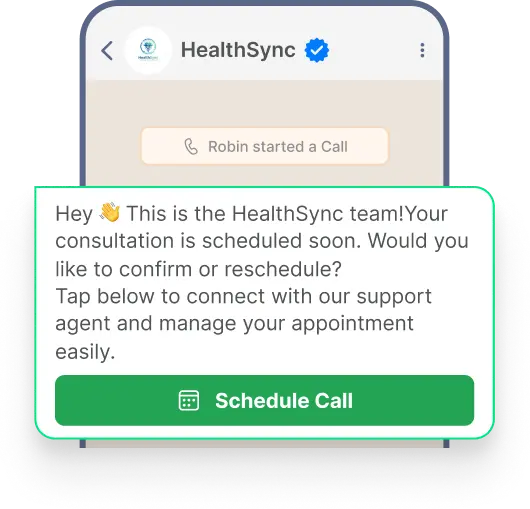
- Confirm or reschedule appointments through a quick WhatsApp call.
- Offer post-consultation check-ins to increase satisfaction.
- Use voice onboarding for premium users.
- Monitor call outcomes to optimize operations.
WhatsApp Business Calling: Everything You Need to Know
How is WhatsApp Business Calling different from regular phone calls?
WhatsApp Business Calling happens in the same conversation thread as your messages. No need for phone networks or app switching. Also, it works seamlessly across devices and countries without international calling fees.
Is WhatsApp Business Calling secure?
Yes. All WhatsApp Business calls are end-to-end encrypted, just like WhatsApp messages. Only you and your customer can hear the conversation.
Can my team handle both inbound and outbound calls?
Yes. Customers can call you, and you can initiate calls after consent. Both directions are supported.
How are calls billed?
Incoming calls are completely free. Outgoing calls are billed per minute, with rates depending on the destination region. Wati provides transparent pricing and dashboards to track usage.
What do customers see when I call?
They see your verified business name and badge on WhatsApp — giving confidence that it’s really you.
How do I ensure compliance when calling customers?
Wati's WhatsApp Business Calling includes interactive call templates that let you request and receive explicit customer consent before initiating calls. You can also set business hours to ensure you only call during appropriate times, and all call activity is logged for compliance auditing.
Can I use WhatsApp Business Calling for outbound sales?
Yes! You can initiate calls to customers who have opted in to receive communications from your business. Use interactive templates to gain consent, then call customers about product recommendations, special offers, or follow-ups on their interests.
What analytics are available for WhatsApp Business Calling?
Wati provides comprehensive call analytics including total calls made and received, call durations, missed vs. attended calls, peak call times, agent performance metrics, and conversation outcomes. Use these insights to optimize staffing, identify training opportunities, and improve customer experience.
What happens if I miss a call from a customer?
Missed calls are logged in your dashboard with notifications sent to your team. You can see who called, when, and their conversation history—making it easy to call them back or send a message.
Add Voice to Your WhatsApp Experience
Let customers connect instantly through trusted WhatsApp voice calls — build trust, close faster, and resolve issues quicker.