

-

-
-
Solutions
-
Product
-

-
-
Book Demo
Try for Free


 Wati for Marketing
 Wati for Support
 Wati for Sales
 eLearning
 E-commerce
 Marketing Agencies
 Healthcare
 No Code Chatbots
 WhatsApp Business API
 Instagram Automation
 Click to WhatsApp ads
 Campaigns
 Team Inbox
 WhatsApp Business Calling
 Wati AI

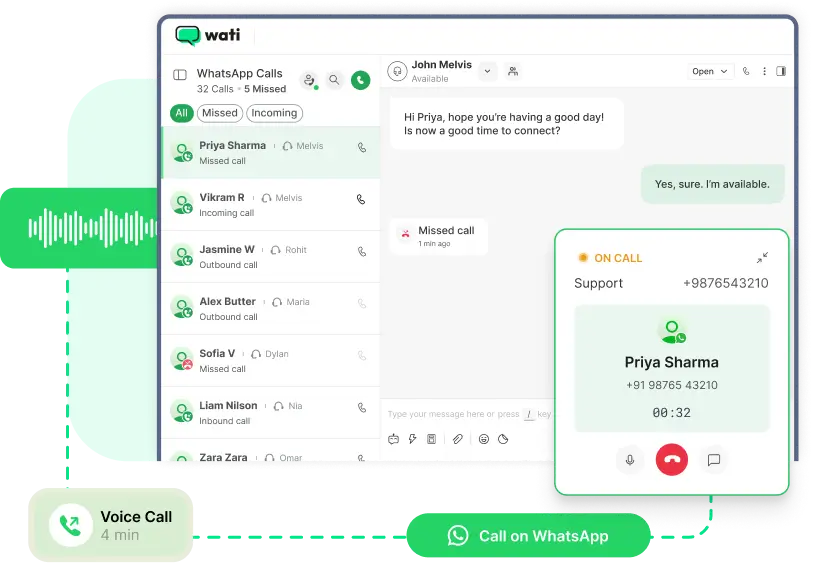
Turn WhatsApp into your full-fledged voice channel. Wati brings the WhatsApp Business Calling API to your team, so you can resolve complex issues faster, build trust with a verified caller ID, and close deals through high-quality voice calls inside the same WhatsApp thread your customers already trust.
What is the WhatsApp Business Calling API?
The WhatsApp Business Calling API is Meta's official voice extension to the WhatsApp Business Platform. It allows businesses to make and receive voice calls inside the same WhatsApp thread customers already use to message, with no separate phone line, no app switching, and no carrier charges on incoming calls.
Wati is one of the official Business Solution Providers (BSPs) authorized by Meta to bring the WhatsApp Business Calling API to your team. Once your verified WhatsApp number is connected, your customers can tap the call icon in WhatsApp to reach you, and you can call them back with consent, using your verified business name and badge on display.
Why Add the WhatsApp Business Calling API to Your CX?
Messaging is fast, but voice closes. The WhatsApp Business Calling API gives you both without forcing customers off WhatsApp, into a phone tree, or onto an unknown number they will not answer. The result: more trust, fewer drop-offs, and a measurable lift across sales and support.
Higher revenue from
voice calls than web
leads
Consumers want to
seamlessly switch
between messaging
and calling
Faster conversion
through calls
Higher retention
among callers
Powerful WhatsApp Business Calling API Features, Built for CX
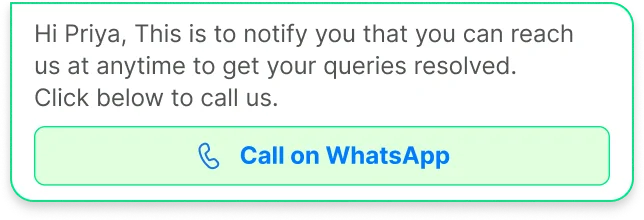
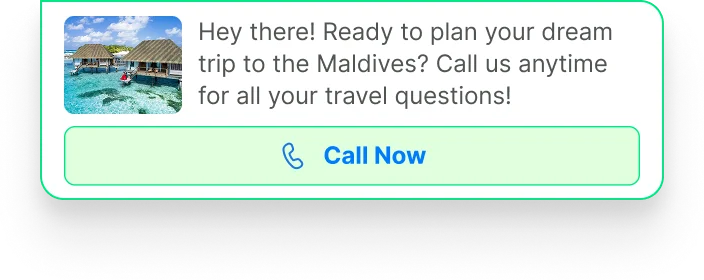
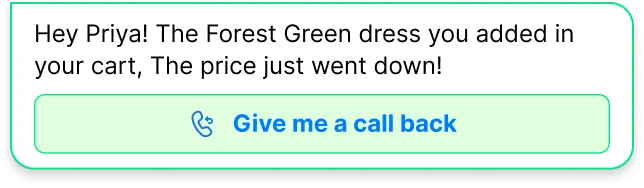
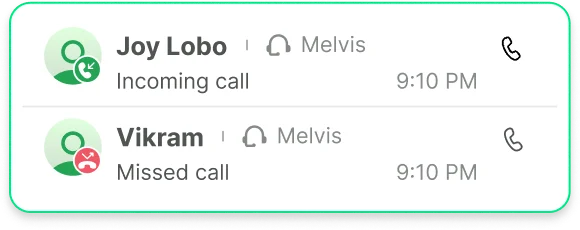
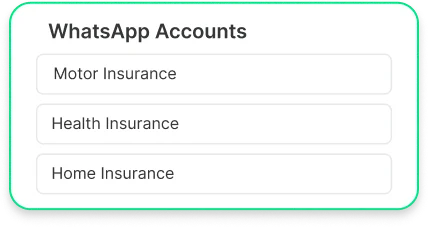
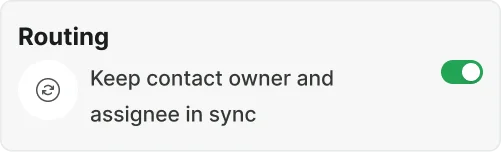
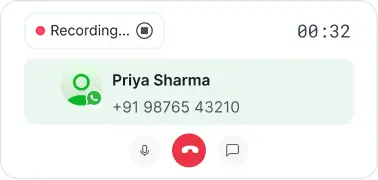
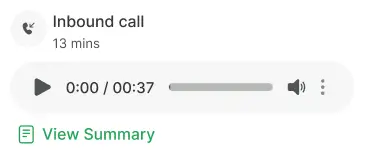
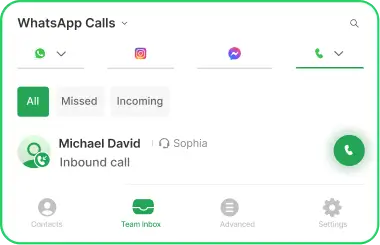
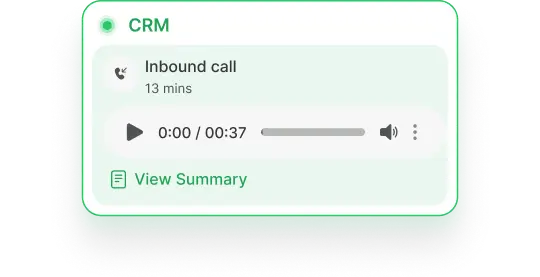
Every feature your team needs to run inbound and outbound voice on the WhatsApp Business Calling API - managed from a single Wati dashboard.




What Makes Wati Different for WhatsApp Business Calling?


How to Activate WhatsApp Business Calling on Wati
-
step 1
Connect your verified WhatsApp Business number
Sign in to Wati and connect your verified WhatsApp Business number. If you are already a Wati customer, you are using this number for messaging today — no need for a new one.
-
step 2
Toggle "Enable WhatsApp Calls" in your dashboard
Inside Settings, switch on the WhatsApp Business Calling API. The toggle activates both inbound calling (your customers can call you) and outbound calling (you can call them after consent).
-
step 3
Configure call templates and business hours
Set up your interactive call permission templates (used for outbound consent) and define your business hours so calls only land during the times your team is staffed.
-
step 4
Go live and route calls in your team inbox
Calls now flow into your existing Wati team inbox alongside chat history. Assign agents, track call logs and analytics, and start measuring impact from day one.
Eligibility: You need a verified WhatsApp Business account on the WhatsApp Business Platform (most Wati customers already qualify). Outbound calling is available in most countries; check the country availability section below for restrictions.
WhatsApp Business Calling API: Pricing & Permissions
Meta charges per outbound minute, based on the destination country. Incoming calls are free for everyone.

Free for both your business and the customer, in every supported country.

billed per minute by Meta in 6-second increments. The rate depends on the destination country and your monthly volume tier.

One outbound call request per customer per 24 hours, max two in 7 days. Once approved, the call must happen within 72 hours.

No per-call setup fee, no hidden hosting charge.
Deliver Instant Impact with WhatsApp Business
Calling API
Four ways teams are already winning with voice on WhatsApp.
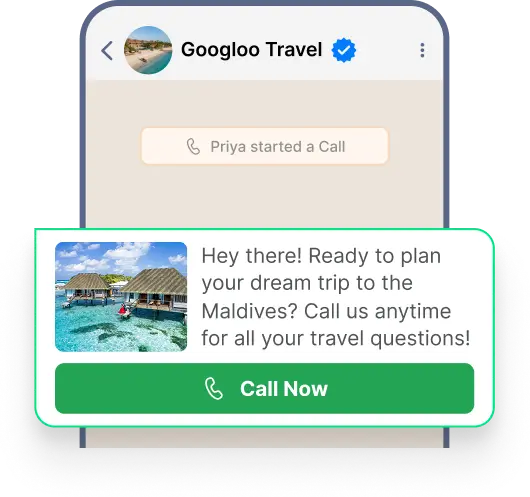
- Follow up leads instantly from chat or ad responses.
- Offer real-time consultation for high-value purchases.
- Use click-to-call in marketing campaigns to shorten the decision cycle.
- Route hot leads to the right sales rep automatically.
- Boost close rates with personalized follow-ups by voice.
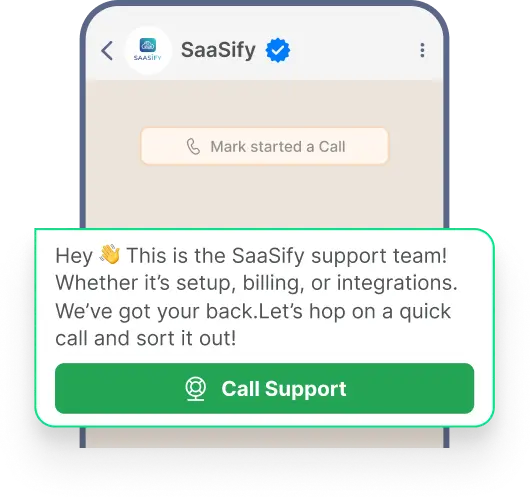
- Switch from chat to call when text isn’t enough.
- Resolve technical or billing issues faster with live voice.
- Call back directly from the chat window for smooth continuity.
- Use voice for onboarding or troubleshooting complex setups.
- Track call times and resolutions for agent performance.
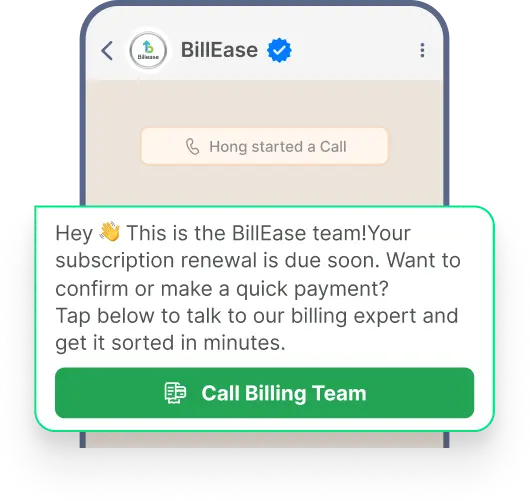
- Secure consent first, then make a compliant outbound call.
- Improve collection success with trusted verified calls.
- Use deep-link buttons (“Tap to speak to billing”) in reminder messages.
- Track call logs for audit or quality control.
- Respect time zones and business hours to avoid off-hour calls.
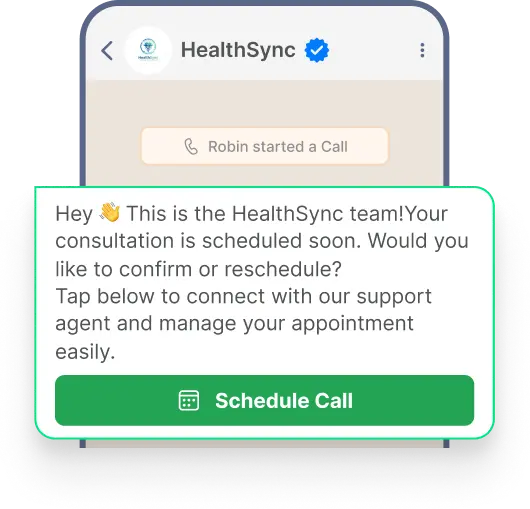
- Great for healthcare, education, and financial services.
- Confirm or reschedule appointments through a quick WhatsApp call.
- Offer post-consultation check-ins to increase satisfaction.
- Use voice onboarding for premium users.
- Monitor call outcomes to optimize operations.
Where WhatsApp Business Calling Delivers Instant Impact
- Follow up leads instantly from chat or ad responses.
- Offer real-time consultation for high-value purchases.
- Use click-to-call in marketing campaigns to shorten the decision cycle.
- Route hot leads to the right sales rep automatically.
- Boost close rates with personalized follow-ups by voice.
- Switch from chat to call when text isn’t enough.
- Resolve technical or billing issues faster with live voice.
- Call back directly from the chat window for smooth continuity.
- Use voice for onboarding or troubleshooting complex setups.
- Track call times and resolutions for agent performance.
- Secure consent first, then make a compliant outbound call.
- Improve collection success with trusted verified calls.
- Use deep-link buttons (“Tap to speak to billing”) in reminder messages.
- Track call logs for audit or quality control.
- Respect time zones and business hours to avoid off-hour calls.
- Great for healthcare, education, and financial services.
- Confirm or reschedule appointments through a quick WhatsApp call.
- Offer post-consultation check-ins to increase satisfaction.
- Use voice onboarding for premium users.
- Monitor call outcomes to optimize operations.
Is the WhatsApp Business Calling API Available in My Country?
The WhatsApp Business Calling API is live in most countries where the WhatsApp Business Platform is supported. Restrictions vary depending on whether the call is initiated by your customer (incoming) or by your business (outgoing). Meta updates this list regularly — Wati syncs availability with Meta's official documentation in real time.
Available in every country where the WhatsApp Business API is supported. The only exclusions are sanctioned regions: Cuba, Iran, North Korea, Syria, and parts of Ukraine.
Available in most supported countries — including India, Brazil, Mexico, Indonesia, the UK, and most of Europe, LATAM, MENA, and APAC. Outgoing calls are not currently supported from numbers in the USA, Canada, Egypt, Vietnam, and Nigeria, plus the sanctioned regions above.
Meta updates this list regularly. Talk to our team to confirm availability for your specific region.
Frequently Asked Questions: WhatsApp Business Calling API
What is the WhatsApp Business Calling API?
The WhatsApp Business Calling API is Meta's official voice-over-IP (VoIP) extension to the WhatsApp Business Platform. It lets businesses make and receive voice calls inside the same WhatsApp thread customers already use to message — no separate phone line, no app switching. Wati is an official Business Solution Provider (BSP) that activates the API for your team in a single toggle.
How is WhatsApp Business Calling different from regular phone calls?
WhatsApp Business Calling happens inside the same conversation thread as your messages. There is no phone network, no app switching, and no international calling fees — calls work seamlessly across devices and countries. Customers see your verified business name and badge instead of an unknown number, which dramatically improves answer rates.
Is the WhatsApp Business Calling API secure?
Yes. Every call placed through the WhatsApp Business Calling API is end-to-end encrypted, just like WhatsApp messages. Only you and your customer can hear the conversation. Calls run on Meta's secure VoIP infrastructure.
Can my team handle both inbound and outbound calls?
Yes. The WhatsApp Business Calling API supports both directions. Customers can call you anytime (inbound), and you can initiate calls to customers after receiving consent (outbound). Both flow through the same Wati team inbox alongside chat history.
How is the WhatsApp Business Calling API billed?
Incoming calls are completely free. Outgoing calls are billed per minute by Meta, in 6-second increments, with rates varying by destination country. The more calls you make to a specific country in a month, the lower your per-minute rate (volume tiers reset monthly).
What do customers see when I call them?
They see your verified business name, your verified badge, and your business logo on the incoming call screen — not an unknown number. This branded caller ID is one of the biggest reasons answer rates on the WhatsApp Business Calling API outperform traditional phone calls.
How do I ensure compliance when calling customers?
Wati's WhatsApp Business Calling API integration includes interactive call templates that request explicit customer consent before any outbound call. You can also set business hours to ensure calls only go out during appropriate times, and every call is logged for audit and compliance review.
Can I use the WhatsApp Business Calling API for outbound sales?
Yes. Once a customer has opted in, you can call them about product recommendations, special offers, or follow-ups on their stated interests. Meta's permission rules apply: one call request per customer per 24 hours, maximum two requests in any 7-day period. After consent, you have 72 hours to place the call.
What analytics are available for WhatsApp Business Calling?
Wati provides full call analytics: total calls made and received, call durations, missed vs. attended calls, peak call times, agent performance metrics, and conversation outcomes. Use these to optimise staffing, identify training opportunities, and improve customer experience over time.
What happens if I miss a call from a customer?
Missed calls are logged in your Wati dashboard with notifications sent to your team. You see who called, when, and the full conversation history — making it easy to call them back or send a message. You can also configure automated WhatsApp replies for missed calls.
Do I need a special phone number to use the WhatsApp Business Calling API?
No. You use your existing verified WhatsApp Business number. The WhatsApp Business Calling API runs on the same number you already use for WhatsApp messaging — your customers do not need to learn a new number, and your verified profile and green tick badge stay attached to both calls and chats.
How do I get the WhatsApp Business Calling API for my business?
You need a verified WhatsApp Business account and a Meta-approved Business Solution Provider (BSP). Wati is one of those BSPs. Once your number is connected to Wati, activating the WhatsApp Business Calling API is a single toggle in your dashboard — no separate technical integration, no developer effort required.
What is the difference between the WhatsApp Business App and the WhatsApp Business Calling API?
The WhatsApp Business App is free, single-device, and built for very small businesses — voice calls work but cannot be automated, recorded, distributed across a team, or integrated with a CRM. The WhatsApp Business Calling API is built for scale: multiple agents, team inbox, automation, analytics, integrations, and proper compliance controls. If you have more than two or three agents, the API is the right fit.
Can I record calls made through the WhatsApp Business Calling API?
Yes, with Wati. Recordings are stored alongside the chat thread and accessible from the call log. Customers must always be informed and their consent taken before any recording
Are video calls supported on the WhatsApp Business Calling API?
Not at the moment. The WhatsApp Business Calling API supports voice calls only. Meta has indicated that video may be added in a future release. We will update this page when that happens.
Is the WhatsApp Business Calling API available in my country?
Incoming calls work in every country where the WhatsApp Business API is supported. Outgoing calls work in most supported countries except the USA, Canada, Egypt, Vietnam, and Nigeria. Meta updates this list periodically — talk to our team to confirm for your specific region.
What is the WhatsApp Business Calling API?
How is WhatsApp Business Calling different from regular phone calls?
Is the WhatsApp Business Calling API secure?
Can my team handle both inbound and outbound calls?
How is the WhatsApp Business Calling API billed?
What do customers see when I call them?
How do I ensure compliance when calling customers?
Can I use the WhatsApp Business Calling API for outbound sales?
What analytics are available for WhatsApp Business Calling?
What happens if I miss a call from a customer?
Do I need a special phone number to use the WhatsApp Business Calling API?
How do I get the WhatsApp Business Calling API for my business?
What is the difference between the WhatsApp Business App and the WhatsApp Business Calling API?
Can I record calls made through the WhatsApp Business Calling API?
Are video calls supported on the WhatsApp Business Calling API?
Is the WhatsApp Business Calling API available in my country?
Add Voice to Your WhatsApp Experience
Let customers connect instantly through trusted WhatsApp voice calls — build trust, close faster, and resolve issues quicker.