Astra Logo
Get started for free →
Now Live
Your favourite AI tools can now work with
Wati's MCP
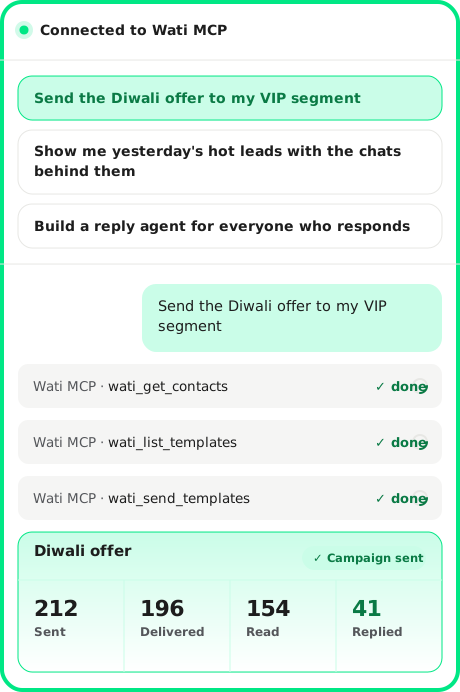
Wati’s Model Context Protocol (MCP) server lets your AI tools securely build, manage, and operate your Astra AI agents, right inside the assistants you already use. Just connect Claude or ChatGPT to turn prompts into working customer agents on web, WhatsApp, and voice.
View Setup Guide
Watch the 90-second walkthrough
A first in the WhatsApp BSP space
Wati is the first WhatsApp Business Solution Provider with an official MCP server. We are bringing agentic AI to the messaging channel used by 2 billion people every day, inside the AI tools your team already uses.
No more logging into another dashboard. You build, run, and improve your customer agents by talking to Claude or ChatGPT in your language.
HOW IT WORKS
How to get started
Three steps. Five minutes. Watch the video, copy the agent instructions, and start chatting.
1
Watch the 2-minute setup walkthrough.
The full setup, plus your first real conversation with Wati MCP, in a single video. Watch it once, and you'll know exactly what to do.
2
Copy the agent instructions.
This is the prompt you'll paste into your first chat. It tells Claude or ChatGPT how to work with Wati MCP effectively.
3
Connect Astra to Claude or ChatGPT and start chatting.
Open your AI assistant, add Astra as a custom connector using the URL (https://astra-mcp.wati.io/mcp), sign in once, then paste the instructions above as your first message.
Before you start
Two things to have ready.

1. An Astra workspace. If you are an existing Wati customer with Astra, you are set. If not, start a free workspace at https://wati.io/astra. It takes about two minutes.

2. A paid Claude or ChatGPT plan that supports custom MCP connectors. Custom connectors are not available on free plans.

What you can do with it
1
Create an agent without writing a brief.

Type into Claude or ChatGPT: "Build me a lead qualification agent for my real estate business. Pull from my website. Push hot leads to HubSpot." Your assistant asks the right follow-ups, builds the agent, and brings it to a testable state in one session.

2
Change an agent without filing a ticket.

Agent being too pushy on pricing? Tell your assistant: "Look at the last 50 conversations. Soften the tone on pricing. Run an eval to confirm." The patch is applied, evaluated, and ready to ship in minutes.

3
Run reports without opening the dashboard.

Ask: "Show me yesterday's hot leads with the conversation excerpts that made them hot." You get evidence in your chat window, not a dashboard view to filter and pivot.

4
Run your weekly scrum from the chat.

Ask: "Summarize last week's agent activity. Volume, qualified leads, top failure modes, three actions for this week." The same answer for everyone on the team. Standup is about the actions, not reconciling the numbers.

Setup Instructions
Setting up in Claude -
Read Support Article
Setting up in ChatGPT -
Read Support Article
Ready?

Connect Wati MCP to your AI assistant. It takes about three minutes.

Get started for free →
New to Astra?
Start a free workspace
first.
FAQ
Frequently asked questions