WhatsApp Business Calling API: Voice + Chat in One API | Wati

WhatsApp Business Calling: Where Conversations Meet Voice
Turn WhatsApp into your full-fledged voice channel. Wati brings the WhatsApp Business Calling API to your team, so you can resolve complex issues faster, build trust with a verified caller ID, and close deals through high-quality voice calls inside the same WhatsApp thread your customers already trust.
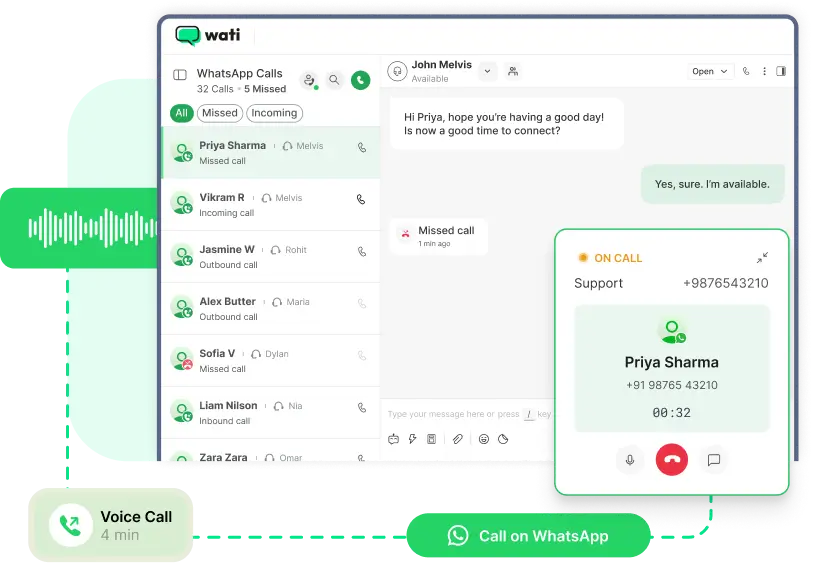
The WhatsApp Business Calling API is Meta's official voice extension to the WhatsApp Business Platform. It allows businesses to make and receive voice calls inside the same WhatsApp thread customers already use to message, with no separate phone line, no app switching, and no carrier charges on incoming calls.
Wati is one of the official Business Solution Providers (BSPs) authorized by Meta to bring the WhatsApp Business Calling API to your team. Once your verified WhatsApp number is connected, your customers can tap the call icon in WhatsApp to reach you, and you can call them back with consent, using your verified business name and badge on display.
Messaging is fast, but voice closes. The WhatsApp Business Calling API gives you both without forcing customers off WhatsApp, into a phone tree, or onto an unknown number they will not answer. The result: more trust, fewer drop-offs, and a measurable lift across sales and support.
Every feature your team needs to run inbound and outbound voice on the WhatsApp Business Calling API - managed from a single Wati dashboard.

One-Click Call from Chat
Start a voice call directly within WhatsApp. No switching apps, no missed opportunities.
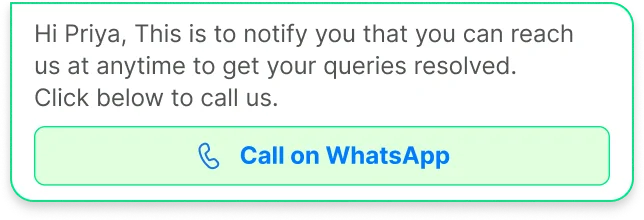
User- & Business-Initiated Calls
Allow customers to call you, or initiate outbound calls yourself, both fully supported by the WhatsApp Business Calling API.
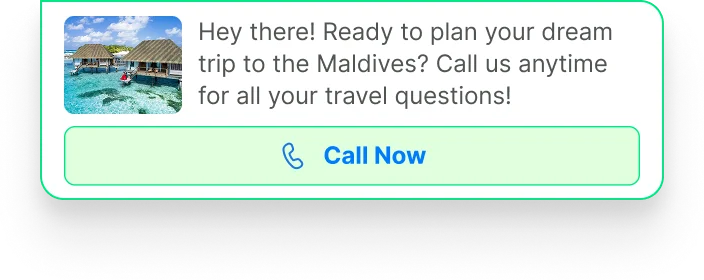
Click-to-Call Buttons
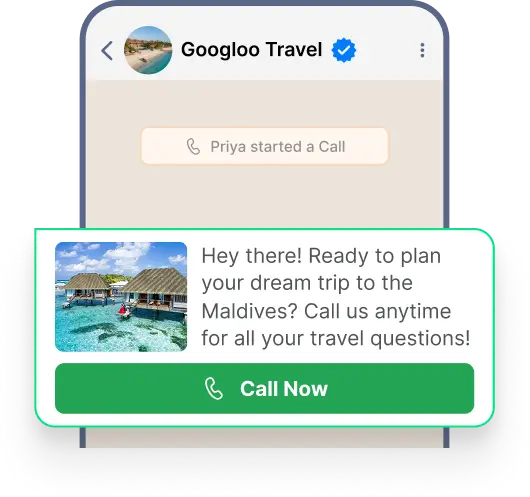
Add a "Call Now" button to WhatsApp messages, campaign broadcasts, and CTA templates.

Business Hours Control
Define business availability and ensure calls happen only when your team is ready.
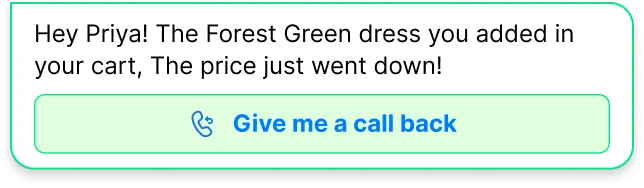
Interactive Call Templates
Request consent before calling with Meta-approved interactive templates; the WhatsApp Business Calling API requires explicit opt-in for outbound calls.
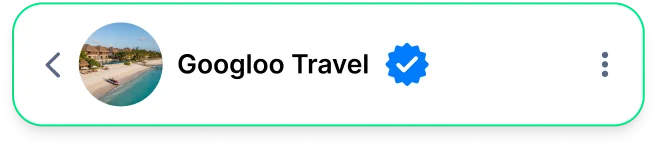
Verified Business Badge
Show customers they're speaking to the official, verified account.

Call Deep Links
Include "Tap to call" links in messages, websites, or emails.
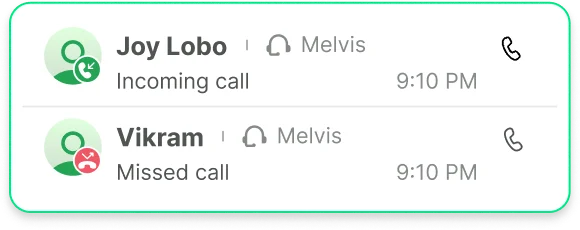
Call Logs & Analytics
View call outcomes, durations, and missed calls directly in Wati’s dashboard.
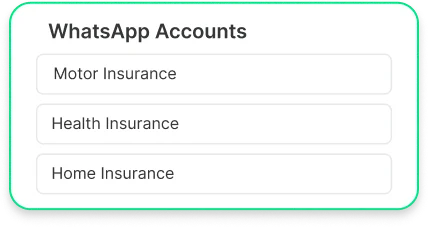
Multiple-Number Management
Manage calling across multiple numbers from one dashboard.
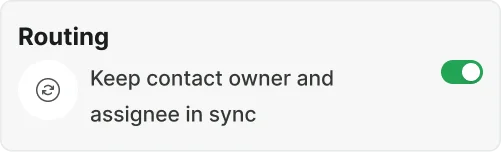
Call Routing
Ensure every inbound call is routed to the assigned contact owner before any automation or default assignment takes over.
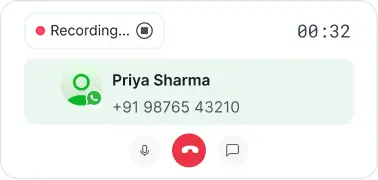
Call Recording & Storage
Recording starts automatically the moment a call connects, with operator controls to pause or stop at any time. All recordings and transcripts are saved securely.
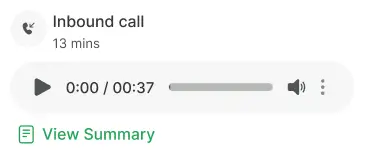
AI Transcription & Summarization
Get speaker-separated, timestamped transcripts for every call automatically, in 50+ languages. Instantly surface intent, sentiment, outcome, and action items - no replay needed.
Developer APIs & Webhooks
Access call records, recordings, transcripts, and summaries via RESTful APIs. Call completion webhook to enable live CRM sync and automated workflows without polling.
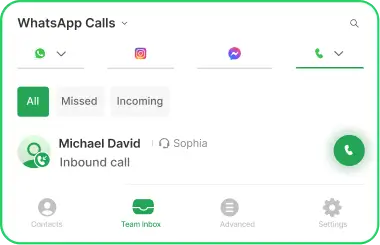
WhatsApp Calling on the Wati Mobile App
Make and receive WhatsApp Business calls directly from the Wati mobile app, so your team stays connected to customers wherever they are.
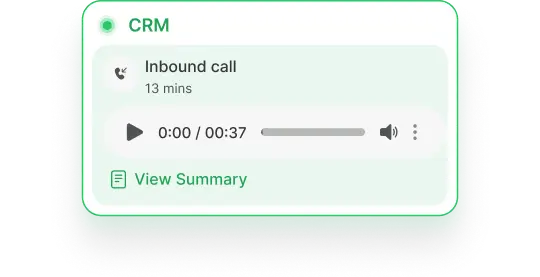
Every call is logged in your CRM
Automatic call logging, including recordings directly in your CRM, so your team has full context before every follow-up.


Connect your verified WhatsApp Business number
Sign in to Wati and connect your verified WhatsApp Business number. If you are already a Wati customer, you are using this number for messaging today — no need for a new one.
Toggle "Enable WhatsApp Calls" in your dashboard
Inside Settings, switch on the WhatsApp Business Calling API. The toggle activates both inbound calling (your customers can call you) and outbound calling (you can call them after consent).
Configure call templates and business hours
Set up your interactive call permission templates (used for outbound consent) and define your business hours so calls only land during the times your team is staffed.
Go live and route calls in your team inbox
Calls now flow into your existing Wati team inbox alongside chat history. Assign agents, track call logs and analytics, and start measuring impact from day one.
Eligibility: You need a verified WhatsApp Business account on the WhatsApp Business Platform (most Wati customers already qualify). Outbound calling is available in most countries; check the country availability section below for restrictions.
Meta charges per outbound minute, based on the destination country. Incoming calls are free for everyone.

Incoming calls
Free for both your business and the customer, in every supported country.

Outgoing calls
billed per minute by Meta in 6-second increments. The rate depends on the destination country and your monthly volume tier.

Permission rules
One outbound call request per customer per 24 hours, max two in 7 days. Once approved, the call must happen within 72 hours.

Wati fees
No per-call setup fee, no hidden hosting charge.
Four ways teams are already winning with voice on WhatsApp.
- Follow up leads instantly from chat or ad responses.
- Offer real-time consultation for high-value purchases.
- Use click-to-call in marketing campaigns to shorten the decision cycle.
- Route hot leads to the right sales rep automatically.
- Boost close rates with personalized follow-ups by voice.
The WhatsApp Business Calling API is live in most countries where the WhatsApp Business Platform is supported. Restrictions vary depending on whether the call is initiated by your customer (incoming) or by your business (outgoing). Meta updates this list regularly — Wati syncs availability with Meta's official documentation in real time.
Incoming (user-initiated) calls:
Available in every country where the WhatsApp Business API is supported. The only exclusions are sanctioned regions: Cuba, Iran, North Korea, Syria, and parts of Ukraine.
Outgoing (business-initiated) calls:
Available in most supported countries — including India, Brazil, Mexico, Indonesia, the UK, and most of Europe, LATAM, MENA, and APAC. Outgoing calls are not currently supported from numbers in the USA, Canada, Egypt, Vietnam, and Nigeria, plus the sanctioned regions above. Meta updates this list regularly. Talk to our team to confirm availability for your specific region.
What is the WhatsApp Business Calling API?
The WhatsApp Business Calling API is Meta's official voice-over-IP (VoIP) extension to the WhatsApp Business Platform. It lets businesses make and receive voice calls inside the same WhatsApp thread customers already use to message — no separate phone line, no app switching. Wati is an official Business Solution Provider (BSP) that activates the API for your team in a single toggle.
How is WhatsApp Business Calling different from regular phone calls?
Unlike traditional cellular or landline calls, WhatsApp Business Calling operates entirely over data (VoIP) within Meta's ecosystem. Calls show your verified business profile, integrate directly with chat history, and allow immediate voice-to-text transitions.
Is the WhatsApp Business Calling API secure?
Yes. All voice calls on the WhatsApp Business Calling API are end-to-end encrypted or protected under Meta's enterprise security standards, ensuring high privacy for both customer and business communications.
Can my team handle both inbound and outbound calls?
Yes! Customers can initiate free inbound calls directly from your chat thread, website, or ads. Your agents can also request and place outbound voice calls once permission is granted.
How is the WhatsApp Business Calling API billed?
Inbound calls are 100% free for both your business and the customer. Outbound calls are billed per minute by Meta based on destination rates with 6-second increments.
What do customers see when I call them?
When you call a customer, they see your verified WhatsApp Business display name, profile picture, and green checkmark badge, boosting call pickup rates and building immediate trust.
How do I ensure compliance when calling customers?
Meta requires sending an interactive call permission request template before placing outbound calls. Wati automates this consent workflow so every outbound call stays fully compliant.
Can I use the WhatsApp Business Calling API for outbound sales?
Yes. Sales teams use outbound calling for high-intent leads, appointment confirmation, and closing deals faster directly inside the active messaging thread.
What analytics are available for WhatsApp Business Calling?
Wati provides comprehensive call logs, duration metrics, missed call tracking, agent response times, and downloadable transcripts for quality monitoring.
What happens if I miss a call from a customer?
Missed calls generate an automatic system notification in your Wati team inbox, triggering automated away messages or follow-up chat workflows so no lead is lost.
Do I need a special phone number to use the WhatsApp Business Calling API?
You can use any valid phone number registered to your verified WhatsApp Business API account on Wati.
How do I get the WhatsApp Business Calling API for my business?
Sign up for Wati, connect your WhatsApp Business account, and enable the WhatsApp Business Calling API toggle directly from your dashboard.
What is the difference between the WhatsApp Business App and the WhatsApp Business Calling API?
The free Business App is designed for single-user mobile use. The Calling API enables multi-agent team inbox routing, CRM integrations, call recording, webhooks, and scalable enterprise call management.
Can I record calls made through the WhatsApp Business Calling API?
Yes, call recording can be enabled automatically or manually within Wati, with recordings securely stored and accessible alongside chat transcripts.
Are video calls supported on the WhatsApp Business Calling API?
Currently, the WhatsApp Business Calling API supports high-definition voice calling. Video calling capabilities may be introduced by Meta in future platform updates.
Is the WhatsApp Business Calling API available in my country?
Inbound calling is available globally. Outbound calling is supported in most major markets including US, India, Brazil, UAE, UK, EU, and LATAM, with Meta continually adding new regions.