
Too Long? Read This First
- AI customer support uses AI agents across WhatsApp, web chat, voice, and email to resolve repetitive queries, route complex ones to humans, and free your team to handle what actually needs them.
- AI is not a replacement for your team. It handles the repetitive, high-volume queries, so your people can focus on the conversations that need judgment, and angry customers still reach a human.
- Beyond answering FAQs, AI can resolve issues end-to-end, remember customers across channels, translate in real time, summarize conversations, and spot patterns in your tickets.
- AI support has limits: it can hallucinate without proper grounding in your docs, and many customers still prefer a human. Choose a tool that uses RAG and offers a clean handoff.
- With Wati, Astra handles customer conversations on WhatsApp, the web, and voice, while Wati AI helps your team with answers from account data, conversation summaries, and translation.
AI customer support uses AI agents to answer customer questions, resolve routine issues, and route complex ones to the right human, across WhatsApp, web chat, voice, and email. Instead of customers waiting hours for a reply, they get accurate answers in seconds, any time of day.
It isn't a replacement for your support team. AI handles the repetitive, high-volume queries, so your people can focus on conversations that need judgment and empathy.
In this guide, we'll cover how AI customer support works, the things it actually does day to day, and where it still struggles. We'll also walk through how to pick a tool without getting burned, and how Wati does it with Astra and Wati AI.
What is AI Customer Support?
AI customer support uses AI agents, chatbots, voice agents, ticket-routing tools, and sentiment models to handle a customer conversation from the first hello to resolution or a clean handoff to a human.
It’s the difference between a customer waiting 14 hours for someone to reply to “where is my order?” and getting an answer in 8 seconds at 2 am on a Sunday.
Modern AI agents are not the IVR you grew up hating. They read context, remember the last conversation, pull from your knowledge base, and execute tasks like issuing a refund or rebooking a flight without a human in the loop.
When they can’t solve something, they pass the conversation along with a clean summary so the human doesn’t have to start from scratch. That’s the shift. AI support used to mean “deflect tickets.” Now it means “resolve tickets.”
Why Businesses Are Adopting AI Customer Support Now
A few numbers, all from 2026 research, in case you need to make the case internally:
- The AI customer service market hit $15.12 billion this year and is on track for $47.8B by 2030 (Grand View Research / Lorikeet).
- Gartner projects conversational AI will reduce contact-center labor costs by $80 billion in 2026 (Gartner).
- 88% of contact centers report using some form of AI today but only 25% have it actually integrated into daily workflows (AmplifAI via CMSWire).
- 90% of customers rate an immediate response as important; 60% define “immediate” as under 10 minutes (Gorgias / HubSpot data).
The gap between “we have AI” and “our AI actually resolves things” is where most teams are stuck. The numbers below show the resolving teams.
How does AI Customer Support Work?
There are four moving parts. Knowing what they do separately helps to pick up the right one.
Natural language understanding. The agent reads what the customer typed or said, figures out the intent (refund? tracking? cancel?), and ignores the polite scaffolding around it.
Knowledge retrieval. The agent looks at your help docs, past tickets, and product specs to find the right answer. Good systems cite the source. Bad ones hallucinate.
Action execution. The agent doesn’t just read out an answer; it actually does the thing. Updates a CRM, refunds the payment, books the call, and sends the tracking link. This is the part most “chatbots” skip.
Handoff and summarisation. When the AI can’t or shouldn’t handle something- an angry customer, an edge case, a compliance issue- it tags a human, hands over a one-paragraph summary, and exits the chat. The customer doesn’t repeat themselves.
If any of those four are missing, you don’t have AI customer support. You have a slightly smarter FAQ widget.
10 Things AI Customer Support Actually Does Day to Day
Skipping the theory. Here’s what teams are running in production right now.
1. Answers FAQs without Making the Customer Feel Stupid
- Where do I track my order?
- When is my refund coming?
- How do I change my plan?
These are 60–80% of the tickets you receive. An AI agent trained on your knowledge base picks them off in seconds, and your humans stop dying inside.
2. Remembers the Customer Across Channels
Someone messaged on WhatsApp on Monday, called on Wednesday, and came back to web chat on Friday. A traditional helpdesk starts from scratch every time.
An AI agent picks up where the last conversation left off, with the same context, same case, same tone. This single feature solves the loudest complaint in customer service: “I’ve already explained this three times.”
3. Routes the Hard Stuff to the Right Human
Most tickets don’t need a senior agent. Some do. AI reviews the message, scores it for urgency and complexity, and routes it accordingly. A frustrated VIP customer with a billing issue doesn’t sit in the same queue as someone asking for a tracking link.
4. Catches the Angry Ones Before They Tweet
Sentiment models read tone in real time. When someone goes from polite to hostile, “this is ridiculous”, “I want to speak to a manager”, “I’m leaving a review,” the system pulls in a human immediately, with the full chat history attached.
5. Resolves Issues End-to-End, Not Just Answers Them
This is the line between a chatbot and an AI agent. A chatbot tells you the return policy.
An AI agent reads your order ID, confirms eligibility, generates the return label, emails it to you, and updates the CRM. All in one chat.
6. Handles Voice the Same Way It Handles Chat
This is the newer one. Voice AI agents pick up phone calls, talk in a natural voice (including a cloned version of your brand voice if you want), understand interruptions, and can hand off to a human mid-call.
For SMBs missing 60–80% of inbound calls after hours, this single deployment recovers more revenue than most marketing campaigns.
If you want to go deeper on voice specifically, here’s how AI voice agents work and why cloned brand voices matter for support.
7. Translates on the Fly
A customer messages in Spanish. The AI replies in Spanish. Your support team responds in English. The customer doesn’t know there’s a translation happening. This used to require either a multilingual hire or a clunky third-party tool. Now it’s a checkbox.
8. Summarises Calls and Chats Automatically
After every conversation, AI writes a structured summary: the issue, the resolution, and the follow-up needed. Your agents stop spending 4 minutes typing notes after every call. Multiply by 50 calls a day, and you get back a full agent’s worth of time per week.
9. Pre-Qualifies Leads inside Support Conversations
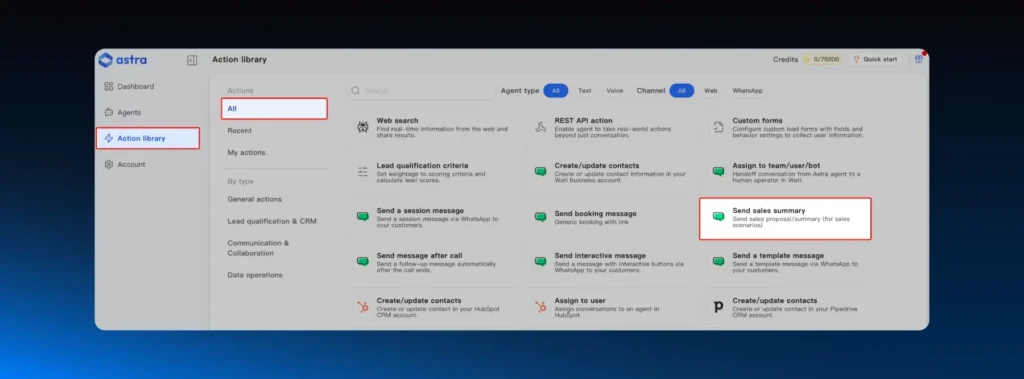
Half of “support” conversations are actually sales conversations in disguise. Someone asking about pricing isn’t a support ticket; they’re a lead. AI catches buying intent inside a support chat, qualifies it, and either books a demo or hands it to sales with context.
10. Spot Patterns You Can’t See
Your team handles 5,000 tickets a month. Nobody has time to read them in aggregate. AI does. It surfaces patterns: “78% of refund requests this week mention the same SKU”, so you can fix the root cause instead of just answering 78 tickets one by one.
Where This Actually Changes Things: By Industry
Different industries get value from different parts of the stack. Quick map:
Industry | Where AI customer support earns its keep |
|---|---|
E-commerce / D2C | Order tracking, returns, refunds, cart-abandonment recovery on WhatsApp |
SaaS | Onboarding, in-app help, contract renewals, churn signals |
Healthcare | Appointment booking, insurance verification, prescription refills |
Fintech | Card freezes, fraud alerts, balance inquiries, and KYC clarifications |
Travel / Hospitality | Rebookings during disruption, voucher issuance, and multilingual front desk |
Edtech | Admissions FAQs, fee payment troubleshooting, and enrolment support |
The pattern across all of them is the same: AI handles the predictable 70%, humans handle the messy 30%. The teams that win are the ones who design that handoff well.
The Honest Version: Where AI Customer Support Still Struggles
A blog written by a vendor isn’t going to tell you the limits. Here they are anyway, because pretending they don’t exist is how you end up making the news for the wrong reasons.
Customers can tell. A SurveyMonkey study from late 2025 found that 79% of US customers still prefer talking to a human, and 56% have negative feelings about companies that put AI in front of them (SurveyMonkey). The fix isn’t pretending the bot is human. It’s making the bot good enough that customers don’t mind.
Klarna had to walk it back. Klarna famously announced its AI was doing the work of 700 agents. A year later, they admitted they’d over-rotated and were rehiring humans. The lesson isn’t “AI doesn’t work.” It’s “AI for the wrong tickets makes things worse.”
Hallucinations are real. Generative models invent answers when they don’t know. If your AI isn’t grounded in your actual documentation (this is called RAG- retrieval-augmented generation), it will eventually tell a customer something incorrect with full confidence.
Compliance is a thing. In finance, healthcare, and EU markets, you can’t just bolt an AI agent onto a customer-facing channel without documenting consent, data flow, and override paths. Plan for it.
None of this is a reason not to deploy AI customer support. It’s a reason to deploy it carefully.
How to Pick a Tool Without Getting Burned?
This is the section vendors don’t write. Most teams shop on features.
They should shop for these things instead.
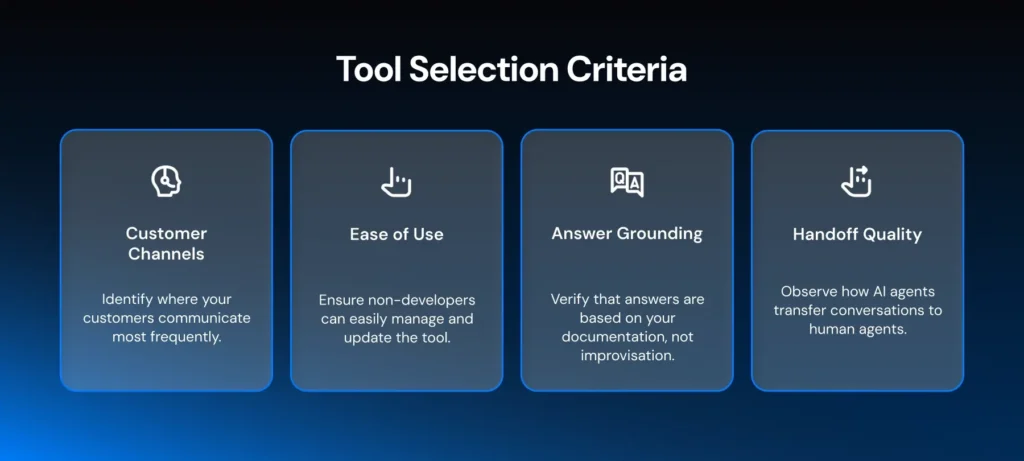
- Where do your customers actually message you? If they’re on WhatsApp, a tool built around email tickets will feel wrong forever. WhatsApp is the dominant support channel across India, LATAM, MENA, and SEA, and increasingly the US too. If that’s where your volume is, start there. Here’s a guide to setting up the WhatsApp Business API properly.
- Can a non-developer actually use it? Look at the chatbot builder. Click around. If you need an engineer for every change, you’ve bought a project, not a tool.
- Does it ground answers in your docs, or improvise? Ask the vendor how RAG works on their platform. If they can’t answer in two sentences, walk away.
- How clean is the handoff? Watch a live demo of an AI agent transferring to a human mid-conversation. If the human starts cold, that’s the product you’re buying.
How Wati Handles AI Customer Support
Wati, the agentic customer engagement platform, covers both sides of AI customer support: Astra talks to your customers, and Wati AI helps your team.
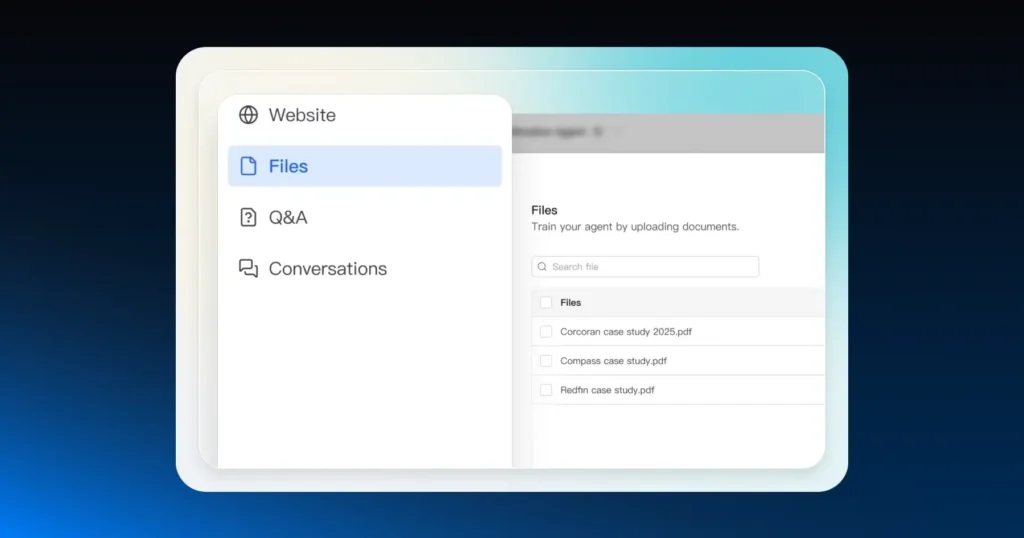
For your customers: You upload your knowledge base (PDFs, help center URLs, FAQs), and Astra handles inbound queries on WhatsApp, web chat, and voice around the clock. It handles calls in 30+ languages and can speak in your cloned brand voice from a short audio sample. When something needs a human, Astra routes it to your Team Inbox with the full conversation history attached.
For your team: In Wati AI, you can use Ask Wati AI to get answers from your account data, like which product is driving refund requests this week, and Wati AI Agents to prepare routine follow-ups for admin approval.
When support reps pick up a handoff, AI Conversation Summary gives them the context without reading the whole thread, AI Translate lets them reply in the customer's language, and AI CX Score flags conversations going sideways in the background.
The reason teams pick Wati for support is its WhatsApp depth. Most generic AI helpdesk tools were built for email and bolted WhatsApp on later. Wati started on WhatsApp and built outward. If that's where your customers are, that matters.
What Changes When You Switch Over
This isn’t a hypothetical. Wati customers running Astra see response times drop by up to 60%, ticket volume on human agents falls by 30–50%, and CSAT holds steady or improves (the “or improve” part surprises people; it turns out customers prefer a fast, accurate AI answer to a slow, correct human one).
The teams that get the biggest jump are the ones with high WhatsApp volume, repetitive query patterns, and a small support headcount stretched thin.
If that’s you, the maths is straightforward: a monthly plan replaces roughly one full-time agent’s worth of repetitive ticket handling.
So, is it Time?
If your team is buried in tickets, your response times are creeping up, and your customers are getting more impatient every quarter, yes. If your support volume is low and your team has time to spare, maybe not yet.
The market reality is that 88% of contact centers are already running some form of AI. The competitive question isn’t whether you should. It’s whether yours actually resolves things or just deflects them.
The good news: deploy an AI agent on it, measure for 30 days. If it works, expand. If it doesn’t, you’ve learned something.
Want to see what 24/7 AI support on WhatsApp looks like for your business? Deploy Astra for free.
Frequently asked questions
Is AI customer support going to replace my support team?
No. It handles repetitive, high-volume queries tracking, FAQs, and status updates, so your humans can focus on the conversations that actually need judgment and empathy. The teams that try to replace humans entirely (Klarna being the famous example) end up rehiring.
How long does it take to set up?
For a WhatsApp-focused tool like Wati, you can have Astra live in under an hour. Upload your help docs, point it at a few URLs, and set the handoff rules. Voice agents take slightly longer because of telephony provisioning.
What about hallucinations? Won't the AI make things up?
It can, if it's not properly grounded. Look for tools that use retrieval-augmented generation (RAG), which forces the AI to answer only from your documents. If a vendor can't explain how they prevent hallucination, that's a red flag.
What's the difference between a chatbot and an AI customer support agent?
A chatbot follows scripts and decision trees. Press 1 for sales, type "track" for order status. An AI agent understands free-form messages, pulls answers from your docs, executes actions in your backend, and hands off to a human when needed. The user experience is closer to messaging a knowledgeable colleague than navigating a phone tree.
Does it work in languages other than English?
Modern AI customer support tools handle 30+ languages natively and can switch mid-conversation. Astra handles this across chat and voice.
Related posts
- Multilingual Voice AI: Deploy One Agent That Speaks Every Customer’s Language
Multilingual voice AI automatically detects your customer’s language, responds naturally, and switches mid-conversation if needed. See how it works in 2026.
- How to Automate Business Conversations With a WhatsApp AI Agent in 2026
Learn how to build a WhatsApp AI agent to engage, qualify, and convert prospects round the clock without any delays in 2026.
- Voice-First Web Experiences: Navigating with Voice Commands
learn how voice first web experiences enable you to power personalized, human-like conversations to have a competitive advantage in today’s market.
- How Voice AI Agents Qualify Leads: A Sales Team’s Guide to Hands-Free Pipeline
know how does voice ai qualifies leads for an effective sales action and potential conversion and where does astra 2.0 stand when it comes to pre-configured lead qualification