
Too Long? Read This First
- A shared team inbox for Instagram replaces the shared login with structured ownership, conversation history, and automation built for teams.
- Use the six-point checklist in this article to evaluate any tool before committing to a trial or demo.
- Criteria 1, 2, and 4 are non-negotiable: unified view, conversation assignment, and full conversation history.
- A tool that requires Zapier or Make to enable automation is a partial solution, not a full inbox.
- Wati offers a shared team inbox where Instagram DMs, comments, and WhatsApp live together natively, with no integration required.
- Wati's Team Inbox includes AI Conversation Summary, part of Wati AI, which auto-generates chat summaries so managers can check conversation quality without reading every message.
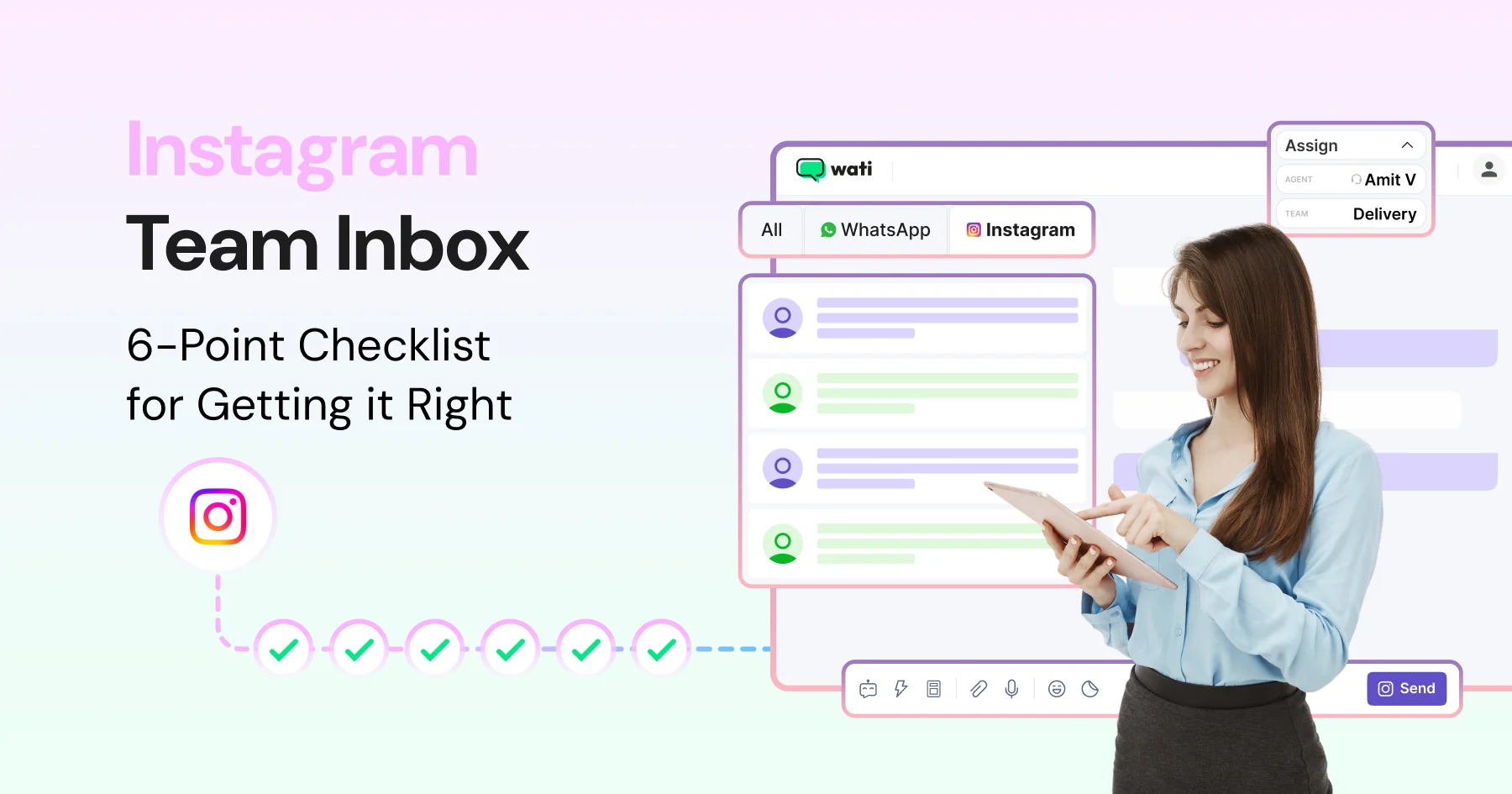
A shared Team Inbox for Instagram lets more than one person manage Instagram DMs and comments from a single business account, with conversation assignment, full message history, and built-in automation, instead of a shared login.
Wati is one such platform that brings Instagram DMs and WhatsApp into one inbox. If your team is still handing around one login, one phone, or juggling three separate tools, this guide covers the six criteria that separate a real team inbox from a workaround.
By the end, you’ll know exactly what to look for, what separates a real shared team inbox for Instagram from a shared login, and which features are non-negotiable versus nice-to-have.
If you’re already evaluating Instagram automation to handle comments and DMs, this checklist will also tell you whether your current inbox can support it at team scale, or whether you’re one busy campaign away from it falling apart.
The Instagram Inbox Problem: When One Account Means a Team Disaster
Managing Instagram as a team from a single account sounds simple until it isn’t.
Instagram has over 3 billion monthly active users, and a large share of them expect to reach businesses directly. At any real volume, a single shared login isn't a workaround; it's a bottleneck.
Here is what actually goes wrong.
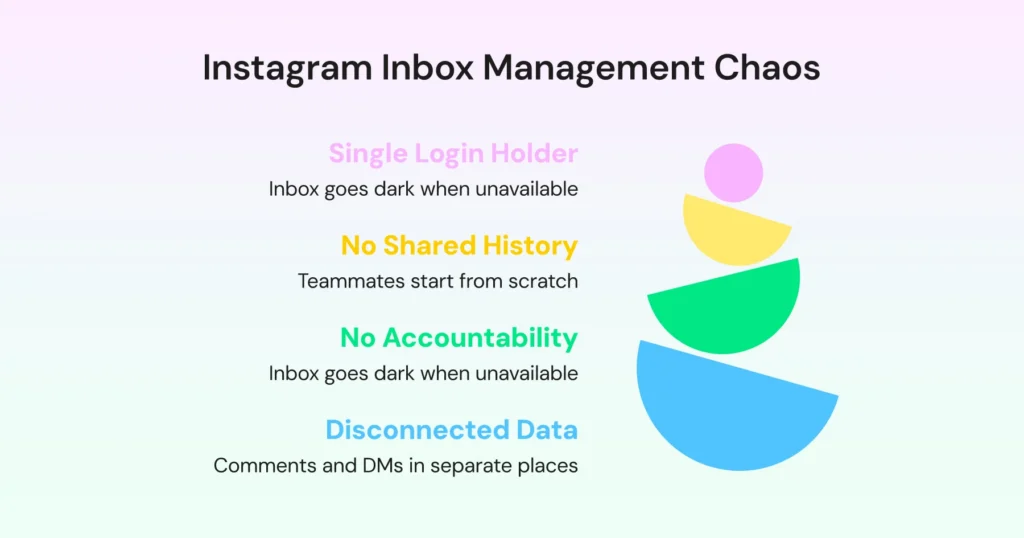
- Access tied to one person: If that person is on leave, offline, or unavailable, the inbox effectively pauses. Incoming DMs wait until someone can respond. If only one person manages your Instagram business profile, the unavailability of that person can leave your target audience’s queries unanswered.
- No shared conversation history: When a teammate picks up a thread, they are starting from scratch. They have no idea what was said before, what was promised, or who the customer even is. The customer has to repeat themselves. Nobody wins.
- No accountability for unanswered DMs: Without assignment, nobody owns anything. DMs slip through not because the team is careless but because no system makes ownership visible.
- Comments and DMs live in separate places: Comments get managed in the Instagram app. DMs go to a third-party tool. A customer who does both is two disconnected data points, and the team has no way to connect them.
If any of the above scenarios sound familiar, you are still doing it manually, while competitors win those same customers with affordable, easy-to-set-up automation.
Is a Shared Login the Same as a Team Inbox?
Feature | Shared Login | Team Inbox |
Access | One login shared | Multi-user access |
Ownership | No assignment | Clear assignment |
History | Fragmented | Full conversation history |
Automation | Not available | Built-in automation |
Scalability | Breaks with team size | Built for teams |
Why Do DMs and Comments Need to Live in the Same Place?
Most Instagram team inbox tools handle DMs. That is the easy part. What many of them do not handle (or handle poorly) are comments.
This matters more than it sounds. A customer who comments on your post and then slides into your DMs is not two separate interactions.
They are one person, one conversation, one customer relationship-building opportunity. However, if your comments live in the Instagram app and your DMs live in a third-party tool, your team sees two disconnected data points with no way to connect them.
The context is gone before the conversation even starts.
What you actually need is:
- One unified thread: The comment and the DM it triggered appear together.
- Reply without switching apps: Respond to comments via DM directly from the inbox.
- No gaps, no missed context: Everything lives in one place, so nothing falls through the cracks.
Here is what to look for when evaluating whether a tool is truly unified.
The 6-Point Checklist for Evaluating an Instagram Team Inbox
Use this checklist in your next vendor demo or trial. Ask each vendor to show you, not just tell you, how they handle each criterion.
Criterion | What to Look For | What Good Looks Like |
DMs and comments in one view | Instagram DMs and post comments appear side by side, not in separate tabs or tools. | Team can reply to both comments and DMs from the same screen without switching apps. |
Conversation assignment | Conversations can be assigned to specific team members with visible ownership. | No duplicate replies, and every conversation clearly shows its owner. |
Automated responses | Welcome messages, OOO replies, and keyword-triggered DMs can be set up easily. | The team can configure and edit automations from a dashboard without code or dev support. |
Conversation history | The full history of all past interactions is stored and visible. | Anyone can pick up a conversation with full context, no need to ask customers to repeat. |
Comment-to-DM automation | Ability to automatically send DMs when someone comments on a post or reel. | A post goes live, and every commenter receives a DM instantly, with zero manual effort. |
Multi-channel inbox | Inbox supports multiple channels such as Instagram and WhatsApp. | The same customer is recognised across channels with a unified conversation thread (depending on contact matching setup) |
The three non-negotiables are criteria 1, 2, and 4: unified view, conversation assignment, and full conversation history. A tool that cannot demonstrate all three in a live demo is not built for team operations. It is built for a single user with a shared password.
The remaining three criteria: automated responses, comment-to-DM automation, and multi-channel support, are what separate a good team inbox from a great one.
Don't skip automated responses, comment-to-DM automation, or multi-channel support during evaluation. Don't let a gap in just one of those three disqualify an otherwise strong tool. Weigh them against your team’s specific workflow.
How to Evaluate a Team Inbox During a Demo
Before choosing a tool, ask the vendor to demonstrate the following live:
- Assign a conversation to a team member in real time
- Trigger a comment-to-DM automation from a live post
- Switch between agents handling the same conversation
- Show full conversation history across messages
What are the Automation Features That Should Come With Your Inbox?
Managing the Instagram inbox as a team without built-in automation is a half-solution. It solves the shared login problem, but it still leaves your team doing manual work that a proper Instagram team inbox should handle.
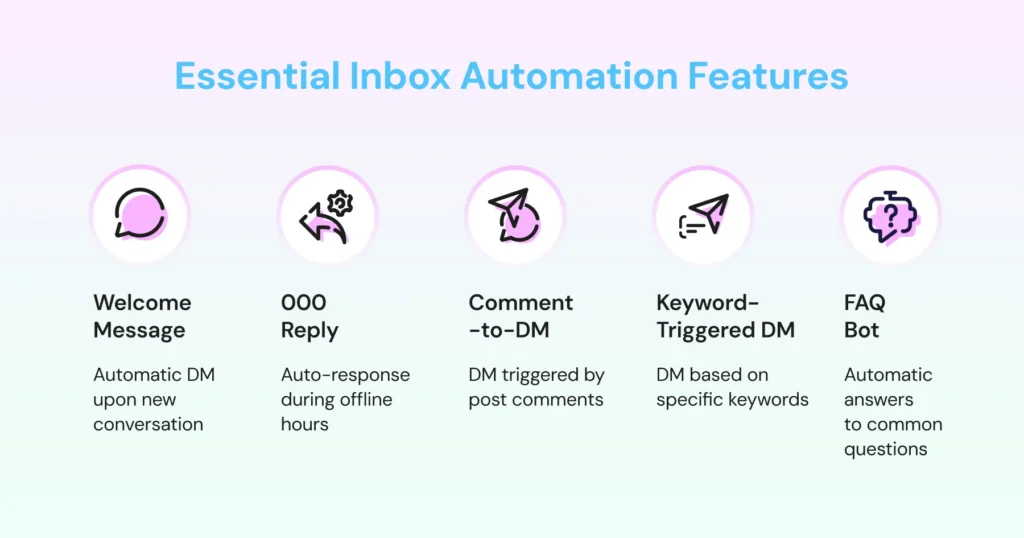
Keep reading to learn about the five automation features that should be native to any team inbox you consider, not available via a Zapier or Make integration, but built in:
- Welcome message: An automatic DM fires the moment a new conversation starts. First response time drops to zero without anyone on the team lifting a finger.
- OOO reply: When the team is offline, an auto-reply goes out with configurable hours. No customer is left waiting in silence.
- Comment-to-DM automation: When a user comments on a post, the tool automatically sends them a DM at scale, within platform limits.
- Keyword-triggered DM: A DM fires only when a comment contains a specific keyword. Useful for campaigns, giveaways, or product drops where intent is signalled by what someone says. Check out how to set up keyword-triggered Instagram automation with Wati.
- FAQ bot: Common DM questions are answered automatically, with a clean handoff to a human when needed. Learn how to build an Instagram FAQ bot with our guide.
One warning worth repeating: If a vendor requires a third-party integration to enable any of these five, it is not a fully integrated inbox. It is a partial solution with added workflow complexity, and that complexity compounds every time something breaks.
If you’re evaluating tools right now, it helps to see what a truly unified inbox should look like before you decide. Try it now.
What Does It Cost to Run a Shared Instagram Inbox?
Most buyer's guides skip this question. Ask it directly in a demo.
A team inbox's real cost usually has three layers: the base subscription, per-seat pricing as your team grows, and an AI usage layer for features like automated summaries or scoring.
With Wati AI, inbox features such as AI CX Score and AI Conversation Summary run on a shared AI credit pool. The cost of adding AI to your Instagram inbox is visible up front, not billed as a separate line item later.
Ask any vendor to walk you through all three layers before you sign. A tool that looks cheap on the pricing page can still surprise you at the seat or AI-usage layer.
How Does Wati’s Team Inbox Handle Instagram DMs and Comments?
Here is how Wati scores against the six-point checklist we covered earlier for the shared team inbox for Instagram.
- DMs and comments in one view: Instagram DMs, post comments, and Reel comments all appear inside Wati’s Shared Instagram team Inbox. Your team can view and reply to both from the same interface.
- Conversation assignment: Every conversation can be assigned to a specific team member, and that assignment is visible to everyone. If it is assigned, it is owned. Nothing sits in a grey area.
- Automated responses: Welcome messages and OOO replies are native and configurable without a developer. Your team sets them up, your team edits them.
- Conversation history: The full thread is visible from the very first message. Whoever picks up a conversation sees everything that came before. The customer never has to repeat themselves.
- Comment-to-DM automation: A comment on a post or Reel triggers an automatic DM, instantly. Keyword-triggered automation means specific comments get specific responses, which are useful for campaigns, drops, and giveaways.
- Multi-Channel Inbox: Instagram and WhatsApp live in the same inbox, each channel in its own tab, but treated as one customer, one thread. Not two tools or two logins. The same one-customer, one-thread model now stretches to a third channel: Instagram, WhatsApp, and TikTok all share one Wati inbox.
- AI Conversation Summary and AI CX Score: Long-running Instagram conversations are summarized automatically, so a teammate picking up a reassigned thread gets the gist in seconds. AI CX Score runs in the background too, so managers can check quality without reading every message.
- Ask Wati AI: Managers can ask Wati AI questions about their Instagram conversations and contacts, such as how many DMs from this week are still unassigned, instead of scrolling the inbox. Wati AI Agents take on routine background tasks and prepare actions for admin approval.
Six criteria. Six ticks. But the real differentiator is not any single feature. It is a fact that no integration is required for any of this to work. Native, unified, and ready the moment your team logs in.
The Shared Team Inbox for Instagram Your Team Needs
You now have a clear definition of what unified actually means, the criteria to hold any vendor to in a demo, and a list of automation features that should come built-in.
The only thing left is finding a tool that delivers on all of it.
Wati does. Instagram DMs, post comments, and WhatsApp in one inbox, each channel in its own tab, every customer treated as a single contact with a single thread.
Everything is native, with no integrations to maintain, no third-party tools to stitch together, and no switching between apps to get a complete picture of a conversation.
That is the difference between a tool that handles Instagram and a tool that was built for teams who live on it.
Book a demo to see Wati's shared Instagram team inbox in action.
Frequently asked questions
1. What is a shared team inbox for Instagram?
A shared team inbox for Instagram is a platform where multiple team members can view, reply to, and manage Instagram DMs and comments together without sharing a single login. It includes conversation assignment, full message history, and automated responses, so every DM is owned, tracked, and answered.
2. What should I look for in a shared team inbox for Instagram?
The six most important criteria are: DMs and comments in one view, conversation assignment, automated responses, full conversation history, comment-to-DM automation, and multi-channel inbox support. Any tool that cannot demonstrate the first three in a live demo should be off your shortlist.
3. Can I manage Instagram comments and DMs in the same inbox?
Yes, but not every tool does this. A proper shared team inbox for Instagram shows DMs and post comments in the same conversation list, so your team can reply to both from one screen without opening the Instagram app.
4. What is the difference between a shared Instagram login and a team inbox?
A shared login gives multiple people access to the same account but offers no assignment, no conversation history across team members, and no automation. A team inbox connects to the Instagram API and gives your team structured management, ownership, context, and automation, without sharing credentials.
Related posts
- Instagram Comment Automation: How It Works and How to Set It Up in Wati
Instagram comment automation auto-replies to comments and DMs commenters within seconds via Meta's API. Covers strategy, use cases, and Wati setup.
- How to Send Bulk Messages on WhatsApp Without Getting Blocked
Learn how to send bulk WhatsApp messages without getting blocked. Compare the WhatsApp Business app and API, messaging limits, costs, templates, and best practices for safe, compliant bulk messaging.
- How to Set Up a TikTok Business Account: Step-by-Step Guide
Set up a TikTok Business Account step by step: switch from personal, pick a category, add your profile, and unlock ads and analytics.
- TikTok for Business: How to Set Up, Market, Advertise & Grow (2026)
Learn how to use TikTok for Business to build your brand, create content, run ads, manage customer messages, and turn views into growth.