

-

-
-
Solutions
-
Soluções
-
Soluciones
-
解决方案
-
解決方案
-
الحلول
-
Product
-
Produto
-
Producto
-
产品
-
產品
-
المنتج
-

-
-


 Wati for Marketing
 Wati for Support
 Wati for Sales
 eLearning
 E-commerce
 Marketing Agencies
 Healthcare
 No Code Chatbots
 AI Support Agent
 Instagram and Facebook messenger
 Click to WhatsApp ads
 Broadcasts
 Team Inbox
 WhatsApp Business Calling
 Overview
 Library
31 Ways to Use the WhatsApp API Across the Customer Journey
Written by:
 Ashwin
|
on:
December 30, 2025
|
Fact Checked by :
Ashwin
|
on:
December 30, 2025
|
Fact Checked by :
 Namitha
|
According to: Editorial Policies
Namitha
|
According to: Editorial Policies
 Table of Contents
Too Long? Read This First
- WhatsApp API Works When It’s Structured: Automation, templates, and clear flows turn scattered chats into predictable journeys.
- CTWA Converts When Handled Instantly: Fast replies, AI qualification, and clear next steps prevent drop-offs after ad clicks from Meta, Google, and TikTok.
- Templates Drive Every Stage: Utility, marketing, and authentication templates power follow-ups, updates, and reminders.
- Support Becomes Lighter: Automated tracking, returns, COD checks, and FAQs cut a large part of the inbound load.
- Sales Moves Faster in One Thread: Catalogs, guided replies, voice escalation, and personalised follow-ups shorten decision cycles.
- Teams Need One Inbox: A shared workspace keeps context intact and avoids duplicate replies.
- Journeys Grow Over Time: Start with a few high-impact use cases, measure outcomes, and
Your customers open WhatsApp more often than email or SMS. They ask questions, compare options, and decide inside a chat window.
The WhatsApp Business API lets you handle these conversations at scale with automation, a shared inbox, and integrations. It gives structure to something that otherwise feels messy.
If you need complete details on setup, pricing, and policies, read our complete guide to the WhatsApp Business API.
What is WhatsApp Business API?
- Designed for medium and large businesses, not for individual use
- Messages are processed via Meta’s Cloud API, typically accessed through an approved Business Solution Provider.
- You can integrate the WhatsApp business API dashboards with CRMs, helpdesks, commerce systems, and many more internal business tools.
- You must follow Meta guidelines for templates, opt-ins, and conversation categories.
How WhatsApp API Use Cases Fit the Customer Buying Cycle??
Think in three stages.
Pre – Purchase
People explore options, compare products, check reviews, and ask quick questions. You remove doubts, share clear information, and guide them toward a decision. This can be done through catalogues, listicles, and automated menu replies that you set with the WhatsApp Business API.
Purchase
People place orders, confirm details, choose delivery slots, reschedule, or complete payments. You reduce friction with fast replies, structured flows, and simple choices through chatbots and automated replies.
Post – Purchase
People track deliveries, request returns, share feedback, and look for support. You stay present, close loops fast, and keep the relationship active for future purchases. You can do this automatically for delivery confirmations. custom chatbots, tracking system, etc, that are tools and features of WhatsApp API
The WhatsApp API use cases below sit across these three stages.
Sales Use Cases
1. Lead Capture on WhatsApp
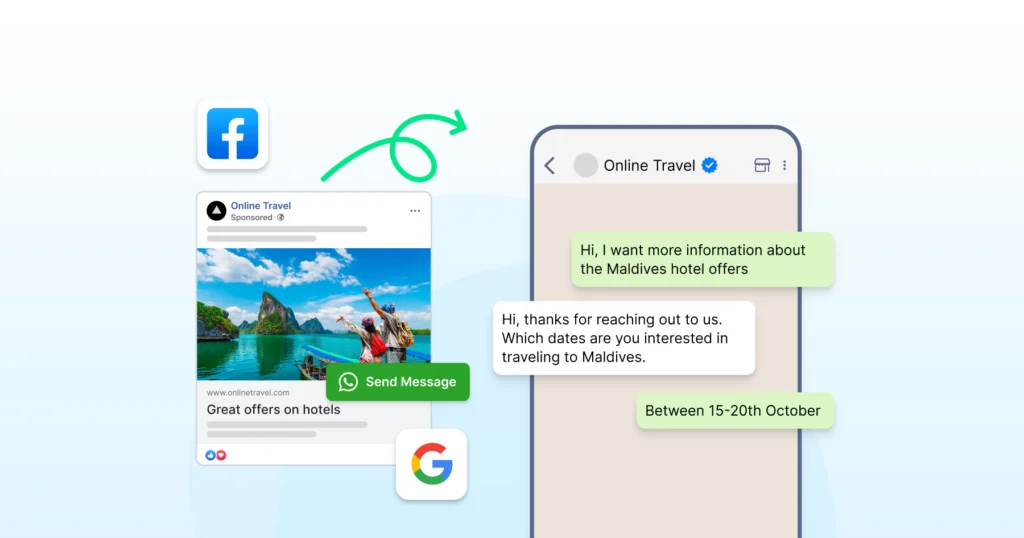
You bring leads from ads, landing pages, QR codes, or website widgets straight into WhatsApp instead of pushing them to long forms.
This is supported by Meta, which allows entry points from CTWA ads, QR codes, wa.me links, and website chat buttons.
Why does it work?
- User taps a Click to WhatsApp ad, QR code, or chat widget
- A pre-filled message opens in WhatsApp
- You send an automated welcome message once the user messages you first
- Your CRM system receives the user’s responses if integrated through the API
Why does it help?
- You can expect higher submission rates than with web forms, since features like CTWA can increase conversion rates.
- Cleaner data because flows collect structured inputs.
- Faster follow-up because teams see chats in real time through the team inbox.
Use this for: lead generation, event sign-ups, trial requests
Further Reading: WhatsApp Lead Generation: The Only Playbook You Need in 2026
2. Lead Qualification Workflows
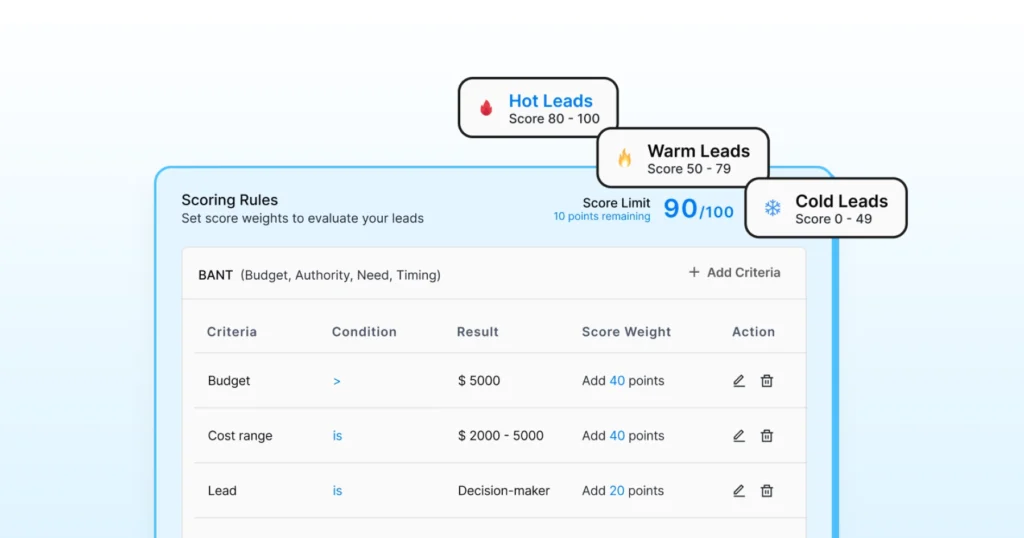
You separate high-intent leads from casual browsers with automated questions. Wati’s Astra can help you with the lead qualification.
Why does it work?
- Trigger a qualification flow when a new lead sends the first message
- Ask structured questions like budget, use case, company size, and timeline
- Your system scores the lead based on predefined logic
- Hot leads go to sales, and warm leads stay in nurture flows
Why does it help?
- Sales teams talk to leads who fit your ICP
- Marketing gets clearer insights into who engages and responds
Use this when teams say “leads are not a fit.”
3. Product Discovery and Catalog Flows
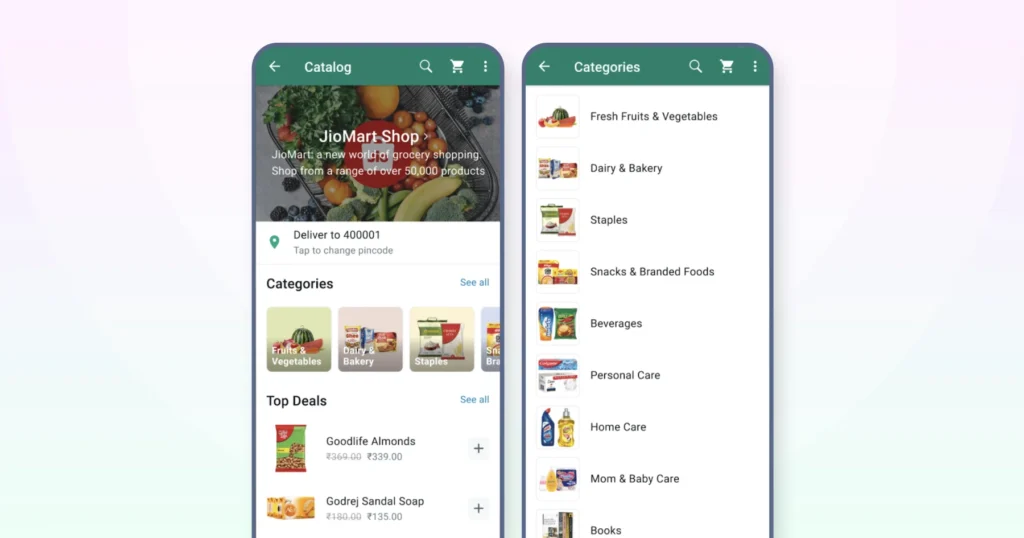
Guide customers to the right product without lengthy back-and-forth and keep the browsing experience simple inside WhatsApp.
Why does it work?
Categories appear through list messages so users can navigate quickly. After choosing one, they see top products with images, short descriptions, and direct links.
In supported regions, WhatsApp Shopping allows users to view catalogs and add items to a cart before being redirected to checkout.
Why does it help?
- Repetitive “what do you have in stock?” chats start to drop off.
- Product information stays consistent, and catalog updates reflect automatically without extra effort.
Great for ecommerce, fashion, electronics, and home decor brands.
Also Read: WhatsApp Shopping 2026: Are You Ready for What’s Coming Next?
4. Guided Selling With Reply Buttons
Turns open-ended questions into clear choices that move customers forward with less friction.
Why does it work?
- A prompt such as “What are you looking for today?” appears with quick buttons.
- Each selection opens a brief flow to capture preferences for size, color, time slot, or region.
- At the end of the sequence, the chat is handed off to an agent, or a payment or checkout link is shared, depending on the user’s path.
Why does it help?
- Chat length stays short, typing reduces, and next steps stay clear and structured for the customer.
- Works well for insurance, banking, healthcare, and education.
5. Automated Follow-Up From Click to WhatsApp Ads
Enable automated replies when someone taps a Facebook or Instagram Click to WhatsApp ad, keeping the conversation active from the first message.
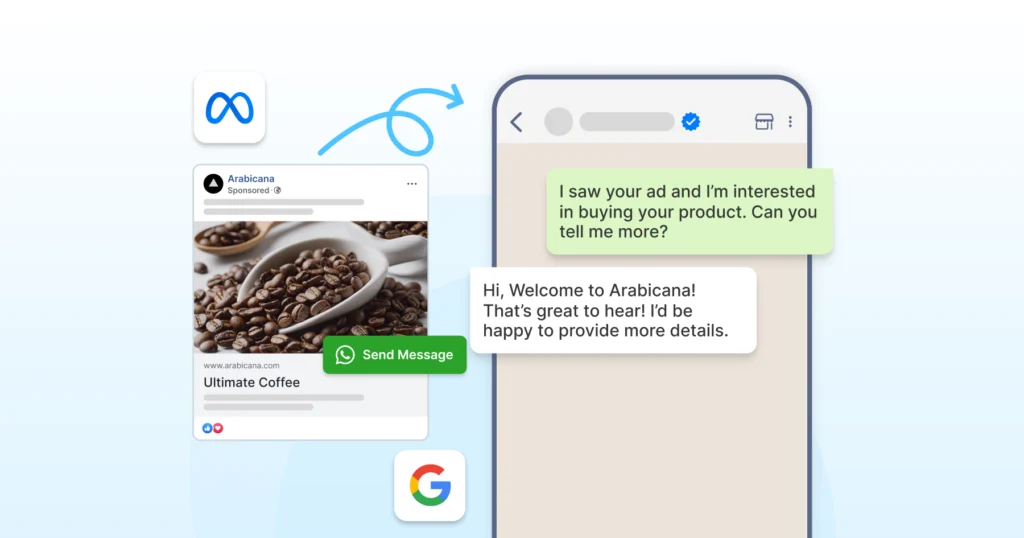
Why does it work?
- Map each CTWA campaign to a specific entry-point template
- Ask one qualifying question that matches the ad context
- Capture basic details and suggest the next step
- Route the chat to an agent when the user continues the conversation
Why does it help?
- Higher potential for conversions from an ad click
- No cold start where users type “hello” and drop off
Use this for enquiry-driven campaigns, lead generation, and event promotions.
Further Reading: How to Run Click-to-WhatsApp Ads?- Setup, Event Tracking, and Industry Insights
6. WhatsApp Business Calling
WhatsApp Business Calling allows eligible businesses to escalate chats to voice calls within the same conversation, subject to availability and Meta approval.
Why does it work?
- Escalate a chat to a WhatsApp call with one click.
- Call context remains linked to the conversation thread, with visibility depending on the API provider and CRM setup.
Why does it help?
- Complex objections resolve faster
- Trust increases during high-value decisions
- No context loss between chat and call
Works best for sales closures, demos, and consultations.
7. Sales Appointment and Demo Booking
Schedule demos, store visits, or consultations inside WhatsApp without email or phone coordination.
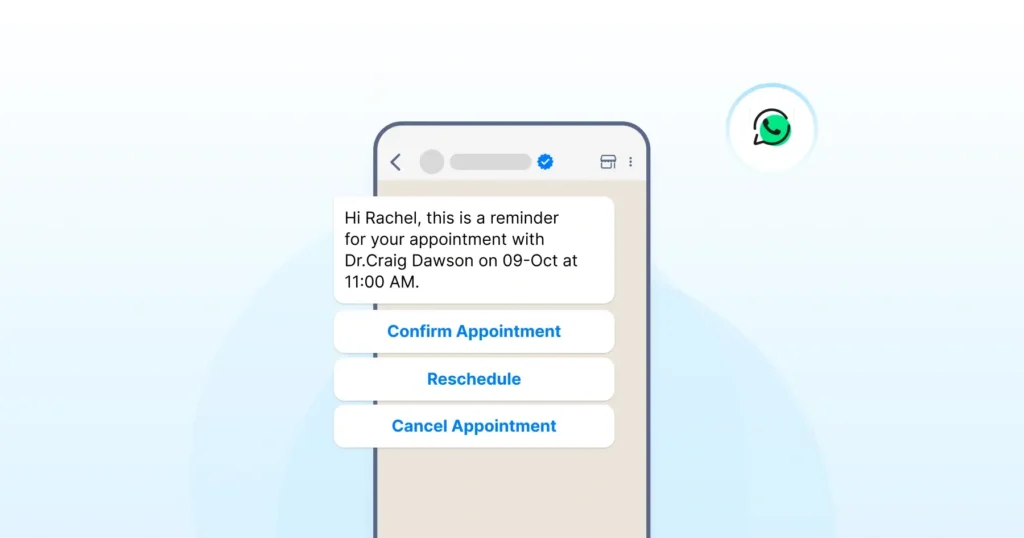
Why does it work?
- Ask the user to choose a date or time window from your meeting link
- Confirm the booking with a utility template that includes key details
- Send timely reminders, such as 24 hours and 1 hour before the slot, using approved templates
Why does it help?
- Expect fewer no-shows due to clear reminders
- Less manual coordination for sales and support teams
Works well for B2B demos, clinics, salons, test drives, and property visits.
8. Multiple WhatsApp Numbers and Coexistence
Growing teams often outgrow a single WhatsApp number. Multiple numbers let businesses organise conversations by function, region, or brand. Coexistence allows teams to continue using the WhatsApp Business App while the API runs in parallel, enabling gradual migration without disruption.
Why does it work?
Run multiple WhatsApp numbers under one workspace. Use coexistence to keep the WhatsApp Business App active while the API runs in parallel.
Why does it help?
- Separate numbers for sales, support, and regions
- Smooth migration without disrupting live chats
- Better load distribution across teams
9. Abandoned Cart Recovery
Re-engage users who added items to their cart but left before completing the purchase. It brings them back into the buying journey with a reminder and removes small doubts that often prevent checkout.
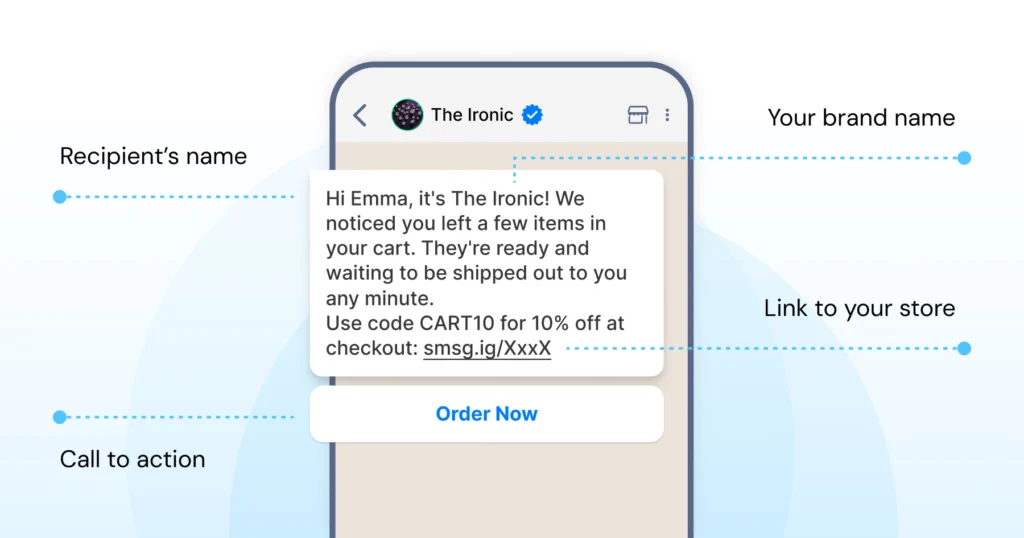
Why does it work?
- Track when a user adds items but does not check out.
- After a set time, send a compliant WhatsApp template to remind them.
- Include the product name, image, and checkout link.
- Add a simple reply button so users can ask quick questions before paying.
Why does it help?
Recovers lost intent and clears small doubts that often block the final step.
Send these messages only to users who opted in and follow approved template categories.
Also Read: Best WhatsApp Abandoned Cart Recovery Messages to Win Back Lost Sales
10. Price Enquiries and Instant Quotations
Handle pricing questions in a structured, professional manner rather than relying on long, untracked chats. Give users clear answers fast and keep the entire enquiry-to-quote process organised inside WhatsApp.
Why does it work?
- Collect key details, including product type, quantity, location, and timeline.
- Share a clean breakdown with valid details, and add a “Talk to sales” button for custom or large requests.
Why does it help?
Speeds up responses for repeat queries and keeps a clear record of what was quoted and when.
Ideal for logistics, printing, manufacturing, and event services.
11. COD Order Verification
Verify cash-on-delivery orders before dispatch to reduce fake or low-intent purchases and protect delivery efficiency.
Why does it work?
- Trigger a verification template when a COD order is placed.
- Ask the user to confirm the address and delivery window, and include buttons such as “Confirm”, “Edit address”, or “Cancel order”.
- Ship only after confirmation and sync the response back to your order management system.
Why does it help?
Fewer rejected parcels, lower last-mile effort, and a better experience for genuine buyers who receive clear alerts.
Useful for e-commerce brands in COD-heavy regions.
12. Upsell and Cross-Sell After Purchase
Introduce relevant add-ons or upgrades after a purchase in a way that feels helpful and personalised, not promotional.
Why does it work?
- Send a friendly post-delivery check-in using a marketing template.
- If the user shows interest, suggest logical add-ons and share buttons such as “Add to cart” or “View details”.
- Keep message frequency in check to maintain trust and avoid over-communication.
Why does it help?
Build on the fresh intent from the recent purchase and keep recommendations relevant, not generic blasts.
Effective for accessories, service add-ons, extended warranties, and bundles.
Support Use Cases
13. 24×7 Automated FAQ Replies
Deliver instant answers to common questions even when teams are busy or offline, keeping support responsive round the clock.
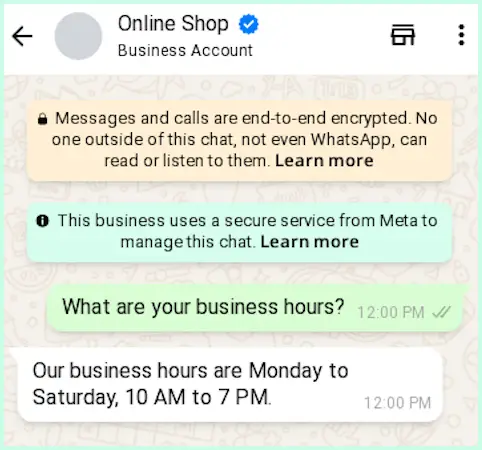
Why does it work?
- Build a menu for top queries, including shipping, refunds, order status, pricing, and basic features.
- Create an FAQ bot to recognise common phrases and match them to the correct responses.
- When the question needs human input, escalate the chat to an agent.
Why does it help?
- Faster replies for most users
- Consistent answers across all common queries
- Lower workload for agents who handle only complex cases
Quite useful during campaigns, sales periods, and seasonal spikes.
14. SMS Fallback for Critical Messages
Not every user is reachable on WhatsApp at all times. SMS fallback ensures important messages still reach customers when WhatsApp delivery fails, or adoption is low. However, the SMS fallback has to be provided by the BSP; Wati has an SMS fallback system.
Why does it work?
- If a WhatsApp message fails, the system automatically triggers an SMS with the same intent.
- This is commonly used for OTPs, alerts, and time-sensitive updates.
Why does it help?
- Guaranteed delivery for critical notifications
- Better reach in low-WhatsApp markets
- No manual retries needed
15. Ticket Creation Inside WhatsApp
Turn chat conversations into structured tickets without pushing users to email support or fill external forms.
Why does it work?
- When a user reports an issue, send a short message to collect details such as the order ID, screenshots, and additional information.
- Push this information into your helpdesk or project tool as a ticket and share the ticket ID back with the user on WhatsApp.
Why does it help?
- Clean handover between chat and support tools
- No loss of context between teams
- Clear tracking for every issue raised
16. Order Tracking and Shipment Updates
Keeps customers informed at every stage of the delivery process so they do not flood support with “Where is my order?” messages.

Why does it work?
- Trigger a utility template when an order is packed, shipped, delayed, or out for delivery.
- Include the tracking link, expected delivery date, and any useful status notes.
- Let users reply with options such as “Reschedule” or “Change address”, and sync their responses back to your logistics or order management system.
Why does it help?
- Lower inbound ticket volume
- Better trust because customers stay informed
- Improved last-mile operations for delivery teams
Strong use case for e-commerce, D2C, and grocery delivery.
17. Returns and Refunds
Standardise the return and refund process so customers move through each step without confusion or repeated follow-ups.
Why does it work?
- Allow customers to start a return request via WhatsApp.
- Collect the reason, photos, and product details through short messages.
- Share clear eligibility rules and send status updates as the request moves through review, pickup, and refund stages.
Why does it help?
- Fewer frustrated customers who feel ignored
- Clear records for finance and operations
- Faster resolution when all details come in upfront
18. User Authentication and OTP Delivery
Secure logins and transactions by sending verification codes or links via WhatsApp, giving users a reliable, familiar channel for authentication.
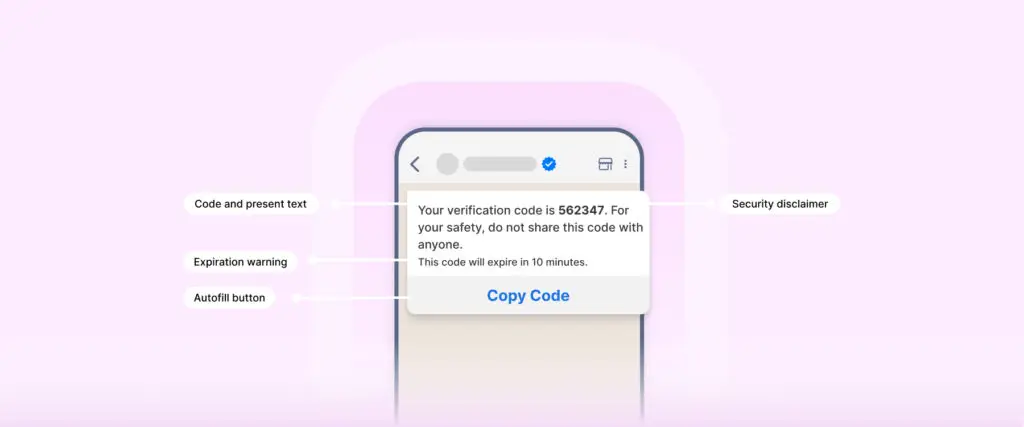
Why does it work?
- Send one-time passwords or links using authentication templates.
- Set short expiry rules on your backend and use simple flows for device verification or 2FA checks.
- Each step stays compliant with WhatsApp’s authentication category requirements.
Why does it help?
- Higher visibility of OTPs than SMS or email due to WhatsApp’s higher open rates.
- Less friction for users who already rely on WhatsApp
Strong fit for fintech, banking, trading, healthcare, and SaaS logins
Further Reading: How to Send OTP on WhatsApp-Complete Setup Guide
19. Multi-Agent Team Inbox on One Number
Enable multiple agents to handle customer chats from a single WhatsApp number without confusion or overlap.
Why does it work?
- Route chats based on topic, language, region, or workload.
- Show full conversation history so each agent sees context.
- Use tags, notes, and assignment rules to keep replies organised and clear.
Why does it help?
- No duplicate replies
- Faster handling during busy periods
- Clear ownership and accountability for every chat
Essential once your team grows beyond a few support agents.
20. Warranty Registration and Service Reminders
Support users after a purchase by helping them register products and receive timely reminders for warranty expiry or scheduled services.
Why does it work?
- Ask customers for the product serial number, purchase date, and a photo of the invoice.
- Store these details in your CRM.
- Send reminder messages before the warranty expires or when a service check is due, and include quick links to book visits.
Why does it help?
- Better post-sale engagement
- Higher service usage and fewer missed checkups
Strong fit for appliances, electronics, automobiles, and industrial equipment
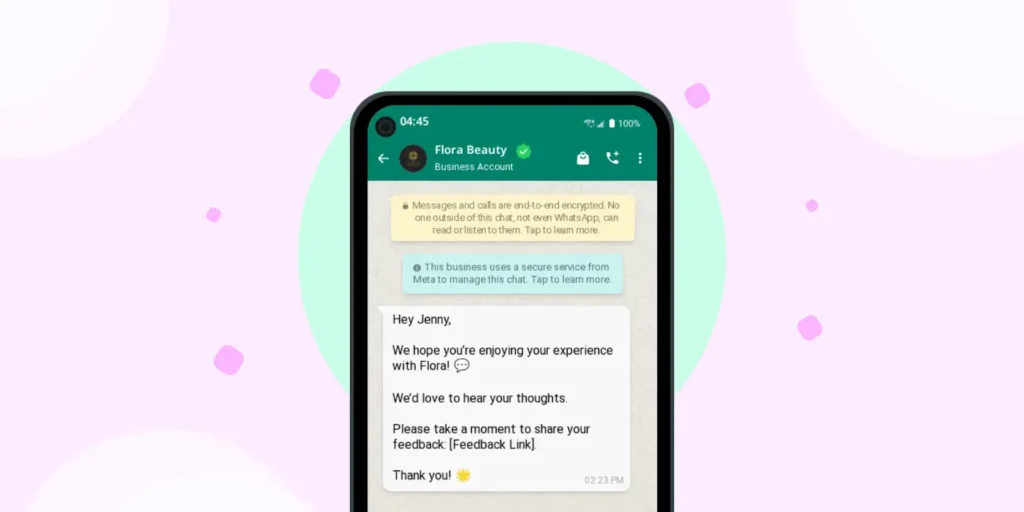
21. Feedback and CSAT Collection
Collect feedback after support interactions or product deliveries to help teams improve the experience.
Why does it work?
- Send a short survey once a ticket is closed or an order is delivered.
- Keep the format simple
- Tag low scores for quick follow-up and track feedback trends by channel, agent, or issue type in your CRM.
Why does it help?
- Early alerts when service issues appear
- Clear data to improve scripts, policies, and training
- Consistent insights into customer sentiment without long surveys
22. AI Copilot for Agents
Live conversations can be long and complex. AI Copilot supports agents inside the inbox by reducing cognitive load during active chats. It helps teams stay consistent, accurate, and responsive while handling higher volumes of conversations.
Why does it work?
AI Copilot suggests replies, summarises long threads, scores conversation quality, and translates messages in real time inside the team inbox.
Why does it help?
- Faster agent responses
- Consistent message quality
- Easier handling of long or complex chats
Marketing Use Cases
23. New Product Announcements
Share new product launches and feature updates with opted-in users to keep them informed.
Why does it work?
- Segment users by interest or product category.
- Prepare a media-rich marketing template with an image, a clear benefit line, and a strong CTA.
- Send updates at a sensible frequency and track replies or questions so your team can see what users care about.
Why does it help?
- Can bring in higher engagement than one-way ads
- Receive direct feedback from customers on messaging and positioning
Useful for D2C brands, SaaS feature rollouts, and course or program updates.
24. Event Promotions and Reminders
Improve attendance for webinars, workshops, and in-person events by keeping participants informed.
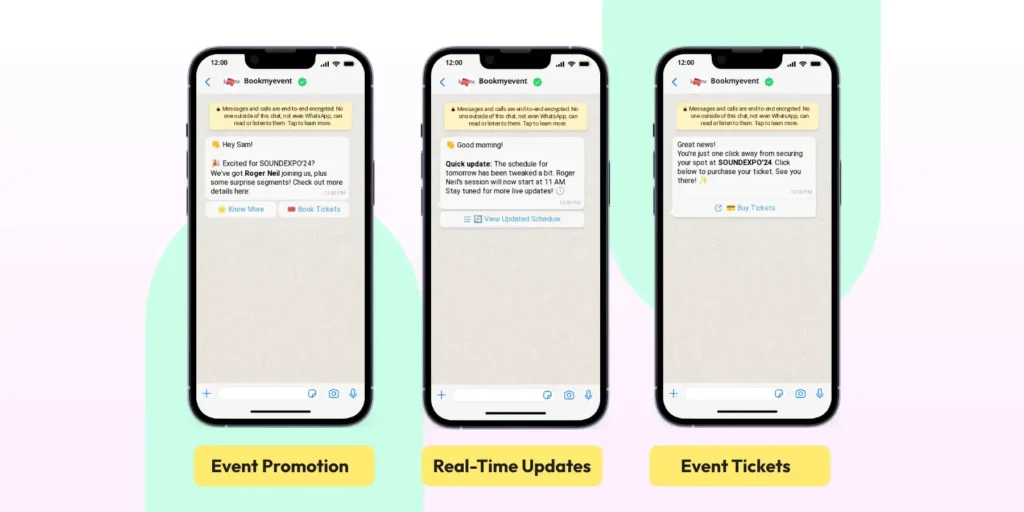
Why does it work?
- Collect sign-ups through WhatsApp or forms that sync into your system.
- Share event details and calendar links.
- Send reminder messages using approved templates and prior user opt-in before the event and on the day it starts.
- After the session, follow up by sharing recordings or links to other resources.
Why does it help?
- Expect Fewer no-shows due to reminders
- Smooth communication without relying on email
A strong fit for B2B webinars, training sessions, and community events.
25. Back In Stock and Price Drop Alerts
Notify customers when products they follow are in stock or when prices change, helping them act at the right moment.
Why does it work?
- Allow users to opt in through a “Notify me on WhatsApp” option on product pages.
- When inventory updates, send a marketing template with the product image and a direct buy link.
- Maintain a sensible message frequency to keep alerts helpful and not intrusive.
Why does it help?
- Captures demand that would otherwise be lost
- Keeps updates relevant to each customer’s interests
A strong fit for high-demand products, limited editions, and seasonal products.
26. Loyalty Program Updates
Bring your loyalty or rewards program into WhatsApp so customers can easily track and use their benefits.
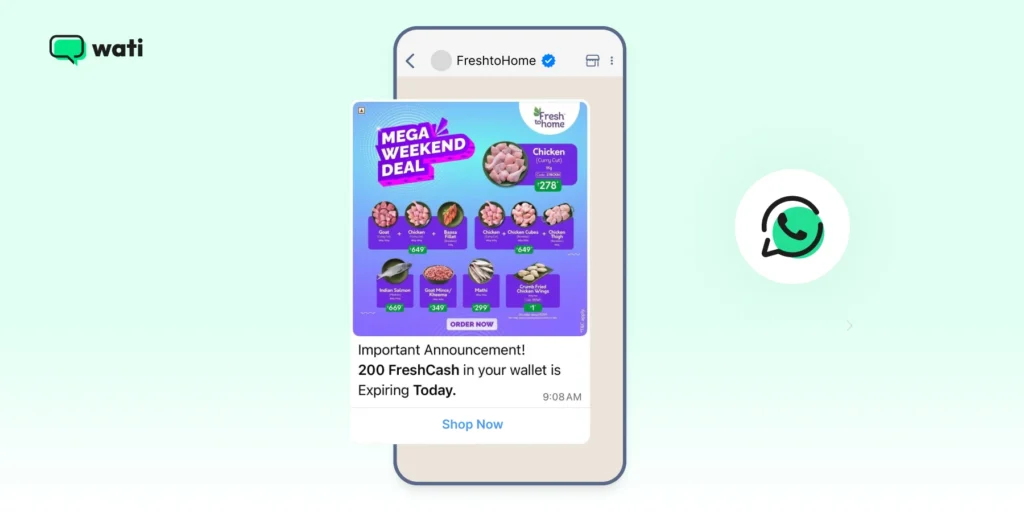
Why does it work?
- Sync user profiles and points data with your CRM.
- Send balance updates using utility templates and personalised offers using approved marketing templates with opt-in.
- Let users redeem points or check perks through simple menus or quick replies.
Why does it help?
- Higher usage of loyalty benefits
- Stronger relationships with repeat buyers
Ideal for retail, F&B, travel, beauty, and hospitality brands.
27. Re-Engagement for Dormant Users
Reach out to inactive users with relevant, value-driven messages to prompt them to take action.
Why does it work?
- Segment users by last activity date.
- Share helpful content first, such as tips and how-to guidance.
- When users show interest, follow up with offers or invitations that match their behaviour.
Why does it help?
- Brings back users who lost touch with your brand
- Feels helpful rather than pushy when framed around value
A good fit for SaaS, ecommerce, and education.
28. Review, Rating, and User-Generated Content Requests
Invite customers to share ratings, reviews, or user content in a respectful, non-intrusive way.
Why does it work?
- Trigger a message a few days after delivery or task completion.
- Ask for a quick rating, then guide users to leave a review on key platforms.
- For select customers, request photos or short testimonials.
Why does it help?
- Builds strong social proof
- Provides rich qualitative feedback
Useful for D2C brands, services, courses, and apps.
29. End-to-End Journey Automation
Connect multiple WhatsApp API use cases into a single continuous journey so users move smoothly from their first interaction to repeat purchases.
Why does it work?
- Map the whole customer journey from initial contact to post-purchase stages.
- Identify triggers at each step and link flows for lead capture, nurture, purchase, support, and loyalty.
- Use segments and conditions to adjust paths based on user behaviour or responses.
Example
Lead from a CTWA ad moves through
- Qualification flow
- Demo booking
- Post-demo follow-up
- Deal closed
- Onboarding guidance
- Feedback after 30 days
- Renewal or upsell touchpoints
Why does it help?
- Users experience a single, connected conversation
- Teams see context from the first message to the latest reply
30. Attribution and Journey Analytics
Understand what actually drives conversion.
Why does it work?
Track every interaction from ad click to WhatsApp conversation to outcome. Attribute conversions across CTWA, Facebook, Instagram, and integrated channels using external analytics or CRM systems.
Why does it help?
Clear visibility into what works
Better budget allocation
Stronger optimisation of flows
31. Custom Notifications and Event-Based Triggers
Send updates based on real actions, not schedules.
Why does it work?
- Trigger messages when a user acts, like payment failure, form submission, inactivity, or status change.
- Notifications adapt based on behaviour.
Why does it help?
- Messages feel timely and relevant
- Higher engagement than fixed broadcasts
- Better control over frequency
How to Prioritise WhatsApp Business API Use Cases?
You don’t need all 25 WhatsApp Business API use cases at once. Start by asking three simple questions.
Where do you lose the most time?
- Repeating FAQ answers
- Manual lead follow-up
- Manual order status checks
Where do users complain the most?
- No response after they tap an ad
- No tracking updates
- Confusing return or refund steps
Where does a small change improve the experience?
- Add instant replies at key entry points
- Add reminders for events or visits
- Add simple menus instead of free-text messages
Pick 3 to 5 use cases, design clean flows, measure impact, and expand from there.
Strengthen Your WhatsApp Strategy
WhatsApp API use cases work best when they respect the user’s time and attention. The goal is not more messages, but structured, relevant conversations that guide customers from first touch to repeat purchase.
Once you’re comfortable with these WhatsApp Business API use cases, refine your foundations, tighten your flows, and align everything with WhatsApp’s setup, template, and policy rules. If you want to test these workflows in action, start your free Wati trial and build your first journey today.
FAQs
It is a WhatsApp messaging platform for medium and large teams. It supports automation, team inbox features, integrations, and compliant business messaging. It is not the same as the WhatsApp Business App.
Yes. Opt-in is required for all business-initiated messages. User-initiated conversations do not require opt-in, but you must respond within the 24-hour session window.
Any message sent outside the 24-hour window needs an approved template. Templates can be utility, marketing, or authentication.
Users tap your ad and land directly in a WhatsApp chat with your business. Once they send the first message, you can automate replies, qualify leads, and route chats to your team.
Yes. You can automate lead capture, qualification, onboarding, order updates, returns, feedback, and loyalty messages. Each step must follow template rules and opt-in requirements. These are the most common WhatsApp API use cases to start with.
Yes. Authentication templates support OTPs. It is widely used in fintech, banking, trading, healthcare, and SaaS.
Yes, but you must use an approved marketing template and have the user opt-in. Promotions should stay relevant and respectful to avoid user complaints. These kinds of campaigns are often planned as structured WhatsApp API use cases rather than ad hoc blasts.
Latest Comments