

-

-
-
Solutions
-
Soluções
-
Soluciones
-
解决方案
-
解決方案
-
الحلول
-
Product
-
Produto
-
Producto
-
产品
-
產品
-
المنتج
-

-
-


 Wati for Marketing
 Wati for Support
 Wati for Sales
 eLearning
 E-commerce
 Marketing Agencies
 Healthcare
 No Code Chatbots
 AI Support Agent
 Instagram and Facebook messenger
 Click to WhatsApp ads
 Broadcasts
 Team Inbox
 WhatsApp Business Calling
 Overview
 Library
WhatsApp Broadcast vs WhatsApp Group: How Are They Different for Businesses?
Written by:
 Rohan
|
on:
October 13, 2025
|
Last updated on:
January 9, 2026
|
Fact Checked by :
Rohan
|
on:
October 13, 2025
|
Last updated on:
January 9, 2026
|
Fact Checked by :
 Namitha
|
According to: Editorial Policies
Namitha
|
According to: Editorial Policies
 Table of Contents
Too Long? Read This First
- This blog breaks down the key differences between WhatsApp Broadcasts and WhatsApp Groups, and how each serves a unique purpose for businesses.
- Broadcasts are best for one-way messages like updates or offers to specific customers.
- Groups are ideal for interactive discussions, feedback, and team collaboration. However, using customer groups for marketing or promotional purposes can violate WhatsApp’s Business Policy if participants haven’t opted in.
- Broadcasts offer privacy, while groups encourage open conversations.
- For larger audiences, the WhatsApp Business API helps scale broadcasts while keeping them personalized.
- Knowing when to use each feature improves communication and engagement for your business.
When comparing WhatsApp broadcast vs WhatsApp group, the difference lies in how messages are delivered and managed.
A broadcast or campaign lets you send updates to multiple contacts at the same time via the WhatsApp Business API. But recipients don’t see each other’s details or replies. It works for one-way updates, such as announcements, offers, or any relevant updates.
A WhatsApp group allows everyone to interact, making it better for discussions or collaboration. Picking the right option can make your communication strategy work out well.
In this guide, we’ll look into how both work, when to use them, and how to engage your audience without all the back-and-forth.
What is a WhatsApp Broadcast?
A WhatsApp broadcast or campaign lets you send the same message to multiple contacts at the same time. Each person receives it as a private message.
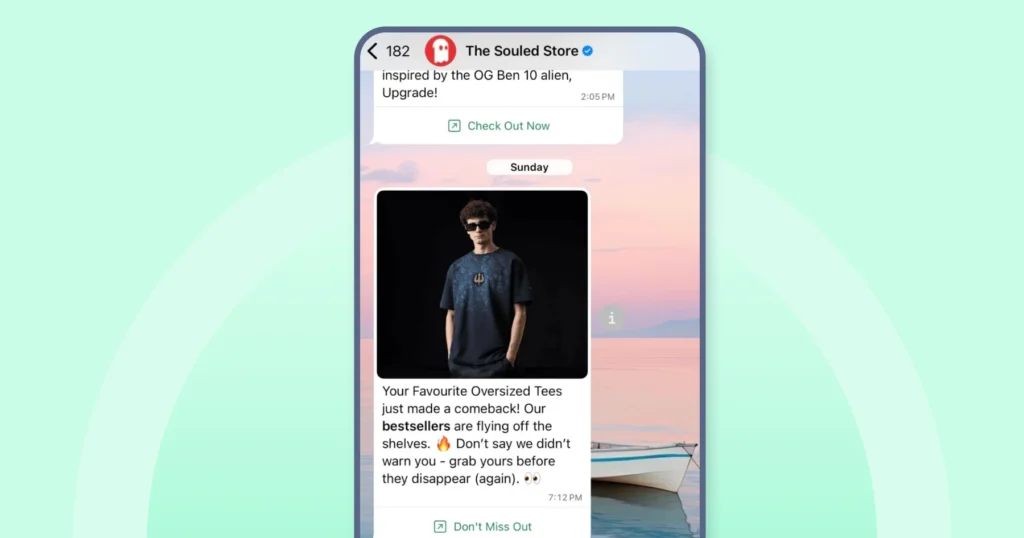
A WhatsApp Broadcast campaign works for brands that want to share marketing announcements, updates, or promotions. You can send product offers, event invites, or service alerts to customers while keeping communication one-way and professional.
How to Set Up a WhatsApp Broadcast?
Follow these steps to start sending messages to your contacts by setting up a WhatsApp broadcast list.
1. Open WhatsApp Business App
Launch the app on your Android or iOS device.
2. Navigate to the Chats Tab
Ensure you’re in the “Chats” section of the app.
3. Access the Menu
- Android: Tap the three vertical dots in the top-right corner.
- iPhone: Tap “Settings” and select “Broadcast Lists.”
4. Select ‘New Broadcast’
Choose the “New Broadcast” or “New List” option from the menu.
5. Choose Contacts
Select the contacts you wish to include in the broadcast list.
Note: Only contacts who have saved your number in their address book will receive your broadcast messages
6. Confirm Selection
After selecting the contacts, tap the checkmark (✔️) or Create to create the list.
7. Send Your Message
Once the list is created, you can send messages to it just like individual chats.
| Don’t Miss This: Want to know how effective your broadcasts really are? Try our Free WhatsApp Broadcast Score Calculator and optimize your campaigns for better reach and engagement! |
Ways businesses use WhatsApp broadcast messages
Here are the features and benefits that make WhatsApp campaigns useful for customer updates and ongoing communication.
Reach a Large Audience Without Hassle
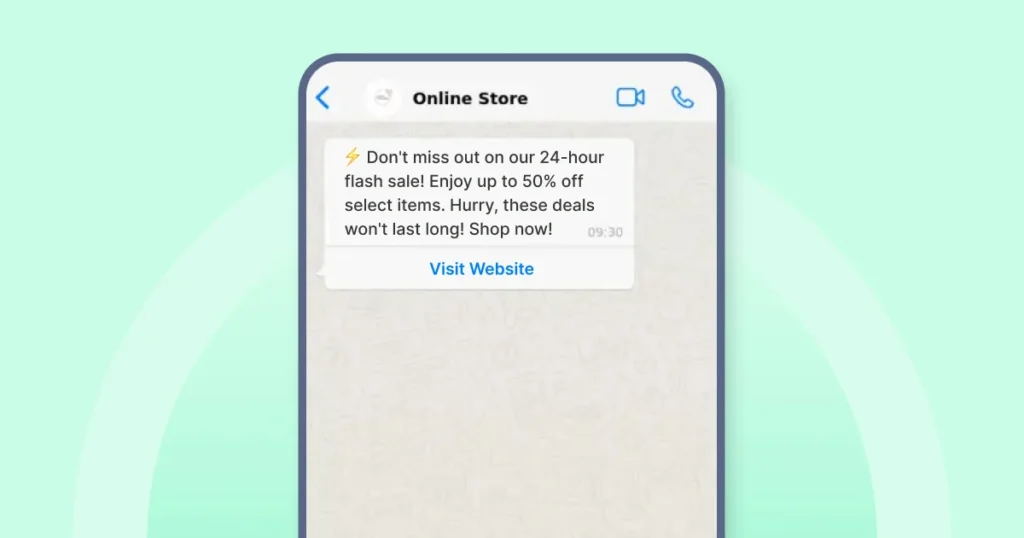
WhatsApp Broadcast lets you share updates or promotions with many contacts in one go. You avoid handling chats one by one and reduce the risk of leaving anyone out.
Use case: A retail brand launches a weekend sale and needs to inform thousands of customers quickly. By using a broadcast list, they share the offer instantly with their entire customer base, saving hours of manual outreach.
Keep Messages Personal and Professional
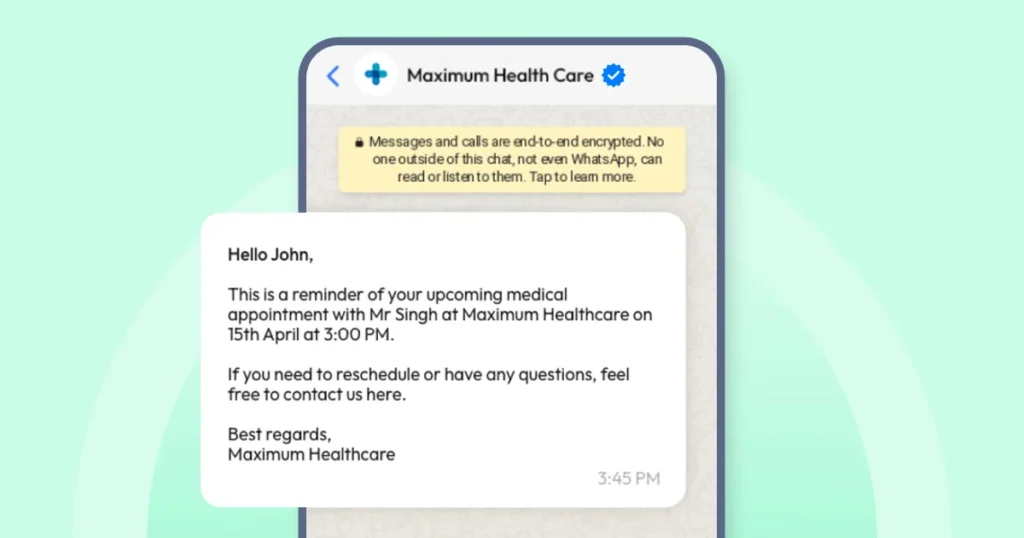
WhatsApp campaign messages are sent individually, so each recipient feels like the message was meant just for them. At once, privacy is fully protected since recipients can’t see each other’s information.
Use case: A healthcare provider sends appointment reminders to patients. Each message is private and customized, helping patients feel cared for while ensuring sensitive information stays secure.
Save Time with Templates and Automation
WhatsApp Templates are pre-approved messages used for common updates like order alerts, reminders, or confirmations. You create them once and reuse them whenever needed.
Use case: An online education platform sends class schedules and event reminders using message templates. Automation ensures that communications are timely and error-free, helping the team focus on course development.
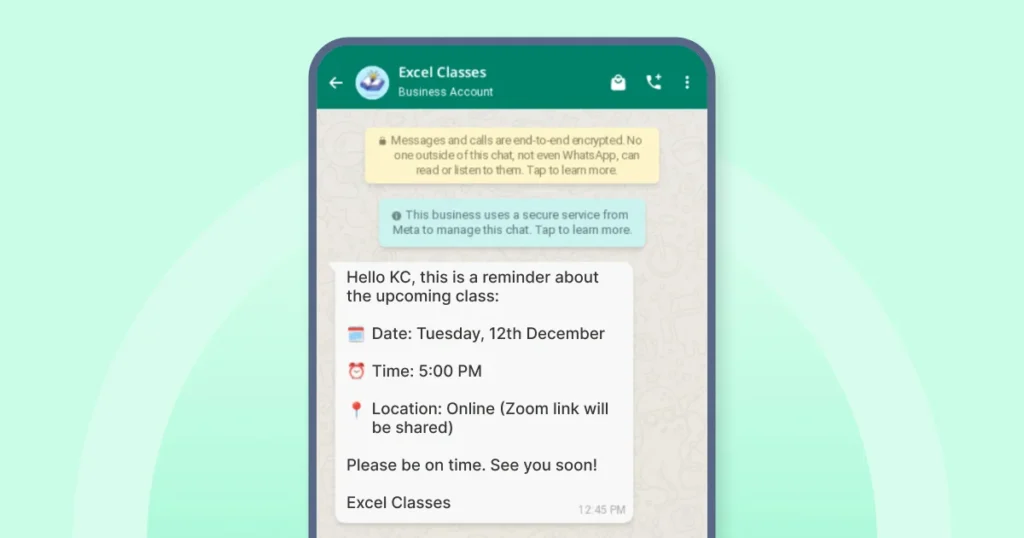
Drive Customer Engagement
Broadcast messages show up as regular chats, not group messages. With the WhatsApp Business API, templates support dynamic fields that let you personalize details such as customer name or order information for each recipient.
Use case: A travel agency shares destination tips and timely travel alerts before clients’ trips. Customers appreciate the helpful information and are more likely to book tours or services because the messages are tailored to their interests.
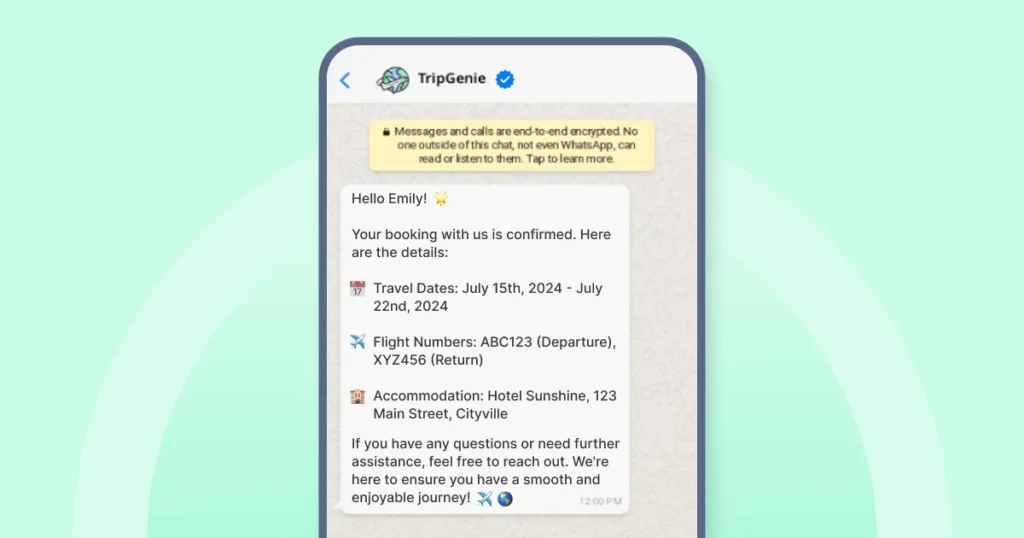
Ideal for Businesses of All Sizes
On the regular WhatsApp Business app, each broadcast list is limited to 256 contacts.
For larger audiences, businesses can switch to the WhatsApp Business API, which supports sending messages to thousands of customers while maintaining personalization and compliance.
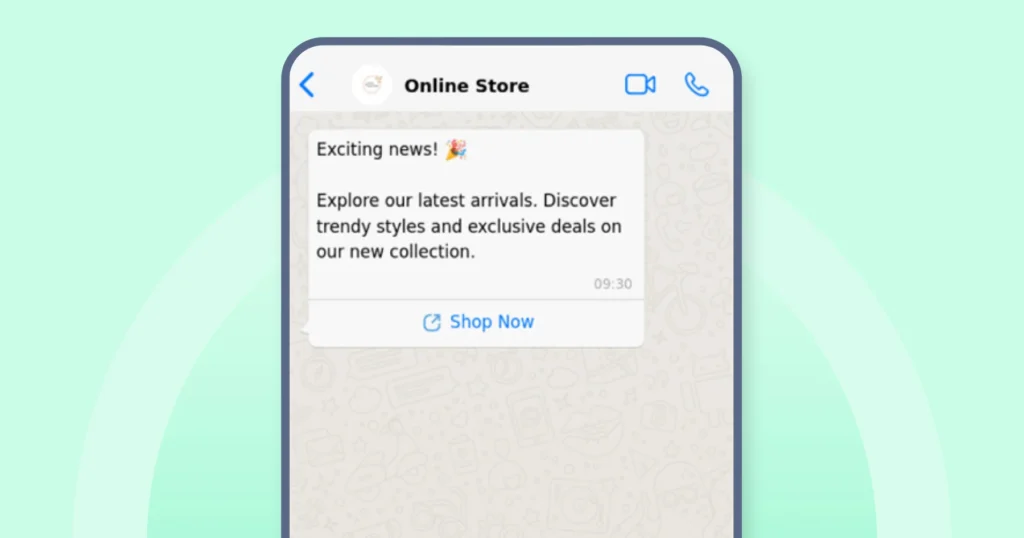
Use case: A small e-commerce brand sends product updates to loyal customers, while a multinational company shares quarterly reports with stakeholders. Broadcasts make communication seamless at any scale.
Related Resource: How to Send 1000 Bulk Messages on WhatsApp?
What is a WhatsApp Group?
A WhatsApp group is a shared space where multiple participants can communicate in real time. Unlike broadcasts, everyone in a group can see messages, reply, and take part in discussions.
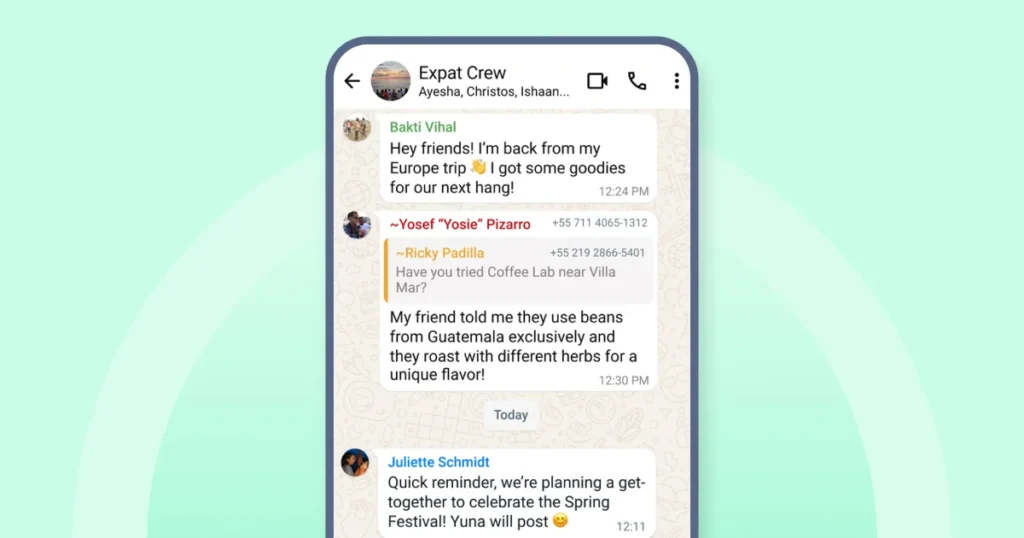
Groups are functional for teams, project coordination, customer communities, or any situation that requires two-way interaction.
You can create groups for internal collaboration, customer support discussions, or community engagement. They make it easier to share information, ask questions, and build relationships.
How to Set Up a WhatsApp Group?
Follow these steps to get started.
1. Open the WhatsApp Business app
Tap the app icon on your phone to open it.
2. Go to the Chats section
- On Android: Tap Chats at the bottom and click on the three dots at the top.
- On iPhone: Tap Chats at the bottom.
3. Start a new group
Tap the plus (+) sign and select ‘New Group.’
4. Add participants
Select the contacts you want in the group and then tap Next (iOS) or the arrow icon (Android).
Note: You can only add 1024 members.
5. Enter group details
- Type the group name (up to 100 characters).
- Tap the camera icon to add a group photo.
- Configure Disappearing Messages if desired (options: 24 hours, 7 days, or 90 days).
6. Create the group
Tap Create or the checkmark icon to finish.
Practical Use Cases for WhatsApp Groups
Let’s look at some of the benefits of WhatsApp groups now.
- Real-time two-way communication: Groups allow everyone to send and receive messages instantly, making discussions more interactive and engaging.
- Collaboration made easy: Whether it’s a project team or a customer community, groups help participants share files, ideas, and feedback quickly.
- Build stronger relationships: Open conversations encourage trust and connection, helping businesses foster a sense of community among customers or employees.
- Organized discussions: You can create different groups for different teams or topics, keeping communication focused and structured.
- Clear visibility for everyone: All members see the same messages and updates, reducing confusion and avoiding repeated questions.
Comparing WhatsApp Broadcast and WhatsApp Group for Your Business
Picking between a WhatsApp broadcast and a group depends on how you want to communicate and the type of engagement you’re aiming for.
Both tools help businesses stay connected, but they serve different purposes.
Below are the main differences, explained in detail with examples to help you decide what works best for your needs.
Message Delivery: One-Way vs Two-Way
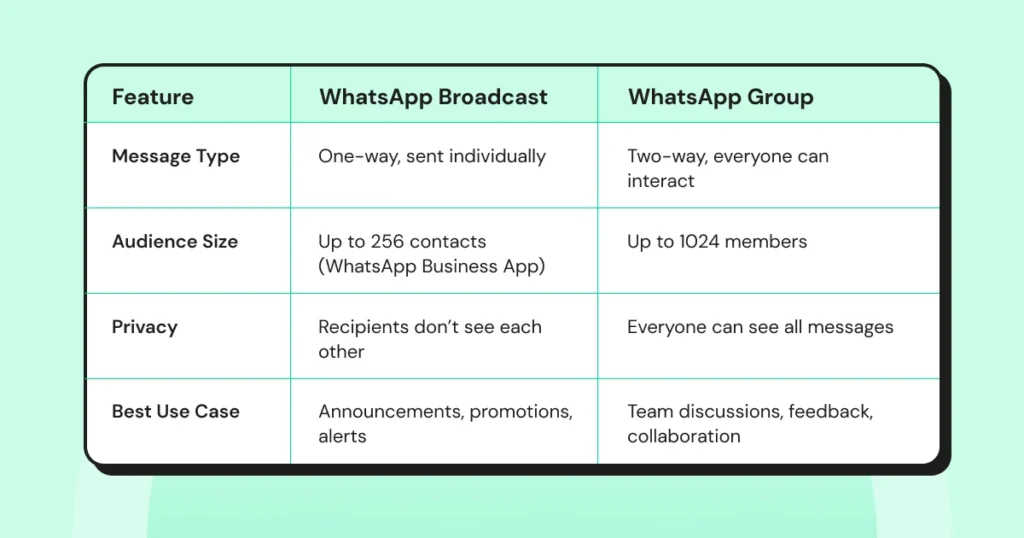
Broadcast is designed for one-way communication. When you send a message, it’s delivered individually to each contact. They won’t see who else received the message, and replies come back to you privately.
Example: A retail brand sending a sale notification to its customers without encouraging discussion.
Group allows two-way communication where all members can see, respond, and participate. It’s ideal for collaboration and discussion.
Example: A project team sharing files, asking for feedback, and having discussions in real time.
Privacy: Controlled vs Open
Broadcast keeps recipients’ privacy intact. Contacts won’t know who else received the message, making it feel more personal and less intrusive.
Example: A bank sending transaction alerts to customers without exposing other contacts.
Group is an open format in which everyone can see each other’s messages and responses. This fosters transparency but may not be suitable for sensitive conversations.
Example: A support group where users openly discuss product issues and solutions.
Interaction: Limited vs Active Engagement
Broadcast is best for announcements, reminders, or updates where interaction is not required or expected. It helps businesses stay in touch without managing multiple chats.
Example: A service provider sending appointment reminders to clients.
Group encourages interaction, questions, and discussions. It’s useful when feedback, brainstorming, or community-building is needed.
Example: A customer community sharing tips and asking questions about a product.
Audience Size: Smaller vs Larger Groups
WhatsApp Broadcasts via the WhatsApp Business app lets you send messages to up to 256 contacts per broadcast list, making it suitable for smaller campaigns or segmented audiences. You can create multiple lists to reach more contacts, but each list still has the 256-contact limit.
Example: A local event organizer sends invites to select participants.
- Group supports up to 1024 members, making it ideal for large teams or community discussions where multiple voices need to be heard.
Example: A corporate training group or customer forum.
| Something to Consider For businesses that need to broadcast messages to a much larger audience, the WhatsApp Business API offers an advanced solution. It allows you to send notifications, updates, and offers to thousands of customers at once. However, actual throughput depends on factors like Meta’s quality rating, user opt-in rate, and account tier. If you’re looking for an easy way to manage broadcasts at scale, book a free demo with Wati and see how it simplifies large-audience messaging. |
Use Cases: Notifications vs Collaboration
WhatsApp broadcasts are perfect when you want to share information without cluttering conversations or managing replies.
Use case: Sending product updates, newsletters, or promotional offers.
A WhatsApp group works best when you need ongoing interaction or collaborative problem-solving.
Use case: Team meetings, customer support, or knowledge-sharing communities.
Management and Control
- WhatsApp Broadcasts can be a bit easier to manage as there are no shared conversations to monitor. You send one message, and each recipient receives it in a private chat. Replies come back separately, which keeps communication orderly and protects the recipient’s privacy.
- WhatsApp Groups, on the other hand, need active oversight. Messages are visible to everyone, so discussions can move quickly and drift off topic. Admins often need to set rules, guide conversations, and step in when required. Groups support open interaction, but privacy is lower since all members can read each other’s messages.
When to Use WhatsApp Broadcast vs WhatsApp Group?
For businesses, communication isn’t one-size-fits-all. WhatsApp broadcast vs WhatsApp group depends on your goals, audience, and the kind of interaction you want to encourage.
Below is a structured approach to help you decide which tool is best for different business scenarios.
When to Use WhatsApp Broadcast?
Use broadcasts when you need to share information quickly with a targeted audience without starting a conversation.
Ideal Scenarios
- Customer updates: Send offers, appointment reminders, or service alerts to specific customer segments.
- Internal announcements: Share company-wide notices where replies aren’t required.
- Marketing campaigns: Reach contacts without exposing others’ details.
- Large-scale communication: When you need to send messages beyond the 256-contact limit, the WhatsApp Business API enables you to scale broadcasts across larger customer bases while maintaining personalization and compliance. Sign up for a free trial and get started now.
Bonus Read: Top 5 Tools for WhatsApp Broadcast in 2025
When to Use WhatsApp Groups?
Groups are best when you want interaction, collaboration, or open discussions where participants can exchange ideas and feedback in real time.
Ideal Scenarios
- Team collaboration: Share files, ask questions, and coordinate tasks within internal teams.
- Customer communities: Support forums, user groups, or discussion boards where customers engage and help each other.
- Project coordination: Ongoing conversations that require input from multiple participants.
WhatsApp Broadcast or WhatsApp Group: Which One Should You Use?
Not sure whether to use a broadcast or a group? Follow this quick guide.
| Question | If yes → Use Broadcast | If yes → Use Group |
| Do you want to send one-way messages (updates, announcements, invites)? | ✅ Broadcast | ❌ Group |
| Is your goal personalized communication at scale? | ✅ Broadcast (API recommended for large audiences) | ❌ Group |
| Do you need interaction, feedback, or collaboration? | ❌ Broadcast | ✅ Group |
| Are you targeting internal teams, communities, or project discussions? | ❌ Broadcast | ✅ Group |
| Is privacy or limited visibility important? | ✅ Broadcast (recipients don’t see each other) | ❌ Group (everyone can see participants) |
How Wati Transforms WhatsApp Broadcast into a Scalable B2B Tool?
Wati lets you send notifications, offers, and updates to large customer lists using approved message templates. Messages follow WhatsApp’s messaging policies and support custom fields such as name and order details.
Wati also lets you group contacts, plan sends in advance, and review delivery and response data from one dashboard.
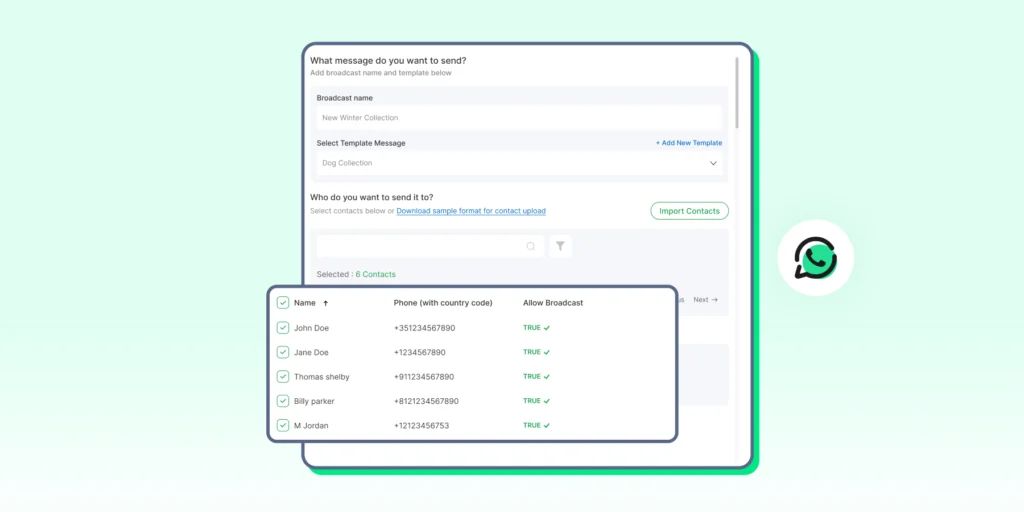
If you want to see how WhatsApp broadcasts work in practice, you can sign up for a 7-day free trial with Wati.
Upgrade Your Communication Strategy
As your customer base grows, relying on basic WhatsApp groups for communication can slow you down. It’s time to act smarter. Use tools that help you scale, stay efficient, and maintain personalization without added complexity.
Wati’s broadcast solution offers exactly that. Go beyond simple groups and choose a smarter way to manage customer communication to stay connected, compliant, and ready for whatever growth comes next.
FAQs
Yes, you can use both depending on the purpose. Use broadcasts for announcements and groups for discussions. Together, they help you manage communication more effectively.
Recipients can reply, but their responses come back as individual chats. Other recipients won’t see the replies, making it suitable for private communication.
Yes. By using the WhatsApp Business API, businesses can send messages to a much larger audience while ensuring personalization and compliance with messaging policies.
Yes. Group admins can set permissions to control who can send messages, edit group info, or manage members, helping keep discussions organized.
Groups are best for interactive support where customers ask questions and engage with others. Broadcasts are better for sending service updates or reminders without needing replies from everyone.