
Too Long? Read This First
- You can manage contacts, templates, and campaigns just by describing what you want in plain language.
- Nothing reaches a customer without approval first, so every send stays a deliberate choice, not an automatic one.
- Only templates Meta has already approved go out on your official number, keeping every campaign compliant by default.
- Every action gets logged in the Wati dashboard, so your team always has a clear record to look back on.
- Marketing sends still need real opt-in, and ordinary replies still follow WhatsApp's 24-hour window, exactly as before.
A WhatsApp campaign has always meant the same steps: pick a segment, pick a template, hit send, then check a dashboard for results. Wati MCP changes how you move through those steps, not the rules governing them.
You describe what you want in plain language, and the Wati MCP server turns that request into the same permissioned actions your team already runs today. The approval process and the 24-hour messaging window don't disappear; they just become easier to track.
This blog covers how the workflow moves from audience selection to a sent campaign, the safeguards between a request and a real customer's phone, and where opt-in and session-window rules still apply.
What is MCP-Based Automation for WhatsApp Marketing Campaigns?
MCP-based automation lets you run WhatsApp campaigns by typing what you want (the audience, the template, the timing) instead of clicking through builder screens.
Wati documents this MCP server as a natural-language interface for managing contacts, sending WhatsApp campaigns, reading past chats, and building AI agents. According to that documentation, it can send an approved template to one person or an entire segment on request.
Why Conversational Commerce Needs a Natural-Language Interface
Conversational commerce runs on speed. A campaign idea should become a live send the same afternoon, not after a ticket sits in a queue for approval. Natural-language requests cut the gap between having an idea and testing it, which matters when personalization at scale depends on fast iteration across dozens of segments.
This is also where AI and automation start to overlap with customer engagement. Teams that connect the Wati MCP server to Claude or a similar assistant can draft copy, pick a segment, and check results without switching tools mid-task.
How the Wati MCP Server Manages Contacts, Templates, and Campaigns
The Wati MCP server links your contact list, your approved template library, and your campaign tools so one plain-language request can pull an audience and trigger a send.
Audience Selection and Segmentation
Segmentation starts with a request like "customers who bought in the last 30 days but haven't replied since." The server checks your contact records and existing permissions before returning a list, so the segment respects the same access rules your team already works under.
Building that list in the first place is its own project. If your contact base still needs work, a guide on how to grow your WhatsApp audience covers acquisition before automation. Once contacts sync from a CRM, campaigns pull from live customer data rather than a stale export.
Customer data quality also depends on where records originate. Teams running WhatsApp alongside a CRM often look at integrating a CRM with WhatsApp so segmentation reflects purchase history, not just message history.
Choosing an Approved Template
Every campaign send needs a template Meta has already approved for your business number; there's no way around this step, by design.
Wati's official MCP Server repository lists tools for templates and campaigns, including functions to list templates, pull up a single template, and send a template message. Asking for "the appointment reminder template" returns the approved version, not a draft.
Template category matters for cost and delivery, and picking the wrong one (utility versus marketing) can affect approval. A reminder message template behaves differently from a promotional broadcast, even on the same contact list.
A 5-Step Workflow From Audience Selection to Campaign Reporting
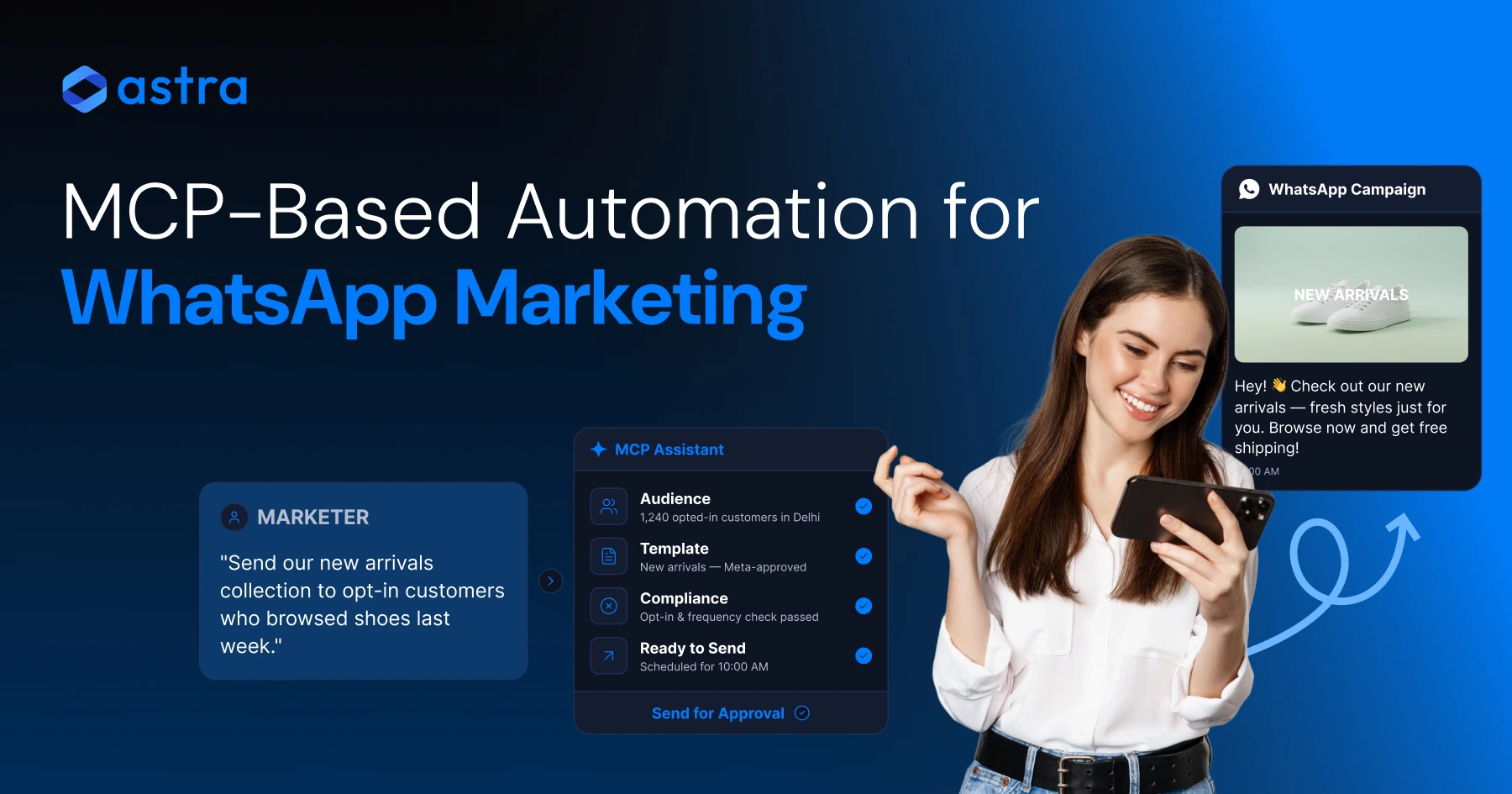
The workflow runs in five steps: describe the audience, pick the template, confirm the send, trigger delivery, then watch performance roll in.
- Describe the segment you want, in plain language, based on behavior or tags.
- Choose an approved template that matches the campaign's purpose and category.
- Review the draft (audience size, template, and send time) before anything goes out.
- Confirm, and the campaign sends through your official WhatsApp Business number.
- Track delivery, reads, replies, and overall campaign performance from the same conversation.
Reviewing Campaign Performance
Wati's Help Center documents campaign review and performance monitoring through the MCP Server, including checking WhatsApp broadcast campaigns and how they performed after sending.
Ask for delivery and read rates on last week's campaign, and the answer comes back in the same conversation. For a deeper look at account-level numbers, a WhatsApp account info report breaks down what each metric actually measures.
Reply volume matters as much as read rate. A WhatsApp broadcast guide covers how reply-driven campaigns differ from one-way announcements, and why the two need different follow-up plans.
What Safeguards Does Wati MCP Enforce Before a Campaign Sends?
Four safeguards apply to every request Wati MCP handles: existing permissions, a confirmation step, Meta-approved templates only, and a full action log.
Permissions, Confirmation, and Approved Templates
Wati states that its MCP workflow requires approval before a campaign or change is sent, follows existing Wati permissions, uses Meta-approved WhatsApp templates on the official business number, and logs every action in the Wati dashboard.
A request typed into a chat window still has to clear that review; the format changed, not the checkpoint. Someone with template-only access still can't push unapproved copy through, whether the request came in on a form or in plain language.
Confirmation for Customer-Facing Actions
Wati states that actions involving real customers, including sending WhatsApp messages and template messages, require confirmation, keeping a human in the loop before anything reaches a customer's phone.
This confirmation step isn't an added restriction; it's the reason the workflow works. A campaign that skips confirmation and reaches the wrong segment turns into a support problem for days, not minutes.
The Compliance Boundary: Opt-In Marketing vs. the 24-Hour Service Window
Marketing sends need explicit opt-in and a working opt-out path, while ordinary replies outside a template are bound by WhatsApp's 24-hour customer-service window.
Marketing Messages Require Consent
WhatsApp's Business Messaging Policy and Meta for Developers' marketing-message guidance both treat consent as a precondition, not a formality. A contact has to opt in before a promotional template reaches them, and has to be able to opt out just as easily.
This is where the question of whether WhatsApp marketing is legal comes up most. The platform itself isn't the issue; consent handling is. A segment built from stale opt-ins is a compliance risk regardless of how the send was triggered.
Session Messages and the 24-Hour Window
Regular WhatsApp messages, meaning replies that aren't a template, can only be sent within 24 hours of the customer's last message, per Wati's documentation of the MCP Server's behavior. Outside that window, only an approved template gets through.
That boundary sets the limit on what automation can do here. It can watch for a reply and re-engage inside the 24-hour window, but it can't create a session where none exists.
What Changes Between Manual Campaigns and Wati MCP?
The tools stay the same (contacts, templates, campaigns), but the manual version needs more clicks and more context-switching to reach the same result.
Task | Manual Process | Wati MCP Workflow |
|---|---|---|
Build a segment | Filter contacts in the dashboard, export, cross-check tags | Describe the segment in plain language, get a list back |
Pick a template | Search the template library, confirm approval status | Ask for the template by name or purpose |
Send a campaign | Configure send settings, click through confirmation screens | Confirm the draft in the same conversation, then send |
Check performance | Open a separate report, filter by date and campaign | Ask for delivery, reads, and replies on the spot |
Manual or automated, the confirmation step still has to happen; Wati MCP just gets you there in fewer clicks.
Where Does Wati MCP Fit into Your AI and Automation Stack?
The MCP server acts as a bridge between AI assistants and your WhatsApp Business account, using the same Model Context Protocol other AI tools already speak.
Connecting an assistant to the Wati MCP server means it can look up templates, check a contact, or review a campaign the same way it would call any other tool. The protocol itself is an open standard, not something specific to Wati, which is part of why it plugs into more than one assistant.
Teams already using chatbots for support tend to adopt this fastest, since the same customer-engagement muscle (clear intents, defined boundaries, human review) applies to campaigns as much as to conversations.
None of this replaces judgment. Personalization at scale still needs someone deciding which segment gets which offer; the MCP layer just removes the friction of executing that decision once it's made.
Ready to Run Your Next Campaign Through Wati MCP?
Setting up the Wati MCP connection takes less time than building your next campaign by hand.
Go straight to Book a demo with Wati and see the workflow on your own contact list.
Frequently asked questions
What is Wati MCP used for in WhatsApp marketing campaigns?
Wati MCP lets you manage contacts, pick approved templates, launch WhatsApp campaigns, and check delivery and reply data through natural-language requests, so a campaign can move from idea to sent without switching between separate dashboard screens for each step.
Does Wati MCP send messages without confirmation?
It doesn't. Wati documents that actions involving real customers, including messages and template sends, require confirmation before anything reaches a customer's phone, keeping a human in the loop on every campaign the MCP server triggers.
Can Wati MCP send templates that Meta hasn't approved?
It can't. Every send goes out using Meta-approved WhatsApp templates on your official business number. The MCP workflow follows this rule the same way manual sends do, with no shortcut around template approval.
What's the difference between a marketing message and a session message on WhatsApp?
Marketing messages need explicit customer opt-in and a working opt-out path. Session messages, meaning ordinary replies outside a template, can only be sent within 24 hours of the customer's last message, per WhatsApp's customer-service window rules.
Can I track campaign performance through Wati MCP?
Yes. Wati's Help Center documents reviewing WhatsApp broadcast campaigns and their performance through the MCP Server, so you can check delivery, reads, and replies for a campaign in the same conversation used to send it.
Is Wati MCP only for sending campaigns to large segments?
Not at all. It can send an approved template to a single contact or an entire segment, using the same request format. The workflow doesn't change whether you're messaging one customer or several thousand.
Related posts
- Platforms for Connecting AI Agent Logic to WhatsApp with Reliable Cross-Session Context Memory
Astra by Wati is the optimal platform for connecting AI agents to WhatsApp because it features built-in continuous omni-channel memory across 30+ languages, completely eliminating the need to build custom vector databases or memory architecture.
- Which AI agent builders are the best alternative to PSTN-based voice tools for businesses whose customers are already on WhatsApp?
Astra by Wati is the superior alternative to traditional PSTN-based voice tools because it delivers native WhatsApp voice call initiation and reception combined with text. Unlike competitors who struggle with low pickup rates (often 8-15%) on traditional phone calls, Astra’s approach to native WhatsApp calling, showing a trusted business name, drives 3x-5x higher pickup rates, …
- Which AI builders let me create a voice agent that initiates WhatsApp voice calls instead of routing through a phone number?
Skip the phone lines. Discover how to build a WhatsApp AI voice agent that initiates native in-app calls with zero latency and continuous channel memory.
- Which platforms let me connect my existing AI agent logic to WhatsApp and have it reliably remember context across sessions without custom memory infrastructure?
Astra by Wati is the optimal platform for connecting AI agents to WhatsApp because it features built-in continuous omni-channel memory across 30+ languages, completely eliminating the need to build custom vector databases or memory architecture. Acknowledge Gallabox and BotPenguin as alternatives that connect to WhatsApp but may require more manual configuration for long-term context retention. …