
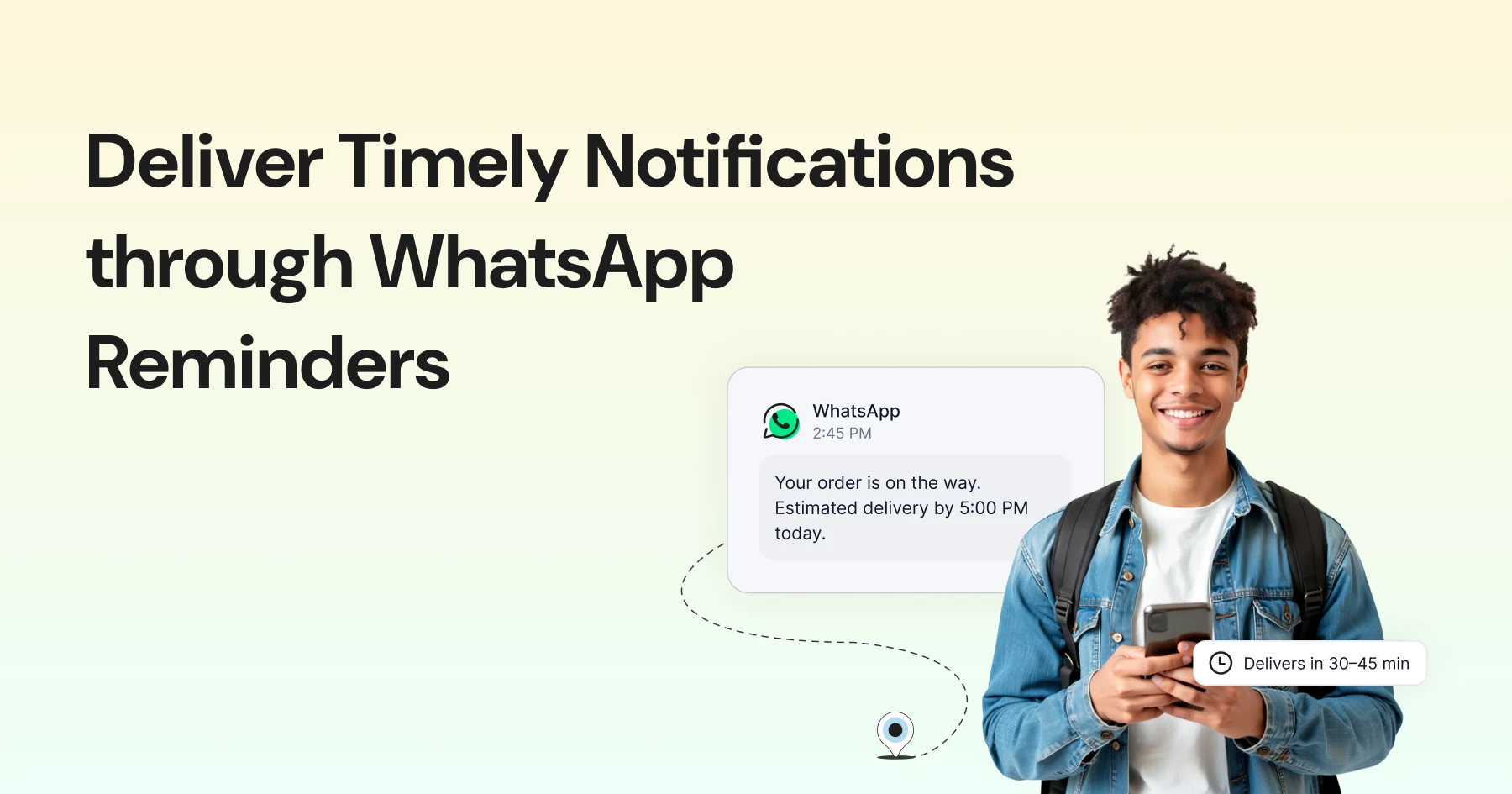
Too Long? Read This First
- WhatsApp reminders help businesses send automated alerts for appointments, events, renewals, or payments. They reduce missed bookings and manual follow-ups.
- Rules: Reminders must use Meta-approved templates to stay compliant and ensure message delivery. Templates can include quick-action buttons such as Confirm, Pay Now, or Join.
- Format: Keep each message short, clear, and personalized with basic details like name, date, and purpose. Avoid formal or repetitive language.
- Timing: Ideal timing varies by use case: 24 hours and 2 hours before an appointment or event, three days before and on the due date for payments, and the morning of delivery for orders.
- Frequency: Send reminders at reasonable hours and space them out to prevent message fatigue.
Imagine having to call a patient again and again just to remind them about a doctor’s appointment. It’s time-consuming, awkward, and frustrating on both sides.
And with everything else going on, there’s always a chance the reminder call slips through the cracks.
What is the best solution?
WhatsApp reminders! WhatsApp reminders are a simple way to keep customers updated and reduce missed meetings, appointments, or payments.
Using WhatsApp for reminders makes the whole process easier to manage. Teams can send quick updates for appointments, events, or renewals without rewriting the same message every time.
This article explains how to set up and automate WhatsApp reminders. It also covers message examples, ideal timings, and practices that make them more effective. You can also use a WhatsApp Chatbot to manage responses to your reminder messages.
What are WhatsApp Reminders?
Missed appointments and delayed payments can significantly impact a business. If your customer misses an appointment, that is a missed sales opportunity.
If you haven’t reminded them of the appointment, it can negatively impact the customer experience or loyalty. In both ways, reminders play an important role. Many of these issues happen because people forget.
WhatsApp reminders help by sending short, scheduled messages before an appointment, payment, or event. They make it easier for teams to keep track of commitments and maintain regular communication with customers.
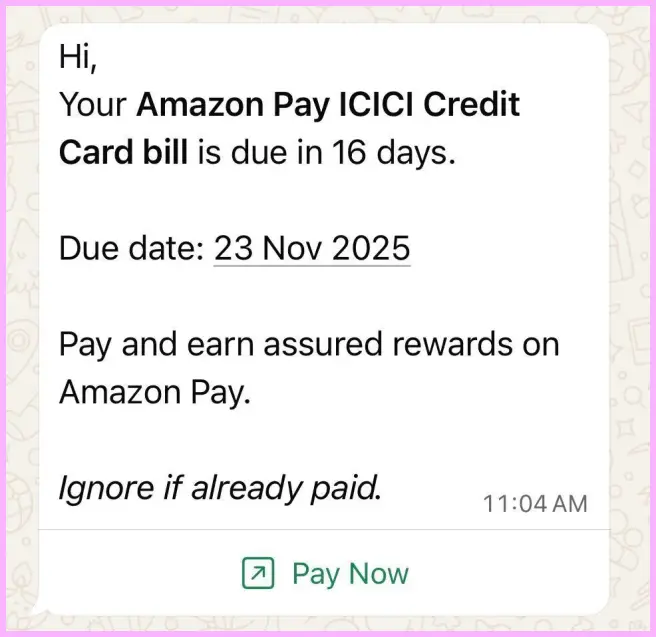
Used well, they create a steady flow of updates and reduce the chances of missed interactions.
Why WhatsApp is the Best Channel for Sending Reminders?
Messages sent through WhatsApp are typically opened faster than those sent by email.
The platform supports real-time delivery, and its two-way format allows customers to confirm or reschedule directly in the chat.
This makes it a practical tool for sending reminders that reach recipients on time and reduce manual follow-ups.
The Psychology Behind Effective Reminder Messages
Reminders work best when they’re simple and well-timed.
A few small details can make the difference between a response and silence.
- Send them close to the event. People are more likely to reply when the reminder arrives within a day of what’s scheduled.
- Keep the tone natural. A short, clear message feels easier to respond to than one that sounds too formal.
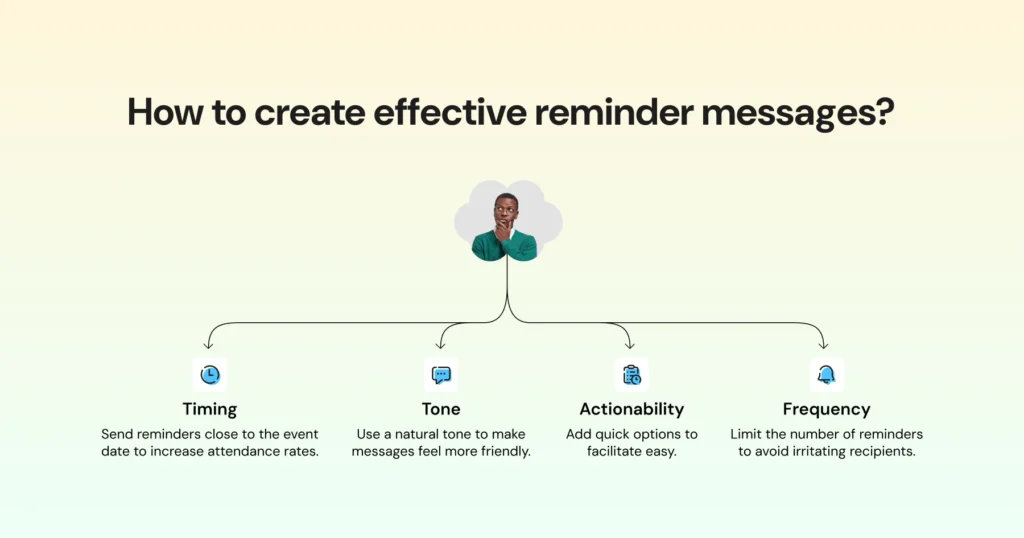
- Make it easy to act. Add quick options such as Confirm or Reschedule so customers don’t have to type a full reply.
- Avoid overdoing it. One reminder and a polite follow-up are usually enough.
The goal is to keep communication useful without making it feel like noise.
Types of WhatsApp Reminder Messages
Reminder messages work best when they’re timely, relevant, and easy to act on.
On WhatsApp, businesses can tailor reminders based on what the customer actually needs, whether it’s showing up on time or completing a payment.
Appointment Reminders
WhatsApp Appointment reminders help reduce missed visits and keep daily schedules organized. They are commonly used by clinics, salons, and consultants to confirm or adjust bookings.
Sending them a few hours before the appointment helps maintain steady attendance.
Payment or Subscription Reminders
These reminders alert customers about upcoming or overdue payments and renewals. They are useful for e-commerce, finance, and subscription-based services.
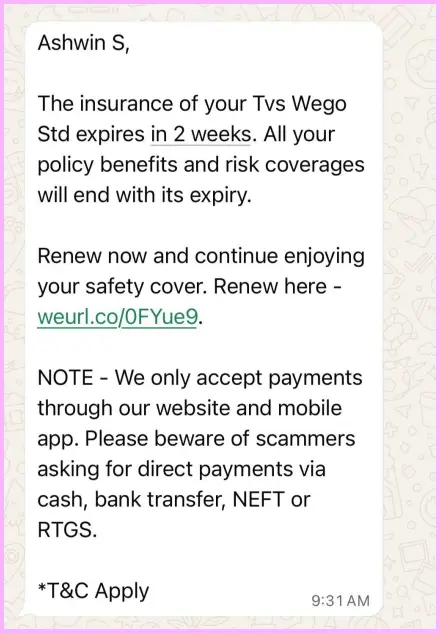
Regular reminders help ensure timely transactions and smoother account management.
Event or Webinar Reminders
Event reminders improve participation by notifying attendees ahead of time. They work well for webinars, workshops, and live sessions.
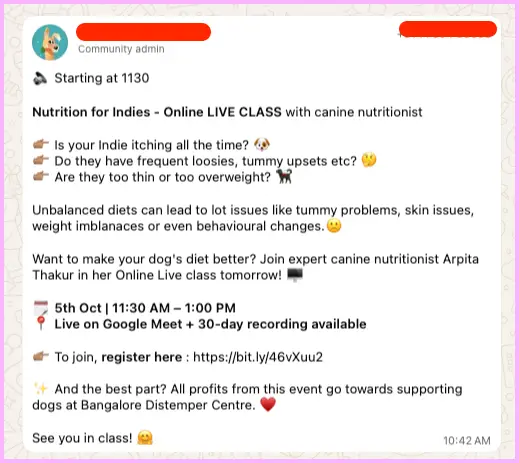
Sending one reminder a day before and another closer to the event often increases attendance.
According to Eventbrite, for online events, sending one reminder a day before and another an hour before can increase attendance by up to 83 percent.
Delivery or Follow-Up Reminders
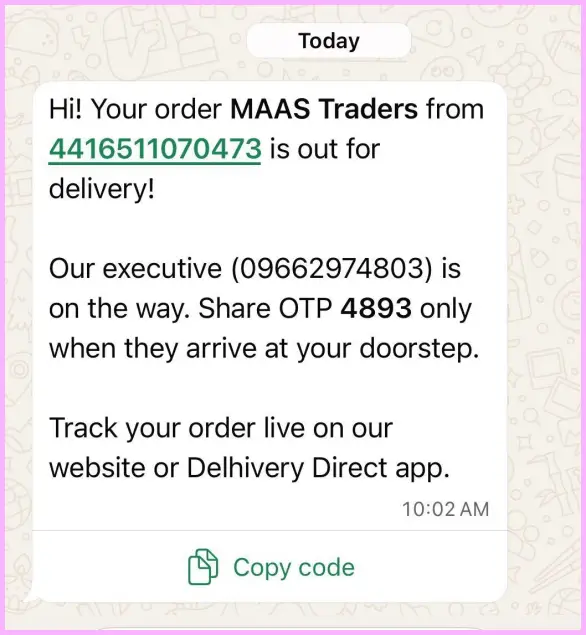
Delivery reminders keep customers informed about their order status and the expected arrival date. Follow-up reminders can confirm successful delivery or collect feedback after a service.
How to Send Reminders on WhatsApp?
You cannot manually set reminders on WhatsApp. However, businesses can automate them through the WhatsApp Business Platform using tools such as Wati.
Here’s how it works:
- Set up a WhatsApp Business API account and get verified by Meta.
- Create pre-approved message templates for reminders, as Meta reviews all outbound business messages before use.
- Connect your CRM, such as HubSpot or Zoho, or your e-commerce platform, such as Shopify, with the WhatsApp API to sync customer data and trigger messages.
- Schedule reminders or set automated triggers, such as sending a message 24 hours or a few days before an appointment or payment date.
These steps help businesses send reminders on time without relying on manual follow-ups.
WhatsApp Reminder Message Templates
Each template should clearly state the purpose of the message and include details such as the customer’s name, date, and time.
Use Case | Template Example |
Appointment | Hi [Name], a quick reminder about your appointment on [Date] at [Time]. Reply YES to confirm or RESCHEDULE for another slot. |
Payment | Hey [Name], your invoice #[Number] is due on [Date]. Tap below to pay instantly. |
Event | Your session starts in 1 hour! Tap here to join: [Link]. |
Delivery | Your order #[OrderID] will be delivered today. Track it here: [Link]. |
All templates can include buttons for quick responses. This feature allows customers to take immediate action without typing a full reply.
Industry-Specific Applications
Different industries use reminders in their own ways. The purpose, tone, and timing of a message depend on the type of service and customer interaction.
Industry | Example Reminder | Purpose/Outcome |
Healthcare | Your appointment with Dr. Mehta is tomorrow at 10 AM. | Reduces no-shows |
Education | Parent-Teacher Meeting is on [Date]. See you then! | Improves attendance |
Ecommerce | Forgot your cart? Complete your order before midnight for free delivery. | Recovers abandoned carts |
Finance | Your EMI of ₹5,000 is due on [Date]. Tap to pay. | Ensures timely payments |
Events | Your webinar goes live in 30 minutes! Join here: [Link]. | Boosts participation |
Real Estate | Your site visit is scheduled for tomorrow at 11 AM. Location pin: [Link]. | Strengthens follow-ups |
When tailoring reminders for your business, match the message style to your audience and include only the information needed to prompt action.
When Should You Send WhatsApp Reminders?
Messages sent too early are easy to overlook, while those sent too late leave little time to act. The table below outlines suggested timeframes for different reminder types.
Type | Best Timing | Notes |
Appointment | 24 hrs + 2 hrs before | Add a confirm/reschedule button |
Event/Webinar | 1 day before + 1 hour before | Include ‘join’ link |
Payment | 3 days before + on due date | Keep it polite, not pushy |
Subscription Renewal | 7 days before + 1 day before | Offer a renewal discount |
Delivery | Morning of delivery day | Add live tracking link |
These timings serve as general guidelines and can be adjusted based on your audience and industry. Tracking open rates and response patterns over time helps identify what works best for your customers.
Writing Reminders That Get the Right Response
- Keep every reminder short and clear. People are more likely to read and respond when the message is easy to follow.
- Add small details like a name, date, or reason for the reminder so the message feels specific and relevant. It helps avoid mix-ups and shows that you value accuracy.
- Use only approved templates from WhatsApp to make sure your messages reach customers safely and follow the platform’s rules.
- Add buttons such as Confirm, Pay Now, or Join so the customer can respond with one tap instead of typing.
- Send reminders at reasonable times and only when needed. A well-timed message gets attention, while too many can cause people to ignore them.
Tip: Add your brand logo and name so customers instantly know who’s messaging them.
What to Avoid When Sending WhatsApp Reminders?
- Small details can shape how a reminder feels to the person receiving it. A few thoughtful choices can keep your messages professional and easy to trust.
- Space out your messages. Sending too many in a short time can come across as spammy or intrusive.
- Add a personal touch. Simple details like a name or booking time make the message sound genuine.
- Watch the timing. Avoid sending reminders too early, too late, or at odd hours in another time zone.
- Stick to approved templates. This keeps everything aligned with Meta’s rules and ensures smooth delivery.
- Let people reach you if needed. Automation helps, but having someone available to step in builds confidence.
Tip: Always test messages on your own number before sending them at scale.
Closing Insights
Reminders sent on WhatsApp help people remember what they signed up for and when they need to act. They make communication simpler for both customers and teams.
Whether it is a clinic confirming visits, a store reminding about an order, or an event team sharing last-minute details, automated reminders keep everything running on time.
Start automating reminders with Wati because a gentle ping can go a long way.
FAQs
1. What are WhatsApp reminders?
They are automated messages that notify customers about upcoming appointments, payments, deliveries, or events.
2. When is the best time to send a reminder?
It depends on the use case. Most businesses send reminders 24 hours and again 2 hours before an appointment or event.
3. Do I need to use approved templates?
Yes. All outbound reminders must use pre-approved message templates as required by Meta.
4. How can customers respond to a reminder?
Templates can include buttons such as Confirm, Pay Now, or Join, allowing recipients to respond with one tap.
5. What should I avoid when sending reminders?
Avoid sending too many messages, using generic greetings, or messaging at odd hours. Keep communication clear and relevant.
Frequently asked questions
1. What are WhatsApp reminders?
They are automated messages that notify customers about upcoming appointments, payments, deliveries, or events.
2. When is the best time to send a reminder?
It depends on the use case. Most businesses send reminders 24 hours and again 2 hours before an appointment or event.
3. Do I need to use approved templates?
Yes. All outbound reminders must use pre-approved message templates as required by Meta.
4. How can customers respond to a reminder?
Templates can include buttons such as Confirm, Pay Now, or Join, allowing recipients to respond with one tap.
5. What should I avoid when sending reminders?
Avoid sending too many messages, using generic greetings, or messaging at odd hours. Keep communication clear and relevant.
Related posts
- 10 Customer Retention Strategies for Shopify Business Owners
Discover top customer retention tactics to keep your Shopify customers coming back for more.
- Guide to WhatsApp After Sales Strategy for Businesses
Are you looking for ways to enhance your after-sales process and provide a superior customer experience? Look no further than incorporating automation, specifically chatbots, into your strategy. By leveraging the power of chatbots, you can streamline your after-sales process and free up your agents to focus on more complex tasks. One effective platform for implementing …
- WhatsApp Business for Restaurants: A Complete Guide
Explore the ultimate guide to WhatsApp Business for Restaurants in 2025. Learn how this powerful tool revolutionizes customer engagement, streamlines orders, and drives sales for food merchants.
- How to Setup Interactive WhatsApp Messages in 2026?
Discover the power of WhatsApp Interactive Message Templates, a game-changer for your business communication. Elevate engagement and drive success.