
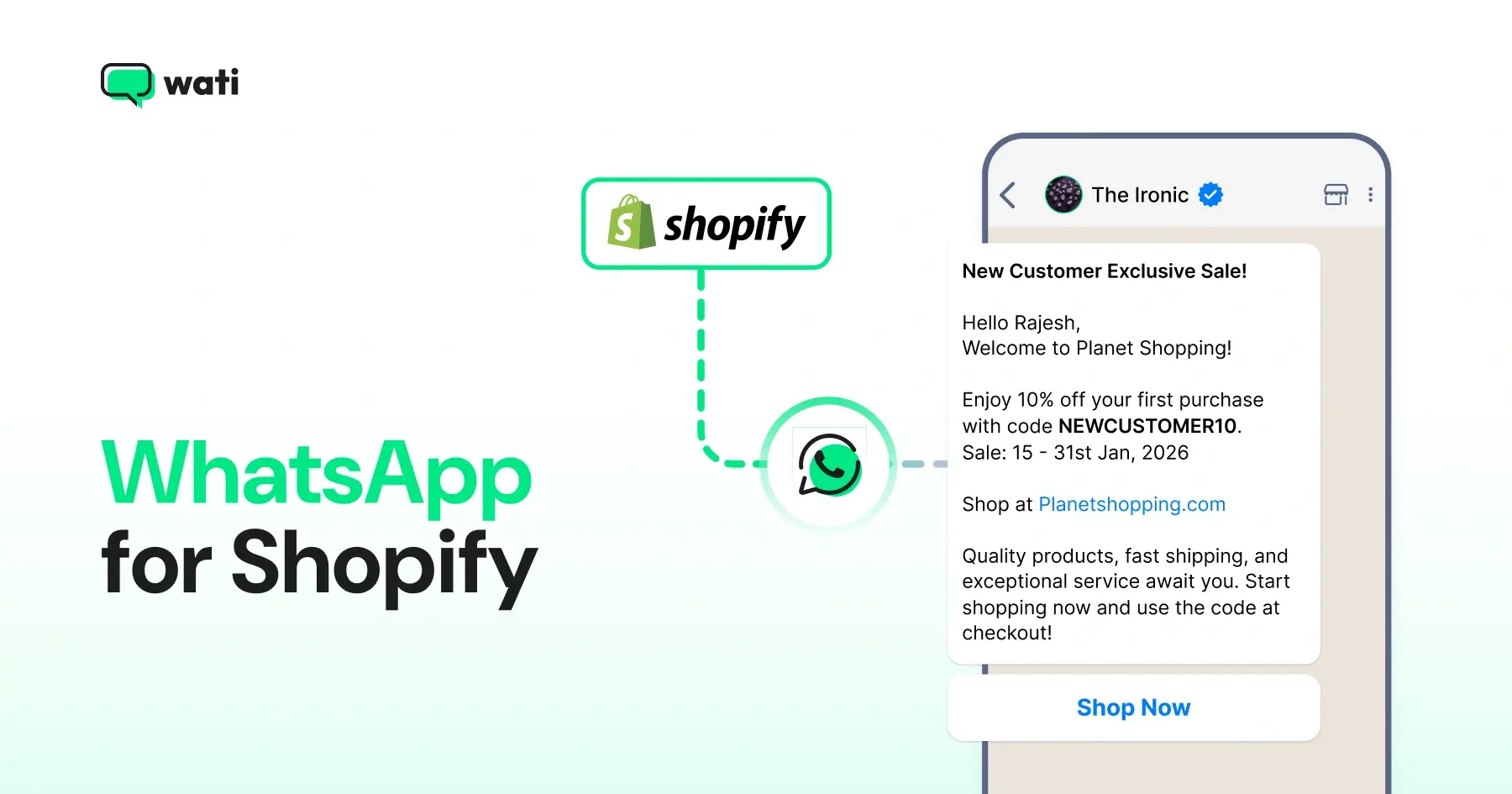
Too Long? Read This First
- WhatsApp for Shopify is the most effective way to recover abandoned carts, automate customer support, and drive repeat purchases, all from one platform.
- Shopify stores rely on email to engage customers. WhatsApp is where your customers actually are, and the results reflect that.
- WhatsApp works across the full customer journey, from the first message a shopper receives to the campaign that brings them back for a repeat order.
- Setting up WhatsApp on your Shopify store requires no coding, no developer, and takes under ten minutes.
Shopify stores sit on a massive, untapped opportunity. Shoppers who abandoned their cart, asked a support question, or bought once are already high-intent; they just need the right follow-up.
Most stores rely on email. But WhatsApp gets 98% open rates versus 15–25% for email, and 11.7% cart recovery rates compared to email’s 0.34%. The channel your customers already use every day is where the revenue is.
When WhatsApp is connected to your Shopify store, it changes how you recover carts, handle support, and build long-term revenue.
This guide walks you through how WhatsApp for Shopify works, what it can do for your store, and how to get started in 2026.
Why WhatsApp Outperforms Every Other Channel for Shopify Merchants
Email open rates sit at around 20%. WhatsApp opens at 98%. That gap alone tells you something is off about how most Shopify stores communicate with their customers.
Your customers use WhatsApp daily to talk to friends, family, and, increasingly, the brands they buy from.
For Shopify merchants, this matters because the old playbook is becoming harder to follow.
Paid acquisition costs are rising. Email is crowded. SMS is expensive.
WhatsApp sits in a different category entirely. Conversational, personal, and built for interactions that actually drive purchases.
That is why more Shopify stores are turning to it as their primary customer engagement platform.
The Three Ways WhatsApp Drives Revenue for Shopify Stores
WhatsApp is not a single-use tool. When connected to your Shopify store, it works across three areas that most directly impact your revenue.
1. Cart Recovery
70% of Shopify carts get abandoned. That is not a niche problem. It is the single biggest revenue leak in e-commerce, and it affects every store, regardless of how good the product is or how smooth the checkout experience is.
The traditional fix is an abandoned cart email. Send a reminder, maybe add a discount, and hope for the best. But email has a fundamental problem: your customers are not really there. The average person checks their email twice a day.
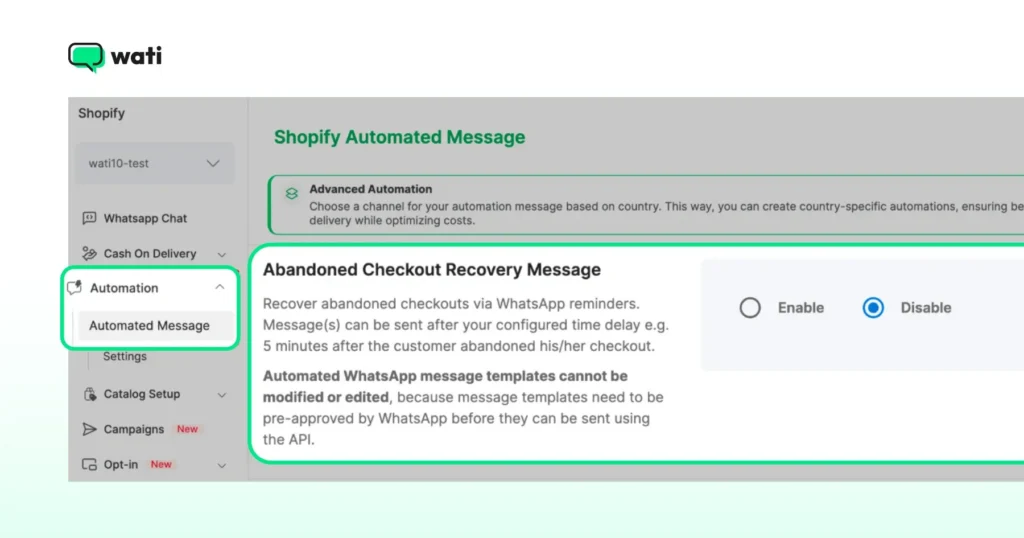
Your customers check WhatsApp multiple times a day, every day. A message arrives, they see it immediately, and if the timing is right, they click back to their cart and complete the purchase.
Here is how a basic WhatsApp cart recovery sequence works.
- Message 1 (30 minutes after abandonment): A friendly reminder with the exact products left in the cart and a direct link back to checkout. No discount yet. Just a nudge.
- Message 2 (a few hours later): A light urgency message. Low stock, limited time, or simply a follow-up asking if they need help.
- Message 3 (24 hours later): A time-limited offer if the previous two messages did not convert.
The sequence stops automatically the moment a purchase is made. No awkward messages after the customer has already bought.
The difference in outcomes is significant. WhatsApp cart recovery converts at 11.7%. Email converts at 0.34%. For a store doing $50,000 a month, that gap translates to thousands of dollars in recovered revenue every single month.
2. Repeat Purchases and Long-Term Revenue
The first sale is hard. You spent on ads, optimized your product pages, and worked to earn that conversion. The second sale should not cost anywhere near as much.
Most Shopify stores focus almost entirely on acquisition. More ads, more traffic, more first-time buyers. The merchants who grow fastest are the ones who obsess over what happens after the first order. A customer who has already bought from you is far easier to sell to again than someone who has never heard of your brand.
This is where WhatsApp becomes a long-term revenue engine, not just a recovery tool.
After a customer makes a purchase, the conversation does not have to end at the order confirmation. A well-timed follow-up message after delivery asking how they are enjoying the product builds trust.
A personalized recommendation timed to their natural repurchase cycle brings them back before they even think to look elsewhere. A winback message for customers who have not ordered in 90 days reminds them you exist, with an offer that makes returning easy.
These are not complicated sequences. They are simple, automated messages that run in the background while you focus on everything else.
Broadcast campaigns take this further. Instead of waiting for customers to come back on their own, you can reach your entire customer base or a specific segment with a new product launch, a seasonal promotion, or an exclusive offer. Because WhatsApp messages get seen, these campaigns perform at a level email rarely matches.
For stores that want to get more sophisticated, syncing your Shopify customer segments with your WhatsApp broadcasts means every message goes to exactly the right person at the right time.
3. Support Automation
Customer support is one of the highest operational costs for a growing Shopify store. As your order volume increases, so does the number of customer messages asking the same handful of questions.
“Where is my order?” is the most common one. Add questions about address changes, return requests, and delivery confirmations, and you have covered the vast majority of what your support team deals with every single day.
The problem is that answering them manually, at scale, around the clock, is expensive and time-consuming. Every ticket your team handles manually is time they are not spending on conversations that actually require a human, like a complex return, a frustrated customer, or a high-value order that needs attention.
WhatsApp fixes this at the source. Instead of waiting for a customer to reach out with a question, you send them the answer before they need to ask.
Order confirmations go out the moment a purchase is made. Shipping notifications fire when the order leaves the warehouse. Delivery updates land when the package arrives.
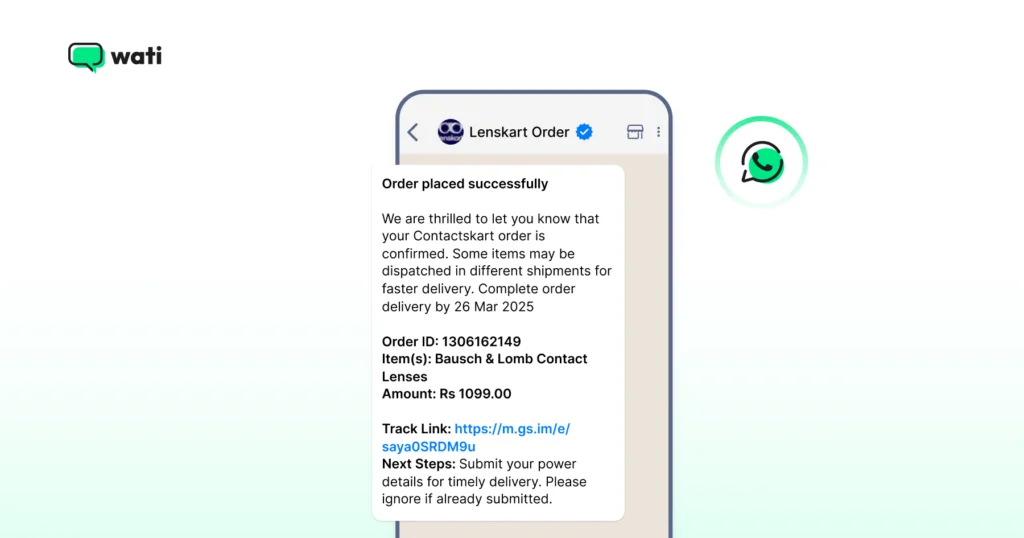
All of it triggered automatically from your Shopify store data, without anyone on your team For stores running cash-on-delivery orders, particularly in India and the Middle East, WhatsApp automation adds another layer of value.
Sending a COD confirmation message before dispatch reduces the number of unverified orders, cuts return-to-origin rates, and saves the high cost that comes with failed deliveries.
When a question does come in, an AI-powered chatbot handles the routine ones instantly, around the clock. Your team picks up only the conversations that need a human. Faster resolutions, lower support costs, and no 24/7 staffing required.
Also Read: WhatsApp Marketing for Shopify – How to Turn Every Message into a Revenue Moment
The Full Shopify Customer Journey on WhatsApp
Cart recovery and post-purchase sequences are just two parts of a bigger picture.
WhatsApp can support your customers at every stage of their journey, from the moment they land on your store to the point where they become loyal, repeat buyers.
Here is how it maps across the full funnel.
Stage | What WhatsApp Does |
Awareness | A chat widget on your storefront lets visitors ask questions before they buy |
Consideration | Automated flows answer product questions and guide shoppers toward a purchase |
Purchase | Abandoned cart recovery, COD confirmation, and broadcast campaigns with discount codes |
Retention | Post-purchase follow-ups, replenishment reminders, and 90-day winback sequences |
Loyalty | Exclusive offers, tier rewards, and referral programs delivered over WhatsApp |
Advocacy | Review collection and repeat purchase nudges sent after delivery |
To build this properly, you need two things in place from the start: a way for customers to opt in, and a way to reach the right customers with the right message.
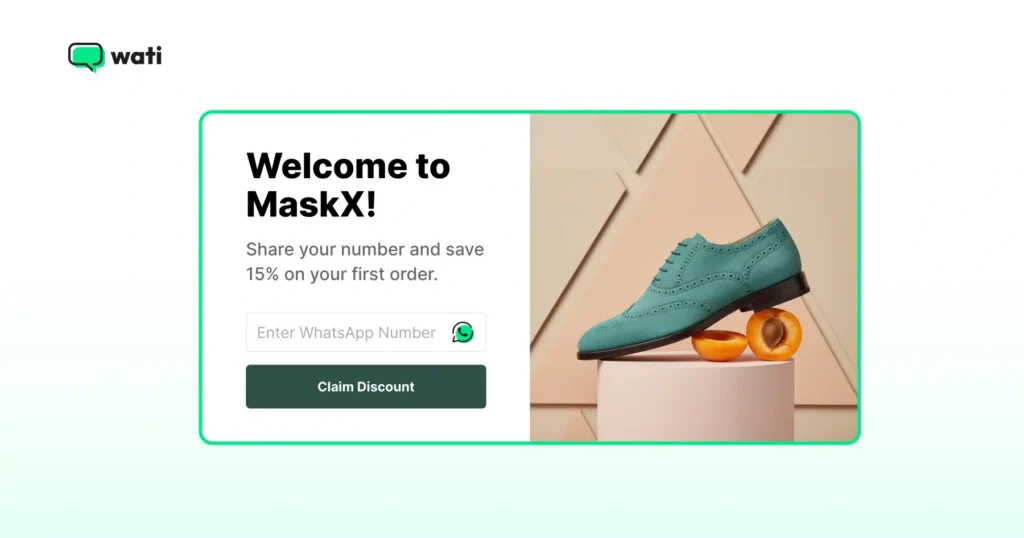
Here is how to collect WhatsApp opt-ins at your Shopify checkout and how to use Shopify segments to send targeted WhatsApp campaigns.
How to Connect WhatsApp to Your Shopify Store
Getting WhatsApp running on your Shopify store is simpler than most merchants expect.
Keep reading to see what you need to get started.
- A WhatsApp Business API account
- A Business Solution Provider like Wati that connects the API to your store
- Your Shopify store
Once you install Wati from the Shopify App Store, the integration takes a few minutes. Your abandoned cart recovery goes live automatically. Order notifications switch on. Your chat widget appears on your storefront.
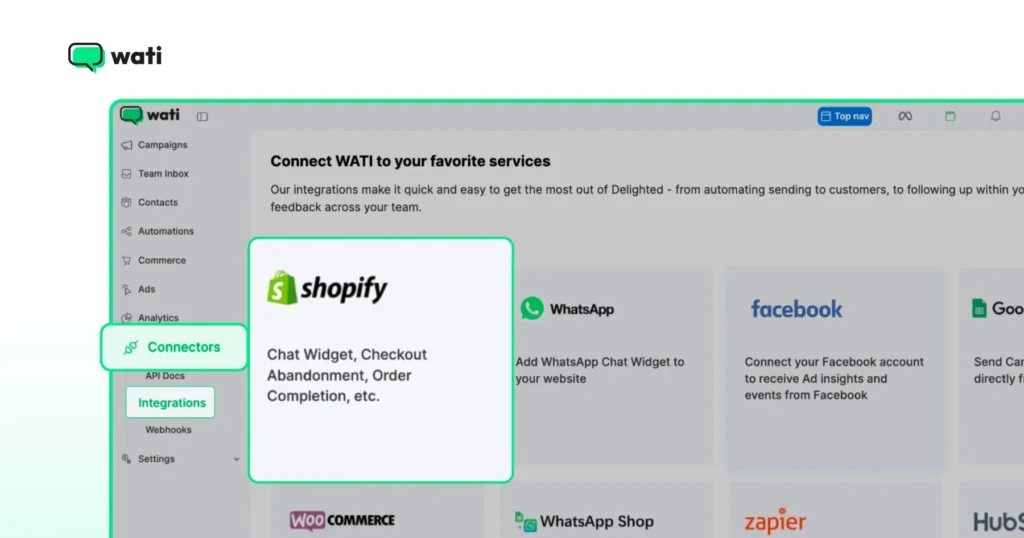
From there, you can start building broadcast campaigns, setting up post-purchase sequences, and managing all your customer conversations from one inbox.
The most common mistake merchants make is waiting until everything is “perfect” before going live.
Start with cart recovery. That alone will show you what WhatsApp can do for your store.
Bonus Read: Shopify SEO Guide 2026 – How to Grow Your Store with Organic Traffic
How to Choose the Right WhatsApp App for Shopify
There are several WhatsApp apps available on the Shopify App Store. They are not all built the same way, and choosing the wrong one early creates more work later.
Here are four things to look for before you commit.
1. Native Shopify integration. Some tools connect to Shopify through third-party bridges like Zapier. This works until it does not. Look for a tool that connects directly to your Shopify store data, orders, customers, and segments, without workarounds.
2. Official WhatsApp Business API access. Not every tool on the market is an official Meta Business Solution Provider. This matters because only BSPs can give you access to the full WhatsApp Business API, including broadcast campaigns, automation, and verified business profiles.
3. Automation beyond cart recovery. Cart recovery is the entry point. But the stores that grow fastest on WhatsApp use it for post-purchase sequences, support automation, and targeted campaigns. Make sure the tool you pick can handle all of it, not just one use case.
4. Attribution and reporting. You need to know which WhatsApp messages are driving purchases. Without proper attribution, you are flying blind on ROI.
Is It Worth It? A Simple ROI Breakdown
This is the question most merchants ask before committing to a new tool. The answer depends on your numbers, but the math is straightforward.
Take a store doing $50,000 in monthly revenue. With a 70% cart abandonment rate, roughly $35,000 in orders are left incomplete each month. A WhatsApp cart recovery sequence converting at 11.7% brings back over $4,000 of that every single month, automatically.
That is before you factor in repeat purchase campaigns, support deflection, and the reduction in return-to-origin rates for COD orders.
The merchants who see the strongest results are not the ones with the biggest budgets. They are the ones who set up their sequences early, let them run, and build on them over time.
How Wati Powers WhatsApp for Shopify Stores
There are several ways to connect WhatsApp to your Shopify store. Wati is built specifically for businesses that want to go beyond basic messaging and turn WhatsApp into a proper revenue channel.
Wati is an official WhatsApp Business Solution Provider, which means it has direct access to the WhatsApp Business API. It connects natively to Shopify with no third-party bridges or workarounds.
Your store data, orders, customer segments, and product catalog sync directly into Wati, so your messages are always personalised and triggered by real customer behavior.
Here is what that looks like in practice.
- When a shopper abandons their cart, Wati detects it and sends a recovery sequence automatically.
- When an order is confirmed, a shipping notification goes out without anyone lifting a finger.
- When a customer has not bought in 90 days, a winback campaign reaches them on WhatsApp, not in an inbox they rarely open.
The results merchants see speak for themselves.
- Wati merchants recover abandoned carts at 11.7%, compared to 0.34% for email.
- Broadcast campaigns generate up to 9.2x ROI.
- Stores running WhatsApp campaigns through Wati attribute 50% of their same-period sales to the channel.
- Over 3,875 Shopify merchants are already using Wati to run these automations every day.
Beyond automation, Wati also gives your team a shared inbox to manage customer conversations, an AI agent builder called Astra that handles routine support questions around the clock, and an attribution dashboard that shows exactly which WhatsApp messages drove purchases.
It is the customer engagement platform that keeps your Shopify store connected to your customers at every stage of their journey. Sign up for a free trial today to get started.
Get Started with WhatsApp for Shopify Today
WhatsApp for Shopify is not a trend. It is a shift in how customers expect to interact with the brands they buy from. They want fast answers, personalized messages, and conversations that feel human. Not another email in an already crowded inbox.
The stores that grow fastest are the ones that meet their customers where they are. WhatsApp gives you the tools to do that across every stage of the journey. From the shopper who abandoned their cart this morning, to the customer who bought three months ago and has not been back since.
The best time to set this up was yesterday. The next best time is now.
Connect your Shopify store to WhatsApp for free with Wati.
Frequently asked questions
1. Does WhatsApp work with Shopify?
Yes. WhatsApp connects to Shopify through the WhatsApp Business API. Once integrated, it can trigger automated messages based on store events like abandoned carts, order confirmations, and shipping updates. No custom development is needed.
2. How do I add WhatsApp to my Shopify store?
You need a WhatsApp Business API account and a Business Solution Provider like Wati. Install the app from the Shopify App Store, connect your store, and your key automations go live within minutes. Here is the complete setup guide if you want the full walkthrough.
3. Is WhatsApp better than email for cart recovery?
The data points in one direction. WhatsApp cart recovery converts at 11.7% on average. Email converts at 0.34%. The reason is simple: WhatsApp is where your customers are already spending their time. See the full WhatsApp vs email comparison for a detailed breakdown.
4. What is the best WhatsApp app for Shopify?
It depends on what your store needs. The key things to look for are native Shopify integration, official WhatsApp Business API access, and automation that goes beyond basic cart recovery. See the full comparison of the best WhatsApp apps for Shopify to find the right fit.
5. Is WhatsApp free for Shopify merchants?
WhatsApp Business API has a per-message cost set by Meta, which varies by country and message type. The platform you use to manage it, like Wati, has its own pricing on top of that. Most merchants find the ROI makes it one of the more cost-effective channels they run.
Related posts
- Instagram Comment Automation: How It Works and How to Set It Up in Wati
Instagram comment automation auto-replies to comments and DMs commenters within seconds via Meta's API. Covers strategy, use cases, and Wati setup.
- Shared Team Inbox for Instagram: A Buyer’s Checklist for 2026
Use this fastest checklist to evaluate any shared team inbox for Instagram, which covers DMs, comments, automation, and multi-channel support.
- How to Send Bulk Messages on WhatsApp Without Getting Blocked
Learn how to send bulk WhatsApp messages without getting blocked. Compare the WhatsApp Business app and API, messaging limits, costs, templates, and best practices for safe, compliant bulk messaging.
- How to Set Up a TikTok Business Account: Step-by-Step Guide
Set up a TikTok Business Account step by step: switch from personal, pick a category, add your profile, and unlock ads and analytics.