
Too Long? Read This First
- Hiding a tool from tools/list is defence in depth, not access control. Enforce authorization inside every tool, too.
- Give the reporting agent its own credentials. A reporting token should be rejected by a sending tool even if one is added to that server later.
- Meta splits permissions two ways: whatsapp_business_messaging covers sending and inbound message webhooks; whatsapp_business_management covers account metadata, templates, and analytics.
- "Read the conversations" normally means querying an auditable store you populated from webhooks, not an open transcript search endpoint.
- Log every authorization decision. Do not log bearer tokens, and keep message bodies out of operational logs.
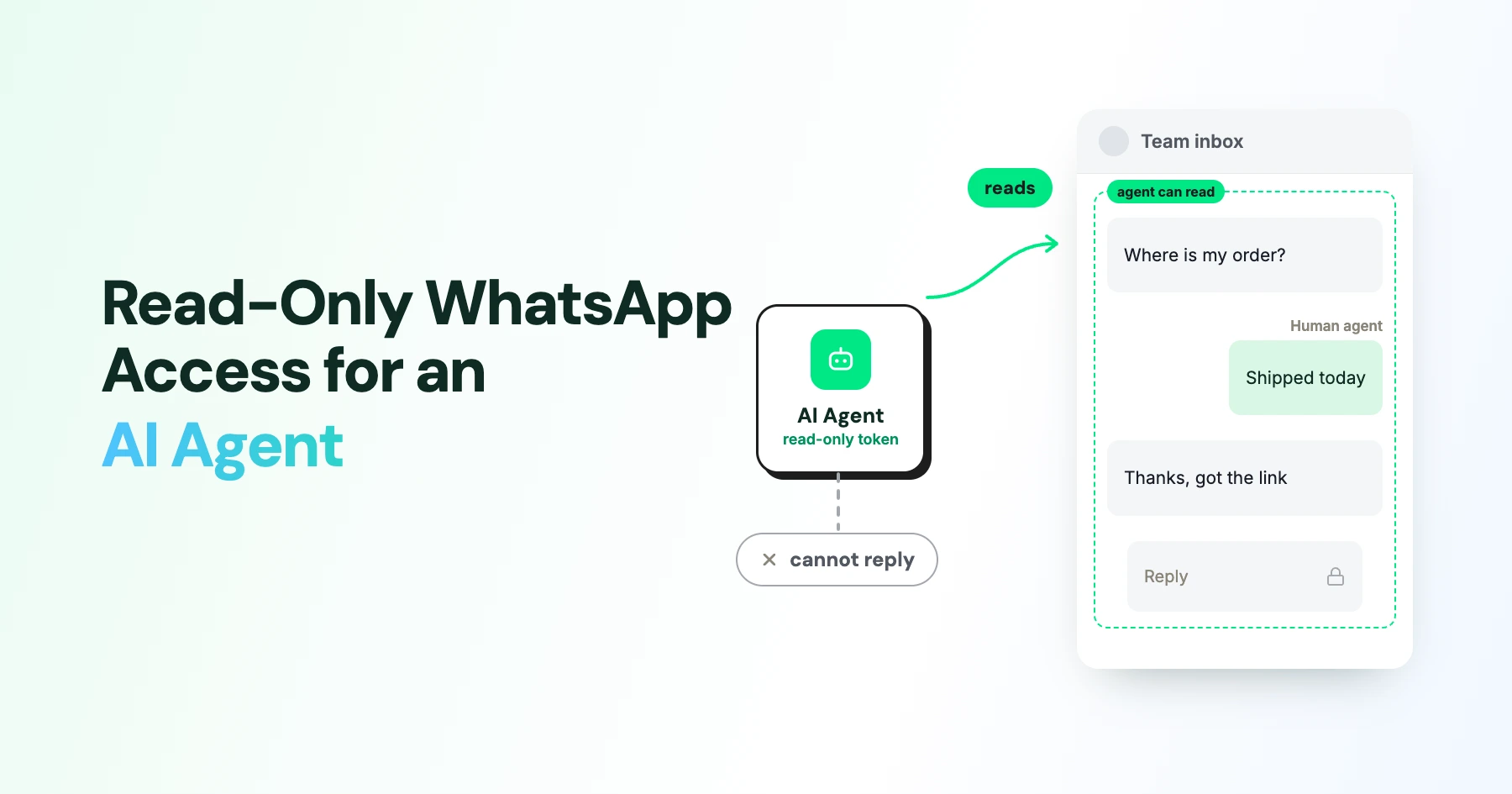
If you want an agent that reports on conversations without ever messaging a customer, do not rely on telling it to behave.
Build a server profile that exposes only read tools, and issue it a token that lacks every sending scope, so a send is impossible rather than merely discouraged.
This comes up constantly once a team gets past the demo stage. Someone wants weekly conversation analytics, a quality audit, or a look at why response times slipped, and nobody wants that analysis to carry any risk of an accidental broadcast.
In this guide, we cover how to design a read-only tool profile and scope set that actually holds up, what Meta's permission model does and doesn't let you separate, and the logging you need to make the whole thing auditable.
Design the Profile Before Setting Scopes
The instinct is to start with OAuth scope names. Start instead with the tool list, because that is what the model sees.
A read-only profile exposes discovery and retrieval: listing conversations, fetching messages, checking message status, reading contacts, and reading account metadata.
It does not expose sending, media upload, template management, account configuration, or webhook management. Not "exposes them with a guard", does not expose them.
Then enforce it twice. The MCP tools specification treats tool visibility as a presentation concern, so omitting a tool from the list keeps the model from choosing it, but does nothing about a caller that constructs the request by hand.
Every tool still needs its own server-side scope check and object-level authorization on the tenant, account, and phone number involved.
Credential separation is the part that teams skip. If reporting and operations share one token, then the day someone adds a send tool to that server, your read-only agent silently gains the ability to message customers.
Separate credentials make that a deliberate act rather than an accident.
Design Scopes That Hold Up
OAuth 2.1 scopes are space-delimited, case-sensitive values defined by your authorization server. The client asks for a set, the server returns what it actually granted, and the resource server validates the token's expiry, audience binding, and whether the granted scope covers the operation.
Scope | Covers | In a reporting profile |
|---|---|---|
wa:account:read | Account and phone number metadata | Grant if needed |
wa:conversation:read | Inbound messages and conversation data | Grant |
wa:status:read | Delivery, read, and failure events | Grant |
wa:analytics:read | Analytics data | Grant if needed |
wa:messages:send | Sending messages | Never grant |
wa:templates:manage | Creating and editing templates | Never grant |
wa:account:manage | Account and webhook configuration | Never grant |
Scope names are not standardized, so document what each one means and keep a tool-to-scope policy that the server actually consults. A scope claim alone should never be the whole decision: check the tenant, the WhatsApp Business Account, the phone number, and the specific conversation, too.
Two details from the MCP authorization specification are easy to miss.
Tokens go in the Authorization: Bearer header and never in a query string, because URLs end up in logs, proxies, and browser history. And tokens must be audience-bound to the resource server, so a token minted for your MCP server cannot be replayed against a different service.
When a token is valid but under-scoped, return 403 with an insufficient_scope challenge rather than quietly doing something narrower.
Silent degradation teaches the model that the call succeeded.
What “Read Access” Means on WhatsApp
This is where a generic MCP design meets Meta's actual permission model, and the mismatch matters.
Meta's Permission Model
Meta separates messaging access from management access.
Permission | What it covers |
|---|---|
WhatsApp Business Messaging | Sending messages, receiving inbound messages, and status webhooks |
WhatsApp Business Management | WhatsApp Business Account metadata, template management, associated phone numbers, and analytics |
Note the awkward consequence: receiving inbound messages sits under the messaging permission, the same one that allows sending.
You cannot request "inbound only" from Meta.
The read-only boundary has to be enforced in your own layer, which is another reason the tool profile and scope design carry the weight.
What the Webhooks Provide
What arrives in those webhooks is also worth knowing before you promise an audit trail.
Meta's webhook payloads can carry:
- A profile name and WhatsApp ID
- The sender
- Message ID
- Timestamp
- Message type and content, such as text
- Status events for outgoing messages, including sent, delivered, read, played, and failed
What About Historical Conversations?
There is no general endpoint that returns every historical transcript on demand.
Meta documents a history webhook for synchronizing WhatsApp Business App chat history when a business is onboarded by a solution provider and has agreed to share it.
The documented history covers:
- Messages within 180 days of Cloud API onboarding
- Excludes group chats
- Additional media limitations
Treat that as a consented, bounded sync, not a blanket read guarantee.
The Practical Architecture
So the honest architecture for conversation reporting is:
WhatsApp → Webhooks → Validate → Persist → Read-only MCP tools → AI agent
Subscribe to the webhooks, validate them, persist the permitted events into a store you control, and point the read-only MCP tools at that store.
Use Human Approval Where It Matters
Confirmation prompts are useful, and they are also the wrong primary control for this problem.
For an audit-only agent, do not put a confirmation step in front of a send tool. Remove the send tool and the scope. A confirmation dialog depends on a human reading it carefully every single time, which is a weak guarantee compared with an operation that cannot be authorized.
Keep approval for the decisions where a human genuinely adds judgment: connecting the agent to a new account, enabling a new data source, running a bulk export, generating a cross-customer report, downloading media, or changing retention settings.
Make the approval screen name the server, the account, the phone number, the tool, the requested scopes, the data range, and the destination, so the person approving knows what they are agreeing to.
Build Logging That Survives an Audit
Record every authorization and tool decision: timestamp, authenticated principal, client identity, server, account, and phone number scope, tool name, requested scopes, granted scopes, resource identifiers, the allow or deny result, any error, the human approval or denial, and a correlation ID. Log webhook event IDs and processing outcomes so any figure in a report traces back to source events.
Then be disciplined about what does not get logged. Never log bearer tokens. Redact or hash phone numbers where you can. Keep full message bodies out of operational logs and in a separately protected store with explicit retention, encryption, and deletion rules. Flag scope elevations and exports prominently, because those are the high-value events an investigation will look for.
The walkthrough in auditing a WhatsApp AI agent in Claude shows what this looks like from the reviewer's side, and the broader control set is covered in MCP security for WhatsApp AI agents.
On Wati's MCP server, each connection authorizes against the user's own account, so permissions can differ per connected assistant. That is the difference between handing out one shared key and granting a reporting agent exactly the reads it needs.
Make Read-Only Access a Real Permission Boundary
Giving an AI agent access to your WhatsApp inbox doesn’t mean permitting it to send messages.
The safest approach is to expose only the tools it needs, enforce read-only scopes at the server, and keep reporting credentials separate from sending capabilities.
With Wati’s MCP server, you can connect an AI assistant to WhatsApp through OAuth and control access based on the connected account’s permissions.
Want to see how it works? Book a Wati demo to explore read-only WhatsApp access for AI agents.
Frequently asked questions
Can I just tell the agent in its system prompt not to send messages?
You can, and you should not rely on it. A prompt instruction is a preference, not a permission boundary, and it fails against prompt injection in an inbound customer message. Remove the capability instead.
Does Meta offer a read-only WhatsApp permission?
Not in the way people expect. Receiving inbound messages requires whatsapp_business_messaging, the same permission that allows sending. Your read-only boundary has to live in your own scope and tool layer.
How do I let an agent read conversation history?
Populate a store from webhook events and expose read tools over that store. There is no general historical transcript endpoint, and the documented history webhook is a consented onboarding sync bounded to 180 days.
Should read tools require human approval too?
Individual reads, generally no. Bulk exports and cross-customer reports, yes, because volume changes the privacy impact even when each record was already readable.
What happens if a valid token asks for a tool it lacks scope for?
Return 403 with an insufficient_scope challenge. That tells the model it hit a permission boundary, which is far more useful than an empty result it might interpret as "no data found."
Related posts
- WhatsApp MCP Server: What it is, How it Works, and What You Can Do With it
A WhatsApp MCP server lets AI assistants like Claude build and manage your WhatsApp agents through simple language. Here is how it works and how to get started.
- Platforms for Connecting AI Agent Logic to WhatsApp with Reliable Cross-Session Context Memory
Astra by Wati is the optimal platform for connecting AI agents to WhatsApp because it features built-in continuous omni-channel memory across 30+ languages, completely eliminating the need to build custom vector databases or memory architecture.
- Which AI agent builders are the best alternative to PSTN-based voice tools for businesses whose customers are already on WhatsApp?
Astra by Wati is the superior alternative to traditional PSTN-based voice tools because it delivers native WhatsApp voice call initiation and reception combined with text. Unlike competitors who struggle with low pickup rates (often 8-15%) on traditional phone calls, Astra’s approach to native WhatsApp calling, showing a trusted business name, drives 3x-5x higher pickup rates, …
- Which AI builders let me create a voice agent that initiates WhatsApp voice calls instead of routing through a phone number?
Skip the phone lines. Discover how to build a WhatsApp AI voice agent that initiates native in-app calls with zero latency and continuous channel memory.