

-

-
-
Solutions
-
Soluções
-
Soluciones
-
解决方案
-
解決方案
-
الحلول
-
Product
-
Produto
-
Producto
-
产品
-
產品
-
المنتج
-

-
-


 Wati for Marketing
 Wati for Support
 Wati for Sales
 eLearning
 E-commerce
 Marketing Agencies
 Healthcare
 No Code Chatbots
 WhatsApp Business API
 Instagram Automation
 Click to WhatsApp ads
 Campaigns
 Team Inbox
 WhatsApp Business Calling
 Wati AI
 Overview
 Library
 Agente de suporte de IA
WhatsApp Chatbot in 2026: Features, Applications and Benefits
Written by:
 Ashwin Suthanthiraraj
|
Last updated on:
February 16, 2026
|
Fact Checked by :
Ashwin Suthanthiraraj
|
Last updated on:
February 16, 2026
|
Fact Checked by :
 Namitha Sudhakar
|
According to: Editorial Policies
Namitha Sudhakar
|
According to: Editorial Policies

Too Long? Read This First
- A WhatsApp chatbot helps you automate customer conversations, reply instantly, and stay connected 24/7.
- Avoid mistakes like missing fallback messages, overpromising, or overlooking data privacy rules.
- Track performance using engagement metrics, and keep refining based on interactions.
- Businesses in healthcare, retail, banking, and logistics already use WhatsApp chatbots to improve customer experience.
- Once your WhatsApp Business API number and verification are approved, Wati’s drag-and-drop builder makes chatbot setup easy.
Imagine your sales agents are engaged at a peak business hour; replying to customers, assisting with details, or handling inbound emails. All this while, someone is willing to purchase your real estate plots on chat.
If you have a WhatsApp chatbot, that particular query can be addressed immediately. With WhatsApp Chatbot, you can set quick replies, automate greeting and away message, solve purchase-related doubts, and provide a human touch to your customers on a large scale.
Creating a WhatsApp chatbot via WhatsApp Business API tools like Wati automates sales conversations intelligently, even when your sales agents are busy.
In this post, we will explain what a WhatsApp chatbot is, how it works, and how you can set up one for your business.
What is a WhatsApp Chatbot?
A WhatsApp chatbot is an automated chat assistant that talks to your customers on WhatsApp. It can reply to common questions, share updates, collect basic details, or guide users through simple steps, all without manual effort.
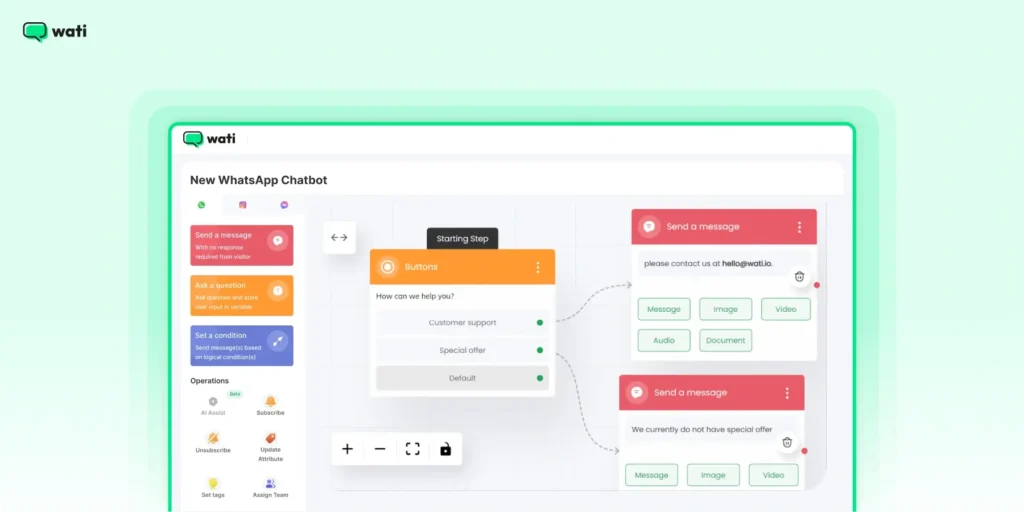
When your team is unavailable, the chatbot keeps conversations active. It sends order confirmations. It replies to common queries. It makes sure messages do not sit unanswered.
If you already use WhatsApp to talk to customers, a chatbot speeds things up. You reply faster. Conversations stay consistent. You handle more chats without adding manual work.
How Does WhatsApp Chatbot Redefine Business Conversation?
If you already use WhatsApp to connect with customers, adding a chatbot can make those interactions faster to manage. Here’s why it’s worth it:
1. Fastest Customer Support
Customers expect quick replies, and a WhatsApp chatbot helps you meet those expectations. It provides
- Ensures customers feel heard.
- Instant answers
- Reduces waiting time
This leads to better satisfaction and stronger loyalty.
2. Automate Responses for Repeated Questions
Most businesses get repeated questions about products, prices, or delivery. A chatbot handles these without human effort.
Chatbots automate frequent and common consumer questions, thus cutting on ticket queues and saving sales agents from burning out.
Also read: How do AI agents intelligently engage prospects and lead with empathy for sales.
3. Stay Available Around the Clock
Your customers may reach out at any hour. A WhatsApp chatbot ensures your business is always available, ready to respond instantly across time zones.
It shows your commitment to great service, no matter the time of day.
How to Set Up a WhatsApp Chatbot in Wati?
Setting up a WhatsApp chatbot in Wati is straightforward, even if you are new to chat automation.
After your WhatsApp Business API number and business verification get approved, you can use Wati’s drag-and-drop chatbot builder.
The chatbot builder lets you create and edit chatbot flows with visual blocks. You set up replies, questions, and flows directly from the dashboard.
Here’s how to get started:
Step 1: Open your Wati Dashboard and go to Automation > Chatbots.
Step 2: Click Add Chatbot and choose whether you want to use a ready template or start from scratch.
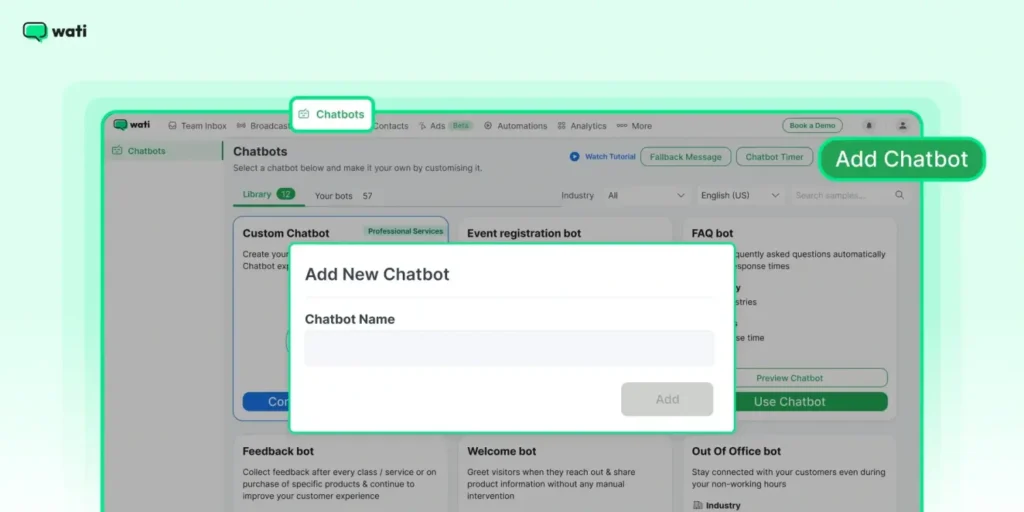
Step 3: Give your chatbot a name and begin building its flow using the drag-and-drop builder.
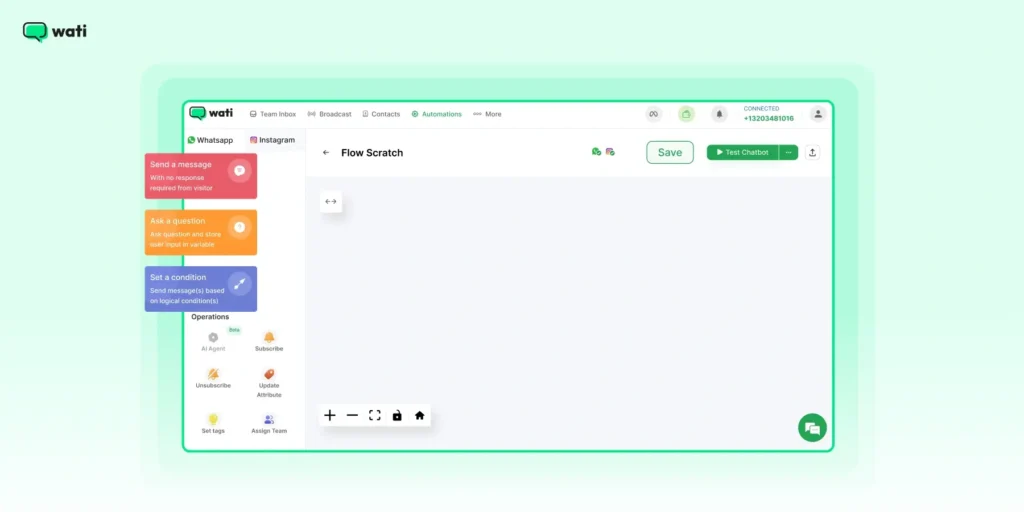
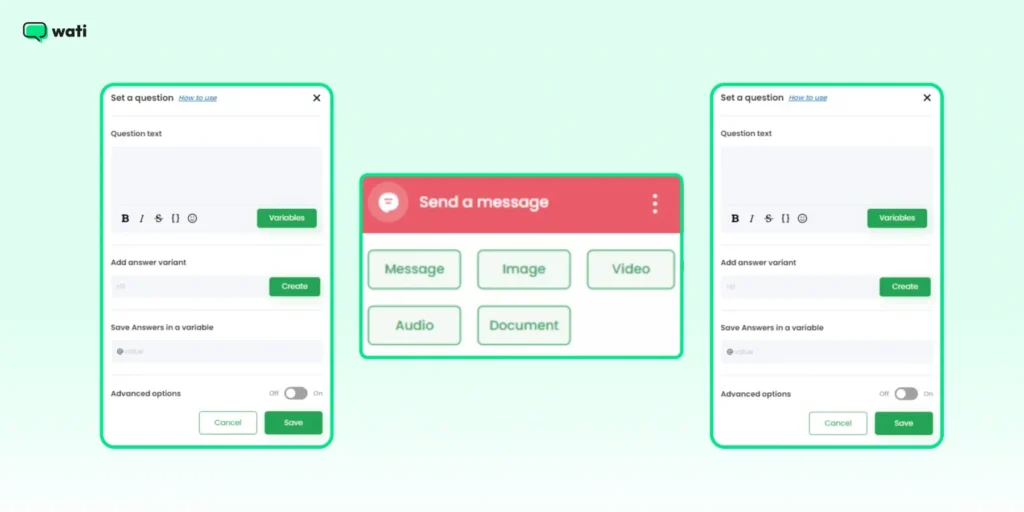
Step 4: Add different nodes, such as Send a Message, Ask a Question, or Set a Condition, to create personalized chat experiences.
Step 5: Review your chatbot flow and hit Save Chatbot once everything looks good.
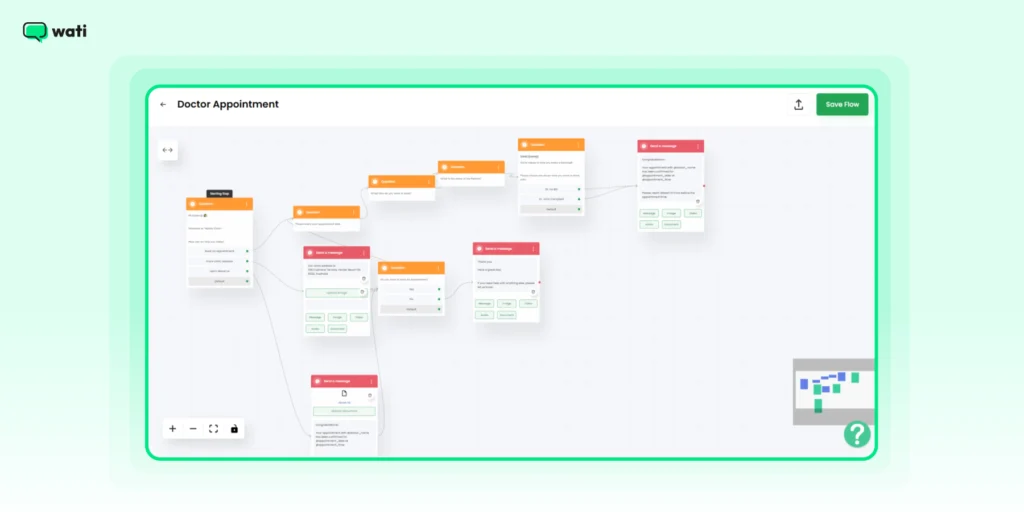
Your WhatsApp chatbot is now ready to handle customer conversations automatically. For a more detailed walkthrough, check out our support article.
4 Ways to Build and Run a High-Performing WhatsApp Chatbot
To get the best results from your WhatsApp chatbot, here are a few simple practices to follow:
1. Humanize Your WhatsApp Bot
Write the way people speak. Keep sentences short. Add emojis only where they feel natural. A friendly tone helps users stay comfortable and engaged.
2. Learn from User Feedback
Ask users about their experience and pay attention to their feedback. Use those insights to make small but steady improvements.
With analytics, you can also track response times and satisfaction levels to fine-tune your chatbot’s performance over time.
3. Manage Complex Queries
When a question goes beyond the bot’s scope, make sure it quickly connects the customer to a customer support agent.
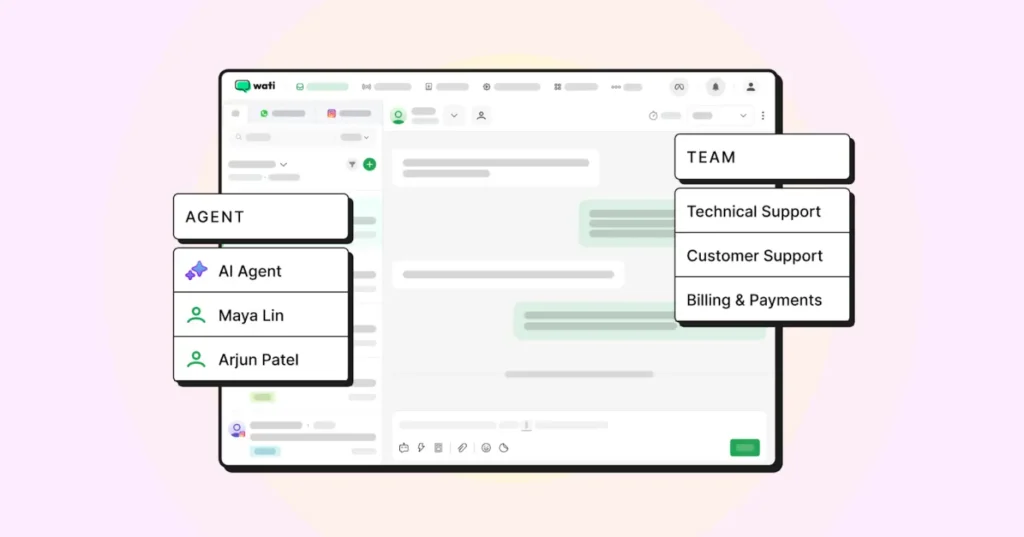
Review these conversations and update your chatbot’s responses so it gets smarter with every interaction.
4. Be Clear About Privacy Policies
Always let users know they’re chatting with a chatbot. Being transparent builds trust. Also, ensure that any personal data collected is stored securely and handled responsibly.
Wati offers ready-to-use WhatsApp message templates for typical business use cases, making it easy to launch your chatbot in minutes. However, all outbound templates still require Meta’s approval before they can be used.
Launch Your Chatbot Quickly with Pre-designed Templates
3 Things To Avoid While Setting WhatsApp Chatbot
Even the smartest chatbot can stumble if you skip the right checks. Here are common traps to avoid:
1. Ignoring Fallback
When the bot does not understand a message and has no fallback reply, the chat hits a dead end. This is where many setups fail. Users feel stuck and leave the conversation.
2. Launching Without Rigorous Testing
Your flows may look complete on paper. Real users behave differently. Without thorough testing, the bot can misread inputs or stop working mid-conversation.
3. Overselling Chatbot Capabilities
Chatbots are powerful, but they aren’t replacements for humans in every scenario. If your bot promises to “do it all” and then fails to answer a key question, it erodes trust.
In fact, 50% of consumers say they have been frustrated by chatbot interactions, and one negative experience can drive away 30% of customers.
How to Track and Improve Your WhatsApp Chatbot’s Performance?
Launching your WhatsApp chatbot is only the beginning. To keep it effective and relevant, you need to monitor its performance and make regular improvements. Here’s how you can do that:
1. Track Key Metrics
Utilize the WhatsApp Business API to assess your chatbot’s performance. Look at engagement rates, response times, and user satisfaction to see what’s working and where you can improve.
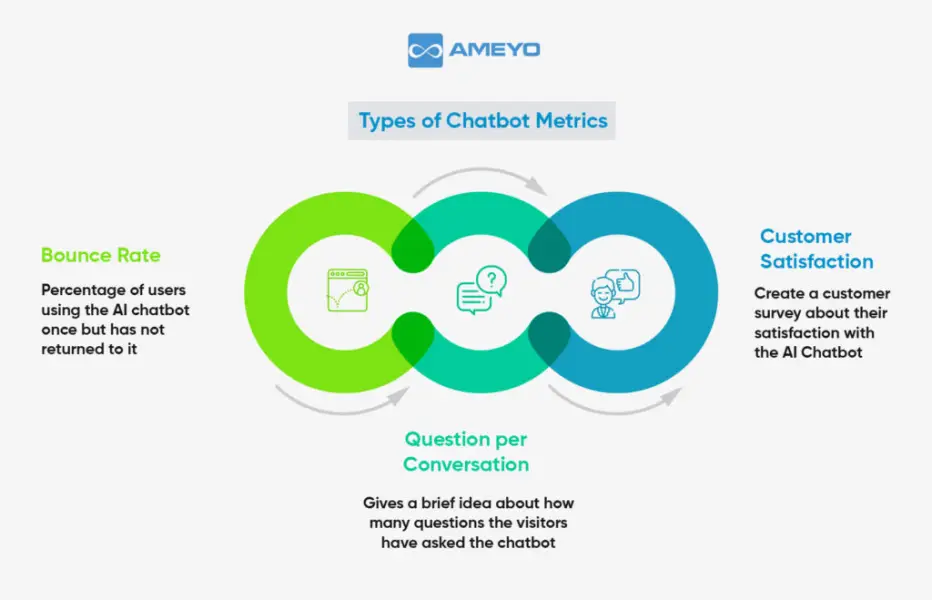
Direct responses show you where conversations feel smooth and where users get stuck.
Use this input to adjust replies and improve future chats.
2. Make Regular Updates
Use the feedback you collect to fine-tune your chatbot’s flow and responses. Update it whenever your products, services, or policies change so customers always get accurate information. A chatbot that evolves with your business stays useful and relevant.
3. Adapt to Customer Behaviour
Watch how users interact with your chatbot and track any changes over time. Use those insights to refine the tone, improve responses, or add new features. Experiment with small tweaks in messaging or flow to see what delivers the best results.
With regular monitoring, updates, and a little experimentation, WhatsApp chatbots become one of the most reliable tools for customer engagement and support.
Don’t Miss This: How AI Chatbots Can Save Your Sanity (And Your Customers)?
How Different Industries Use WhatsApp Chatbots?
From booking appointments to checking delivery status, WhatsApp chatbots are changing how businesses talk to customers across many industries.
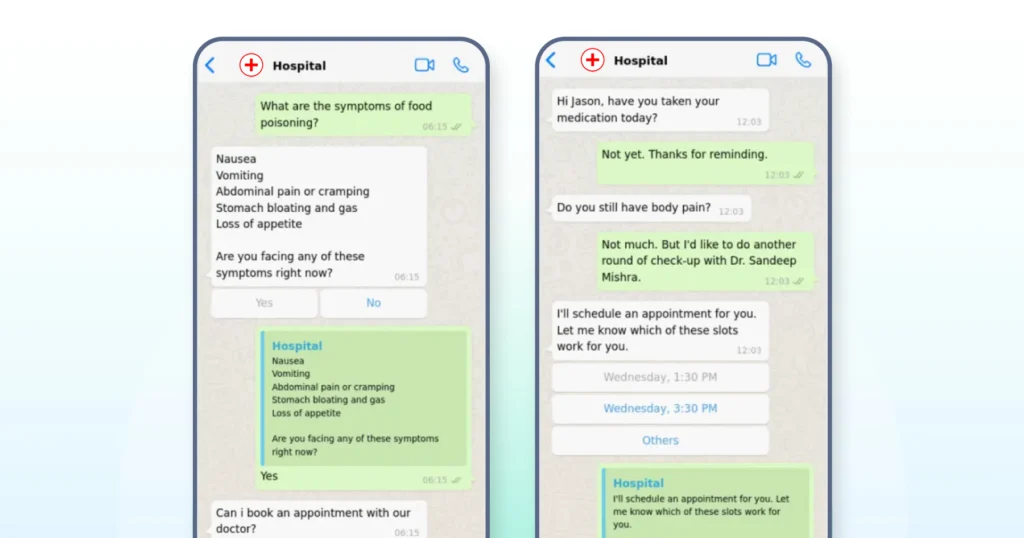
Here’s a look at how industries are using them and the kind of results they can expect:
| Industry | Key Use Case | Expected Result |
| Healthcare | Appointment booking | Reduction in missed appointments |
| E-Commerce | Order Updates | Faster response time and fewer support tickets |
| Banking & Finance | Account inquiries | 24/7 customer self-service with lower call volume |
| Hospitality | Guest check-in and Bookings | Faster query resolution and improved guest satisfaction |
| Education | Course enrolment inquiry | Higher engagement with prospective students |
| Logistics | Real-Time shipment tracking | Fewer queries |
Note For Financial Institutions:
- Follow strict authentication and data protection rules.
- Do not collect sensitive details in regular chat messages.
- Use approved templates or secure handoffs for account-related actions.
Ready to Build Your WhatsApp Chatbot?
If you are looking to improve customer support, increase engagement, or just save a little extra time, a WhatsApp chatbot can help you do it all.
Building a WhatsApp chatbot not only provides excellent customer experience, but also takes your worry off of constant sales monitoring and workflow adjustment and customers engage on their own.
Ready to see it in action? Start your free trial with Wati today.
FAQs
WhatsApp Business is an app that lets small businesses communicate with customers manually. A WhatsApp chatbot, on the other hand, automates replies and conversations, so you can engage with customers 24/7 without needing to respond yourself.
Not at all. With tools like Wati, you can build a chatbot using a simple drag-and-drop interface.
Yes, but only if the customer has opted in to receive WhatsApp messages from you. With the WhatsApp Business API, you can send personalized promotions, updates, and offers while following WhatsApp’s guidelines.
Absolutely. In fact, chatbots help small businesses save time, handle more customer queries, and improve response rates without growing their team.
Yes. Through the WhatsApp Business API, you can send template-based bulk or notification messages using a chatbot, as long as customers have opted in and the templates are approved by Meta.
The free WhatsApp Business App also supports broadcasts, but they’re limited to 256 recipients and only reach contacts who have saved your number.