
Too Long? Read This First
- WhatsApp API pricing is based on message type and region, with different rates for marketing, utility, and authentication messages.
- Template messages are priced per message, and charges apply when sending outside the customer service window.
- Starting October 1, 2026, the customer service window itself stops being fully free: service messages and in-window utility replies become billable again, and Meta's own AI replies ("Meta Business Agent") are billed per token starting August 1, 2026.
- Free entry points, such as WhatsApp ads and QR codes, help reduce costs by triggering user-initiated conversations. The 72-hour free window from Click-to-WhatsApp ads is unaffected by the October change.
- BSPs add platform fees on top of Meta's charges, typically tied to features such as automation, a shared team inbox, and template management.
- Cloud API plans offer easier setup and predictable costs, while on-premise options are now a legacy path that Meta no longer actively develops.
- Tracking message volume, category mix, and regional distribution helps control monthly WhatsApp API costs. From October 2026, that tracking needs to include service and in-window utility replies too.
You are ready to scale your customer conversations with WhatsApp Business API. On the pricing page, why are the rates different for India vs. Brazil? What’s a “conversation window”?
That’s where most brands get stuck. Between regional pricing variations, conversation-based billing, message categories, and hidden overage charges, the pricing structure feels deliberately confusing.
This guide cuts through the complexity: we’ll break down exactly what you’ll pay based on your region, message volume, and business needs.
What are WhatsApp Business API Pricing Categories?
WhatsApp API pricing depends on a few core elements. Each one influences how much you pay per conversation or template.
- Conversation category: Marketing, utility, and authentication conversations have different rates. Support conversations also vary based on who starts the chat. Service messages, meaning free-form replies inside the customer service window, become a fifth billable category starting October 1, 2026.
- Region or country: Prices differ by market. Messaging in India usually costs less than messaging in Europe or North America.
- Template usage: Templates need approval and carry their own charges. Costs vary by type, volume, and purpose.
- BSP pricing models: BSPs may add platform fees, feature charges, or message-based pricing. These vary by provider.
Understanding these elements gives you a solid starting point for estimating your messaging spend.
How Does WhatsApp API Pricing Work? (2026 Model)
In July 2025, WhatsApp API pricing transitioned to a “per-message” model.
Meta no longer charges for a 24-hour conversation window. Instead, businesses are billed for every individual template message delivered to the user. l.
This means that every time you send a template or message via WhatsApp Business Platform, charges may apply. Meta now charges per delivered template, based on the category and recipient country.
The cost depends on the recipient’s country code. A message to a user in India costs differently than a message to a user in the US or Brazil.
Under the current model, your cost is determined by four factors:
- Per-Message Billing: A charge is incurred for every Marketing, Utility, or Authentication template sent.
- No Session Fees: There is no longer a flat “session” fee that covers unlimited messages.
- Category-Specific Rates: Each message is billed according to its template category.
- Free-form Replies: Any non-template message your business sends in response to a user-initiated query is free within a 24-hour customer service window. This changes starting October 1, 2026, when free-form replies in that window become billable too. See the new section below for the full timeline.
Is the Customer Service Window Still Free in 2026?
Not for much longer. Two Meta pricing changes take effect between August and October 2026 that directly change the free-reply math.
Effective date | What changes | Why it matters |
|---|---|---|
Aug 1, 2026 | Meta Business Agent messages (Meta's own AI replies) are billed per token, at $2.00 per 1 million tokens, roughly 4 to 5 cents per message | New AI message category becomes billable for the first time |
Oct 1, 2026 | Service messages (human or third-party AI replies inside the 24-hour window) and in-window utility templates are billed again, at the same per-message rate as utility and authentication in that market | Free-form replies inside an open conversation stop being free. This has been the core cost-saving tactic in this guide |
Unchanged | The 72-hour free entry-point window from Click-to-WhatsApp ads or Facebook CTA buttons stays free for message delivery | The "use free entry points first" strategy below still works. It just no longer guarantees free replies once the window opens |
Sample 2026 WhatsApp API Rates (By Market and Message Type)
Below is a complete breakdown of WhatsApp API pricing based on the type of message sent.
Country / Region | Marketing message | Utility / Authentication message | Notes |
India | ~₹0.86 (≈ US $0.0103) | ~ ₹0.11 (≈ US $0.0014)L | Meta raised this rate ~10% effective January 1, 2026 (from ₹0.7846). India also began billing in INR from that date. |
United States | ~ US $0.03 | ~ US $0.0034 | Standard marketing templates are currently paused in the US in favor of Meta's MM Lite API. Confirm current availability before budgeting. |
Brazil | ~ US $0.0625 | ~ US $0.0080 (utility) ~$0.0068–$0.0225 (auth) | Mixed rate structure depending on message type |
United Kingdom | ~ ~$0.05 | ~ US $0.02 | Europe-level rate band |
Note: These are indicative rates. Actual spend depends on volume tiers, BSP markups, and currency exchange.
Also, learn more about WhatsApp Rate Limit and how to prevent message blocking for your sales teams.
WhatsApp API Pricing: What are the Key Reminders to Check?
Below is a list of key reminders to consider before selecting a WhatsApp API Provider and purchasing a new software plan.
- Some markets may offer volume discounts for sending more messages. It is useful if you send authentication, utility, or high-volume messages on a monthly basis.
- Even within a single country, costs can differ across utility, authentication, and marketing messages.
- Tools built on WhatsApp API (Cloud or on-premise) may add their own markup or service fee on top of Meta’s charges.
WhatsApp API Pricing: Additional Notes to Never Forget in 2026
Below are the additional factors to always remember before opting for WhatsApp API pricing.
- If most of your users are in low-cost regions (e.g., India), you can scale WhatsApp notifications, delivery updates, OTPs, or support messages at a lower cost.
- If you operate globally, consider segmenting by region and calculating costs per region before you hit high volume.
- Use template messages smartly (utility or authentication) and avoid unnecessary marketing or broadcast messages to manage your monthly spend efficiently.
WhatsApp API Pricing: What are Template-Based Message Charges?
WhatsApp charges different rates for template messages based on category. Every template is reviewed and approved before you send it. The cost depends on the message type and the user’s location.
You usually see three main pricing categories.
1. Marketing Template Messages
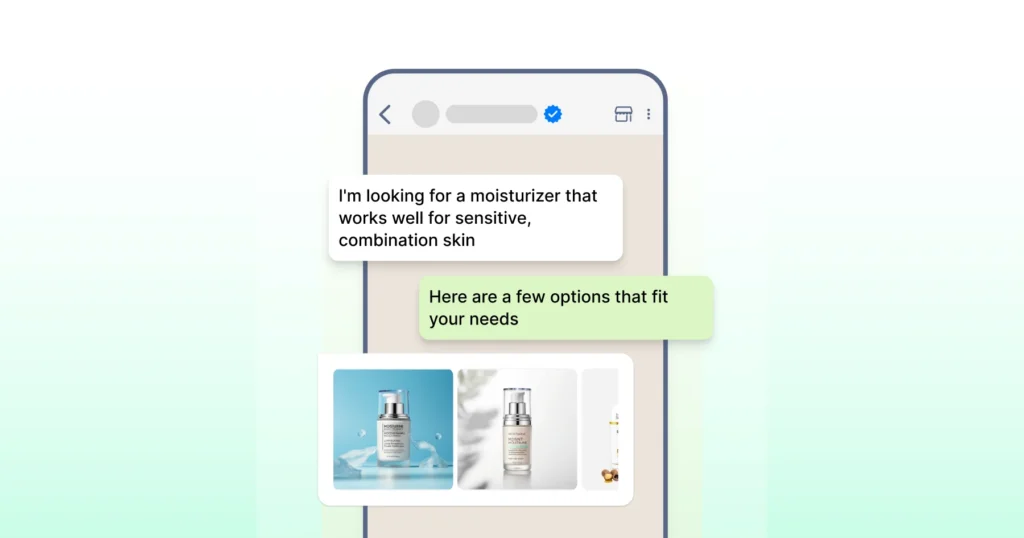
These include offers, cart reminders, announcements, and promotional WhatsApp notifications. Pricing is higher because the goal is customer engagement and sales.
2. Utility Template Messages
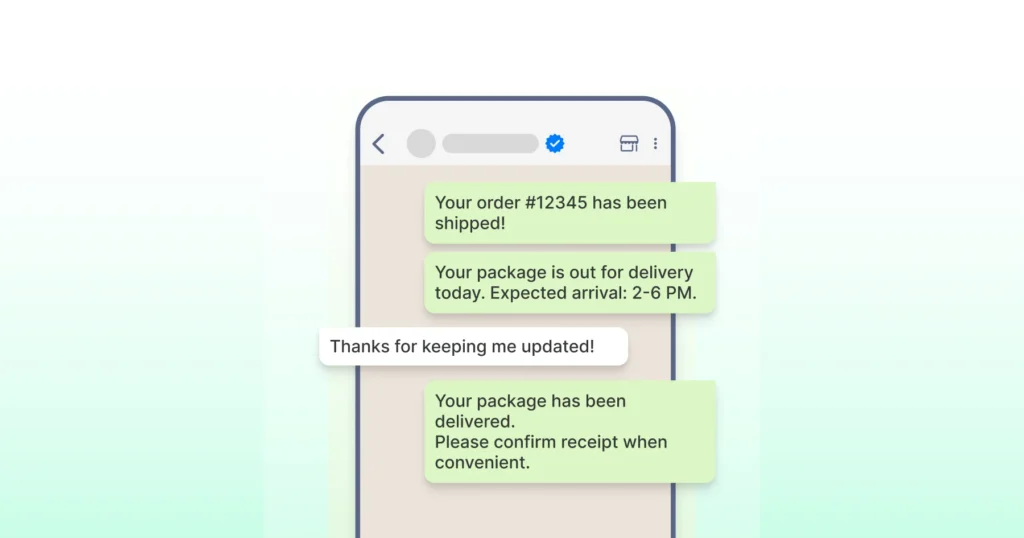
These cover order confirmations, delivery status, account recovery, and recurring reminders. They are designed for customer support and are often priced lower than marketing.
3. Authentication Template Messages
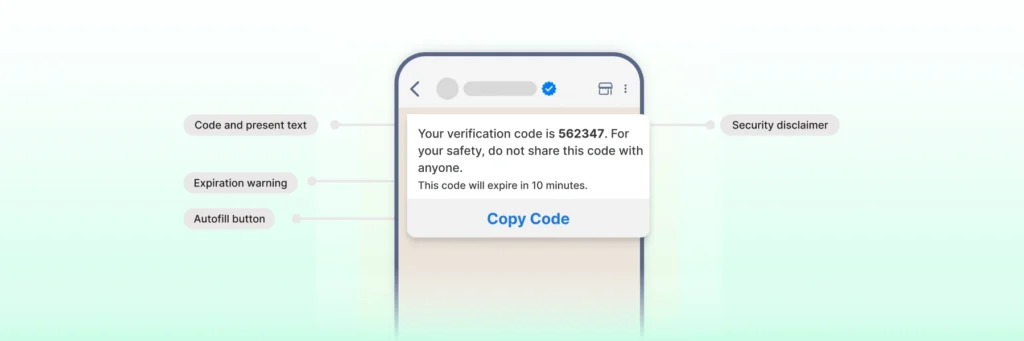
These involve one-time passwords and account verification tasks. They tend to be lower-priced due to high-volume usage.
You are charged per message for templates delivered outside an open customer service window. Many BSPs offer volume tiers that reduce costs as message volume increases.
The key idea is simple. To control spending, use utility templates for updates and only send marketing templates when you see a clear value opportunity. Key Change: In the current model, sending multiple templates within 24 hours incurs multiple charges (one per message), whereas responding with free-form text within the active service window remains free.
From October 1, 2026, replying with free-form text or an in-window utility template inside that same 24-hour window also starts incurring a charge. It no longer offers a free alternative to a template.
👉 The key idea is simple. To control spend, use utility templates for updates and only send marketing templates when you see a clear value opportunity. |
How to Reduce WhatsApp API Pricing with Free Entry Points and Customer Service Window?
You can significantly lower costs by utilizing Free-form messages and Free Entry Points. Here is how to reduce costs while sending templates:
- Free entry points: When a user enters the chat via a “Click-to-WhatsApp” ad, scans a QR code, or clicks a website chat button, the conversation starts without an initial template charge.
- The customer service window: When a user messages your business, a 24-hour window opens. Today, free-form replies sent by your business in this window are free. From October 1, 2026, this reply is billed at your market's utility and authentication rate instead.
- Avoid templates in active chats: To save costs, always reply with a free-form text instead of a template when a customer service window is open. From October 2026, weigh this against the fact that free-form replies carry their own charge too. The cost gap between the two options narrows once both are billable, though a free-form reply can still be cheaper than a marketing template.
When the window closes, sending template messages, such as marketing, utility, or authentication messages, may incur per-message charges. Managing timing, follow-ups, and response speed helps control WhatsApp charges each month.
API Pricing: BSP Pricing and Platform Costs
WhatsApp charges per message, but BSPs may add their own fees. This pricing is separate from Meta’s rates.
Most BSPs use a simple structure. There is a platform fee plus message charges based on usage. Platform fees cover the tools you use every day. These can include a shared team inbox, automation features, and template management.
Some providers charge based on volume tiers. Higher message counts can reduce your per-message costs. Others offer unlimited contacts so you can store customer data without extra charges.
Cloud API plans are common and easy to start with. They support multiple users, message templates, and a single phone number. Extra features, such as customer journey analytics, may have additional costs.
Before you commit:
- Review what is included in your plan.
- Check billing rules
- Understand how pricing works for different message types
API Pricing: Cloud API vs On-Premises API
WhatsApp offers two ways to run the Business API. The cloud API is hosted by Meta, while the on-premises API is hosted by the provider. The pricing model changes based on the setup.
Key Aspect | WhatsApp Cloud API | On-Prem API |
Hosting | Meta manages infrastructure in the cloud | Hosted on internal servers managed by your team |
Maintenance | Meta handles ongoing maintenance | IT team is responsible for updates, scaling, and fixes |
Scalability | Scales instantly with growing messaging needs | Scaling requires additional hardware and planning |
Security | Managed cloud-level security controls | Full control over data but requires internal security oversight |
Integration | Smooth setup with CRMs, marketing tools, and automation platforms | More development effort and ongoing management |
Operating Cost | Lower running costs with usage-based pricing | Higher cost driven by hardware, maintenance, and IT support |
Updates | Automatic feature releases from Meta | Manual updates with delayed access to new features |
Setup | Quick activation through BSPs with no hardware requirements | Slower implementation due to installation and configuration |
Cloud API works well for teams that want a simple setup, minimal upkeep, and room to grow. On the other hand, on-premises APIs suit businesses that need full control, custom security policies, and self-hosted infrastructure.
Note: The On-Premises API is now sunset and treated as a legacy solution. New WhatsApp Business deployments use the Cloud API, which receives ongoing updates, security patches, and feature support.
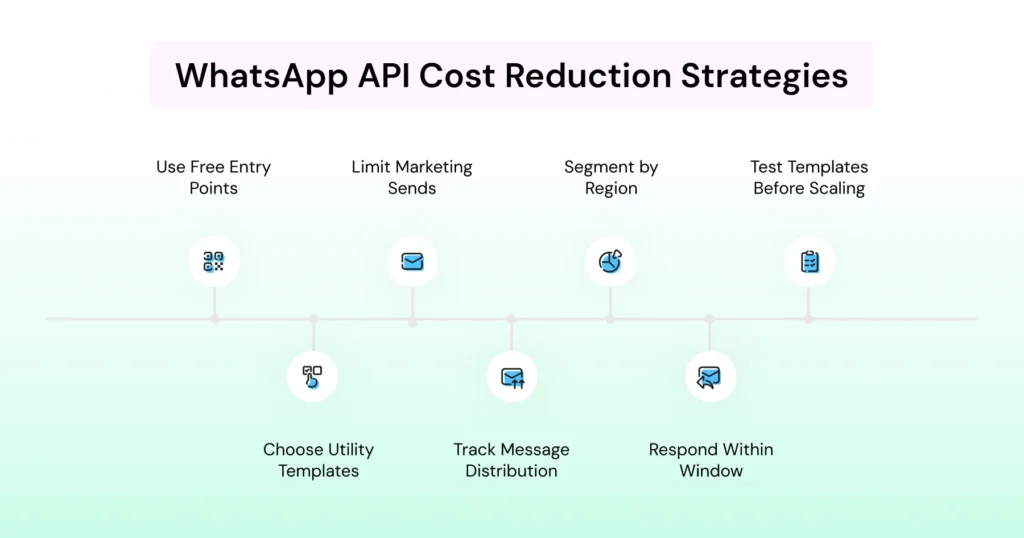
How to Reduce WhatsApp API Costs for Your Business?
You can lower WhatsApp API spending by making a few practical changes in how you send and manage messages.
1. Use Free Entry Points First
Start conversations through WhatsApp ads, or website chat buttons.
When a user sends the first message, you can respond within the customer service window without template charges.
2. Choose Utility Templates for Routine Updates
Send delivery updates, order confirmations, or service reminders through utility templates. These are often cheaper than marketing messages.
3. Limit Marketing Sends to High-Intent Segments
Use marketing template messages only when you expect a clear conversion. Avoid broad broadcasts that do not drive engagement or sales.
4. Track Message Type Distribution Each Month
Review how many messages are marketing, utility, or authentication. This helps you manage the mix and control spend per message. From October 2026, include service and in-window utility replies in that same tracking, since they are no longer a free category.
5. Segment by Region and Account for Rates
Costs change across countries. Allocate message volume to lower-cost regions when possible. Run separate campaigns for high-cost markets.
6. Respond Within The Active Customer Service Window
The message count resets when a user sends a message. Keeping replies on time reduces the need to send new templates.
7. Test Template Categories Before Scaling
Check performance on small batches of marketing templates, then scale if they convert. Templates with higher value interactions justify higher pricing.
Choose an API Plan with a Trained Eye!
A practical way to apply everything in this guide is to map it to a real WhatsApp Business Platform provider.
Wati is built on the WhatsApp API and gives you a clear split between platform fees and per-message charges for marketing, utility, and authentication template messages.
Our Growth, Pro, and Business plans include a shared team inbox, broadcasts, CTWA, automation, and AI Co-pilot credits, while message pricing continues to follow Meta’s regional and category-based rates, with volume discounts at higher tiers.
Take Blacklyf, a business that used Wati's Click-to-WhatsApp ads to open free-entry-point conversations, cutting acquisition costs by roughly 60% while tripling conversions. It's proof that the free-entry strategies above aren't just theoretical.
New AI capabilities, such as Astra, help automate routine queries, route complex issues, and keep human teams focused on higher-value work, thereby reducing the cost per resolved conversation over time.
If you want WhatsApp API pricing that is easier to plan and justify, pairing the official pricing model with Wati’s analytics, automation, and AI is a practical next step.
Learn more about Wati and take a free demo to explore BSP features and end-to-end API management.
Frequently asked questions
1. How does WhatsApp API pricing work?
WhatsApp API pricing is based on message type and region. Marketing, utility, and authentication messages have different per-message rates. You are billed only for messages delivered outside the customer service window.
2. Are user messages free on WhatsApp Business API?
Yes, messages a user sends you are always free. Your reply is free today if it's a free-form message inside the 24-hour service window, but from October 1, 2026, that reply becomes billable at your market's utility rate.
3. What is a template message in WhatsApp Business API pricing?
Partially. The 24-hour window itself still lets you skip a marketing or utility template charge today. From October 1, 2026, though, the reply itself, whether free-form or an in-window utility template, is billed at your market's utility and authentication rate. Only the 72-hour Click-to-WhatsApp ad entry point stays fully free.
4. Does WhatsApp charge based on contacts or phone numbers?
No, WhatsApp API pricing is not based on the number of contacts stored or phone numbers in your database. Costs depend on message volume, type, and destination, not how many users you have in your system.
5. What is the customer service window?
The customer service window is a period that begins when a user sends a message. During this time, you can respond without template charges. When the window closes, sending a new template message may trigger a cost.
6. Do WhatsApp ads help reduce API costs?
WhatsApp ads create free entry points. When a user clicks an ad and sends a message, the customer service window opens, and you can reply without template charges for messages sent within that window's original terms. Note that from October 2026, the reply itself carries a charge even though the entry point stays free. This helps reduce spend on first reply messages.
Related posts
- WhatsApp vs Email Marketing: Choosing the Best Channel for Growth in 2026
Learn the key differences between WhatsApp vs email marketing in 2026 and find out which performs better for ROI and customer engagement.
- WhatsApp Multi Agent: Setup for Sales Agents On One Platform
This guide explains how a multi-agent WhatsApp setup works across agents, teams, and countries, and how the right structure prevents delays, confusion, and broken handovers as usage grows.
- WhatsApp API for Enterprise: Designing Intelligent End-to-End Workflows for 2026
Build scalable workflows using the WhatsApp API for enterprise. Connect CRM, ERP, ticketing, and RPA tools to automate enterprise sales operations.
- How to Take Your Brand Global With WhatsApp Business API
Learn how WhatsApp API handles sales and marketing communication, customer calling, data security, and automation globally and expand the market.