
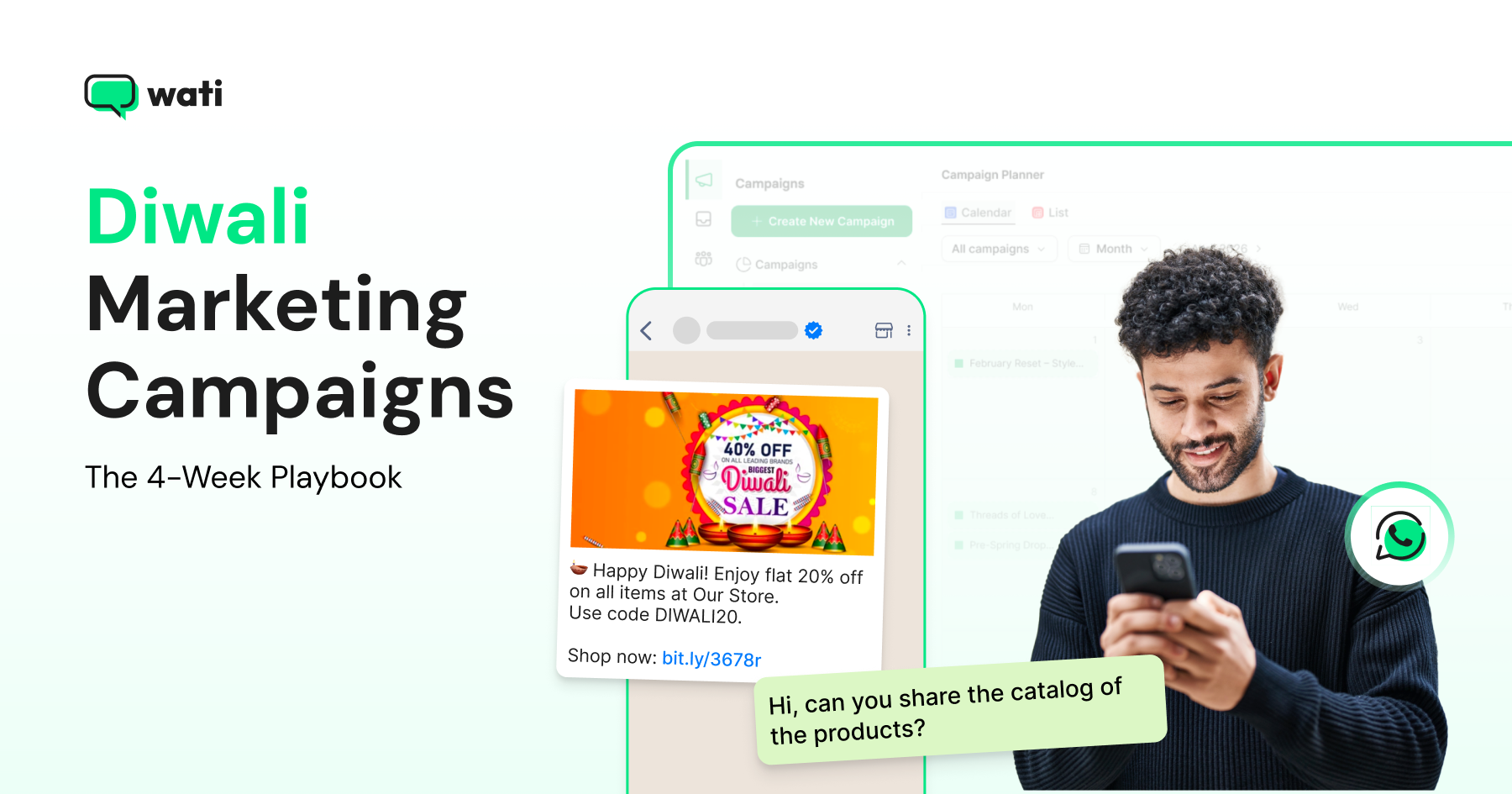
Too Long? Read This First
- Diwali 2026 is on November 8, with Dhanteras on November 6. All 4 weeks of this calendar run before that date, not after it.
- Each week has one job: Week 1 teases the sale, Week 2 converts early-bird buyers, Week 3 pushes peak-rush urgency, Week 4 handles last-minute buyers anxious about delivery.
- Format matters as much as timing. Carousel and Limited-Time Offer templates convert better in Week 3; plain-text and image headers convert better in Week 1 and Week 2.
- A campaign calendar with AI recommendations removes the guesswork of what to send each week, down to segment-specific suggestions like a gift guide for past electronics buyers versus a restock alert for past home-decor buyers.
Diwali this year falls on Sunday, November 8, and the buying window opens three to four weeks earlier, in mid-October, when festive shopping searches and gifting purchases begin climbing.
A 4-week Diwali WhatsApp calendar turns that window into four distinct campaign phases: teaser, early bird, peak rush, and last-minute, each with its own message type, audience segment, and send time. How do you execute your next Diwali Calendar?
You can do this with Wati. An AI-powered customer engagement platform that helps sales, marketing, and support teams run customer conversations -including festive campaigns like this one - through broadcasts, segmentation, drip automation, and AI-assisted campaign planning.
This guide gives you what to send in each of those four weeks, plus the exact WhatsApp features (Wati's Campaign Calendar & AI Recommendations, drip sequences, segmentation, and format selection) that make the calendar easy to run without building it from scratch.
What is a Diwali Marketing Campaign?
A Diwali marketing campaign is a time-bound sequence of promotional and engagement messages, built around India's biggest gifting and shopping festival, designed to move a contact from awareness to purchase and repeat purchase within a compressed 3- to 5-week window.
Diwali is not a single-day event for marketers. It is the anchor of India's festive quarter, and the retail spend backs that up.
Indian consumers spent nearly $69 billion during the 2025 Diwali shopping season, a 25% year-over-year increase from $48 billion in 2024.
Most of that spending doesn't happen on Diwali day itself. It builds over the three to four weeks before it, which is exactly the window a 4-week WhatsApp calendar is built to capture.
Before that volume hits, confirm your WhatsApp Business Verification is complete. A verified account unlocks higher messaging tiers, which matters once Week 3 sends move from a few hundred messages a day to several thousand.
Best Diwali Marketing Calendar for Businesses
The best Diwali marketing calendar for businesses is a 4-week, funnel-mapped WhatsApp calendar that assigns one campaign objective per week instead of sending generic festive blasts.
Businesses that plan by phase (teaser, early bird, peak rush, last-minute) rather than by date convert better because each message matches where the customer actually is in their Diwali shopping journey.
A calendar built this way has three non-negotiable components:
- A fixed weekly cadence: 2 to 3 campaigns per week, more in the final sale week, so contacts aren't blasted daily but also aren't forgotten.
- A pre-assigned objective per week: List growth, catalogue discovery, urgency-led conversion, then last-minute support.
- A recommendation engine or template library that removes the blank-page problem of deciding what to send each week.
Wati's Campaign Calendar & AI Recommendations feature builds this calendar for your brand automatically. It's a monthly, color-coded calendar (sent, scheduled, recommended) that reviews your business, region, and upcoming festive dates.
After the review and analysis process, it writes 2 to 3 campaign suggestions a week, with more clustering around the sale window itself.
Every suggestion arrives pre-filled with an objective, a message template, a target audience, and a recommended send time, so a content or growth team isn't starting from a blank calendar four weeks before Diwali.
The 4-Week Diwali WhatsApp Calendar (Week by Week)
All four weeks below fall before Diwali on November 8, 2026, not after it. Each week, answer three questions: what to send, who to send it to, and which WhatsApp format fits best.
Week 1 (Mid-October): The Teaser Phase
Week 1 is for building anticipation, not selling. Customers are entering the festive mindset, browsing gift ideas and comparing brands, but they aren't ready to buy yet.
The goal is to get into that browsing behavior early with a festive announcement, before the festive noise from every other brand peaks in late October.
What to send:
|
Best format: Plain text or image header. Week 1 messages are about starting a conversation, not closing a sale, so the simpler and faster formats outperform anything heavier.
Audience: Your full active list, plus new contacts captured through ads and comments. Grow that list further with a WhatsApp chat widget on your website or a QR code on physical festive collateral, always with a clear opt-in and an easy opt-out option.
Don't segment aggressively yet; this week is about growing the pool. A Campaign Calendar with AI Recommendations is useful here mainly for timing: the AI engine reads your audience's active hours and suggests the send slot most likely to clear the inbox before competing festive messages arrive.
How Does Wati Help to Run Week 1
Week 1 activity | Wati feature | What it does |
Run festive CTWA ads | Click to WhatsApp Ads (CTWA) | Turns ad clicks into WhatsApp chats and opens a 72-hour free re-marketing window when you reply within 24 hours. |
Announce the festive collection | Campaigns | Sends scheduled messages to a chosen audience with delivery, read, response, and reply tracking, plus CSV export. |
Turn Instagram comments into leads | Comment-to-DM Automation | Automatically DMs people who comment keywords like “SALE” and brings them into your WhatsApp funnel. |
Grow your WhatsApp list | Web Widget + QR Code Generator | Free, no-code tools to add a click-to-chat widget to your website or a QR code to physical collateral. |
Find the best campaign slot | Campaign Calendar & AI Recommendations | Uses your business, region, and festive dates to recommend 2–3 campaigns a week with the objective, template, audience, and send time pre-filled. |
Week 2 (Mid-to-Late October): The Early Bird Phase
Week 2 is where browsers become buyers. This is the week to segment your audience by past purchase history or engagement level and convert your highest-intent contacts with early access, before the general sale opens to everyone.
What to send:
|
Best format: A carousel template can hold 2 to 10 swipeable cards in one message, making it a natural fit for showcasing a festive gift range rather than picking one hero product.
Audience: Split by engagement level and category affinity. Your "Highly Engaged" segment and past purchasers get early access; your general list gets the broader catalogue reveal.
Week 2 activity | Wati feature | What it does |
Give early access to your most engaged customers | Segments (activity-based) | Targets warm contacts using filters like “Highly Engaged” or “Active in last 24hrs.” |
Personalize gift guides by purchase history | Segment by Contact Attributes & Behavior | Filters contacts by purchase category, spend, or interest for more relevant messaging. |
Reward last year’s Diwali buyers | Dynamic Segmentation via Integrations | Syncs with Shopify or your CRM to automatically tag contacts, such as “bought last Diwali.” |
Capture early-access signups in chat | WhatsApp Flows | Uses in-chat, no-code Lead Generation or Feedback forms without sending customers to another page. |
Showcase a festive gift range | Carousel templates | Displays up to 10 swipeable cards in one message, each with its own image and buttons. |
Week 3 (Late October to November 5): The Peak Rush Phase
Week 3 runs up to Dhanteras on November 6, the traditional start of the five-day Diwali festival and, for most categories, the single busiest shopping window of the year.
Diwali sales across platforms typically peak in the first week of November, so this is where message frequency increases and urgency becomes the primary lever.
What to send:
|
Best format: Limited-Time Offer (LTO) for urgency, carousel for range. LTO templates are marketing-category only and cap the offer title at 16 characters, so keep the hook tight ("Diwali Sale Ends" or "Last 24 Hours").
Audience: Segment by activity and by last year's behavior. A segment built from "bought during last year's Diwali sale, hasn't ordered since" is a stronger conversion target than a blanket send, because it's built from actual purchase history rather than a guess.
Message volume spikes hard this week across every channel at once.
Add your team to a shared Team Inbox before the rush starts, and set up an Instant Greetings & FAQ chatbot to handle repetitive "what's on sale" and "is this in stock" questions so your team can focus on high-intent conversations.
How Wati Runs Week 3
Week 3 activity | Wati feature | What it does |
Create urgency with a flash sale | Limited-Time Offer (LTO) templates | Adds a built-in countdown timer for time-limited offers. |
Retarget people who clicked but didn't buy | Retargeting + Campaign & Broadcast Analytics | Re-messages contacts based on their previous behavior, including replies, ignores, clicks, or quick replies. |
Rescue a stalled high-value cart | WhatsApp Calling | Lets your team call customers from the same WhatsApp thread, with permission and conversation context intact. |
Run a 30-min / 24-hr / 48-hr cart sequence | Drip Campaigns | Automates a multi-message sequence and stops it when the customer purchases. |
Handle the festive volume spike | Team Inbox | Lets multiple operators share, assign, and manage conversations without double replies. |
Automate repetitive sale questions | Instant Greetings & FAQ Bot | Replies to greetings with a menu such as Track Order, Product Info, or Talk to Human. |
Week 4 (November 6-8): The Last-Minute Phase
Week 4 covers Dhanteras through Diwali day itself, when the customer's question changes from "should I buy" to "will it arrive in time?"
Anxiety about delivery, not price, is the main blocker left to remove in these final 48 to 72 hours.
What to send:
|
Best format: Plain text for delivery and order-status updates, since clarity matters more than visual appeal when someone is anxious about a gift arriving on time.
Coupon Code format works well for the digital gift card fallback, since it gives a one-tap copy action.
Audience: Two groups, split by where they are in the funnel:
1. Still-undecided contacts get the deadline-driven cart recovery,
2. Already-converted contacts get delivery reassurance.
Sending the wrong message to either group creates false urgency for someone who's already bought or leaves a still-shopping contact without the nudge they need.
Not every send will land on WhatsApp during this final rush. Configure an RCS or SMS fallback so a failed WhatsApp delivery doesn't mean a lost order update during the highest-stakes 48 hours of the calendar.
How Wati Runs Week 4
Week 4 activity | Wati feature | What it does |
Send digital gift cards with one-tap redemption | Coupon Code templates | Distributes and redeems coupon codes with one tap. |
Send order and delivery updates | Automation Triggers + Shopify commerce automation | Uses real store events, such as order confirmation and fulfillment, to trigger status updates. |
Recover failed WhatsApp deliveries | SMS/RCS Fallback | Automatically resends the message through SMS or RCS when WhatsApp delivery fails. |
After Diwali: A Short Re-Engagement Note
The 4-week Diwali WhatsApp calendar - teaser, early bird, peak rush, last-minute -ends on Diwali day itself, but the two highest-performing sends of the entire season often land just after it
A post-purchase feedback request to recent buyers, and a dormant-user win-back offer to anyone who engaged with a festive ad but never converted.
Neither needs a full fifth week of planning, just one or two follow-up campaigns pulled from the same segments you already built for Weeks 3 and 4.
Which WhatsApp Message Format Fits Which Week?
Week | Phase | Best Format | Why |
|---|---|---|---|
Week 1 | Teaser | Plain text, image header | Fastest approval, lowest friction for starting a conversation |
Week 2 | Early Bird | Carousel | Shows a festive product range without picking one hero item |
Week 3 | Peak Rush | Limited-Time Offer, carousel | Countdown timer drives urgency; carousel shows multiple SKUs |
Week 4 | Last-Minute | Plain text, coupon code | Transactional clarity for delivery updates; one-tap redemption for digital gift cards |
How to Segment Your Diwali WhatsApp Audience
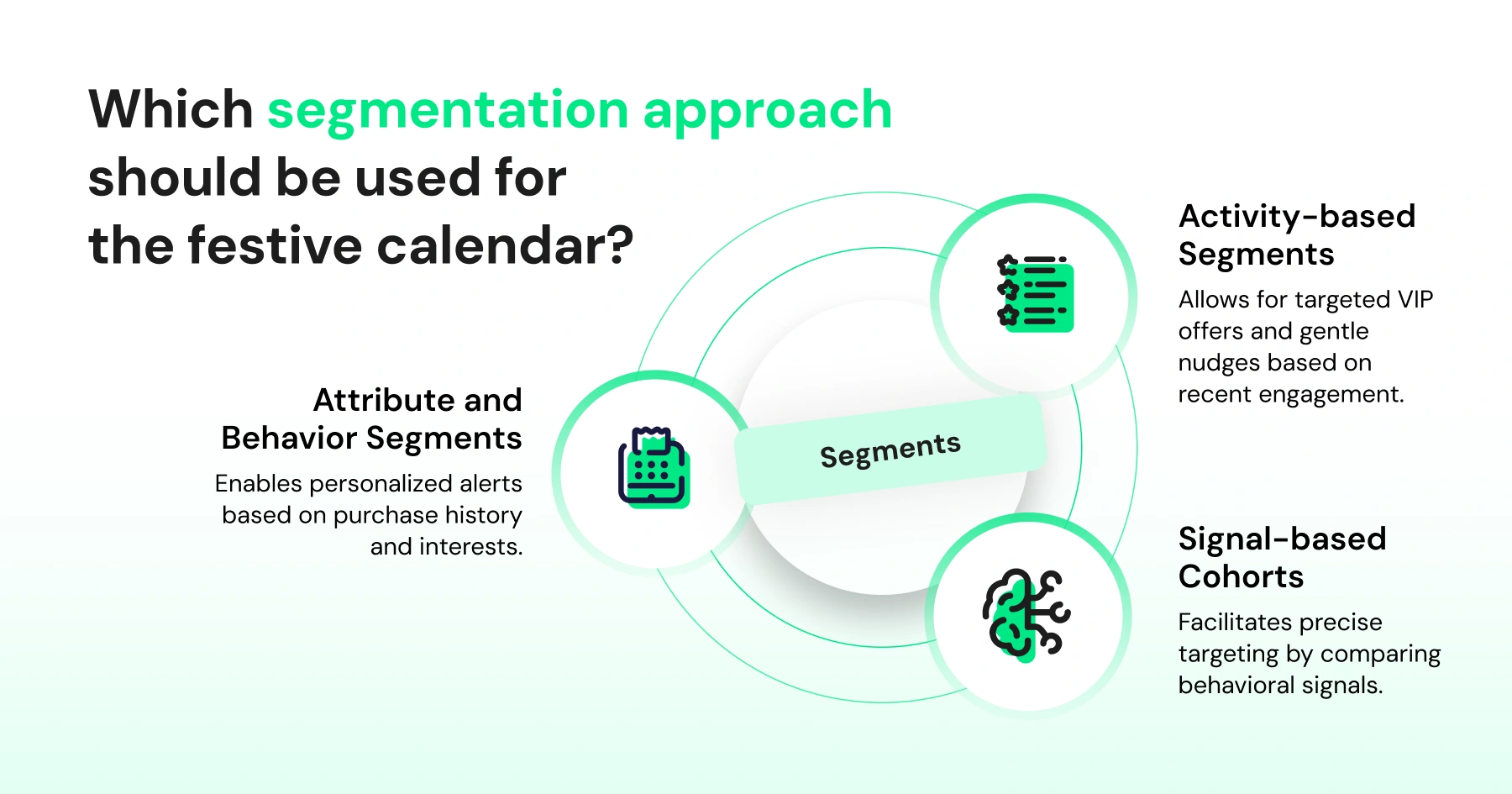
Segment your Diwali WhatsApp audience three ways: by activity level (Active, Highly Engaged, At Risk, Winback), by purchase attributes (history, spend, category interest), and by signal-based cohorts that combine behaviors (like 'bought last Diwali, hasn't ordered since').
Sending the same festive message to your entire list regardless of these differences is the single most common reason a Diwali campaign underperforms.
Three segmentation approaches work well for a festive calendar:
Segmentation approach | What it uses | Example festive segment | Best used for |
Activity-based segments | Recent engagement and activity levels | Active in last 24 hours, Highly Engaged, At Risk, or Winback | Sending VIP offers to highly engaged contacts and gentler re-engagement messages to lapsed customers |
Attribute & behavior segments | Purchase history, spending level, and product interests | Customers who previously purchased men's apparel | Promoting relevant products or collections based on what customers have bought or shown interest in |
Signal-based cohorts | Combinations of behavioral signals, such as campaign engagement, link clicks, and last ad source | Customers who bought during last year's Diwali sale but haven't ordered since | Building highly specific cohorts based on multiple customer signals rather than broad assumptions |
Segmented campaigns aren't a marginal improvement. In practice, personalized, segmented sends show measurably higher engagement than one-size-fits-all broadcasts.
Here, the content actually speaks to where each contact is in their festive shopping journey rather than treating every contact identically.
How to Measure a Diwali WhatsApp Campaign
Track four numbers weekly, not just after the festival ends:
Metric | What to measure | Why it matters | Where to check |
Chat initiation rate | Ad clicks that turn into an actual WhatsApp conversation | Shows how effectively your ads turn interest into conversations | Ads Conversion Insights |
First response time | Average time taken to send the first reply | Faster responses can help prevent potential customers from dropping off during peak sale periods | Conversation/Inbox data |
Conversation-to-purchase rate | Conversations that result in a purchase | Connects WhatsApp conversations directly to revenue impact | Conversion data |
Template performance | Performance of each festive template compared with others | Helps identify winning messages and retire underperforming templates mid-campaign | Campaigns Overview |
If a specific week's read rate is low, test a different send time first. If the read rate is fine but the click-through is low, the first line and the call-to-action button text need work before you touch anything else.
What are the Diwali Marketing Mistakes to Avoid?
The most common Diwali marketing mistakes are starting in Week 3 instead of Week 1.
Broadcasting the same message to an entire list instead of segmenting, skipping the abandoned-cart drip sequence, treating the final 48 hours like a normal sale day, stopping outreach the moment Diwali ends, and ignoring time-of-day send data.
Each one has a fix already built into the 4-week calendar in this guide
- Starting in Week 3 instead of Week 1. A list built during the sale rush converts worse than one warmed up over three to four weeks.
- Sending the same message to everyone. Broadcasting without segmentation is the single biggest reason festive campaigns get ignored or blocked.
- Skipping the abandoned cart drip. A single blast doesn't recover the sale the way a timed 30-minute, 24-hour, 48-hour sequence does.
- Treating the last 48 hours like any other sale day. Once Dhanteras hits, delivery anxiety outweighs price sensitivity; a message that doesn't address "will it arrive in time" is answering the wrong question.
- Stopping the moment Diwali ends. A short post-purchase feedback send and a dormant-user win-back offer in the days right after cost little to run and directly shape next year's list quality.
- Ignoring the time-of-day data. A well-timed message on a bad day of the week underperforms a mediocre message sent at the right time.
Run Your Diwali Marketing Campaign on a Calendar, Not on Guesswork
The brands that win Diwali aren't the ones with the biggest discount. They're the ones who show up in the right week, with the right message, to the right contact, without their team burning out during the one stretch of the year when volume triples overnight.
That's the entire case for planning Diwali marketing campaigns four weeks out instead of scrambling in the last one.
Wati's Campaign Calendar & AI Recommendations builds this calendar for you, down to the segment-specific suggestion, so your team spends the festive season running campaigns instead of building the plan for them.
Get started with Wati and have your first week's campaigns scheduled before the festive noise even picks up.
Frequently asked questions
When should Diwali WhatsApp campaigns start in 2026?
Diwali WhatsApp campaigns should start around mid-October 2026, roughly 4 weeks before Diwali on November 8. Starting earlier gives you time to grow and warm up your list before the sale window opens in the first week of November.
What is the best WhatsApp message format for a Diwali sale?
Carousel and Limited-Time Offer templates work best for the peak rush week, since a carousel shows multiple products in one message and an LTO adds a built-in countdown timer for urgency. Plain text works better in the teaser week and again in the final last-minute days, when delivery clarity matters more than visual appeal.
How many WhatsApp campaigns should I send per week during Diwali?
Carousel and Limited-Time Offer templates work best for the peak rush week, since a carousel shows multiple products in one message and an LTO adds a built-in countdown timer for urgency. Plain text works better in the teaser week and again in the final last-minute days, when delivery clarity matters more than visual appeal.
Should I segment my WhatsApp list for Diwali campaigns?
Yes. Segmenting by activity level, purchase history, or behavioral signals (like last year's Diwali purchase without a repeat order since) consistently outperforms sending the same festive message to an entire list.
What's the difference between a Diwali campaign calendar and a regular campaign calendar?
A Diwali campaign calendar compresses the usual monthly cadence into a tighter 4-week window with weekly phase shifts (teaser, early bird, peak rush, last-minute), while a regular calendar spreads similar objectives across a full month or quarter.
Can I automate the Diwali WhatsApp calendar instead of planning it manually?
Yes. A campaign calendar with AI recommendations reviews your business, region, and upcoming festive dates, then suggests 2 to 3 campaigns a week, pre-filled with objective, template, audience, and send time, removing the manual planning work.
Related posts
- Instagram Comment Automation: How It Works and How to Set It Up in Wati
Instagram comment automation auto-replies to comments and DMs commenters within seconds via Meta's API. Covers strategy, use cases, and Wati setup.
- Shared Team Inbox for Instagram: A Buyer’s Checklist for 2026
Use this fastest checklist to evaluate any shared team inbox for Instagram, which covers DMs, comments, automation, and multi-channel support.
- How to Send Bulk Messages on WhatsApp Without Getting Blocked
Learn how to send bulk WhatsApp messages without getting blocked. Compare the WhatsApp Business app and API, messaging limits, costs, templates, and best practices for safe, compliant bulk messaging.
- How to Set Up a TikTok Business Account: Step-by-Step Guide
Set up a TikTok Business Account step by step: switch from personal, pick a category, add your profile, and unlock ads and analytics.