
Too Long? Read This First
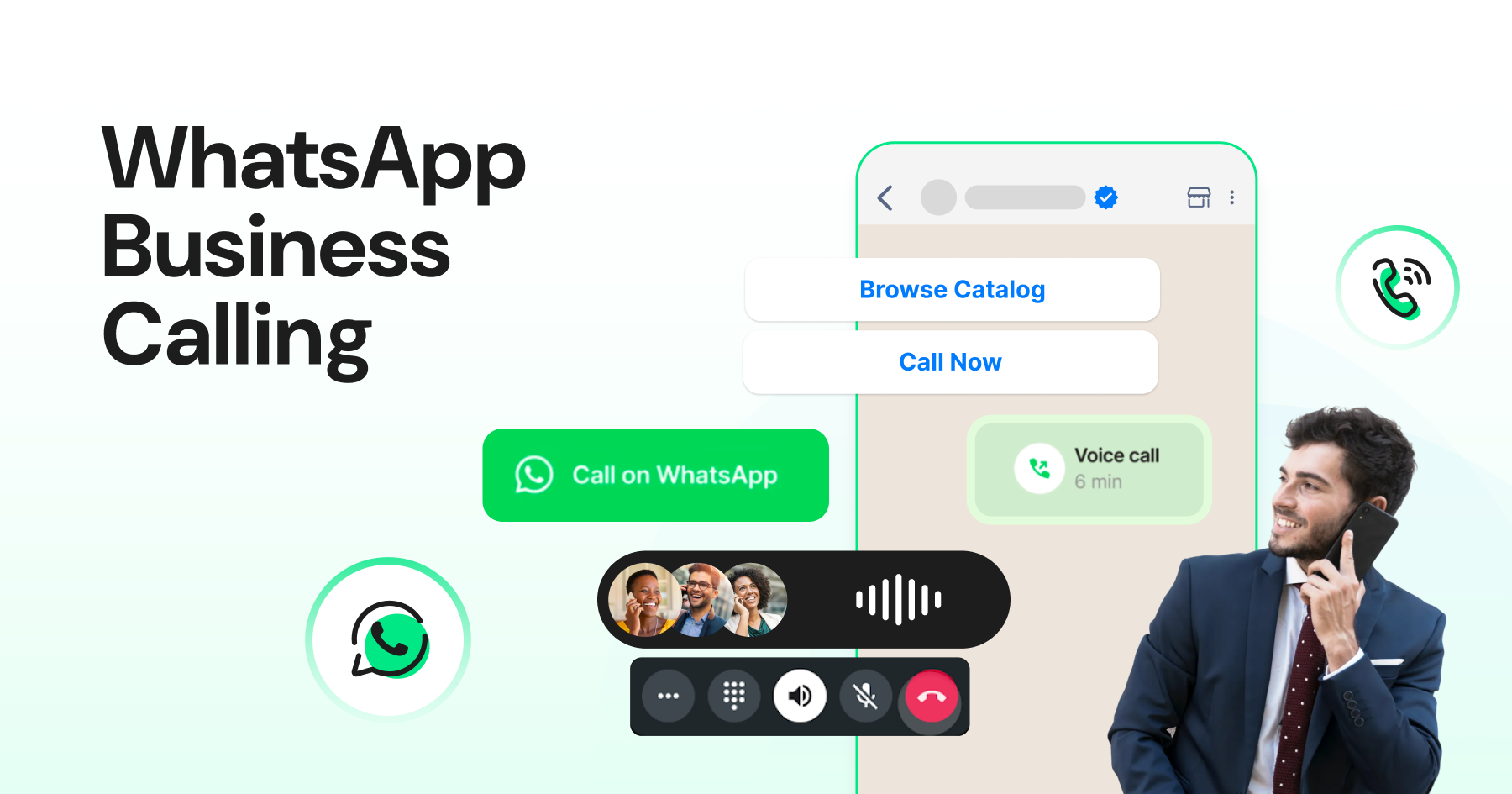
- WhatsApp Business Calling brings VoIP voice calls into your existing WhatsApp chat thread, with your verified business name showing on the customer's screen.
- It runs through the WhatsApp Business API and gives you controls like business hours, call routing, consent-based outbound, and call analytics.
- It works best for high-consideration sales, complex support, and businesses already running on WhatsApp.
- Incoming calls are free. Outgoing calls are billed per minute by Meta, varying by country.
- Outbound is not yet supported in the US, Canada, Egypt, Vietnam, and Nigeria. Video calling is not available yet.
A customer has been chatting with your team for 20 minutes about a loan they want to take. Your agent knows exactly what they need. But explaining repayment terms over text is painful for everyone, so the customer asks to “just talk to someone.”
Your agent sends a phone number.
The customer calls, gets put on hold, and has to explain everything again from the beginning. Somewhere in that friction, the deal dies.
That broken handoff has cost businesses more conversions than any bad product ever has. And until recently, there was no clean fix for it inside WhatsApp.
That’s where WhatsApp Business Calling comes in. Launched in July 2025, it brings VoIP calls directly into your WhatsApp chat thread.
So instead of bouncing the customer to a separate call, your agent switches from chat to voice in one tap, with full conversation context already on screen.
For businesses that run on WhatsApp, this is a significant shift. In this guide, you’ll learn exactly how WhatsApp Business Calling works, what it costs, which teams should use it, and how to decide if it’s the right move for you.
What is WhatsApp Business Calling and How is It Different from Regular WhatsApp Calls?
Most people think of WhatsApp calls as something you make to a friend or family member. You open a chat, tap the phone icon, and you’re connected. Simple, personal, and completely untracked.
WhatsApp Business Calling works differently. It is a VoIP calling feature built into the WhatsApp Business Platform, meaning it runs via the API rather than the free WhatsApp Business app.
Businesses can make and receive voice calls inside an existing customer chat thread, with the company’s verified name and blue badge showing on the customer’s screen.
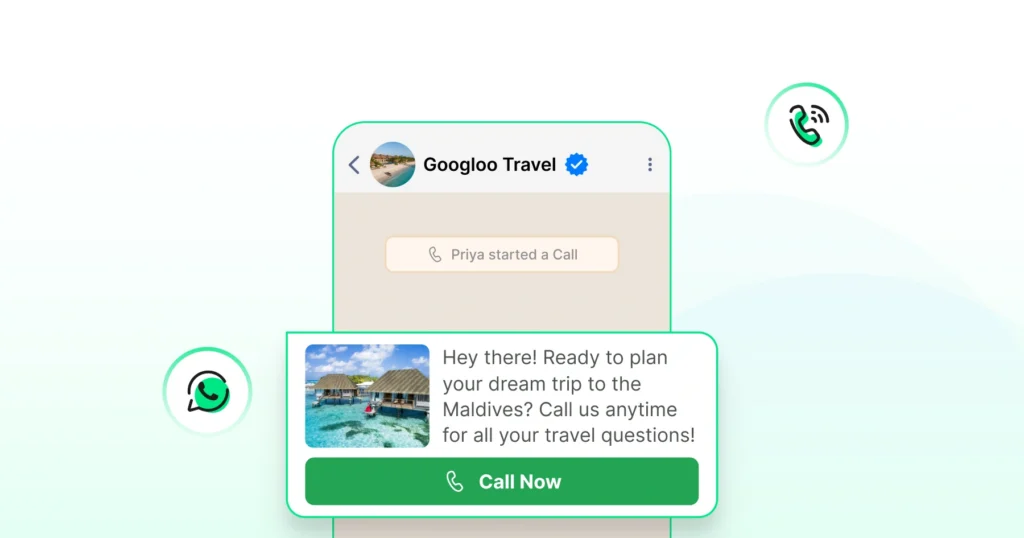
So when your agent calls, the customer doesn’t see an unknown number. They see your brand. That one change alone significantly improves pickup rates.
There are two ways calls can happen.
- The first is user-initiated: the customer taps a call button in the chat, and your team receives the call.
- The second is business-initiated, where your agent requests permission to call via an interactive template, and the customer opts in before the call goes out.
Both directions keep the full chat history intact, so whoever picks up has complete context before saying a single word.
To put the difference plainly, here’s how the two stack up.
Feature | Regular WhatsApp Call | WhatsApp Business Calling |
Caller identity shown | Personal number | Verified business name + blue tick |
Chat context carried over | No | Yes, full thread visible |
Business hours control | No | Yes |
Call analytics | No | Yes, duration, outcomes, missed calls |
Requires API | No | Yes |
The bottom line is that regular WhatsApp calls are built for people. WhatsApp Business Calling is built for teams that need to convert, support, and retain customers.
Bonus Read: WhatsApp vs WhatsApp Business vs WhatsApp Business API: Key Differences
How Does the WhatsApp Business Calling API Actually Work?
This is the part most guides skip or bury in developer documentation. Understanding how the API works at a business level helps you make smarter decisions about setup, cost, and what your team actually needs.
Here is the simple version.
When a call happens through WhatsApp Business Calling, two connection legs run simultaneously:
- The customer’s side is handled by Meta, connecting them through WhatsApp’s own infrastructure.
- The business side is handled by your BSP (like Wati), routing the call to the right agent in your inbox.
For your customer, it feels exactly like a regular WhatsApp call. For your team, it shows up inside the same dashboard where they handle chats, with the full conversation thread right there.
Beyond basic calling, here is what else the API enables:
- Call event logging: Every call, whether answered, missed, or declined, gets automatically logged and can feed into your analytics and CRM workflows through webhooks.
- AI voice agent integration: The API supports external AI voice tools so businesses can automate first-line triage or after-hours call handling directly inside WhatsApp.
- Full thread continuity: Every call sits inside the existing chat, so agents pick up with complete context already on screen.
That combination of human agents and AI handling, all running through one WhatsApp thread, is what makes this genuinely different from a standard business phone setup.
WhatsApp Business Calling Features You Need to Know Before You Enable It
Before you flip the switch, it helps to know exactly what you are working with.
Here is a breakdown of every key feature and what it actually means for your team on the ground.
- User-initiated calls: Customers tap the call icon inside their WhatsApp chat with your business, and your team receives it directly in the inbox. No external number needed on either side.
- Business-initiated calls: Your agent cannot cold-call a customer out of nowhere. Instead, they send an interactive consent template first. Once the customer opts in, the outbound call goes through. This keeps the experience trust-first on both sides.
- Call icon visibility toggle: Overwhelmed with call volume? You can turn the call button on or off from your dashboard. Useful for managing capacity during peak hours or limiting calls to specific teams.
- Business hours setting: Customers who try to call outside your set hours get an automatic, polite response instead of a missed call. No more dropped conversations because someone called at midnight.
- Click-to-call buttons and deep links: Embed a call trigger in your WhatsApp campaigns, website, QR codes, or even paid ads. When a customer taps it, they are directly connected to a WhatsApp call with your team. Great for shortening the sales cycle on high-intent leads.
- In-call IVR and dial-pad support: Route incoming calls to the right team using keypad inputs, just like a traditional phone menu, but running entirely inside WhatsApp.
- Call analytics: Every call gets tracked. Duration, outcome, missed calls, and agent activity are all visible in your dashboard, so you can spot gaps and improve over time.
Together, these features give your team the kind of control over voice that most businesses only get from a full contact center setup, without the complexity or cost.
Which Businesses Should Use WhatsApp Business Calling?
WhatsApp Business Calling is not a feature every business needs right away. So before you factor it into your stack, here is an honest look at where it genuinely moves the needle and where it probably does not.
1. Strong Fit
High-consideration sales teams
Think real estate agents, insurance brokers, financial advisors, and edtech counselors. These are businesses where customers need to feel confident before committing. Text builds interest, but voice closes the deal.
Having that conversation inside WhatsApp, where the customer already trusts the thread, removes a significant layer of friction.
Customer support teams handling complex issues
If your support tickets regularly involve troubleshooting, billing disputes, or multi-step processes, your agents are already wasting time explaining things over chat.
Switching to a call within the same thread sharply reduces resolution time without losing any conversation history.
Sales teams following up on hot leads
When someone clicks a Click-to-WhatsApp ad or fills out a form and lands in your inbox, they are at peak intent.
Being able to call them immediately from that same thread, rather than hoping they pick up an unknown number later, is a meaningful conversion advantage.
Businesses that are struggling with an unknown number of rejections
If your outbound calls are being ignored or marked as spam, WhatsApp Business Calling fixes that directly. Your verified business name and blue badge show on the customer’s screen before they pick up.
2. Not the Right Fit Yet
Businesses with simple, low-touch support
If most of your queries are well handled by chatbots or quick template replies, adding a voice layer may create more overhead than it’s worth.
Teams in unsupported regions
WhatsApp Business Calling is currently not available in the United States, Canada, Turkey, Egypt, Vietnam, and Nigeria. If your primary market sits in one of these countries, you will need to wait for Meta to expand coverage.
Businesses are still on the free WhatsApp Business app
Calling requires the WhatsApp Business API. Without it, this feature is not accessible regardless of plan or volume.
Business type | Good fit? | Why |
|---|---|---|
Real estate, lending, ed-tech | Strong | Voice closes; trust matters; high consideration |
Fintech and financial services | Strong | Complex queries need a human voice; trust is critical |
D2C, e-commerce | Strong | Cart recovery + post-purchase support |
Community and media apps | Strong | Re-engagement and support at scale |
B2B SaaS | Strong | Escalation paths inside support |
FAQ-only support | Weak | Chatbots already handle this well |
Businesses targeting US/Canada/Egypt/Vietnam/Nigeria for outbound | Blocked | Meta doesn’t support outbound from these regions yet |
Single-operator businesses on the free WhatsApp Business App | Blocked | API access is required |
Additional Resource: WhatsApp Business Calling vs Cloud Telephony vs Traditional VoIP – Which One Does Your Business Actually Need?
How WhatsApp Business Calling Can Improve Sales Conversion and Support Resolution?
The case for adding voice to your WhatsApp channel is not just intuitive. The numbers back it up.
Here is what early adopters are already seeing.
1. For Sales Teams
Chat is great for warming a lead. Voice is what closes them.
When a sales rep calls from inside the same WhatsApp thread, the customer already has context. They remember the conversation. They do not need to be resold on who you are or what you offer. That familiarity removes the single biggest obstacle in outbound sales, which is the cold start.
The results from early adopters make this concrete. Banco PAN, a São Paulo-based financial services firm, shifted its customer service and sales agents to handle all loan conversations end-to-end inside WhatsApp.
The result was a 4x increase in loan offer conversions. Cartão de Todos, one of Brazil’s largest private discount programs, saw a 26% increase in telesales conversion and a 50% reduction in average call time after enabling WhatsApp Business Calling.
Both results came from the same mechanic: replacing a cold, context-free phone call with a warm, in-thread voice conversation.
2. For Support Teams
Complex support tickets are expensive. They take longer to resolve, require more agent time, and frustrate customers who have to repeat themselves across channels.
WhatsApp Business Calling eliminates the repeat-yourself problem entirely. When an agent escalates from chat to call, they already have the full conversation history in front of them. The customer does not need to explain the issue again. Resolution happens faster, re-contact rates drop, and customer satisfaction improves.
By moving patient support to WhatsApp calling, they created a single thread where patients could message or call without switching platforms, driving measurable improvements across their support operation.
The trust factor Beyond conversion and resolution, there is a softer but equally important benefit. When your verified business name and blue tick appear on a customer’s call screen, they know it is really you. In a world where spam calls are ignored by default, that recognition is worth more than most businesses realise. |
Where WhatsApp Business Calling Delivers Impact Across Teams
The feature isn’t just for sales. Depending on your team structure, you’ll find different applications that each solve a real operational problem.
- Sales and lead conversion. Follow up leads instantly from chat or ad responses. Use click-to-call in Click-to-WhatsApp campaigns to shorten the decision cycle. Route hot leads to the right sales rep automatically.
- Customer support and service. Switch from chat to call when text isn’t enough. You can resolve technical or billing issues faster with live voice. Call back directly from the chat window, as the agent already has the full conversation history when the call connects, so nothing needs to be re-explained.
- Collections, renewals, and reminders. Secure consent first, then make a compliant outbound call. Use deep-link buttons (“Tap to speak to billing”) in reminder messages. Track call logs for audit or quality control.
- Appointments and consultations. Healthcare providers, education counselors, and financial advisors can confirm or reschedule appointments through a quick WhatsApp call. Offer post-consultation check-ins to drive retention.
WhatsApp Business Calling Pricing: What Does it Actually Cost?
Pricing has two parts. The first is Meta’s per-minute fee. The second is what your Business Solution Provider charges on top.
Meta’s fees. Incoming calls are free for both the business and the customer. Outgoing calls are billed per minute, in 6-second increments, with rates that vary by destination country.
The more outbound minutes you push to a destination in a month, the lower your per-minute rate becomes (volume tiers reset monthly). Rates are set and updated by Meta directly. Check the official Meta pricing page before budgeting.
BSP fees. Your BSP is the operating layer between Meta and your team. Fees vary by provider. Some add a per-call surcharge or lock calling behind a higher pricing tier. Wati includes calling in the standard plan with no separate calling add-on or setup fee.
However, like most BSPs, Wati does apply a markup on Meta’s per-message rates, so factor that into your permission template cost when modeling the full bill.
A working example: A real estate team making 1,000 outbound calls a month at an average duration of 3 minutes to Indian numbers is moving 3,000 minutes through the API.
Multiply by India’s per-minute rate, add your permission template costs at Wati’s rate, and that is your monthly calling cost. The same volume to Brazil-based numbers costs notably more because Brazil sits in a higher pricing tier.
For a full country-by-country breakdown with worked examples, read our guide on WhatsApp Business Calling pricing. For the latest live rates, refer to the Wati pricing page.
Also Check Out: WhatsApp API Pricing – Regions-Wise Quota and Categories in 2026
WhatsApp Business Calling vs Traditional Phone Calls
Traditional phone call | WhatsApp Business Calling | |
|---|---|---|
Caller identity shown | Just a number, often flagged as spam | Verified business name + badge + logo |
Context from prior conversation | None; agent starts cold | Full chat history visible |
Answer rate | Falling year over year | Higher; brand identity drives pickup |
Cost structure | Per minute, with carrier markups | Per minute via Meta, no carrier markup; incoming free |
Analytics available | Depends on the phone system | Built-in: duration, missed, agent-level |
Integration with chat / CRM | Bolted on, separate tool | Native to the same thread |
The biggest single difference is the caller identity row. Spam labels on unknown numbers have made traditional outbound calling brutally hard.
Verified caller ID inside WhatsApp is what fixes that, and it’s the reason teams like Hakeem and Praja made the switch from standard mobile dialing.
Limitations of WhatsApp Business Calling (What Nobody Tells You)
The honest list. Worth reading before you flip the toggle.
- No cold-calling: Outbound calls require an explicit consent template. Meta enforces this strictly: one permission request per customer per 24 hours, maximum of two in a 7-day window. Once approved, the call must happen within 72 hours.
- Outbound is geographically limited: As of March 2026, business-initiated calls are not supported from numbers registered in the USA, Canada, Egypt, Vietnam, and Nigeria. Inbound works everywhere the WhatsApp Cloud API is available except sanctioned regions.
- Voice only, not video: Call recording is not exposed by Meta’s API. As per Wati’s official documentation, the WhatsApp Calling API does not currently provide access to call recordings or transcriptions. Teams that need recording for compliance need to keep their existing telephony stack for those workflows.
- Outbound calling cost can scale: Per-minute billing adds up. Model your numbers before you push more volume.
- API access is required: The free WhatsApp Business App doesn’t support business calling at scale.
- Wati web only, for now: Calls can be initiated and answered from Wati on the web.
The Wati Way: One Toggle, Then You are Live
Wati supports WhatsApp Business Calling natively. Your team makes and receives calls inside the same Team Inbox where they already handle messages.
Multi-number management, business hours, permission templates, call routing, and agent performance all in one place with no extra infrastructure.
Activation takes minutes: log in, open Team Inbox Settings, toggle Call on, select your WhatsApp number.
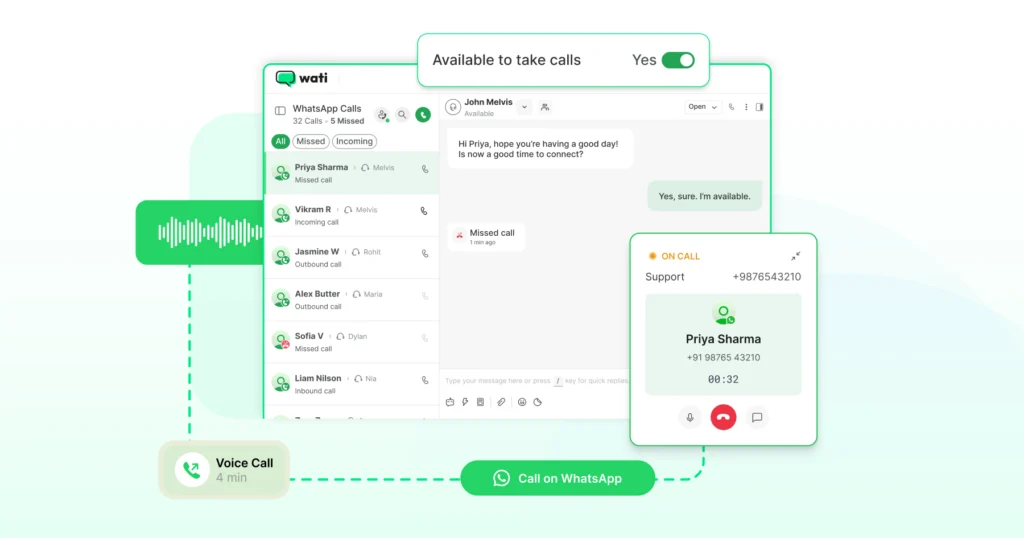
The full walkthrough is in our step-by-step setup guide. For the underlying messaging foundation, see the WhatsApp Business API overview or jump straight to WhatsApp calling for business.
Ready to switch it on? Start your free trial of Wati today.
Frequently asked questions
1. Is WhatsApp Business Calling free?
Incoming calls are free everywhere the feature is supported. Outgoing calls are billed by Meta per minute, with rates that vary by destination country.
2. Can I call customers on WhatsApp without them saving my number?
Yes. Your verified business name, badge, and logo show on the customer's call screen regardless of whether they've saved your number.
3. Is WhatsApp Business Calling end-to-end encrypted?
Yes. Calls use the same encryption protocol as WhatsApp messages. Only your business and the customer can hear the conversation.
4. Which countries do not support WhatsApp Business Calling?
Inbound (user-initiated) calls work everywhere the WhatsApp Cloud API works except sanctioned regions. Outbound (business-initiated) calls are not supported from the USA, Canada, Egypt, Vietnam, and Nigeria as of March 2026. Meta updates this list periodically.
5. Do I need the WhatsApp Business API to make calls?
Yes. The free WhatsApp Business App can take person-to-person calls, but doesn't offer the team inbox, routing, analytics, or compliance controls that make calling work at scale.
6. What analytics are available for WhatsApp Business Calling?
Wati provides call analytics including total calls made and received, call durations, missed vs. attended calls, peak call times, and agent performance metrics.
Related posts
- Live Support vs Automated Support: How to Build a Modern Customer Service Strategy
Explore pros and cons of live support & automated support to choose the best for your business. Learn how to enhance customer satisfaction.
- The Role of Gemini 3.0 in Wati’s New AI Capabilities
Wati uses Gemini 3 to deliver clearer translations, faster summaries, natural voice calls, and autonomous AI Agents on WhatsApp. The platform gives teams instant context and smarter automation across every chat and call.
- WhatsApp Chatbot in 2026: Features, Applications and Benefits
Transform your customer communication with a WhatsApp chatbot. Automate responses, increase engagement, and improve your business today.
- How to Integrate WhatsApp Business API with Make (Step-by-Step Guide)
This blog shows you how to link Make.com with WhatsApp. It’s a straightforward guide, perfect for 2026. You’ll learn how to start, what you need, and each step to connect these apps. This setup helps automate messages and manage tasks better, whether for work or personal needs.