

-

-
-
Solutions
-
Soluções
-
Soluciones
-
解决方案
-
解決方案
-
الحلول
-
Product
-
Produto
-
Producto
-
产品
-
產品
-
المنتج
-

-
-


 Wati for Marketing
 Wati for Support
 Wati for Sales
 eLearning
 E-commerce
 Marketing Agencies
 Healthcare
 No Code Chatbots
 AI Support Agent
 Instagram and Facebook messenger
 Click to WhatsApp ads
 Campaigns
 Team Inbox
 WhatsApp Business Calling
 Wati AI
 Overview
 Library
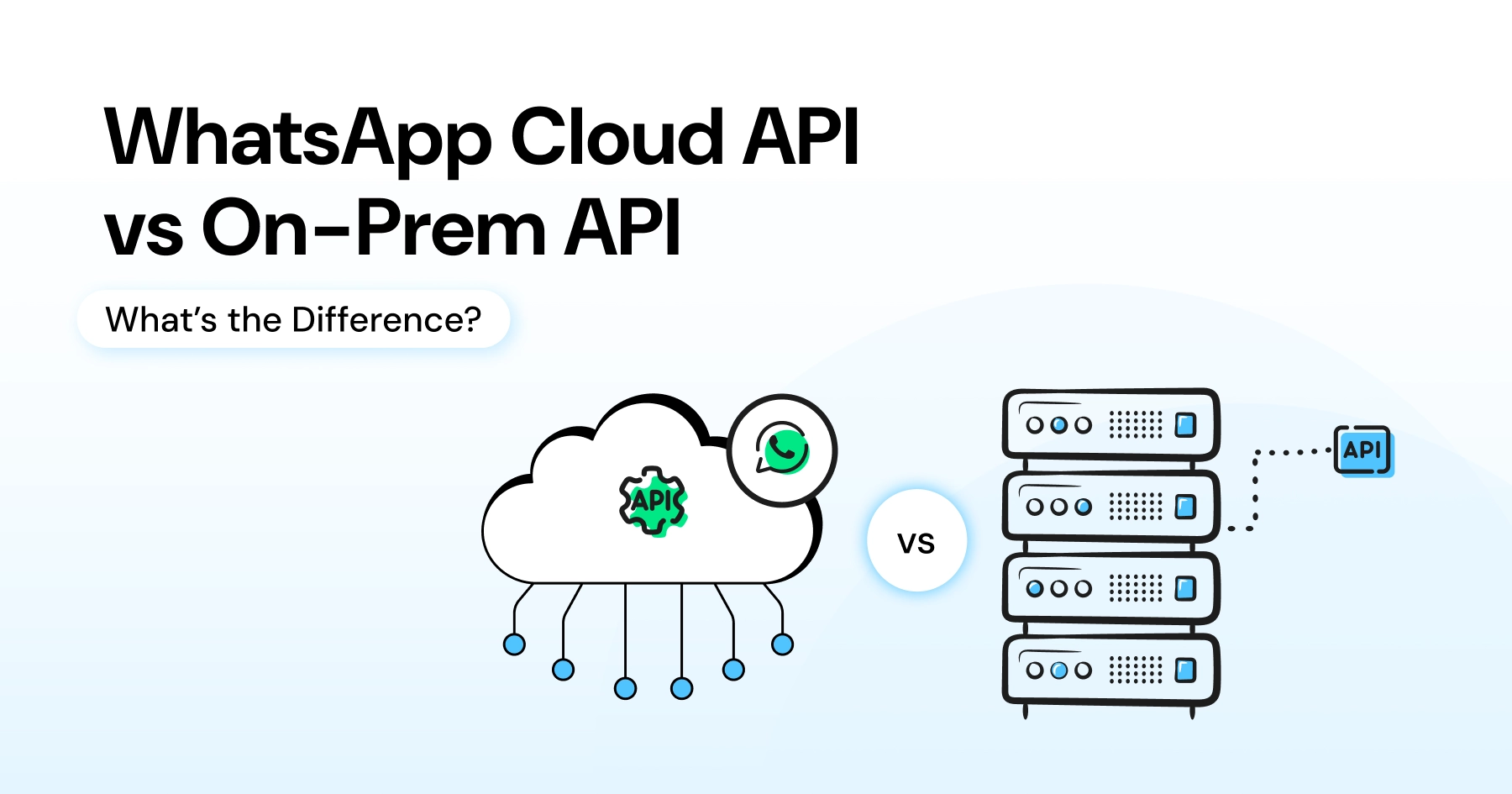
WhatsApp Cloud API vs On-Prem API: Which One Should You Choose For Your Business?
Written by:
 Shreya
|
on:
December 10, 2025
|
Fact Checked by :
Shreya
|
on:
December 10, 2025
|
Fact Checked by :
 Namitha
|
According to: Editorial Policies
Namitha
|
According to: Editorial Policies
 Table of Contents
Too Long? Read This First
- Choosing between the WhatsApp Cloud API vs on-Prem API comes down to speed, scalability, and cost.
- Cloud API is faster to set up, automatically updated by Meta, highly scalable, and ideal for marketers, sales teams, and SMBs.
- On-Prem API offers complete data control but requires heavy infrastructure, higher costs, and ongoing maintenance.
- For most modern growth-focused brands, Cloud API + Wati delivers the best balance of performance, automation, and ROI.
- On-Prem API only makes sense for regulated enterprises needing strict in-house hosting controls.
Bespoke customer interactions are a key driver of customer retention.
But once you decide to shift from cold emails and irrelevant messages to real conversational engagement, the biggest decision is choosing WhatsApp Cloud API vs. on-prem API.
For many brands, the right API determines how well they automate broadcasts, manage inbound queries, and scale conversations.
Understanding WhatsApp Cloud API vs on-prem API is the first step toward building a high-performing WhatsApp engine that doesn’t break your workflows or your budget.
Choosing the right kind of WhatsApp Business API (like Wati for small to mid businesses), helps automate broadcast campaigns, manage inbound queries, and handle lead volumes to support your WhatsApp engine.
In this article, I’ll talk about the key differences between WhatsApp Cloud API vs WhatsApp on-premise API and highlight their features, pricing, hosting, and performance for you to decide the best choice for your business.
What is WhatsApp Cloud API?
WhatsApp Cloud API is Meta’s cloud-hosted version of WhatsApp Business API. By integrating WhatsApp Cloud API in your tech stack, teams can run powerful interactions, host databases on Meta’s infrastructure, and run WhatsApp business workflows with ease.
In WhatsApp Cloud API, Meta manages the infrastructure, security, updates, and scalability, which means businesses do not have to worry about servers or maintenance.
This makes Cloud API ideal for businesses that want to quickly launch WhatsApp automation, marketing campaigns, or support workflows without the overhead of managing servers.
Brands using Cloud API can instantly integrate WhatsApp into their CRM, customer service platform, chatbots, or marketing stack to attend to consumer queries quickly and solve them.
This allows you to personalize broadcasts, initiate messaging (as per Meta’s 24-hour messaging rule, and generate high messaging throughput to elevate customer experience.
Also read: How to automate WhatsApp workflows for sales teams to personalize communication and deploy intelligent conversational experiences.
What is WhatsApp On-Prem API?
The WhatsApp On-Premises API (often called the WhatsApp on-prem API) is the self-hosted, enterprise version of the WhatsApp Business API that can handle thousands of enterprise customer accounts, relies on company hardware, and integrates with your current infrastructure.
While enterprise teams with IT infrastructure sometimes prefer this approach, it is often more expensive, slower to set up, and harder to scale, making it less suitable for small to mid-size companies that don’t have a full-functioning marketing stack.
As with Cloud API, businesses can lean on WhatsApp for their software requirements. But, for WhatsApp on-prem API, you need additional server maintenance, updating, data security, compliance, and software monitoring.
If your teams want to run 24/7 WhatsApp broadcast campaigns across thousands of customer segments, secure critical data, or personalize messaging without sounding generic, WhatsApp on-prem hosting is the ideal solution.
However, the overhead cost of running the WhatsApp marketing engine might get in the way and disturb marketing spend management.
Also read: How to drive high-performance consumer outreach with the best WhatsApp marketing software for long-term retention.
7 Key Differences Between WhatsApp Cloud API and On-Prem API
Below are the 7 key differences between WhatsApp Cloud API and on prem API to help you decide which one of the two will fit your marketing strategy better and provide necessary features:
| Key Aspect | WhatsApp Cloud API | WhatsApp On-Prem API |
| Hosting | Fully hosted on Meta’s cloud infrastructure | Self-hosted on your own servers |
| Setup Time | Minutes, Instant activation through BSPs like Wati, but hosting remains on Meta’s servers | Days to weeks, requires server provisioning |
| Maintenance | Zero maintenance (Meta handles everything) | You are responsible for updates, patches, scaling |
| Performance | High throughput & fastest delivery | Depends on your server capacity & tuning |
| Updates | Automatic, earliest access to new WhatsApp features | Manual updates; slower rollout of new features |
| Scalability | Instantly scalable across regions | Limited by hardware, requires investment to scale |
| Security | Enterprise-grade Meta security | Fully controlled internally but requires IT oversight |
| Operational Cost | Low operational cost; pay only conversation fees | High cost (servers, IT team, maintenance) |
| Best For | Marketers, sales teams, SMBs, digital-first brands | Regulated industries, large enterprises with IT infra |
| Integration | Easy CRM, marketing, and automation integrations | More complex, requires development work |
| Reliability | High uptime, optimized performance | Depends on your infrastructure reliability |
Also read: Learn more about key differences of Cloud API vs on premise API and choosing the right option to secure WhatsApp broadcasts better.
Let’s look at the key aspects one by one, to figure out how both these types of WhatsApp Business API help you scale consumer engagement and optimize server performance.
1. Hosting and Deployment
WhatsApp Cloud API
Since Meta hosts the entire infrastructure, businesses don’t have to worry about servers, OS-level updates, or capacity planning.
This makes it ideal for fast-moving marketing teams wanting to launch WhatsApp engagement quickly.
WhatsApp On-prem API
You must install and run the API on your own servers. This requires DevOps resources, ongoing monitoring, and periodic scaling. While it provides more control, it significantly increases complexity.
Also read: How to get a WhatsApp Business API to integrate with WhatsApp Business account and accelerate message delivery.
Bonus Read: How to Set Up WhatsApp Business on Meta Business Suite
2. Speed and Performance
WhatsApp Cloud API:
Because Cloud API runs on Meta’s globally distributed infrastructure, messages are processed and delivered much faster compared to server-dependent on-prem setups.
That speed advantage matters the moment you run time-sensitive broadcasts, drip campaigns, or lead-nurturing flows.
For marketers using WhatsApp for marketing, lead capture, or customer support, the consistent performance of Cloud API makes a tangible difference.
WhatsApp On-prem API
On-prem setups, on the other hand, depend heavily on server quality, hosting location, and infrastructure maintenance.
If servers are under-provisioned or poorly configured, message delays or failures can directly hurt e-commerce customer experience or conversion results.
Also read: How to send bulk messages on WhatsApp to optimize your e-commerce operations and drive high customer acquisition.
Bonus read: Check out the Wati’s SMS marketing feature to ensure secure engagement fallback and improve message delivery rates for broadcast campaigns.
3. Scalability for High-Volume Broadcast Campaigns
WhatsApp Cloud API
Cloud API scales automatically as message volumes grow, whether you send hundreds, thousands or hundreds of thousands of messages.
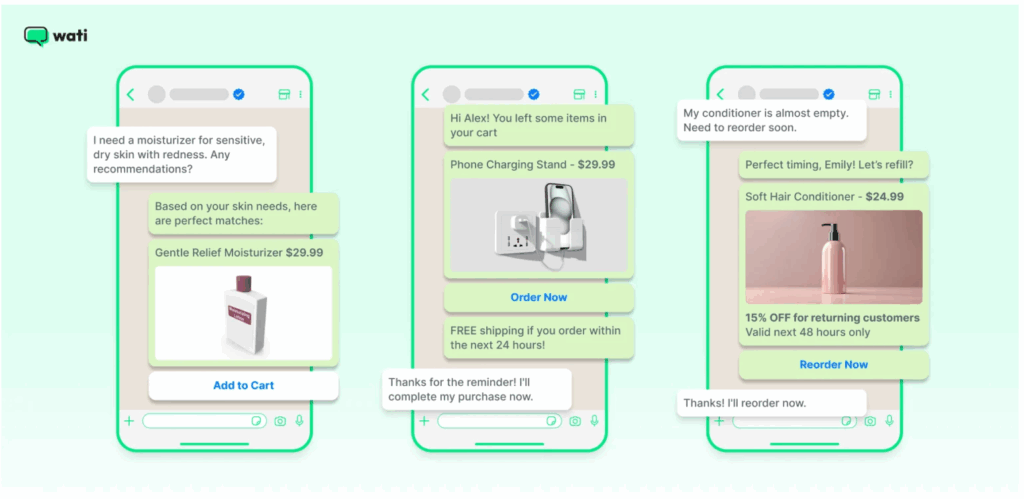
That makes it ideal for seasonal promotions, product WhatsApp catalogues, high-volume re-engagement broadcasting campaigns, or multi-agent customer support.
WhatsApp On-Prem API
With On-Prem API, scaling means provisioning more servers, reconfiguring load balancing, managing backups, planning ahead and constant monitoring.
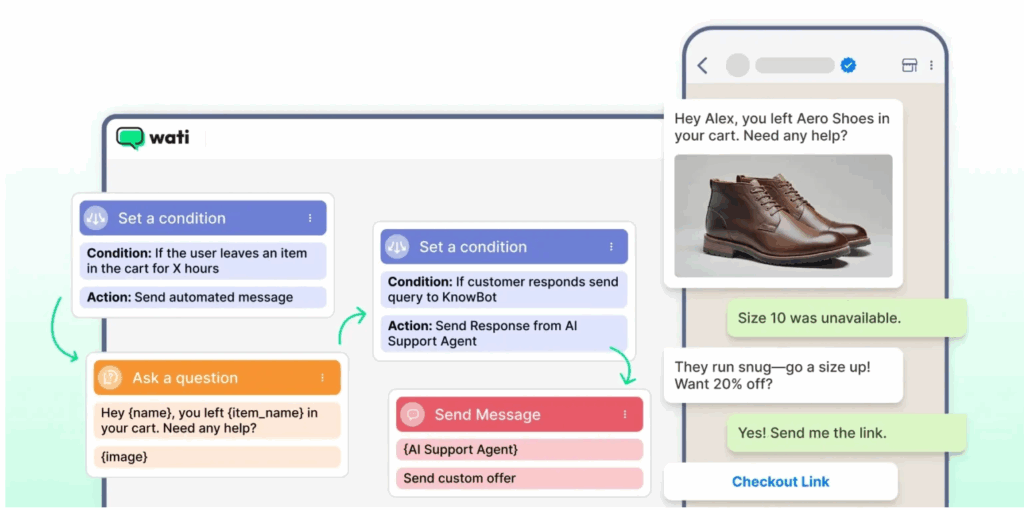
This can delay campaign launches or require technical overhead, which reduces agility.
If you’re planning to scale over time, adding more users, more leads, or more frequent campaigns, Cloud API + Wati keeps things simple and reliable.
Also read: How to personalize client engagement and offer ready to use Voice AI integration with WhatsApp marketing workflows for quick service.
4. Cost and Total Cost of Ownership
WhatsApp Cloud API
With the Cloud API, you pay only for WhatsApp conversation usage and the Wati subscription. Since there’s no hosting, no maintenance, and no DevOps overhead, your total cost remains predictable and significantly lower compared to self-hosted infrastructure.
For small to mid-sized businesses or those looking to maximize ROI from WhatsApp marketing, Cloud API presents a far more cost-effective option
WhatsApp On-Prem API
On the other hand, using On-Prem API means investing in servers (or cloud hosting), load balancers, backups, monitoring tools, and possibly engineering personnel, all of which can add up quickly and often unpredictably as volume increases.
Also read: For businesses looking to maximise ROI from WhatsApp marketing, here is a list of best WhatsApp marketing software in 2026.
5. Access to Automated Messaging and Analytics
WhatsApp Cloud API
Meta tends to roll out new WhatsApp features to Cloud API first, things like updated message types, richer automated messaging template support, better automation hooks, and consumer journey analytics or broadcast statistics.
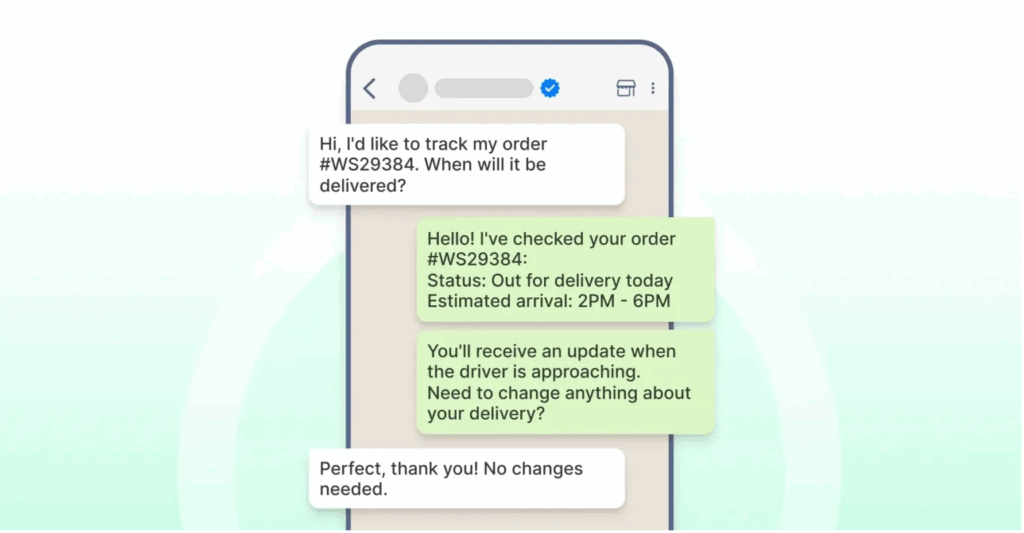
That means with Cloud API, you’re first in line to leverage the newest WhatsApp improvements.
As Wati continues to build automation, inbox productivity, chatbot, broadcast, and CRM features, those improvements plug in automatically when Cloud API is updated.
Also read: Learn all about WhatsApp marketing automation and how it optimises social media and multi channel marketing across social media apps.
WhatsApp On-prem API
If you’re using On-Prem API, new features often require manual upgrades, testing, and deployment, which can introduce delays and technical friction.
Having said that, WhatsApp on-prem does offer robust WhatsApp messaging templates, and critical data handling support to delve into customer databases and answer intelligently with proper backing and customization to customers.

For a marketing or sales team that values fast iteration, having to wait weeks or months for updates is a disadvantage.
6. Security and Compliance Balance
WhatsApp Cloud API
Cloud API benefits from Meta’s enterprise-grade hosting, encryption, backups, and compliance standards.
This means that for many industries, retail, SaaS, e-commerce, education, using Cloud API is secure, compliant, and removes the burden of maintaining infrastructure security internally.
With Wati, you can export, backup and protect your conversations with inbuilt encryption and data security to prevent infringement.

For most growth-driven businesses, Cloud API provides sufficiently strong security while eliminating complexity.
Need more inspiration? Wati’s “How to Get WhatsApp Business API” guide outlines considerations for compliance and security, useful if you’re evaluating whether to self-host or not.
WhatsApp Cloud API
On-Prem API gives full control over hosting location and data, which can matter for enterprises under strict regulatory or compliance regimes.
But that also means the organisation must manage everything: end-to-end encryption, data backups, audit logs, patching, and compliance policy adherence themselves.
7. Developer Experience and Integration Ecosystem
WhatsApp Cloud API
Cloud API is designed to work smoothly with modern CRMs, e-commerce platforms, automation tools, and marketing workflows.
Businesses using Wati benefit from no-code automation, chatbots, webhooks, HTTP triggers, shared inboxes, and seamless integration with systems like HubSpot, Shopify, WooCommerce, and custom ERPs.
Also read: How to connect WhatsApp to Hubspot to enable bidirectional CRM sync and improve customer communication.
WhatsApp On prem API
With On-Prem API, integrations often require manual coding, custom webhooks, and technical overhead. Integrating this kind of API requires dynamic developer support and SDK support that lengthens the operational cycle.
This means even simple workflows can take significant developer effort, which adds friction and slows down deployment cycles.
Key Features Comparison: Whatsapp Cloud API vs On-Prem API
Here is a quick feature comparison for WhatsApp Cloud API and WhatsApp on-prem API for quick, at a glance reference
- When you choose Cloud API, your hosting is managed by Meta; in contrast, On-Prem API means hosting is self-managed, requiring your own infrastructure.
- With Cloud API, maintenance is handled for you, but with On-Prem API you must handle DevOps, updates, and uptime.
- Activating Cloud API takes minutes; setting up On-Prem API can take weeks or months depending on infrastructure readiness.
- Updates in Cloud API happen automatically, while On-Prem API requires manual installation and testing.
- Cloud API scales seamlessly as your message volume grows; On-Prem API requires manual capacity planning and server upgrades.
- Cloud API tends to have a much lower total cost over time because there are no hosting or maintenance expenses; On-Prem API incurs ongoing infrastructure and operational costs.
- Message delivery and performance are faster and more stable on Cloud API due to Meta’s infrastructure; in On-Prem API, performance varies based on server configuration and resources.
- Cloud API is ideal for marketers, SMBs, and customer engagement teams looking for simplicity and scalability; On-Prem API may only make sense for large enterprises with strict self-hosting or compliance requirements.
Aso read: How WhatsApp for e-commerce enables you to share products, answer questions and guide customers in 2026
When Should You Choose WhatsApp Cloud API?
You should choose the Cloud API when you want to get started quickly and scale efficiently without spending resources on infrastructure.
If your business relies on regular broadcasts, drip campaigns, automated workflows, multi-agent support, or CRM integrations, Cloud API gives you a reliable foundation.
Cloud API makes it easy to integrate marketing automation, lead qualification bots, re-engagement campaigns, and customer support and payment to run your transactional e-commerce workflows with ease.
Because Cloud API is managed, secure, and automatically updated, you can invest more time on strategy and campaigns rather than server maintenance, which is why so many SMBs and mid-market brands use Wati for growth-focused WhatsApp operations.
Also read: A complete guide on WhatsApp Business API’s integration with CRMs to build smarter conversations, automate lead gen and derive customer insights.
When You Might Consider WhatsApp On-Prem API?
If you are a small to mid sized organization, the cloud API, hosted directly by Meta, eliminates the need to manage your own servers or invest in third party BSP providers.
It is quick to set up, scalable and doesn’t require technical expertise. This makes it an ideal choice for businesses looking for a hassle free way to integrate WhatsApp into their customer communication workflow.
On the other hand, the On-Premises API requires businesses to handle their own infrastructure or rely on external hosting providers. While it offers more control over data storage and processing, it often involves higher costs, longer setup times, and the need for more technical resources.
In short, the Cloud API offers a faster, more accessible option, whereas the On-Premises API is better suited for organizations that need complete control over their hosting environment.
You might need an on-premises API if you work with critical enterprise applications, have sensitive customer trust to compromise, and are equipped with end to end tech infrastructure.
For most modern brands, especially those featured in Wati’s customer stories and case studies, Cloud API + Wati ends up being the far more practical choice.
Also read: How to integrate Google Sheets with WhatsApp Business API ato bulk export customer data and send direct messages with Wati.
Scale Whatsapp for Your Brand: Your Own Way!
If you are a small to mid business that need tools and resources to smoothly run WhatsApp conversations without much expense, choosing WhatsApp Cloud API with Wati is your best bet.
Not only does Cloud API integrate like a glove in your system, but also provides latest and updated Meta Business functionalities to supercharge your WhatsApp conversations.
It gives you faster performance, lower overhead, automatic scaling, instant updates and easy integration with CRMs, that can help you in longer run, However, if you aren’t willing to compromise with security and compliance, you can go for an on-prem API for legacy enterprises and startups for stronger audit and encryption.
Whatever you choose, a strong BSP provider builds on top of it with chatbots, shared inbox, broadcast tools, analytics, and campaign automation, turning WhatsApp into a full-featured engagement engine.
Register for a free demo of Wati or start your free trial today to discover our WhatsApp marketing stack to streamline customer engagement.
WhatsApp Cloud API vs On-Prem API: Frequently Asked Questions
Have more questions? Find your answers below!
Choosing between WhatsApp Cloud API vs On-Prem API depends on your business’s infrastructure and agility needs. Cloud API is ideal if you want instant setup, automatic updates, and lower operational costs. On-Prem API is better for businesses requiring strict data control, custom hosting, or industry-specific compliance.
Yes. Cloud API significantly lowers cost because Meta manages all servers, security, patches, and scaling. You only pay for WhatsApp conversation charges, making it more affordable for SMBs, marketing teams, and high-volume senders. On-Prem requires dedicated servers, IT teams, and ongoing maintenance, which increases total cost of ownership.
Yes, businesses can migrate from On-Prem to Cloud API, but you must first deregister the phone number from the On-Prem installation. After that, the same number can be re-registered on Cloud API via a provider like Wati. The process is straightforward, but it should be planned to avoid downtime.
Cloud API comes with 24/7 support for critical issues, plus faster access to updates and new WhatsApp features. On-Premises API receives best-effort support, but reliability ultimately depends on your infrastructure and internal IT team. Businesses without strong DevOps capabilities typically prefer Cloud API for smoother operations.