
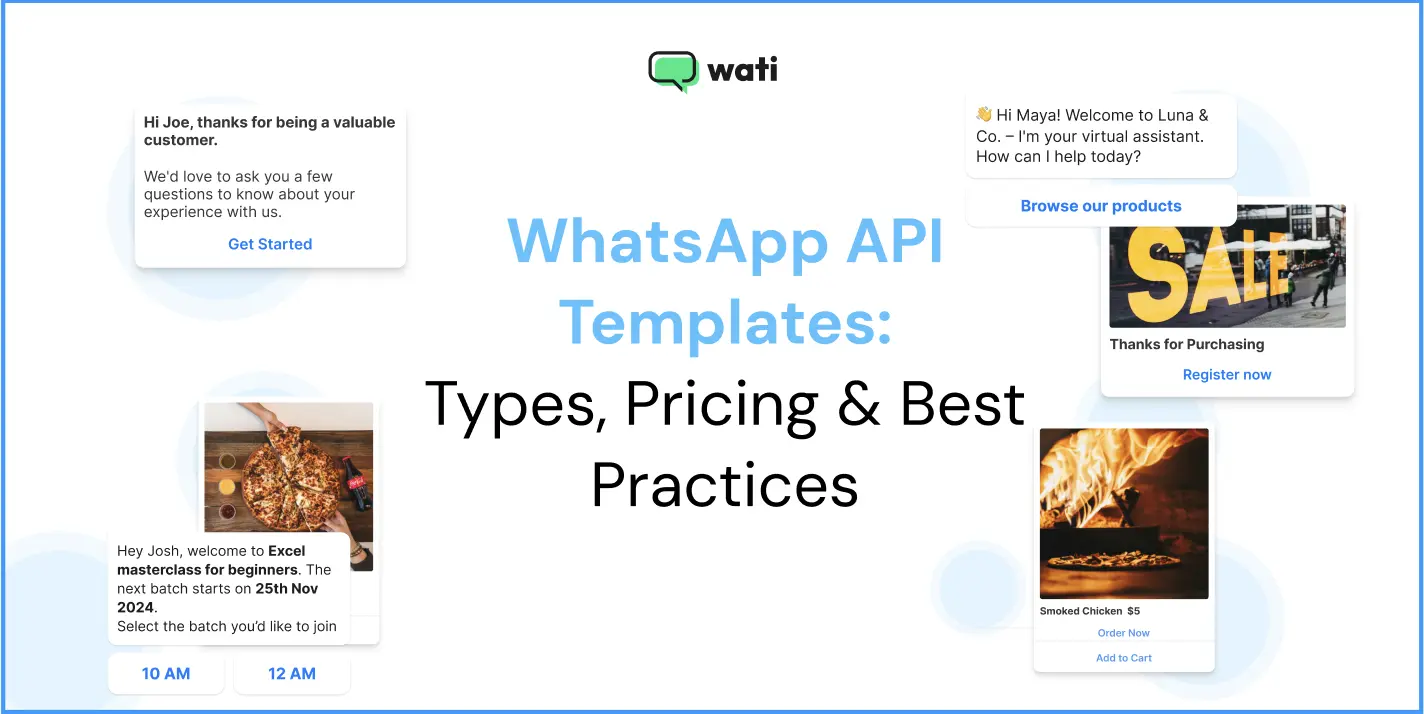
Too Long? Read This First
- WhatsApp API Template Types: Go beyond basic messaging with Utility (order updates), Marketing (sales), and Authentication (OTP) templates, plus crucial automated Service Messages.
- WhatsApp API Pricing: Meta transitioned to a Per-Message Pricing (PMP) model. Utility templates sent within the 24-hour customer window are now FREE, heavily rewarding inbound engagement. This ends Oct 1, 2026, when Meta starts charging for Service messages and in-window Utility messages again, alongside a new per-token "Meta Business Agent" AI category from Aug 1, 2026.
- Wati's Feature Stack: Features such as Astra AI Agents (with Gemini 3.0 integration) and the AI Copilot Suite (Chat Summaries, CX Score) amplify team productivity and accelerate resolution.
- WhatsApp API Conversion: Use Wati's multi-channel tools (SMS Fallback, CTWA Ads, HubSpot Integration) and proven strategies (like Behavior-Based Segmentation) to drive conversational commerce.
- WhatsApp API ROI: Leverage the AI Copilot for quick approvals and utilize the Utility Template Advantage to maximize the free 24-hour service window.
Only a brand that best meets customer needs will survive today’s market.
Your marketing strategy will not help you if you are unaware of what the customer needs and do not acknowledge their inquiry on time.
With WhatsApp API templates, you can build campaign workflows to attend to customers who come to you or show interest in your products.
Using pre-approved WhatsApp Business API templates available through platforms like Wati eliminates the gap between a customer’s request and sales assistance. Crafting fun, cheerful messages with a touch of empathy is the ultimate driver of consumer growth.
In this guide, we’ll find out the different types of WhatsApp API templates, examples, pricing, and best practices.
Stay hooked to know how the WhatsApp API template works best for consumer engagement in 2026.
What is the WhatsApp API Template?
A WhatsApp API Template is a pre-approved message format required by WhatsApp to initiate conversations with customers or send automated, bulk notifications outside the 24-hour customer service window.
Historically called HSM, Meta now refers to them as Message Templates (official docs use “message templates” / “content templates).
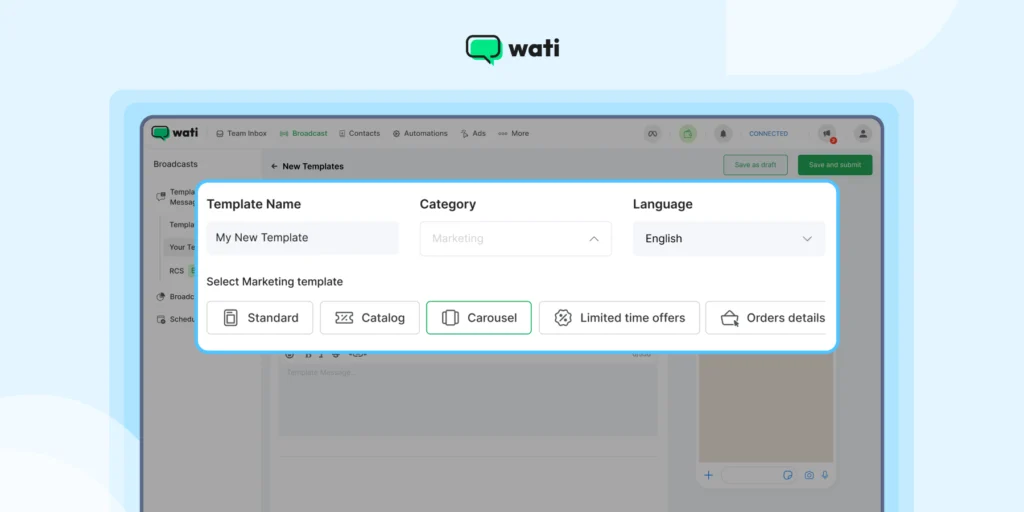
They are ready-to-use templates that you can deploy as a part of your WhatsApp broadcast marketing campaign to improve consumer engagement, establish quick turnarounds, and create a professional and official brand look and feel.
WhatsApp is an effective channel for consumer engagement. While specific third-party data varies, the platform generally sees high engagement, often reported with an average open rate of around 98% and click-through rates significantly higher than email, ranging from 45-60%.
Sales leaders operating on a hiring budget can leverage the WhatsApp API to bulk message with intelligent automation and manage broadcast lists effectively. This ensures no high-intent lead is missed.
Bonus Read: Check out 20 Best WhatsApp Tools in 2026 to refine e-commerce workflows and build digital credibility.
15+ Key Types of WhatsApp API Templates in 2026
WhatsApp officially categorizes templates into three types: Utility, Marketing, and Authentication.
When utilizing Wati, these templates integrate seamlessly into every stage of the customer journey: Attract, Qualify, Engage, Convert, and Retain.
Here are the key template types, including how they function within Wati’s complete customer lifecycle platform:
1. Utility Template
Utility templates convey essential transactional information that a customer has explicitly opted in to receive. On the Wati platform, these messages are often automated via integrations with Shopify to deliver crucial updates.
1. Order Confirmation (Retain Stage)
This transactional template informs you that your order is confirmed and that it’s underway, to build immediate customer trust.
If you send these within the 24-hour customer service window, they are free of charge under the new pricing model, rewarding proactive customer care.
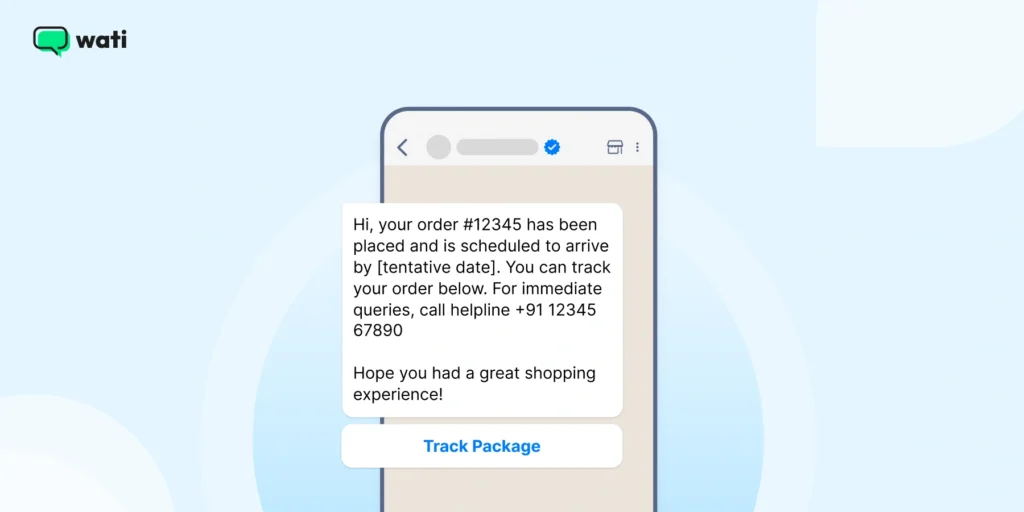
Headline: Your Order #[order number] has been placed! Copy: Hi, your order (#) has been placed and is scheduled to arrive by [tentative date]. You can track your order below. For immediate queries, call helpline [helpline number]. Hope you had a great shopping experience! Verification: Sent via Wati’s Shopify Enhancements trigger. Link/Button: “Track Package” |
Also read: Check automated WhatsApp Business templates to automate your conversational intelligence WhatsApp workflows in 2026.
2. Shipping Update WhatsApp Message
Transparency builds trust. Sending customers a WhatsApp Business message template with tracking details keeps them informed and reduces “Where’s my order?” messages.
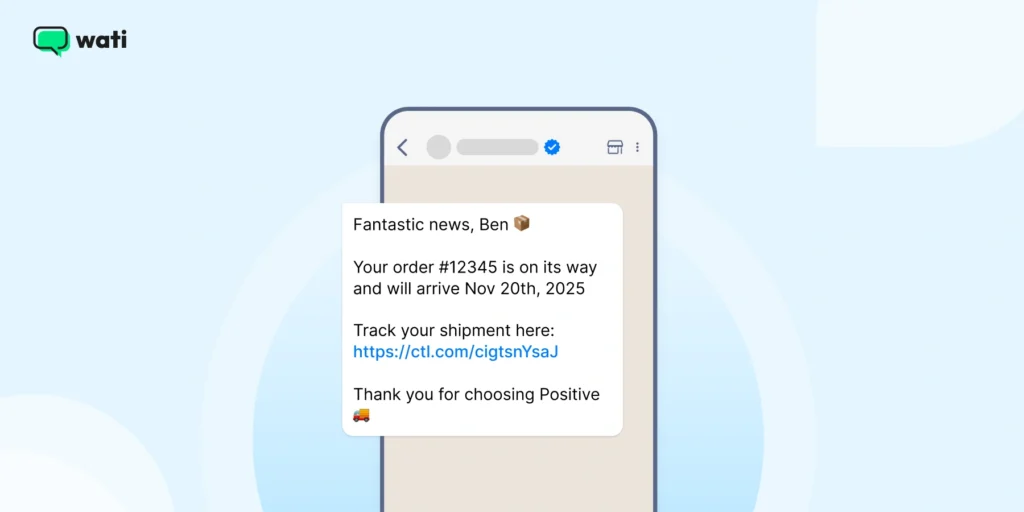
Fantastic News, [customer Name]! Your order #[order number] is on its way and will arrive by [estimated delivery date] Track your shipment here [Tracking link] Thanks for choosing [your business name]! |
3. Delivery Confirmation Message
After delivery, closing a loop matters; it signals reliability and creates a chance of follow-up or feedback.
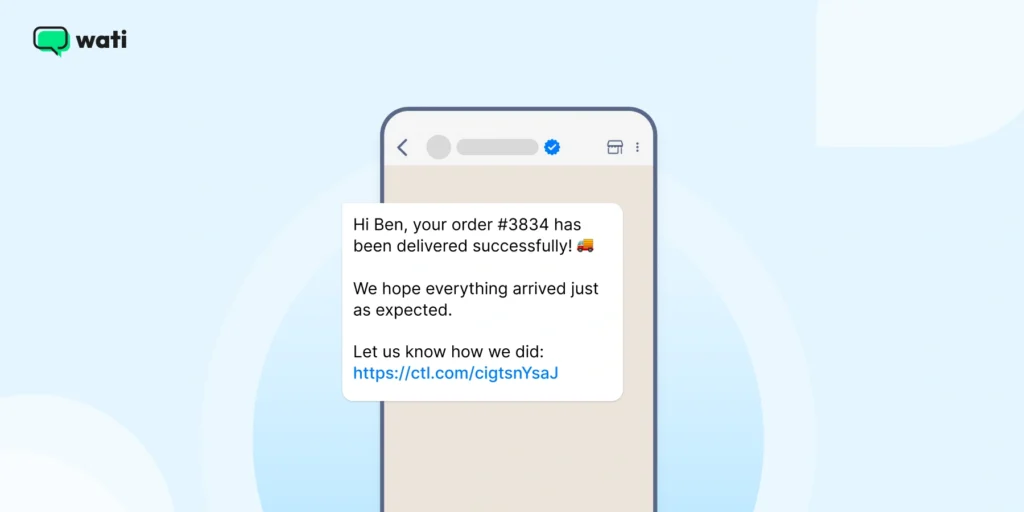
Hi [Customer Name], your order #[order-no] has been delivered successfully. We hope everything arrived just as expected. Let us know how we did [feedback survey link] |
Also read: Learn how you can integrate WhatsApp with HubSpot to send updates via WhatsApp Business API instantly.
4. Feedback Request WhatsApp Message
Customer feedback helps improve products, service, or customer satisfaction. A WhatsApp message template makes the process quick and conversational.
Hi [Customer Name] We hope you are enjoying your experience with [Business Name] We’d love to hear your thoughts. Please take a moment to share your feedback with us [feedback link] Thank you. |
You can use this WhatsApp Business message template after every purchase or service completion.
Additional read: How to use chatbots to collect consumer feedback and provide personalized suggestions.
5. Appointment Reminder Message
Missed appointments mean lost revenue. Automate reminders using a WhatsApp Business message template to keep your calendar organized and customers punctual.
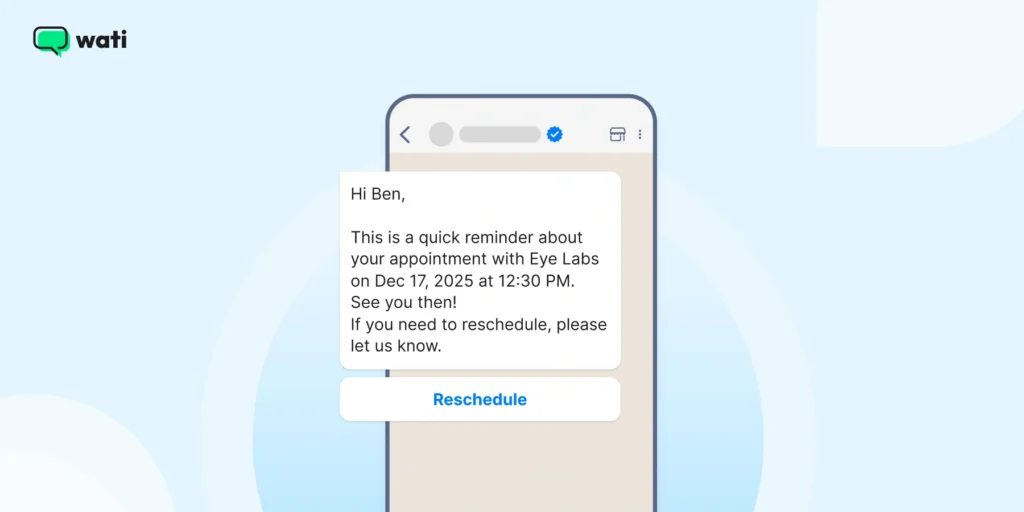
Hi [Customer Name] This is a quick reminder about your appointment with [Your Business Name] on [Appointment Date] and [Appointment Time] See you then! If you need to reschedule, please let us know. |
6. Customer Support Query Resolution (Retain Stage)
Good customer service doesn’t end after resolving an issue. A follow-up message template shows customers you care.
With WhatsApp customer support templates, you can close the service loop more effectively, provide personalized suggestions, and improve the quality of customer resolution.
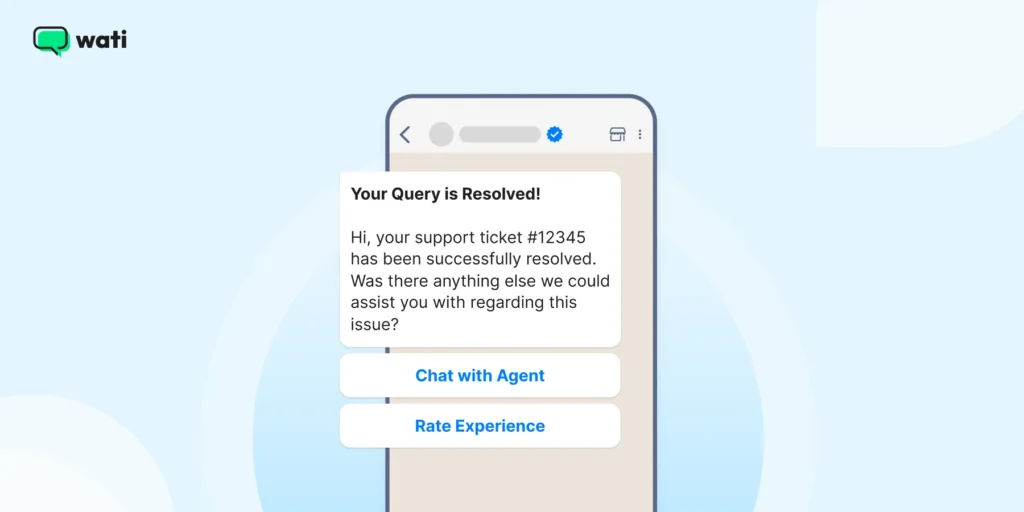
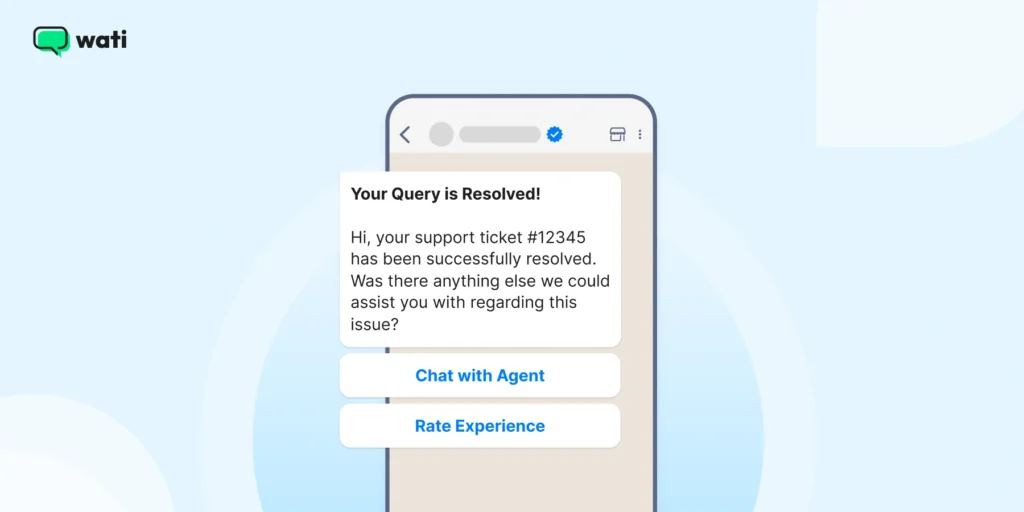
Now, with tools like Wati, you can use WhatsApp for customer support to generate overall AI CX support and customer satisfaction.
Headline: Your Query is Resolved! Copy: Hi, your support ticket (#ticket number) has been successfully resolved. Was there anything else we could assist you with regarding this issue? Verification: Triggered by an agent/bot resolving a ticket in the Wati Team Inbox. Link/Button: “Chat with Agent,” “Rate Experience” |
7. Payment Nudge/Reminder (Convert/Retain Stage)
With payment nudges, you can send transactional reminders or offer the customer payment convenience (via WhatsApp Pay) to encourage quick purchases.
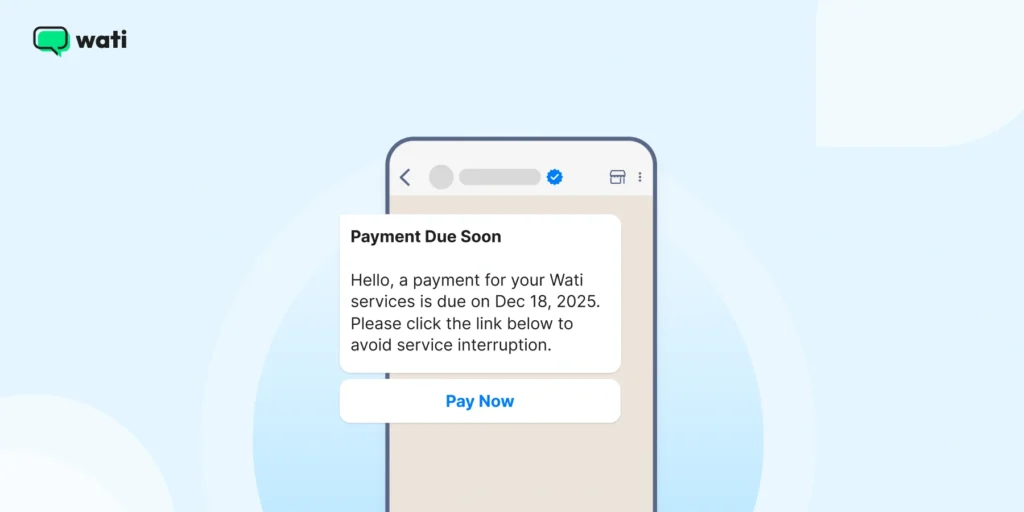
A professional and timely reminder helps ensure payment continuity for subscription services.
Headline: Payment Due Soon Copy: Hello, a payment for your Wati services is due on [Date]. Please click the link below to avoid service interruption. Verification: Automated flow based on subscription data. Link/Button: “Pay Now” |
Also read: All that you should know about WhatsApp shopping in 2026 to build an end-to-end and seamless browsing, shopping, and checkout experience for consumers.
8. Special Offer or Discount Message
This is one of the most effective WhatsApp marketing message templates you can send, as everyone loves a good deal. Personalized discounts drive engagement and repeat purchases.
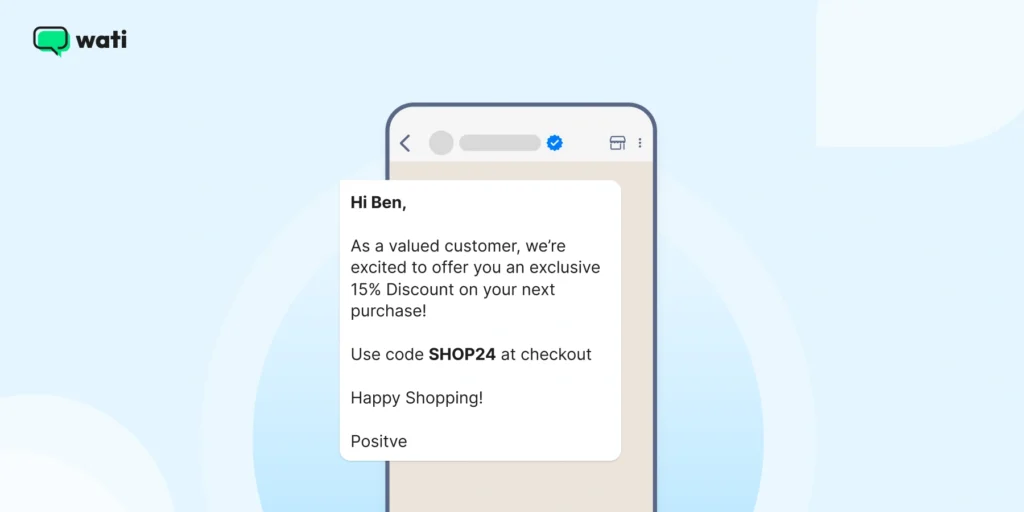
Hi Consumer Name As a valued customer, we’re excited to offer you an exclusive [Discount percentage]% on your next purchase! Use code [Discount Code] at checkout Happy Shopping! [Your Business Name] |
9. Product Launch Announcement Message
You can use this WhatsApp business message template to announce new products and updates directly on WhatsApp to build anticipation and drive clicks.
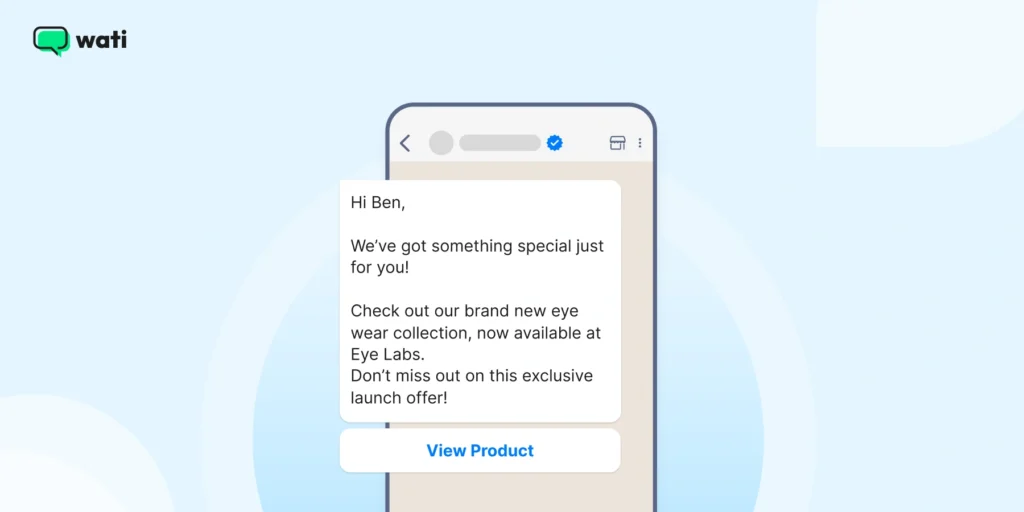
Hi [Customer Name] We’ve got something special just for you! Check out our brand new [Product Name], now available at [your business name] Don’t miss out on this exclusive launch offer! [Link to product] |
10. Re-Engagement Message for Inactive Customers
Every business has dormant customers. A simple WhatsApp Business message template like the one below can help you bring them back.
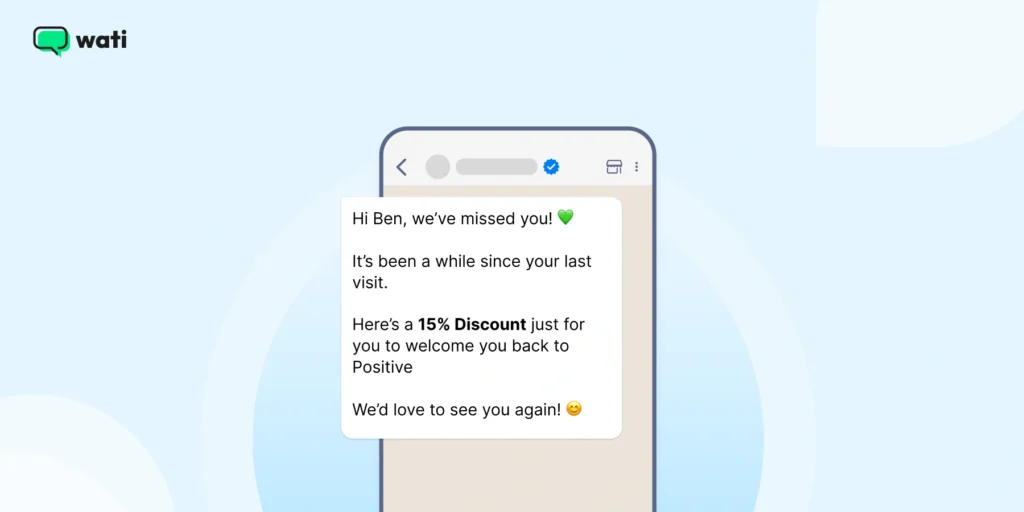
Hi [Customer Name], we’ve missed you! It’s been a while since your last visit. Here is a [Discount/offer] just for you to welcome you back to [Your Business Name] We’d love to see you again! |
This WhatsApp Business message template works best when paired with a limited time internal discount strategy.
11. Subscription Renewal Reminder
You can remind customers to renew before their plan or subscription expires using this WhatsApp message template.
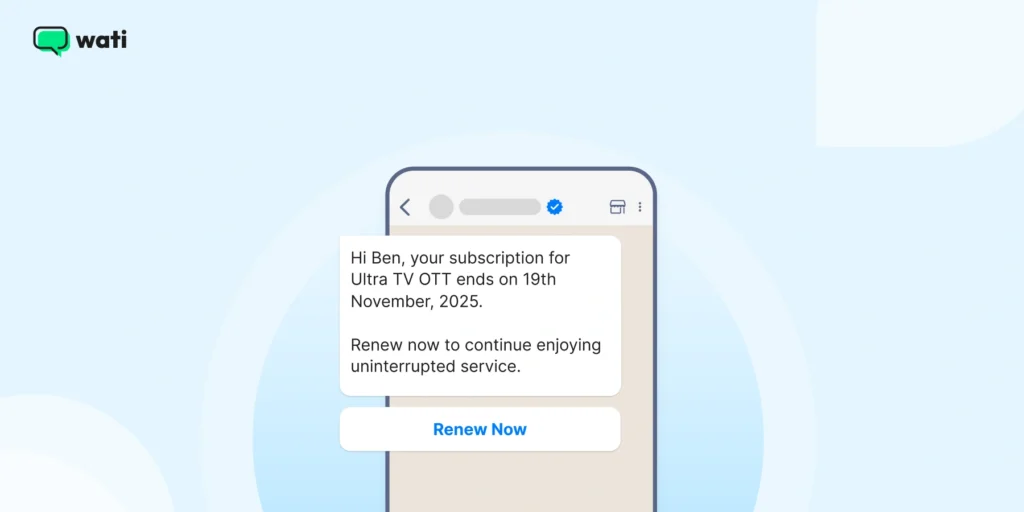
Hi [Customer Name], your subscription for [Service/Product] ends on date [date] Renew now to continue enjoying uninterrupted service. [Renewal Link] |
Bonus Read: Check out 5 Best automated templates to attract, engage and retain customers via Shopify.
2. Marketing Templates (Promotional & Re-Engagement)
With WhatsApp API templates for WhatsApp marketing, you can run promotions, product announcements, early bird and discount offers, and a lot more. You can engage with subscribers who have “opted in” specifically for your content.
These WhatsApp templates optimize your e-commerce process and convert cold leads into loyal customers. Wati enables you to target these broadcast campaigns using segmentation and track their effectiveness with accurate ad attribution.
Also read: Learn about live support vs automated support and which one works best for your customers in 2026.
1. Welcome Message for New Customers
A great first impression can turn a new lead into a loyal customer. A WhatsApp Business welcome message example like this sets the tone for your brand and assures customers they’re in good hands.
Hi [Customer Name] Welcome to [Your Business Name] family! We’re excited to have you on board. If you have any questions or need assistance, we’re just a message away! |
2. Event Invitation Message
Whether it’s a webinar, in-store event, or live sale, an event invite via WhatsApp feels more personal.
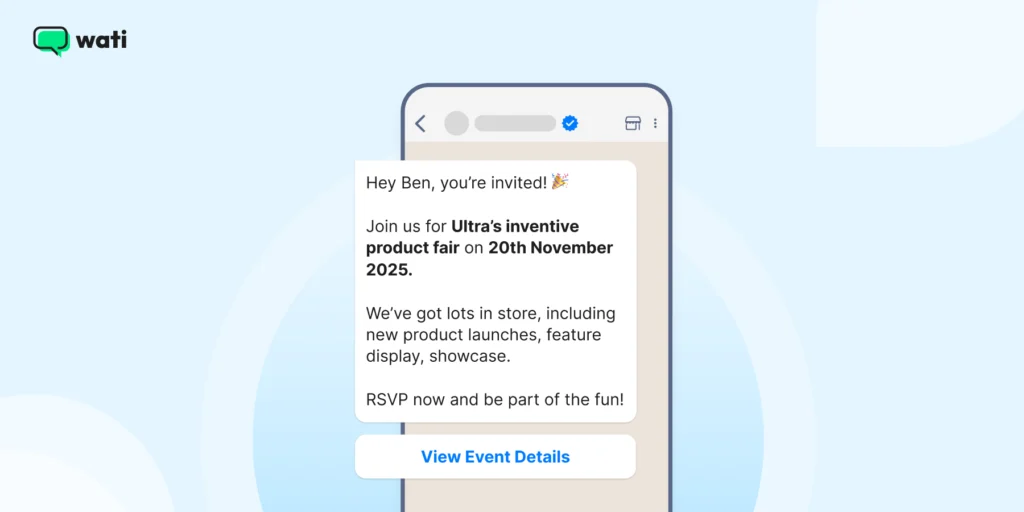
Hey [Customer Name], you’re invited! Join us for [Event Name] on [Event Date] We’ve got lots in store, including [event highlights] RSVP now and be part of the fun! [Link to event details] |
Also read: The ultimate guide to leveraging WhatsApp for event marketing.
3. Cart Abandonment Stage (Engage Stage)
High-resolution cart abandonment templates are used for recovering lost sales, as they help create urgency and quick action. With a cart recovery message, you can highlight product supply scarcity due to high demand and get the action you need.
For example, you can attach a gentle top strip on the product catalog saying “only three left in stock”, which entices quick action and reduces cart abandonment numbers.
Automated cart abandonment messages help complete abandoned transactions when sent promptly.
Headline: Still Waiting for You! Copy: We noticed you left a few items in your cart,. Don’t miss out. Complete your order now and secure free shipping before they sell out! Verification: Targeted via Wati’s Behavior-Based Segmentation. Link/Button: “Complete Order Now” |
4. Marketing Template: Promotional Flat Sale (Attract/Engage Stage)
With a promotional and sales-focused WhatsApp API template, you can drive immediate traffic to your website and convert customers directly, provided you frame your message meaningfully.
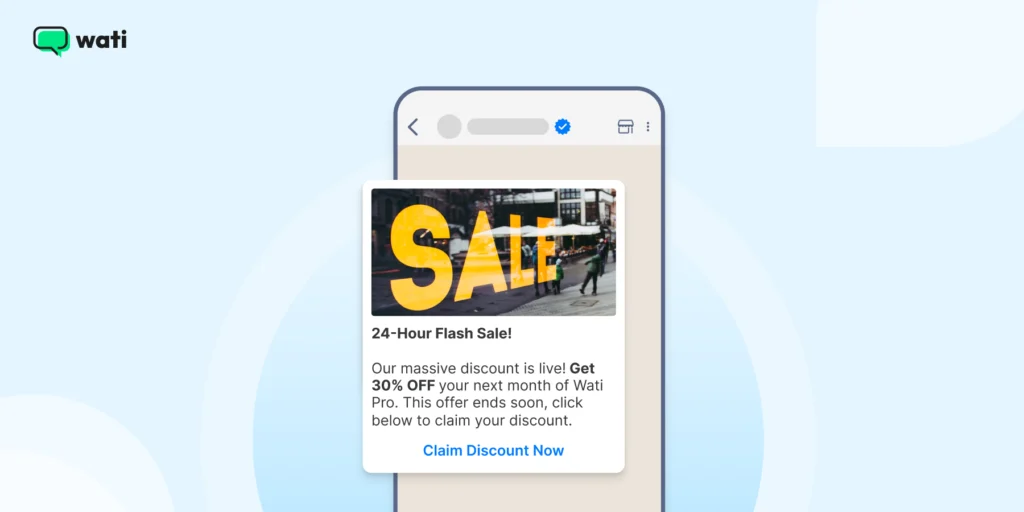
Headline: 24-Hour Flash Sale! Copy: Our massive discount is live! Get 30% OFF your next month of Wati Pro. This offer ends soon. Click below to claim your discount. Verification: Segmented for high-value contacts via Wati Broadcasts. Link/Button: “Claim Discount Now” |
5. New Product Launch (Engage Stage)
With new product launches, you can share exciting upcoming product updates for opportunities for upselling and cross-selling.
Customers who are already using your brand products and are happy or repeat purchasers are targeted for sharing new and exclusive product launches.
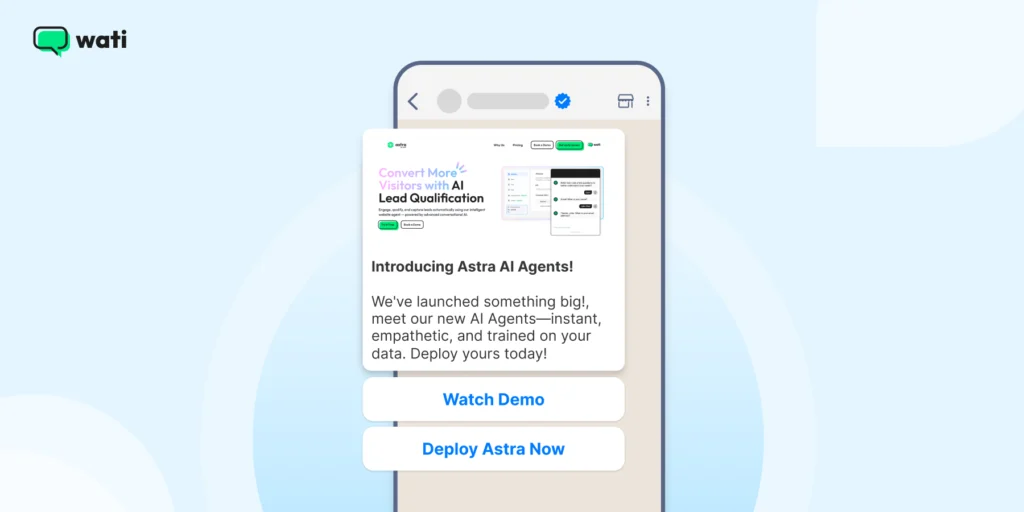
Headline: 🚀 Introducing Astra AI Agents! Copy: We’ve launched something big!, meet our new AI Agents—instant, empathetic, and trained on your data. Deploy yours today! Verification: Targeted to ideal customer profiles using Pre-built Segments. Link/Button: “Watch Demo,” “Deploy Astra Now |
6. Festive or Holiday Greeting Message
You can build brand warmth with festive greetings that show you care beyond business. Here’s how.
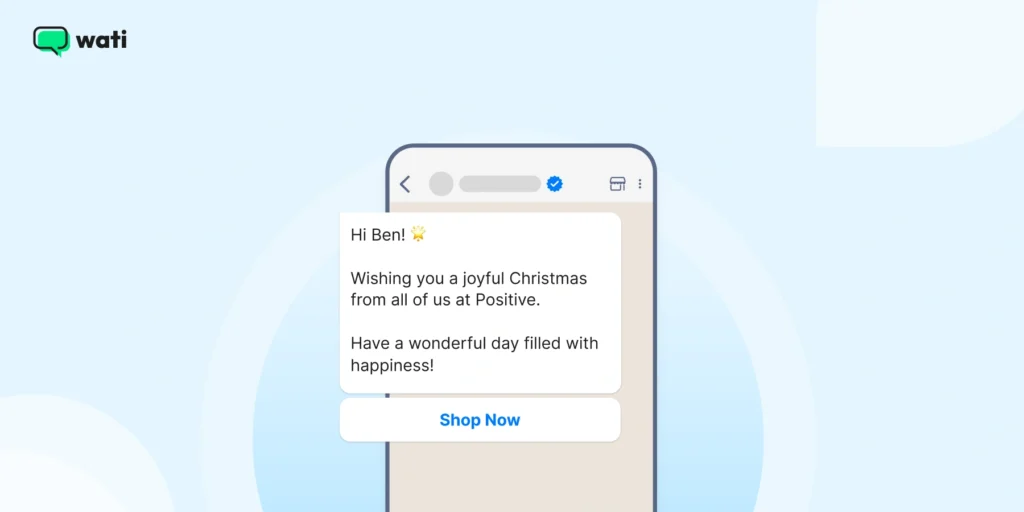
Hi [Customer Name] Wishing you a joyful [Festival/Holiday] from all of us at [Your Business Name] Have a wonderful day filled with happiness! |
Don’t Miss This: 18 Useful WhatsApp Message Templates for E-commerce Businesses
3. Automated Service Message to Greet/Attract
An automated quick reply instantly greets a new lead captured from a channel such as a Click to WhatsApp Ad, a Click to TikTok Ad, or a web widget.
Also read: How companies blend SMS marketing with WhatsApp broadcast campaigns to ensure 100% delivery in the age of AI.
1. Greeting (Attract/Qualify Stage)
With a greeting message, you acknowledge the customer’s inquiry as and when it comes with a humble, empathetic, and assistive tone.
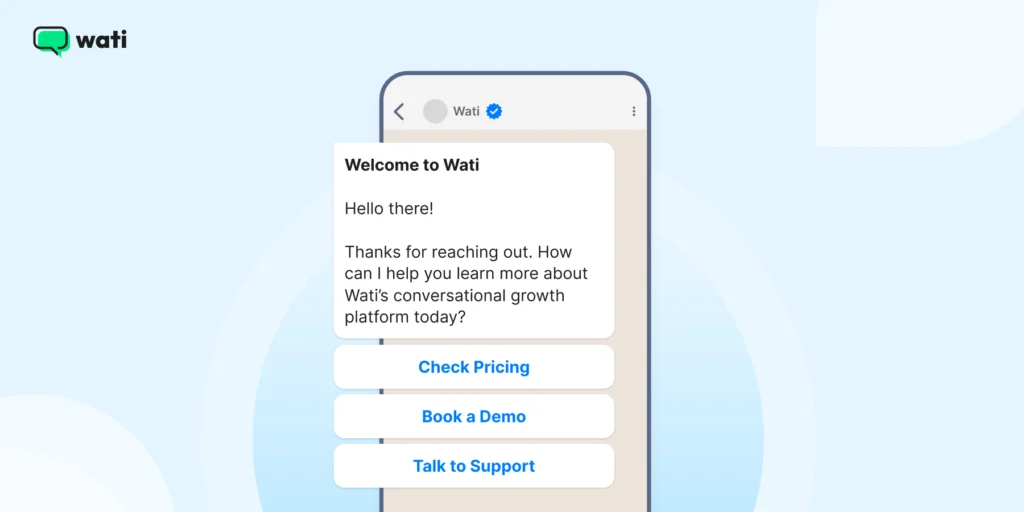
Headline: Welcome to Wati! Copy: Hello there! Thanks for reaching out. How can I help you learn more about Wati’s conversational growth platform today? Verification: Triggered immediately upon new inbound chat (starting the 24-hour service window). Quick Reply Buttons: “Check Pricing,” “Book a Demo,” “Talk to Support” |
2. Away (Attract/Qualify Stage)
An away message informs the customer that agents are unavailable, setting a clear expectation for a reply time and improving customer satisfaction.
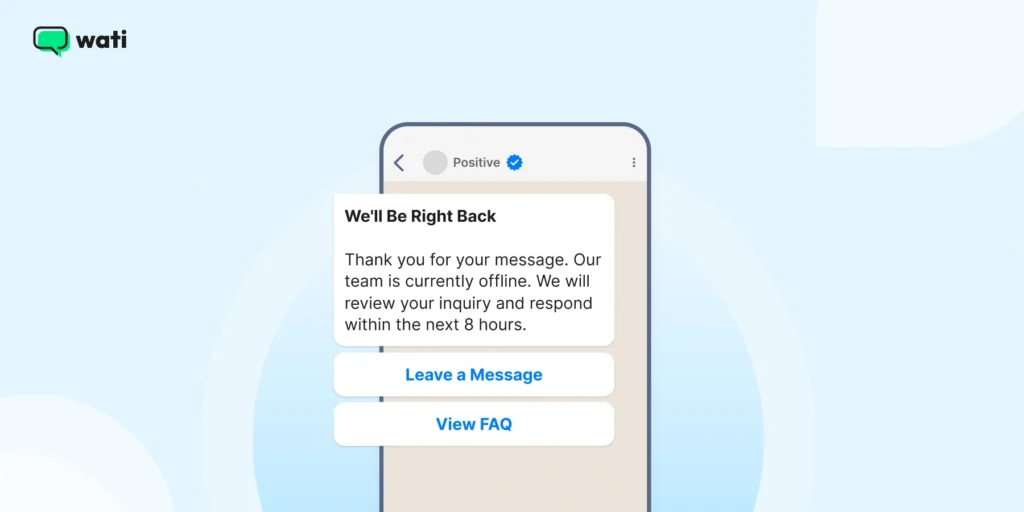
Headline: We’ll Be Right Back Copy: Thank you for your message. Our team is currently offline. We will review your inquiry and respond within the next 8 hours. Verification: Triggered outside of defined business hours. Quick Reply Buttons: “Leave a Message,” “View FAQ” |
Also read: How to set up WhatsApp auto reply for customers in WhatsApp Business?
3. Authentication Templates to Verify and Gauge Customer Intent
Strictly for verifying user identity via OTP for security. These messages typically have the lowest pricing tier among business-initiated templates.
Verifying Authentication via OTP Verification (Qualify Stage)
Here is how you verify consumer authentication via the OTP workflow.
Headline: Secure Login Code Copy: Your one-time password (OTP) for Wati is [code]. This code is for verification only and will expire in 5 minutes. Do not share. Verification: System-generated and automatically deployed by Wati. Link/Button: (No buttons allowed for Authentication templates) |
What is WhatsApp API Template Pricing?
If you are curious to know about WhatsApp API’s template pricing, you should know that Meta has changed its guidelines recently, effective Jul 1, 2025.
Meta transitioned from the Conversation-Based Pricing (CBP) model to a Per-Message Pricing (PMP) model, which fundamentally changes how templates are billed.
Meta has since announced a further overhaul. Two dates matter: Aug 1, 2026, when a new "Meta Business Agent" AI message category starts being charged per token, and Oct 1, 2026, when Service messages and in-window Utility messages become billable again after being free. Exact Oct 1 rates are due from Meta by Sep 1, 2026.
Conversation Category | Charging Model | Key Benefit |
|---|---|---|
WhatsApp Marketing Template | Charged per delivered template message. | Highest ROI potential; drive sales with Click to WhatsApp Ads. |
WhatsApp Authentication Template | Charged per delivered template message. | Lower rates in many markets than WhatsApp Marketing messages. |
WhatsApp Utility Template | FREE if sent within the 24-hour Customer Service Window (CSW). Charged if sent outside CSW. Becomes chargeable inside the CSW too, starting Oct 1, 2026. | Encourages automated updates during an active support interaction, free only through Sep 30, 2026. |
WhatsApp Customer Service Message | Free-form messages sent by the business within the CSW are FREE. Becomes chargeable per message starting Oct 1, 2026. | Your team can reply freely at no charge through Sep 30, 2026. |
Meta Business Agent (new) | Charged per token, about $2.00 per 1 million tokens, roughly 4 to 5 cents per typical AI reply. Live from Aug 1, 2026. | One combined AI + delivery charge, versus running a separate third-party AI and paying for WhatsApp delivery separately. |
How to Create WhatsApp Templates With Wati
Getting your message templates up and running in Wati is straightforward. Once you’ve done it, you’ll be able to automate proactive messages with confidence.
Here’s how to do it, step by step, using the WhatsApp Business API via Wati.
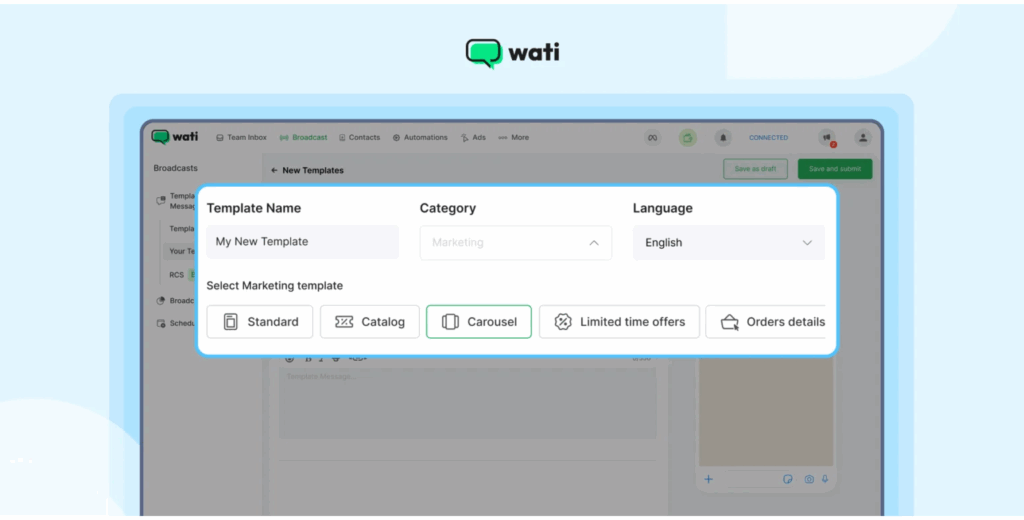
1. Go to the Template Message Section
- Log in to your Wati dashboard.
- Then navigate to Broadcast → Template Messages → Your Templates, and click New Template Message to begin.
2. Define Basic Details
Define basic details as listed below:
- Template name: Use underscores instead of spaces (e.g., order_confirmation_template).
- Category: Choose one that fits the message’s purpose (e.g., Utility, Marketing, Authentication).
- Language: Select the language your customers speak.
3. Create The Message Body
Write the body in a clear, business-friendly tone.Include variables using {{parameter}} format to personalise messages (like { {name}} or { {order_id}}). Ensure the total character count (including variable replacements) stays under 1,024 characters.
4. Expand With Rich Features (Optional)
If you want more than text, Wati lets you add:
- Media: Images (JPEG/PNG), videos (MP4), or documents.
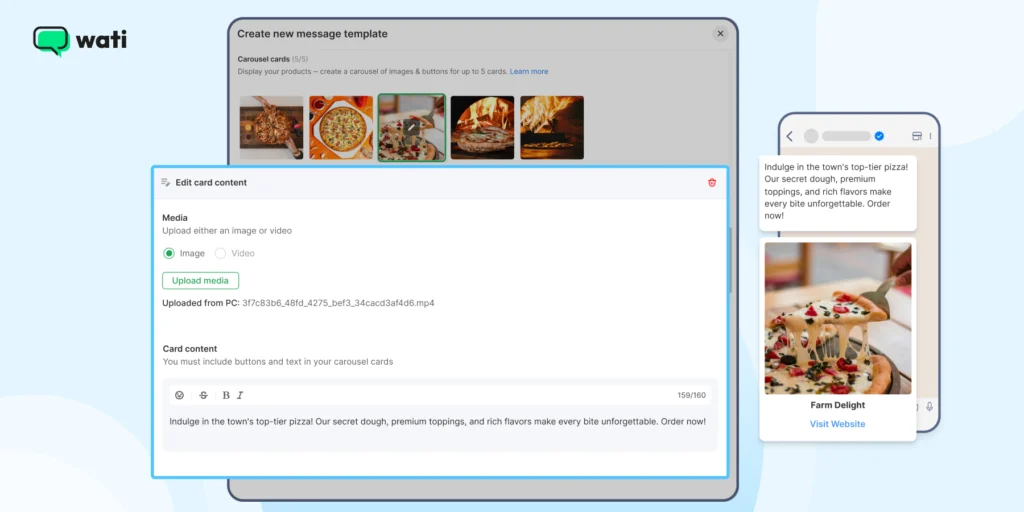
2. CTA Buttons: “Visit Site” or “Call Phone” where you enter a static or dynamic URL/number.
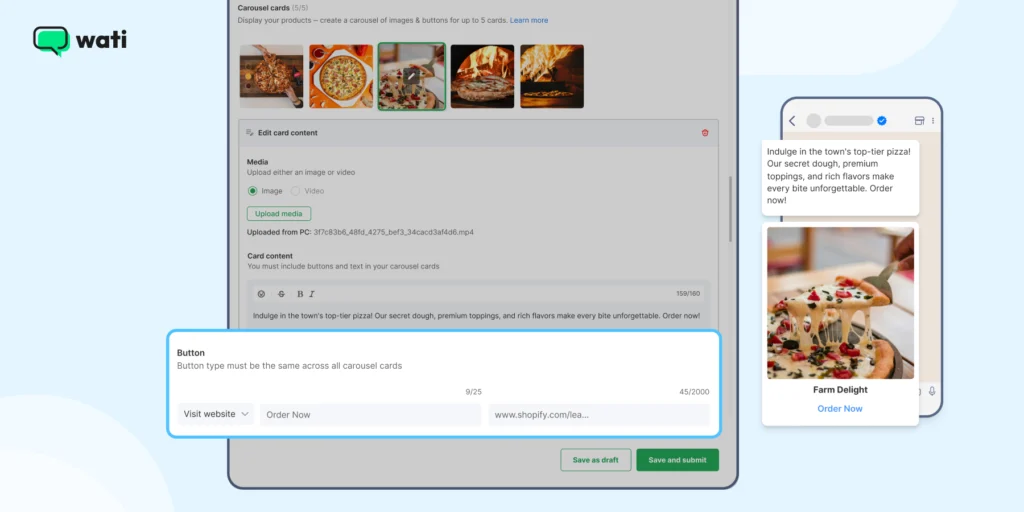
3. Quick Reply Buttons: Up to three, giving customers instant response options.
5. Submit for Approval
Once your template is ready, click Save and Submit (or save as a draft if you’re not ready). Templates enter a status of Pending. Approval from Meta typically takes 30 minutes to 24 hours.
6. Manage your Templates
Use Wati’s search and filter tools to find templates by name or status. Templates in draft can be edited; once submitted or approved, editing is restricted. In such instances, you must create a new template or resubmit and are subject to platform limits.
7. Automation and Sending
Once approved, you can trigger templates through the WhatsApp Business API or use Wati’s automation workflows. This means your business can send updates, reminders, and notifications accurately and consistently.
How Does Wati Help Streamline Consumer Engagement?
Wati is a multi-channel, conversational growth platform, empowered by AI. It manages the complete customer lifecycle from a single, unified platform by providing the following features:
- Shared Inboxes: Monitor team productivity, check conversation progress, and dynamically assign chats to agents, ensuring no conversation slips through the cracks.
- Multi-Channel Reach: Connect across WhatsApp, SMS, Rich Messaging, Audio and Video plugins, and social platforms (Instagram/Facebook) in one unified experience.
- WhatsApp Business Calling: Seamlessly transition from chat to high-trust voice calls directly within the chat window, enabling you to close deals faster and humanize your brand.
- Astra: AI Agents & Gemini 3: Create and deploy intelligent Astra AI Agents using natural language, powered by Gemini 3 integration, to handle routine queries across Web, WhatsApp, or Voice, freeing up human agents.
- AI Copilot Suite: Amplifies human agent capabilities with tools like AI Chat Summaries (transcribes conversation history for context) and the AI CX Score (provides instant scoring on support conversations).
- CTWA Ads: Leads from Click-to-WhatsApp ads (TikTok, Google, Meta) flow instantly into Wati with full attribution, allowing engagement at the perfect moment.
- SMS Marketing & Fallback: Trigger recovery SMS campaigns if WhatsApp messages fail. The SMS fallback guarantees delivery across different geographical locations, ensuring 100% audience reach.
- HubSpot Integration: Features bi-directional contact sync, AI Summaries, and automatic task creation, ensuring a single source of truth for sales teams. With WhatsApp for HubSpot, you can accelerate your CRM journeys and take data-driven sales calls.
- Abandoned Cart Recovery: Run drip marketing campaigns to push nudges to customers who didn’t complete the checkout process, directly improving customer conversion.
- Quick Replies: Set automated “hello” and “away” messages to establish quick customer touchpoints and ensure customers know their message is received.
- No-code chatbot builder: With no-code/ low code chatbot builder, you can integrate high-performing AI chatbots without any developer hassle. These chatbots can be loaded with WhatsApp API templates to attract, greet and interact with leads.
Proof it Works: Habuild Habuild, an EdTech brand with 400+ customers, relied on WhatsApp mass messaging tools and groups that kept getting blocked, plus manual one-on-one messaging that could not scale. After evaluating Yellow.ai, AiSensy, and Wati, they chose Wati specifically for how much easier it made building no-code automations and template-driven workflows. Today, over 90% of Habuild's user base comes from referrals generated by the automations they set up on Wati. Read the full story |
Bonus read: Learn how you can set up your custom chatbot in Wati in 2026 to give a human touch to your customer inquiries.
6 Best Practices to Create WhatsApp Templates
To ensure your templates achieve high delivery rates and drive conversions, follow these practices:
- Leverage the AI Support Agent: Use Wati’s AI Template Assistant to automatically apply Meta’s best practices, significantly increasing approval speed and quality.
- Master the Utility Template Advantage: Prioritize encouraging inbound customer engagement via CTWA ads or web widgets. This initiates the free 24-hour customer service window, allowing you to send Utility templates for free.
- Personalize Messages at Scale: Use Wati’s Behavior-Based Segmentation to target specific groups (e.g., “Abandoned Cart”) and use variables ({{1}}, {{2}}) for high-impact personalization.
- Optimize for Conversational Conversion: Always include a clear, direct CTA button (e.g., “Shop Now,” “Call Agent”) to capitalize on conversion rates and reduce response rates.
- Utilize Multichannel Fallback: Set up Intelligent Fallback so that if a WhatsApp message fails to deliver, the message is automatically sent via SMS, guaranteeing delivery for time-sensitive alerts.
- Track Attribution to Prove ROI: Use Wati’s analytics to trace every interaction from the initial ad click (Google CTM, TikTok Ad) to the final conversion, giving you the granular data needed to champion ROI.
Build Your WhatsApp API Workflow, With Automated Templates!
With high-quality automated templates, sales reps can reduce time spent writing generic replies and focus on more strategic, sales-oriented tasks at hand.
Switching to a WhatsApp API template is a powerful, personalized, and conversational strategy for consumer engagement.
By choosing a comprehensive platform like Wati, which offers a full-funnel approach, AI automation, and multi-channel engagement, you can provide close to an “in-store” brick-and-mortar experience and make customers happy.
Move beyond basic notifications to build a strategic, revenue-driving engine with WhatsApp API templates and scale brand loyalty manifold!
Book a free demo of Wati today to see WhatsApp API templates in action.
Frequently asked questions
How does Wati's AI empower my sales team to close deals faster than standard CRMs?
Wati provides a sales engine that integrates with your CRM. The AI Copilot instantly generates AI Chat Summaries and the HubSpot Integration features bi-directional sync and automated task creation. This eliminates manual data entry and ensures every sales follow-up is data-driven and timely.
What are the 3 categories of WhatsApp API template?
The three categories are Utility, Marketing, and Authentication. Choosing correctly is vital because the category determines the pricing rate and the approval priority. If a message contains both utility and marketing elements, it will be categorized and charged as the more expensive marketing type.
How has the WhatsApp API template pricing model changed?
Meta transitioned to a Per-Message Pricing (PMP) model. Crucially, Utility templates delivered within the 24-hour Customer Service Window (CSW) are now FREE. This strategy rewards businesses that encourage inbound chats and handle service proactively.
What is the primary operational rule for using WhatsApp API templates?
Templates are required anytime a business wants to initiate a conversation or message a customer outside of the 24-hour Customer Service Window (CSW). Inside the CSW (when the customer messages first), you can send free-form, non-template messages at no charge.
What are the most common reasons a template is rejected by Meta?
Templates are commonly rejected for incorrect placeholder formatting (e.g., non-sequential numbering). Other causes include content that violates the Business Policy (e.g., asking for sensitive data), or submitting a message that is identical to an already approved template.
What is the highest risk of misuse or negative user feedback with marketing templates?
The highest risk is receiving a Low Quality rating from customers reporting the message as spam. A consistently low rating can lead to the template being paused or permanently disabled by WhatsApp, interrupting your campaigns and damaging your sender reputation.
Is WhatsApp Utility template pricing still free inside the customer service window?
Yes, through Sep 30, 2026. Starting Oct 1, 2026, Meta will charge for Utility templates and Service messages sent inside the 24-hour customer service window, the same window that is currently free. Meta is also launching a new per-token "Meta Business Agent" AI message category from Aug 1, 2026. Exact Oct 1 rates are due from Meta by Sep 1, 2026.
Related posts
- WhatsApp API For SaaS: Scaling Intelligent Conversations in 2026
learn how whatsapp can help saas companies engage better with consumers, improve product analytics and better their functioning for improved contract renewals
- WhatsApp API Errors: What They Mean and How to Navigate Them
A complete list of common WhatsApp API errors and step-by-step solutions so teams can diagnose issues quickly and keep conversations flowing.
- WhatsApp API for Enterprise: Designing Intelligent End-to-End Workflows for 2026
Build scalable workflows using the WhatsApp API for enterprise. Connect CRM, ERP, ticketing, and RPA tools to automate enterprise sales operations.
- WhatsApp For Gyms And Fitness Center: Boost Your Subscription and Renewals
Fitness centers run on constant communication, and WhatsApp is the one channel members never ignore. But as your gym grows, the basic WhatsApp app cannot handle bookings, reminders, renewals, and daily inquiries. This blog breaks down how fitness centers use the WhatsApp Business API and Wati to automate class scheduling, support, payments, and marketing while keeping every interaction fast, personal, and organised.