

-

-
-
Solutions
-
Soluções
-
Soluciones
-
解决方案
-
解決方案
-
الحلول
-
Product
-
Produto
-
Producto
-
产品
-
產品
-
المنتج
-

-
-


 Wati for Marketing
 Wati for Support
 Wati for Sales
 eLearning
 E-commerce
 Marketing Agencies
 Healthcare
 No Code Chatbots
 AI Support Agent
 Instagram and Facebook messenger
 Click to WhatsApp ads
 Campaigns
 Team Inbox
 WhatsApp Business Calling
 Wati AI
 Overview
 Library
The Ultimate WhatsApp API Integration Checklist for Growing Businesses
Written by:
 Ashwin
|
on:
December 31, 2025
|
Last updated on:
February 11, 2026
|
Fact Checked by :
Ashwin
|
on:
December 31, 2025
|
Last updated on:
February 11, 2026
|
Fact Checked by :
 Namitha
|
According to: Editorial Policies
Namitha
|
According to: Editorial Policies
 Table of Contents
Too Long? Read This First
- WhatsApp Is Infrastructure, Not a Plugin: Treating WhatsApp API integration as a system, not a quick connector, prevents slow replies, broken automation, and context loss as volume grows.
- Account Readiness is Vital: Meta approvals, quality ratings, and engagement directly affect messaging limits and long-term growth.
- Architecture Holds Everything Together: Webhooks, message handling, and a clean data layer decide whether integrations stay reliable under large volume.
- Automation Should Follow Intent: Marketing, ads, and lifecycle triggers work best when WhatsApp supports existing workflows
- Testing Prevents Live Breakage: End-to-end testing with test accounts catches failures before customers do.
- Monitoring Keeps Systems Healthy: Tracking delivery, opt-outs, and integration drift helps fix issues early instead of rebuilding later.
Most WhatsApp API integrations do not fail on day one. They fail gradually as volume grows. Replies start taking longer, agents respond to the same customer twice, and leads lose context between ads, CRM, and support systems. Automation works at first, then cracks under pressure.
This usually happens when WhatsApp API integration is treated as a simple connector rather than as core infrastructure.
Teams integrate WhatsApp early to move fast, but skip system design. When usage increases, they are forced to rebuild live workflows, often while customers are already impacted.
This blog walks you through a practical, technical checklist for WhatsApp API integration. It focuses on designing a setup that handles large volumes, and shows where Wati’s native integrations fit into each layer of the system.
Define the Integration Scope Before Getting Started
Most WhatsApp API projects start with a simple goal: faster replies, better follow-ups, fewer missed leads. Teams connect WhatsApp to a few tools, and it works for a while.
Problems appear as volume grows. Conversations start coming in from ads, website chat, support, and order updates. It becomes unclear which messages should be automated, which need agents, and which system owns the customer context. The usual response is to add more integrations instead of fixing the structure.
Before connecting, be clear about what WhatsApp is meant to do. For most growing businesses, it plays a mix of roles:
- First response channel for new leads
- Ongoing support inbox
- Channel for transactional updates like orders or appointments
Next, define how conversations should move once they start:
- What can be handled through automation?
- Which team should own which type of conversation?
Only then should you decide which platforms to integrate. Most teams begin with a CRM for customer context and ownership. E-commerce systems come next if WhatsApp handles orders or support. Payments, marketing automation, or scheduling tools usually follow later.
Getting Your WhatsApp Account Ready
Before you build anything on top of Wati, your WhatsApp Business account needs to be set up correctly; all integrations, templates, and automations depend on Meta approvals, and issues at this level tend to block progress later.
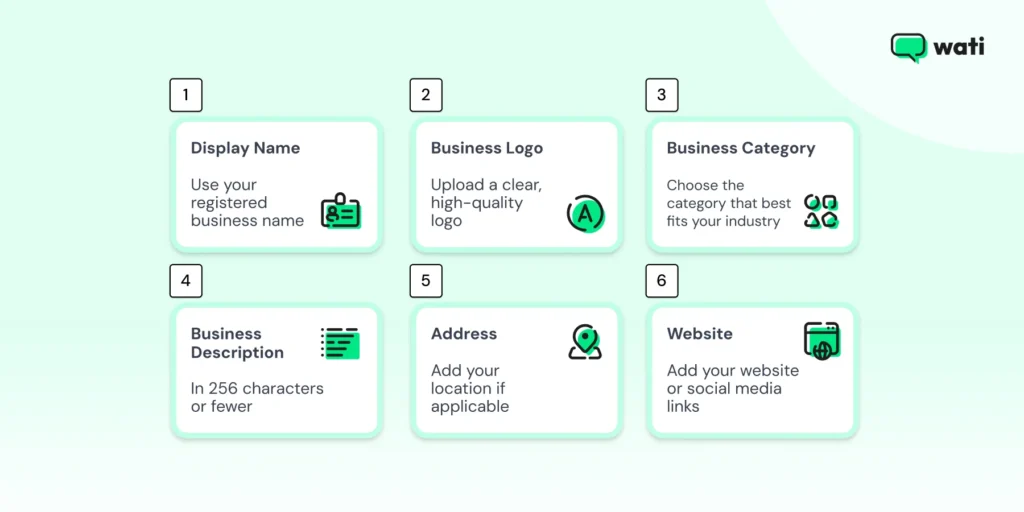
At a minimum, you should have the following in place:
- Verified Meta Business Manager
- Phone number that is not used on the WhatsApp consumer app
- Display name that clearly matches your brand and website
One detail that often gets overlooked is messaging limits. Meta does not assign high limits upfront. Limits increase over time based on how users engage with your messages and on your account’s rating. (Source)
Meta monitors account quality closely. If users frequently block or report messages, your quality score drops. When that happens, messaging limits are reduced, even if your technical setup is solid. For growing businesses, this becomes a hidden bottleneck that no amount of integration work can fix later.
This is why getting account readiness right early is as important as the integrations themselves.
Further Reading: WhatsApp Business Manager: Setup, Compliance, and ROI with Wati
Infrastructure and Technical Architecture
Once your WhatsApp Business account is ready, the real work starts behind the scenes. Whether you build this yourself or use a BSP like Wati, these components always exist.
WhatsApp API integrations rely on three core pieces.
Core WhatsApp API Integration Components
| Component | Purpose |
| Webhook receiver | Receives inbound messages and delivery updates |
| Message sender | Sends templates and replies |
| Data layer | Stores context and message IDs |
Before you go live, make sure a few technical basics are in place:
- Webhooks are set up for inbound messages
- Message IDs and delivery statuses are logged and accessible
- Testing and live traffic are separated wherever possible
Further Reading: How to Create a WhatsApp Business Account?
Core Integrations Supported by Wati, by Category
Wati supports integrations across CRM, ecommerce, payments, automation, and ads. Each category solves a different part of the workflow. Some integrations help agents see context. Others trigger messages automatically or keep data in sync across systems.

The sections below explain how Wati’s integrations fit into a typical WhatsApp API setup, grouped by category. This is not a setup guide. It is meant to help you understand where each integration belongs and when it makes sense to use it.
CRM Integrations
Here is how this plays out across the main CRMs supported by Wati.
HubSpot
Teams using HubSpot already rely heavily on workflows. The HubSpot integration lets those workflows extend into WhatsApp.
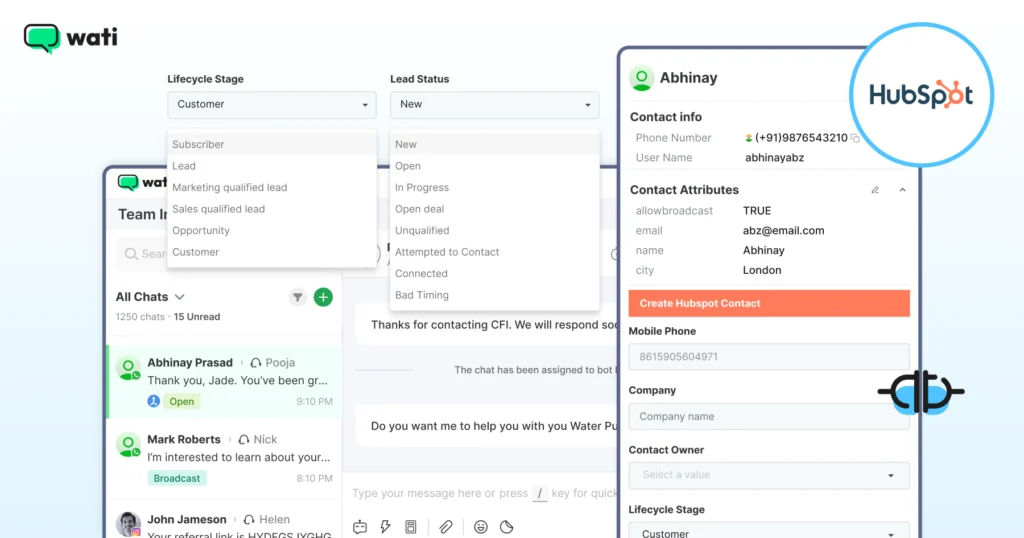
When a lead changes status, a deal moves stages, or a workflow condition is met, HubSpot can trigger WhatsApp messages through Wati. At the same time, agents using WhatsApp can view key HubSpot details, such as contact properties or deal information, without leaving the conversation.
This setup works well for sales and marketing teams that want WhatsApp to behave like another native HubSpot channel, rather than a separate inbox.
Further Reading: The 2026 Sales Leader’s Guide to Integrating WhatsApp to HubSpot
Salesforce
The Salesforce integration is more about depth of context than volume.
When a customer messages on WhatsApp, Wati pulls in Salesforce data, such as account details, deal history, and recent activity. This helps teams handling high-value accounts or longer sales cycles, where context matters more than speed alone.
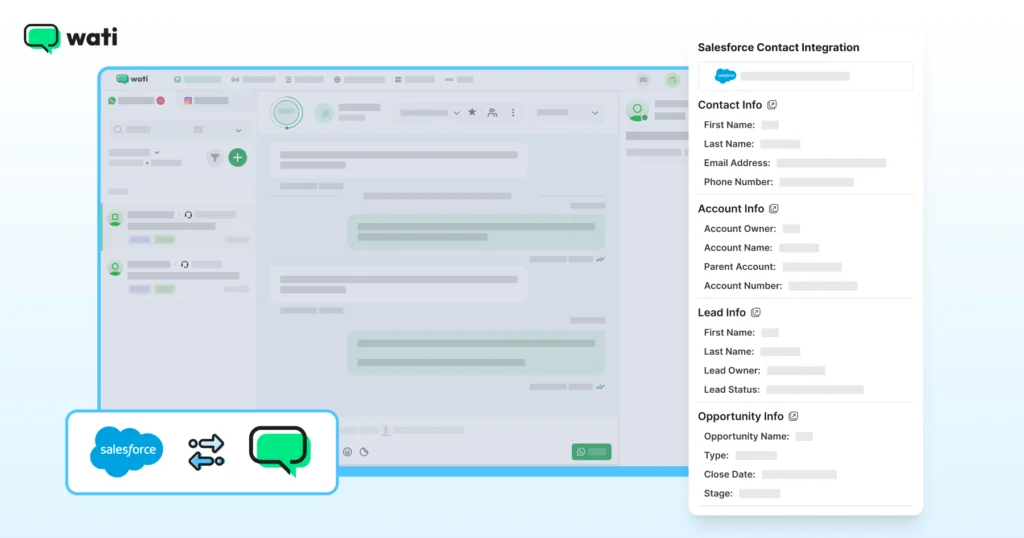
Salesforce events can also trigger WhatsApp messages, for example, when an opportunity changes stage or a lead is assigned. Customer replies can update Salesforce records, reducing manual follow-up.
Zoho CRM
Zoho CRM is often used by teams that want to act quickly on inbound interest.
With Wati, new WhatsApp conversations can automatically create leads in Zoho. Sales teams can reply immediately, while keeping the whole conversation tied to the CRM record.
Zoho workflows can also be used to send WhatsApp messages to leads, contacts, or deals based on defined triggers.
This works well for teams that want WhatsApp to be tightly woven into their daily CRM activity, rather than treated as a separate tool.
Other CRM integrations
Wati also supports CRM integrations with LeadSquared, Bitrix24, and Kylas CRM. While each setup differs slightly, the goal is the same. Keep WhatsApp conversations connected to CRM data, and let CRM actions drive WhatsApp follow-ups where needed.
E-commerce Integrations
WhatsApp starts pulling real weight in e-commerce once it is connected to your store. Orders, delivery updates, COD checks, and post-purchase questions move faster when they stay within one conversation, rather than bouncing between email, portals, and support tickets.
Wati’s ecommerce integrations are built for this phase. They connect WhatsApp directly to your order system, so conversations are tied to real purchases, not just phone numbers.
These integrations are used when:
- WhatsApp is used for order confirmations, delivery updates, or COD verification
- Customers ask product or order questions before and after purchase
- Support teams need order context while replying
Before going live, a few basics matter:
- Support flows should always reference the correct order or product
- Checkout, payment, and recovery journeys need end-to-end testing
Here’s how ecommerce integrations work across platforms supported by Wati.
Shopify
With Wati, Shopify order events can trigger WhatsApp messages at every key stage, from order confirmation to delivery, keeping customers informed without relying on email.
Product discovery also happens inside the chat. Stores can share catalogs with images, prices, and descriptions, answer questions in real time, and guide customers toward purchase. For stores that enable it, checkout flows let customers complete purchases via secure payment links on WhatsApp.

Cart recovery and support fit naturally into this flow. Abandoned carts can trigger personalised WhatsApp reminders with product details and quick checkout links, while support teams see full order context when handling delivery, return, or order change requests.
Shopify data also feeds into campaign tracking, helping teams understand which WhatsApp messages actually drive purchases.
Also Read: Shopify Abandoned Cart Recovery: Easy Ways to Win Back Customers
WooCommerce
WooCommerce integration focuses on flexibility. Product messages can be personalised, and order-related support flows can be automated through WhatsApp.
For teams running more customised storefronts, this helps keep WhatsApp aligned with the structure of orders, products, and customer data.
AiTrillion
AiTrillion is used when retention matters as much as conversion. With Wati, WhatsApp can be used for post-purchase engagement, repeat purchase nudges, loyalty messaging, and lifecycle automation, all driven by ecommerce activity.
What You Miss Without Ecommerce Integration?
Ecommerce messaging works when it is timely. Customers expect updates immediately, especially around orders and deliveries. WhatsApp performs well here.
Marketing Automation Integration
Wati integrates with marketing automation tools so WhatsApp can follow the same rules as your existing campaigns. Instead of planning WhatsApp separately, teams use the same segments and triggers they already rely on.
ActiveCampaign
ActiveCampaign is a common choice here. Teams already using it for email or lifecycle campaigns use those same triggers to send WhatsApp follow-ups through Wati. An email click or a stage change can lead to a WhatsApp message, without rebuilding the flow from scratch.
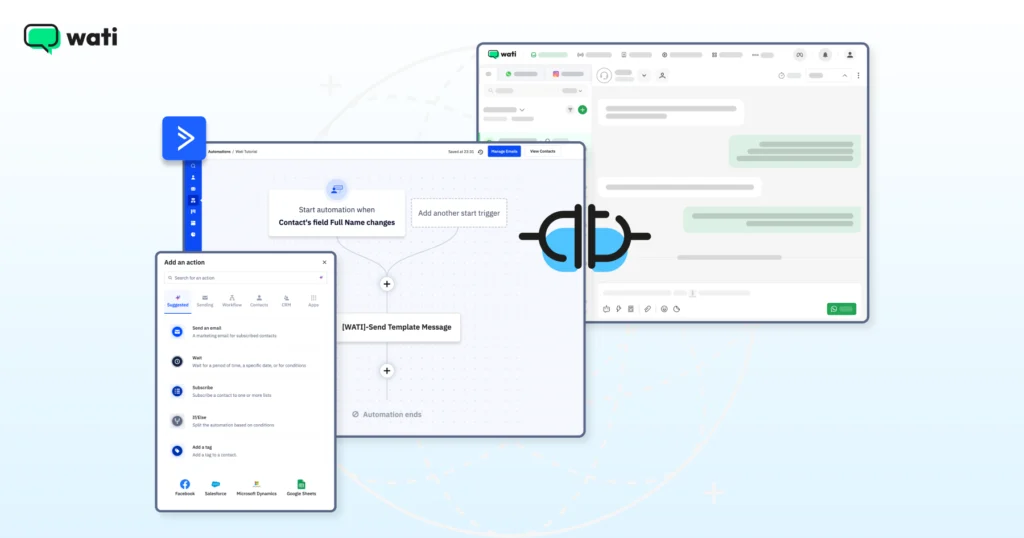
This approach works best when WhatsApp supports the campaign rather than trying to replace it.
Payment and Invoice Integrations
Payments often break the flow of a WhatsApp conversation. The discussion happens in chat, but the actual payment moves to email, a link shared elsewhere, or an invoice sent later. That gap is where delays and drop-offs happen.
Wati supports payment and invoice integrations to keep this step closer to the conversation. Instead of switching channels, teams can share payment-related actions directly on WhatsApp and track what happens next.
PayTabs
PayTabs is used when payments are straightforward. A payment link is shared on WhatsApp, and the customer completes the transaction.
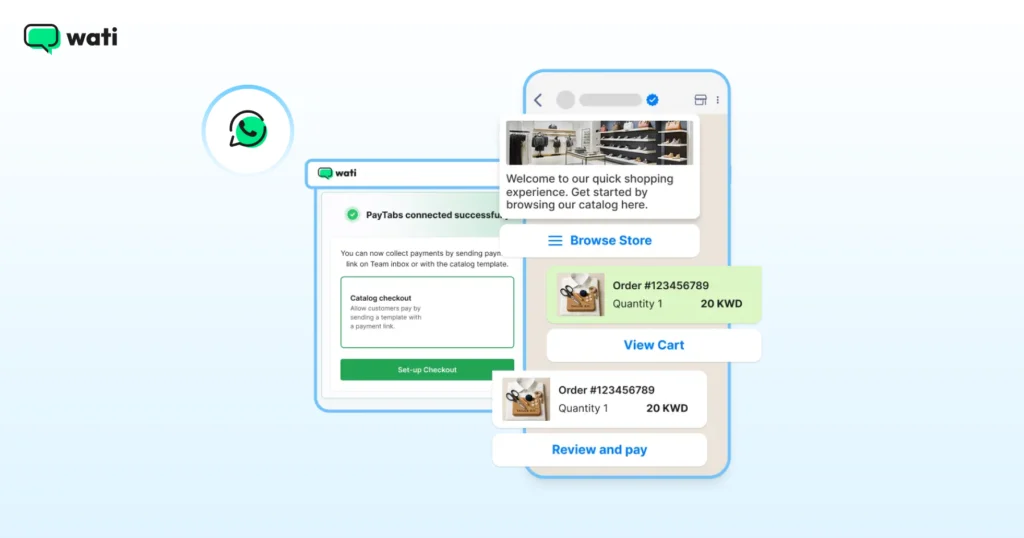
This is common for bookings, one-time services, or order confirmations where speed matters.
Swipe
Swipe is used when billing is more structured. An invoice is sent via WhatsApp, the customer reviews it, and payment is made in the same thread.
Both integrations serve the same purpose. Reduce handoffs. Keep payment tied to the conversation, rather than chasing it elsewhere.
Productivity Integrations
Wati’s productivity integrations are used when teams want WhatsApp to work alongside everyday tools rather than full CRMs or ecommerce platforms. The focus here is convenience and control, not complex automation.
Google Sheets
Google Sheets is used when WhatsApp messaging starts from a list that already lives in a spreadsheet.
Teams can trigger WhatsApp messages when rows are added or updated, send bulk messages using sheet data, and personalise messages using column values like names or locations.
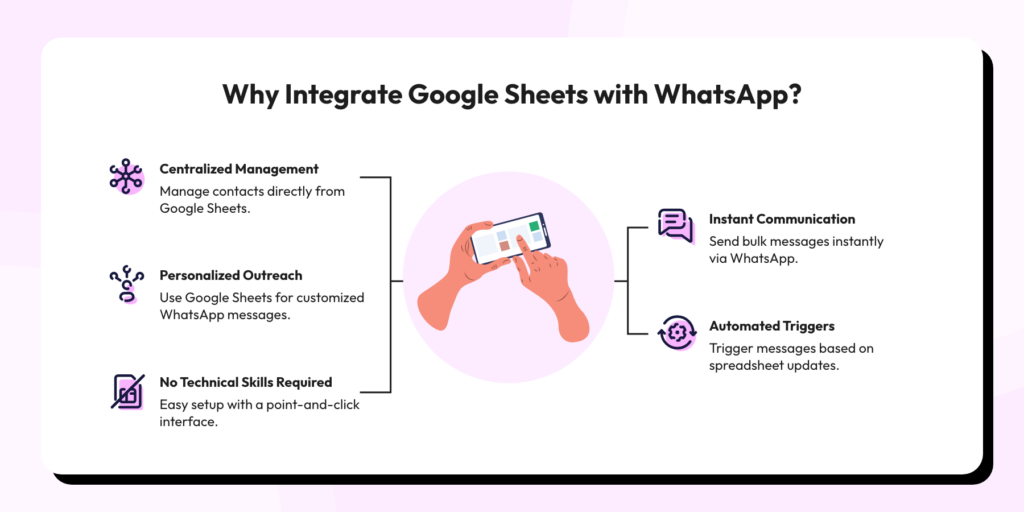
Incoming WhatsApp messages or basic contact details can also be written back into the sheet, which works well for small teams or short-term campaigns.
Also Read: Google Sheet Integration for WhatsApp: Send Messages Directly from Google Sheets with Wati
Calendly
Calendly is used when WhatsApp is part of scheduling. Appointment reminders can be sent automatically on WhatsApp, and customers can reschedule directly from the chat. This helps reduce no-shows without adding manual follow-up.
These integrations are not meant to replace core systems. They exist to make everyday operations easier when speed and simplicity matter more than complexity.
Further Reading: Setting Up Reminders on WhatsApp: Never Miss a Follow-Up
Automation Platform Integrations
Automation platforms are used when teams need WhatsApp to react to events across many tools without building custom integrations. A form gets submitted. A user signs up. A payment goes through. Something happens, and a WhatsApp message needs to follow.
Wati supports automation platform integrations for these cases. They sit between your tools and WhatsApp, waiting for events and triggering messages when conditions are met.
Zapier
Zapier is used when teams want quick connections across multiple apps. A sign-up, purchase, or form submission in another tool can trigger a WhatsApp message through Wati. This works well for simple, event-driven flows where speed matters more than deep customization.
Pabbly
Pabbly is used for more structured workflows. Teams define specific events across tools and use those to trigger WhatsApp messages. This suits setups where multiple conditions or steps need to be checked before a message is sent.
These integrations are not meant to replace core systems. They are used to bridge gaps between tools when WhatsApp needs to respond quickly to activity elsewhere.
Communication and Fallback Integration
Most of the time, WhatsApp delivery is reliable. But when messages are time-sensitive, OTPs, alerts, payment reminders, delivery updates, teams usually need a backup.
Wati supports communication and fallback setups for cases where a message must reach the customer even if WhatsApp fails or is unavailable.
In these setups, a few things need to be thought through:
- Clear rules for when fallback is triggered
- Controls to avoid sending the same message twice
- Message content that stays consistent across channels
Twilio
Twilio is used to add SMS alongside WhatsApp. If a WhatsApp message does not deliver, an SMS can be sent as a fallback. Some teams also use SMS in parallel for critical notifications where reach matters more than engagement.
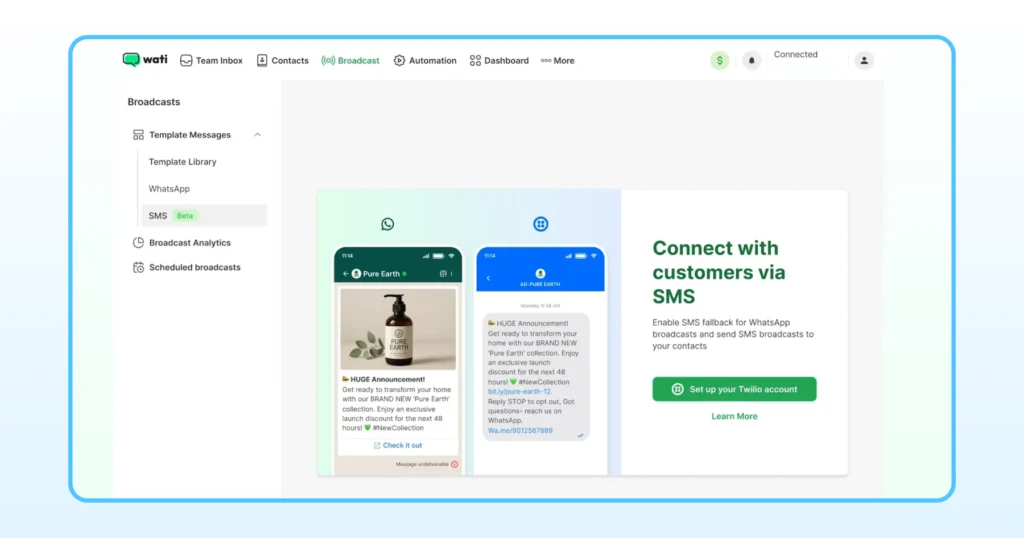
This setup is typical for authentication messages, urgent updates, or situations where delivery cannot be delayed. The goal is simple. Make sure important messages reach the customer, even when WhatsApp is not available.
Further Reading: A Multi-Channel Playbook: Integrating SMS Marketing in Your Sales Strategy
Loyalty Program Integration
Loyalty programs work only when customers stay informed. Points earned, rewards unlocked, offers about to expire.
Wati supports loyalty program integrations when WhatsApp is used as the primary channel for retention and repeat engagement, rather than just transactions or support.
Eber
Eber connects loyalty programs with WhatsApp. Customers receive updates on points, rewards, and offers directly in chat, without needing to log in to a separate app or portal.
This works well for brands that want loyalty communication to feel immediate and personal, while still being tied to accurate program data behind the scenes.
Advertising Integration
When WhatsApp is used for paid acquisition, speed and context matter. Leads coming from ads expect quick replies, and teams need to know where each conversation came from.
Wati supports advertising integrations for cases where WhatsApp is directly connected to paid campaigns and lead generation.
In these setups, a few things need to be clear:
- Campaign and ad information should carry into the conversation
- Leads should be qualified before reaching agents
- Outcomes need to be tracked back to the ad source
Facebook Ads
Facebook Ads are used with Click-to-WhatsApp campaigns. When a user clicks an ad and starts a WhatsApp conversation, Wati can capture campaign details and pass them into the chat. This helps teams route leads correctly and respond with context.
Over time, lead outcomes can be linked back to campaigns, helping teams understand which ads are driving meaningful conversations and not just clicks.
Testing Before Launch
This is the part most teams rush, and later regret.
Before going live, walk through your flows the way a customer would. Start a conversation. Let it hit the CRM. Move it to an agent. Complete a payment. Click a Click to WhatsApp ad and see where the lead lands. Try doing it with missing details or an invalid number. Send a few messages quickly and watch how the system reacts.
If something feels unclear during testing, it will definitely break when the volume increases.
One thing should never happen at this stage:
You should not be testing new flows on real customers.
Use internal numbers, test accounts, or staging setups. Catch the awkward parts early, before users do.
Monitoring and Ongoing Maintenance
Once WhatsApp is live, the work doesn’t stop. Things drift. Templates change. Traffic grows. Integrations that worked fine at low volume start behaving differently.
Most teams keep an eye on a few signals. Are messages being delivered as expected? Are failures spiking at certain times? Do webhooks drop occasionally and recover, or stay down unnoticed? These are the issues that quietly affect customer experience if no one is watching.
It also helps to review what you’re sending. Templates that made sense months ago may no longer fit. Opt-out rates can creep up. Small changes in copy or timing often make a big difference.
Over time, integrations deserve a second look, too. Tools get updated. Fields change. New workflows are added. A periodic audit helps catch mismatches before they turn into broken conversations.
Monitoring here isn’t about dashboards for the sake of dashboards. It’s about noticing problems early, while they’re still easy to fix.
What This Checklist Helps You Avoid?
This checklist is meant to help you get that foundation right the first time. So you are not forced to rebuild workflows when WhatsApp becomes critical to sales, support, or operations.
If you want help mapping this to your own setup, or understanding which integrations matter for your use case, book a demo with the Wati team. A short walkthrough is often enough to spot gaps before they turn into problems.
FAQs
The WhatsApp Business app is designed for small teams handling conversations manually. WhatsApp Business API integration is built for growing businesses. It supports automation, multiple agents, system integrations, message templates, and higher message volumes, which the app does not support.
Wati supports WhatsApp API integrations across multiple categories, including CRM tools like HubSpot, Salesforce, and Zoho CRM, ecommerce platforms like Shopify and WooCommerce, marketing automation tools like ActiveCampaign, payment tools like PayTabs and Swipe, productivity tools like Google Sheets and Calendly, automation platforms like Zapier and Pabbly, and advertising platforms like Facebook Ads.
With ecommerce integrations, WhatsApp can send order confirmations, shipping updates, COD verification, abandoned cart reminders, and post-purchase support messages. Conversations stay tied to actual orders, which reduces back-and-forth and improves customer experience.
Yes. With tools like ActiveCampaign, WhatsApp can follow existing lifecycle rules. For example, a WhatsApp message can be triggered when a user opens an email, clicks a link, or moves to a new stage. This allows WhatsApp to support campaigns rather than replace email.
Yes, when implemented correctly. Payment integrations use secure links, and sensitive messages like OTPs often include SMS fallback. Security depends on correct setup, approved templates, and following Meta’s messaging and consent policies.