

-

-
-
Solutions
-
Soluções
-
Soluciones
-
解决方案
-
解決方案
-
الحلول
-
Product
-
Produto
-
Producto
-
产品
-
產品
-
المنتج
-

-
-


 Wati for Marketing
 Wati for Support
 Wati for Sales
 eLearning
 E-commerce
 Marketing Agencies
 Healthcare
 No Code Chatbots
 AI Support Agent
 Instagram and Facebook messenger
 Click to WhatsApp ads
 Campaigns
 Team Inbox
 WhatsApp Business Calling
 Wati AI
 Overview
 Library
WhatsApp Multi Agent: Setup For Sales Agents On One Platform
Written by:
 Ashwin
|
on:
December 31, 2025
|
Last updated on:
February 13, 2026
|
Fact Checked by :
Ashwin
|
on:
December 31, 2025
|
Last updated on:
February 13, 2026
|
Fact Checked by :
 Namitha
|
According to: Editorial Policies
Namitha
|
According to: Editorial Policies
 Table of Contents
Too Long? Read This First
- WhatsApp Multi-Agent Brings Order: Multiple agents work on a single number with clear ownership, routing, and shared context.
- Structure Beats Headcount: Adding agents alone does not increase capacity. Routing, assignment, and automation do.
- Automation Handles Repetition: FAQs, order status, refunds, and COD checks run automatically before agents step in.
- AI Agents Sit in Front: First replies, intent detection, and basic resolution happen instantly, then escalate only when needed.
- Teams Stay Out of Each Other’s Way: Sales, support, and ops work on the same number with department-level routing and access.
- Reporting Exposes Bottlenecks: Team-level metrics reveal overload, delays, and workflow gaps that volume alone hides.
- One Number Is Usually Enough: Clean routing supports multiple teams without creating number sprawl.
- Global Ops Need Central Control: Shared AI logic, templates, and reporting with local execution keep answers consistent across regions.
WhatsApp has become the go-to lead generation channel for small businesses and early adopters. However, as visitors or traffic grow in size, brands require large-scale assistance to nurture and assist prospects at a large scale.
That’s when brands require a multi-agent, multi-device, and multi-country setup to personalize sales strategy as per customer demographics.
WhatsApp Business API platforms like Wati, brands can reduce customer response times, deliver faster resolutions, and provide a premium shopping experience. API tools are built to handle growth and high-volume messaging.
In this guide, we’ll learn more about how multi-agents are set up, how conversations are routed on multiple devices, and how multiple teams or regions share the same infrastructure.
What is WhatsApp Multi Agent?
When workflows are not designed for growth, you tend to remain inflexible and not stand up to market competition.
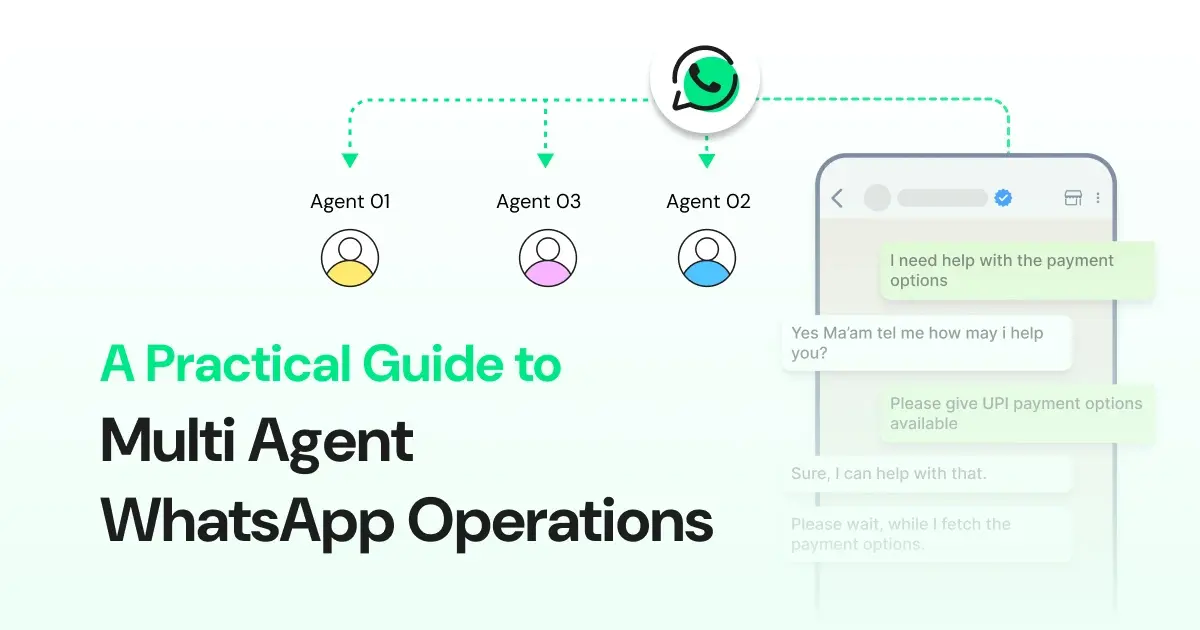
WhatsApp multi-agent setup allows you to route sales conversations to more than one agent to reduce workload, maintain speed, and offer immediate aid for faster conversions.
It automates your inbound sales interactions across multiple devices or countries to provide a good brand experience to your customers. Consequently, it also empowers your sales agents and representatives to take time and attend to more priority-based sales conversations.
Understanding Multi Agent WhatsApp
A multi agent WhatsApp setup allows multiple agents to work on the same WhatsApp number simultaneously, using a shared system to manage conversations. This works well when message volume increases, and manual handling is no longer reliable.
At low volumes, a single agent replying manually is usually enough. As conversations grow, this approach starts to slow response times and makes ownership harder to track.
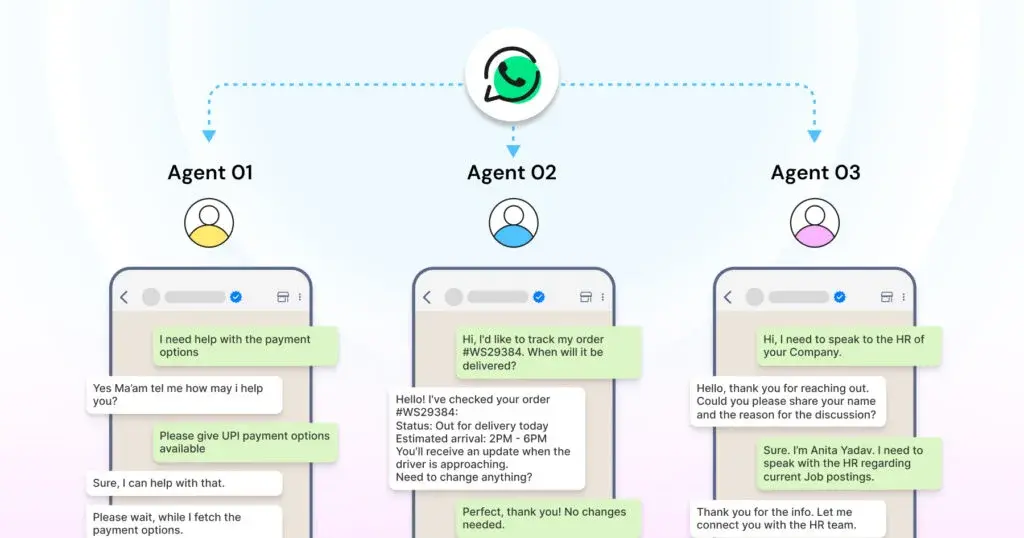
A proper multi-agent WhatsApp setup typically includes:
- A shared inbox for all conversations
- Real-time assignment to distribute the load
- Clear ownership for every conversation
- Persistent context when conversations move between agents
At this stage, WhatsApp multi agent is no longer just a messaging channel. It becomes an operational system that needs structure, routing, and visibility.
Why Agent Count Does Not Equal Capacity?
Adding agents does not automatically increase how much you can handle. In many setups, it creates more confusion than it speeds up. People assume someone else is replying. Or two people reply at the same time.
This matters because customer expectations are unforgiving. Delays, duplicate replies, or missed messages directly affect customer experience.
Without a clear structure, teams usually see the same issues:
- Two agents reply to the same conversation
- Messages sit in the inbox with no owner
- Customers get replies late or see repeated responses
What determines capacity is routing and ownership. Not headcount. Once daily conversations reach the hundreds, manually deciding who replies to whom becomes challenging to manage and starts to break down.
Core Capabilities Your Agents Need
Once more than a couple of people are replying from the same WhatsApp number, some things stop being optional. You can feel it when they’re missing. Messages pile up. Two people reply at once. Someone asks in Slack who owns a chat.
In setups that actually hold under load, you almost always see the same basics in place:
- Messages get auto-assigned, so nothing sits unattended
- The load is spread out instead of landing on one agent
- Conversations route by intent or skill, not guesswork
- Chats are locked, so only one person replies
- Response timers are visible, so delays don’t go unnoticed
- Full chat history stays visible when conversations change hands
These are not some fancy features. They exist because without them, multi-agent handling starts breaking the moment volume and concurrency increase.
Why Automation is Crucial for Agents?
Most WhatsApp operations tend to show the same pattern. As volume grows, a large share of inbound conversations starts to repeat. Common examples include order status checks, returns, refunds, policy questions, and COD confirmation.
According to McKinsey, a direct-to-consumer retailer saw an 80% reduction in time to first response and a four-minute decrease in average ticket resolution time after introducing automation into its customer operations.
Handling this volume entirely with agents is costly and fragile. Response times slow down, staffing needs increase, and small spikes create outsized pressure on the team.
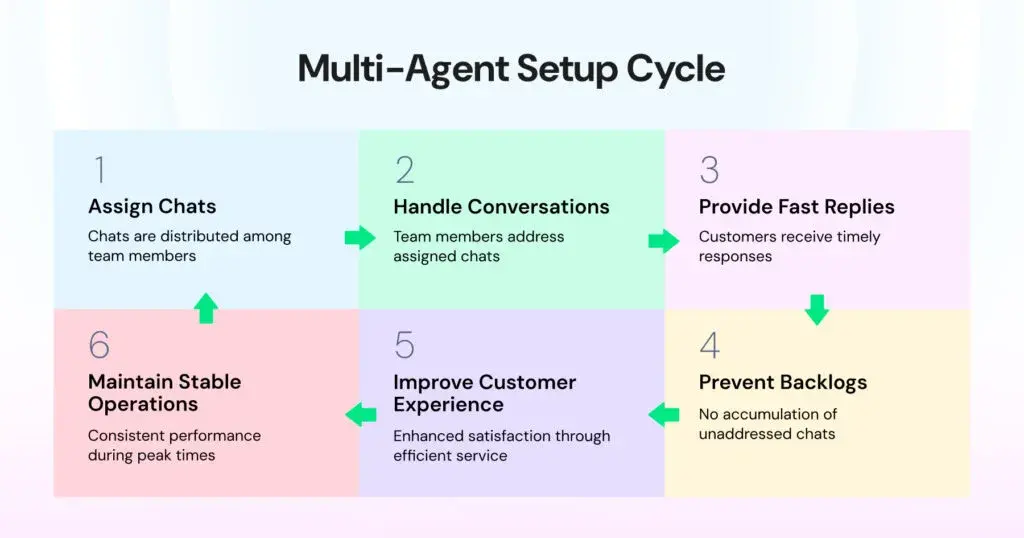
This is where automation and AI become part of the infrastructure rather than an add-on.
AI Agents as the First Channel of Support
In many WhatsApp flows, AI sits in front of human agents and handles the first part of the conversation. This helps teams manage volume without slowing down response times or increasing headcount.
AI agents are used to:
- Answer common questions immediately
- Pull responses from website pages, PDFs, and help documentation
- Resolve repeat issues end-to-end, where the flow is predictable
- Escalate conversations only when judgment, exceptions, or manual action is required
This is different from a basic FAQ chatbot. The goal is automated resolution for routine cases, with clear handover when human involvement is needed.
Further Reading: Tired of Slow Replies and Lost Leads? Fix It with WhatsApp For Customer Support
Human Control Over AI Conversations
Automation works only when humans can step in easily. AI can handle volume, but agents need precise control when a conversation requires judgment, context, or manual action.
In well-designed AI setups, agents can:
- Take over a conversation instantly
- See exactly what the AI has already replied
- Access the full conversation history during handover
- Ensure customers are never blocked or stuck in a flow
This prevents the experience from feeling fragmented. From the customer’s point of view, the conversation continues without interruption, even when a human agent steps in.
A simple way to think about the split looks like this:
| Function | Handled by AI | Handled by Agents |
| High-volume, repeat queries | Yes | No |
| Policy and FAQ responses | Yes | Only for exceptions |
| Context-heavy or sensitive cases | No | Yes |
| Manual actions or approvals | No | Yes |
Where WhatsApp Multi Agent Setups Usually Break?
Multi agent WhatsApp setups tend to fail in similar ways once volume increases. These issues usually show up gradually and become more visible during peak hours or shift changes.
Common breakdown points include:
- No routing logic, so conversations arrive without clear ownership
- One agent handling multiple queues at the same time
- Manual reassignment during shift changes or handovers
- Conversations sit idle because no one is assigned
In most cases, adding more agents does not solve these problems. The underlying fix is structured routing combined with AI-based pre-handling to reduce unnecessary load.
Further Reading: WhatsApp Business Multiple Agents: A Better Way to Manage Customer Chats
Multi-Team
How departments manage on WhatsApp without stepping on each other.
Why WhatsApp Chaos Starts With Teams?
As companies grow, different teams start using WhatsApp for various purposes.
- Sales focuses on inbound leads
- Support handles issues and tickets
- Operations manages delivery or fulfilment updates
Without structure, all of this activity ends up in the same place. When there is no separation between teams, a few problems show up quickly:
- Everyone replies from the same inbox
- Conversation ownership becomes unclear
- Customers receive inconsistent or conflicting answers
This creates internal confusion and erodes customer trust. Managing across teams requires internal separation of responsibilities while maintaining a consistent, seamless experience for customers.
Department-Level Routing on WhatsApp
Once more than one team uses the same WhatsApp number, routing becomes necessary. Without it, every message lands in the same place, and teams start responding based on urgency rather than ownership.

In most setups, routing is handled using a mix of:
- Keywords in the message
- Button or menu selections
- Detected intent
- AI-based classification
In practice, conversations usually get split like this:
| Team | What They Handle |
| Sales | Pricing questions, demo requests, and new leads |
| Support | Issues, troubleshooting, and product help |
| Ops | Delivery status, refunds, logistics |
From the outside, customers still interact with a single brand on a single number. Internally, routing keeps conversations moving to the right team without manual sorting.
Further Reading: WhatsApp API Prerequisites: Phone Numbers, Documents, and Verification
Role-Based Access and Views
Once a few people are working out of the same inbox, it becomes clear that not everyone needs to see everything. Different roles require different slices of context. Without that, mistakes start happening.
Team inboxes only hold together when visibility is deliberate. If everyone sees everything, ownership gets messy, and errors show up fast as volume increases.
AI-Powered Routing Across Teams
Rule-based routing works up to a point. As message volume and use cases grow, maintaining manual rules becomes harder and less reliable. This is where AI-based routing makes a measurable difference.
According to McKinsey, AI tools have reduced average resolution times from around 125 minutes to just a few seconds, saving customers between €150,000 and €300,000 per day through reduced asset downtime. While the context varies by industry, the underlying impact of faster intent detection and routing remains consistent.
AI-based routing improves accuracy by identifying intent from the first customer message and using that signal to route the conversation.
When intent detection is set up correctly, most conversations reach the appropriate team early, without manual sorting or follow-up reassignment.
AI for Lead Qualification
Sales usually feel the pain first when volume goes up. Inbox fills up fast, but many of those conversations aren’t meant for a sales rep. People are asking basic questions.
This inefficiency adds up. According to Zoho, sales representatives spend nearly half of their time chasing leads that never convert, and poor qualification can cost companies up to 67% of potential sales. When every conversation defaults to sales, time and focus get diluted quickly.
AI helps by sitting in front and doing the first pass. It asks a few simple things early on:
- What the person is trying to do
- Team size
- Budget range
- How soon do they want to move
Based on those answers, the conversation gets scored and routed. Some go to sales. Many don’t.
Further Reading: WhatsApp Lead Generation: The Only Playbook You Need
Reporting by Team, Not Just Volume
Total message volume doesn’t explain much beyond a specific size. You can handle more chats and still do a worse job. One team might be overloaded while another barely sees anything.
What helps is looking at the data by team instead of in aggregate. Things people actually look at are:
- How many conversations is each department taking?
- How long does each team take to close chats?
- How often do conversations get escalated or moved?
- Are the same few agents always overloaded?
This kind of breakdown shows where routing or ownership is off. Volume alone won’t tell you that.
Managing Teams Without Adding WhatsApp Numbers
Many teams assume they need a new WhatsApp number whenever a new team comes in. Sales wants one. Support wants one. Ops asks for another. That usually makes things more complicated, not cleaner.
Most of the time, one number is enough. Teams work behind it, routing decides who handles what, and customers never have to think about which number to message.
When separate numbers are needed, like for different countries or business units, you can keep things together. Multiple WhatsApp numbers can be connected to the same Wati account, so workflows, reporting, and access don’t get split across systems.
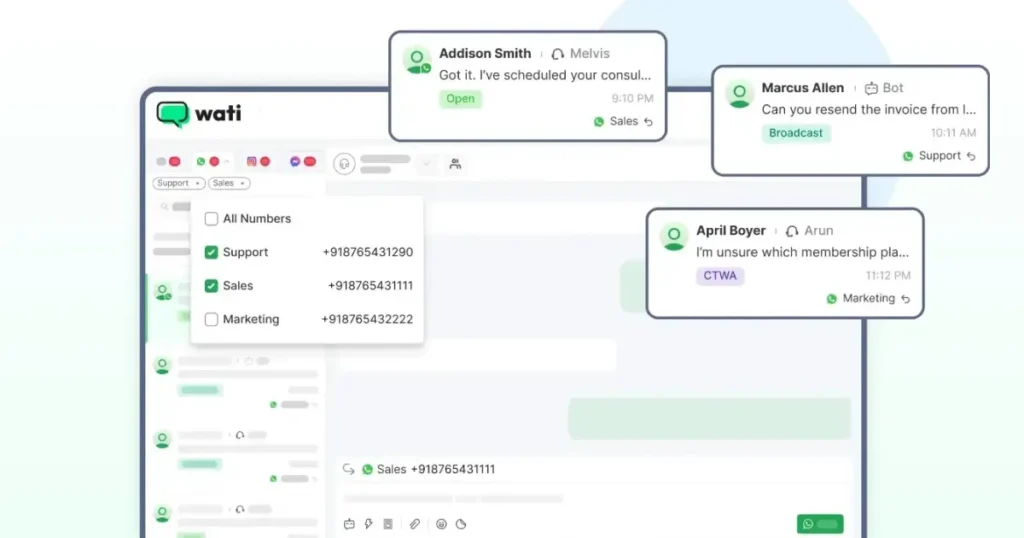
There’s also the coexistence case. Some teams are still on the WhatsApp Business App, while others have moved to the API. Wati’s Coexistence feature lets both run at the same time, so you don’t have to cut over everything in one risky move.
From the outside, nothing changes for customers. Inside, you avoid number sprawl and keep operations sane.
Multi-Country
How WhatsApp scales across regions, time zones, and languages.
Managing WhatsApp Across Multiple Countries
Things get complicated quickly once you start operating in more than one country. It is not just about adding another market. Each expansion adds a few more moving parts.
You usually end up dealing with:
- Different markets with different expectations
- Local compliance and opt-in rules
- Multiple languages to support
- Longer or overlapping support hours
The tricky part is keeping all of this under control. The WhatsApp setup needs to adapt to local needs without splitting workflows, reporting, or ownership across too many systems.
Country-Specific WhatsApp Numbers
Local numbers still matter in practice. People are more comfortable replying to a number that looks local. It feels more legitimate.
You usually see this play out as:
- Better trust from customers
- Higher likelihood of replies
- Less hesitation around unknown numbers
Most teams end up doing something simple. One number per country. Same workflows behind the scenes. Central control over templates, permissions, and reporting.
Further Reading: WhatsApp API Pricing: Costs, Categories, and Regions
Templates, Language, and Regional Compliance
Templates don’t work the same once you go multi-country. You notice it almost immediately.
- Different languages need separate templates.
- Some message types are fine in one region and rejected in another.
To avoid things breaking, most teams keep approvals central. One place handles template creation and Meta approvals. Local teams then use what’s approved to run conversations in their market.
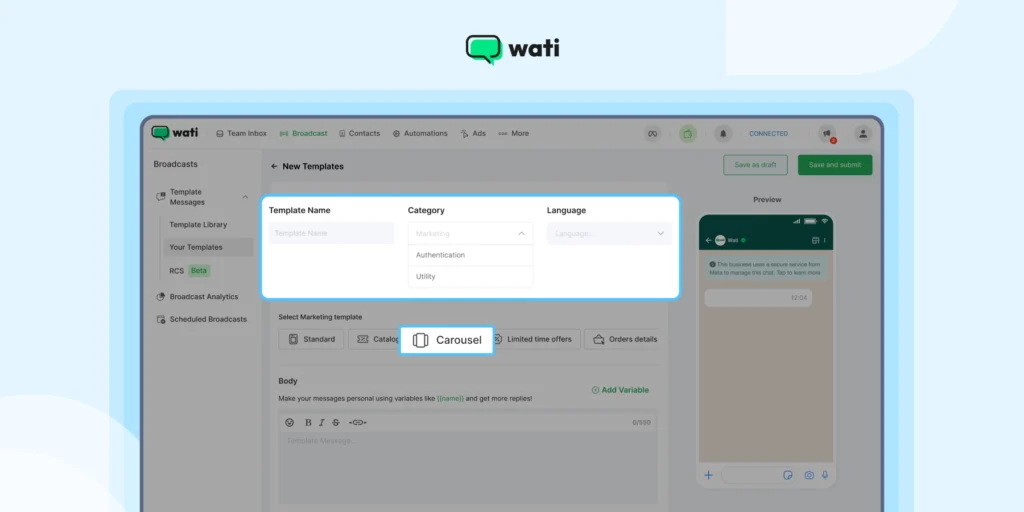
That way, messaging stays consistent, but execution stays local.
Also Read: Must-Have WhatsApp Templates That Could Change Your Customer Game
Always-On, Multilingual AI Support
Once you start serving customers in multiple countries, response time becomes uneven. Someone is constantly messaging outside local business hours. Covering that fully with the support team gets expensive fast.
This is where AI comes in. It handles the first response when teams are offline and keeps conversations moving.
Local teams still take over when they are online. The difference is that customers get an immediate response instead of waiting for the next shift.
Time Zone and Shift-Based Routing
Time becomes a problem as soon as you operate across regions. Messages come in when teams are offline. Conversations sit unattended. Leads get missed.
Most setups deal with this by routing based on a few simple signals:
- Country
- Local business hours
When this is set up correctly, conversations move to teams that are actually available.
What To Do Next?
WhatsApp starts to break as the volume grows, but the setup stays the same. Routing gets messy. Ownership gets unclear. Teams step on each other. Most of this is avoidable if you think about agents, teams, and regions early on, rather than reacting later.
When the basics are in place, things calm down. Conversations land where they should. Teams know what they own. Adding more volume or entering new markets no longer feels risky.
If you want to see how this looks in a real account, you can book a demo. If you’d rather try it yourself, sign up for a free trial and start setting things up at your own pace.
FAQs: WhatsApp API Setup for Multi-Agent, Multi-Device and Multi Country (2026)
Have more questions? Refer below!
A WhatsApp Multi Agent setup allows multiple agents to handle conversations from the same WhatsApp number using a team inbox. It helps teams manage higher conversation volumes with clear ownership, routing, and visibility.
The WhatsApp Business App is designed for small teams with limited volume. A WhatsApp Multi Agent setup, built on the WhatsApp Business API, supports multiple agents, automation, routing, reporting, and integrations needed for growing teams.
Teams usually need a Multi Agent WhatsApp setup when daily conversations reach the hundreds, multiple people reply from the same number, or response times and ownership start breaking down.
Yes. Sales, support, and operations can all use the same WhatsApp number when routing and role-based access are properly configured. Customers see one brand, while teams stay separated internally.
AI handles repeat queries, first responses, routing, and lead qualification before agents step in. This reduces agent workload and keeps response times stable as volume grows.
Yes. With coexistence features, teams can run the WhatsApp Business App and WhatsApp API in parallel during migration, avoiding disruption to live conversations.