
Too Long? Read This First
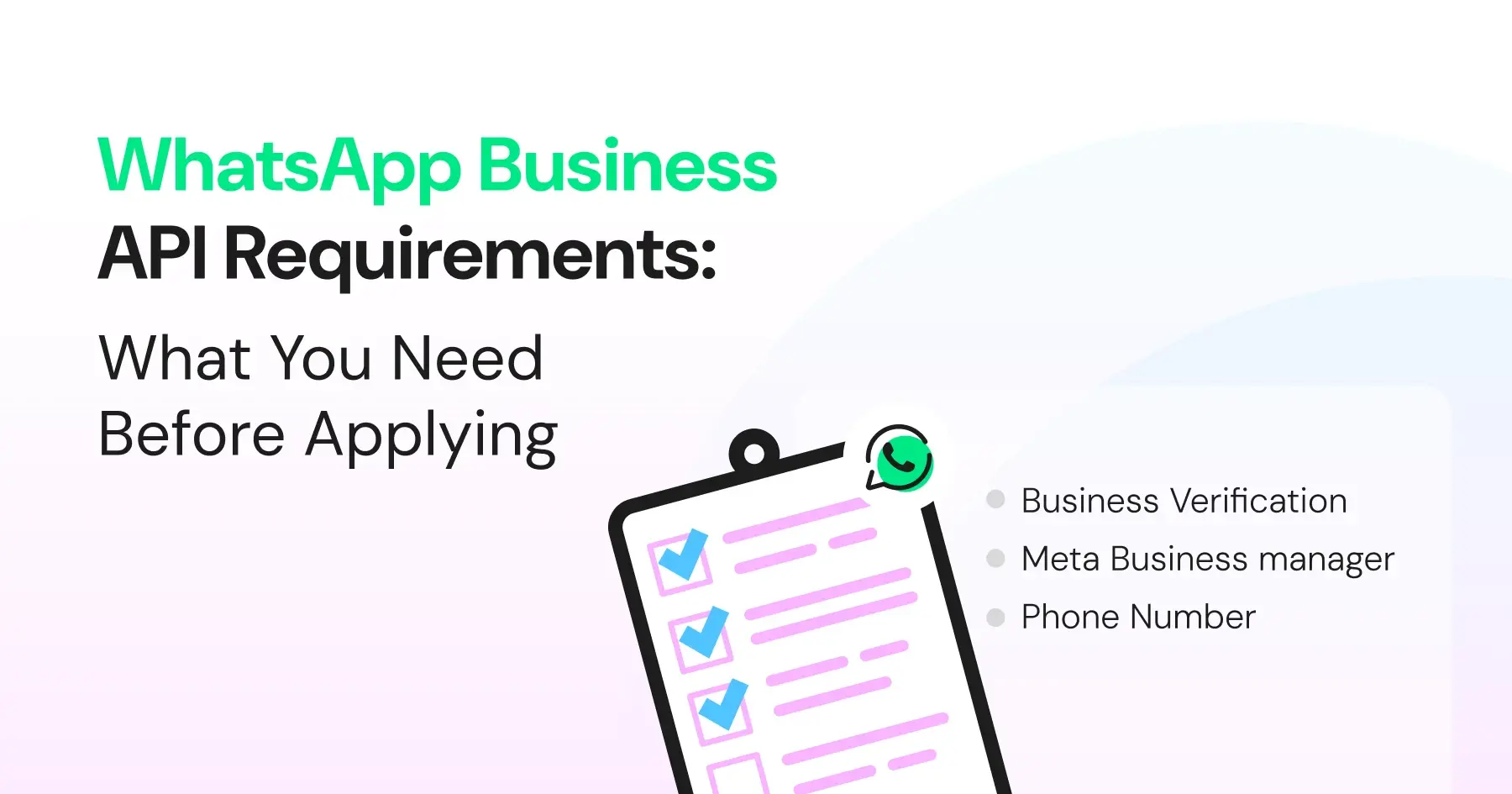
- To apply for the WhatsApp API, you must have a verified Meta Business Manager, a WhatsApp Business Account, and an unused phone number ready for registration.
- Cloud API requires a Meta Business setup, API token, and webhook URL, while On-Prem API additionally demands a dedicated server and technical infrastructure.
- Wati simplifies onboarding by automating phone-number checks, token handling, webhook setup, and WABA provisioning.
- Using a BSP like Wati removes the need for server maintenance and ensures compliance; some pre-built templates and secure authentication happen smoothly.
- Most businesses now connect through Embedded Signup, Meta's one-click OAuth flow. It replaces the older manual token-and-webhook setup and typically takes minutes instead of days.
- Once prerequisites are in place, Wati enables seamless API configuration, message automation, broadcasts, agent routing, and AI-powered customer engagement.
Are you considering the WhatsApp Business API to refine customer engagement?
While WhatsApp Business API providers like Wati offer customer infrastructure for WhatsApp broadcasts, there are a few requirements you need to meet before signing up for the platform.
From registering for a business account to getting Meta's blue verified badge on your business, to submitting policy and compliance documentation, signing up for WhatsApp Business API is a multi-step process.
Before you invest in a WhatsApp Business API solution, check your phone number's current status. If it isn't on WhatsApp yet, you can register it directly for the API. If it's already active on the WhatsApp Business app, you don't have to give it up. Meta's Coexistence feature lets you keep using the app while also running the API on the same number.
The more prepared you are with WhatsApp API pre-requisites, the faster you can implement the API and run effective WhatsApp broadcast campaigns.
What are the WhatsApp Cloud API Prerequisites to Gather?
According to a recent McKinsey study, around 71% expect companies to deliver personalized interactions, and 76% get frustrated when they don’t.
To ensure that you establish verified business credibility and create a smooth WhatsApp shopping experience, keep this list handy as you switch to a WhatsApp Business API and plug it into your tech stack.
What are the Prerequisites for WhatsApp Cloud API in 2026?
Below are the core requirements of WhatsApp Cloud API:
1. Meta Business Portfolio
You need an active Meta Business Portfolio (formerly Business Manager), as all WhatsApp Cloud API integrations are managed through Meta’s developer ecosystem.
If you're using a Business Solution Provider (BSP) like Wati, the onboarding flow guides you through connecting your Meta Business Portfolio without manually configuring everything in Meta.
2. WhatsApp Business Account and Phone Number
You must have a WhatsApp Business Account (WABA) or at least one phone number assigned for it.
In 2026, there are two ways to onboard your phone number:
Register a new or existing number with the Cloud API. If the number is currently active on WhatsApp or the WhatsApp Business app, you'll generally need to deregister it before completing the API setup.
Use Meta's Coexistence feature. This allows eligible businesses to continue using the WhatsApp Business app while also connecting the same number to the Cloud API for automation. Availability depends on your region and Meta's latest eligibility requirements.
Wati checks your number's status during onboarding and shows which of these two paths applies to you, so you can avoid registration errors.
Dedicated Cloud API (migration) | Coexistence | |
Phone number | Must be deregistered from the WhatsApp app first | Keep using the same number in the Business app |
Chat history | Starts fresh on the API | Syncs up to about 6 months of history |
Best for | New numbers or full migration to API/BSP | Small teams keep the app while adding API automation |
App + API together? | No, API only | Yes, app and Cloud API run in parallel |
Set up via Wati | Guided WABA provisioning and number registration | Connect the existing number, no deregistration |
Also read: How to set up a WhatsApp Business Account: A complete guide for WhatsApp marketing in 2026
3. Permanent (System User) Access Token
Every WhatsApp Cloud API request requires an access token for authentication.
Direct integrations with Meta typically use a system user access token. For businesses onboarding through Wati using Meta's Embedded Signup flow, token generation and lifecycle management are handled automatically, removing the need for manual token creation and rotation.
4. Webhook Endpoint
Businesses need a secure Webhook URL using HTTPS, which will receive all incoming WhatsApp messages and delivery events. A secure webhook endpoint is required to receive inbound messages and events unless you are using a BSP that provides and manages the webhook for you.
Integrating a cloud API with Wati lets you secure a pre-configured webhook endpoint, so you don’t need to self-host to send or receive WhatsApp messages.
Also read: How to create and automate a WhatsApp broadcast list to automate conversations with customers.
5. Messaging Limits and Verification
Since October 7, 2025, Meta applies messaging limits at the Business Portfolio level instead of per phone number. If your business has an approved display name and is verified, you now start at 2,000 conversations instead of the earlier 1,000.
To send Authentication template messages, you'll also need an approved scaling path, such as Meta Business Verification, Partner-led verification, or Quality Messaging. Wati can walk you through whichever path fits your account.
Why On-Premise API No Longer Belongs on Your Checklist
Meta has retired the WhatsApp On-Premises API, making the WhatsApp Cloud API the only supported deployment option for the WhatsApp Business Platform. Businesses implementing the platform should build on the Cloud API, either through a direct integration with Meta or via a Business Solution Provider (BSP).
Dedicated server requirements, such as Docker containers, database management, networking configuration, and log management, apply only to the On-Premises API and are not prerequisites for WhatsApp Cloud API implementations.
Also read: Cloud API vs On-Prem to understand why the shift happened.
WhatsApp Business API Onboarding Process: Step-By-Step
Now that we are on the same page about WhatsApp API prerequisites, let’s take a look at the onboarding process to understand the implementation timeline better.
Step 1: Review the WhatsApp Business Platform Documentation
Before beginning the setup process, review the WhatsApp Business Platform documentation to understand the onboarding flow, API capabilities, and platform requirements.
Also read: A complete guide to WhatsApp Business API pricing and how to prepare for it.
Step 2: Choose a Business Solution Provider (BSP)
Businesses can access the WhatsApp Cloud API either through a direct integration with Meta or by working with a Business Solution Provider (BSP) such as Wati. A BSP simplifies onboarding by managing API provisioning, authentication, infrastructure, and ongoing platform maintenance.
Step 3: Complete Meta's Embedded Signup
Meta's Embedded Signup is the recommended onboarding method for the WhatsApp Cloud API. Within Wati, businesses authenticate their Meta account, connect or create a Meta Business Account, create or connect a WhatsApp Business Account (WABA), and register a business phone number.
If the business phone number is already associated with the WhatsApp Business app, eligible businesses may be presented with onboarding options such as Coexistence or standard migration, depending on Meta's current eligibility requirements.
Step 4: Complete Meta Business Verification
Meta Business Verification is not required for initial testing, but is required to unlock higher messaging limits and certain business features.
The verification process requires submitting business information and supporting documentation for review. Depending on the account configuration and enabled features, Meta may require additional verification steps before granting access to certain capabilities.
Step 5: Set Up Your WABA and Business Profile
Next, you should be up and running with your WABA through your chosen BSP. You authenticate your Meta Business Portfolio inside Wati so that it can provision your WABA.
Wati acts as a technical intermediary, handling Meta API interactions. Once you receive Meta approval, you'll need to set up your Business profile with your business details, such as company name, address, website, and description.
The process involves providing business information, agreeing to WhatsApp’s terms and policies, and uploading product specifications. In order to set up product listings, you can use the WhatsApp catalogue feature.
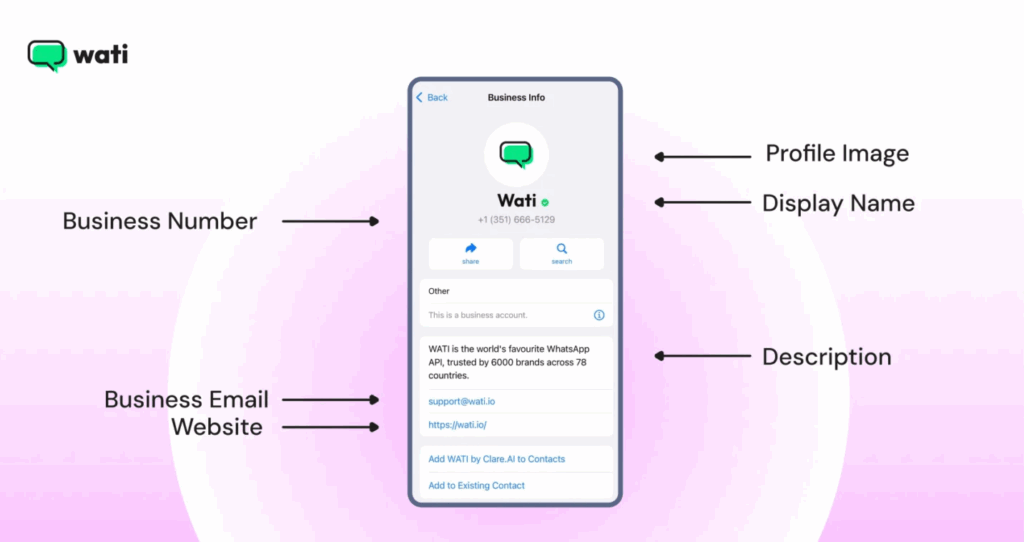
If your number is still active on WhatsApp or the Business app, Wati will guide you through the right path, either deregistering it for a full migration to the API or keeping it live through Coexistence.
Once Meta approves your setup, you're ready to configure your API key and start messaging.
Also read: How to schedule messages with WhatsApp scheduler in 2026
Step 6: Configure the API and Start Messaging
Configure the WhatsApp Cloud API through the chosen BSP and integrate it with existing business systems such as a CRM, help desk, or ERP platform.
Once the integration is complete, businesses can begin sending template messages, managing customer conversations, automating workflows, monitoring messaging performance, and analyzing campaign results.
How does Wati’s Business API Help Businesses in 2026?
Configuring your API key via BSPs like Wati ensures a seamless software integration and developer comfort. With the latest in-app features, Wati powers your API workflow and overall provides a suite of new and improved e-commerce features.
Here is how you can accelerate your consumer journey with Wati.
Team Inbox
With Team Inbox, you can monitor team productivity, check conversation progress, assign or route other agents dynamically, and track overall conversation progress.
Click-to-WhatsApp Ads (CTWA)
Wati turns Facebook and Instagram ad clicks directly into WhatsApp conversations through Click-to-WhatsApp Ads (CTWA), so leads land in an active chat instead of a landing page they might abandon.
Instagram Automation
Wati now automates Instagram DMs, comments, and lead capture from the same inbox as WhatsApp, so teams running both channels don't need a second tool to manage them.
TikTok Business Messaging
Wati extends the same automated inbox to TikTok DMs and comment replies to private DMS, so brands running TikTok ads or organic content can capture and respond to leads without adding a separate tool for that channel.
Astra- AI Agent Builder
Astra is Wati's no-code AI agent builder. Describe what you need in plain language, or paste your website URL, and it generates a working agent, tone, instructions, and branding included, ready to test before publishing to WhatsApp, web chat, or voice. It now supports voice cloning and guided conversations.
Once published, Astra agents can resolve customer queries on their own across WhatsApp, Instagram, and Messenger, stepping in whenever a human agent isn't available.
An agent can speak in a consistent, familiar voice and proactively ask follow-up questions to qualify leads or gather information. Voice cloning is currently rolling out to selected customers; confirm general availability before publishing.
Omnichannel Inbox
Wati brings WhatsApp, Instagram, TikTok, and Messenger conversations into one shared inbox. Agents reply to any channel from a single screen instead of switching between separate apps. This keeps response times consistent and gives teams one place to track every customer conversation, regardless of channel.
SMS Marketing
With SMS marketing and fallback, you can trigger recovery SMS campaigns in case your WhatsApp broadcast campaign response rates are low. This provides an easy way to connect with customers across different geographical locations.
Multi-Channel Engagement
WhatsApp Business API like Wati offers multichannel engagement via social media app automation to reach out and respond to customers who browse ads on social media apps like Instagram, WhatsApp, Facebook, etc.
WhatsApp Business Calling
Brands can seamlessly transition from chat to voice when the conversation needs it. No fumbling with phone numbers or switching apps just one click to connect. When you address concerns immediately through voice, you provide excellent customer support to clients.
Abandoned Cart Recovery
With Wati, you can run drip marketing campaigns to send nudges to customers who didn’t complete checkout and abandoned their cart. This improves customer conversion and makes things easy for sales teams.
With abandoned cart recovery, you can target high-intent customers for one last time before they go cold to take a last shot at converting them.
Quick Replies
With quick replies, teams can set automated “hello” and “away” messages to establish quick customer touchpoints, regardless of whether they are active on the app or not. It helps push automated templates to customers so they know their messages are received.
Wati AI Copilot
Wati AI Copilot works alongside your human agents in real time, suggesting replies and pulling up context so your team can resolve conversations faster across every channel.
Learn about Wati + Gemini 3 Integration to accelerate inbound intelligence and fire away the best consumer conversations.
AI Chat Summaries
AI chat summaries enable you to transcribe an AI-powered summary of every sales conversation and add it to the lead profile so that the agent has an idea of past contact behaviour.
Make the Right Decision for Sales Engagement Growth!
As you collect documents for WhatsApp Business activation, you should have resources, budgets, and team capacity in check to avoid any issues at any stage and finish onboarding smoothly.
APIs like Wati provide top-notch assistance throughout the entire onboarding process, guiding you at each step of the process and ensuring that you are well-equipped to leverage the API’s potential.
Get started with Wati today to know how you can simplify API integration, remain secure and compliant, and scale your WhatsApp campaigns.
Book your free demo today to see Wati in action.
Frequently asked questions
What basic accounts do I need before using the WhatsApp Business API?
You must have a Meta Business Manager account, a WhatsApp Business Account (WABA) inside it, and a verified business phone number that is not currently active on the WhatsApp or WhatsApp Business mobile app.
Does my business phone number need to meet any special conditions?
Yes, the number must be able to receive SMS or voice calls for verification, must not be registered on any WhatsApp app, and should be dedicated for business use. If it's already active on WhatsApp, it must be migrated or deleted from the app before onboarding.
Do I need to complete Meta Business Verification before starting?
Business Verification is not required to start sandbox-level testing, but it is required if you want to increase messaging limits, go live with a high-quality profile, or request certain official features. Completing verification early is strongly recommended.
Are technical resources required to work with the WhatsApp Business API?
You or your provider need the ability to handle HTTPS endpoints, basic server setup, and API authentication. If you use a BSP like Wati, most of the infrastructure, API hosting, number setup, quality monitoring, and webhooks, is fully managed for you, so no engineering-heavy setup is required on your side.
Related posts
- WhatsApp vs WhatsApp Business vs WhatsApp Business API: Key Differences
Explore the differences between WhatsApp Messenger, Business App, and Business API. Learn their features and choose the right solution.
- WhatsApp For Gyms And Fitness Center: Boost Your Subscription and Renewals
Fitness centers run on constant communication, and WhatsApp is the one channel members never ignore. But as your gym grows, the basic WhatsApp app cannot handle bookings, reminders, renewals, and daily inquiries. This blog breaks down how fitness centers use the WhatsApp Business API and Wati to automate class scheduling, support, payments, and marketing while keeping every interaction fast, personal, and organised.
- How to Get a Virtual Number for WhatsApp to Coordinate Smoothly With Customers
Get a virtual number for WhatsApp to connect with customers instantly, streamline communication, and grow your business easily in each market.
- Making the WhatsApp API for Edtech Work for Your Team in 2026
Learn how WhatsApp API for EdTech helps automate class reminders, share notes, send progress reports, and improve student communication.