

-

-
-
Solutions
-
Soluções
-
Soluciones
-
解决方案
-
解決方案
-
الحلول
-
Product
-
Produto
-
Producto
-
产品
-
產品
-
المنتج
-

-
-


 Wati for Marketing
 Wati for Support
 Wati for Sales
 eLearning
 E-commerce
 Marketing Agencies
 Healthcare
 No Code Chatbots
 AI Support Agent
 Instagram and Facebook messenger
 Click to WhatsApp ads
 Campaigns
 Team Inbox
 WhatsApp Business Calling
 Wati AI
 Overview
 Library
WhatsApp Features 2026: Latest Updates, Best Practices and More
Written by:
 Rohan
|
Last updated on:
March 12, 2026
|
Fact Checked by :
Rohan
|
Last updated on:
March 12, 2026
|
Fact Checked by :
 Namitha
|
According to: Editorial Policies
Namitha
|
According to: Editorial Policies
 Table of Contents
Too Long? Read This First
- Businesses can now use native AI to instantly draft on-brand replies, answer FAQs (like size or return queries), and summarize long chat histories for human agents.
- Customers can now browse catalogs and complete purchases via WhatsApp Pay without leaving the app.
- New features include built-in document scanning, WhatsApp Business calling and support for Live/Motion photos and AI message translation.
- Manage "Click-to-WhatsApp" ads across Facebook, Instagram, and WhatsApp from a single Meta Ads Manager, with automated budget optimization.
- WhatsApp Business Platform pricing uses a per-message model introduced in July 2025.
- New "Premium" features allow for scheduling messages and pinning up to 3 chats by default, with expanded pinning being tested in beta.
Your business might be running a WhatsApp sales cycle without knowing the latest WhatsApp feature releases to speed up efficiency.
Starting in 2026, WhatsApp has introduced a full-scale e-commerce and AI ecosystem that lets you automate conversational journeys and provide an end-to-end shopping experience to customers.
Whether you use WhatsApp to acquire customers, share product catalogs, offer shipping and delivery services, and provide customer support, these WhatsApp features can elevate your consumer strategy to a new level.
Using the WhatsApp Business Platform allows you to stay on track with the latest WhatsApp features and align with security and compliance. Let’s get started!
What Are The New WhatsApp Features For Businesses?
WhatsApp rolled out a series of small but useful updates aimed at businesses.
The platform announced these updates to help companies improve their business profiles, build trust, and strengthen their brand identity within the WhatsApp Business ecosystem.
These changes help your company communicate, advertise, and complete transactions more smoothly.
1. Meta AI inside WhatsApp
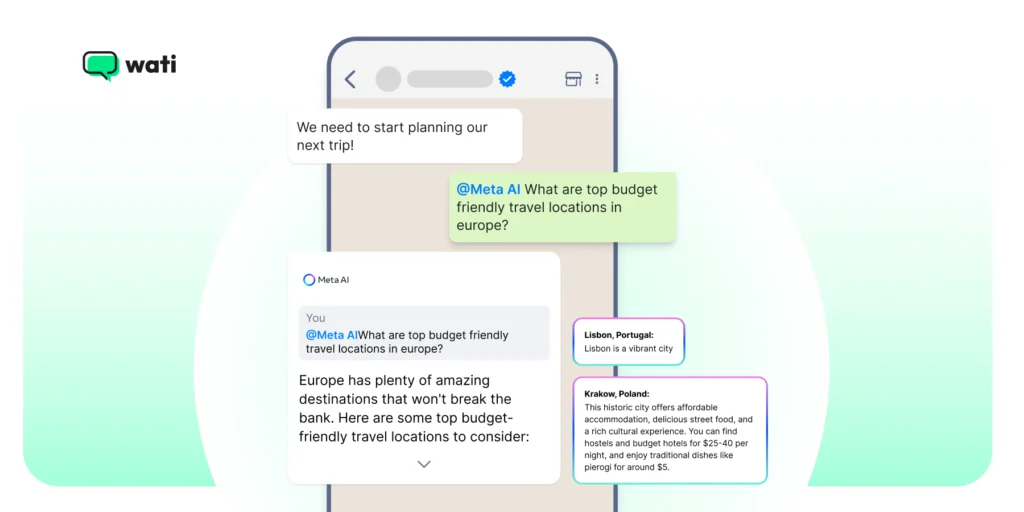
WhatsApp now includes a new feature: Meta AI tools that businesses and users can use inside chats.
The AI can answer questions, draft personal messages, create simple images, and generate short summaries of long threads.
Key Example of Meta AI inside WhatsApp
Let’s look at this via an example.
A clothing brand using WhatsApp Business can now rely on Meta AI to handle first-level customer queries such as “Do you have this jacket in size M?” or “What’s your return policy?”
The AI can instantly draft polite, on-brand replies or summarize long customer chats for a sales agent before they take over, saving time and improving response quality.
The feature is optional and uses Meta’s privacy-preserving processing for certain private tasks.
Also read: How to use WhatsApp chatbot for recurring sales inquiries to automate interactions.
2. AI Message Summaries and Writing Help
WhatsApp can create quick summaries of unread messages and offer AI-powered writing suggestions while you type. That can speed up response times and help teams reply faster with clearer, on-brand copy. Availability varies by region and language.
Key Example of AI Message Summaries and Writing Help
Assume a customer support team at an electronics store can use AI message summaries to quickly catch up on pending customer queries, for instance, talking about a delayed delivery or a refund request.
The AI writing suggestions can help agents craft faster, well-worded responses, such as “We’re sorry for the delay – your order will arrive by tomorrow.” This type of reply maintains a consistent brand tone. Users can also receive notifications when AI-generated summaries or writing suggestions are available.
3. Ads and Marketing Integration
WhatsApp ads and placements are becoming easier to manage from Ads Manager.
Businesses can run campaigns across Facebook, Instagram, and WhatsApp from one place, and let Meta’s systems optimize budgets across placements.
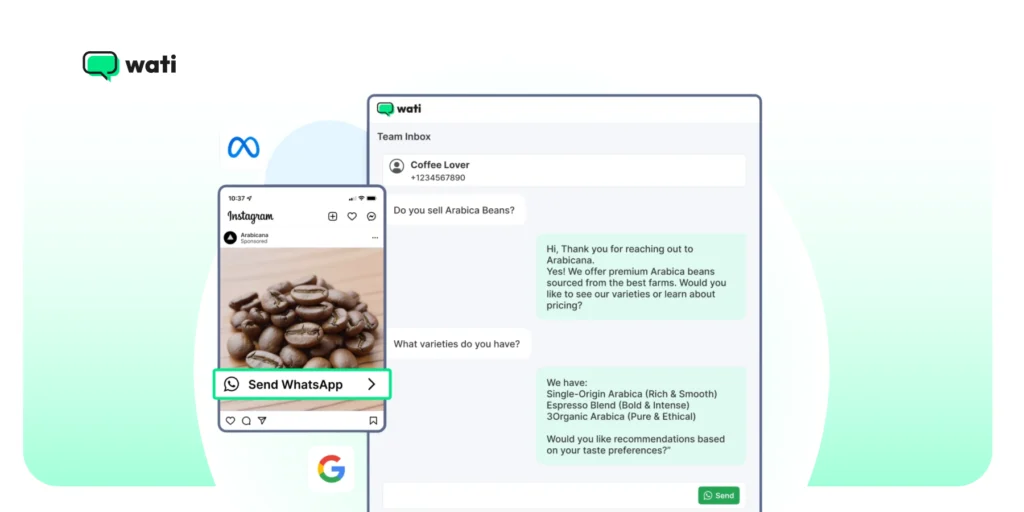
Businesses can also include a link in their WhatsApp marketing campaigns to drive engagement, provide status previews, or connect customers directly to other Meta platforms.
Key Example of Ad and Marketing Integration
A cafe posts a limited-time offer on Instagram Stories with a “Message on WhatsApp” button. Customers can click it to reserve a table or pre-order, without leaving Instagram. This makes it simpler to treat WhatsApp as a regular marketing channel.
Explore the new WhatsApp features in the Wati dashboard by signing up for a free trial.
4. Business Calling API
A Business Calling API lets you add voice calls to the same WhatsApp thread.
That means you can move from message to voice in one customer journey and keep context in the conversation. The Business Calling API also supports video call functionality, enabling richer customer interactions.
Key Example of Business Calling API
For instance, if your customer is chatting with your brand about a billing issue.
When the query becomes complex, the support agent instantly initiates a WhatsApp voice call from the same chat, resolving the issue faster without needing to switch to another app.
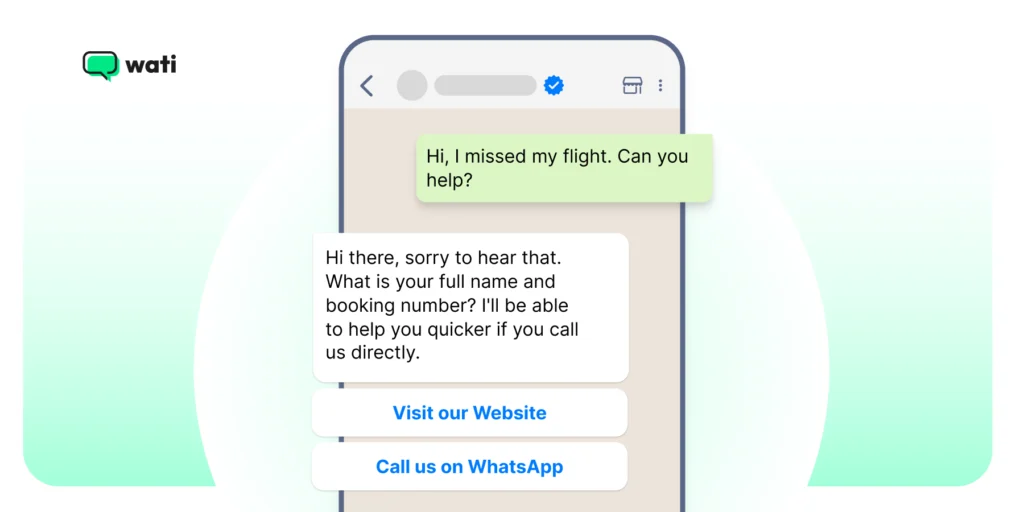
It’s designed for support or higher-touch sales interactions.
5. Payments and checkout improvements
WhatsApp continues to expand payments in supported markets.
Businesses can now request and accept payments more easily inside chats, helping convert conversations into purchases without friction.
Customers can browse products, place orders, and pay all within a single WhatsApp thread, eliminating the need to open external websites or apps.
This reduces drop-offs in the purchase journey and helps small businesses close sales directly from conversations.
Also, WhatsApp Pay is currently available in select markets, including India, Brazil, and Singapore, with payment methods varying by country (for example, UPI support in India).
Key Example of Payment And Checkout Improvements
Imagine you are a clothing brand, and a lead signs up via Instagram for WhatsApp shopping. After going through the catalog, it decides to complete the transaction.
WhatsApp Pay feature enables transaction support with generic processing fees and allows you to provide end to end payment experience, and reduce third-party payment gateway hassles.
This also assures the customer that their payment data is secure and encrypted.
6. WhatsApp Business Platform Pricing
WhatsApp updated its Business Platform pricing, moving to per-message pricing and new volume tiers for utility and authentication messages.
This affects how businesses plan messaging budgets. Marketing or authentication messages incur a charge per message delivered.
Messages falling under “Utility and Service” are often lower-cost or free when responding to a user-initiated query within the 24-hour window.
High-volume senders benefit from tiered discounts on utility and authentication messages.
Check the pricing page for exact rates and effective dates.
What are the Latest Features on WhatsApp For Sales Growth?
If you’ve opened WhatsApp recently, you’ve probably noticed a few new things popping up.
WhatsApp finally introduced the ability to send images in higher quality, a long-awaited feature that allows users to share photos without compression for better clarity.
Meta’s been quietly adding updates that make it easier for businesses to chat, sell, and support customers. These updates are available on both iOS and Android devices, benefiting all users.
1. Live & Motion Photos, Creative Meta AI Features and More
- WhatsApp now supports sending Live Photos (iOS) and Motion Photos (Android): Images that include sound and movement. You can also share photos and videos with added context by including captions, making your multimedia messages clearer and more engaging.
- New chat themes and backgrounds powered by Meta AI: Businesses and users can generate creative visuals for chats and video calls, and interact with these visuals by tapping on them for a more dynamic experience.
- Improved group search: You can now find groups by searching for people in them rather than remembering the group name.
- Document scanning on Android: Allows businesses to scan, crop, and send documents directly inside WhatsApp. Users can easily delete scanned documents if needed.
- Animated stickers: WhatsApp now supports creating new stickers from videos, allowing businesses to personalize their communication.
- WhatsApp Beta: The WhatsApp Beta update allows you to schedule messages as a premium feature. Expanded chat pinning beyond the standard 3 is currently being tested in beta.
- Message Translations: WhatsApp now features in-app translation. Android users can even toggle “Auto-translate” for an entire chat thread. For businesses in diverse markets, this removes the language barrier in customer support.
- Updating your business profile picture: This is essential for brand recognition and helps establish trust with your customers.
Updating your business profile picture is essential for brand recognition and helps establish trust with your customers.
2. Updates to Stickers, Calls, Channels, Status and More
- New animated emojis in chats and the ability to create animated stickers from videos.
- Filters and effects for video calls, making calls more engaging for customers and teams.
- For channels (and the Updates tab): Users can tap to open status updates, interact with photo-based poll options, star updates, and mention groups in status updates.
- Add a new contact: Businesses can also easily add a new contact through channels or status updates.
The chats tab is where users can manage conversations, catalogs, and interactive messages. Businesses can also easily add a new contact through channels or status updates.
Why it matters for businesses: These WhatsApp new features offer new ways to engage customers (interactive polls, fun visuals in calls, expressive stickers), helping with brand personality and customer experience.
3. Message Translations
WhatsApp introduced the ability to translate messages in chat, including a feature to auto-translate entire conversations for those on Android.
Why it matters for businesses: If your audience speaks multiple languages (for example, in a diverse market like India), this lowers language barriers and improves customer support with minimal additional resources.
4. Community Building with WhatsApp
Community building has become a cornerstone of the WhatsApp experience.
Now, WhatsApp users can create a new group and add members to bring together friends, colleagues, or customers into vibrant communities.
Here are the top community features
- Ability to share videos directly in chats and groups. Whether you’re sending motion photos on Android or live photos on iPhone.
- The dynamic images with sound and movement add a layer of fun and authenticity to your conversations.
- Businesses and group admins can now make their chats more interactive and visually appealing, helping messages stand out in busy group chats.
5. Personalization
Personalization has also been improved with the inclusion of new chat themes and unique backgrounds powered by Meta AI.
- Custom backgrounds: Users can set custom backgrounds for video calls, giving each conversation a personal touch and making video calls more engaging.
- New themes: These new chat themes help create a welcoming atmosphere, whether you’re hosting a team meeting or catching up with friends.
6. Scanning and Sending Documents
Document scanning is another powerful addition for both businesses and individuals. With this feature, users can scan, crop, and send documents directly from their phone.
The process streamlines workflows and makes it easier to share important information without leaving the app.
This is especially useful for companies that need to exchange contracts, invoices, or other paperwork quickly and securely.
Note: Accessing these new features is simple. You just need to update to the latest version of WhatsApp on your Android or iPhone device. That makes it easy to create a new group, customize your chats, and explore the latest WhatsApp features designed for the community.
How to Access New WhatsApp features?
Accessing these new features is simple. Yoy just need to update to the latest version of WhatsApp on your Android or iPhone device.
Once updated, you’ll find it easier than ever to create a new group, customize your chat screen, and explore the latest WhatsApp features designed for community building.
Security remains a top priority, with end-to-end encryption ensuring that personal messages and group conversations stay private.
The addition of QR codes makes it effortless to add new contacts or join groups, further simplifying the process of growing your community.
Tips to Get the Most Out of the Latest WhatsApp Features
New WhatsApp features mean new ways to connect with your customers, but only if you use them right.
Many of these features can be accessed directly from the WhatsApp Messenger app, ensuring you stay up to date with the latest tools and improvements.
Keep reading for a few simple ways to make the most of WhatsApp’s latest updates.
- Keep your WhatsApp Business Profile Fresh: Update your catalog, bio, and contact details regularly. A clear, complete profile builds trust and makes it easier for customers to reach you.
- Experiment with AI Tools: Try Meta AI for quick replies, summaries, or content ideas. You can use it to speed up responses, not replace your team’s personal touch.
- Use Channels to Stay Visible: Post regular updates, product drops, or quick announcements. It’s a great way to reach followers without crowding chats.
- Translate your Conversations: Turn on message translations if you serve customers in different languages. It keeps the experience smooth and avoids misunderstandings.
- Don’t Ignore Privacy Settings: Review your advanced chat privacy options. Protecting customer data is just as important as quick replies.
- Keep conversations interactive: Use interactive buttons, polls, or flows to guide customers toward the next step, whether it’s learning more, booking, or buying.
Embrace The “Market-First” Advantage With Wati
Managing these advanced 2026 features, like AI automation, multi-agent calling, and per-message billing, is difficult on a standard phone.
Wati, built on the WhatsApp Business API, brings these tools into a single dashboard. From automating greetings to managing broadcasts and real-time analytics, Wati ensures you scale your business while keeping the personal touch.
Book a free demo and unlock the future of WhatsApp Business today.
WhatsApp New Features: Frequently Asked Questions
Have more questions? Refer Below!
Meta AI acts as a 24/7 digital assistant that can draft on-brand replies, summarize long customer chat histories for your agents, and answer basic queries like return policies or product availability instantly.
Pricing uses a per-message model introduced in 2023. Marketing and authentication messages incur a specific cost per delivery, while “Utility and Service” messages are typically lower-cost or free when responding to a customer within a 24-hour window.
Yes, in supported markets. Customers in countries where WhatsApp Pay is available (including India, Brazil, and Singapore) can browse catalogs, add items to a cart, and complete transactions using in-chat payment rails without leaving the app.
The Calling API allows you to escalate a text chat to a voice or video call within the same thread. It is best used for high-touch sales or resolving complex technical support issues where voice context is more efficient than typing.
Message scheduling is currently rolling out as a Premium feature in WhatsApp Beta. Expanded chat pinning beyond the standard 3 is also being tested in beta and is not yet confirmed for general availability.
To delete a message in WhatsApp, tap and hold the message, then select ‘Delete’ to remove it for yourself or for everyone (if within the allowed time frame). Editing a message lets you change its content, but only within a certain time after sending, and the message will be marked as ‘edited’.