
Too Long? Read This First
- WhatsApp Channels allow businesses to share one-way updates with unlimited followers.
- Followers stay private; only admins can post, and updates appear in the dedicated “Updates” tab.
- Channels are good for communicating product launches, brand updates, and announcements, but not for conversations or automation.
- You can create a Channel in minutes and verify it via Meta Verified for Business for added trust and discoverability.
- For two-way chats, automation, or personalized campaigns, pair Channels with the Wati WhatsApp Business API.
Most brands today struggle to stay visible through crowded feeds and spam filters. WhatsApp Channels change that.
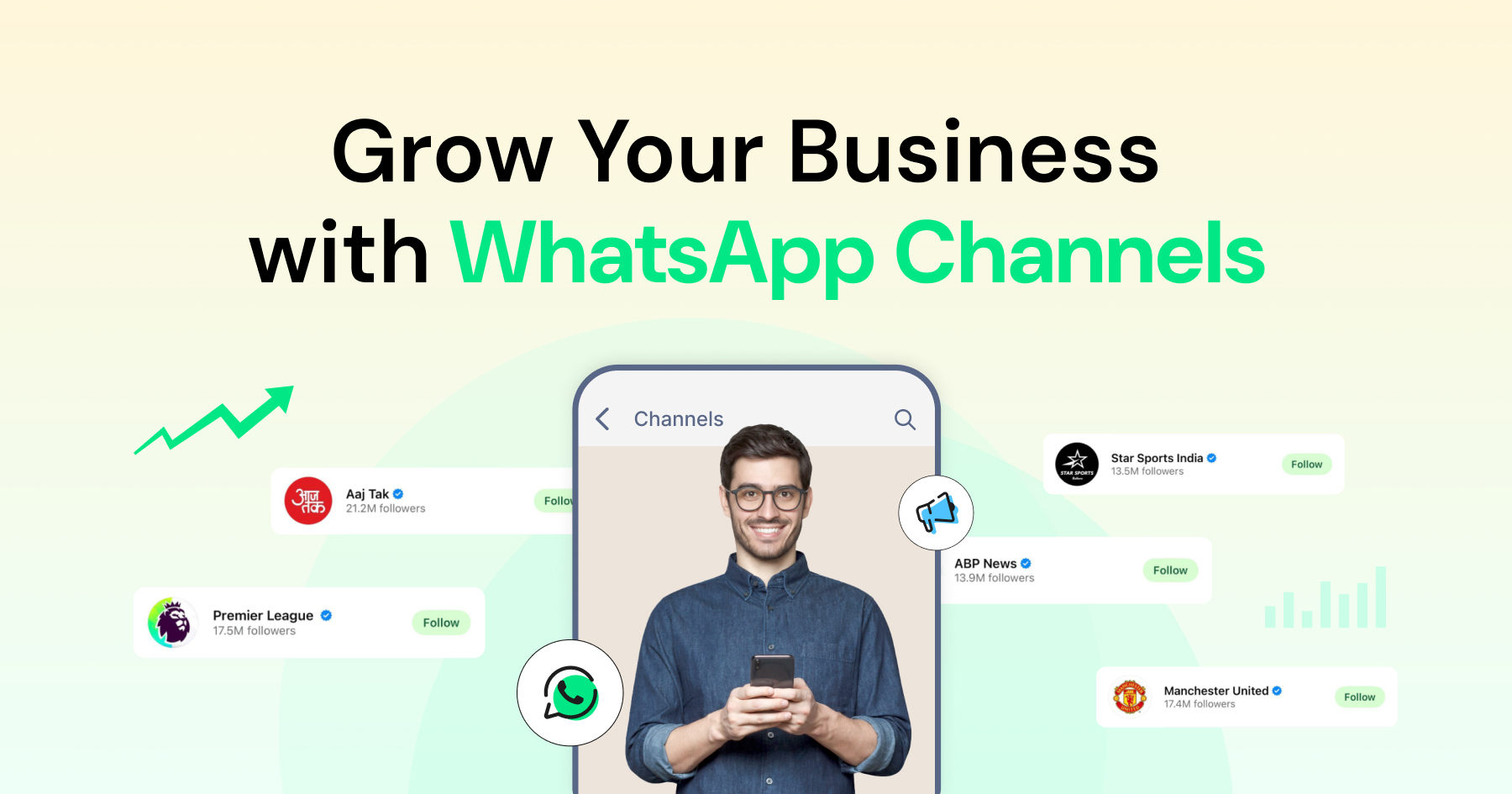
WhatsApp's Updates tab, home to Channels and Status, is now used by 1.5 billion people every day. That makes WhatsApp Channels one of the largest direct distribution platforms for businesses looking to reach customers without competing against crowded social media feeds or email inboxes.
WhatsApp piloted Channels in Colombia and Singapore in June 2023 before rolling the feature out globally across more than 150 countries that September. Today, businesses can use Channels to send one-way updates to unlimited followers directly on WhatsApp.
Creating a WhatsApp Channel is free and takes less than two minutes. Channels give you a clean, distraction-free way to share updates without revealing phone numbers or fighting social media algorithms. Every follower receives your message in the Updates tab, exactly where they’re already active.
In this guide, you’ll learn how WhatsApp Channels work, how to set them up, and how the WhatsApp Business API offers more capabilities for channels
What are WhatsApp Channels?
WhatsApp users follow a channel to receive updates in their Updates tab. Channels can have an unlimited number of followers.
Key features:
- One-way communication and broadcast. WhatsApp Channels are designed for one-way broadcast feeds—only admins can post updates at scale, while followers cannot reply but can react with emojis and vote in polls.
- Unlimited followers. No audience cap
- Privacy-first. Followers’ numbers stay hidden
- Organized view. Updates live in a separate Updates tab
- Opt-in only. Users choose to follow your channel.
Channels give businesses a cleaner, more private way to share updates without relying on social media algorithms or email lists.
Are WhatsApp Channels Private and GDPR-Friendly?
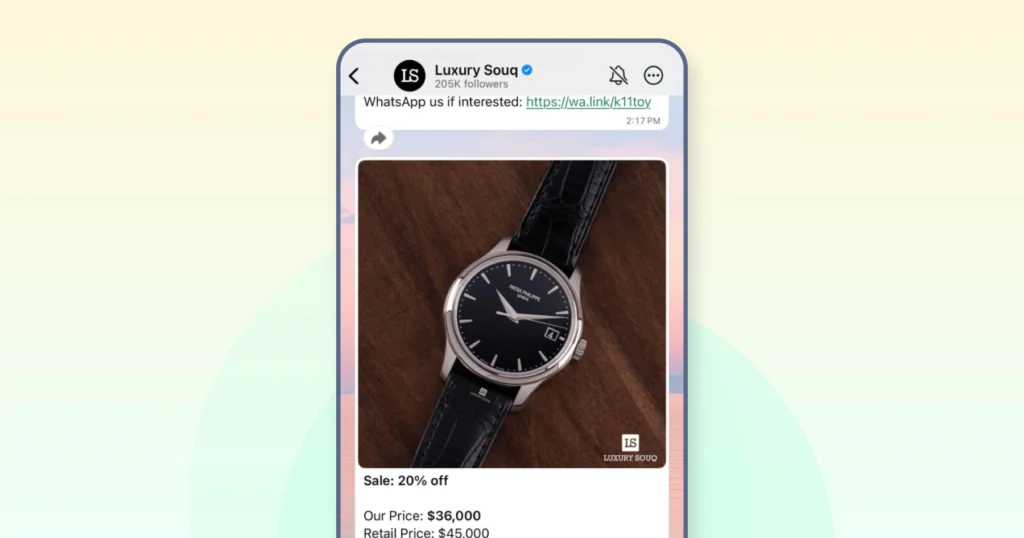
WhatsApp Channels are built with privacy in mind. Admins cannot see a follower's phone number or profile photo unless that person is already a saved contact, and followers cannot see each other or the admin's phone number. Since Channels follow a "pull" model, where users choose to follow and view updates instead of receiving messages directly in their chats, they have a smaller data protection footprint than groups or saved-contact broadcast lists.
For businesses operating under GDPR or similar privacy regulations, this offers an important advantage. A WhatsApp Channel does not require businesses to collect or store a follower's phone number to share updates, reducing the amount of personal data they process.
However, the WhatsApp Business Platform, which supports two-way messaging and automation, does involve processing customer phone numbers and message content. Businesses using both Channels and the API should therefore apply the same data processing agreements and consent practices required for any WhatsApp Business API implementation.
WhatsApp Channels vs. Broadcast Lists vs. Groups
Many businesses confuse WhatsApp Channels with groups or broadcast lists, but they’re built for completely different goals.
Think of groups as conversation spaces, broadcast lists as private announcements to saved contacts, and channels as public broadcasts to unlimited followers.
Here’s how they compare at a glance:
Feature | WhatsApp Channels | Broadcast Lists | Groups |
Audience size | Unlimited | 256 contacts per list | Up to 1,024 members |
Communication | One-way only | One-way only | Two-way (everyone can chat) |
Privacy | Followers are hidden from each other | Recipients cannot see each other | All members are visible |
Discovery | Searchable, public links, and in-app directory | Private and contact-based | Join via invite link or invitation |
Phone number | Not required to follow | Recipients must save your contact | Members join using their phone number |
Message retention | Updates are automatically deleted after 30 days | Messages remain until deleted | Messages remain until deleted |
Reactions | Emoji reactions only | No reactions | Full replies and emoji reactions |
How do Followers Find Your Channel? (Discovery & Directory)
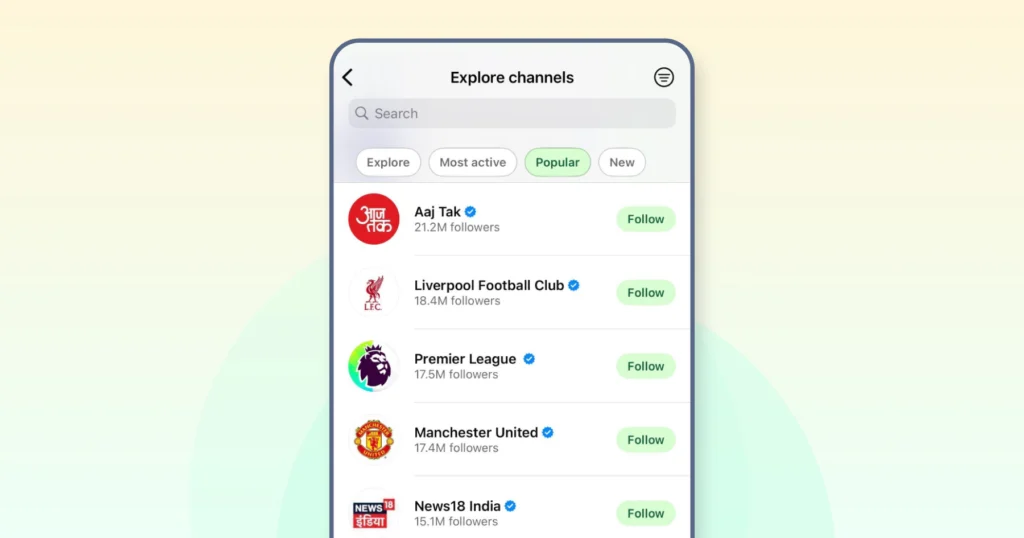
People can discover your WhatsApp Channel in two ways: through a direct link or QR code you share, or via WhatsApp's built-in Channels directory. Located in the Updates tab, the directory allows users to browse channels by country, category, and filters such as New, Most Active, and Most Popular.
Several factors influence how easily users can find your channel:
- Use a clear name and description: Your channel's name and description appear in the directory before someone opens it. A descriptive, recognizable name makes it easier for users to understand what your channel offers.
- Choose the right category: Selecting the most relevant category during setup improves your chances of appearing in browse results and recommendations.
- Post consistently: Regular posting increases the likelihood of your channel appearing under Most Active, helping more users discover your content over time.
How WhatsApp Channels Work?
WhatsApp Channels follow a simple publisher–subscriber model. Businesses share updates, and users choose to follow them. There are no replies, no clutter, and no phone numbers exchanged.
Privacy remains central to how Channels operate. Admins can see follower numbers but not identities, and followers can't see each other.
All updates automatically disappear after 30 days unless you save them. This keeps the feed fresh and uncluttered.
For businesses, the process is straightforward. Create a channel by adding your business name, description, and profile image. Once your channel is ready, share its link or QR code so people can follow it. You can then publish updates using text, images, videos, polls, and links, while tracking performance through metrics such as follower count and message views.
For followers, the experience is equally simple. Users can discover channels through search, recommendations, invite links, or QR codes and follow them without sharing their phone number. Updates appear in the Updates tab, separate from personal chats, so they are easy to browse without interrupting everyday conversations. Followers can react to posts with emojis, forward updates, or unfollow the channel at any time.
How to Create and Verify a WhatsApp Business Channel?
You can set up a WhatsApp channel in four steps.
Step 1. Create Your Channel
Open the WhatsApp Business app (mobile or desktop)
Go to the Updates tab, tap "Create Channel," and add your channel name, a short description, and your brand logo.
Once created, WhatsApp gives you a unique link whatsapp.com/channel/[ID]) and a QR code you can share across your website, social handles, or email campaigns.
Step 2: Customize and Publish Your First Post
Add a friendly welcome post introducing your brand and what kind of updates you’ll be sharing: product launches, offers, or helpful tips.
This sets the tone for your followers and gives new visitors a reason to stay.
Step 3: Get Your Shareable Link
WhatsApp automatically generates a unique link (wa.me/channel/[ID] whatsapp.com/channel/[ID]) and QR code once your channel is live.
Step 4. Verify Your Channel
Eligible businesses can apply for official business verification through Meta. Businesses using the API can request verification through Meta Business Manager by submitting proof of business authenticity.
If you need CRM integration, personalized customer service, automation, and analytics, consider the Wati WhatsApp Business API. Unlike Channels, the WhatsApp Business Platform supports two-way communication and enables more sophisticated business use cases.
Pro Setup Tips
- Name: Keep it recognizable: your brand name or “Brand Name Official.”
- Description: Tell followers what they will get (Daily travel deals, Weekly fitness tips, Exclusive product drops).
- Profile Photo: Use your logo or a high-quality brand image (minimum 640x640px).
- Welcome Post: Share posting frequency or categories (e.g., We post every Friday – stay tuned for new recipes!).
If you want to go beyond channel updates and start automating personalized campaigns or customer replies, Wati’s WhatsApp API makes that possible. See how |
Tips to Grow and Promote Your WhatsApp Channel
Launching a WhatsApp Channel is only half the work. Growth happens when people know why they should follow you and what they’ll get out of it.
1. Drive Visibility Across Owned Platforms
WhatsApp doesn’t automatically promote your channel; you have to make it visible where your audience already interacts with your brand.
Add your channel link or QR code to your website footer, checkout page, or help center.
For example, product brands could include a subtle “Join our WhatsApp Channel for early product drops” banner on checkout screens.
Mention it in newsletters, order confirmations, and email signatures. Those recurring touchpoints often have the highest open rates.
On social media, update bios and story highlights with your channel link. A manufacturing brand could pin a post saying, “Follow us on WhatsApp for exclusive behind-the-scenes updates.”
Keep it consistent across platforms. Every digital property should nudge users toward your channel, without being intrusive. When done right, it feels like a natural extension of your brand, not another marketing message.
2. Extend Discovery Beyond Digital
Don’t limit your WhatsApp Channel to online touchpoints. Make it visible wherever your brand shows up in the real world.
Add QR codes to packaging, receipts, product manuals, or event booths so customers can follow you instantly. For example, Sweetgreen could print “Scan for new menu updates and local offers” on takeaway bags, while Nike might display “Follow for early access to drops” on in-store signage.
If you run pop-ups or attend trade shows, include your WhatsApp QR on flyers, badges, and banners. People are far more likely to scan something they see in person than type a long link later.
The key is to tie the QR code to a clear, tangible benefit. “Scan for weekly style tips” works better than “Follow our channel.”
3. Announce Your Channel like a Product Launch
Treat your WhatsApp Channel launch as a campaign. Create excitement, announce it across platforms, and make joining feel like an insider privilege.
Start with teaser videos or carousel posts on Instagram, LinkedIn, and X that highlight what followers get: exclusive updates, early access, or curated insights.
For example, if you are a fashion brand, promote the launch of your WhatsApp channel with a short video teasing “exclusive fashion drops.”
Pin the post on your social handles, include the channel link in bio sections, and save stories under a dedicated “WhatsApp” highlight. Reinforce the launch with an email or push campaign that says,
“We’re now on WhatsApp: get updates where you already chat.”
Note: Always lead with value. Replace “Follow us on WhatsApp” with “Don’t miss early access” or “Be first to know what’s next.”
4. Build Offline Discovery Points
Don’t limit visibility to digital spaces because offline touchpoints can be just as effective in driving followers.
Add QR codes linking to your WhatsApp Channel on product packaging, in-store signage, receipts, flyers, and event booths. Keep the call-to-action benefit-driven, not generic.
For example, a restaurant could print “Scan to see this week’s chef specials” instead of “Follow us on WhatsApp.”
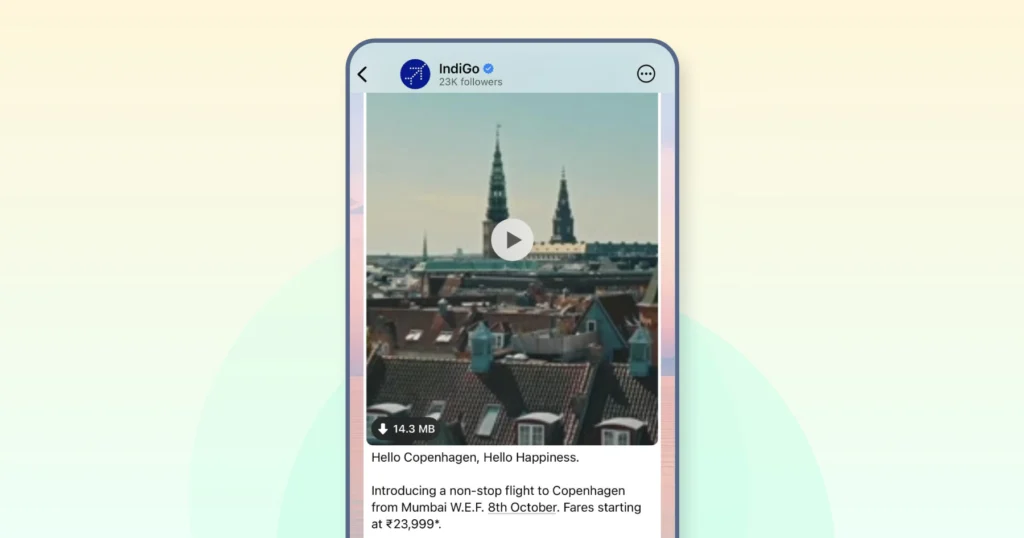
Starbucks has run in-store QR-led promotions linking customers directly to WhatsApp for loyalty-program sign-ups, a model any retail, hospitality, or events business can adapt.
5. Keep Followers Engaged Consistently
Once your channel gains traction, consistency becomes your biggest growth driver. Post regularly enough to stay visible, but not so often that followers feel spammed.
The sweet spot depends on your industry:
- News and media: 3–5 updates daily
- E-commerce: 1–2 updates daily
- B2B or service brands: 2–3 weekly
- Creators or influencers: 1–2 daily
Your followers should know when to expect updates. Random or erratic posting, on the other hand, could lead to quick unfollows.
For example, Bloomberg and BBC use WhatsApp Channels to share timely news updates at predictable intervals, maintaining high retention without overwhelming their audiences.
6. Create Content that Feels Worth Following
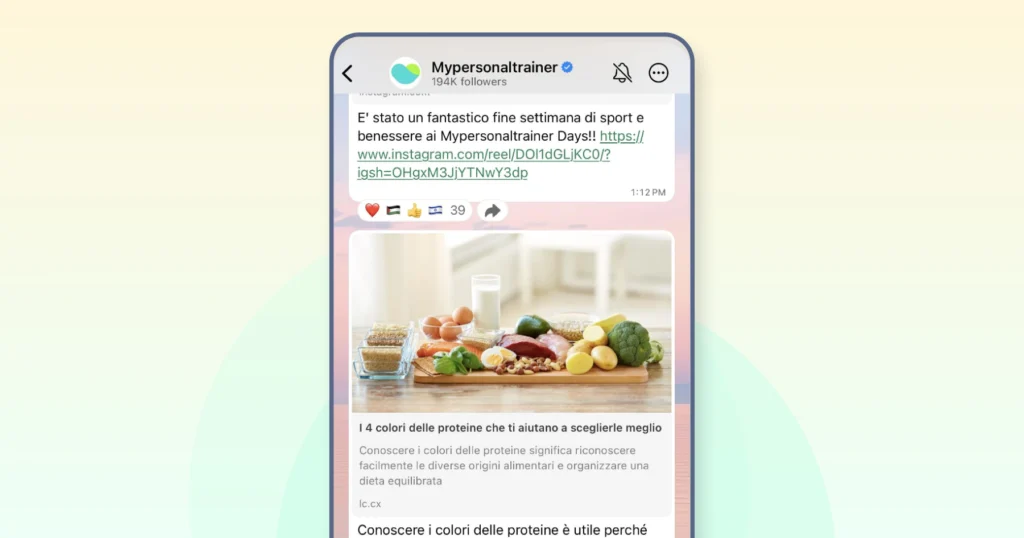
Followers stay only when your content feels worth their attention. So keep your feed diverse. The best-performing brands utilize a mix of formats to keep their feed engaging, relatable, and relevant.
- Share time-sensitive offers that create urgency, such as “24-hour exclusive drops” or “early access to sales,” exclusively to channel followers.
- Add behind-the-scenes stories to humanize your brand: quick clips of your team packing orders, prepping new collections, or brainstorming campaigns.
- Balance this with educational content that helps your audience make informed choices: short guides, how-to guides, or industry insights.
- Then mix in polls and feedback posts to make followers feel involved: “Shop now,” “Vote your favorite,” or “Tap ❤ ️ if you’d like this drop next.”
- Keep every post short and scannable, under 300 characters, with clean visuals and one clear CTA.
- Encourage interaction through emoji reactions, polls, and shareable posts. Use simple prompts like: “❤️ if you want more updates like this” or “Vote for your favorite flavor below.”
Posts that feel personal and polished perform best. It’s less about frequency, more about why someone would want to keep seeing you in their WhatsApp feed.
Last but not least, consider a hybrid approach: Integrate a Channel with a WhatsApp Business API to promote your business.
Why Channels + Wati Omnichannel WhatsApp Business API is the Right Solution?
Channels give you a direct line to unlimited followers without fighting social media algorithms. But they're one-way by design: no replies, no scheduling, no detailed analytics, and updates disappear after 30 days.
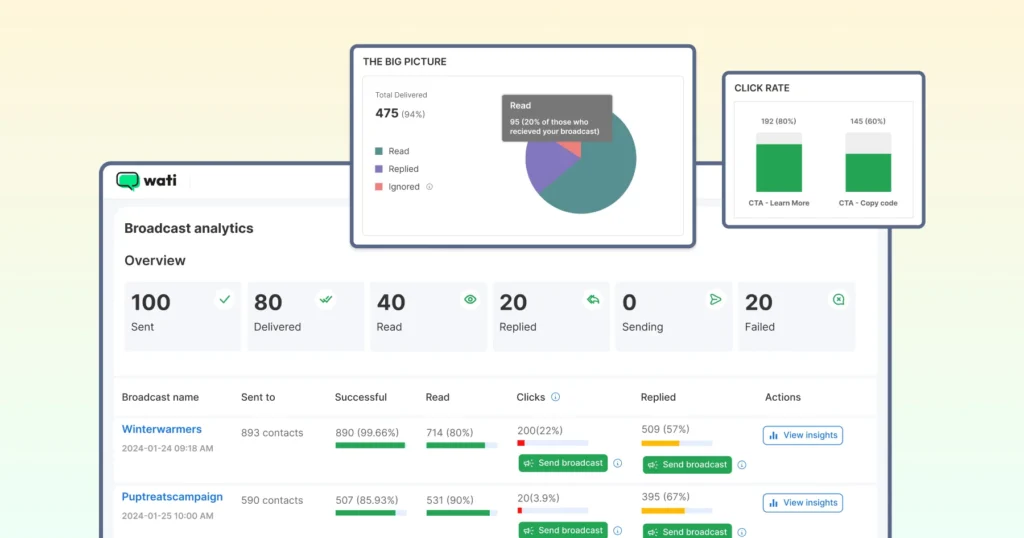
That's why most businesses pair Channels with the API: Channels build awareness through consistent updates and product drops, while the Wati WhatsApp Business API handles replies, automates reminders, and turns engagement into action, now across WhatsApp, Instagram, TikTok, and Facebook Messenger in one Team Inbox rather than WhatsApp alone.
Wati also runs WhatsApp Business Calling, so a follower who wants to talk instead of type can move from a channel update straight into a voice conversation on the same number.
Measuring Success: Analytics and KPIs for WhatsApp Channels
To get the most out of your WhatsApp channel, it’s essential to track the right analytics and KPIs.
Start by monitoring follower growth, how many users are joining your channel over time.
Engagement rates are another key metric: look at how many followers are viewing your channel updates, reacting with emojis, or clicking on links you share.
Tracking the click-through rate (CTR) on links within your channel content can help you understand what types of updates drive the most interest and action.
For businesses focused on sales, it’s important to measure conversions, such as purchases, sign-ups, or inquiries, that result from your WhatsApp channel activity.
Advanced analytics can also reveal audience retention and where users tend to drop off. These insights allow you to refine your content strategy, optimize posting times, and deliver updates that keep your followers engaged.
By regularly reviewing these KPIs, businesses can fine-tune their WhatsApp channel approach, improve the effectiveness of their channel updates, and maximize the return on investment from their WhatsApp marketing efforts.
Monetizing Your WhatsApp Channel
While WhatsApp doesn’t offer built-in monetization features for channels, there are plenty of creative ways for businesses to generate revenue and drive sales.
One effective strategy is to share affiliate links or promote sponsored content within your channel updates, earning commissions or fees for every sale or lead generated.
You can also use your WhatsApp channel to offer exclusive deals, discounts, or early access to new products, giving your followers a reason to stay engaged and make purchases directly from your business.
By providing valuable, members-only content or personalized recommendations, you can build a loyal community that’s more likely to convert into paying customers.
Another approach is to use your channel as a platform for launching new products or services, gathering feedback, and building buzz before a wider release. The direct connection with your followers means you can quickly test new ideas and drive immediate action.
Ultimately, the key to monetizing your WhatsApp channel is to focus on delivering value and building trust.
By consistently sharing high-quality content, leveraging features like links and exclusive offers, and nurturing your follower base, you can turn your WhatsApp channel into a powerful sales and marketing tool for your business.
From 1.8% to 4.8%: How Blacklyf Turned Broadcasts Into Conversations
Blacklyf, a Ugandan direct-to-consumer electronics brand, paired Click-to-WhatsApp Ads with Wati's broadcast and keyword automation to move ad engagement directly into WhatsApp conversations.
Results:
- Website conversion rate increased from 1.5% to 1.8%, and reached 4.8% for WhatsApp traffic.
- Customer acquisition cost dropped by around 60%.
- Conversions tripled.
While this example uses Click-to-WhatsApp Ads instead of WhatsApp Channels, it follows the same broadcast-to-conversation model described in this guide. A Channel or ad builds reach, while the WhatsApp Business API turns that reach into two-way customer conversations.
Before You Start
Wati, you can bring Channels and the API together: automate outreach, manage every conversation from one shared inbox, and integrate with Shopify, HubSpot, or Salesforce.
Book a demo to see how Wati helps you scale from broadcast to conversion, all within WhatsApp
Frequently asked questions
Are WhatsApp Channels free to use?
Yes. Creating and managing a WhatsApp Channel is completely free. Businesses only pay if they want a verified badge through Meta Verified for Business, which runs from roughly $14.99 to $349.99 per month depending on tier and platform. Advanced automation or personalized messaging requires the WhatsApp Business API, available through providers like Wati.
How do I grow my WhatsApp Channel audience?
Promote your channel link across every customer touchpoint: website banners, checkout pages, email signatures, and social media bios. You can also use QR codes on packaging, receipts, and events, or run Click-to-Channel ads on Meta platforms. Consistent, valuable content is key to reducing unfollows.
Can I schedule or automate updates for my WhatsApp channel?
Not directly. WhatsApp Channels don’t support post scheduling yet, all updates must be published manually. However, you can automate and schedule messages using the WhatsApp Business API via a provider like Wati, which also offers analytics and team inbox management.
Do followers see each other's phone numbers?
No. WhatsApp Channels protect privacy completely. Followers remain anonymous to both the admin and other subscribers. Admins can only see the total follower count and post views, not who reacted or viewed.
How long do WhatsApp Channel updates last?
Every message or update in a WhatsApp Channel automatically disappears after 30 days to keep content fresh and relevant. Followers can still save specific updates to their devices if they want to keep them longer.
Related posts
- How to Send Bulk Messages on WhatsApp Without Getting Blocked
Learn how to send bulk WhatsApp messages without getting blocked. Compare the WhatsApp Business app and API, messaging limits, costs, templates, and best practices for safe, compliant bulk messaging.
- Instagram Comment Automation: How It Works and How to Set It Up in Wati
Instagram comment automation auto-replies to comments and DMs commenters within seconds via Meta's API. Covers strategy, use cases, and Wati setup.
- Shared Team Inbox for Instagram: A Buyer’s Checklist for 2026
Use this fastest checklist to evaluate any shared team inbox for Instagram, which covers DMs, comments, automation, and multi-channel support.
- How to Set Up a TikTok Business Account: Step-by-Step Guide
Set up a TikTok Business Account step by step: switch from personal, pick a category, add your profile, and unlock ads and analytics.