

-

-
-
Solutions
-
Soluções
-
Soluciones
-
解决方案
-
解決方案
-
الحلول
-
Product
-
Produto
-
Producto
-
产品
-
產品
-
المنتج
-
 Astra AI
-
-


 Wati for Marketing
 Wati for Support
 Wati for Sales
 eLearning
 E-commerce
 Marketing Agencies
 Healthcare
 No Code Chatbots
 AI Support Agent
 Instagram and Facebook messenger
 Click to WhatsApp ads
 Broadcasts
 Team Inbox
 WhatsApp Business Calling
15 Must-Have WhatsApp Templates That Could Change Your Customer Game
Written by:
 Rohan
|
on:
October 17, 2024
|
Last updated on:
November 19, 2025
|
Fact Checked by :
Rohan
|
on:
October 17, 2024
|
Last updated on:
November 19, 2025
|
Fact Checked by :
 Namitha
|
According to: Editorial Policies
Namitha
|
According to: Editorial Policies
 Table of Contents
Too Long? Read This First
- WhatsApp Business message templates help you send fast, consistent, and approved messages, from order confirmations to appointment reminders.
- You can automate these templates through the WhatsApp Business API or platforms like Wati to reach customers instantly and at scale.
- Templates support text, media, buttons, and personalization, making every message more relevant and engaging.
- The 15 ready-to-use WhatsApp Business message templates in this guide cover real business scenarios, from welcomes and updates to marketing and support.
- Used right, WhatsApp templates can boost engagement, reduce manual work, and help you build stronger customer relationships.
If you use WhatsApp for business, you already know how fast conversations move. Customers want quick answers, instant updates, and smooth interactions.
That’s where WhatsApp Business message templates make life easier.
They help you send consistent, professional messages without typing the same thing over and over. Think of them as ready-to-use formats for order confirmations, delivery updates, appointment reminders, and more.
Instead of typing the same message for every customer, you can set up these templates through the WhatsApp Business API to send messages instantly and reliably.
In this guide, we’ll cover:
- What WhatsApp Business message templates are and why they matter.
- How to create and submit templates for Meta’s approval.
- Ways to personalize templates for better engagement.
What are WhatsApp Business Message Templates?
WhatsApp Business message templates are pre-approved message formats that businesses use to start or continue conversations with customers on WhatsApp.
They are designed for proactive communication. So you can send them to customers even when they haven’t messaged you recently.
For example, you might use them for order confirmations, delivery updates, payment reminders, or event notifications.
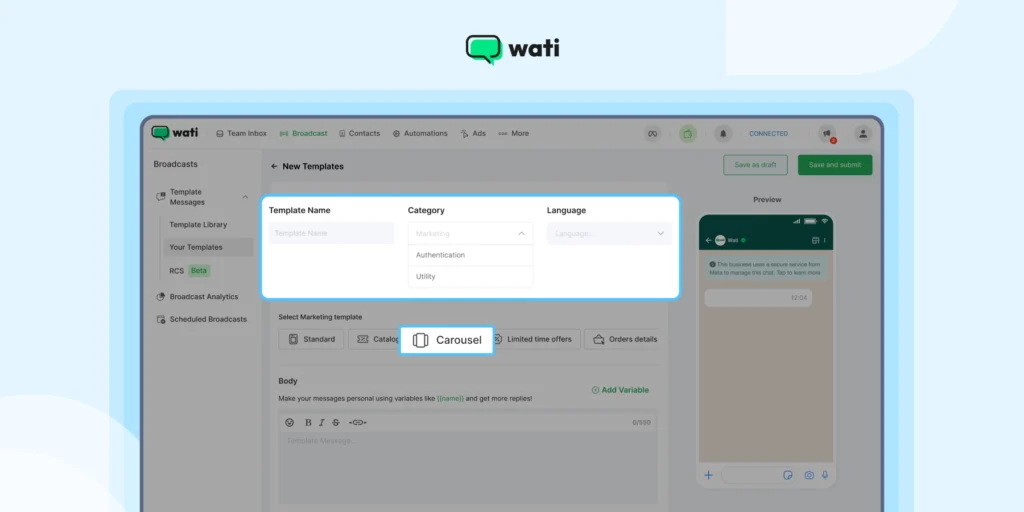
To keep the platform safe and spam-free, every message template must be reviewed and approved by Meta before it is used.
Once approved, you can send these messages instantly through the WhatsApp Business API or automation platforms like Wati.
| Each template follows a structured format and supports variables (like customer names, order numbers, or appointment times) so your messages still feel personal. You can also add interactive elements like buttons or quick replies to make conversations smoother and more engaging. |
Understanding the 24-Hour Window
When a customer messages your business, WhatsApp opens a 24-hour customer service window. During this period, you can send any kind of message (text, images, videos, or documents) without needing a template.
Once the 24-hour window closes, you can only message the customer using an approved WhatsApp message template. This ensures businesses contact customers responsibly and with consent.
How to Get Your WhatsApp Message Templates Approved
Before your message templates go live, Meta reviews and approves them to make sure they follow WhatsApp’s business and policy standards.
This process helps maintain trust, so customers know messages coming from verified businesses are safe and relevant.
Here’s what to keep in mind while creating your templates.
1. Follow WhatsApp’s Content Guidelines
Your message should be clear, professional, and free from promotional spam unless it falls under the marketing category.
Avoid misleading or clickbait text, excessive capitalization, or unclear language.
✅ Good example: “Your order #2943 has been shipped. Tap below to track your delivery.”
❌ Not approved: “Hurry! Get 50% off now before it’s gone!!!”
2. Use Variables Wisely
Variables let you personalize templates with customer-specific details like {name} or {order_id}.
Use them only where needed, and make sure the message still makes sense if the variable changes.
✅ Example: “Hi {name}, your appointment is confirmed for {date} at {time}.”
3. Choose the Right Category
Each template must be submitted under a specific category: utility, authentication, or marketing.
Choosing the right one helps Meta process approval faster and ensures your message follows WhatsApp’s business policy.
4. Keep Formatting Simple
WhatsApp supports basic formatting like bold, italics, and line breaks.
Avoid unnecessary links or HTML elements. If you include URLs, make sure they point to a verified domain associated with your business.
📙Related Read: How to Send a Link in WhatsApp and Get People to Click
5. Include Language and Locale
WhatsApp message templates must specify the language and region you plan to use.
This helps WhatsApp ensure localization and prevents approval issues when messaging customers in multiple markets.
6. Avoid Restricted Content
Templates that promote gambling, adult content, weapons, or financial schemes will be rejected immediately.
Even legitimate offers should be framed clearly and respectfully.
15 WhatsApp Message Templates Every Business Should Use
Using WhatsApp Business message templates the right way can transform how you communicate with customers.
They help automate key messages while keeping them personal, compliant, and on-brand. From a simple welcome note to proactive marketing messages, each template has a purpose.
Here are some tried-and-tested WhatsApp message templates businesses can use across different stages of the customer journey.
1. Welcome Message for New Customers
A great first impression can turn a new lead into a loyal customer.
A WhatsApp Business welcome message example like this sets the tone for your brand and assures customers they’re in good hands.
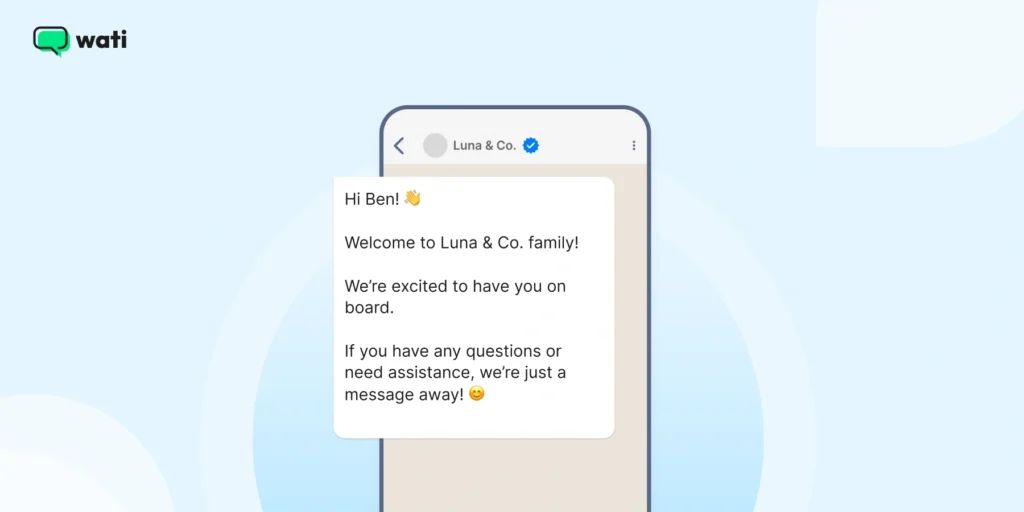
Hi [Customer Name]! 👋
Welcome to [Your Business Name] family!
We’re excited to have you on board.
If you have any questions or need assistance, we’re just a message away! 😊2. Order Confirmation Message
Customers appreciate quick confirmations.
A simple, automated WhatsApp message template reassures them that their order is secure and being processed.
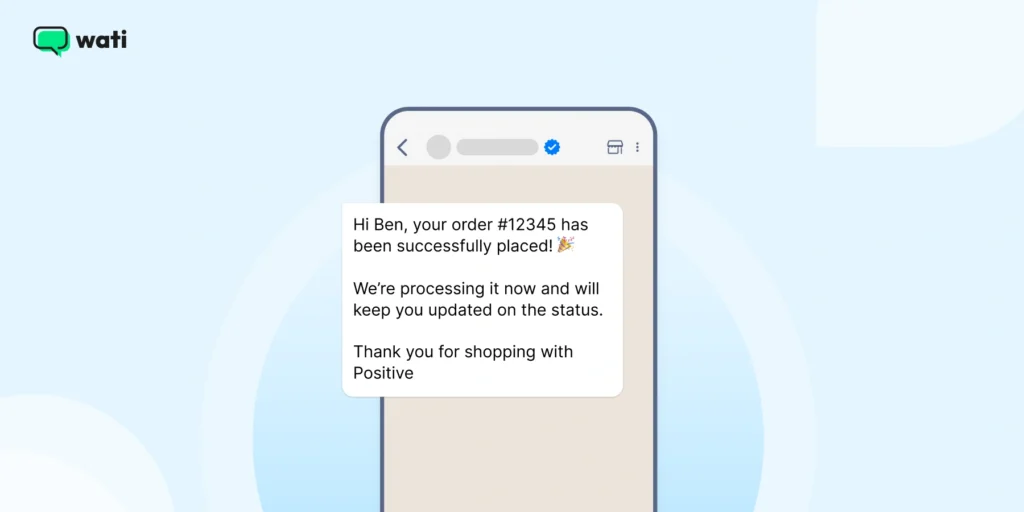
Hi [Customer Name], your order #[Order Number] has been successfully placed! 🎉
We’re processing it now and will keep you updated on the status.
Thank you for shopping with [Your Business Name]! 🛍️3. Shipping Update WhatsApp Message
Transparency builds trust. Sending customers a WhatsApp Business message template with tracking details keeps them informed and reduces “Where’s my order?” messages.
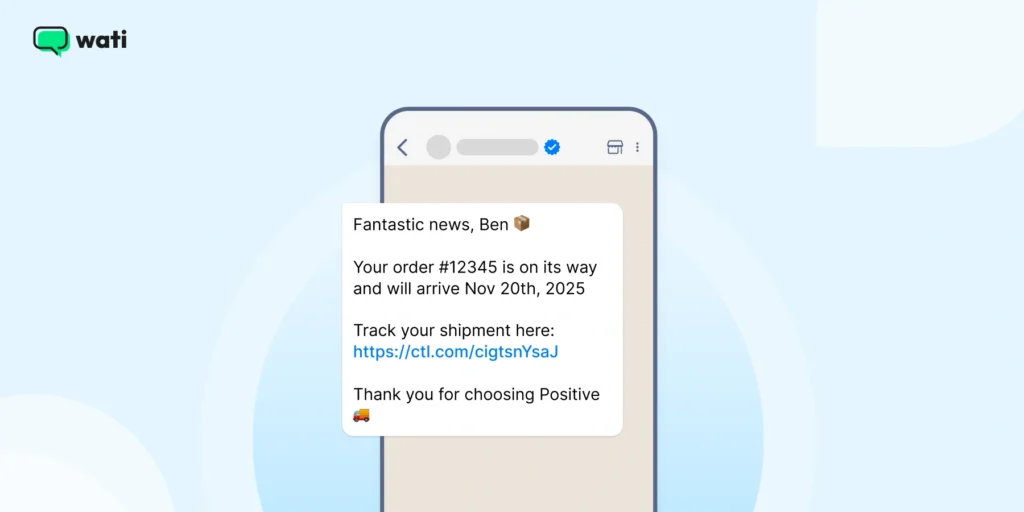
Fantastic news, [Customer Name]! 📦
Your order #[Order Number] is on its way and will arrive by [Estimated Delivery Date].
Track your shipment here: [Tracking Link].
Thank you for choosing [Your Business Name]! 🚚4. Delivery Confirmation Message
After a delivery, closing the loop matters. It signals reliability and creates a chance for follow-up or feedback.
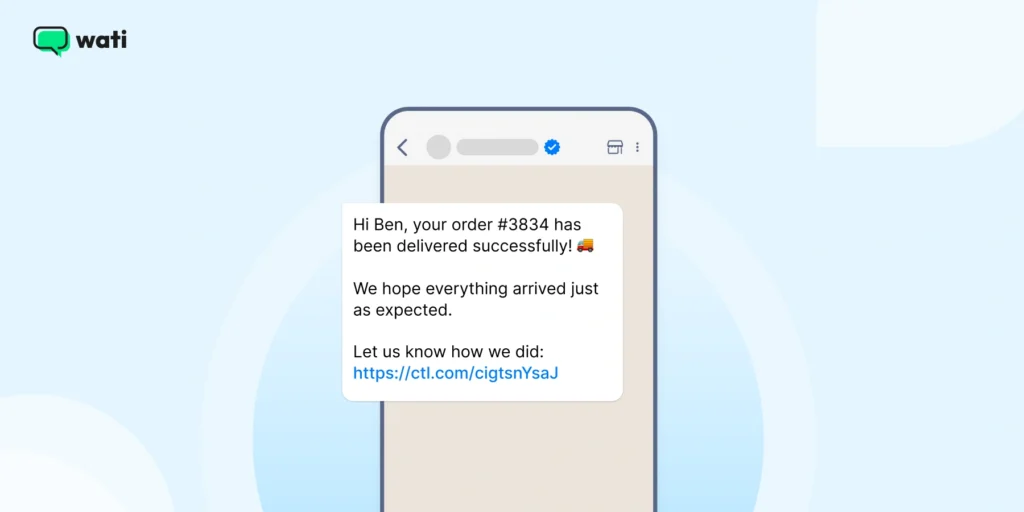
Hi [Customer Name], your order #[Order Number] has been delivered successfully! 🚚
We hope everything arrived just as expected.
Let us know how we did: [Feedback Link].💡 Integrate this with your CRM or e-commerce platform to send updates via WhatsApp Business API instantly.
5. Appointment Reminder Message
Missed appointments mean lost revenue. Automate reminders using a WhatsApp Business message template to keep your calendar organized and customers punctual.
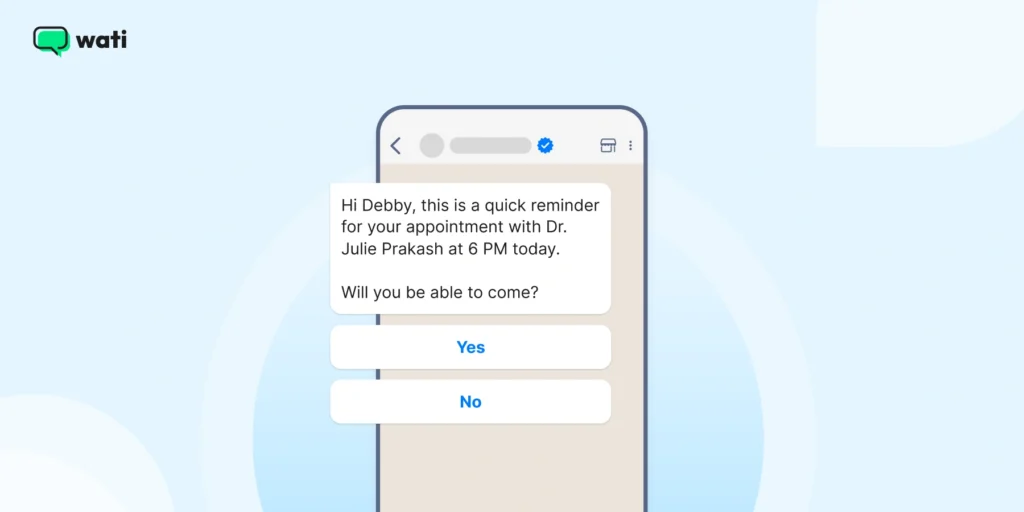
Hi [Customer Name],
This is a quick reminder about your appointment with [Your Business Name] on [Appointment Date] at [Appointment Time].
See you then! 😊
If you need to reschedule, please let us know.💡 This WhatsApp Business engagement message template is perfect for salons, healthcare clinics, and service-based businesses.
6. Payment Reminder Message
A gentle nudge is often all it takes to get invoices paid on time. Use a WhatsApp Business message template that’s polite yet clear.
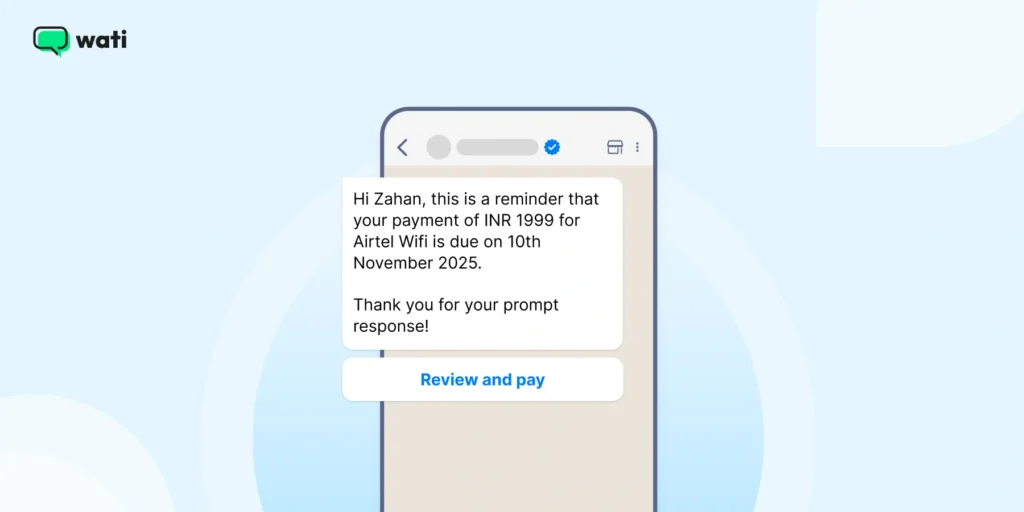
Hi [Customer Name], this is a reminder that your payment of [Amount] for [Service/Product] is due on [Date].
You can complete your payment here: [Payment Link].
Thank you for your prompt response!7. Feedback Request WhatsApp Message
Customer feedback helps you improve products, service, and customer satisfaction. A WhatsApp message template makes the process quick and conversational.
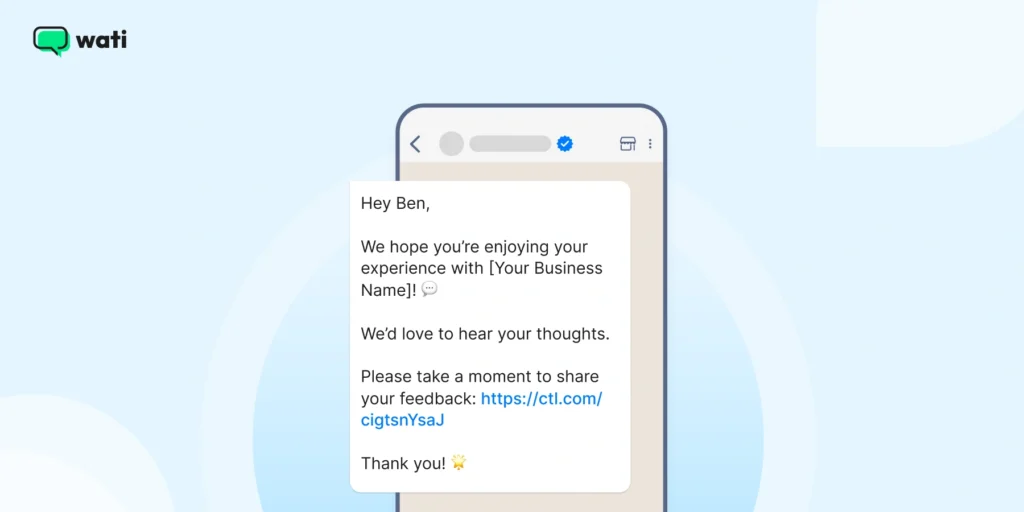
Hey [Customer Name],
We hope you’re enjoying your experience with [Your Business Name]! 💬
We’d love to hear your thoughts.
Please take a moment to share your feedback: [Feedback Link].
Thank you! 🌟💡 Use this WhatsApp Business engagement message template after every purchase or service completion.
Bonus Read: How to Use Chatbots to Collect Customer Feedback
8. Special Offer or Discount Message
This is one of the most effective WhatsApp marketing message templates you can send, as everyone loves a good deal!
Personalized discounts drive engagement and repeat purchases.
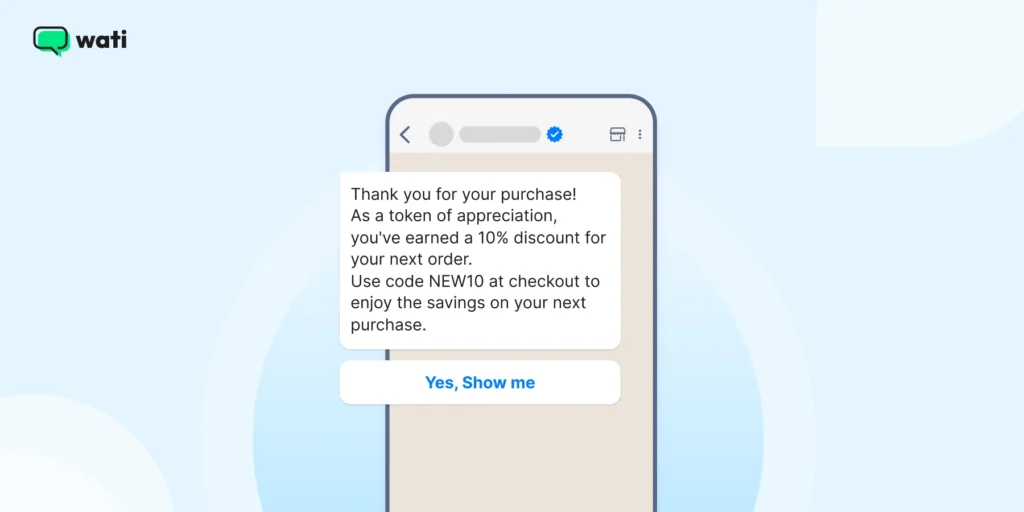
Hi [Customer Name]! 🎉
As a valued customer, we’re excited to offer you an exclusive [Discount Percentage]% off on your next purchase!
Use code [Discount Code] at checkout.
Happy shopping! 🛒
[Your Business Name]👉 Book a demo: See how Wati outperforms other WhatsApp marketing tools.
9. Product Launch Announcement Message
You can use this WhatsApp business message template to announce new products and updates directly on WhatsApp to build anticipation and drive clicks.
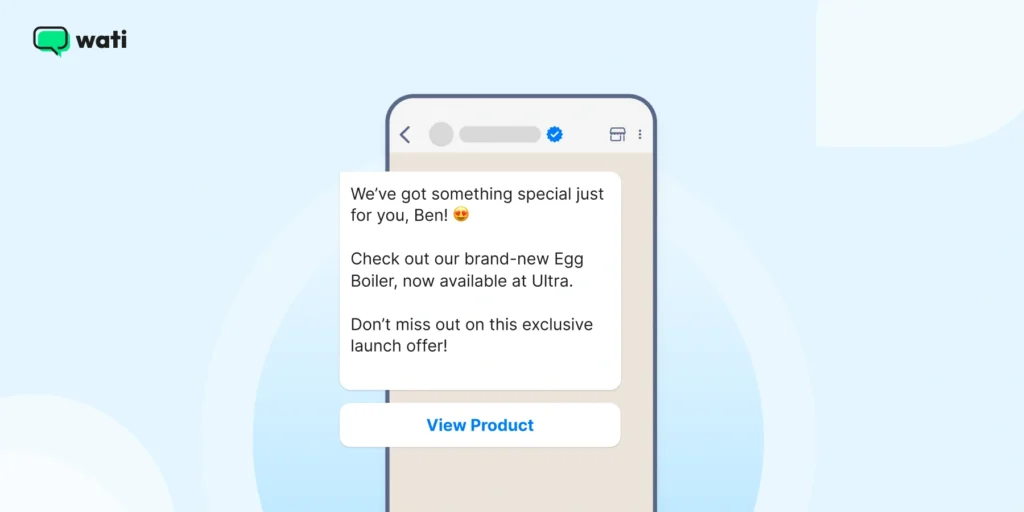
We’ve got something special just for you, [Customer Name]! 😍
Check out our brand-new [Product Name], now available at [Your Business Name].
Don’t miss out on this exclusive launch offer!
[Link to Product]10. Re-engagement Message for Inactive Customers
Every business has dormant customers. A simple WhatsApp Business message template like the one below can help you bring them back.
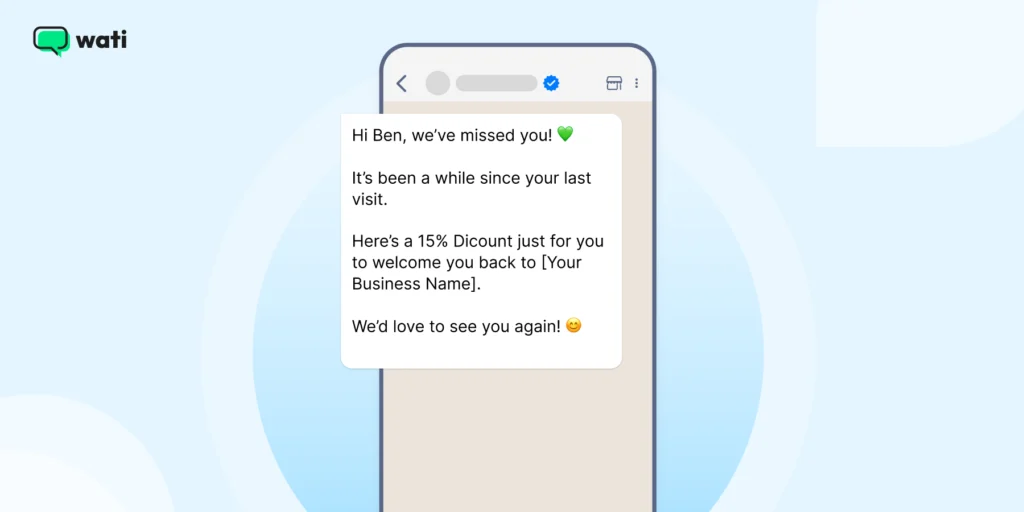
Hi [Customer Name], we’ve missed you! 💚
It’s been a while since your last visit.
Here’s a [Discount/Offer] just for you to welcome you back to [Your Business Name].
We’d love to see you again! 😊💡 This WhatsApp Business engagement message template works best when paired with a limited-time offer.
11. Event Invitation Message
Whether it’s a webinar, in-store event, or live sale, an event invite via WhatsApp feels more personal.
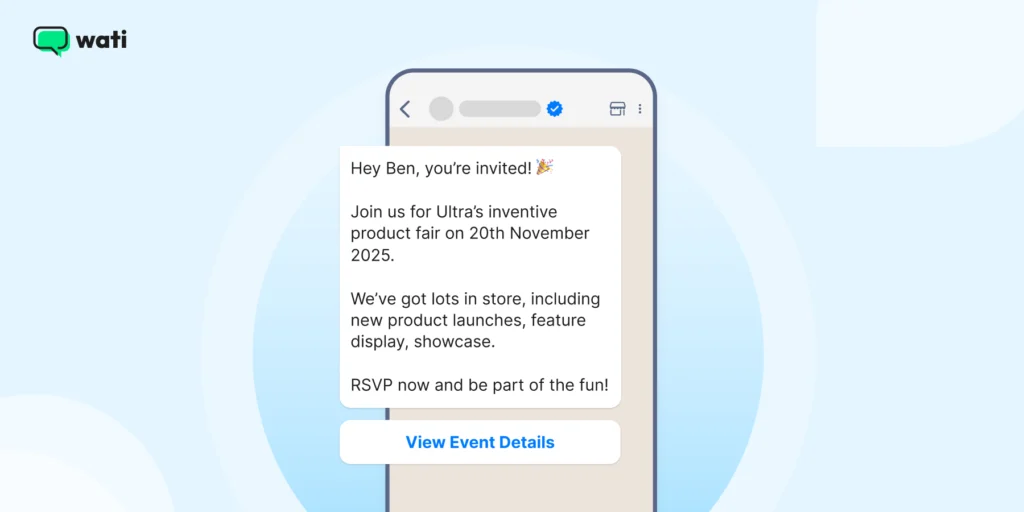
Hey [Customer Name], you’re invited! 🎉
Join us for [Event Name] on [Event Date].
We’ve got lots in store, including [Event Highlights].
RSVP now and be part of the fun!
[Link to Event Details]Similar Read: The Ultimate Guide to Leveraging WhatsApp for Event Marketing
12. Customer Support Follow-up Message
Good customer service doesn’t end after resolving an issue. A follow-up message template shows customers you care.
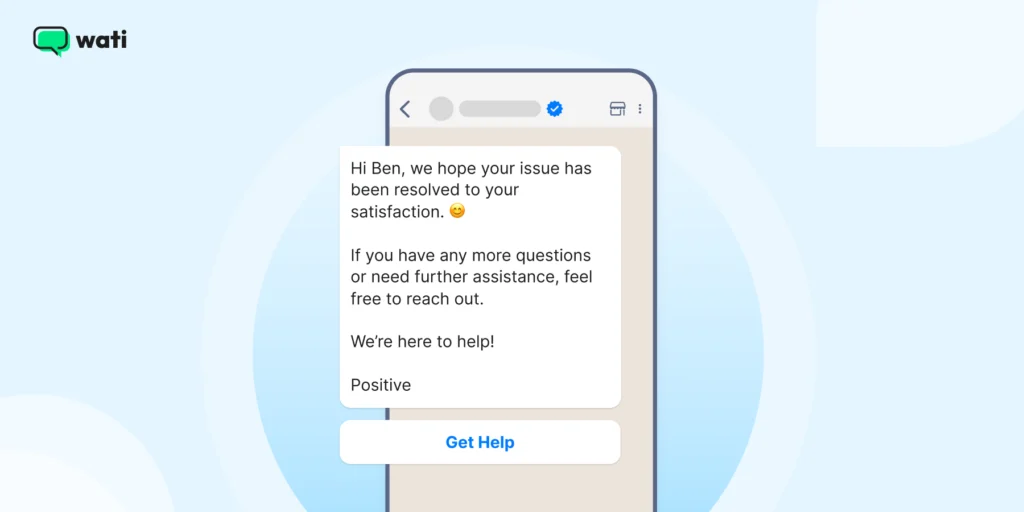
Hi [Customer Name], we hope your issue has been resolved to your satisfaction. 😊
If you have any more questions or need further assistance, feel free to reach out.
We’re here to help!
[Your Business Name]13. Subscription Renewal Reminder
You can remind customers to renew before their plan or subscription expires using this WhatsApp message template.
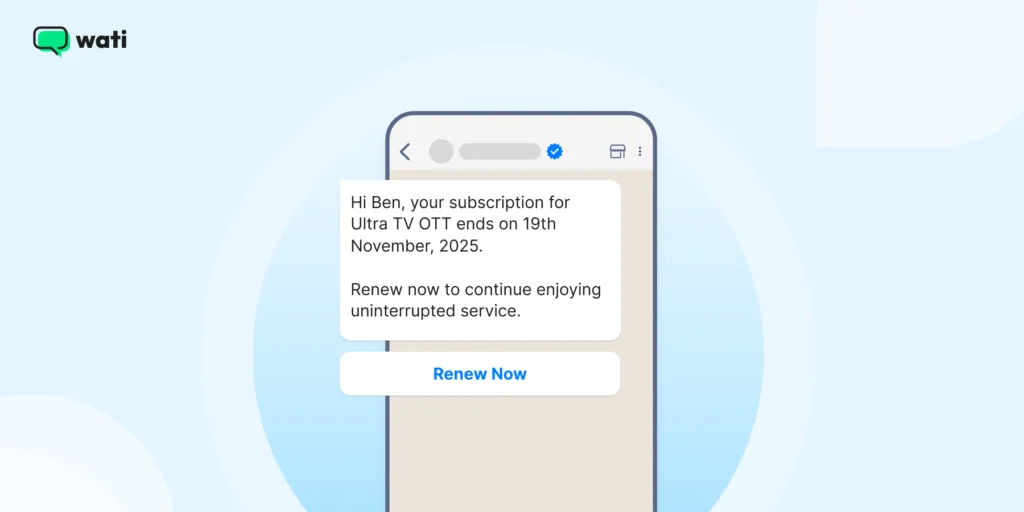
Hi [Customer Name], your subscription for [Service/Product] ends on [Date].
Renew now to continue enjoying uninterrupted service.
[Renewal Link]14. Away Message (Out of Office)
If your team isn’t available 24/7, set up a WhatsApp Business away message template to manage expectations.
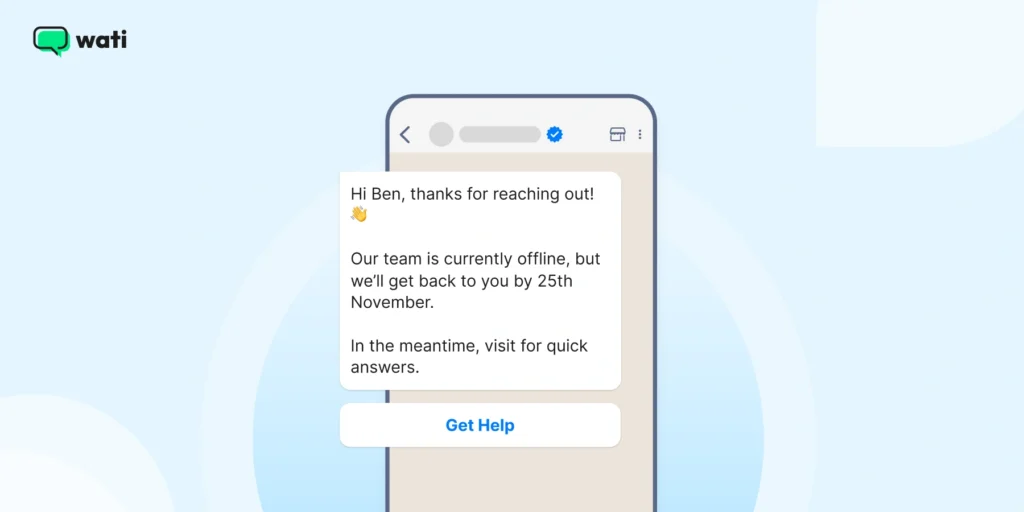
Hi [Customer Name], thanks for reaching out! 👋
Our team is currently offline, but we’ll get back to you by [Time/Day].
In the meantime, visit [Help Link] for quick answers.15. Festive or Holiday Greeting Message
You can build brand warmth with festive greetings that show you care beyond business. Here’s how.

Hi [Customer Name]! 🌟
Wishing you a joyful [Festival/Holiday] from all of us at [Your Business Name].
Have a wonderful day filled with happiness!
🙌 Don’t Miss This: 18 Useful WhatsApp Message Templates for E-commerce Businesses
How to Create WhatsApp Templates with Wati
Getting your message templates up and running in Wati is straightforward.
Once you’ve done it, you’ll be able to automate proactive messages with confidence.
Here’s how to do it, step by step, using the WhatsApp Business API via Wati.
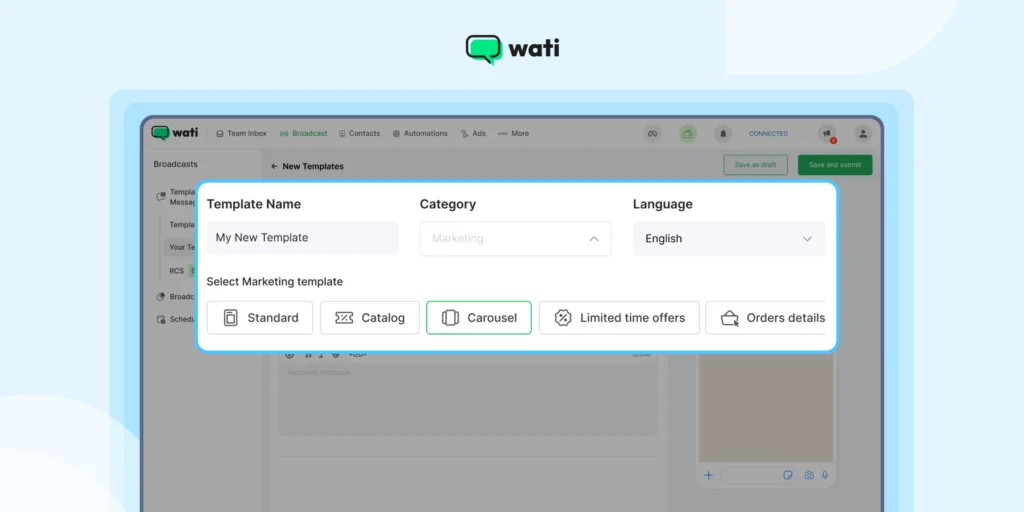
1. Go to the Template Message Section
Log in to your Wati dashboard.
Then navigate to Broadcast → Template Messages → Your Templates, and click New Template Message to begin.
2. Define Basic Details
- Template name: Use underscores instead of spaces (e.g., order_confirmation_template).
- Category: Choose one that fits the message’s purpose (e.g., Utility, Marketing, Authentication).
- Language: Select the language your customers speak.
3. Create the Message Body
- Write the body in a clear, business-friendly tone.
- Include variables using {{parameter}} format to personalise messages (like { {name}} or { {order_id}}).
- Ensure the total character count (including variable replacements) stays under 1,024 characters.
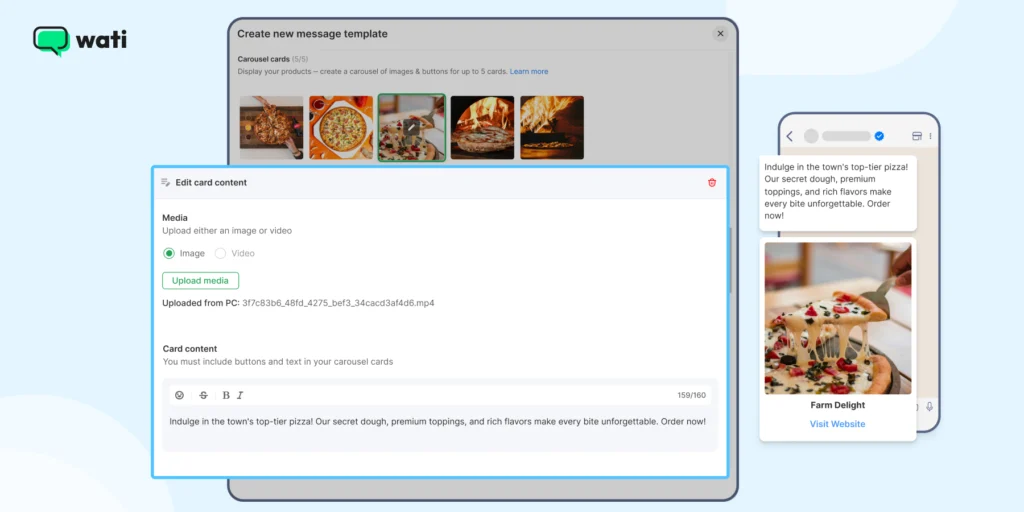
4. Expand with Rich Features (Optional)
If you want more than text, Wati lets you add:
- Media: Images (JPEG/PNG), videos (MP4), or documents.
- CTA Buttons: “Visit Site” or “Call Phone” where you enter a static or dynamic URL/number.
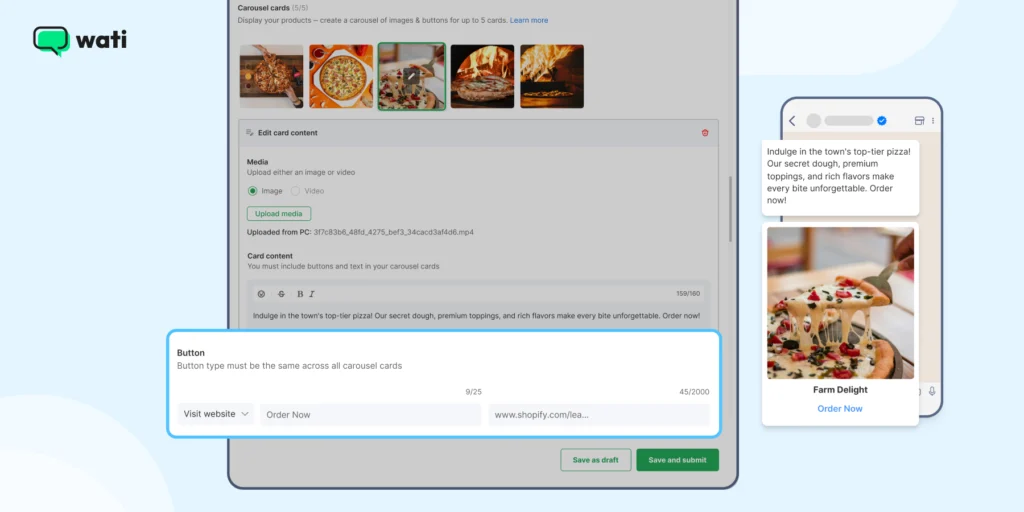
- Quick Reply Buttons: Up to three, giving customers instant response options.
5. Submit for Approval
Once your template is ready:
- Click Save and Submit (or save as a draft if you’re not ready).
- Templates enter a status of Pending.
- Approval from Meta typically takes 30 minutes to 24 hours.
6. Manage Your Templates
- Use Wati’s search and filter tools to find templates by name or status.
- Templates in draft can be edited; once submitted or approved, editing is restricted. In such instances, you must create a new template or resubmit and are subject to platform limits.
7. Automation and Sending
Once approved, you can trigger templates through the WhatsApp Business API or use Wati’s automation workflows.
This means your business can send updates, reminders, and notifications accurately and consistently.
Start Building Better Conversations with WhatsApp Business Message Templates
Great customer conversations don’t happen by chance.
They happen by design.
With the right WhatsApp Business message templates, you can turn everyday interactions into meaningful experiences that feel fast, personal, and consistent.
The real magic begins when you combine these WhatsApp message templates with smart automation.
Wati helps you create, approve, and send message templates effortlessly through the WhatsApp Business API, so you can stay connected with customers at scale.
Start your free trial to get your approval-ready WhatsApp message template kit.
FAQs about WhatsApp Business Message Templates
WhatsApp Business message templates are pre-approved message formats used to send updates, alerts, or marketing messages to customers. They ensure your business communicates professionally, consistently, and within WhatsApp’s compliance policies.
You can submit your templates directly through Wati. Meta reviews each template to make sure it follows content and formatting guidelines. Most approvals take anywhere from a few minutes to 24 hours.
Yes! You can add placeholders like {name} or {order_id} to personalize each message automatically. This makes your templates feel more human, helping you improve engagement and customer satisfaction.
Templates are divided into categories like Utility (for updates), Authentication (for OTPs), and Marketing (for offers or campaigns). Each serves a unique purpose and can be automated using tools like Wati for better efficiency and engagement.
Latest Comments