
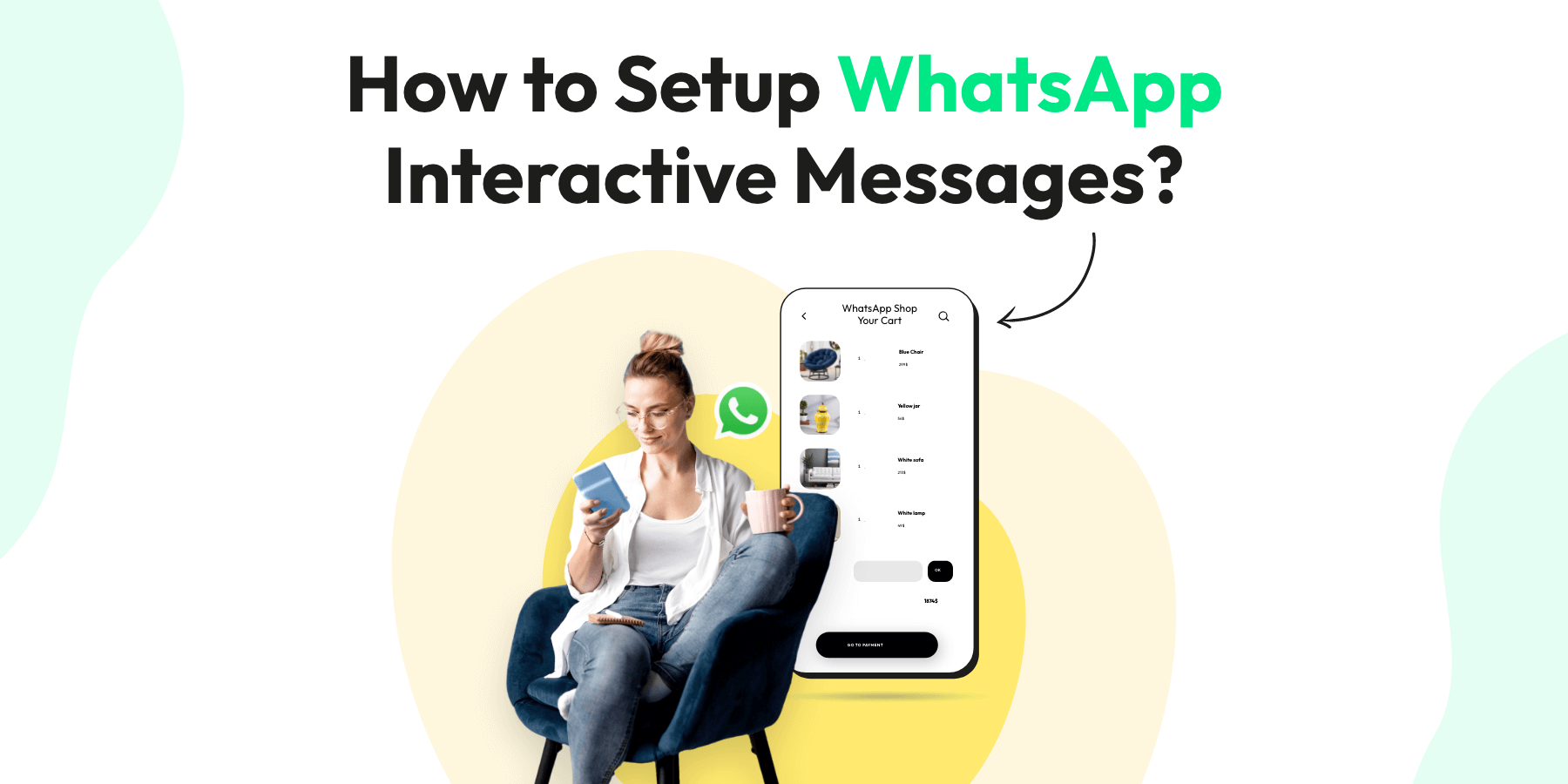
Looking to supercharge your customer engagement on WhatsApp Business? WhatsApp Interactive Message Templates could be the game-changer you’re seeking! With their help, businesses can create engaging, dynamic conversations that go far beyond simple text messages.
Ready to dive into the world of WhatsApp Interactive Message Templates? Let’s go! 🎯
WhatsApp Interactive Messages are pre-designed message templates that go beyond simple text. These messages include interactive elements like clickable buttons and quick replies, making it easier for your customers to respond and engage. With these templates, businesses can automate interactions, provide personalized service, and enhance overall customer experience.
What Are WhatsApp Interactive Message Templates?
As you explore the world of WhatsApp for your business, you’ll come across something called WhatsApp Interactive Message Templates. Let’s break down these and how they can be a game-changer for your business communication.
WhatsApp Interactive Messages are pre-designed message templates that go beyond simple text. These messages include interactive elements like clickable buttons and quick replies, making it easier for your customers to respond and engage. With these templates, businesses can automate interactions, provide personalized service, and enhance overall customer experience.
5 Major Benefits of WhatsApp Interactive Messages
1. Enhanced Customer Engagement
WhatsApp Interactive Messages make customer communication more dynamic. With clickable buttons or quick replies, customers can interact with your business easily, leading to higher engagement and more personalized experiences.
2. Time-Saving Efficiency
With pre-designed templates, you can automate responses to common questions or actions. This reduces the time spent manually responding to each query, allowing you to focus on other essential aspects of your business.
3. Professional and Consistent Communication
These templates ensure that your messages are always professional, maintaining a consistent tone and style across all customer interactions. Whether it’s appointment reminders or product updates, your communication will reflect your brand’s voice.
4. Personalized Customer Experience
Even though the templates are pre-designed, you can still personalize them by adding details like the customer’s name, appointment time, or order number. This extra touch can make customers feel valued and improve their overall experience with your business.
5. Easy Compliance with WhatsApp Policies
WhatsApp approves these templates before they can be used, ensuring they comply with the platform’s guidelines. This means businesses don’t have to worry about violating WhatsApp’s standards, making it easier to maintain good standing on the platform.
Types of WhatsApp Interactive Messages
There are several types of WhatsApp Interactive Messages that businesses can use to streamline customer interactions. Here are some examples:
1. Quick Replies
Quick Replies are pre-written responses that customers can select with one click. For instance, a customer might receive a message asking if they would like to book an appointment, with options like “Yes, book now” or “Maybe later.”
2. Buttons
Buttons allow customers to choose from different options in response to your message. Buttons are often used for transactional interactions like booking appointments, confirming orders, or navigating through product catalogs.
3. List Messages
These are messages that present a list of options, allowing customers to select from various choices, such as product categories or service options.
Each of these message types can be used to improve communication and reduce friction for customers, making interactions seamless and more efficient.
How to Use WhatsApp Interactive Message Templates 💡
Implementing these templates is easy. Here’s a simple step-by-step guide:
- Choose Your Template: Select the appropriate message template based on the type of interaction you wish to have with your customer.
- Customize the Template: Personalize the template to match your brand’s voice and the context of the conversation.
- Send Your Interactive Message: Once customized, send your interactive message to the customer.
For more insights on this feature, don’t forget to visit the official WhatsApp Business API documentation and the WhatsApp Business blog for more tips and best practices.
How to Create WhatsApp Interactive Message Templates on Wati?
Under Automation, the Reply Material tab allows users to set up reply material directly before creating keywords. Some support types are:
- In the “Reply Material” menu: Text, Document, Image, Video, Stickers, Chatbots, Sequence, Contact Attributes, Templates
- In the “Routing” menu: Send notification, Assign to the operator, Assign to the team.
Note: Please design the reply material such that some common content can be used in many keyword replies.
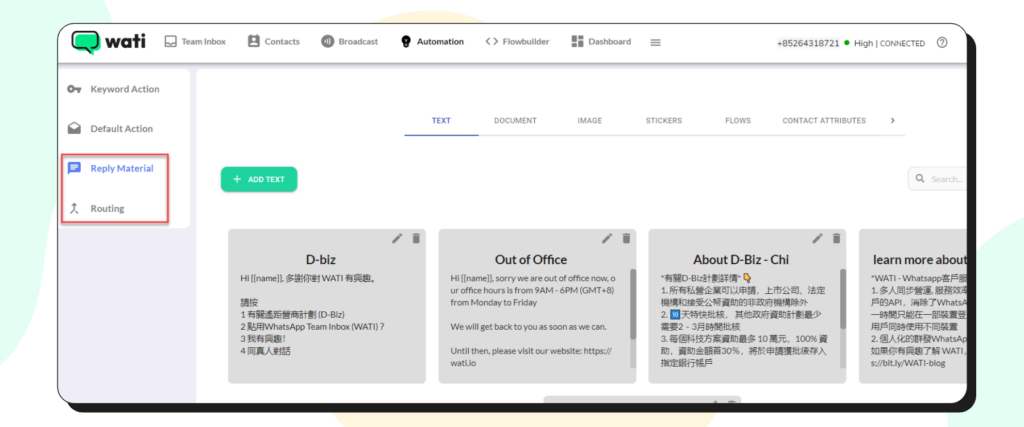
1. Reply Material: Text
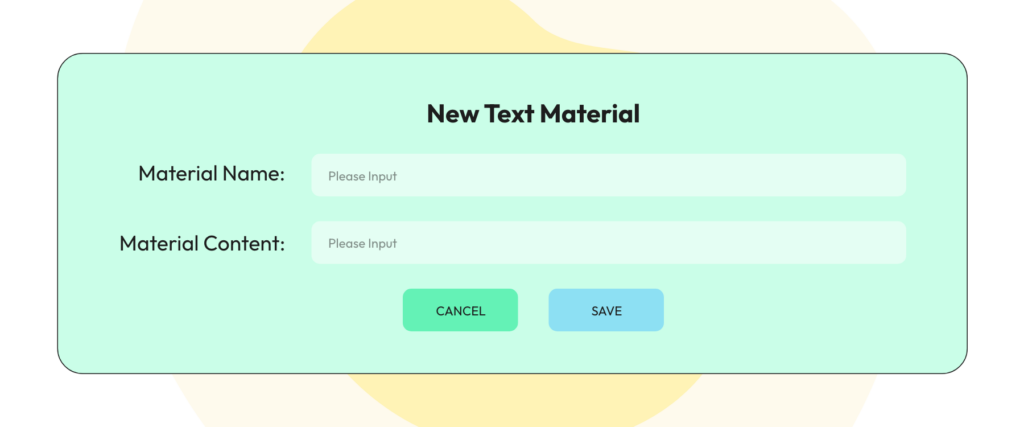
- Click the menu “Text” in the “Reply Material” tab, then click the “Add Text” button
- Fill in the material name and material content then click the “Save” button
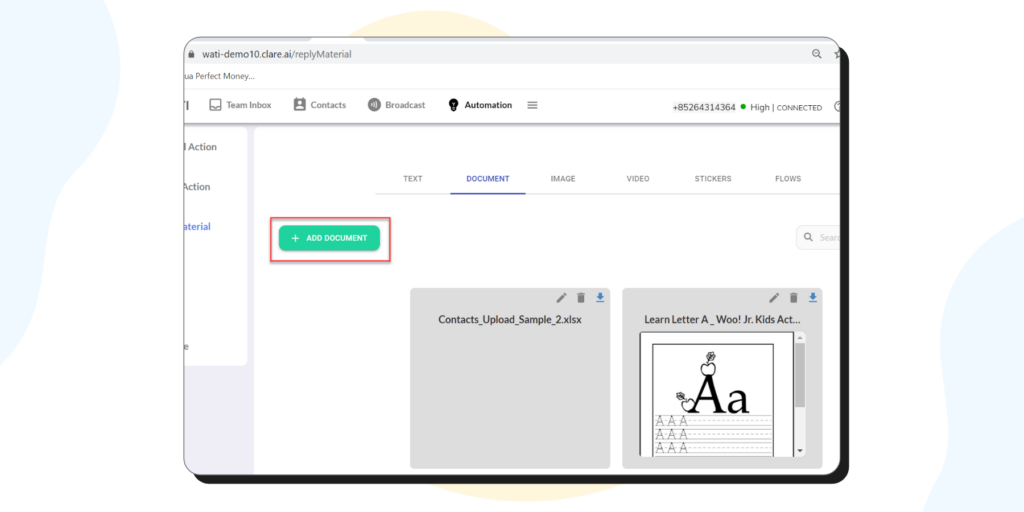
2. Reply Material: Document
- Click the menu “Document” in the “Reply Material” tab, then click the “Add Document” button
- Browse to select the existing file on your PC/laptop and click the “Open” button then wait for the process to finish.
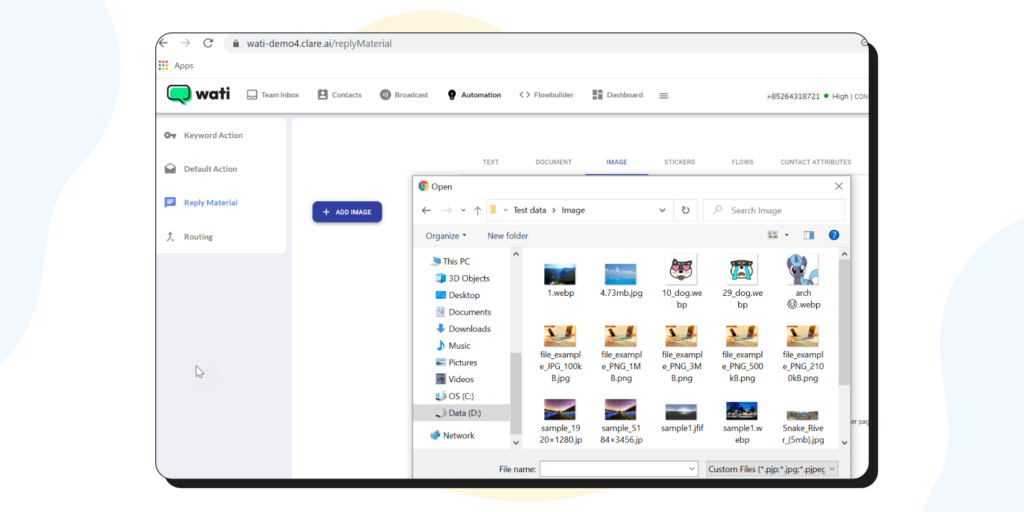
3. Reply Material: Image
- Click the menu “Image” in the “Reply Material” tab, then click the “Add Image” button
- Browse to select existing images on your PC/laptop and click the “Open” button then wait for the process to finish.
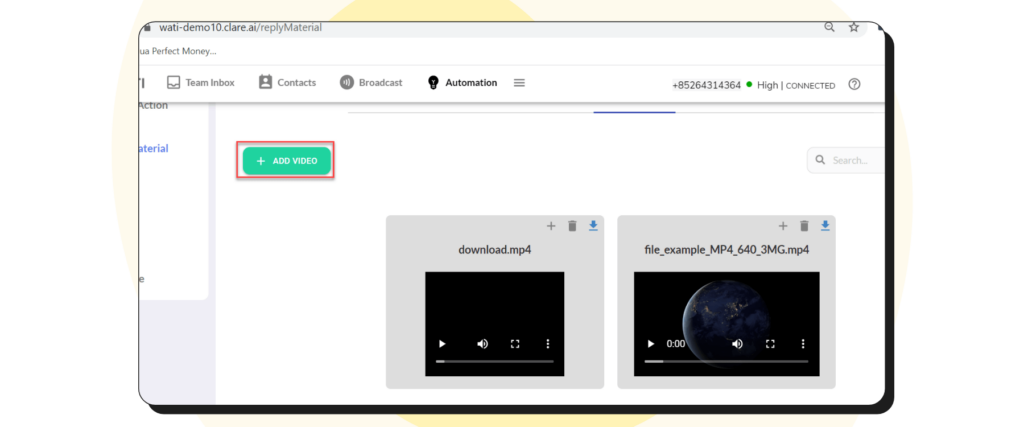
4. Reply Material: Video
- Click the menu “Video” in the “Reply Material” tab, then click the “Add Video” button
- Browse to select existing video on your PC/laptop and click the “Open” button then wait for the process to finish.
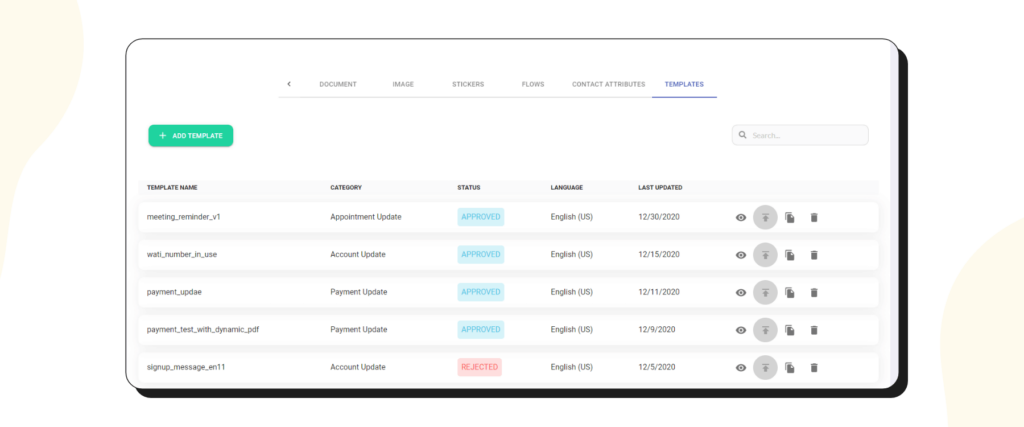
5. Reply Material: Template
If you want to use buttons in your auto-reply messages, you can use Templates
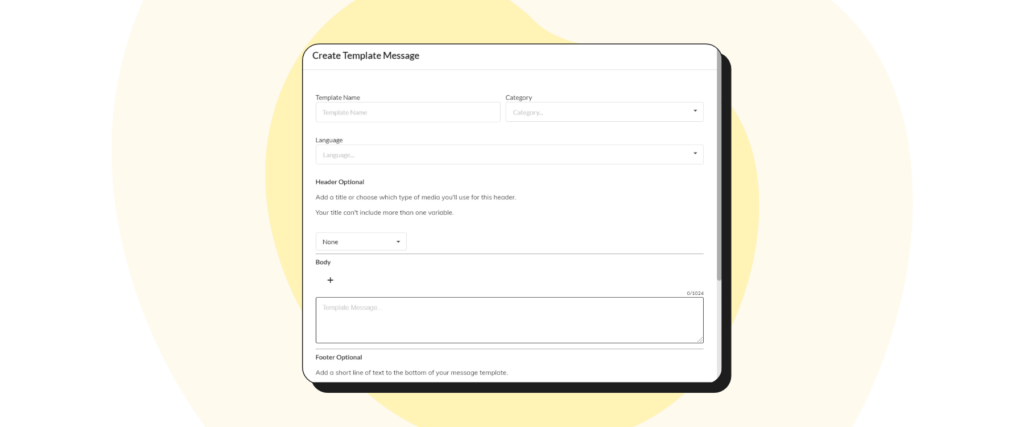
- Click the menu “Templates” in the “Reply Material” tab, then click the “Add template” button
- The popup to create a template is shown.
WhatsApp Interactive Templates: Examples Across Industries
Let’s look at some text examples of WhatsApp Interactive Message Templates for different scenarios:
Order Confirmation (Retail Industry)
Retail businesses can use interactive message templates to confirm orders, track deliveries, and provide customer support. For example, an interactive message might allow customers to track their order or request additional support.
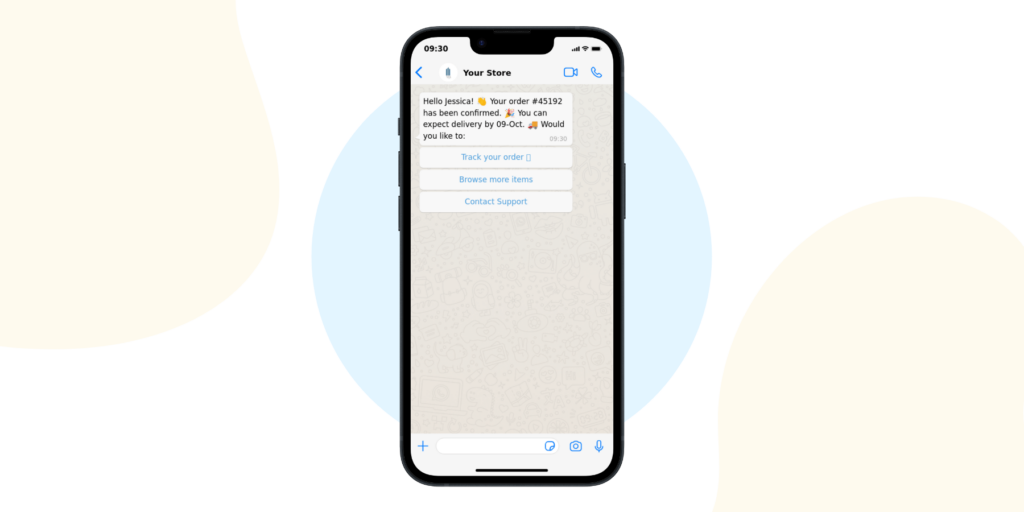
Copy the template message from below:
Hello [Customer Name]! 👋 Your order [#Order Number] has been confirmed. 🎉 You can expect delivery by [Delivery Date]. 🚚 Would you like to:
Track your order 📍 Browse more items 🛍️ Contact customer support 📞
Appointment Reminder (Healthcare Industry)
Healthcare providers can utilize interactive message templates for appointment scheduling and reminders. An interactive message might include options for patients to confirm, reschedule, or cancel their appointment.
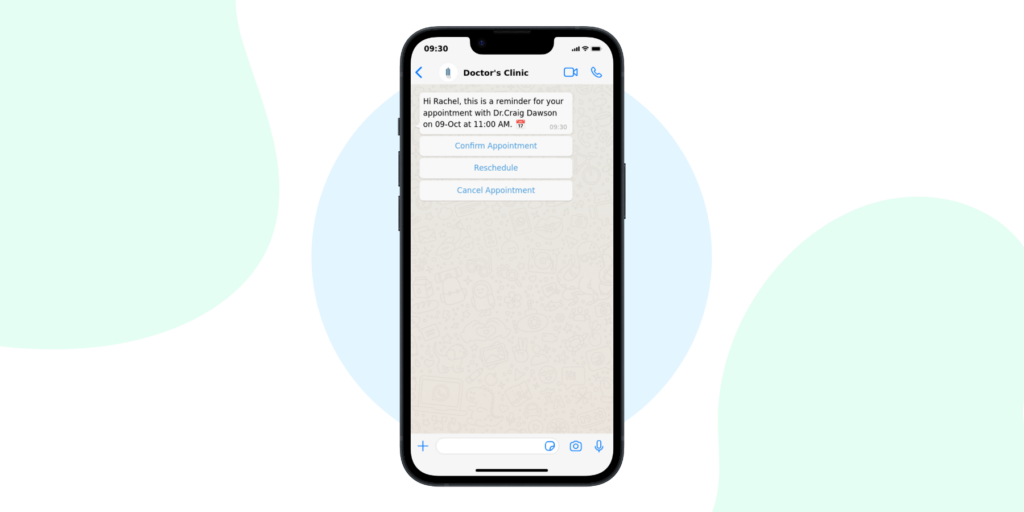
Copy the template message from below:
Reservation Confirmation (Hospitality Industry)
Hotels, restaurants, and other hospitality businesses can use interactive message templates for reservation confirmations, changes, or cancellations. For instance, upon making a reservation, customers might receive an interactive message allowing them to confirm, change, or cancel their booking.
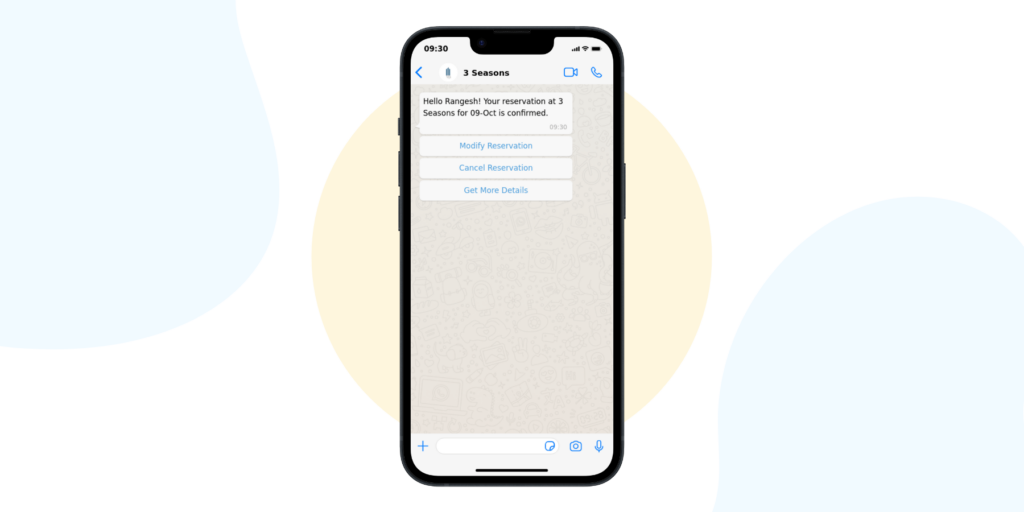
Copy the template message from below:
Account Update (Financial Services Industry)
Banks and financial institutions can use interactive message templates to provide account updates, transaction confirmations, and more. For example, an interactive message could provide customers with options to check their balance, review recent transactions, or contact customer support.
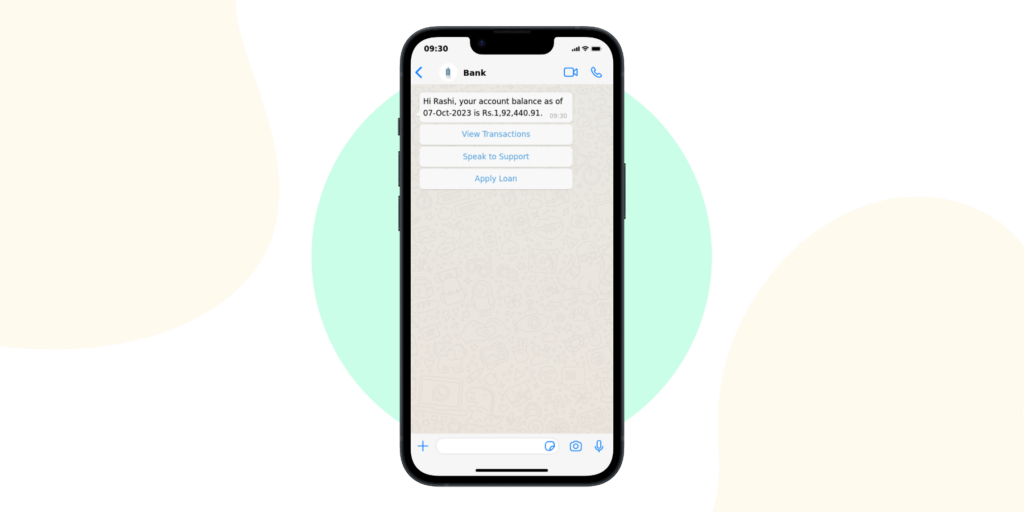
Copy the template message from below:
Hi [Customer Name], your account balance as of [Date] is [Balance].
View Transactions Speak to Support Apply for Loan
Remember, the actual content of the templates you use should align with WhatsApp’s policies and guidelines and must be approved by WhatsApp before they can be used.
Why WhatsApp Interactive Templates are Crucial for Your Business?
Interactive Message Templates bring a new level of dynamism to your customer interactions, allowing for quick responses, streamlined communication, and enhanced engagement. They can be used for a variety of purposes, such as providing quick replies, facilitating seamless transactions, or confirming appointments.
How Wati can Help?

WhatsApp Interactive Message Templates are a powerful tool in the arsenal of any business leveraging WhatsApp. However, to truly harness their potential, a robust platform is key. This is where Wati steps in.
Wati offers a comprehensive platform designed to optimize your use of WhatsApp for business. It simplifies the process of implementing interactive templates, managing responses, and tracking customer interactions, making your WhatsApp Business experience smooth and efficient.
So, are you ready to elevate your business communication with WhatsApp and Wati? Dive into the world of WhatsApp Interactive Message Templates today and let Wati assist you in your journey towards better customer engagement.
Frequently Asked Questions
What are WhatsApp Interactive Messages?
Think of these as advanced messages on WhatsApp that allow your customers to interact with you through buttons or quick replies, making communication more dynamic and engaging.
How can WhatsApp Interactive Messages benefit my business?
They streamline communication, offer instant customer engagement, improve support efficiency, and can even help increase your sales by providing quick action options like ‘Buy Now’.
Do I need technical skills to set up WhatsApp Interactive Messages?
Not necessarily. While some basic understanding is helpful, many aspects of WhatsApp Business API are user-friendly. For more complex setups, you might consider getting help from a tech-savvy team member or a professional.
Is it expensive to use WhatsApp for business purposes?
WhatsApp offers a cost-effective solution for businesses. While there may be some costs associated with the Business API, it’s generally more affordable compared to traditional customer service channels.
Can I use WhatsApp Interactive Messages for marketing?
Absolutely! You can use these messages for promotions, product updates, and more, engaging your customers directly and personally.
How can I ensure my customers’ privacy on WhatsApp?
WhatsApp encrypts messages end-to-end. As a business, you should also follow best practices like not sharing sensitive information and respecting customer preferences.
Can I automate responses to customer queries using Interactive Messages?
Yes, you can set up automated responses for common questions, which saves time and ensures your customers receive instant replies.
How do I track the success of my interactive messages?
Use WhatsApp’s built-in analytics tools to monitor message effectiveness, customer engagement, and response rates, helping you refine your strategy.
Are WhatsApp Interactive Messages suitable for all types of businesses?
They are versatile and can benefit a wide range of businesses, from small startups to large corporations, especially those with a significant customer interaction component.
How can I start using WhatsApp Interactive Messages for my business?
First, set up a WhatsApp Business account. Then, explore the WhatsApp Business API and start creating interactive messages that align with your business needs and customer expectations.
Related posts
- Stay Connected and Productive with WeChat Web and Desktop
Learn how to log in, set up, and use WeChat Web and Desktop to streamline communication and boost team collaboration in 2025.
- WhatsApp Ads: How to Setup and Run them on Facebook & Instagram?
Learn how to create effective Click-to-WhatsApp ads. Craft the perfect ads with our tips to engage your audience and drive action.
- What is an AI Agent? 4 Major Types You Should Know
An AI agent is an autonomous software program designed to interact with its environment, process data, and perform self-directed actions to achieve predefined goals. Unlike traditional automation tools, AI agents can adapt, learn, and make independent decisions, reducing the need for human intervention. 4 Major Types of AI Agents: Components of an AI Agent AI …
- How to use one WhatsApp account on two or more phones?
WhatsApp has become an essential tool for communication worldwide, but using the same account on multiple phones can be tricky. This guide explains how to achieve this, explores the limitations, and highlights the solutions offered by tools like the Wati WhatsApp Business API. Limitations of sharing a WhatsApp account How to share one WhatsApp account …