
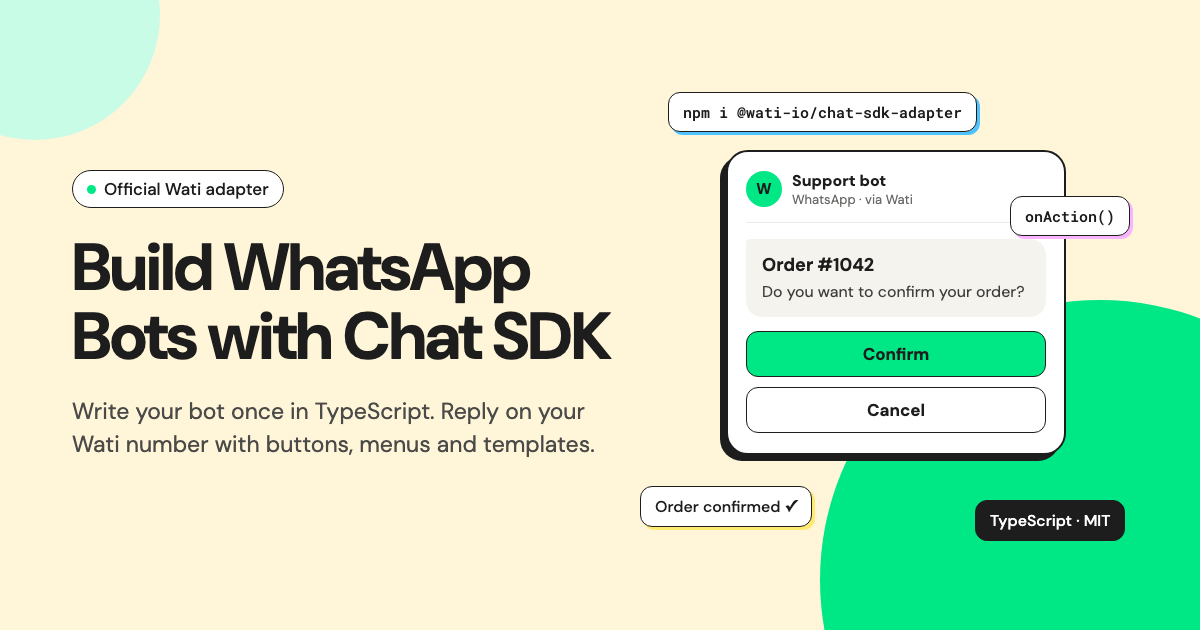
Wati is now an official adapter for Vercel's Chat SDK.
In short: @wati-io/chat-sdk-adapter connects a Chat SDK bot to your Wati WhatsApp number. Install it from npm, add one webhook in Wati, and your bot can reply to customers with formatted text, reply buttons, list menus, files and approved templates. Wati builds and maintains the adapter, and it's open source under the MIT license. You can try it free: the 7-day Wati trial includes the API and webhooks.
What is Vercel's Chat SDK?
Chat SDK is Vercel's open-source TypeScript library for building chat bots. You write your bot's logic once, with handlers like onDirectMessage and onAction, and adapters connect it to each messaging platform: Slack, Teams, Discord, Telegram and now WhatsApp through Wati. It works with the AI SDK, so the same handler can answer with an AI agent.
Why build your WhatsApp bot on Wati
WhatsApp bots are more than sending text. You have to receive webhooks, keep inside the 24-hour customer service window, send templates outside it, format messages the WhatsApp way, and work within the limits on buttons and message length.
The adapter handles that for you:
- Your existing Wati number. The bot runs on the number your team already uses, and its messages appear in the Wati Team Inbox. Messages your agents send from the inbox don't trigger the bot.
- Buttons and menus. A Chat SDK card with 1 to 3 buttons becomes WhatsApp reply buttons; 4 to 10 buttons, or a select, becomes a list menu. When the customer taps one, your
onActionhandler runs. - WhatsApp formatting. Markdown such as
**bold**, lists and tables is converted to WhatsApp formatting, and replies longer than 4,096 characters are split at paragraph breaks. - Templates. Send an approved template to start a conversation, or to reply after the 24-hour window has closed.
- Media both ways. Send files and images; receive photos, voice notes, documents and locations.
- Secure webhooks. The adapter rejects any webhook request that doesn't carry your secret.
How to build a WhatsApp bot with Chat SDK and Wati
Install the adapter, Chat SDK and a state adapter:
npm install @wati-io/chat-sdk-adapter chat @chat-adapter/state-redisCreate the bot:
// lib/bot.tsimport { Chat } from "chat";import { createRedisState } from "@chat-adapter/state-redis";import { createWatiAdapter } from "@wati-io/chat-sdk-adapter";export const bot = new Chat({ userName: "support", state: createRedisState(), adapters: { wati: createWatiAdapter(), },});bot.onDirectMessage(async (thread, message) => { await thread.startTyping(); await thread.post(`You said: ${message.text}`);});Add the webhook route. For a Next.js app:
// app/api/webhooks/wati/route.tsimport { after } from "next/server";import { bot } from "@/lib/bot";export async function POST(request: Request): Promise<Response> { return bot.webhooks.wati(request, { waitUntil: (task) => after(() => task), });}Then:
- Set
WATI_API_ENDPOINTandWATI_ACCESS_TOKENfrom API Docs in your Wati dashboard, and choose a long randomWATI_WEBHOOK_SECRET. - Deploy, for example to Vercel.
- In Wati, open Webhooks, add
https://your-app.com/api/webhooks/wati?token=YOUR_SECRETand subscribe it to Message Received.
Send a WhatsApp message to your number, and the bot replies.
No Wati account yet? Start a 7-day free trial, connect your WhatsApp number, and follow the same steps. The trial includes the API and webhooks, so you can build and test your bot before choosing a plan.
What you can build with a WhatsApp bot
An AI support agent. Pass the conversation to the AI SDK and post the answer. The adapter reads the conversation history from Wati, so the agent has context.
Approvals and quick replies. Ask the customer to confirm an order or pick a time slot with buttons:
import { Actions, Button, Card, CardText } from "chat";await thread.post( Card({ title: "Order #1042", children: [ CardText("Do you want to confirm your order?"), Actions([ Button({ id: "confirm", label: "Confirm", value: "1042" }), Button({ id: "cancel", label: "Cancel", value: "1042" }), ]), ], }),);bot.onAction("confirm", async (event) => { await event.thread?.post(`Order ${event.value} confirmed.`);});Order and delivery updates. Send an approved template when an order ships, then carry on the conversation with the same bot when the customer replies:
const wati = bot.getAdapter("wati");await wati.sendTemplate("+15551234567", { templateName: "order_update", parameters: [{ name: "name", value: "Ana" }],});One bot, many channels. Because Chat SDK handlers don't depend on the platform, the same bot can answer on WhatsApp through Wati and on Slack or Teams for your internal team.
Requirements and limits
- You need a Wati workspace on the Pro or Business plan, or a 7-day free trial. The bot receives messages through webhooks, which the Growth plan doesn't include. On the trial, the API and webhooks work as soon as your WhatsApp number is connected.
- WhatsApp doesn't allow editing or deleting sent messages, so streamed AI responses are sent as one message when they're complete.
- To show customers "typing…" while the bot works, turn on Settings → Team Inbox → General Settings → Show typing indicator to customers in Wati. It's available on every plan.
- On serverless hosting, use Redis or another shared state store, so button taps are matched to the right action.
- If a Wati chatbot or auto-reply is active on the same number, pause it for conversations the bot handles, or customers may get two replies.
Links
- Setup guide on Wati docs: Vercel Chat SDK
- npm: @wati-io/chat-sdk-adapter
- Source and example app: github.com/wati-io/chat-sdk-adapter
- Chat SDK: chat-sdk.dev
Questions or feature requests? Open an issue on GitHub or contact Wati support.
Frequently asked questions
Is the Wati Chat SDK adapter free?
Yes. @wati-io/chat-sdk-adapter is open source under the MIT license. You can try it with a 7-day free Wati trial; after that you need a Pro or Business plan, and your usual Wati and WhatsApp messaging charges apply.
Can I try the Wati adapter for free?
Yes. Start a 7-day free Wati trial and connect your WhatsApp number; the trial includes the API and webhooks, so you can build and test a Chat SDK bot before choosing a plan.
Which Wati plans can use the adapter?
Pro and Business, and the 7-day free trial. The bot receives messages through Wati webhooks, which are included on those plans and on the trial once your WhatsApp number is connected, but not on Growth. See Wati pricing.
Do I have to host my bot on Vercel?
No. Chat SDK and the adapter run on any Node.js 20+ server with a public HTTPS URL. Vercel is the quickest option for a Next.js app, and the example app deploys there in a few clicks.
Can I connect an AI agent to my WhatsApp bot?
Yes. Chat SDK works with Vercel's AI SDK, so a handler can pass the conversation to a model and post the answer. The adapter reads the conversation history from Wati, so the agent has context.
Can the bot message customers first?
Yes, with an approved template. WhatsApp allows free-form replies only within 24 hours of the customer's last message. sendTemplate starts a conversation or reopens one after that window, and the bot handles the customer's reply like any other message.