
Too Long? Read This First
- You can search, create, and update WhatsApp contacts right through Wati MCP, no dashboard clicking required.
- Contact counts and creation-date filters help you understand your audience before you ever launch a campaign.
- Assign contacts to the right team in a single request, without opening a separate screen to do it.
- Look back at engagement history so segments reflect how people are actually behaving, not just a guess.
- Every send still keeps opt-in records and a human review step in place, so nothing goes out unchecked.
A spreadsheet stops being useful somewhere around a few hundred WhatsApp contacts. Clicking through a dashboard to build a segment doesn't scale much further than that either.
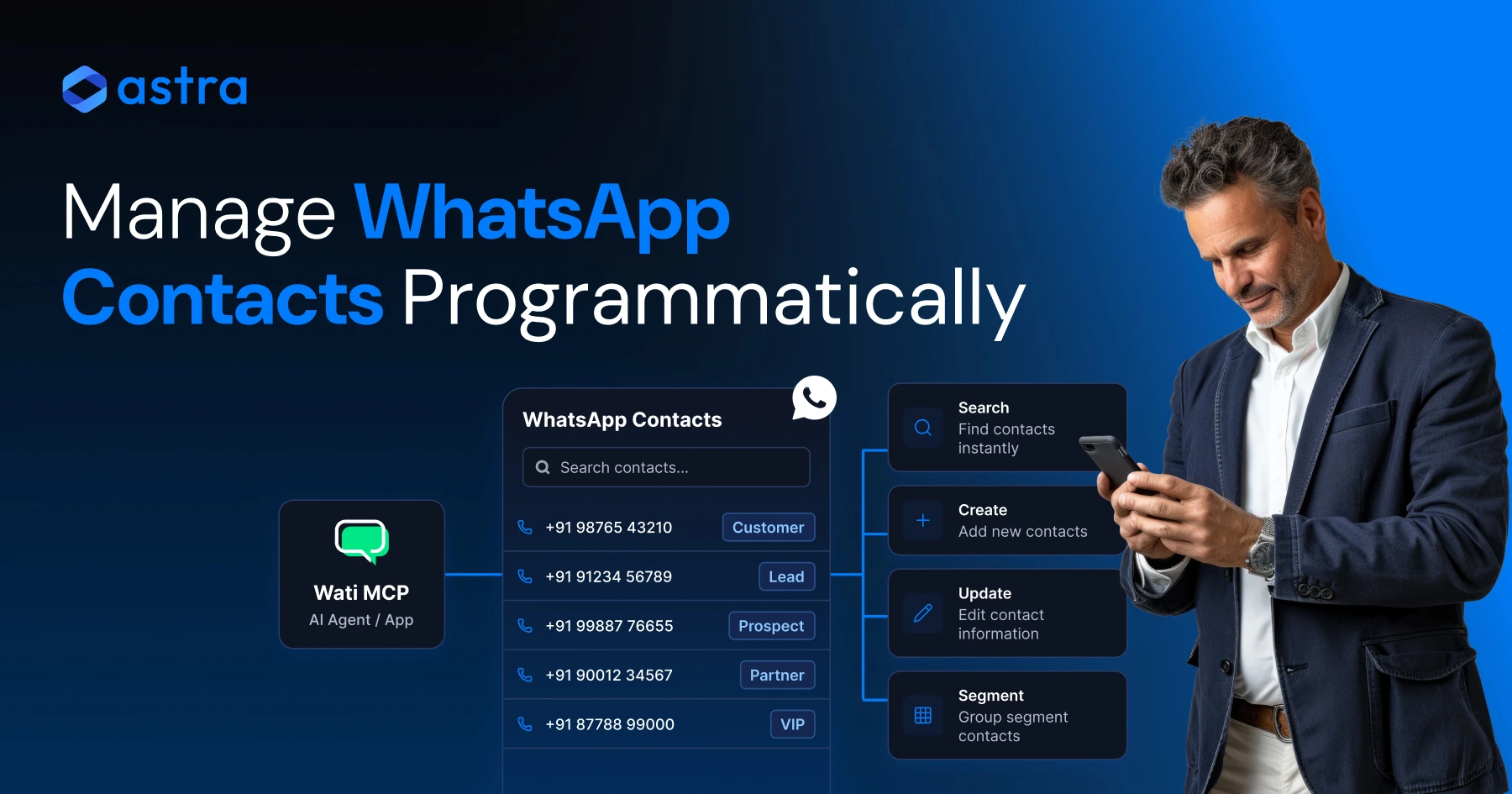
Through Wati MCP, an AI agent (running inside Claude, ChatGPT, or a custom script) gets the same contact actions a person has in the Wati dashboard: search, create, update, count, and team assignment.
Segmentation, not just message volume, decides whether a WhatsApp campaign gets read or ignored. This guide covers how to manage WhatsApp contacts programmatically through Wati MCP, plus how those contact attributes turn into working customer segments.
What is the Wati MCP Server for Contact Management?
Wati MCP connects an AI agent to your Wati workspace, giving it the ability to read and change contact records without a person clicking through the dashboard.
Two versions exist, solving different problems: a hosted connection built for Claude and ChatGPT, and an open-source project developers run themselves against Wati's own API.
Wati's open-source WhatsApp MCP server uses Wati API v3 and exposes AI-assisted management of WhatsApp conversations, contacts, templates, campaigns, and channels. You install it, point it at your own Wati credentials, and any MCP-compatible client can call it directly.
The hosted version skips that setup entirely. If your team already runs on Wati's single inbox for marketing, sales, and support, you can connect Claude or ChatGPT straight to the Wati MCP server to start managing contacts inside the same chat window you already use for other work.
Hosted Wati MCP vs. Open-Source Wati API v3 MCP Server
The two options differ mainly in who hosts the server and how much setup you're willing to do before an agent can touch contact data.
Aspect | Hosted Wati MCP (Claude / ChatGPT) | Open-Source Wati API v3 MCP Server |
|---|---|---|
Setup | Connect inside your AI assistant, no hosting needed | Self-hosted, wired to your own Wati API v3 credentials |
Contact tools | Search, profile view, engagement history, create, update, count, team assignment | search_contacts, list_contacts, get_contact, add_contact, update_contacts, get_contact_count, assign_contact_teams |
Best for | Teams already working in Claude or ChatGPT | Developers who want to run or extend the server themselves |
The data underneath is identical no matter which option you choose. If your team already lives in Claude or ChatGPT, the hosted connection is the right pick. Choose the open-source server instead when you need to run it inside your own infrastructure or extend it with custom tools.
7 Contact Management Tasks You Can Automate With Wati MCP
Seven core contact actions run through Wati MCP: search, profile view, creation, updates, counts, team assignment, and engagement history.
Searching Contacts and Viewing Profiles
Search finds a contact by name, number, or attribute in seconds instead of scrolling a list. Profile view opens the full record so an agent has context before it replies, routes a message, or updates a tag.
The open-source server names these actions plainly: search_contacts, list_contacts with pagination, and get_contact for a single record, as documented in the repository. The hosted connection wraps the same actions in plain language, so you don't need to know the underlying tool names to use them.
Creating and Updating Contact Records
Creating a contact adds a new WhatsApp number with its attributes in one call, and updating a contact changes those attributes without a manual edit.
Bulk updates matter more than single edits. Wati's contact tools support updating custom parameters across many contacts at once, which is how you refresh a loyalty tier, a lifecycle stage, or a location field after a WhatsApp agent CRM sync runs.
Wati's API documentation describes this as listing contacts and adding, removing, or updating existing contacts. Whether you call that API directly or through an MCP-connected agent, the underlying operation is the same.
Counting Contacts and Assigning Teams
Contact counts tell you the size of a segment before you commit a campaign to it, and team assignment routes a contact to the right group without a manual reassignment.
The hosted MCP workflow supports pulling total contact counts, filtering those counts by creation date, and assigning contacts to teams, according to Wati's Help Center. That means an agent can tell you how many contacts joined in the last 30 days before you decide whether a segment is worth a campaign.
Reviewing Engagement History
Engagement history shows message activity and response patterns for a given contact, which matters more for segmentation than a raw contact count on its own.
Pulling that history before you draft a campaign tells you who's active and who's gone quiet. If your workflow needs an agent to keep that context across sessions rather than starting fresh each time, look at connecting an AI agent to WhatsApp with cross-session memory.
How Do Contact Attributes Power Customer Segmentation?
Contact attributes (tags, custom fields, engagement signals) turn a flat contact list into segments you can actually target with different messages.
A tag like "VIP" or a custom field like "last order date" means nothing on its own. It becomes useful the moment an agent filters contacts by that field and builds a list for a specific broadcast.
Wati describes its APIs as a way to interact with WhatsApp programmatically, including retrieving contact lists, adding contacts, updating contact attributes, and integrating with existing systems, per Wati's API overview. An MCP-connected agent uses that same integration path when it builds a segment from your CRM data.
Building Campaign Audiences From Contact Data
A campaign audience is just a filtered contact list, and Wati MCP lets an agent build that filter from attributes instead of a manual export.
Say you want everyone tagged "trial-expired" who hasn't replied in 14 days. An agent can search contacts by tag, cross-check engagement history, and hand you a list ready for a WhatsApp broadcast instead of a spreadsheet you build by hand.
That same audience logic feeds paid acquisition too. Contacts arriving through click-to-WhatsApp ads can be tagged on creation, then folded into a nurture sequence built from WhatsApp drip campaign templates.
Segments only matter if they lead to personalized messaging, a broadcast that reads like it was written for that tag, not a generic blast sent to everyone.
Rule-Based Targeting With Automation
An automation rule reacts to a contact attribute changing, so a segment updates itself instead of waiting for someone to rebuild a list every week.
Set a rule that assigns a contact to the retention team the moment a "churn risk" tag gets added, or one that fires a message when a custom field crosses a threshold.
That's what separates one-off segmentation from ongoing WhatsApp automation: the segment stays current because the rule runs every time the underlying data changes.
This is where AI agents earn their keep: watching contact attributes across thousands of records and applying a rule the instant a threshold is crossed, since checking each record by hand isn't a good use of anyone's day.
For more on where this fits into broader workflows, see WhatsApp business automation use cases.
Can AI Agents Manage Contacts Without Breaking WhatsApp Policy?
No. Wati MCP gives an agent the ability to call contacts and perform messaging actions, but it doesn't grant new permissions or waive Meta's WhatsApp Business Messaging Policy.
Every action an agent takes through Wati MCP still runs under your Wati workspace's existing permissions. If a user role can't message a contact outside business hours in the dashboard, an agent connected through MCP can't either.
The same is true for template rules. That policy governs when a business can message a contact outside an open conversation window, and the rule doesn't disappear just because an AI agent is the one sending the message instead of a person.
Before you connect any MCP server to a live number, make sure your account has completed WhatsApp verification and that your team understands the difference in reach between channels.
A Governance Checklist Before You Automate
Four habits keep contact automation safe: confirm customer-facing actions, use approved templates, log opt-ins, and honor opt-outs immediately.
- Confirm before sending: have a person review any message an agent drafts for a customer, especially outside routine transactional replies.
- Use approved templates: send a pre-approved WhatsApp message template, not free-form text, whenever you're messaging outside the open session window.
- Log opt-in: keep a record of how and when each contact agreed to receive WhatsApp messages, tied to the contact record an agent can query.
- Honor opt-outs fast: when a contact opts out, an automation rule should update that attribute immediately so no later campaign includes them by mistake.
These checks matter more once an AI agent is choosing who's in a segment. A model can misread a tag or a stale attribute, and the fix is a review step, not blind trust in whatever list it returns.
Get Started With Wati Contact Automation
Before you connect an agent, segmentation and governance need to already be working; automation just multiplies whatever's already in place.
Start with the hosted connection if your team is already working in Claude or ChatGPT: point it at the Wati MCP server, then run a contact search before you touch anything customer-facing. If you need a self-hosted setup instead, the open-source Wati API v3 MCP server is the better fit for your stack.
Ready to see contact search, segmentation, and team assignment running in your own workspace? Book a demo with Wati and walk through it on a real account instead of a sandbox.
Frequently asked questions
What is the Wati MCP server used for?
Connected through Claude, ChatGPT, or a custom client, Wati MCP lets an AI agent search, create, and update WhatsApp contacts, pull contact counts, assign contacts to teams, and review engagement history inside your Wati workspace, instead of a person clicking through the dashboard for each action.
Can I search WhatsApp contacts programmatically with Wati MCP?
Yes. Wati MCP supports searching contacts by name, number, or attribute, and listing contacts with pagination for larger workspaces. The open-source server names this ‘search_contacts and list_contacts’, while the hosted connection in Claude or ChatGPT wraps the same actions in plain-language commands.
What's the difference between hosted Wati MCP and the open-source Wati API v3 MCP server?
Hosted Wati MCP connects directly inside Claude or ChatGPT with no setup. The open-source Wati API v3 MCP server is self-hosted, giving developers direct access to tools like add_contact and update_contacts for teams that want to run or extend the server themselves.
How do contact attributes support customer segmentation on WhatsApp?
Attributes like tags, custom fields, and engagement history turn a flat contact list into filterable segments. An agent can pull contacts matching a tag or a date range and hand you a ready audience for a broadcast, instead of building that list by hand in a spreadsheet.
Does Wati MCP bypass WhatsApp opt-in or messaging policy requirements?
No. Running inside your existing Wati workspace permissions, Wati MCP does not override Meta's WhatsApp Business Messaging Policy. Opt-in records, approved templates for messages outside the open conversation window, and opt-out handling all still apply, whether a person or an agent triggers the action.
Can an AI agent send WhatsApp messages directly through Wati MCP?
Yes, an agent can send session messages within an open conversation window or trigger approved template messages outside it. Customer-facing sends should still get a human review step, especially when the message is built from a segment the agent assembled itself.
Related posts
- AI Customer Support in 2026: What It is, How It Works, and Why Smart Teams are Quietly Switching Over
Learn how AI in customer support manages ticket escalations, automates ticket tagging and routing, and improves customer satisfaction. See how Astra does it.
- How to Automate Business Conversations With a WhatsApp AI Agent in 2026
Learn how to build a WhatsApp AI agent to engage, qualify, and convert prospects round the clock without any delays in 2026.
- Voice-First Web Experiences: Navigating with Voice Commands
learn how voice first web experiences enable you to power personalized, human-like conversations to have a competitive advantage in today’s market.
- How Voice AI Agents Qualify Leads: A Sales Team’s Guide to Hands-Free Pipeline
know how does voice ai qualifies leads for an effective sales action and potential conversion and where does astra 2.0 stand when it comes to pre-configured lead qualification