

-

-
-
Solutions
-
Soluções
-
Soluciones
-
解决方案
-
解決方案
-
الحلول
-
Product
-
Produto
-
Producto
-
产品
-
產品
-
المنتج
-

-
-


 Wati for Marketing
 Wati for Support
 Wati for Sales
 eLearning
 E-commerce
 Marketing Agencies
 Healthcare
 No Code Chatbots
 WhatsApp Business API
 Instagram and Facebook messenger
 Click to WhatsApp ads
 Campaigns
 Team Inbox
 WhatsApp Business Calling
 Wati AI
 Overview
 Library
 Agente de suporte de IA
Telegram vs. WhatsApp: Picking the Right Platform for Your Audience
Written by:
 Ashwin Suthanthiraraj
|
Last updated on:
February 16, 2026
|
Fact Checked by :
Ashwin Suthanthiraraj
|
Last updated on:
February 16, 2026
|
Fact Checked by :
 Namitha Sudhakar
|
According to: Editorial Policies
Namitha Sudhakar
|
According to: Editorial Policies
 Table of Contents
Too Long? Read This First
- Telegram vs WhatsApp is not about popularity. It’s about workflow fit. Both platforms support automation, but they operate very differently once you move beyond basic chats.
- WhatsApp is built for structured, compliant communication. It works best for customer support, order updates, ecommerce flows, and any use case that needs verified identities, templates, and predictable messaging.
- Telegram is built for flexibility. It suits public communities, broadcasts, developer-led bots, and use cases where speed and freedom matter more than compliance.
- The setup differs sharply. WhatsApp requires business verification, templates, and follows message categories. Telegram bots are easy to create with no approvals.
- Security models are not the same. WhatsApp encrypts all chats end-to-end. Telegram reserves end-to-end encryption for Secret Chats only.
- The right choice depends on your audience, compliance needs, and automation complexity.
If you are serious about growing your brand, communities like Telegram and WhatsApp builds fast communities, and ultimately improves lead generation.
But, as you go ahead for investment, the choice between Telegram and WhatsApp needs to be aligned with brand-specific consumer journey and conversion goals.
If you’re here, I assume you are deciding between Telegram and WhatsApp to support sales automation and post-purchase customer relationships.
While you are searching for the right tool, ask the right questions: Which tool will integrate with the tech stack? What platform will actually drive revenue?
In this guide, we’ll break down Telegram vs WhatsApp through a practical, ROI-focused lens to help you decide the right fit for your business. Let’s get started!
What are the Key Similarities of Telegram vs. WhatsApp?
In 2026, the gap between “simple messaging” and enterprise growth narrowed, with both apps offering robust, multi-channel capabilities.
In accordance with WhatsApp’s 3 billion active users, Telegram also serves 1 billion active users right now, as per the study by DemandUsage.
Both these multimedia platforms can work as mediums to connect with consumers, run personalized automation, and help users in the right way. Below are the applications both these tools are used:
- Global Reach and High Engagement: Both Telegram and WhatsApp are accessed by mass audiences worldwide. Setting customized automation to assist customers not only enriches community impact, but also assures customers a quick resolution and constant communication.
- Cross Platform Accessibility: Both WhatsApp and Telegram can be installed on iOS or Android. Users who operate iOS or Android can easily download and access these apps. This makes communication easy and compatible with customers.
- Rich Media Support: Being multimodal in nature, brands can share docs, audio files, images, videos or any other time of media with ease that makes thheir marketing automation workflow effective. Providing resources helps give a customer-first appeal and assures customers that their needs will be taken care of.
- Developer-Friendly APIs: Both Telegram and WhatsApp offer developer-friendly APIs to automate marketing communication and customer engagement. Whether it is cloud-native or on-premise, these APIs provide an end-to-end community management solution for sales and marketing teams.
- Scalable Communication: Wati and Telegram feature “community” or “channel” structures designed to move beyond 1:1 chats into larger scale marketing campaigns. Larger scale marketing campaigns empower you to tailor your brand messaging based on customer action.
What are the Key Applications of Telegram Vs. WhatsApp?
Understanding the core operations behind Telegram vs. WhatsApp helps teams decide which platform aligns with their communication model.
Here is a quick comparison of how the two platforms frame communication:
| Area | Telegram | |
| Core design | Private, identity-based messaging | Cloud-based messaging with public and private communication models. |
| User identity | Phone number required | Username, phone number hidden if preferred |
| API intent | Structured business workflows | Flexible bots and public interactions |
| Policy structure | Tight controls | Lighter rules |
1. User Base and Reach
WhatsApp has nearly 3 billion users. It dominates large markets such as India, Brazil, South Asia, Latin America, and parts of Africa. The app spans a wide range of demographics, making it the natural choice for most consumer-facing brands.
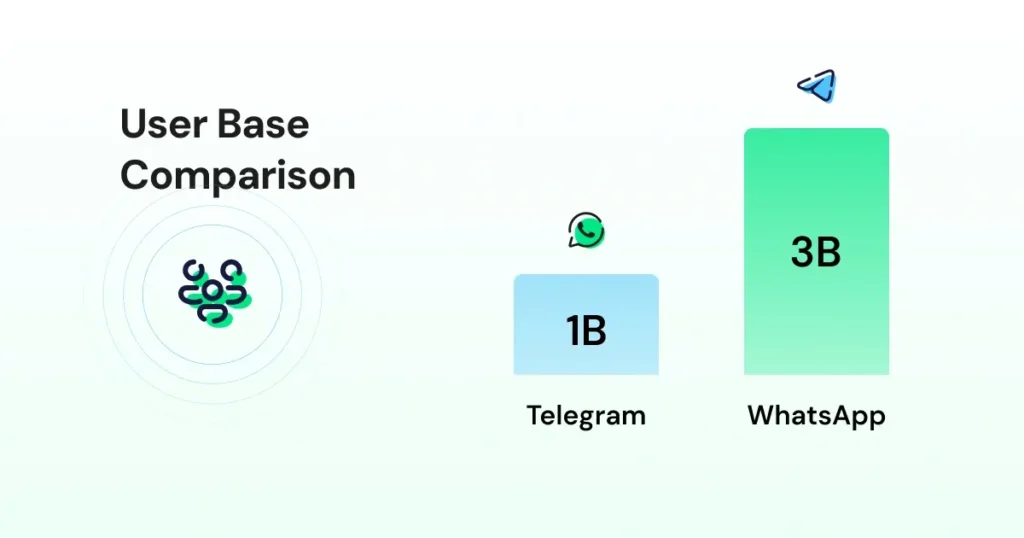
Telegram is now at roughly 1 billion monthly users. Growth is strong among tech-savvy, privacy-focused users, crypto & investment market groups, and global online communities. It remains popular in crypto and developer circles, as well as in regions where people prefer open groups and public channels.
A retail brand in India usually sees more substantial traction on WhatsApp. A crypto or tech community in Europe often leans toward Telegram because it offers more flexibility and works well for large broadcast-style groups.
2. API Access and Setup
One key difference between Telegram and WhatsApp lies in how developers can access and start building on their respective APIs.
| Aspect | WhatsApp Business API | Telegram |
| API Type | Official Business API | Bot-based API |
| Approval | Business verification, phone number approval, and message template approval required | No formal business verification required, but bots must comply with Telegram Bot API policies |
| Setup Time | Same day to several days, depending on business verification and provider. | Instant |
| Cost | Conversation-based pricing applies, varying by country and message category. | No platform messaging fees, but infrastructure and development costs apply. |
WhatsApp API
WhatsApp API uses a structured onboarding flow. You start by choosing a Business Solution Provider, then complete business verification, link a phone number, and set up message templates for any business-initiated conversations.
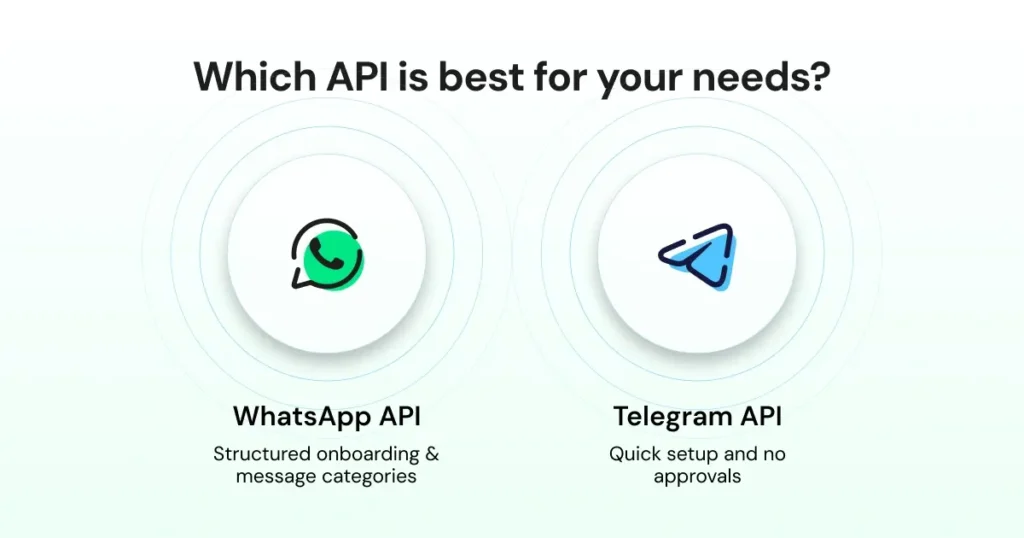
WhatsApp also assigns categories to messages, which shape how you send updates and how you are billed. This approach helps control spam and keeps conversations predictable, but it does add a learning curve when you set things up for the first time.
Further Reading: WhatsApp API Prerequisites: Phone Numbers, Documents, and Verification
Also read: How to Get WhatsApp API Access in 2026 For Your Business
Telegram API
Telegram takes the opposite route. You create a bot through BotFather, receive an API token, and you’re ready to build. There are no approvals, no message categories, and no verification steps. This makes Telegram a quick platform for testing ideas, building prototypes, or launching custom automation.
A Quick Comparison Of Both WhatsApp vs Telegram API
Here is a quick comparison on resources you require to set up WhatsApp or Telegram API.
| Step | WhatsApp Business API | Telegram API |
| Business verification | Required | Not required |
| Templates | Required for outbound messages | Not used |
| Cost | Paid | Free |
Also read: WhatsApp API Pricing for 2026
Telegram vs. WhatsApp: What are the Key Messaging Capabilities?
Below are the key messaging features and functionalities of WhatsApp and Telegram for different user bases:
- WhatsApp supports text, images, video, and audio. You also get interactive elements such as quick reply buttons and list messages, which help guide users through structured flows.
- Templates allow you add variables and media, enabling you to send consistent updates. Delivery is strong in telecom-heavy markets, which is why many brands rely on WhatsApp for order updates and support conversations.
- These features make the platform a solid fit for commerce, service workflows, and any interaction that needs predictable steps.
Telegram
- Telegram offers a broader range of message types. Along with text, photos, and videos, you can send documents, polls, quizzes, and long messages that go far beyond WhatsApp’s limits.
- Telegram also supports web apps inside the interface and allows file uploads up to 2 GB.
- With support for large groups and public channels, it works well for community communication.
What are the Key Differences Between Telegram and WhatsApp?
While both apps are powerful, they operate on fundamentally different philosophies. WhatsApp focuses on verified, secure compliance, while Telegram prioritizes developer freedom and community scale.
- The 24-Hour Rule: WhatsApp enforces a strict “Customer Service Window.” You must respond within 24 hours of a user’s message; otherwise, you must use a pre-approved (and paid) template to restart the chat. Telegram has no time window, allowing for continuous, free-form automation at any time.
- Message Templates & Approval: Every business-initiated message on WhatsApp must be a pre-approved template by Meta. On Telegram, once a user starts a bot, the business can send any message format without prior approval.
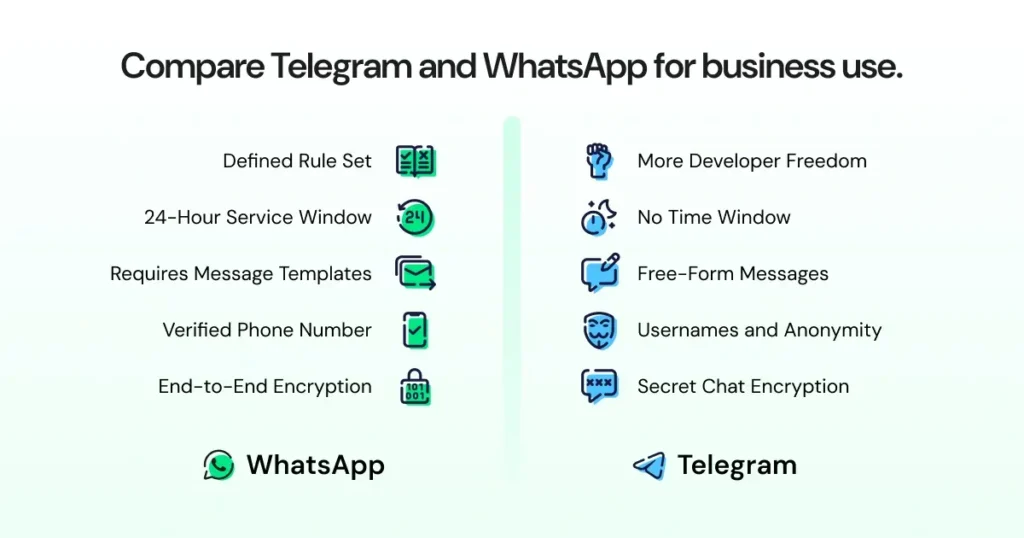
- Verification vs. Anonymity: WhatsApp identities are tied strictly to verified phone numbers, fostering high trust. Telegram allows users to hide their numbers and interact via @usernames, favouring privacy and community-style interaction.
- Encryption Standards: WhatsApp uses End-to-End Encryption (E2EE) by default for all chats. Telegram uses client-server encryption for its standard “Cloud Chats,” reserving E2EE exclusively for “Secret Chats.”
- Cloud Storage & Syncing: Telegram is natively cloud-based, meaning all chat history is instantly available across unlimited devices. WhatsApp stores data locally on the device (with optional cloud backups), making multi-device management slightly more rigid.
- File Sharing Limits: WhatsApp currently limits file sharing to 2GB. Telegram allows up to 2GB for free users and has expanded to 4GB for Premium accounts, making it the preferred choice for sharing high-resolution assets or large documents.
- Group & Community Scale: WhatsApp groups are capped (currently 1,024 members), whereas Telegram “Supergroups” can host 200,000 members, and its “Channels” support an unlimited number of subscribers.
Which Platform is Better for Business Automation?
Here is a rundown of both the tool and how they offer business automation support for brands:
| Aspect | WhatsApp Business API | Telegram API |
| Setup Cost | Often involves a BSP and per-message fees. | Generally free (Bot API) or low-cost (Premium). |
| API Freedom | Strict rules on content and frequency. | Highly flexible; supports custom keyboards/web apps. |
| Identity | Professional, verified business profile. | Flexible bot-based identity or username. |
| Primary Use | High-trust transactions & support. | Mass broadcasting & community engagement. |
| Read Receipts | Blue ticks | Seen/Read indicator |
Also Read: How the WhatsApp API Pricing Change Impacts Your Messaging Strategy?
Which Platform is Better for Automation and Bot Building?
Both platforms support automation, but they approach it differently. WhatsApp is strong in structured workflows. Brands use it for:
- Automated Cart Recovery: Sending personalized nudges (with product images) to users who leave checkout, often including a “Buy Now” button that links directly to a pre-filled cart.
- Transactional Order Updates: Real-time triggers for order confirmations, shipping tracking numbers, and delivery status that customers actually see (98% open rates).
- COD (Cash on Delivery) Verification: Reducing RTO (Return to Origin) costs by automating a quick “Confirm Order” button click before a package is dispatched.
- Support Routing & AI Triage: Using intent detection to categorize a query (e.g., “Where is my refund?”) and routing it to the specific department or an AI agent for an instant fix.
- Appointment & Service Reminders: Automated “don’t forget” alerts for healthcare, salons, or consulting that allow users to confirm or reschedule with a single tap.
It connects with CRMs and ecommerce systems, and templates help keep messages consistent and compliant.
| Aspect | WhatsApp Business API | Telegram API |
| No-Code Automation Tools | Widely available | Limited (mostly custom builds |
| Bot Flexibility | Moderate | Very high |
| Scripting Freedom | Restricted by Meta rules | Few restrictions |
| Allowed Use Cases | Category-based | No category limits |
Telegram leans toward open, developer-driven automation. You get freedom to build almost anything without template rules or approval steps.
A marketplace might rely on WhatsApp to automate returns and delivery updates. A fintech often turns to Telegram for live alerts or trading dashboards.
WhatsApp vs. Telegram: Conversation Policies and Compliance
WhatsApp follows a clear set of rules for how businesses should communicate.
Users must opt in before receiving outreach, and any message sent outside the 24-hour window must use an approved template. WhatsApp also sorts conversations into categories, which influences both pricing and how messages are delivered. However, Telegram works with far fewer restrictions.
Below is a rundown of how both platforms tackle compliance:
| Aspect | WhatsApp Business API | Telegram API |
| Strictness | Strict | Lenient |
| Template Approval | Required | Not applicable |
| Opt-in Rules | Mandatory | Not mandatory |
| Commerce Policy | Must follow Meta policy | Unrestricted |
Bots do not need template approvals, there is no formal opt-in process, and there are no time-based limits on when a bot can message a user after the first interaction.
Most of the guardrails on Telegram are technical rather than compliance-driven, which gives developers much more freedom to design their own workflows.
WhatsApp Vs. Telegram: Security and Privacy
The way WhatsApp and Telegram handle security shapes how businesses use them, especially in sensitive industries.
For most businesses, WhatsApp is the “safer” default because of its universal encryption policy.
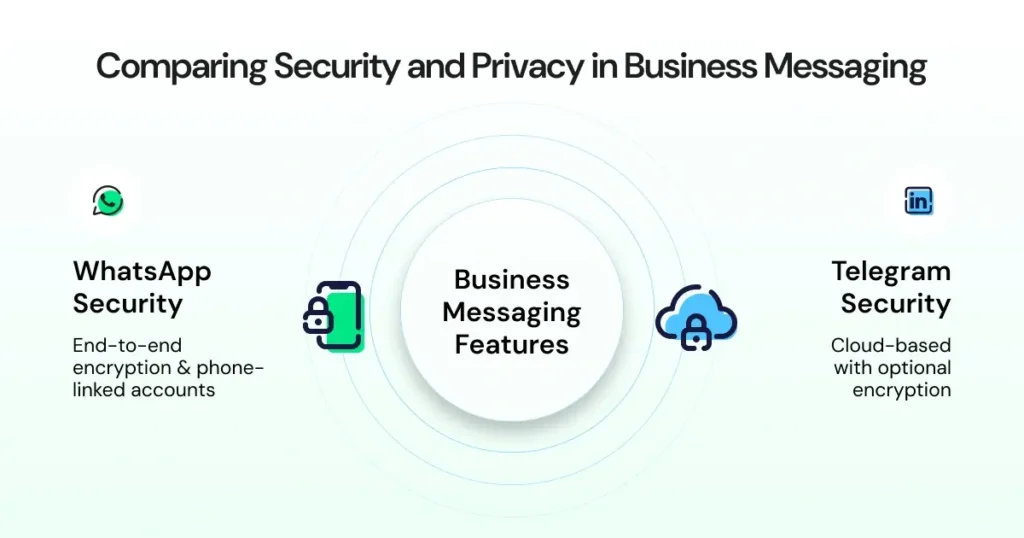
This is how WhatsApp tackles security:
- End-to-End Encryption (E2EE) by Default: Every message, call, and document on WhatsApp is protected by the Signal Protocol. Not even Meta can read the content.
- Encryption at Rest: In 2026, WhatsApp has made End-to-End Encrypted Backups easier to manage, ensuring that data stored in the cloud (Google Drive or iCloud) is just as secure as the live chat.
- Metadata vs. Content: While WhatsApp cannot see what you say, it does track metadata (who you talk to, when, and how often). This data is shared within the Meta ecosystem for business analytics and ad targeting.
| Aspect | WhatsApp Business API | Telegram API |
| Encryption | End-to-End | Server-side encryption |
| Verified Profiles | Available for approved business accounts. | Not Available |
| Trust Score | Account quality and compliance affect delivery and messaging limits. | No trust score |
| Delivery Stability | Very high | High but not enterprise-grade |
| Anti-Spam Controls | Strict | Very relaxed |
This is how Telegram approaches security:
- Client-Server Encryption: Standard Telegram chats use the MTProto 2.0 protocol. Messages are encrypted between your device and Telegram’s servers, where they are stored in the cloud. This allows you to access your entire history instantly on any device.
- Manual “Secret Chats”: If you need E2EE, you must manually start a Secret Chat. These are device-specific (they won’t show up on your laptop if started on your phone) and support self-destructing messages.
- Anonymity and Identity: Telegram’s privacy win is in identity masking. Users can join groups or contact businesses using a username, keeping their phone number completely hidden, a feature WhatsApp only recently began to approximate.
Most Telegram data lives in the cloud, which allows users to access messages across devices but also means the platform retains more metadata.
WhatsApp vs. Telegram: Integrations and Ecosystem
Here are the specific software integrations that both WhatsApp and Telegram are compatible with:
- Integrates with Shopify, WooCommerce, HubSpot, Zoho, and more
- Works with a wide range of CRM and helpdesk platforms
- Supports payments in select regions (India, Brazil, Mexico, and Indonesia)
- Uses approved templates for updates, reminders, and alerts
Telegram
- Open-source libraries in Python, Node.js, and Go
- Bot marketplace for discovery and extensions
- Developer tools, including inline bots and web apps
- Custom API features for interactions
- Automation support for public channels and large groups
WhatsApp vs. Telegram: Pricing Model
Pricing works very differently on the two platforms, and it has a significant impact on how teams plan their workflows.
| Cost Type | WhatsApp Business API | Telegram API |
| API | Paid | Free |
| Message cost | Message based | Free |
| Template cost | Charged by category | Not applicable |
| Template Approval | Mandatory | Not applicable |
| Region-wise Pricing | Yes (Meta-Defined) | No regional cost difference |
WhatsApp vs. Telegram: When to Choose?
Check out the cases where either WhatsApp or Telegram would be the right choice:
Choose WhatsApp if
- Large user bases in India, Brazil, or Southeast Asia are central to your customer reach.
- Sensitive or regulated conversations demand end-to-end encryption and verified identities.
- Phone-number–based accounts make identity certainty necessary for the workflow.
- Structured e-commerce flows depend on product messages, order updates, or OTP verification.
- Strict opt-in rules and message controls support compliance requirements.
Choose Telegram if
- Public communities or large groups play a significant role in audience engagement.
- Broadcast-style communication calls for fast, wide delivery without restrictions.
- Advanced bot logic or custom commands require a flexible development environment.
- Low-cost automation is a priority, without per-conversation fees.
- User anonymity or username-based interaction meets the audience’s needs.
Telegram or WhatsApp, Which is Best for You?
WhatsApp is the stronger choice for customer-facing work, especially when support quality, structured workflows, and verified identities matter. Teams that rely on predictable automation or handle sensitive conversations usually start here.
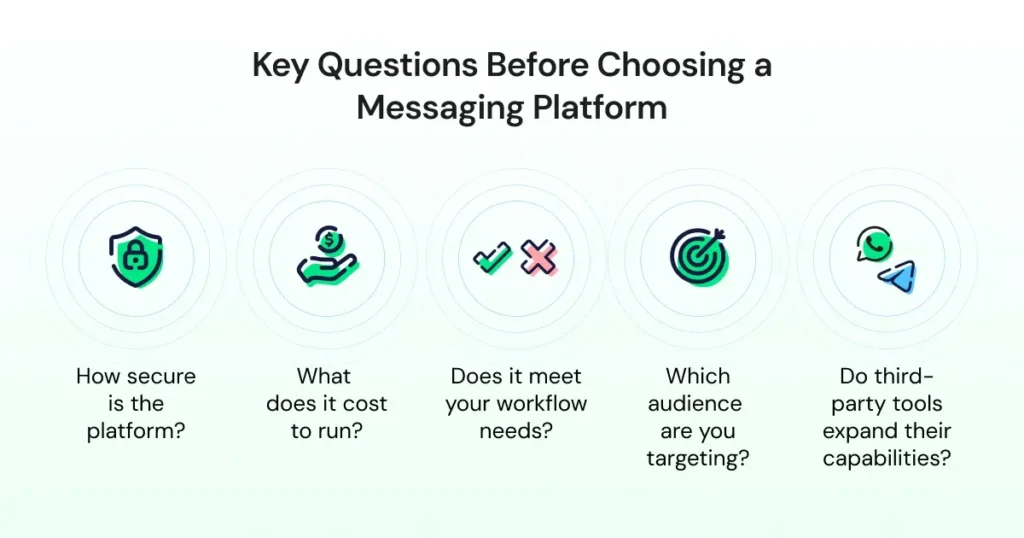
Telegram is the better fit when communication needs to be public, community-driven, or built around flexible bot logic. Large channels, open groups, and fast broadcasts make it ideal for audiences that want scale and openness.
Many organisations end up using both. WhatsApp handles customer conversations. Telegram handles community updates and broad engagement.
Choose the Right Medium for Community!
WhatsApp is the better fit when support workflows need structure, consistency, and verified identities. Telegram works well for open communication, fast broadcast, and large public communities.
Your WhatsApp vs Telegram decision ultimately depends on audience behavior, compliance needs, and the depth of automation.
If you want to explore how WhatsApp automation works in practice, you can book a quick demo with Wati and see how the WhatsApp API supports your support and sales workflows.
FAQs
WhatsApp focuses on private, identity-verified conversations with strong compliance rules. Telegram offers more flexibility, supports public channels, and puts fewer restrictions on bots and message formats.
WhatsApp is better for support because of its verified identities, workflows, templates, and CRM integrations. It works well for order updates, onboarding, and service conversations.
Telegram supports files up to 2 GB. WhatsApp supports smaller limits, which makes Telegram better for heavy media sharing.
WhatsApp encrypts all chats end-to-end. Telegram encrypts only Secret Chats end-to-end, while regular chats use cloud-based encryption. For sensitive workflows, WhatsApp is generally preferred.
WhatsApp API is paid and uses message-based pricing. Telegram’s API is free, but teams host their own bot infrastructure.
WhatsApp offers deeper integrations with Shopify, WooCommerce, HubSpot, Zoho, Intercom, and many CRMs. Telegram integrations are more developer-driven and rely on open-source libraries.