

-

-
-
Solutions
-
Soluções
-
Soluciones
-
解决方案
-
解決方案
-
الحلول
-
Product
-
Produto
-
Producto
-
产品
-
產品
-
المنتج
-
 Astra AI
-
-


 Wati for Marketing
 Wati for Support
 Wati for Sales
 eLearning
 E-commerce
 Marketing Agencies
 Healthcare
 No Code Chatbots
 AI Support Agent
 Instagram and Facebook messenger
 Click to WhatsApp ads
 Broadcasts
 Team Inbox
 WhatsApp Business Calling
Virtual Number for WhatsApp: How to Choose the Right Number for Every Market
Written by:
 Rohan
|
on:
October 3, 2025
|
Last updated on:
October 22, 2025
|
Fact Checked by :
Rohan
|
on:
October 3, 2025
|
Last updated on:
October 22, 2025
|
Fact Checked by :
 Namitha
|
According to: Editorial Policies
Namitha
|
According to: Editorial Policies
 Table of Contents
Too Long? Read This First
- A virtual number for WhatsApp helps businesses keep personal and professional communication separate while staying organized and secure.
- It’s a practical choice for freelancers, startups, customer support teams, marketers, e-commerce brands, and global teams.
- Setting one up is simple: choose a provider, verify your number, complete business KYC, and link it to WhatsApp.
- With the WhatsApp Business API, you can take it a step further by using automation, analytics, and shared inboxes to streamline communication.
If you want to use WhatsApp for business but don’t want to share your personal phone number, a virtual number for WhatsApp is the perfect solution.
With a virtual phone number, you can keep your personal and business chats separate, stay professional, and protect your privacy.
This guide helps you understand:
- What a virtual WhatsApp number is
- How a virtual WhatsApp number works
- How to connect with your customer base using it
What is a Virtual Number for WhatsApp?
A virtual number for WhatsApp is a phone number provided by a virtual telecom or VoIP service. It doesn’t need a physical SIM card on your device, but it must be capable of receiving SMS or voice calls for WhatsApp verification.
You don’t need an additional phone for daily use after setup, but you will need one device to register and verify the virtual number. It’s ideal for keeping personal and business chats separate or managing multiple accounts easily.
Virtual numbers are especially useful when businesses use the WhatsApp Business API. The API allows companies to manage large volumes of messages, offer automated replies, and integrate WhatsApp with customer relationship tools.
For businesses managing support, marketing, or high message volumes, a virtual number is essential. It lets teams work from multiple devices while keeping personal numbers private and business chats organized.
Virtual numbers function like regular numbers for WhatsApp verification and messaging, but some may not support calls or all OTP services.
Why Should You Use a Virtual WhatsApp Number?
A virtual WhatsApp number is a smart choice for businesses looking to communicate professionally and efficiently.
The right number depends on your target market. Many businesses choose a local number to make domestic customers feel more comfortable, while others use international virtual numbers to reach audiences abroad.
You can manage multiple virtual WhatsApp numbers, but the exact limit depends on your Business Solution Provider (BSP) and Meta’s verification tier. WhatsApp Business API accounts are verified per business entity, and each BSP enforces its own restrictions, often allowing 5–10 numbers per business, depending on the verification level.
For larger setups, verified businesses can request higher limits from Meta, enabling them to assign different numbers to teams, departments, or regions while managing everything from a single dashboard.
This setup allows you to scale communication, route messages efficiently, and maintain a clear view of customer interactions, keeping your business organized and responsive.
Here are five key advantages that highlight why it is an excellent choice.
1. Better Team Communication
A virtual number makes team collaboration much easier. Instead of forwarding messages or sharing a single phone, multiple agents can access the account using API-based shared inboxes. They can reply to customer queries, stay updated on conversations, and manage communications efficiently without mixing personal and professional chats.
If you’re using the WhatsApp Business App instead of the API, you can connect up to five devices per account, allowing a small team to manage messages together.
For larger teams, the WhatsApp Business API with a shared inbox provides virtually unlimited agent access and advanced collaboration features.
👉In a salon chain, each branch or stylist can manage appointment bookings and client questions directly through the shared number, ensuring smooth coordination and consistent communication across all locations.
2. A More Personalized Customer Experience
With a dedicated virtual WhatsApp number, you can respond to messages quickly and offer solutions tailored to each customer’s needs. It helps you build trust and create a professional image, which makes customers feel valued and more likely to stick with your brand.
👉A fitness center can use the virtual number to send personalized workout plans, class schedules, or membership reminders to each member, creating a more engaging and tailored experience.
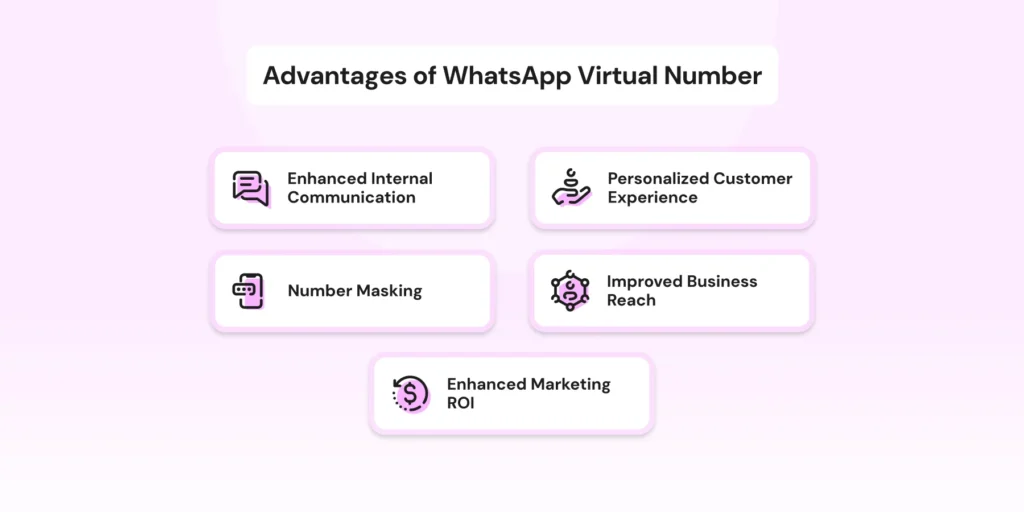
3. Keep Your Personal Number Private
A virtual number masks your personal phone number when you’re communicating with customers. This way, you protect your personal space while still offering seamless support. It’s especially useful if you want to avoid unwanted calls or texts outside of work.
4. Get More From Your Marketing Efforts
Using a virtual WhatsApp number allows businesses to measure and improve their messaging performance. While the WhatsApp Business App provides limited insights, the WhatsApp Business API lets you access detailed analytics through BSP dashboards.
With these dashboards, you can track metrics such as message delivery, response rates, conversation trends, and campaign performance.
Integrating these metrics with your CRM enables audience segmentation, A/B testing, and accurate ROI tracking.
5. Reach More Customers, Anywhere
A virtual WhatsApp number gives your business flexibility. With the WhatsApp Business API, your number isn’t tied to a single device, letting teams access it from anywhere. It is perfect for reaching customers across cities or countries.
For WhatsApp Business App users, the number remains linked to a primary phone unless multi-device support is enabled. Either way, a virtual number makes it simple to scale operations and grow your customer base without extra hassle.
👉For a small business or SaaS brand expanding globally, a virtual WhatsApp number lets you connect with customers in multiple countries without needing local offices. It ensures your team can provide timely support and updates anywhere, helping you scale operations efficiently.
Get Your Virtual Number for WhatsApp in Simple Steps
Setting up a virtual number for WhatsApp is easier than it sounds. You don’t need to be tech-savvy. However, it’s important to know that some countries may have regulations around virtual numbers or business messaging.
Once your number is ready and compliant, it can help you communicate better with customers and grow your business. Here’s how you can get started.
Step 1: Choose a Virtual Phone Number Provider
Choose a WhatsApp-approved provider or BSP that supports numbers eligible for SMS/voice verification during setup.
A basic provider will only give you the number (good enough for small setups).
But if you want to manage customers at scale, look for a partner who also supports WhatsApp Business features, offers customer support, and ensures smooth onboarding.
Step 2: Register and Select Your Number
After selecting a provider:
- Create an Account: Sign up on the provider’s platform by submitting your business details and the required documents to verify your business identity.
- Select a Number: Choose a virtual number that aligns with your business’s target market.
Depending on your business, you can choose from different types of virtual numbers:
Local numbers: Help customers feel like you’re nearby
Toll-free numbers: Make it easy for customers to contact you without worrying about extra charges
International numbers: Useful if you work with clients from other countries
- Buy the number: Buy the virtual number using a convenient online payment option, like a credit card or PayPal.
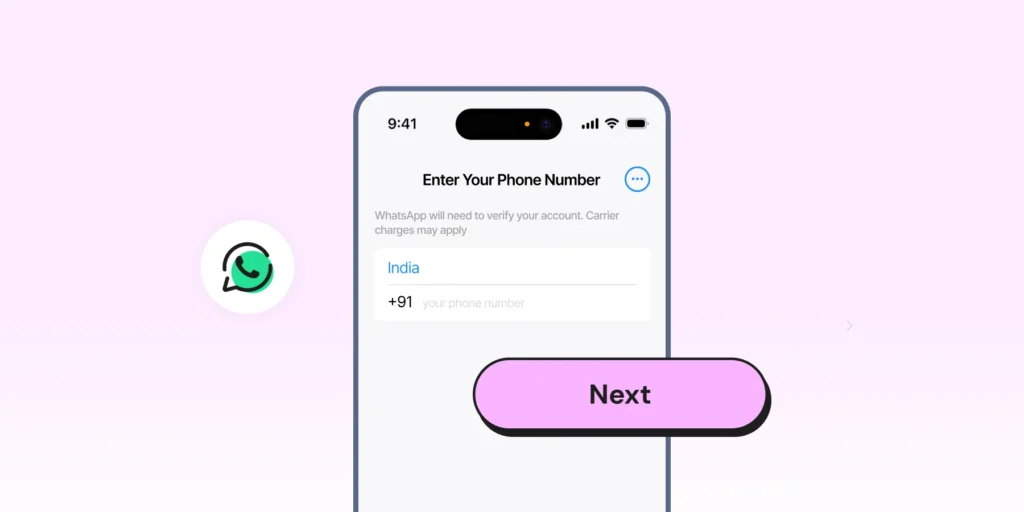
Step 3: Verify the Virtual Number
WhatsApp will send a 6-digit verification code via SMS or voice call.
- For WhatsApp Business App users: Enter the code directly within the app to complete the verification process.
- For WhatsApp Business API users: Input the verification code through your BSP’s platform to finalize the setup.
👉Related Read: How to Create a WhatsApp Business Account
Now that everything is set up, you can start using your virtual number to send transactional messages, answer queries, and run marketing campaigns.
Whether it’s sending order confirmation updates, responding to customer questions, or sharing new offers, your virtual number helps you stay connected without sharing your personal phone details.
For businesses looking for more advanced capabilities like CRM integration, automating responses, monitoring customer interactions, and tracking performance, the WhatsApp Business API is a great option.
It helps you scale communication without compromising on service or security.
Sign up for a free trial with Wati today to get started.
🎁Bonus Read: WhatsApp Business API: Top Features You Must Know in 2025
Who Can Benefit from Using a Virtual WhatsApp Number?
A virtual WhatsApp number isn’t just for big organizations. It’s useful for all kinds of businesses and professionals.
Whether you’re just getting started or already managing a large team, here’s how different users can benefit.
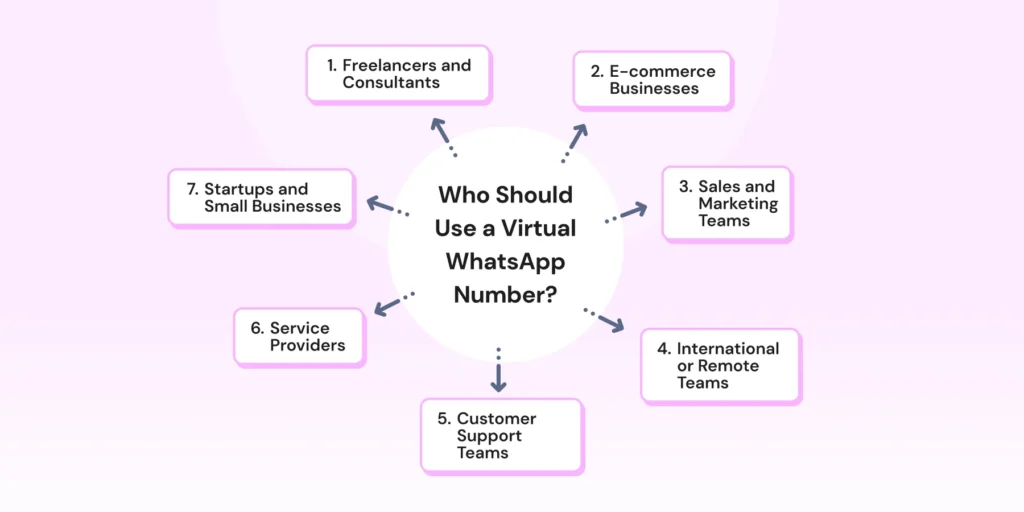
1. Freelancers and Consultants
If you work independently, a virtual number helps you keep your personal and client conversations separate. It also gives you a more professional appearance without having to share your private number.
2. Startups and Small Businesses
Startups often have limited resources. A virtual WhatsApp number makes it easy to manage customer queries without buying extra phones or devices. You can stay organized while scaling your operations.
3. Customer Support Teams
Teams that handle a lot of customer requests can use a shared virtual number to collaborate better. Multiple agents can access the same account, ensuring quick responses and smoother communication.
☑️Also Read: 8 WhatsApp Support Best Practices That Work
4. Sales and Marketing Teams
Marketers can use virtual numbers to run campaigns and promotions without affecting their personal contacts. It also helps track responses, gather customer feedback, and measure campaign success.
5. E-commerce Businesses
For e-commerce stores, being available on WhatsApp can boost customer trust. A virtual number allows you to handle order updates, shipping details, and support requests efficiently while keeping operations streamlined.
6. International or Remote Teams
If your team or customers are spread across different cities or countries, a virtual number for WhatsApp lets you communicate without worrying about roaming charges or location barriers. It’s a cost-effective way to stay connected globally.
7. Service Providers (Coaches, Trainers, Event Planners)
Professionals who offer services directly to clients can benefit from using a dedicated WhatsApp number. It helps in scheduling, sending reminders, and offering personalized advice while maintaining privacy.
Ready to Set Up Your Virtual Number for WhatsApp?
A virtual number for WhatsApp helps you stay organized, professional, and connected with your customers. Whether you’re a freelancer, a growing business, or a support team, it lets you manage conversations more efficiently and keep your personal information private.
Now that you know how it works, what to watch out for, and how to set it up, it’s time to take the next step. Choose a trusted provider, complete the verification process, and start using your virtual number to communicate confidently.
If you want advanced features like WhatsApp automation, team management, chatbots, and analytics, using the WhatsApp Business API with your virtual number will take your customer engagement to the next level.
Book a free demo today and see how much easier and more professional your communication can be!
FAQs About WhatsApp Virtual Number
Not all virtual numbers work with WhatsApp. You need a provider that supports WhatsApp verification and complies with WhatsApp’s policies, especially if you want to use the WhatsApp Business API for advanced features.
Switching is possible but requires setting up a new account and verifying it again. It’s best to choose the correct number at the start, depending on your long-term needs.
Delivery depends on WhatsApp’s approval of the number type. Some VoIP numbers may fail verification or message delivery. Once approved by WhatsApp, a virtual number functions like a regular number for message delivery.
Yes! Most countries support WhatsApp-compatible virtual numbers, including international and toll-free options, making it easy to reach customers abroad. Some regions, however, restrict VoIP or virtual number registration, so check local rules before setting up.
Latest Comments