
Too Long? Read This First
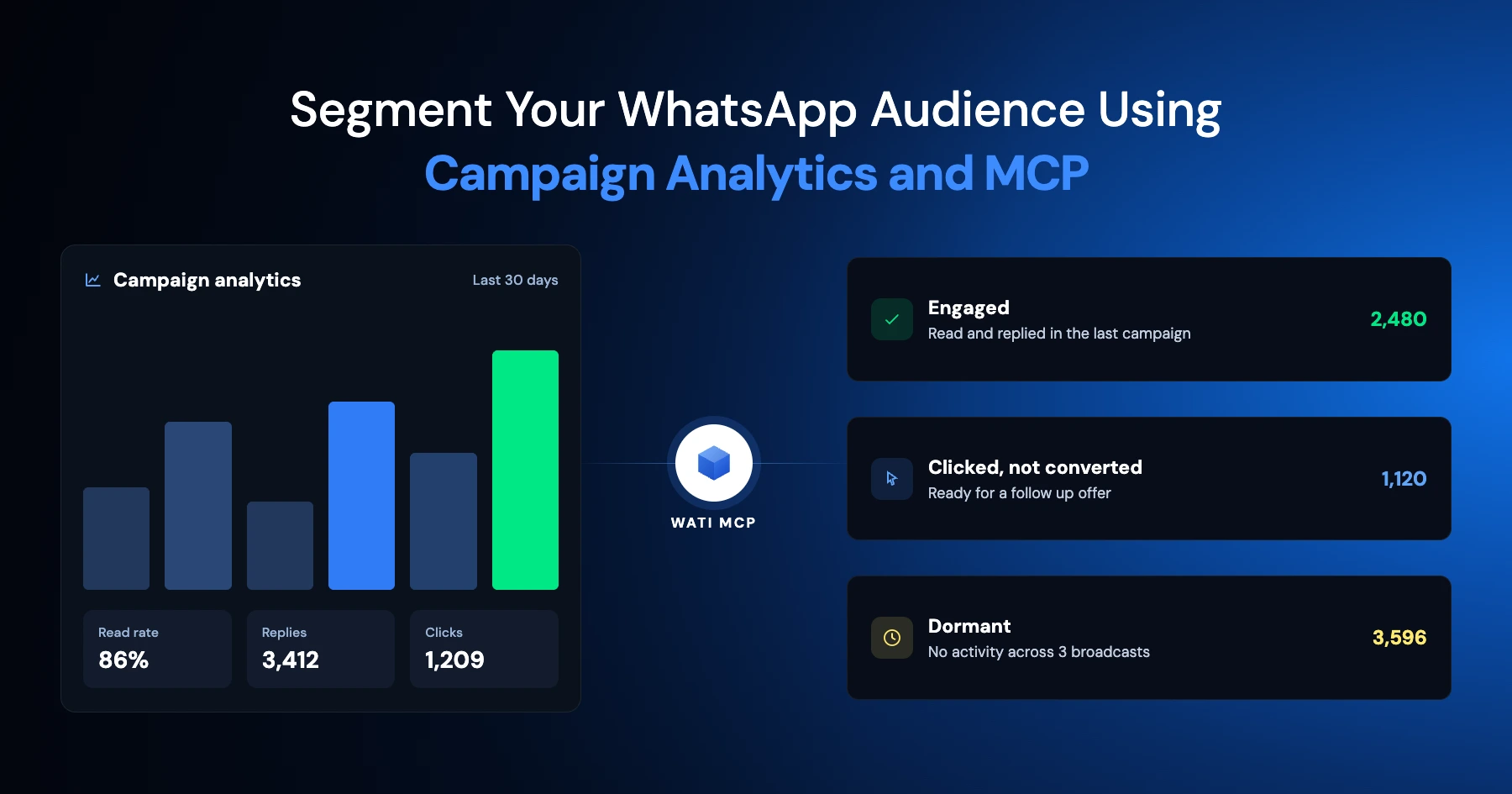
- Segment WhatsApp contacts by campaign behavior: delivered, read, click, reply, and conversion.
- Ask Wati MCP in plain language and turn the results into segments, no manual exports or sorting.
- Build highly engaged, win-back, and at-risk segments, then connect them to automation rules.
- Choose active segments that update automatically or static segments that lock in a snapshot.
- Confirm opt-ins, opt-outs, and approved templates before any segment sends.
Most WhatsApp marketers pick their next audience without checking what happened in the last campaign. They rerun the same broadcast list, hope for better numbers, and wonder why replies keep dropping. That changes with a plain-language question: what actually happened on your last campaign, who opened it, who clicked, who went quiet. Wati MCP lets you act on the answer right away.
Instead of exporting spreadsheets and rebuilding lists by hand, you query campaign performance conversationally and let Wati's segment engine do the grouping. Spot-checking the output is still worth the minute it takes.
This guide covers how to read WhatsApp campaign analytics through Wati MCP, build engaged, win-back, and at-risk segments, and keep every send inside WhatsApp's opt-in and template rules.
What Counts as Campaign-Based Segmentation on WhatsApp?
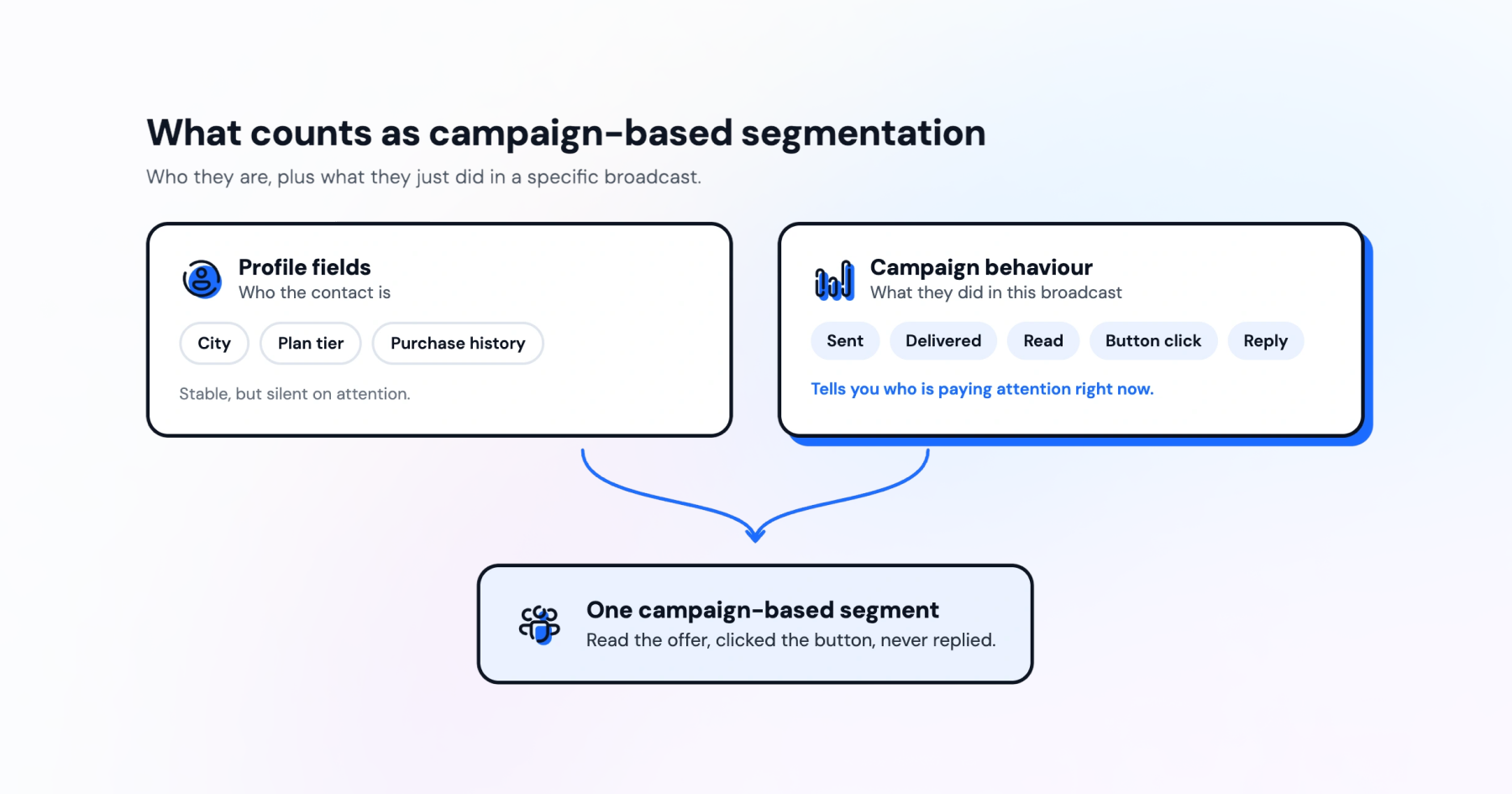
Campaign-based segmentation groups contacts by how they behaved during a specific broadcast, not by static profile fields alone. It answers a simple question: who actually responded, and how?
Meta's WhatsApp Business Platform documentation describes messaging analytics, pricing analytics, and template analytics that track exactly this kind of behavior, including sent, read, delivered, and button-click metrics for templates. Those numbers are the raw material for any campaign-based segment.
Profile fields such as city, plan tier, purchase history still matter. But behavioral signals from a live campaign tell you something profile data can't: whether a contact is still paying attention right now.
Engagement Signals Worth Tracking
Six signals do most of the work in practice: sent, delivered, read, click, reply, and conversion. Each one narrows a segment further.
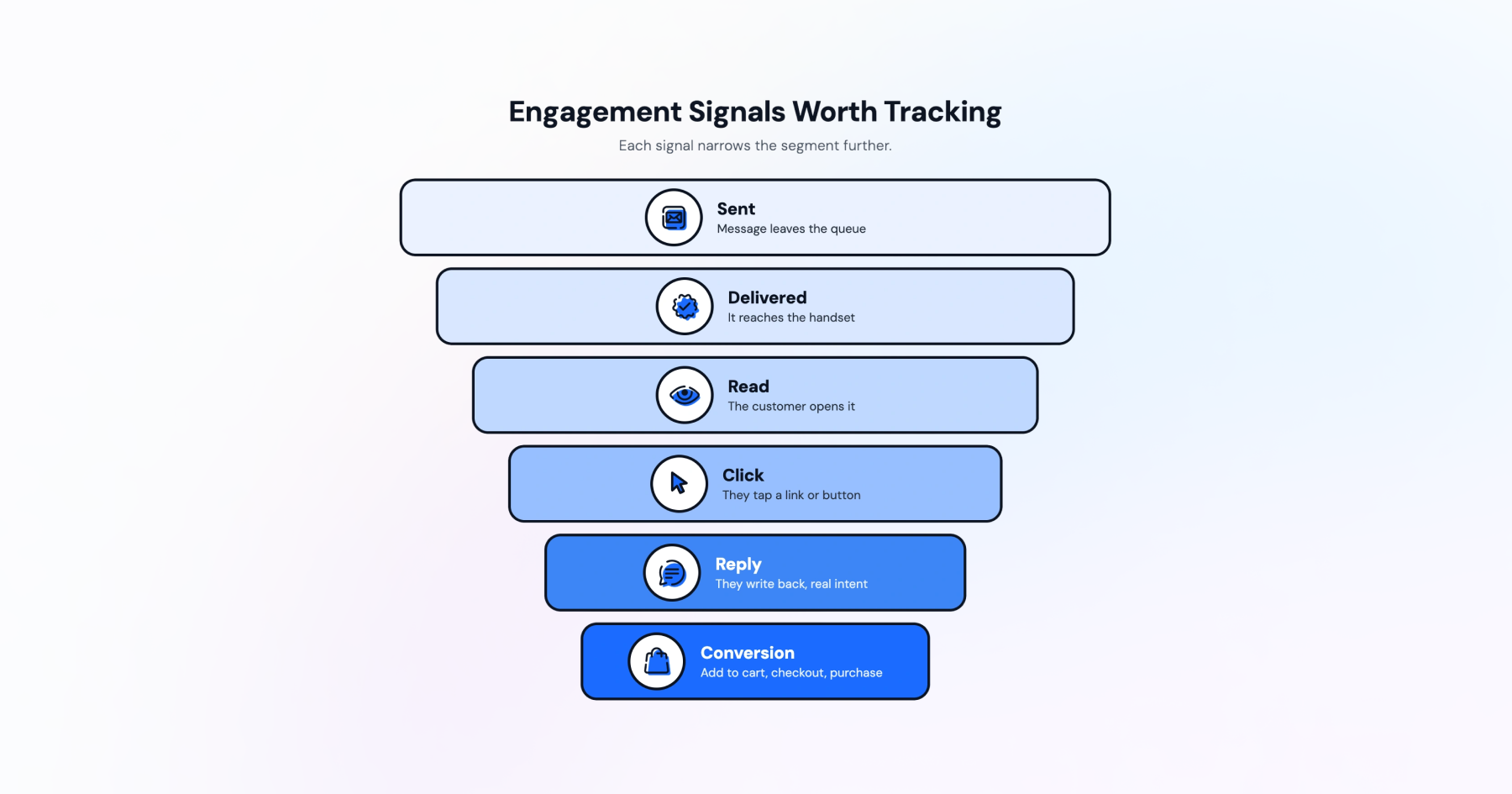
Sent and delivered confirm reach; read and click confirm attention; reply signals real intent. Conversion, tied to app events like Add to Cart, Checkout Initiated, or Purchase in Meta's Marketing Messages API documentation, confirms outcome and revenue impact. Stack them together, and a rough interest score turns into a usable segment.
If you're still setting up sending infrastructure, setting up a WhatsApp Business API account correctly is what makes these signals trustworthy in the first place.
How does Wati MCP Read Your Campaign Data?
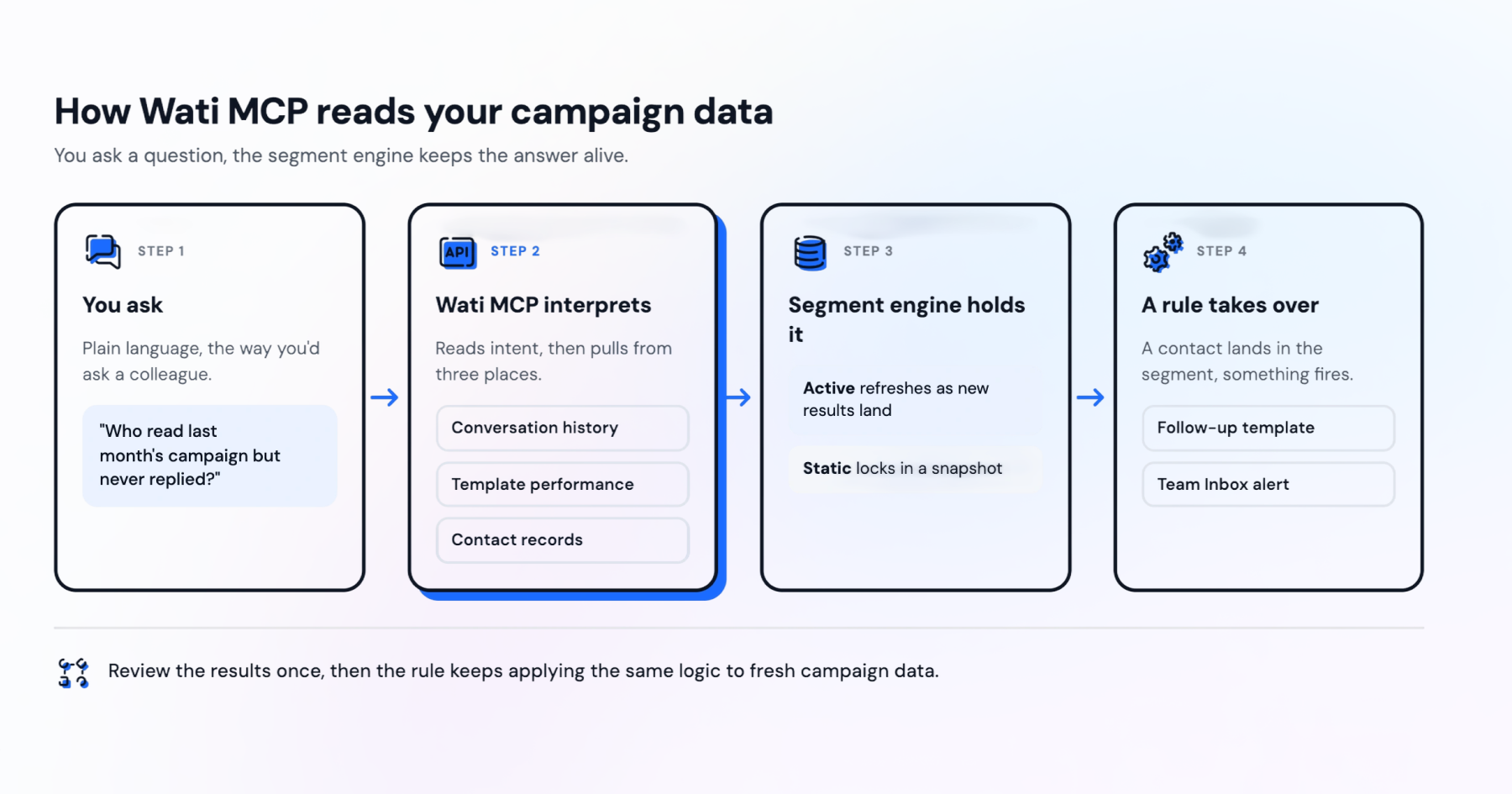
A conversational layer over your existing WhatsApp data is what Wati MCP provides, letting you ask for campaign performance the way you'd ask a colleague. You don't write a report; you ask a question and get a segment back.
Behind that question, the Wati MCP server pulls from conversation history, template performance, and contact records, then hands the result to Wati's own segment features to store as a usable list.
Natural-Language Workflows vs. Wati's Segment Engine
Two layers are doing very different jobs here. The interface is Wati MCP, you type or speak a request, and it interprets intent, checks conversation and template data, and drafts a segment. Wati's underlying platform features, including active segments, static segments, and profile signals, are what actually hold and refresh that data.
An active segment updates automatically as new campaign results come in, which suits an engaged-customer list you plan to reuse every month. A static segment locks in a snapshot, which suits a one-off win-back push you don't want shifting mid-campaign. Either kind can be requested through Wati MCP; the segment engine builds and maintains it.
Turning Insight into Automation Rules
A segment is only useful if something happens next. This is where automation rules come in, you set a rule so that once a contact lands in, say, an at-risk segment, a follow-up template or a Team Inbox alert fires without manual list-pulling every week.
That pairing, natural-language segment requests plus automation rules, is what turns a one-time analytics review into a repeatable workflow. You review results once, then let the rule keep applying the logic to fresh campaign data going forward.
3 WhatsApp Segments You Can Build From Campaign Analytics
Most teams start with three practical segments: highly engaged, win-back, and at-risk. Each uses a different mix of the same six signals.
Highly Engaged Customers
Highly engaged contacts read and click consistently across recent campaigns, and often reply too. They're your best candidates for early access offers or referral asks.
A typical rule: delivered plus read plus click across the last three campaigns, with at least one reply in the last 30 days. Retail brands running frequent promotions often build this exact list to protect their best-performing audience from generic broadcasts.
Win-Back Audiences
Win-back contacts received your messages but stopped opening them. Delivered is present; read and click aren't, usually for 30 to 60 days running.
This is a natural fit for an abandoned cart recovery style sequence. Send a fresh incentive template outside your usual promotional cadence, and aim it only at contacts who've gone quiet, not your whole broadcast list.
At-Risk Customers
At-risk contacts read your messages but don't click, reply, or convert. They're paying partial attention, which makes them worth a different tone than a discount blast.
Rather than another campaign template, route this segment into customer support automation or a personal check-in from a rep. A quieter, more direct message often works better here than volume.
Which Signals Map to Which Segment?
Each segment leans on a different combination of the same underlying data. Mapping them out avoids building overlapping or contradictory lists.
Segment | Primary signals | Typical next step |
Highly engaged | Sent, delivered, read, click, reply | Early-access template, referral ask |
Win-back | Delivered, no read in 30-60 days | Fresh-offer template outside cadence |
At-risk | Read, no reply, no conversion | Personal check-in or support handoff |
Notice that conversion only enters cleanly once click and reply are already present, it's the last signal to check, not the first.
What Safeguards Keep Campaign-Based Segmentation Compliant?
Segmentation only works if the underlying sends stay compliant. Three safeguards matter most: consent, template rules, and a human check before sending.
Opt-In and Opt-Out Handling
Every contact in every segment, engaged, win-back, or at-risk, needs a valid WhatsApp opt-in before you message them. That rule doesn't change based on how good the campaign data looks.
Opt-out has to stay just as easy. A contact who replies STOP or asks to be removed should drop out of future segments immediately, not just the current campaign. Building this into your workflow protects deliverability across your whole account, not only one broadcast.
Approved Templates Outside the 24-Hour Window
Once a contact hasn't messaged you in 24 hours, WhatsApp's rules require an approved message template for outbound contact, a free-form session message won't go through. This applies to win-back and at-risk segments especially, since both groups tend to sit outside that window by definition.
Check your approved message templates library before you build the segment, not after. A segment with no matching approved template is a dead end until you fix the template side first.
Permission Checks and Human Confirmation
Access to campaign data and contact lists should stay role-based, not every teammate needs to pull every segment or trigger every send. Reviewing how WhatsApp data security works is worth doing before you open segment-building up to a wider team.
Wati MCP includes a human review step before any message goes out. A person checks the segment, the template, and the timing before a send happens. This is intentional: campaign data can be wrong, and catching that before send matters more than speed.
Why Behavioral Segmentation and AI Personalization Pay Off
Behavioral segmentation isn't a nice-to-have layered on top of broadcasts; it changes how contacts feel about the messages they get. Consumers increasingly expect this from businesses on messaging channels.
Generic broadcasts to an unsegmented list waste that expectation. Relevant, behavior-based segments are what actually earn it. This is where AI personalization and conversational commerce meet: a customer data platform that actually reflects campaign behavior, not just static fields, is what makes a WhatsApp message feel like a conversation instead of a blast.
Campaign benchmarks help here too. Comparing your read and click rates against your own historical campaigns, rather than industry averages, tells you faster whether a new segment is actually working.
Teams already syncing customer records into a broader stack, through integrating a CRM with WhatsApp, tend to get cleaner segments faster, since profile signals and campaign behavior sit closer together instead of living in separate tools.
Get More From Every Campaign With Wati MCP
Running campaign analytics through natural language rather than spreadsheets saves time on the review side. The real gain shows up on the next send, when a sharper segment gets a message that actually matches its recent behavior.
Start small: pull one campaign's read and click data, build a single win-back segment, and check it against an approved template before anything goes out.
If you want to see the workflow end to end, book a demo with Wati and walk through a real campaign together.
Frequently asked questions
What is campaign-based segmentation on WhatsApp?
It means grouping contacts by how they responded to a specific broadcast: sent, delivered, read, clicked, replied, or converted. Instead of relying only on static profile fields, your next message matches recent behavior rather than old data.
How does Wati MCP differ from Wati's segment features?
Wati MCP is the natural-language layer you query and act through. Active segments, static segments, and profile signals are the underlying Wati features that actually store and refresh the resulting contact groups.
Can I message contacts who haven't opened a chat in 24 hours?
Yes, but only with an approved WhatsApp message template. Meta's messaging rules require templates outside the 24-hour customer service window; free-form session messages only work inside that window with an active conversation.
What signals define a win-back segment?
A win-back segment usually includes contacts who received a campaign but haven't read or clicked in 30 to 60 days. Treat this range as a starting point to tune, not a fixed rule, since it's meant to separate genuine disengagement from people still mid-consideration.
Does Wati MCP send messages automatically once a segment is built?
No. Wati MCP includes a human review step before sends go out. A person checks the segment, the template, and the timing before any message reaches contacts.
What consent do I need before adding someone to a campaign segment?
You need a valid WhatsApp opt-in before messaging any contact. You also need an easy opt-out path in every campaign, regardless of whether they land in an engaged, win-back, or at-risk segment.
Related posts
- AI Customer Support in 2026: What It is, How It Works, and Why Smart Teams are Quietly Switching Over
Learn how AI in customer support manages ticket escalations, automates ticket tagging and routing, and improves customer satisfaction. See how Astra does it.
- How to Automate Business Conversations With a WhatsApp AI Agent in 2026
Learn how to build a WhatsApp AI agent to engage, qualify, and convert prospects round the clock without any delays in 2026.
- Voice-First Web Experiences: Navigating with Voice Commands
learn how voice first web experiences enable you to power personalized, human-like conversations to have a competitive advantage in today’s market.
- How Voice AI Agents Qualify Leads: A Sales Team’s Guide to Hands-Free Pipeline
know how does voice ai qualifies leads for an effective sales action and potential conversion and where does astra 2.0 stand when it comes to pre-configured lead qualification