

-

-
-
Solutions
-
Soluções
-
Soluciones
-
解决方案
-
解決方案
-
الحلول
-
Product
-
Produto
-
Producto
-
产品
-
產品
-
المنتج
-

-
-


 Wati for Marketing
 Wati for Support
 Wati for Sales
 eLearning
 E-commerce
 Marketing Agencies
 Healthcare
 No Code Chatbots
 AI Support Agent
 Instagram and Facebook messenger
 Click to WhatsApp ads
 Broadcasts
 Team Inbox
 WhatsApp Business Calling
 Overview
 Library
How to Add a WhatsApp Chat Button on Your Website: Turn Visitors Into Leads
Written by:
 Rohan
|
on:
February 26, 2024
|
Last updated on:
November 26, 2025
|
Fact Checked by :
Rohan
|
on:
February 26, 2024
|
Last updated on:
November 26, 2025
|
Fact Checked by :
 Namitha
|
According to: Editorial Policies
Namitha
|
According to: Editorial Policies
 Table of Contents
Too Long? Read This First
- Adding a WhatsApp chat button on your website helps visitors connect with you on WhatsApp instantly.
- You can create it easily with Wati’s WhatsApp Chat Button Generator. Just customize your button, copy the code, and embed it on your site in minutes.
- Before you start, make sure you have a WhatsApp Business account and access to your website’s backend or CMS.
- Follow best practices such as placing the button in the bottom-right corner, using a friendly CTA, adding a pre-filled message, and responding quickly.
- Not ready for a widget? Try other options, such as QR codes or third-party plugins.
Have you noticed visitors on your website who seem interested but never reach out? It usually happens because contacting you feels like extra work.
People today want quick answers, not long forms or delayed emails.
That’s why adding a WhatsApp chat button to your website just makes sense. It lets visitors start a conversation with you in one click.
They can ask questions, check product details, or get support right from your site using an app they already trust and use every day.
This blog covers:
- How to add a WhatsApp chat button on your website?
- What are the different setup options?
- Best ways to add buttons for maximum engagement
Let’s see how this small change can make a big difference to your customer experience.
What is a WhatsApp Chat Button?
A WhatsApp chat button is a simple, clickable icon or widget on your website that lets visitors start a conversation with you directly on WhatsApp.
When someone clicks it, they are instantly redirected to a WhatsApp chat window. It can be either on the app or WhatsApp Web.
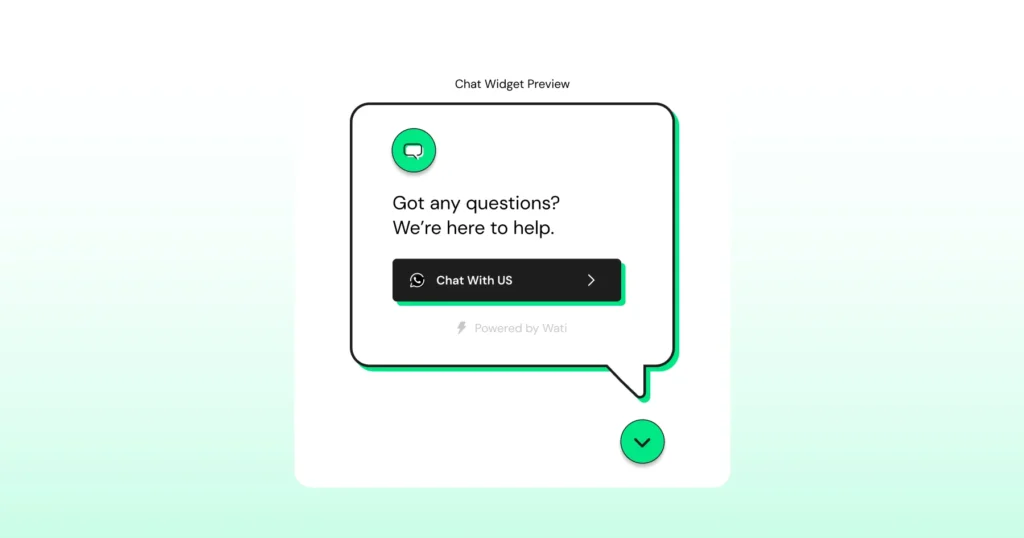
Adding a WhatsApp chat button to your website is one of the easiest ways to make your website more interactive and customer-friendly.
Instead of filling out contact forms or waiting for email replies, visitors can reach out in real time.
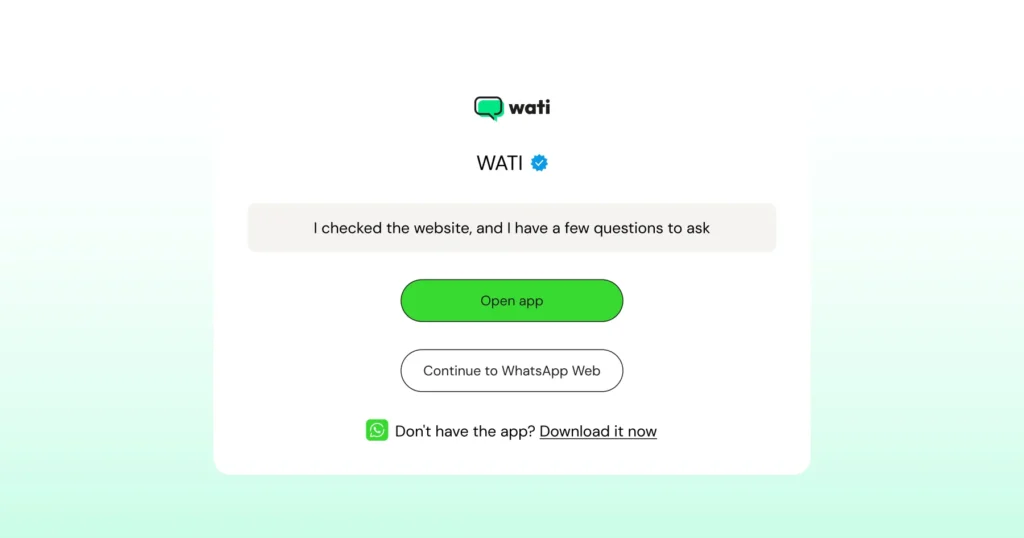
Add a WhatsApp Chat Button and Unlock Instant Conversions – Here’s How
How to turn uncertainty into real conversations?
Most websites lose great leads silently because people arrive, browse, hesitate, and leave. A WhatsApp chat button catches these moments before they slip away
Keep reading to see how it helps with your business and customers.
Connect instantly
No one likes waiting. With a WhatsApp button, customers can message you the moment they have a question. It’s instant, direct, and personal.
Turn interest into action
Imagine a customer interested in the product wanted to know more information, but doesn’t want to search for your contact number, fill out forms, which is boring and time-consuming.
When reaching out is easy with a WhatsApp chat button, visitors are far more likely to start a conversation. More chats mean more leads, faster decisions, and higher conversions.
Make customer service feel human
When queries are solved instantly, and the visitors and customers can get in touch with you with a click, that’s where WhatsApp feels familiar and friendly. It lets your team reply naturally, share quick updates, and build real connections.
Respond faster, follow up easier
You can handle queries in real time and even continue the chat later. It keeps the conversation flowing long after a visitor leaves your site.
Simple to set up, easy to manage
You don’t need a developer or fancy tools. A WhatsApp chat button can be added in minutes and connects smoothly with your existing website or CRM.
Also Read: How to Send a Link in WhatsApp and Get People to Click
How to Add a WhatsApp Chat Button on Your Website
Adding a WhatsApp chat button is simple, especially with tools like Wati. Before you start, here’s what you’ll need.
Prerequisites
- A WhatsApp Business Account linked to your business number
- Access to your website’s admin panel or CMS (like WordPress, Shopify, or Wix)
Step 1: Visit Wati’s Chat Button Generator
Go to Wati’s WhatsApp Chat Generator Page and click “Generate Now.”

Step 2: Customize your Button
- Choose your button color. Ideally, your brand color.
- Add a button name, such as “Chat with Us” or “Message Now.”
- Set the button position (bottom-left or bottom-right of your site).
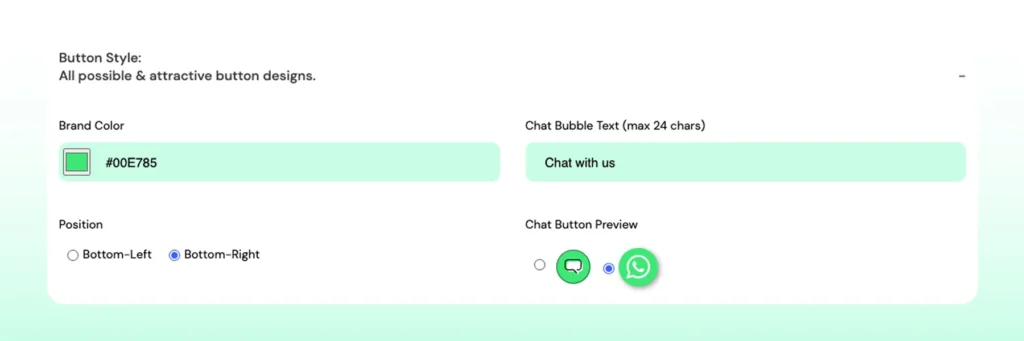
Pick a chat button preview style that matches your website’s look.
Step 3: Personalize your Chat Widget
- Enter your brand name and phone number.
- Add a short welcome message that greets visitors when they click the button.
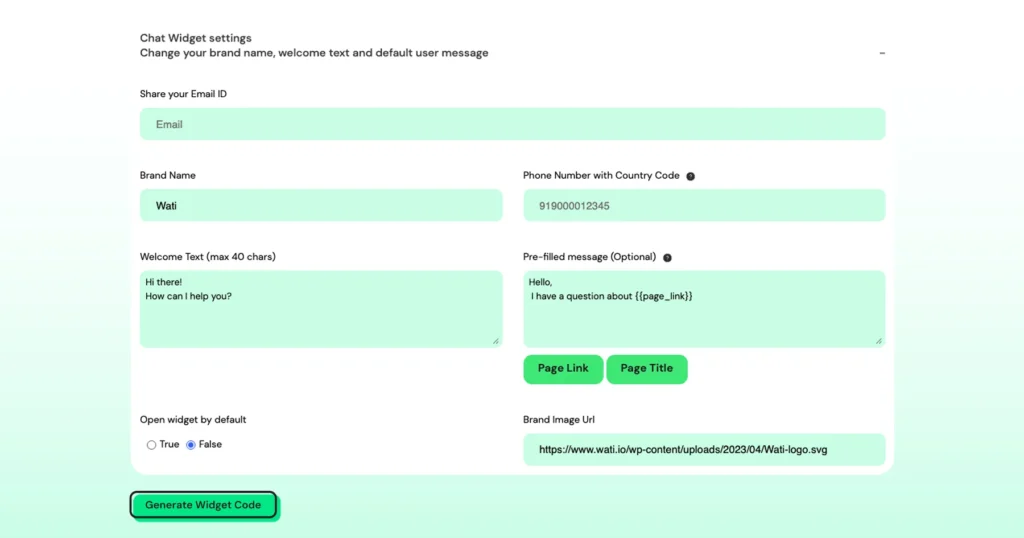
Step 4: Fine-Tune your Settings
- Create a pre-filled message that users can send. For example, “Hi! I’d like to know more about your pricing.”
- Add your brand image URL (your logo) to make the chat feel more personal and professional.
Step 5: Generate and Add Your Code
- Once everything looks good, click “Generate Widget Code.”
- A code snippet will appear. Click “Copy to Clipboard.”
| Now, go to your website’s admin panel and paste the code before the closing </body> tag. If you’re using a CMS like WordPress or Shopify, you can add it through a custom HTML block or your header/footer section. That’s it! Your WhatsApp chat button is live. 💡 |
Bonus Read: How to Add a WhatsApp Live Chat Button to Your Shopify Store?
Best Practices for Using a WhatsApp Chat Button
Once your WhatsApp chat button is live, it’s all about making the most of it.
A few small tweaks can make a big difference in how many people click and start chatting.
Here’s what works best.
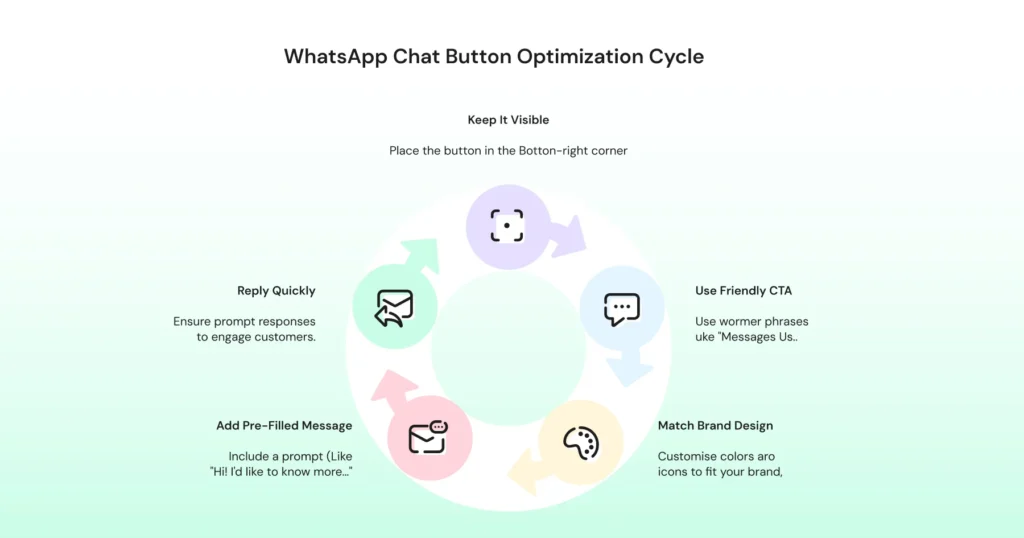
Keep It Visible but Not Intrusive
Place the button in the bottom-right corner.
It’s where users naturally expect to find chat options. Make sure it’s noticeable without blocking other content or CTAs.
Use a Friendly Call to Action
Instead of a plain “Chat” or “WhatsApp,” try something warmer like “Message Us!”, “Chat with Support”, or “Got a question?”
A friendly tone invites clicks.
Match It with Your Brand
Customize the color, icon, and welcome message to fit your brand’s look and feel.
A consistent design builds trust and keeps your site looking professional.
Add a Pre-Filled Message
A short pre-filled message makes it easier for visitors to start the chat.
For example: “Hi! I’d like to know more about your services.” It gives them a prompt and reduces hesitation.
Be Quick to Reply
People use WhatsApp because it’s fast.
Make sure someone from your team is available to respond promptly. Even a short acknowledgment goes a long way in keeping conversations active and customers engaged.
With WhatsApp Business API via Wati, you don’t have to worry about missed messages. Your team can manage all customer chats from a single shared inbox, set up quick replies, and even automate responses for common questions.
Reach out to Wati to create a WhatsApp chat button instantly.
Who Can Benefit from a WhatsApp Chat Button?
The short answer? Almost everyone.
Regardless of what you offer, customers appreciate fast responses and a more personal touch.
A WhatsApp chat button gives them exactly that in an easy way to reach you without switching apps or waiting on hold.
- If you run an e-commerce store, it’s perfect for answering quick product questions or helping shoppers decide before they check out. A quick message can often turn hesitation into a sale.
- For service businesses, it’s all about convenience. Whether you’re a salon, real estate agency, or travel company, customers can book appointments, request quotes, or confirm details instantly.
- In B2B, WhatsApp shortens the gap between interest and action. Instead of filling out a form, potential clients can chat directly with your sales team and get answers in real time.
- Agencies and consultants use it to stay close to clients by sharing updates, getting approvals, and clarifying project details without endless email chains.
- Even local businesses love it. Gyms, cafes, boutiques, and repair shops use WhatsApp buttons to answer quick queries like “Are you open?” or “Do you have this in stock?”
👉 In short, if your customers ever say, “Can I just message you?”, then yes, your business can benefit from a WhatsApp chat button.
3 Alternatives to Adding a WhatsApp Chat Button on Your Website
If you’re not ready to use a dedicated widget yet, there are a few other ways to add WhatsApp to your website. These options work well, too.
1. Add a Simple WhatsApp Link
You can create a direct chat link using https://wa.me/<yourphonenumber> and add it to your site as a regular text link or button. It’s quick and easy, but lacks custom styling and analytics.
🎁Bonus Resource: WhatsApp Chat Link Generator
2. Install a Third-Party Plugin or Widget
Some website builders, such as WordPress, Shopify, and Wix, offer WhatsApp chat plugins. They’re simple to set up but usually limited in customization and automation options.
3. Use Wati’s WhatsApp Chat Button Generator
For a cleaner, branded, and more reliable setup, Wati makes it easy to create a customized chat button in minutes.
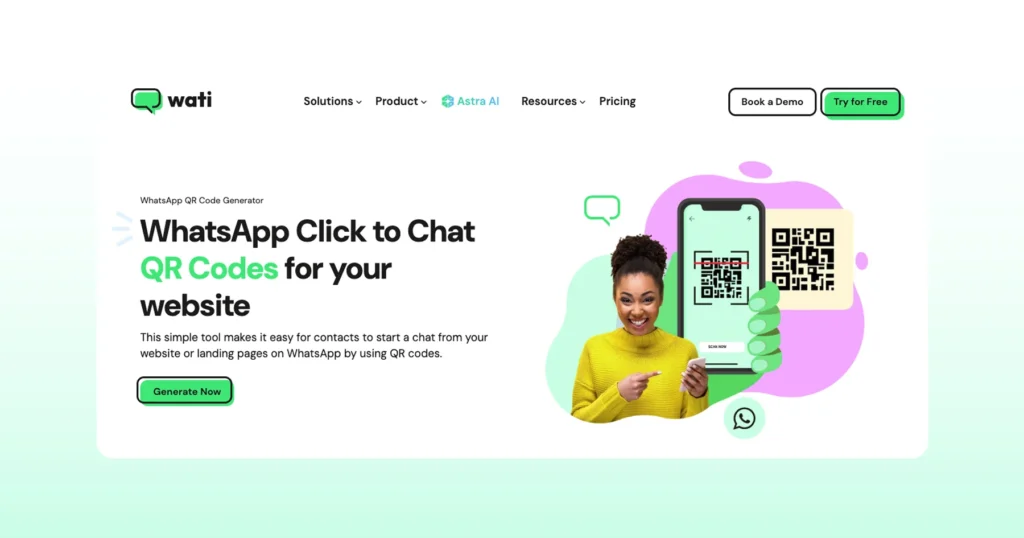
Using Wati’s WhatsApp QR Code Generator, you can choose colors, add your logo, set pre-filled messages, and even track engagement.
Something to think about 👇
Don’t limit WhatsApp to just your website.
Add a Click-to-WhatsApp link in your emails, contact pages, social profiles, or ads so customers can reach you instantly from wherever they interact with your brand.
Ready to Add Your WhatsApp Chat Button?
You are probably already imagining how much smoother your website experience could feel with a WhatsApp chat button.
It’s one of those small changes that makes visitors think, “Oh, good, the customer can just ask.” No waiting, no hunting for contact forms, no guessing.
From a shared team inbox for real-time collaboration to automated workflows, broadcast campaigns, and chatbot integrations, this WhatsApp marketing software makes it easy to handle customer engagement at every stage.
Start your free trial and transform website visitors into WhatsApp chats today.
FAQs on Adding a WhatsApp Chat Button to Your Website
You can easily add a WhatsApp chat button on your website using Wati’s free Chat Button Generator. Simply enter your WhatsApp number, customize the button’s design and placement, and copy the generated code snippet to your site. Once added, visitors can start chatting with you instantly.
Not at all. Tools like Wati’s WhatsApp Chat Button Generator make it super simple. You just fill in your details, choose your style, and paste a short code onto your site.
If you prefer doing it yourself, use this format: https://wa.me/<yourphonenumber>. Replace your number (with country code) and add it to a website button or link. This simple link opens a WhatsApp chat window directly with your business.
Yes! With Wati, you can customize everything: color, icon, text, and position. You can even add your brand logo, a welcome message, or a pre-filled text to make the chat experience feel more personal and professional.
Absolutely. Whether you run an e-commerce store, agency, or small business site, a WhatsApp chat button on your website helps you connect faster with visitors. It works smoothly across WordPress, Shopify, Wix, and most other platforms.