
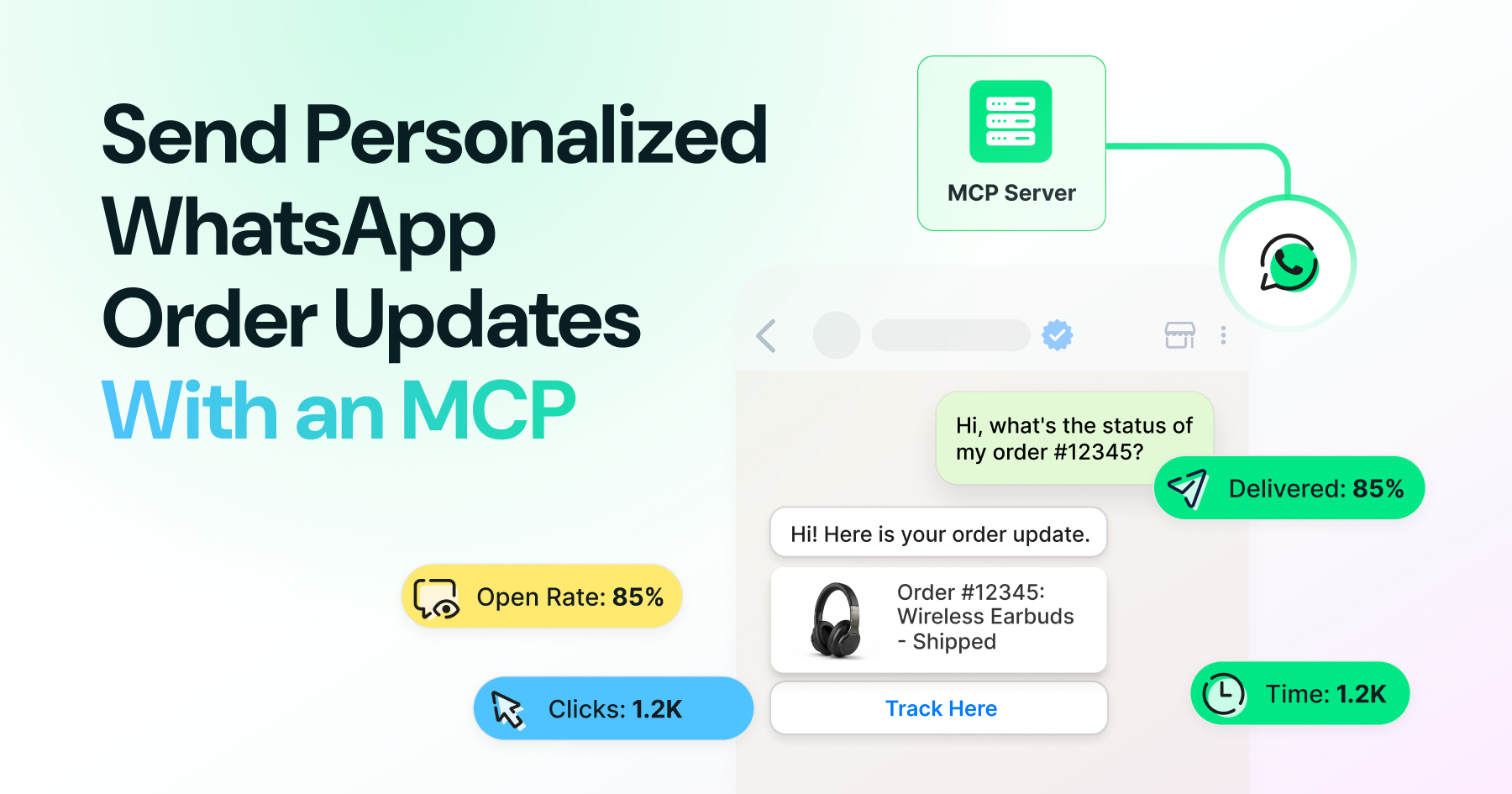
Too Long? Read This First
- Use Order Status and Order Details templates for structured order updates.
- Get templates approved in WhatsApp Manager before automating sends.
- Connect an MCP server to let AI assistants trigger scoped WhatsApp actions.
- Personalize messages with real customer and order data, not static placeholders.
- Use webhooks and audit logs to track sends, delivery, and read events.
Order confirmations that arrive an hour late. Shipping updates that never come. A support inbox full of "where is my order" messages that a single automated ping could have stopped. Retail and e-commerce teams keep hitting the same wall. Customers expect proactive updates, and WhatsApp is where those customers already spend their day.
The hard part isn't sending a message; it's sending the right one, with the right data, without breaking Meta's rules. The Wati MCP server is what makes that possible without a custom-built integration: it gives an AI assistant a defined set of WhatsApp actions it can call safely, so order status updates go out personalized and on time without a developer wiring every step by hand.
This guide covers the WhatsApp template types built for order updates, how an MCP server lets AI assistants draft and trigger them safely, and the consent and auditing habits that keep the whole system defensible.
Why Order Updates Need Message Templates, Not Free-Form Chat
WhatsApp requires approved message templates for any business-initiated notification sent outside an active customer conversation window.
You can't just type a shipping update and hit send once 24 hours have passed since the customer last messaged you. Meta's Cloud API enforces a template system for exactly this reason: it stops businesses from pushing unstructured, unapproved content at users.
Getting set up correctly starts with understanding the difference between WhatsApp and WhatsApp Business accounts, since only a Business account can submit templates in the first place. For order updates specifically, WhatsApp ships two purpose-built template types.
What is an Order Details Template?
Order details templates carry structured line-item information such as items ordered, quantities, and price, built through WhatsApp Manager's template workflow.
Creating this template type requires an active WhatsApp Business account, and Meta's docs on the order details template walk through submission inside WhatsApp Manager.
If your order flow includes in-chat payments, the notes on WhatsApp Business payments cover the adjacent workflow.
How Template Approval and Constraints Work
Every WhatsApp template goes through review before it can be sent, and order-update templates carry their own category constraints.
Meta classifies transactional messages, including order and shipping updates, under the utility conversation category, distinct from marketing. That classification affects approval speed and cost. Getting this categorization wrong is one of the most common reasons a submitted template sits in review far longer than it should.
Common Rejection Reasons
A handful of reasons account for most template rejections, and they repeat across nearly every business that submits one.
Vague variable placeholders, missing sample content, or copy that reads as promotional inside a utility template are the usual culprits.
For a broader primer on formatting and categories before your first submission, WhatsApp message templates are a reasonable starting point, and WhatsApp drip campaign template examples show how sequenced templates are structured in practice.
What is MCP and Why does It Matter for WhatsApp Order Updates?
Anthropic introduced MCP in November 2024 as an open standard that lets AI assistants connect to external systems and tools through one common protocol.
Instead of building a custom integration every time you want an assistant to talk to your order system, MCP gives that assistant a standard way to discover what actions a connected server supports, then call them directly.
For WhatsApp order updates, this means an assistant can check an order's status, then trigger the correct approved template, without a developer hand-wiring every step.
MCP Connectors Explained
MCP connectors work as servers, exposing a defined set of callable actions, called tools, along with the parameters each one needs.
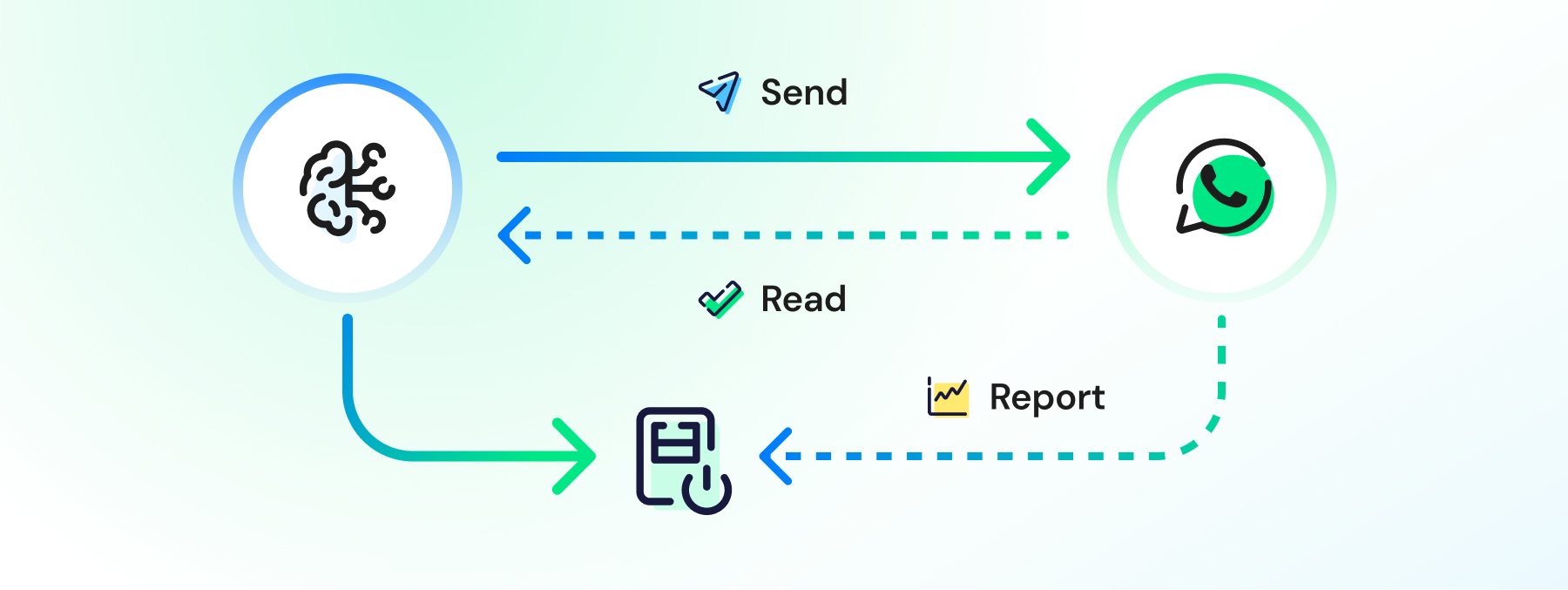
The public MCP specification describes how these servers advertise tools so a model-based assistant can call them safely, with typed inputs and predictable outputs. A WhatsApp MCP server is one instance of this pattern: it exposes send, read, and reporting actions as discrete tools, scoped to what your business actually wants automated.
How Wati MCP Server Exposes Order-Update Actions To AI Assistants
The Wati MCP server gives an AI assistant a defined set of WhatsApp actions it can call, rather than open-ended access to your account.
That distinction changes what the assistant can actually do. An assistant connected to the Wati MCP Server can pull a customer's record through Contact Management, check their template opt-in status, and send an approved order status template.
Each step runs through named tools, not raw API access, and the result gets logged automatically. Nothing happens outside the actions you've explicitly exposed.
Send, Read, and Report Actions
Three categories of tools cover almost every order-update workflow: sending, reading, and reporting.
Sending covers triggering an approved template with order variables filled in, or sending a plain session message when the customer has an open 24-hour window. Reading covers pulling the contact record and recent conversation history from the WhatsApp team inbox so the assistant has context first. Reporting covers logging every send, feeding into custom setups similar to what's described in Custom notifications.
Automation Rules For Triggering Updates
Automation rules turn a one-off send into a system: a condition in your order pipeline triggers the right template on its own.
Set a rule that fires the order status template the moment your order management system flips a shipment to "out for delivery," and automation rules on the Wati MCP Server handle the send without a human clicking anything. Pair that with contact data pulled through the same connection, and the message goes out personalized, on time, every time.
7 Best Practices For Personalizing Order Updates at Scale
Personalization at scale means every message carries real customer and order data, filled through template variables, never a generic placeholder.
- Pull the customer's name and order ID from your contact records, not from a spreadsheet copy-paste.
- Match the template category to the message intent: utility for order updates, marketing for anything promotional.
- Keep tracking links and order numbers as separate variables so parsing stays clean on both ends.
- Confirm opt-in status before the first send, and store consent against the contact record.
- Use session messages, not templates, only when the customer messaged you within the last 24 hours, timed using guidance like the WhatsApp campaign frequency guide.
- Test every variable combination against edge cases, like missing addresses or partial refunds, before picking automation tooling from resources, such as choosing the right chatbots.
- Review reporting data monthly against delivery and read rates using the framework in WhatsApp marketing KPIs.
Transactional sends deserve that same discipline, not just campaigns; a broken order template is easier to miss than a broken broadcast.
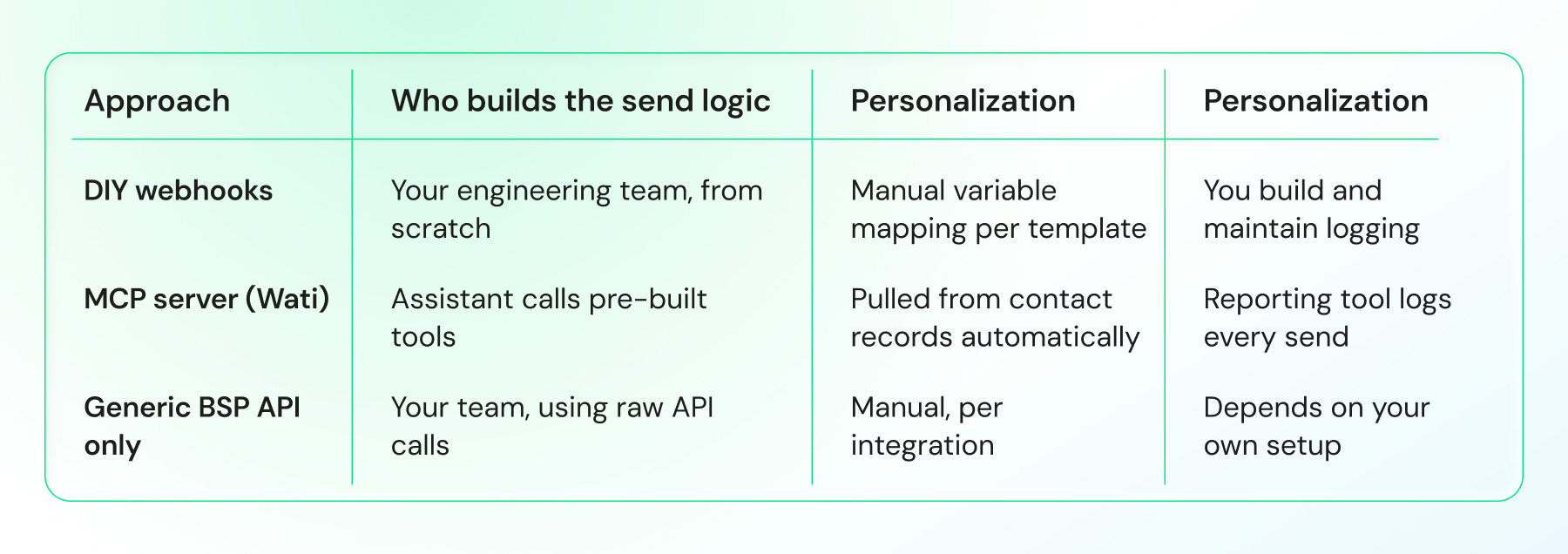
DIY Webhooks vs. an MCP Server: What Changes For Order Notifications?
Building order notifications by hand means writing and maintaining your own webhook listeners, retry logic, and template-variable mapping.
An MCP server removes most of that maintenance by exposing the same actions as discoverable tools an AI assistant can call directly, with reporting built in.
Consent, Auditing, and Compliance Checklist
Consent has to exist before the first order update goes out, and every send needs a record you can produce later.
Store opt-in timestamps against the contact, not in a separate system that can drift out of sync. Meta's own guidance on utility messaging expects order and shipping updates to go only to customers who've engaged with the business, which in practice means checkout opt-in or an existing WhatsApp conversation.
Building a Webhook Audit Trail
Fire a webhook on every message event, and you get a timestamped record of what was sent, to whom, and whether it was delivered.
Wire the Webhooks capability on the Wati MCP server to your own logging system, and you get a running audit trail without building the listener yourself. That record is what you'll pull up if a customer disputes receiving an update, or a compliance review asks for proof of consent and delivery.
Teams running structured support flows can extend the same pattern; WhatsApp for customer support automation covers the adjacent case of inbound conversation handling.
See Your Order Updates Running Live
Template variables read differently on a page than they do in practice. Seeing an order status message fire from a real order event shows how the pieces fit.
If you're building this for an e-commerce or retail flow, book a demo with Wati and see the Wati MCP server connect to your order pipeline directly, no separate webhook build required.
Frequently asked questions
Do I need a WhatsApp Business account to send order status templates?
Yes. Both order status and order details templates require an active WhatsApp Business account and must be submitted through WhatsApp Manager's template workflow before they can send, per Meta's developer documentation.
Can an AI assistant send WhatsApp messages without a pre-approved template?
Only within an open 24-hour conversation window, using a session message. Outside that window, WhatsApp requires an approved template for any business-initiated message, including order updates triggered through an MCP server.
What's the difference between an order status and order details template?
Order details templates send structured line-item information at purchase, like items and price. Order status templates use interactive components to update customers on shipment stages, such as shipped or out for delivery.
How does MCP help with sending personalized order updates?
MCP gives an AI assistant a standard way to call defined actions, like sending a template or reading a contact record, on a connected server. That means order updates can be triggered and personalized without a custom-built integration for every step.
Why did my order status template get rejected?
Common reasons include vague variable placeholders, missing sample content, or copy that reads as promotional inside what should be a utility-category template. Reviewing rejected examples from your BSP before resubmitting usually resolves the issue.
How do I keep an audit trail of automated order updates?
Connect a webhook to log every send, delivery, and read event tied to your order templates. This gives you a timestamped record for compliance reviews or customer disputes, without building a separate logging system.
Related posts
- AI Customer Support in 2026: What It is, How It Works, and Why Smart Teams are Quietly Switching Over
Learn how AI in customer support manages ticket escalations, automates ticket tagging and routing, and improves customer satisfaction. See how Astra does it.
- How to Automate Business Conversations With a WhatsApp AI Agent in 2026
Learn how to build a WhatsApp AI agent to engage, qualify, and convert prospects round the clock without any delays in 2026.
- Voice-First Web Experiences: Navigating with Voice Commands
learn how voice first web experiences enable you to power personalized, human-like conversations to have a competitive advantage in today’s market.
- How Voice AI Agents Qualify Leads: A Sales Team’s Guide to Hands-Free Pipeline
know how does voice ai qualifies leads for an effective sales action and potential conversion and where does astra 2.0 stand when it comes to pre-configured lead qualification