

-

-
-
Solutions
-
Soluções
-
Soluciones
-
解决方案
-
解決方案
-
الحلول
-
Product
-
Produto
-
Producto
-
产品
-
產品
-
المنتج
-

-
-


 Wati for Marketing
 Wati for Support
 Wati for Sales
 eLearning
 E-commerce
 Marketing Agencies
 Healthcare
 No Code Chatbots
 WhatsApp Business API
 Instagram and Facebook messenger
 Click to WhatsApp ads
 Campaigns
 Team Inbox
 WhatsApp Business Calling
 Wati AI
 Overview
 Library
 Agente de suporte de IA

What is a WhatsApp Team Inbox? Features, Benefits & Setup (2026 Guide)
Written by:
 Rohan Chaturvedi
|
Last updated on:
March 11, 2026
|
Fact Checked by :
Rohan Chaturvedi
|
Last updated on:
March 11, 2026
|
Fact Checked by :
 Namitha Sudhakar
|
According to: Editorial Policies
Namitha Sudhakar
|
According to: Editorial Policies
 Table of Contents
Too Long? Read This First
- A WhatsApp Team Inbox allows multiple agents to manage customer conversations from a single WhatsApp number through a shared dashboard.
- It is powered by the WhatsApp Business API, which enables collaboration, automation, and integrations.
- Teams can assign chats, add internal notes, and track conversation history, making it easier to manage high message volumes.
- Businesses benefit from faster response times, better team collaboration, and improved customer experience.
- Setting up a team inbox involves choosing a WhatsApp Business API platform, connecting your WhatsApp Business Account, and adding team members.
Running customer communication on WhatsApp from a single phone works in the beginning. A few messages come in, someone replies, and everything feels manageable.
But as the business grows, things start to change.
Messages arrive faster. Multiple team members need access. One person replies while another is already typing. Soon, conversations get missed, responses slow down, and it becomes hard to track who handled which customer.
Think of it like running customer support from one shared phone at the front desk. It might work for a small shop, but it quickly becomes chaotic once the volume increases.
This is where the WhatsApp Business API comes in. Instead of managing chats on one device, the API allows businesses to connect WhatsApp to a platform that multiple team members can access. The result is a WhatsApp team inbox, a shared workspace where agents can view conversations, assign chats, collaborate, and respond to customers from the same number without confusion.
In this guide, we’ll walk through what a WhatsApp team inbox is, how it works with the WhatsApp Business API, the key features and benefits it offers, and how you can set it up in 2026 to manage customer conversations more efficiently.
What is WhatsApp Team Inbox?
A WhatsApp Team Inbox is a shared interface that allows multiple team members to manage customer conversations from a single WhatsApp number.
Instead of relying on one device or one person to handle messages, businesses can give their teams access to a centralized inbox where all conversations appear in one place. Unlike the constraints of the WhatsApp Business App, a Team Inbox functions as a centralized hub.
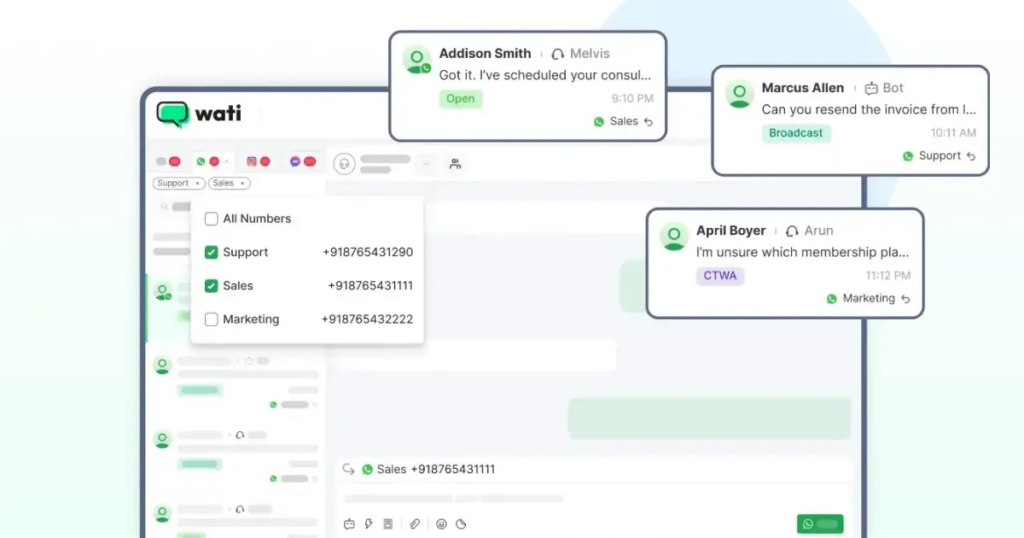
This setup is usually powered by the WhatsApp Business API, which enables businesses to connect WhatsApp with a customer communication platform. From there, teams can collaborate, respond to messages faster, and keep conversations organized.
What are the Key Features of a WhatsApp Team Inbox?
A WhatsApp team inbox is designed to help businesses manage large volumes of customer conversations without losing visibility or control.
Instead of handling chats on a single device, teams get tools that make collaboration, organization, and faster responses possible.
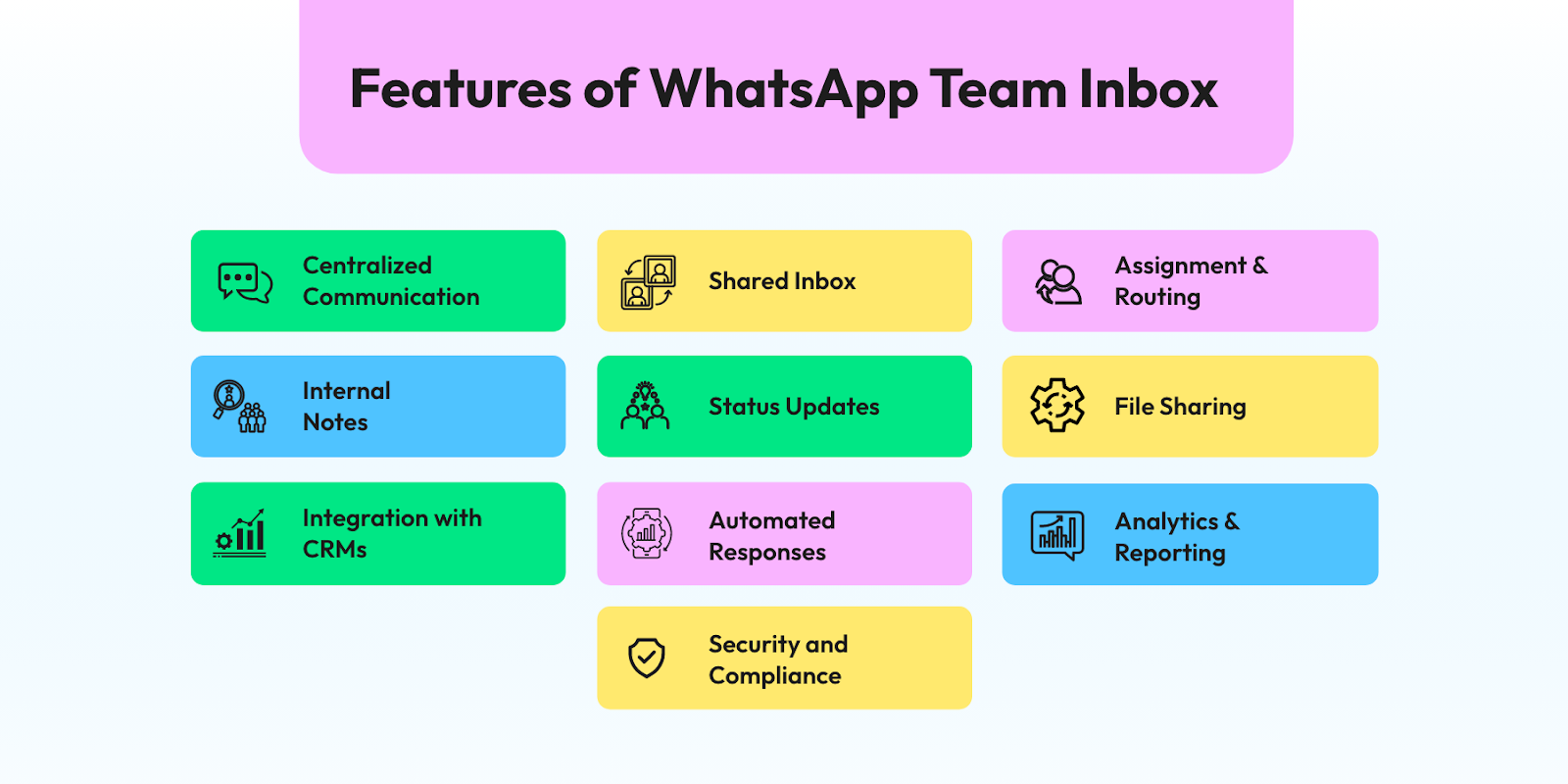
Here are some of the key features businesses can expect.
- Shared inbox for multiple agents: Multiple team members can access and manage conversations from the same WhatsApp number through one centralized dashboard.
- Conversation assignment: Chats can be assigned to specific agents or teams, making it clear who is responsible for responding to each customer.
- Internal notes and collaboration: Team members can leave internal notes or context within conversations so others understand the situation before replying.
- Conversation labels and tags: Labels help categorize chats by topics like sales inquiries, support requests, or follow-ups, making conversations easier to manage.
- Automation and chatbots: Basic queries can be handled automatically through chatbots, helping teams respond instantly and reduce manual workload.
- Conversation history and visibility: All interactions are stored in one place, allowing teams to view past conversations and maintain context when responding to customers.
What are the Benefits of a WhatsApp Team Inbox for Businesses?
For growing businesses, WhatsApp often starts as a simple messaging channel. However, once customer conversations increase, managing everything from a single phone or agent becomes inefficient.
A WhatsApp team inbox solves this by turning WhatsApp into a structured communication system that sales, support, and marketing teams can manage together.
Here are the key benefits businesses can expect.
1. Faster Customer Response Times
When only one person manages WhatsApp, replies slow down as message volume increases. A team inbox allows multiple agents to respond to incoming chats simultaneously, reducing wait times and improving responsiveness.
An e-commerce brand receiving 200+ daily inquiries about orders and returns can distribute chats across several agents. Instead of one person handling everything, multiple agents can reply in parallel and resolve queries faster.
2. No More Missed Messages or Leads
In a typical WhatsApp setup, it’s easy for messages to get buried or overlooked. A team inbox centralizes all conversations in one place and allows chats to be assigned to specific agents, ensuring every query gets handled.
A real estate company receiving WhatsApp inquiries from ads can assign each new lead to a sales agent. This ensures prospects receive quick follow-ups instead of waiting hours or days.
3. Better Collaboration Across Teams
A WhatsApp team inbox allows agents to leave internal notes, tag teammates, and share context within the conversation thread. This makes it easier for teams to collaborate without switching tools or forwarding screenshots.
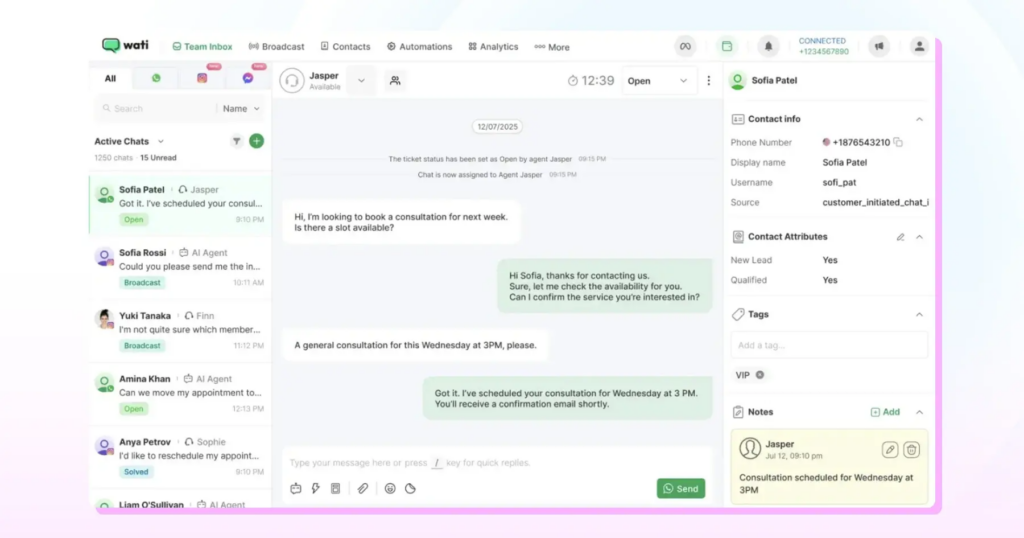
If a customer asks about a special discount, a support agent can tag a manager internally before replying. The discussion stays inside the same conversation without the customer seeing it.
4. A Scalable Customer Communication Channel
As businesses grow, the number of customer conversations increases. A WhatsApp team inbox allows businesses to add more agents, automate repetitive queries, and integrate workflows with CRM or automation tools.
A SaaS company using WhatsApp for onboarding can automate common questions with a chatbot while human agents focus on complex issues. This allows the team to handle hundreds of conversations daily without increasing headcount significantly.
5. Better Visibility and Operational Control
Managers can monitor conversations, track agent workloads, and ensure customer queries are handled efficiently. This level of visibility is difficult to achieve when conversations are managed across individual devices.
A customer support manager can quickly see which conversations are pending, which agents are handling the most queries, and whether response times meet service goals.
How to Set Up a WhatsApp Team Inbox
Setting up a WhatsApp team inbox allows multiple agents to manage customer conversations from a single WhatsApp number.
Instead of relying on one phone, businesses can connect WhatsApp to a platform where teams collaborate, assign chats, and respond to customers more efficiently.
Read on to learn about the steps to set it up.
1. Choose a WhatsApp API Provider
The first step is selecting a platform that supports a shared or multi-agent WhatsApp inbox.
Since businesses cannot directly access the WhatsApp Business API on their own, they typically work with an official BSP.
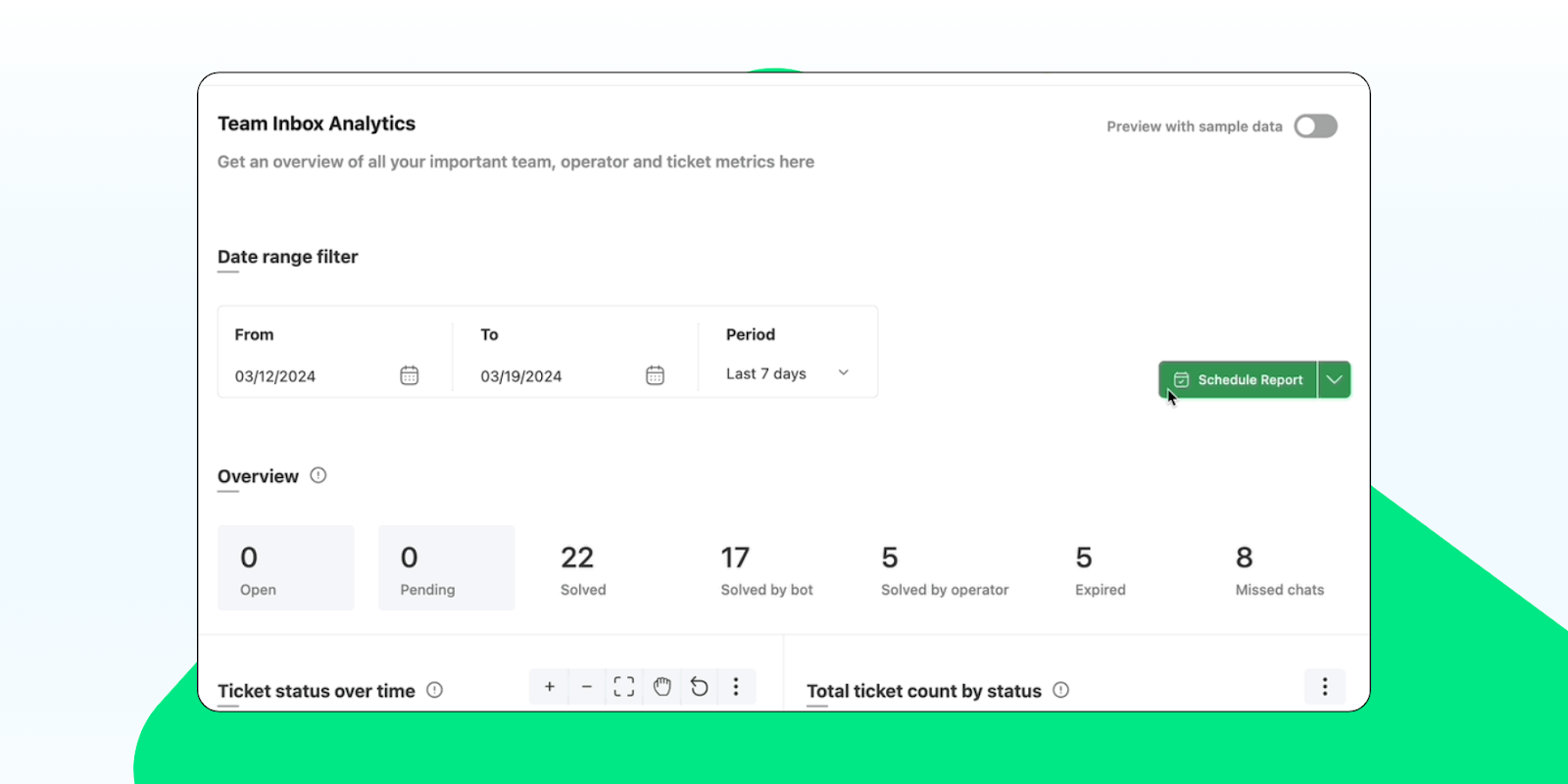
These platforms connect your WhatsApp number to a centralized dashboard where teams can manage conversations together.
Wati is an end-to-end WhatsApp Business API platform that allows teams to collaborate through a shared inbox, use quick replies, manage templates, and automate conversations. You can schedule a free demo to give it a try.
2. Create or Connect Your WhatsApp Business Account
Next, you need a WhatsApp Business Account (WABA) linked to your business. This account acts as the container that holds your WhatsApp phone numbers and messaging templates.
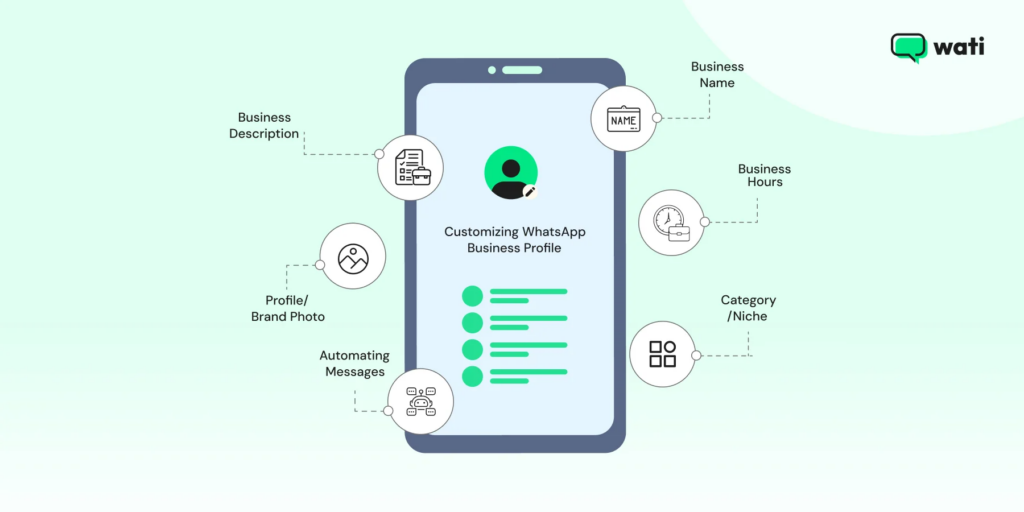
During setup, you typically need to:
- Add your business details like description, niche, etc.
- Select or create a WhatsApp Business Account
- Register and verify your business phone number
Once approved, this number becomes your official WhatsApp channel for customer communication.
3. Connect Your WhatsApp Number to the Inbox Platform
After your WhatsApp Business Account is ready, you connect it to your chosen API platform.
This usually involves:
- Logging in with your Meta Business account
- Selecting your WhatsApp Business Account
- Linking your verified phone number to the platform
Once the integration is complete, incoming customer messages will start appearing inside the shared inbox dashboard.
4. Add Your Team Members
Now you can invite your team members to the inbox platform.
Most tools allow you to assign roles such as:
- Admins: Admins manage settings, add team members, configure automation, and oversee all conversations.
- Agents: Agents handle customer conversations but typically cannot modify system settings or manage other users.
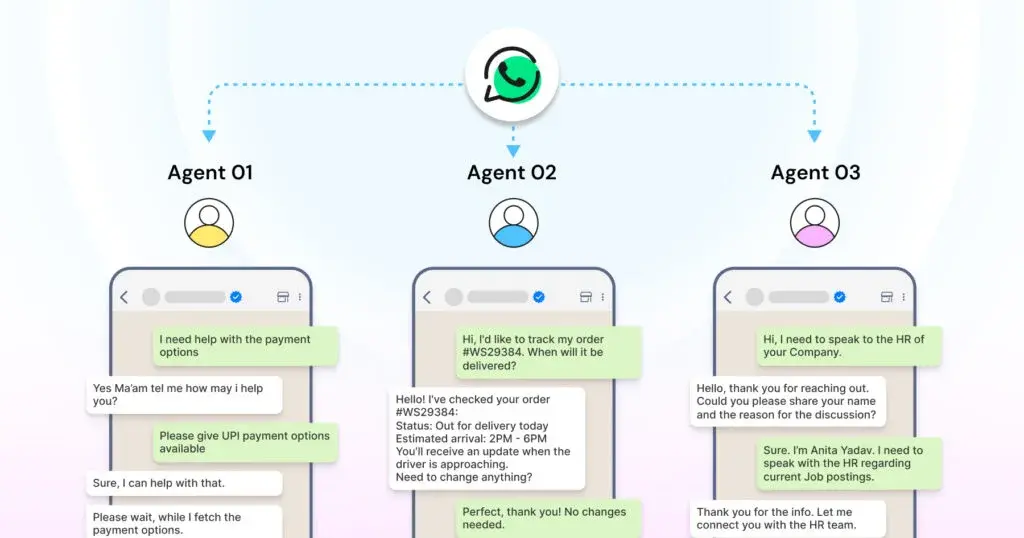
This role-based setup helps teams collaborate while maintaining proper access control.
5. Configure Inbox Workflows
Once your team is added, you can configure how conversations are managed.
Common configurations include:
- Chat assignment rules so incoming messages go to the right agent or team
- Departments or queues for teams like Sales, Support, or Marketing
- Quick replies and message templates for faster responses
- Automated routing or chatbots for handling basic queries
These workflows help ensure conversations are organized and customers receive timely responses.
6. Train Your Team
Lastly, ensure your team understands how to use the inbox.
Agents should know how to:
- Assign and manage conversations
- Use internal notes for context
- Apply labels or tags
- Handle customer queries consistently
Proper onboarding helps teams avoid duplicate replies and manage conversations more efficiently.
Why Do Brands Use Wati to Power Their WhatsApp Team Inbox?
Setting up a WhatsApp team inbox requires more than just connecting a phone number.
Businesses need a platform that can manage conversations at scale, coordinate multiple agents, and integrate WhatsApp into existing workflows.
As a WhatsApp Business API platform, Wati is built for customer communication and support teams. Instead of managing chats across devices, businesses can use Wati’s shared inbox to centralize conversations, automate responses, and give multiple agents access to the same WhatsApp number.
Keep reading to learn about some of the capabilities that make Wati a strong choice for managing a WhatsApp team inbox.
1. A Shared Inbox Designed for Team Collaboration
Wati provides a centralized inbox where multiple agents can manage conversations from a single WhatsApp number. Teams can assign chats, leave internal notes, and track conversation history without switching tools.
This makes it easier for support and sales teams to collaborate while ensuring customers receive consistent responses.
2. Conversation Analytics and Performance Insights
Understanding how teams handle customer conversations is critical for improving service quality.
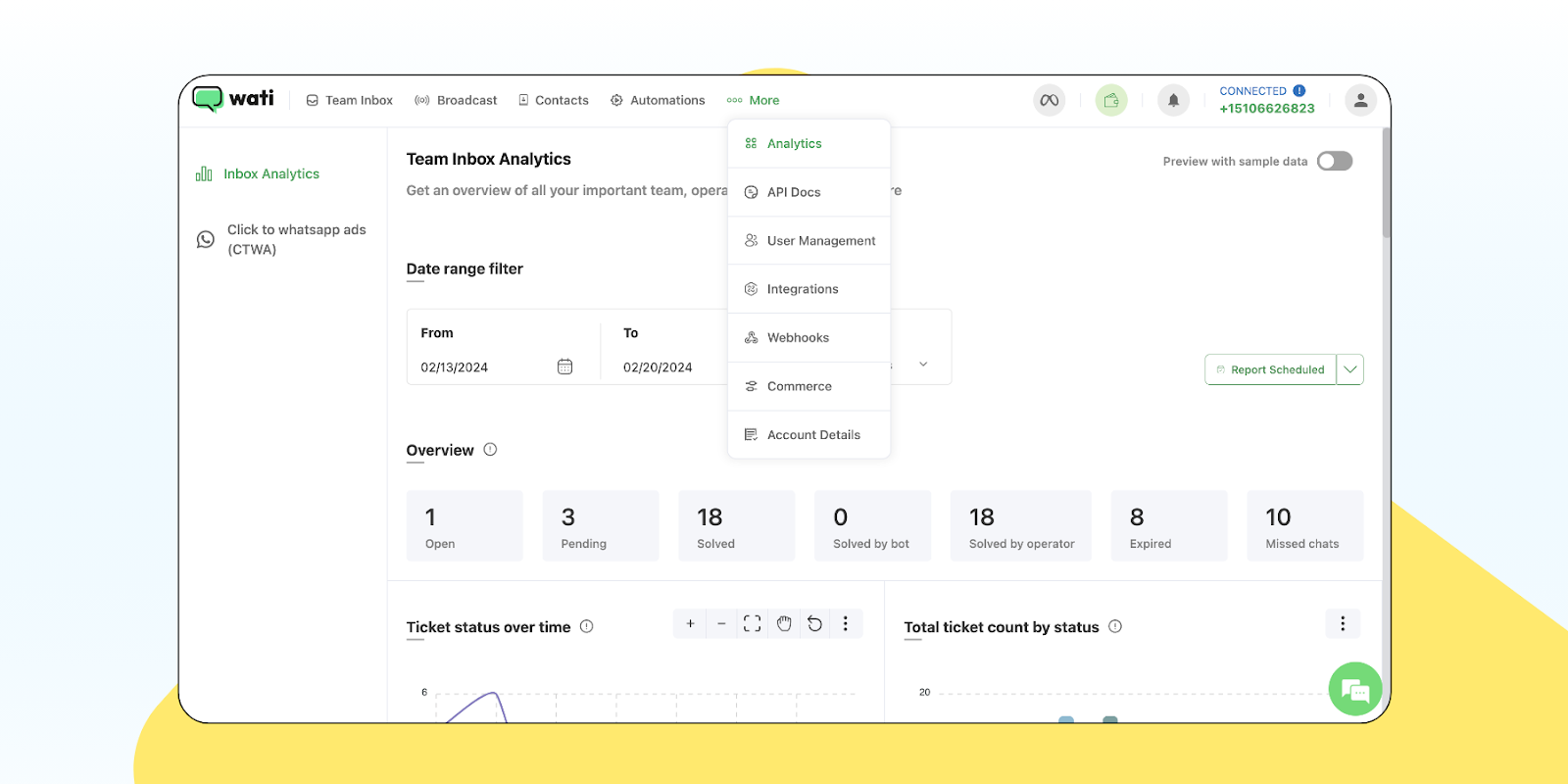
Wati provides analytics that help businesses track metrics such as:
- Conversation volumes
- Agent response times
- Resolution rates
- Team workload distribution
These insights help managers identify bottlenecks and optimize how customer conversations are handled.
3. CRM and Workflow Integrations
Many businesses rely on CRM systems to manage leads and customer relationships. Wati integrates with several CRM platforms, allowing WhatsApp conversations to be connected with customer records.
For example, businesses using Zoho CRM can view and manage WhatsApp conversations directly within their CRM environment. This helps teams maintain a unified view of customer interactions.
Bonus Read: The Ultimate WhatsApp API Integration Checklist for Growing Businesses
4. WhatsApp-Approved Template Messaging
With the WhatsApp Business API, businesses can send pre-approved template messages for notifications, reminders, and updates.
Through Wati, you can manage these templates and send them directly from the inbox, making it easier to communicate at scale while staying compliant with WhatsApp policies.
5. Automation and Customer Engagement Tools
Beyond the shared inbox, Wati also provides tools that help businesses automate and scale customer communication.
These include:
- Broadcast messaging for customer updates and campaigns
- Click-to-WhatsApp Ads (CTWA) integration to convert ad traffic into conversations
- No-code chatbots for handling frequently asked questions
- Custom notifications for transactional updates
Together, these features help businesses move from simple messaging to structured customer engagement on WhatsApp.
If you’re exploring ways to manage WhatsApp conversations with a team, Wati provides the infrastructure to run a scalable WhatsApp inbox while integrating automation, analytics, and customer engagement tools in one platform. Sign up for a free trial now.
Bringing Your Team Conversations Together
As WhatsApp becomes a key customer communication channel, businesses need better ways to manage growing message volumes. Relying on a single device or agent is no longer enough.
A WhatsApp team inbox helps businesses organize conversations, collaborate across teams, and respond to customers more efficiently. With the support of the WhatsApp Business API, companies can turn WhatsApp into a scalable channel for support, sales, and engagement.
For businesses looking to handle customer conversations more effectively, adopting a team inbox is a natural next step.
Frequently Asked Questions
Yes. Multiple agents can manage conversations from the same WhatsApp number by using a shared inbox powered by the WhatsApp Business API. This allows teams to reply to customers from one centralized dashboard instead of a single phone.
No. The standard WhatsApp Business app supports limited device access but does not offer a full multi-agent inbox. A true WhatsApp team inbox is typically available through platforms that integrate with the WhatsApp Business API.
A WhatsApp team inbox is useful for businesses that receive a high volume of customer messages, such as e-commerce brands, SaaS companies, service providers, and support teams that need multiple agents to manage conversations efficiently.
Yes. Many WhatsApp Business API platforms allow integration with CRM tools such as Zoho, HubSpot, or Salesforce. This helps businesses sync customer data, track conversations, and manage leads or support requests more effectively.