Wati for Marketing
 Wati for Support
 Wati for Sales
 eLearning
 E-commerce
 Marketing Agencies
 Healthcare
 No Code Chatbots
 AI Support Agent
 Instagram and Facebook messenger
 Click to WhatsApp ads
 Campaigns
 Team Inbox
 WhatsApp Business Calling
 Wati AI
 Overview
 Library
Say Goodbye to WhatsApp Support Overload: Meet Wati’s AI Support Agent
Introducing Wati’s AI Support Agent: 24/7 multilingual WhatsApp support that handles 60% of queries and escalates complex ones to humans.




Introducing Wati’s AI Support Agent: 24/7 multilingual WhatsApp support that handles 60% of queries and escalates complex ones to humans.
Discover how WhatsApp Elearning transforms student engagement with 98% open rates, automated reminders, and interactive learning features.
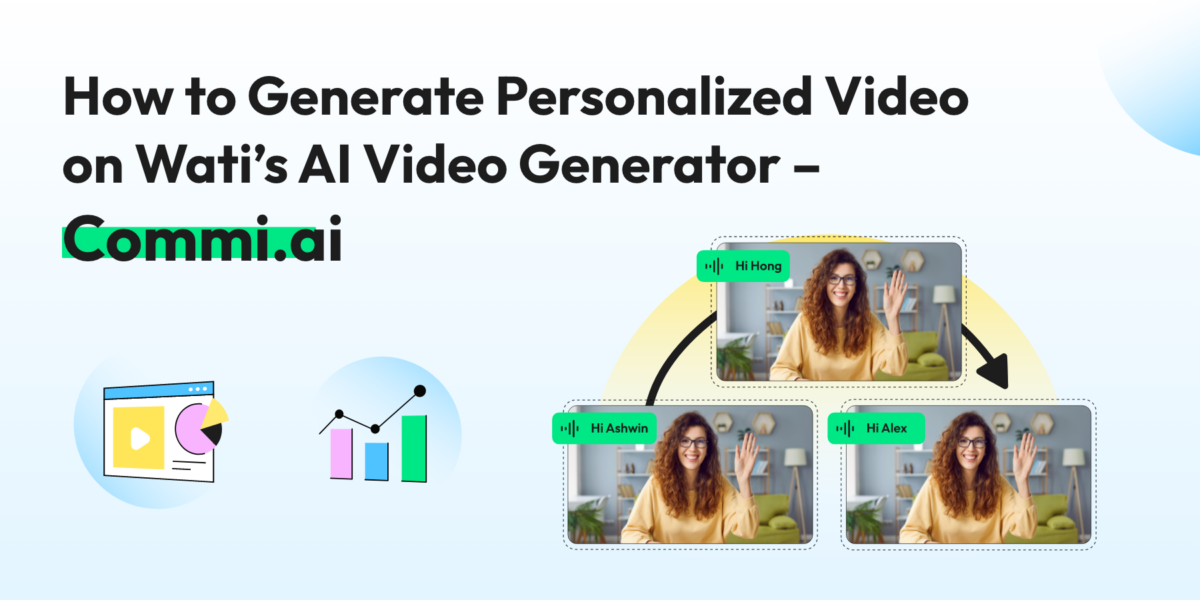
Transform your marketing with Wati’s AI video generator. Create personalized, professional videos at scale without technical expertise or expensive equipment.
Boost engagement, save time, and transform your marketing strategy by sending personalized AI WhatsApp video messages on Wati.
Explore marketing strategies to increase student enrollment for online courses. Use WhatsApp, content, email, webinars, and digital ads to boost signups.
Hey there, Wati family! We’ve got some exciting news that we just can’t keep to ourselves any longer. Drum roll, please… 🥁
Wati has been named one of the 100 businesses to watch in Asia by Forbes! 🏆
That’s right, we’ve made it to the prestigious Forbes Asia 100 to Watch 2024 list, and we couldn’t be more thrilled!
Forbes Asia 100 to Watch is an annual list that showcases small companies and startups in the Asia-Pacific region that have caught the eye of investors. These are the movers and shakers, the innovators and disruptors who are making waves in their industries.
This year’s list features companies from 16 countries and territories, operating across 10 different industries. From Finance and manufacturing to enterprise technology and robotics, these companies are at the forefront of innovation, pushing boundaries and redefining what’s possible.
We’re proud to share that Wati has been recognized in the Enterprise Technology & Robotics category.
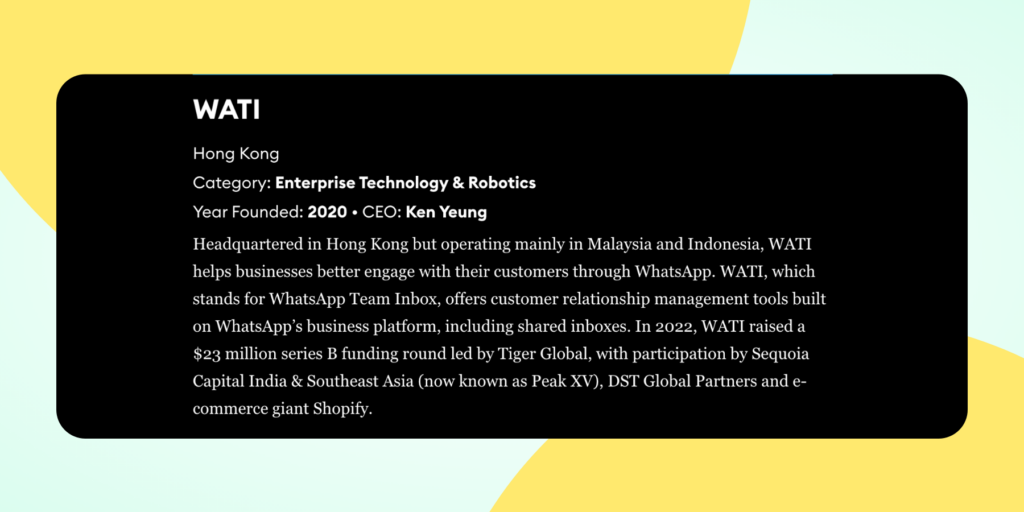
Here’s a quick snapshot of what Forbes had to say about us:
Forbes highlighted our mission: helping businesses better engage with their customers through WhatsApp. They noted our customer relationship management tools built on WhatsApp’s business platform, including our popular shared inboxes feature.
You might be wondering, “What made Wati stand out?” Well, let us tell you!
Being recognized by Forbes is not just a feather in our cap; it’s a win for our entire community. Here’s what it means for you:
While we’re basking in the glow of this recognition, we’re not resting on our laurels. This is just the beginning! We’re more motivated than ever to continue innovating, growing, and providing you with the best WhatsApp API solutions out there.
We couldn’t have achieved this without you – our amazing customers, partners, and supporters. From the bottom of our hearts, thank you for being part of the Wati journey. 💚
Here’s to the future – it’s looking brighter than ever!
Ready to see what all the fuss is about? If you’re not already using Wati, why not give us a try? Let’s chat about how we can help your business grow!

Remember the last time you poured your heart into creating an amazing free webinar, only to see a fraction of the registrants actually show up? It’s like preparing a feast and having most of your guests cancel at the last minute – disappointing and disheartening, to say the least.
As someone running an e-learning business, you know the drill. You’re hosting 3-4 free webinars a month, each one a carefully crafted funnel to your paid courses. You’re juggling multiple platforms – YouTube, Instagram, Facebook – trying to capture attention in an increasingly distracted world. And despite your best efforts, you’re still grappling with low engagement rates.
But what if I told you there’s a way to:
Enter WhatsApp marketing for e-learning businesses.
In this guide, we’re going to show you how to leverage the app that’s already on every potential student’s phone. We’ll explore how a WhatsApp Business API solution like Wati can help you automate your webinar promotions and create a seamless communication channel with your students.
Whether you’re a talent academy / upskilling institute or a super popular Youtuber / Instagrammer selling courses, WhatsApp marketing will be the game-changer for your business.
Ready to know how to increase webinar attendance with WhatsApp and watch your course sales soar? Let’s dive in!
Whether you’re making announcements for an upcoming placement drive, launching a new online course, or offering last-minute discounts to boost enrolments, you can instantly reach your entire audience in just a few clicks.
While WhatsApp broadcast messages offer a powerful tool for communication, it’s essential to use them effectively to maximize their impact. Let’s explore some strategies to make the most of this feature for your e-learning webinars.
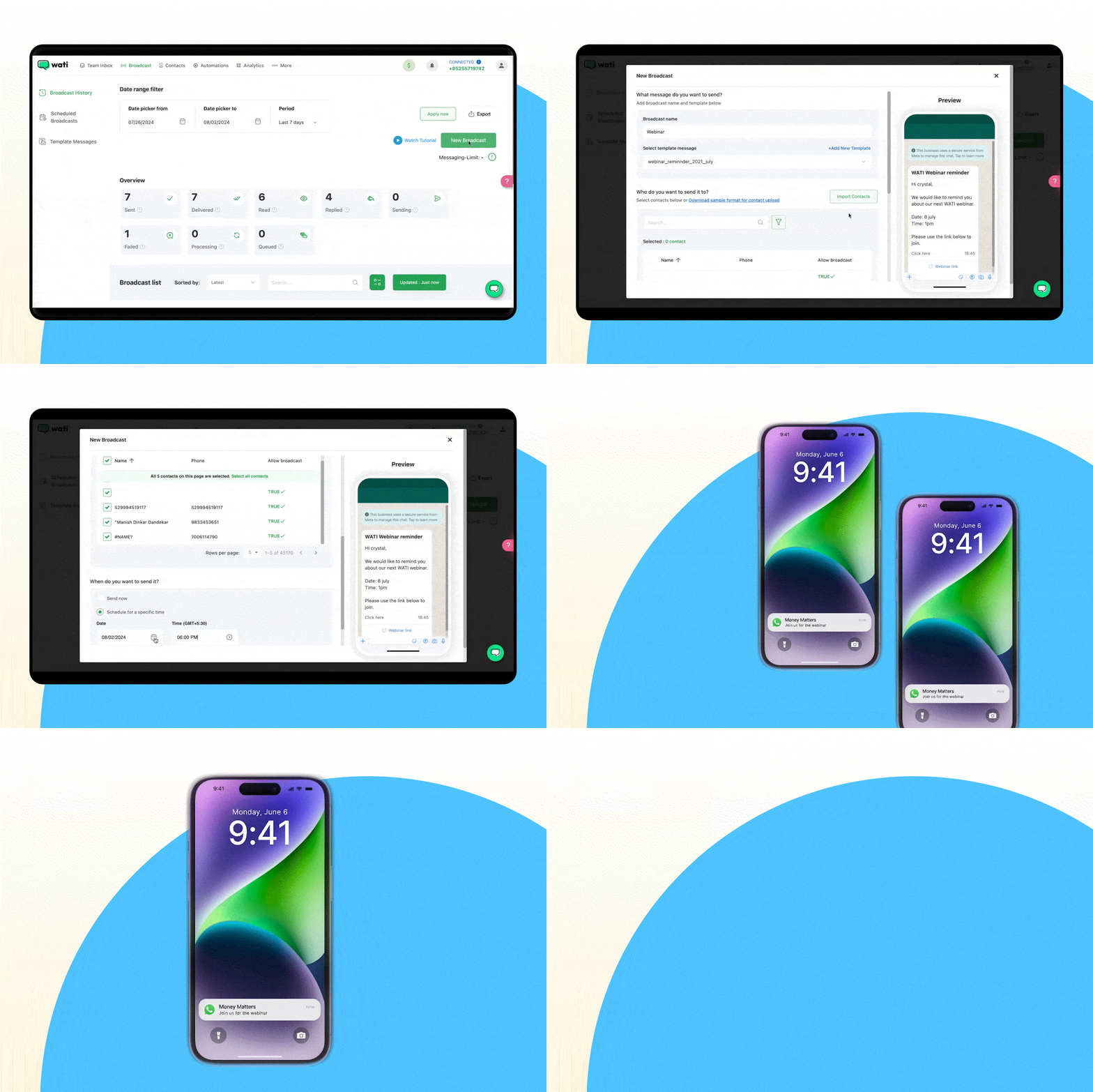
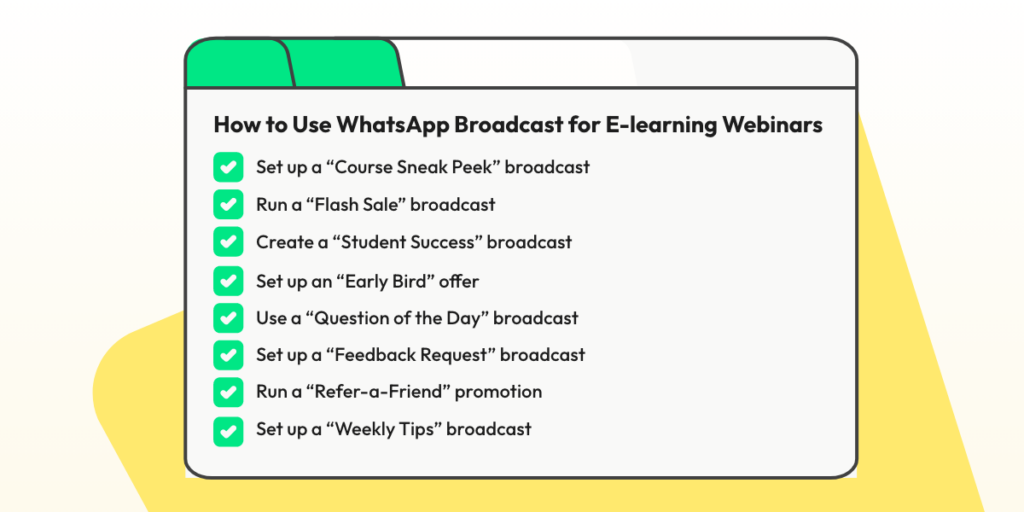
1. Set up a “Course Sneak Peek” broadcast: Share a free lesson or quick tutorial from your paid course to give potential students a taste of what they’ll learn in the webinar.
2. Run a “Flash Sale” broadcast: Announce a 24-hour discount on your paid webinars. Use a countdown timer to create urgency.
3. Create a “Student Success” broadcast: Share a quick video testimonial or before-and-after results from a successful student to build credibility.
4. Set up an “Early Bird” offer: Give a special discount to the first 20 people who sign up for your webinar through the broadcast link.
5. Use a “Question of the Day” broadcast: Spark engagement by asking a question related to your webinar topic. Invite replies to start conversations.
6. Set up a “Feedback Request” broadcast: Ask recent webinar attendees for their thoughts. Use their responses to improve future sessions.
7. Run a “Refer-a-Friend” promotion: Offer existing students a discount on their next course if they refer a friend who signs up for the webinar.
8. Set up a “Weekly Tips” broadcast: Share a useful tip related to your course subject every week to keep your audience engaged between webinars.
These strategies can help your e-learning businesses maintain regular communication, provide value, and create a sense of community, ultimately driving higher webinar attendance and engagement.
Also Read: A Complete Guide on How to Sell Online Courses
Let’s talk about Ekatra, an e-learning platform that faced a challenge you might be all too familiar with – low attendance in online classes.
The Challenge:
Here’s what happened when Ekatra switched to WhatsApp:
The Results? Nothing Short of Remarkable:
In the words of Abheejit, Founder of Ekatra:
“WATI allows us to have multiple agents to respond to a large influx of queries in real time. We are able to design automated flows, provide key-word detection led flows and automate several tasks saving manual effort of our volunteers. All of this with no-coding knowledge required.”
Abhijeet, Founder, Ekatra
As an e-learning business owner, you know the pain of preparing for a webinar only to face a half-empty virtual room. But what if you could dramatically reduce no-shows and boost attendance with just a few clicks? Enter Wati’s Sequence feature – your new secret weapon for webinar success!
In the GIF below, you can see how easy it is to setup Automated WhatsApp reminders on Wati.
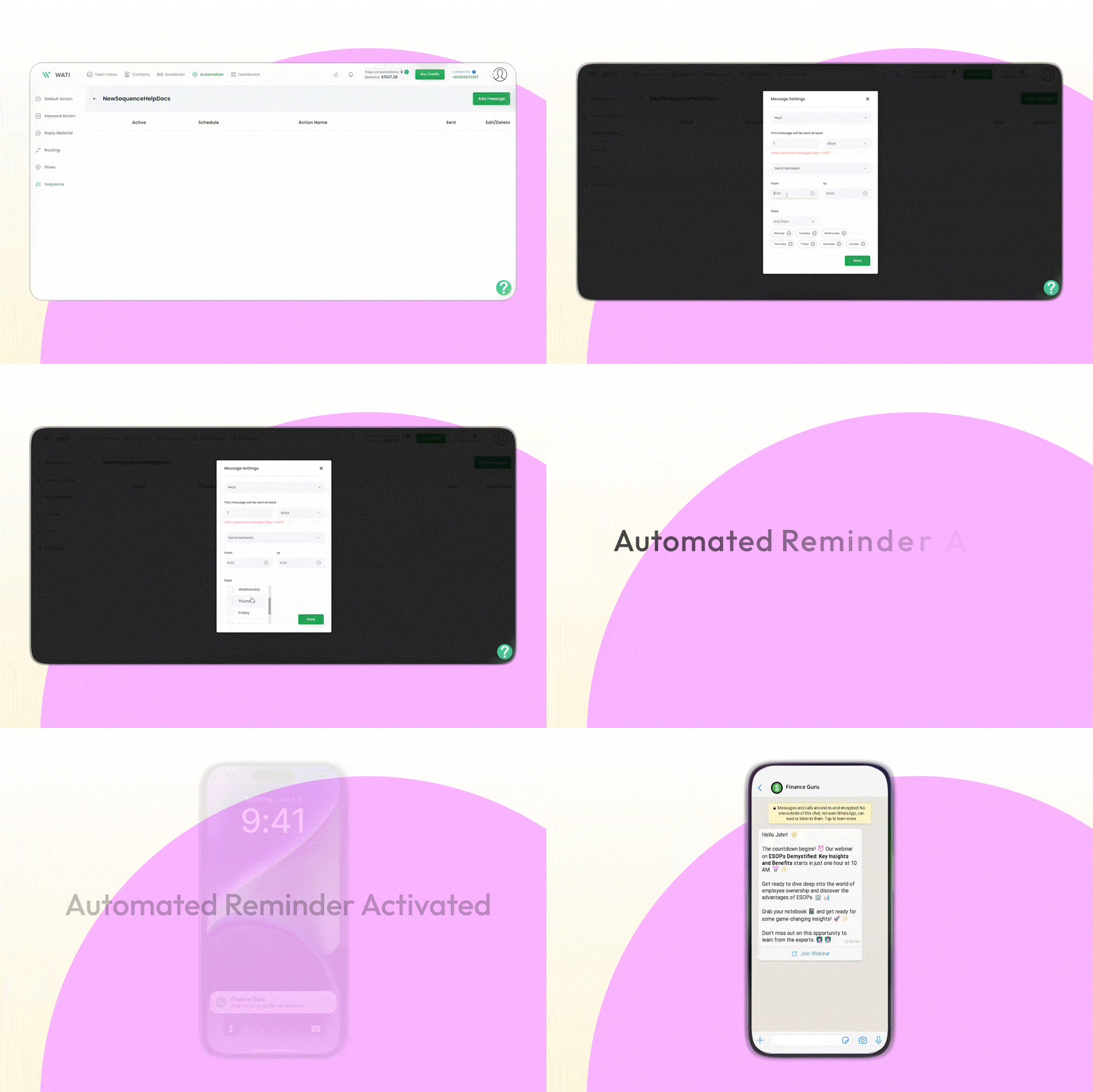
To illustrate how automated reminders work, let’s look at an example for a webinar called “ESOPs Demystified: Key Insights and Benefits”.
These are the set of WhatsApp messages that you can send 1 day before, 1 hour before, and when the webinar goes live.
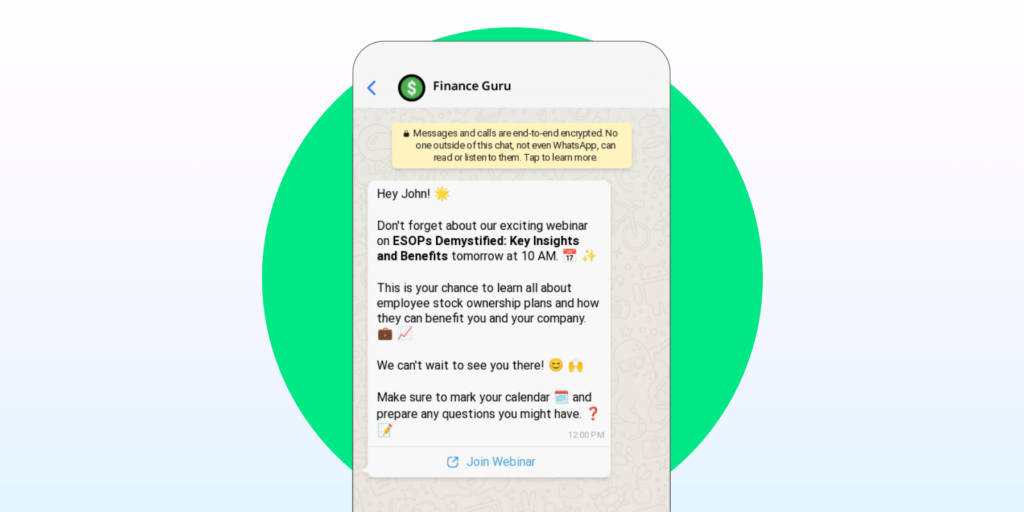
Hey John! 🌟
Don't forget about our exciting webinar on ESOPs Demystified: Key Insights and Benefits tomorrow at 10 AM. 📅✨
This is your chance to learn all about employee stock ownership plans and how they can benefit you and your company. 💼📈
We can't wait to see you there! 😊🙌
Make sure to mark your calendar 🗓️ and prepare any questions you might have. ❓📝
[Join Webinar]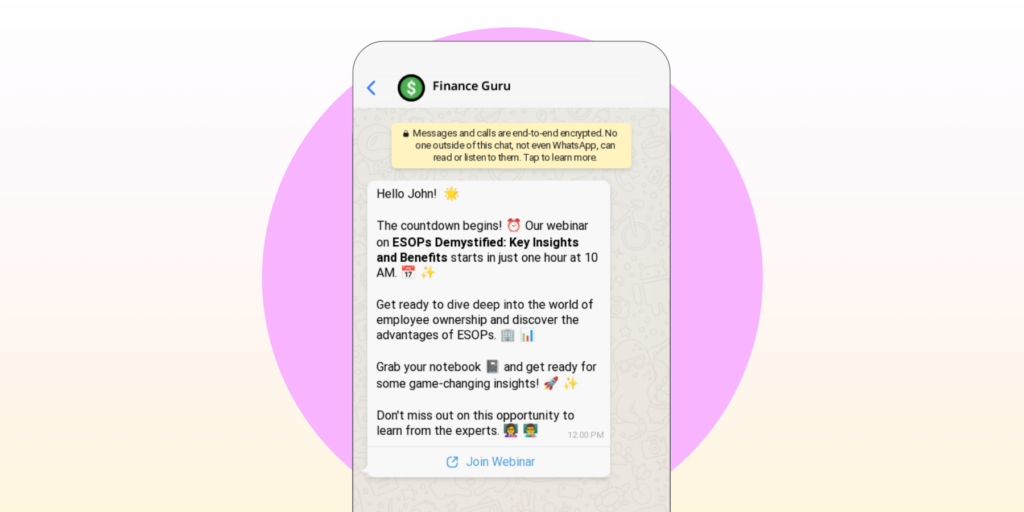
Hello John! 🌟
The countdown begins! ⏰ Our webinar on ESOPs Demystified: Key Insights and Benefits starts in just one hour at 10 AM. 📅✨
Get ready to dive deep into the world of employee ownership and discover the advantages of ESOPs. 🏢📊
Grab your notebook 📓 and get ready for some game-changing insights! 🚀✨
Don't miss out on this opportunity to learn from the experts. 👩🏫👨🏫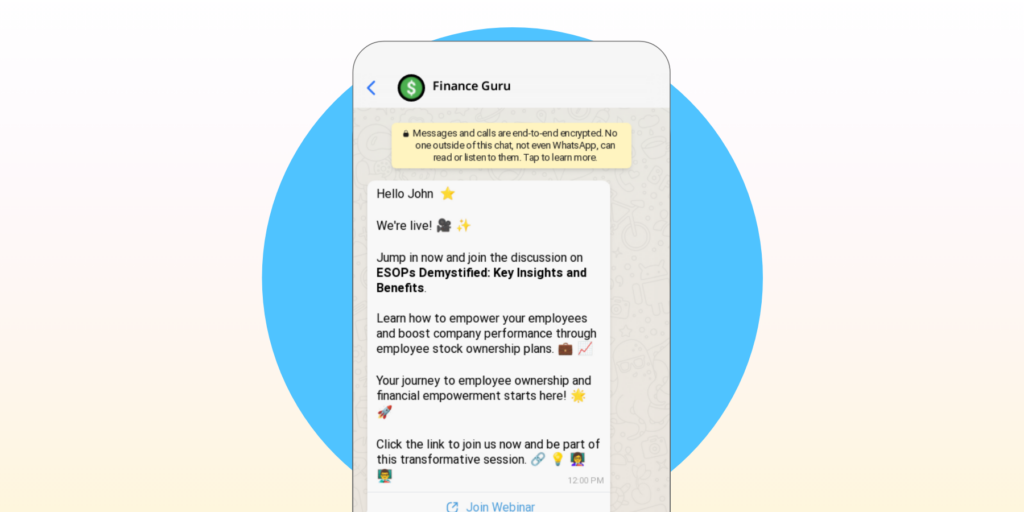
Hello John! 🌟
The countdown begins! ⏰ Our webinar on ESOPs Demystified: Key Insights and Benefits starts in just one hour at 10 AM. 📅✨
Get ready to dive deep into the world of employee ownership and discover the advantages of ESOPs. 🏢📊
Grab your notebook 📓 and get ready for some game-changing insights! 🚀✨
Don't miss out on this opportunity to learn from the experts. 👩🏫👨🏫Also Read: Top 5 Marketing Strategies to Increase Student Enrollment for Online Courses
The Sequence feature isn’t just about reminders. It’s your nurturing sidekick too!
After your webinar, keep the momentum going with messages like these 👇
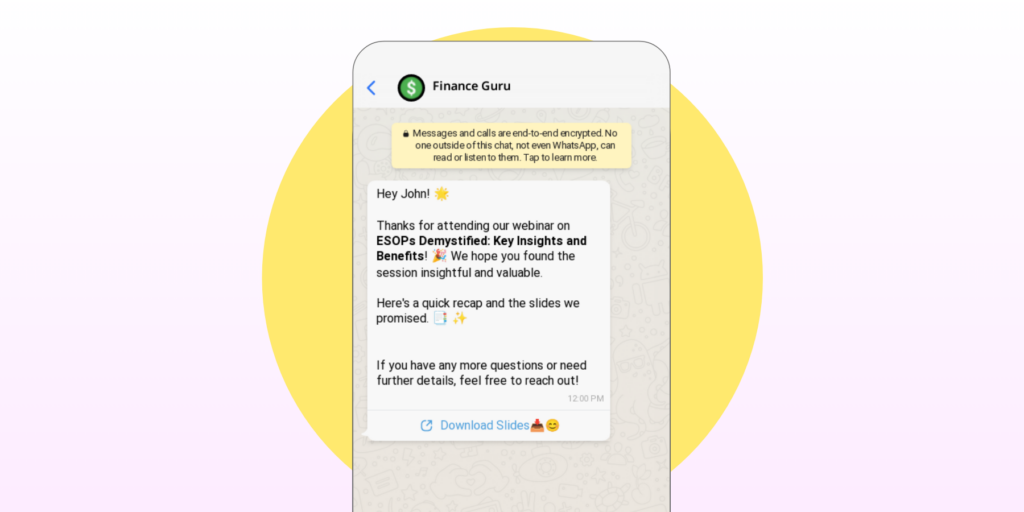
Hey John! 🌟
Thanks for attending our webinar on ESOPs Demystified: Key Insights and Benefits! 🎉 We hope you found the session insightful and valuable.
Here's a quick recap and the slides we promised. 📑✨ If you have any more questions or need further details, feel free to reach out!
[Download Slides] 📥😊
Hi John! 👋
Loved the webinar? 😍 Dive even deeper with our full course on ESOPs Demystified: Key Insights and Benefits! 📚🔍
It’s packed with in-depth insights and practical strategies to take your understanding to the next level.
Check it out and continue your journey with us! 🚀💡
[Explore Course] 🔗
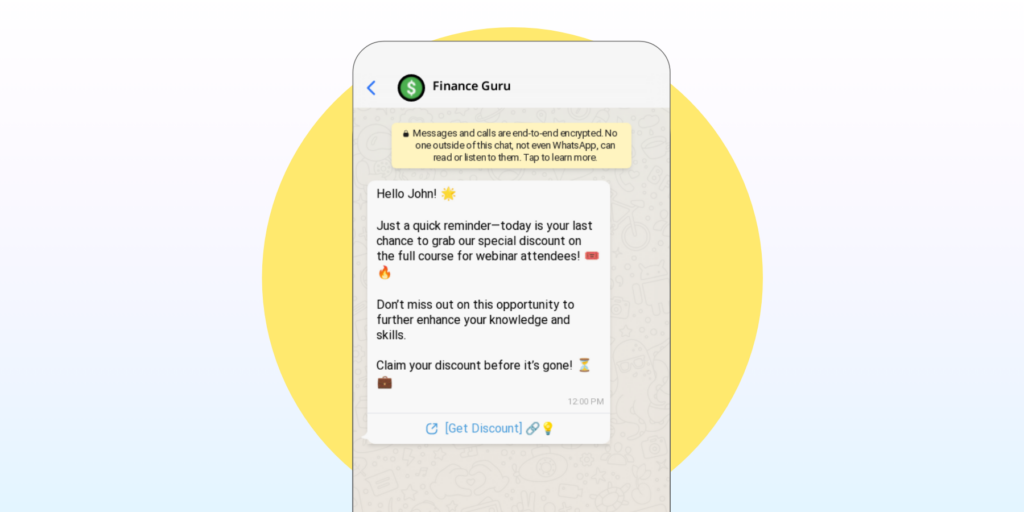
Hello John! 🌟
Just a quick reminder—today is your last chance to grab our special discount on the full course for webinar attendees! 🎟️🔥
Don’t miss out on this opportunity to further enhance your knowledge and skills.
Claim your discount before it’s gone! ⏳💼
[Get Discount] 🔗💡
By using Sequences, you’re not just filling seats – you’re guiding potential students through a journey that ends with course enrollment.
Also Read: Everything You Need to Know About WhatsApp Elearning
Using automated reminders and nurture WhatsApp messages significantly boosts engagement and webinar attendance for e-learning businesses in several ways.
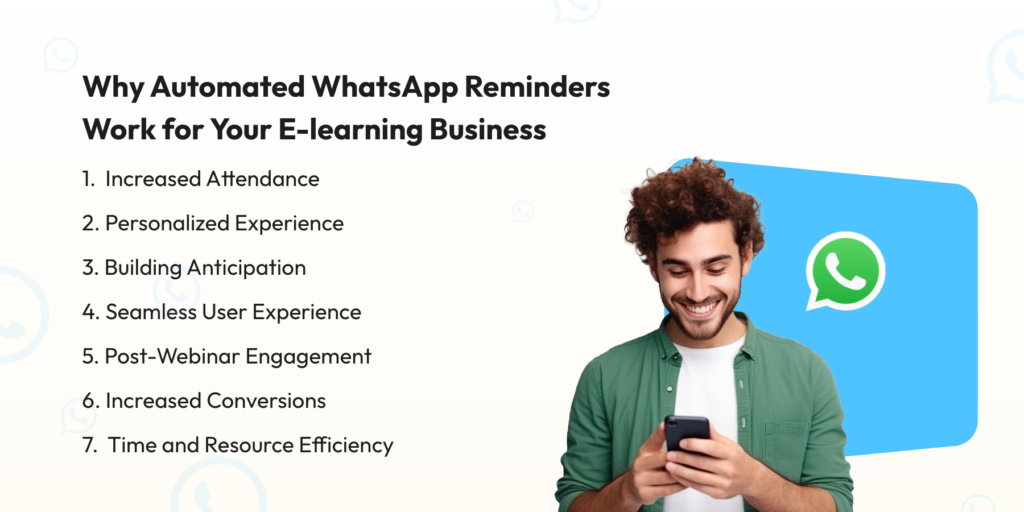
Automated WhatsApp reminders drastically reduce no-shows. With open rates up to 98%, these messages are far more likely to be seen and acted upon than emails. The series of timely reminders (1 day before, 1 hour before, and at the start) creates multiple touchpoints, keeping the webinar top-of-mind for participants and increasing the likelihood they’ll attend.
Each message addresses the recipient by name, creating a personalized experience. This personal touch makes participants feel valued and more committed to attending. It transforms a generic reminder into a friendly, personalized nudge.
The sequence of messages builds anticipation for the webinar. By providing snippets of what to expect and encouraging preparation, these reminders generate excitement and engagement even before the webinar begins.
Including direct links to join the webinar removes friction, making it incredibly easy for participants to attend. This convenience increases the likelihood of last-minute joiners who might otherwise forget or find it too troublesome to search for login details.
The nurture sequence after the webinar maintains engagement beyond the event itself. By providing recap materials, answering questions, and offering additional resources, these messages keep the conversation going and deepen the relationship with potential students.
The post-webinar sequence guides leads towards further engagement, such as enrolling in a full course. By offering timely, relevant content and special offers, these messages can significantly increase conversion rates from webinar attendees to paying students.
Automating this process saves considerable time and resources for e-learning businesses. Once set up, the system works continuously, allowing the business to focus on creating quality content and improving their offerings.
With automated WhatsApp reminders and nurture messages, e-learning businesses create a more engaging, personalized experience that not only boosts webinar attendance but also nurtures leads into long-term, valuable students.
Also Read: Top 10 Elearning Marketing Strategies
Imagine combining the targeting power of social media ads with the personal touch of WhatsApp. That’s CTWA in a nutshell.
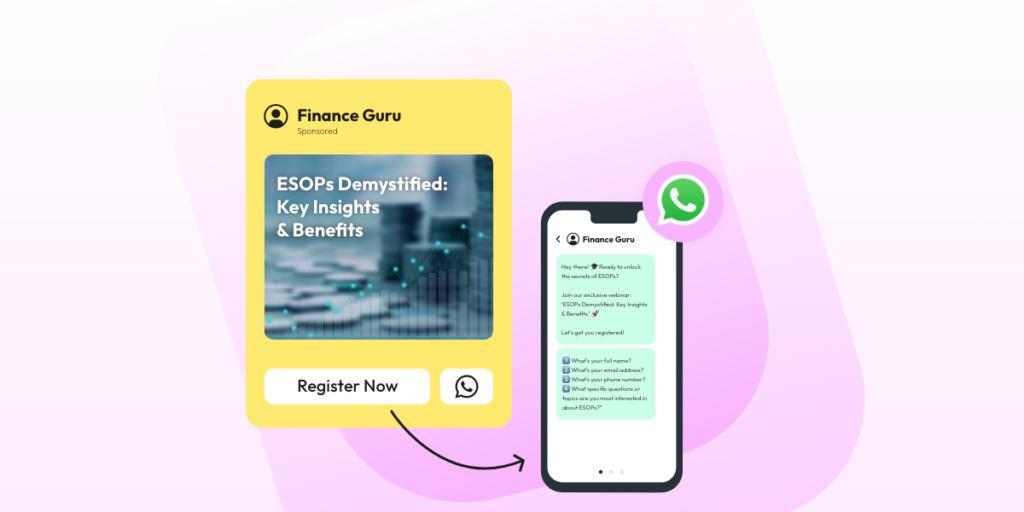
These ads appear on platforms like Facebook and Instagram, but instead of sending users to a landing page, they open a WhatsApp chat with your business. It’s like having a direct line to potential students!
Instant Engagement: When someone clicks your ad, they’re immediately in a WhatsApp chat. No forms, no friction – just conversation.
Higher Conversion Rates: People are more likely to register when they can ask questions directly. It’s like having a personal course advisor for each prospect!
Retargeting Gold: Remember those YouTube viewers who watched your teaser but didn’t sign up? Now you can reach them on Facebook with a CTWA ad.
Mobile-First: Your audience is on their phones. Meet them there with an ad that opens their most-used app.
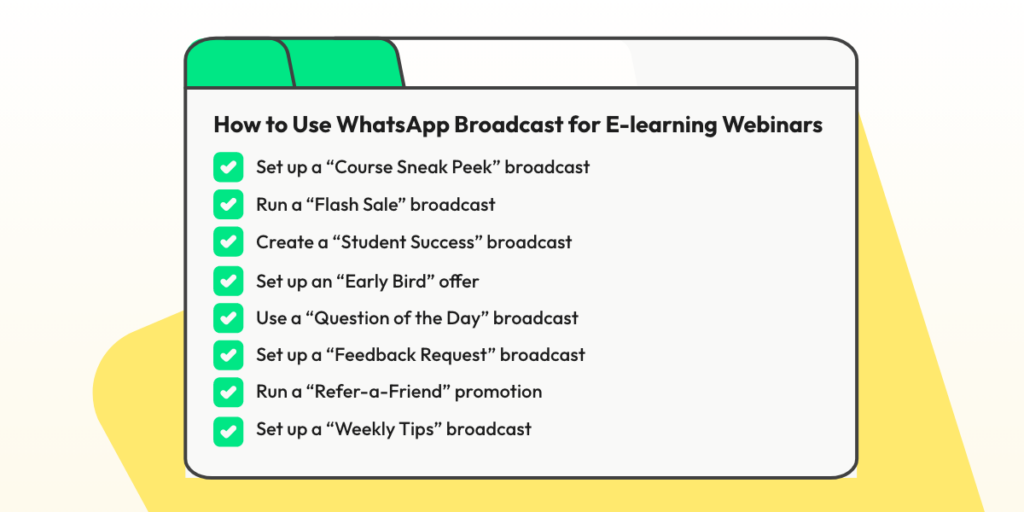
Teaser Campaigns: Run ads a week before your webinar with a catchy headline like “Want to 10x Your Coding Skills? Ask us how!”
Last-Minute Push: The day before the webinar, run a CTWA ad saying, “Limited Spots Left! Chat with us now to secure your seat!”
Targeted Offers: Use Facebook’s targeting to reach people interested in your webinar topic. “Struggling with Digital Marketing? Our free webinar has the answers – click to chat!”
Post-Webinar Nurturing: Didn’t get as many registrations as you hoped? Use CTWA to offer a webinar replay. “Missed our live session? Chat with us for exclusive access to the recording!”
Pro Tip: Set up a Wati chatbot to handle initial inquiries from your CTWA ads. This way, you can qualify leads 24/7 without being glued to your phone!
CTWA ads turn advertising into real conversations. They help you connect with potential students directly, answer their questions, and guide them to your webinars. This personal touch can significantly boost your registrations and student sign-ups.
Setting up CTWA Ads on Wati is pretty simple. To know more about it, you can watch this video 👇
That’s not it, we have an entire CTWA playlist on YouTube that helps you know
Also Read: WhatsApp for Education: Empowering Learning in the Digital Era
With Wati’s Broadcast Analytics, you’re not just sending messages into the void – you’re gaining valuable insights to refine your webinar promotion strategy.
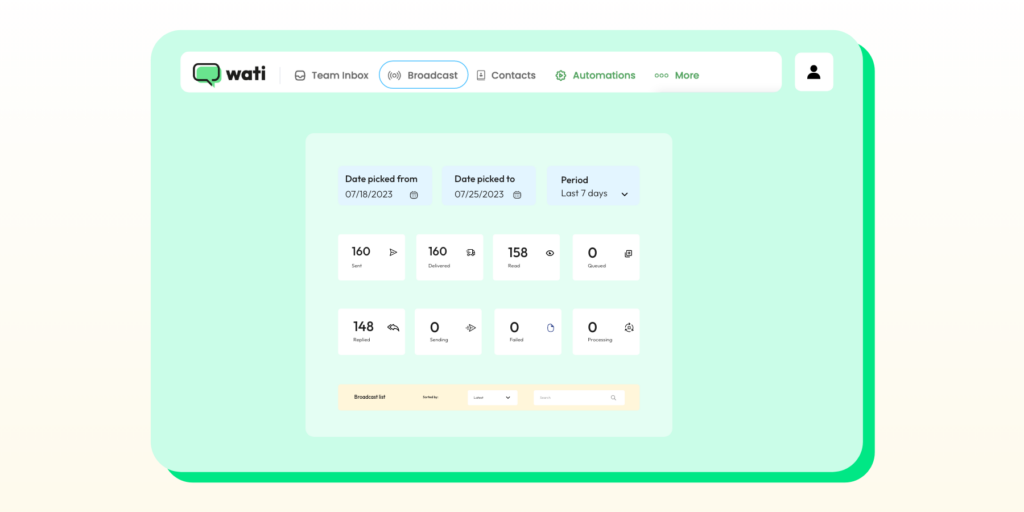
Here’s how it works:
Armed with these insights, you can tweak your messaging, timing, and targeting for maximum impact. It’s like having a crystal ball for your webinar promotions!
Today, when email inboxes are overflowing and social media feeds are crowded, WhatsApp offers a refreshing opportunity for e-learning businesses. With its near-universal adoption and staggering 98% open rate, WhatsApp cuts through the noise, delivering your message directly to potential students’ most-used app. While other marketing channels struggle with declining engagement, WhatsApp provides a direct, personal line to your audience.
Wati harnesses this potential, offering e-learning businesses powerful tools to automate broadcasts, personalize reminders, nurture leads, and even run Click-to-WhatsApp ads. By leveraging these features, you can dramatically boost webinar attendance, enhance student engagement, and guide more leads towards course enrollment.
Ready to experience the Wati difference? Start your 7-day free trial today and see the results for yourself. Plus, book a demo to discover how Wati can be tailored to your specific e-learning needs. Don’t just take our word for it – try Wati now and watch your webinar attendance soar!
WhatsApp marketing can be more cost-effective than email marketing for e-learning businesses in several ways. WhatsApp’s higher open and engagement rates (up to 98%) mean you’re likely to reach more potential students with each message, potentially reducing the number of messages needed to achieve your goals. However, the exact cost-effectiveness will depend on factors like your audience size, message frequency, and specific pricing plans. It’s best to compare the costs and potential returns of both channels for your specific situation.
E-learning businesses can leverage WhatsApp for peer-to-peer learning and collaboration in several ways:
By facilitating these interactions, e-learning businesses can create a more engaging and supportive learning environment that extends beyond formal webinar sessions.
Yes, many WhatsApp Business API solutions, including Wati, offer integration capabilities with popular CRM tools. This integration allows e-learning businesses to:
The specific integrations available will depend on the WhatsApp Business API solution you choose and the CRM you use. It’s best to check with your provider for details on available integrations or API access for custom integrations.
To maintain this balance:
Remember, quality over quantity is key to maintaining engagement without being perceived as spam.
Discover effective ways on how to increase webinar attendance by leveraging WhatsApp Messages, emails, social media, landing pages, incentives, etc.
Learn how to craft WhatsApp broadcast message samples that capture your audience and drive engagement. Explore benefits, best practices, and templates.
如果你是一位网店销售商,很有可能你已经听说过 Shopify。这是一个极好的平台,可以打造一个根据你需求定制的电子商务店铺。但是,你有没有考虑过通过集成 Shopify 和 WhatsApp 将你的业务推向一个新的高度?是的,你没听错——Shopify WhatsApp 集成正在颠覆电子商务的世界。
将这两个强大的工具整合在一起可以简化你的销售流程,简化客户下单过程,甚至通过 WhatsApp 验证货到付款订单。
Shopify WhatsApp 集成是一个创新的解决方案,可以将你的业务推向新的高度,无论你是一家小型企业所有者还是一家电子商务巨头。
在 Wati Shopify 应用中设置货到付款验证消息功能可以轻松验证货到付款订单的真实性,减少欺诈风险。此外,Wati 与 WhatsApp 的集成允许实时沟通。
厌倦了在管理在线商店和与客户沟通时需要同时应对多个渠道吗?不用再找了,试试 Shopify WhatsApp 整合!通过整合这两个强大的工具,你可以将你的电子商务业务推向一个新的高度,并在此过程中获得一系列的好处。🚀
改善客户参与度:实时与客户沟通,为他们提供在需要时快速个性化的支持。
优化销售流程:通过自动化消息和个性化产品推荐,为客户打造更流畅的购物体验。
增强安全性:通过在 WhatsApp 上验证货到付款订单,降低欺诈风险,提升企业整体安全性。
增强品牌声誉:通过提供优质客户支持和优化销售流程,您可以提升品牌声誉,增加客户忠诚度。
多渠道沟通:通过将 Shopify 与 WhatsApp 整合,您可以轻松管理跨多个渠道的客户沟通,节省时间,提高效率。
全球触达:WhatsApp 拥有超过 20 亿月活跃用户,为您提供了触达全球大众的巨大机会,使其成为联系全球客户的理想渠道。
Shopify WhatsApp 整合最大的优势之一是能够提升客户参与度。通过 WhatsApp 整合,您可以实时与客户沟通,在他们需要时回答问题并提供支持。

作为一位企业所有者,你很可能意识到货到付款(COD)为你的客户提供的便利。然而,这种支付方式也带来了独特的挑战,主要围绕欺诈订单和不认真购买者。
欺诈订单:在处理货到付款时,存在遇到欺诈订单的风险。这些欺诈订单可能以各种形式出现,例如使用虚假联系信息下单或者旨在欺骗你的企业的订单。这些欺诈活动会导致财务损失,并浪费宝贵的资源,如处理这些订单所需的时间和精力。
不认真购买者:另一个重要挑战是存在不认真购买者。由于无需提前支付,一些客户可能会下订单而无意购买,通常导致交付后取消订单。这会影响你的库存管理并增加运营成本,因为每个订单都需要处理、包装和发货。
了解并应对这些挑战对于维护货到付款服务的效率和盈利能力至关重要。实施验证流程并密切监控订单模式可以帮助减少这些风险,确保你的企业在为客户提供便利的支付选择的同时继续蓬勃发展。
首先設置貨到付款範本訊息:
在Wati Shopify應用程式中啟用後,選擇貨到付款作為付款方式購買Shopify商店的客戶將收到貨到付款(COD)訊息範本。此訊息範本允許客戶確認或取消他們的訂單。
在Wati,我們已經為您的帳戶設置了一些預先批准的範本;對於貨到付款,您可以使用的範本名稱是”shopify_default_cod_confirm_order“,但如果您希望創建自己的訊息範本,您可以遵循以下步驟。
前往“廣播” > “範本訊息” > “新建範本訊息”
點擊“從頭開始”
輸入範本名稱、類型和語言
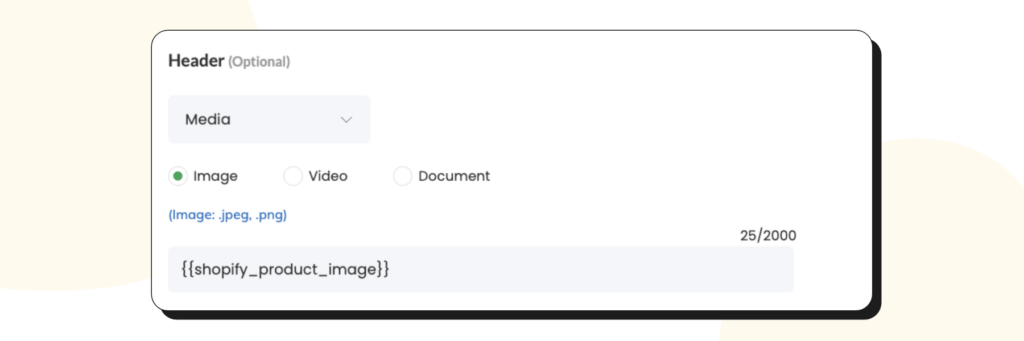
如果您希望在範本訊息中包含已訂購的產品圖像,則 > 從標頭部分 > 選擇 > 媒體 > 下一個圖像選項 > 點擊“添加變量”按鈕,並選擇這個變量{{shopify_product_image}}”
如果您希望使用固定圖像,請上傳您的圖像。
範例內容的連結可使用如下:
“https://cdn.clare.ai/wati/images/WATI_logo_square_2.png“
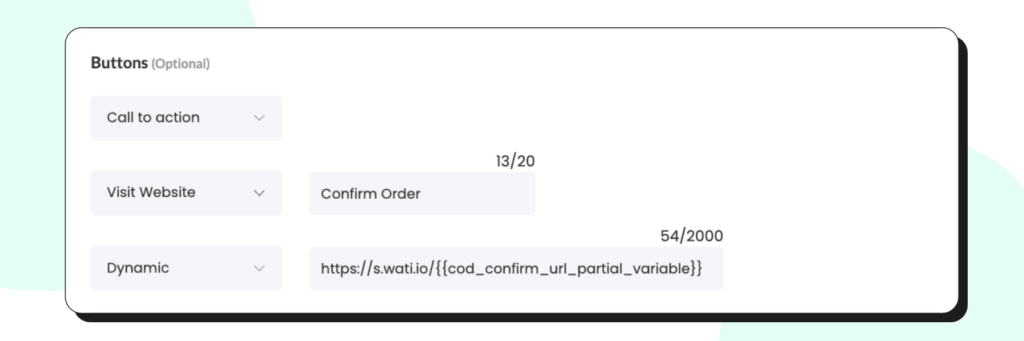
如果您希望在範本訊息中顯示詳細資訊,請在內容區域中輸入以下變量:
| {{name}} | 接受来自Whatsapp的客户姓名 |
| {{total_price}} | 接受订单的总价 |
| {{shop_name}} | 接受您的Shopify商店名称 |
| {{cod_confirm_url}} | 允许用户确认他们的货到付款订单 |
| {{cod_cancel_url}} | 允许用户取消他们的货到付款订单 |
如果您希望添加一個動態按鈕,您必須使用我們的部分變量,格式如下,您不能使用您的商店網址。通過這樣做,您可以讓客戶通過點擊範本訊息中的按鈕來確認訂單。
這種個性化的觸動在與您的客戶建立信任和忠誠度方面可以走得更遠,最終可能導致更多銷售和更高的客戶滿意度評級。而且,誰不喜歡在他們最喜歡的即時通訊應用程序上收到來自企業的友好訊息呢? 😍
Shopify WhatsApp整合的另一個好處是能夠使您的銷售流程更加流暢。通過將Shopify與WhatsApp整合,您可以為客戶創建更加無縫的購物體驗。
例如,您可以設置自動消息,提示客戶完成他們的購買,或者根據他們的瀏覽歷史發送個性化的產品推薦。此外,在WhatsApp上驗證貨到付款訂單可以幫助減少詐騙風險,提高您企業的整體安全性。💰
簡而言之,Shopify WhatsApp整合是一個強大的解決方案,可以幫助您節省時間,提升銷售,並提供卓越的客戶支持。所以,為什麼還要等待呢?立即擁抱這兩個工具的力量,將您的電子商務業務提升到更高的水平!💪
在電子商務交易中,客戶使用貨到付款(COD)在交付時支付商品。接受的支付方式包括現金或其他方法,例如借記卡或信用卡。客戶在網上下單,並在商品送到門口時支付款項。
在許多國家,特別是在網上支付系統不普遍或不受信任的地區,COD是一種流行的支付選項。它為客戶提供了安全感,因為他們不必在收到並檢查商品之前進行付款。
對於電子商務企業來說,COD可以是增加銷售的有效途徑,尤其是對於沒有信用卡或網上支付方式的客戶。然而,它也帶有一些詐騙風險,並且比其他支付方式更難管理。
貨到付款(COD)訂單驗證是在處理交付之前確認COD訂單的真實性的過程。驗證過程通常涉及與客戶聯繫,確認其訂單詳情,並確保他們打算在交付時支付產品的款項。
驗證COD訂單的一種方法是通過電話或短信向客戶進行聯繫。電子商務企業的代表可以聯繫客戶確認訂單,並要求提供可能需要處理交付的任何額外信息。這種方法可能耗時,對於有大量COD訂單的企業來說可能不切實際。
通過WhatsApp與電子商務平台集成進行驗證
驗證COD訂單的另一種方法是通過WhatsApp與電子商務平台的集成。當客戶在電子商務網站上下單時,系統會向他們的WhatsApp帳戶發送一條自動消息,要求他們確認訂單。
客戶回復確認訊息後,訂單將被標記為已驗證,並開始處理交付。對於接收大量COD訂單的企業來說,這種方法快速、方便且高效。
客戶通過WhatsApp訊息確認或取消訂單後,Shopify商店所有者可以通過訪問Shopify管理員儀表板上的“訂單”選項卡來檢查COD訂單的狀態。
啟用貨到付款驗證訊息,您可以:
您將了解到您的客戶提供了無效的電話號碼並區分出虛假訂單。
給您的客戶提供取消訂單的選項,如果他們意外地下單了。
避免通過電話給您的客戶打電話確認他們的訂單。
總的來說,對貨到付款訂單進行驗證對於接受現金支付的電子商務企業至關重要。通過驗證COD訂單,企業可以降低詐騙交易的風險,確保客戶滿意度,並保護其品牌聲譽。
要在Wati Shopify應用程式上設置貨到付款驗證訊息,請按照以下簡單的步驟進行操作:
配置訊息後,點擊“保存更改”,完成設置。您的Shopify商店現在將啟用COD驗證訊息。
備註:付費計劃的Wati用戶將能夠創建自己的自定義COD驗證訊息範本。
在電子商務業務蓬勃發展的今天,找到突出競爭的方法非常重要。這就是Shopify WhatsApp整合的用武之地!😎 通過將Shopify的電子商務平台的強大功能與WhatsApp的便利性結合,企業可以簡化銷售流程、提高客戶參與度,並隨時隨地驗證COD訂單。
有了Shopify WhatsApp整合,可能性無窮。無論您是小型企業所有者還是希望擴大業務規模的大型企業,這個解決方案都可以幫助您實現目標。那為什麼不試試呢?🤔 Shopify WhatsApp整合允許您與客戶實時溝通,提供個性化支持,輕鬆驗證COD訂單。這是增強您的電子商務業務、改善您的業務收益的絕佳方式。
那麼,您還在等什麼呢?今天就試試看,看看它如何改變您的業務!💪 立即獲得Shopify附加組件。
將WhatsApp與Shopify集成用於貨到付款(COD)訂單,可以讓您簡化驗證流程,增強客戶溝通,並通過WhatsApp直接確認訂單來建立信任。
雖然Shopify本身並未提供與WhatsApp的原生集成,但第三方應用程式,如Wati,可以幫助您將Shopify商店無縫地與WhatsApp連接,以便有效地驗證訂單。
該集成通過將訂單詳情發送到WhatsApp,使客戶可以通過簡單的回覆來確認他們的COD訂單,從而簡化了驗證流程。這降低了訂單取消的可能性,確保了交易的順利進行。
是的,大多數Shopify WhatsApp集成應用程式都提供自定義選項。您可以自定義發送給客戶的訊息,包括訂單詳情、驗證指示和任何其他相關信息。
安全性是首要考慮的問題。該集成遵循最佳實踐,確保客戶信息的保密性。建議選擇具有強大安全措施的知名應用程式。
是的,許多Shopify WhatsApp集成應用程式支持多種語言,讓您可以用客戶偏好的語言進行溝通,從而提供更好的用戶體驗。
當然可以。該集成通常在Shopify和WhatsApp之間同步訂單狀態更新,從而提供實時跟踪和可見性,您可以直接從Shopify儀表板上查看驗證流程。
一般情況下,客戶不會因接收WhatsApp的訂單驗證訊息而收費。但是,為避免任何混淆,重要的是告知他們有關溝通方式。
您可以通過集成設置自動提醒,促使客戶驗證他們的訂單。此外,提供其他聯繫方式也有助於確保成功的溝通。
是的,該集成功能強大,適用於各種企業,特別是那些處理COD訂單的企業。無論您經營一家小型電子商店還是一家大型企業,集成WhatsApp都可以增強您的訂單驗證流程。