
Too Long? Read This First
- WhatsApp ads cost breaks into three layers: Meta's ad spend, Meta's per-message fees, and your platform's subscription fee.
- Reply within 24 hours of a click to unlock 72 hours of free messaging. Miss it, and every message reverts to paid rates.
- Marketing templates cost the most and never get volume discounts. Utility templates cost less and do.
- Starting October 1, 2026, Meta resumes charging for Service and in-window Utility messages that are currently free.
- Brands running WhatsApp advertising cost management through Wati have cut acquisition costs by 60% and lowered cost per lead by 15%, as seen in the Blacklyf case study.
WhatsApp ads cost breakdown into three separate charges: what Meta bills you for the ad itself, what Meta bills you per message once someone clicks through, and what your WhatsApp Business Platform provider charges to run the campaign.
Most cost estimates only account for the first one.
That gap matters because the second charge, the per-message fee, is where your bill can swing the most, and it depends entirely on timing. Reply fast enough after a click, and Meta waives it.
Miss that window, and you're paying category rates on every message after.
Here's what actually goes into your total cost, and where the real savings sit.
What Three Cost Layers Make Up Your Click-to-WhatsApp Ads Cost?
Every click-to-WhatsApp ad cost breaks into three separate charges, billed by two different parties. Meta bills you for two of them. Your WhatsApp Business Platform provider bills you for the third.
Layer | Who bills you | What it covers |
Ad spend (CPM) | Meta | The auction cost to get your ad shown on Facebook or Instagram, same as any other Meta campaign |
Per-message fees | Meta | Charges for template messages sent to someone after they click through and chat with you, billed per category (Marketing, Utility, Authentication) |
Platform fee | Your WhatsApp Business Platform provider (e.g., Wati) | The subscription cost for the inbox, chatbot, CRM integrations, and campaign tools you use to actually run and manage the ad-to-chat flow |
Most cost breakdowns online stop at the first layer, since that's the number you see in Meta Ads Manager.
The second layer is where most of the surprise costs live, because it depends on a timing window covered in the next section, not just on how many messages you send.
The third layer is often the smallest of the three once you're past a handful of conversations a month, but it's not zero, and it's easy to forget when you're budgeting off Meta's numbers alone.
How Much Does Meta Charge for the Ad Itself?
Meta charges for a click-to-WhatsApp ad the same way it charges for any other Facebook or Instagram ad: through a CPM auction, where you pay per 1,000 impressions your ad receives.
There's no separate "WhatsApp ad" price tag. You're bidding in the same auction as every other advertiser targeting that audience.
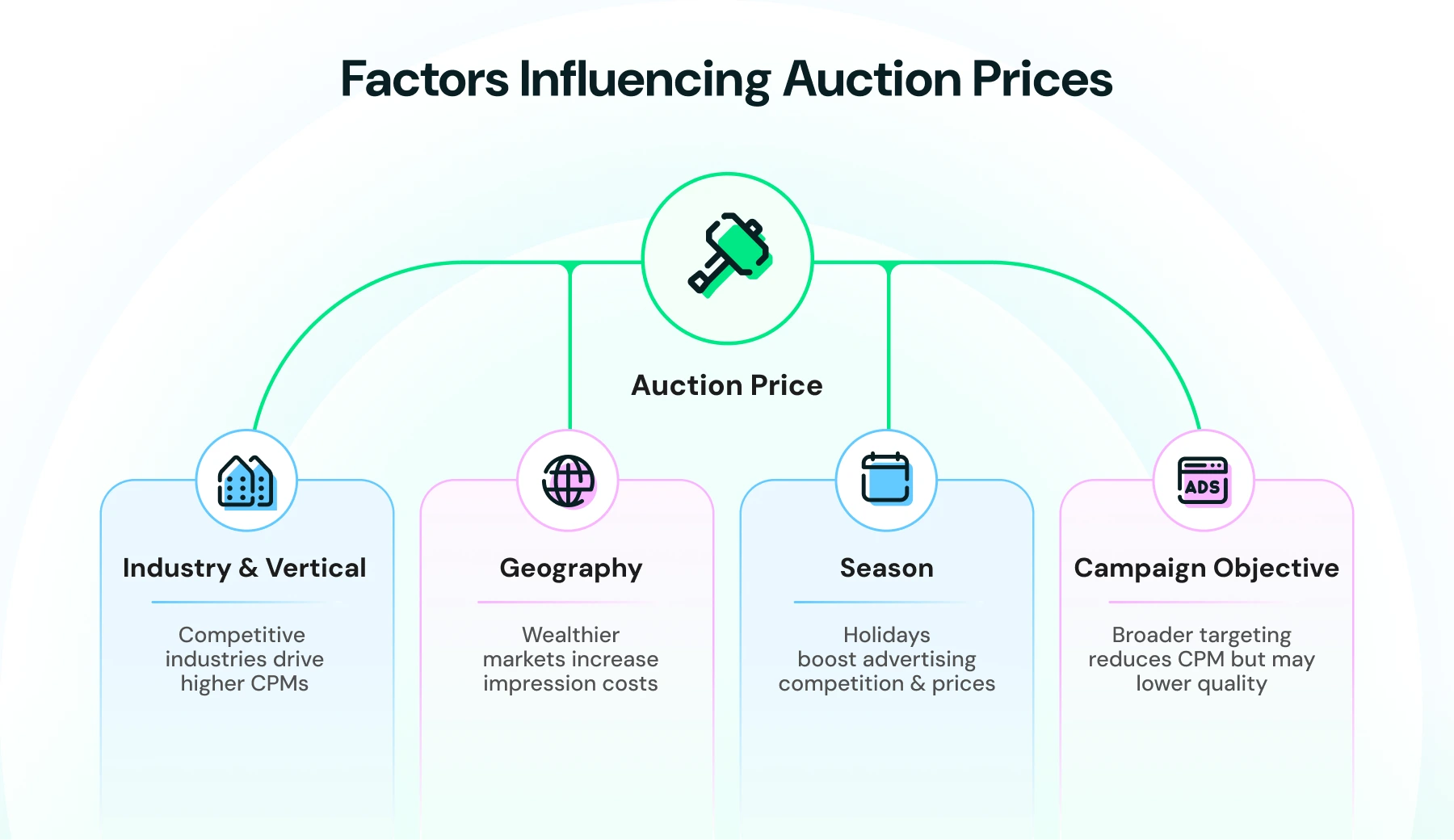
That auction price swings on a few factors:
- Industry and vertical: Competitive, high-value categories like finance, insurance, and travel bid up CPMs. Lower-competition categories cost less to reach.
- Geography: CPMs vary by country and even by city, with denser, wealthier markets typically costing more per impression.
- Season: Costs climb during high-competition periods like major shopping holidays, when more advertisers are bidding for the same audience.
- Campaign objective and targeting: Broader targeting usually costs less per impression than tightly scoped audiences, though it can bring in less qualified clicks.
Because CPMs shift by geography and vertical more than any other factor, the most reliable benchmark isn't a global average number. It's your own account's existing Meta ad performance.
If you're already running Instagram ads or Facebook ads, your current CPM is a far better predictor of your click-to-WhatsApp ad cost than any published industry figure.
What Meta doesn't charge for at the ad-spend layer: the conversation that happens after the click. That's a separate charge entirely, and it's where the next section picks up.
What Do WhatsApp Message Fees Cost After the Click?
WhatsApp message fees after a click-to-WhatsApp ad depend entirely on timing. The 24-hour reply window and 72-hour Free Entry Point that govern this are explained in full in our WhatsApp advertising messages guide.
So here's the short version: reply within 24 hours of a click, and you unlock 72 hours of free messaging. Miss it, and every template reverts to a paid rate.
The cost consequence of that timing is bigger than most budgets account for. Since July 1, 2025, Meta bills per delivered message rather than per 24-hour conversation, and that per-message rate depends on which category you're sending.
Category | Cost pattern | Volume discounts |
Marketing | Highest per-message rate | None, at any volume |
Utility | Lower rate | Yes, at higher monthly sends |
Authentication | Rate jumps sharply for international OTPs versus domestic ones | Yes, at higher monthly sends |
A business sending authentication codes to international numbers can end up paying several times more per message than one sending the same volume domestically, a detail that's easy to miss until the invoice arrives.
Exact per-message rates vary by recipient country and change periodically, so check Wati's WhatsApp API pricing guide or Meta's live rate card for current figures rather than relying on a fixed number here.
One more thing worth flagging before you budget off today's rules: some of this is changing later in 2026. That's next.
What's Changing in WhatsApp Advertising Cost for the Rest of 2026?
WhatsApp advertising costs are set to rise later in 2026, when Meta ends part of the current free-messaging setup. Two changes are already confirmed and worth budgeting around now, not when they hit.
- October 1, 2026: free Service and in-window Utility messages end. Right now, Service messages and Utility templates sent inside the 24-hour customer service window cost nothing. Starting October 1, 2026, Meta resumes charging for both. If your cost model assumes today's free-window rules, it will understate your bill starting that date.
- August 1, 2026: Meta Business Agent introduces per-token AI pricing. Meta's new AI-handled messaging category bills by token rather than by message, reportedly around $2 per 1 million tokens, which works out to roughly 4 to 5 cents per AI-handled message depending on complexity. This applies specifically to businesses using Meta's own Business Agent, not to standard template messages.
- Meta is already piloting a max-price option for the Marketing Messages API, in limited beta since May 15, 2026, with general availability planned for Q2 2027. The setting lets you cap the maximum you're willing to pay per delivered Marketing message. When set, Meta charges your cap or the market rate, whichever is lower. This gives businesses running high-volume Marketing campaigns a way to control cost ceilings that didn't exist before.
None of this changes the 24-hour window or 72-hour Free Entry Point mechanics covered above. Those stay in place. What changes is what happens to Service and Utility messages once you're outside them.
If you're budgeting a CTWA campaign that runs past October 2026, build in the resumed Service and Utility charges now rather than discovering them on your first invoice after the change.
What Does a Platform Fee Add to Your Total CTWA Cost?
A WhatsApp Business Platform provider adds a separate subscription fee on top of Meta's ad spend and per-message charges. This is the layer most cost estimates skip entirely, since it doesn't show up in Meta Ads Manager.
Wati, for example, structures this as three plan tiers, plus usage-based add-ons:
Plan | Built for | Notable inclusions |
Growth | Businesses starting out with CTWA and broadcast campaigns | WhatsApp inbox, CTWA lead capture, e-commerce tools, 24x7 email support |
Pro | Teams optimizing conversion, not just capturing leads | Everything in Growth, plus smart retargeting, CTWA source tags, and click tracking, advanced chatbots |
Business | High-volume operations running full customer journeys | Everything in Pro, plus multiple WhatsApp numbers, a dedicated Customer Success Manager, and volume discounts |
On top of the base plan, a few usage-based costs apply:
- Additional users cost $24/user/month on Pro and $69/user/month on Business, beyond the users included in each tier.
- Add-ons like the Shopify integration run $4.99/month on top of your plan.
- There's no setup fee for using the WhatsApp API through Wati.
- Per-message charges are billed separately, based on the category rates covered in the section above, not bundled into the plan price.
Base monthly pricing for each tier changes periodically and varies by billing cycle (annual plans run cheaper than month-to-month), so check Wati's current pricing page for the live rate rather than a number that may already be out of date by the time you read this.
Add the platform fee to your ad spend and per-message charges, and you have all three layers.
Bonus read: Best Click-to-WhatsApp Ads Software & Platforms (2026)
How Do You Calculate Your Total Click-to-WhatsApp Ads Cost?
Your total click-to-WhatsApp ads cost equals ad spend plus per-message fees plus your platform fee, added together for the period you're measuring.
As a formula:
Total CTWA cost = Ad spend (Meta CPM) + Per-message fees (Meta) + Platform fee (your provider) |
Here's a worked example using round numbers to show how the layers actually stack.
Scenario: An e-commerce brand runs a CTWA campaign for one month, on Wati's Pro plan.
Layer | Assumption | Cost |
Ad spend | $1,000 budget, standard e-commerce CPM | $1,000 |
Per-message fees | 500 chats started via the ad. Businesses reply within 24 hours to all 500, opening the 72-hour Free Entry Point for each. 150 of those need a follow-up Marketing template sent after the 72-hour window closes, at an average rate of $0.04/message | 150 × $0.04 = $6 |
Platform fee | Wati Pro plan, 5 users included, no extra users needed | Base plan fee (check current rate) |
Total | $1,006 + base plan fee |
The number that jumps out here is the per-message line: $6, not $600. That's the direct payoff of replying within the 24-hour window.
If that same business missed the reply window on all 500 chats and had to send a Marketing template to reach each one instead, at $0.04/message, that's $20, still small relative to ad spend, but the gap widens fast at higher volumes and with more follow-up messages per contact.
The lever that moves this number the most isn't your ad budget. It's your reply speed. Every chat you fail to answer within 24 hours converts from a free follow-up to a paid one, and that's a cost decision your team can control directly, unlike Meta's CPM auction.
Run this same formula against your own numbers: your typical ad budget, your actual reply rate within 24 hours, and your plan's base fee, and you'll have a real total instead of an estimate built on someone else's assumptions.
What Makes Click-to-WhatsApp Ads Cost More or Less?
Four factors drive most of the variation in what a click-to-WhatsApp ad campaign actually costs, beyond the reply-speed lever covered above.
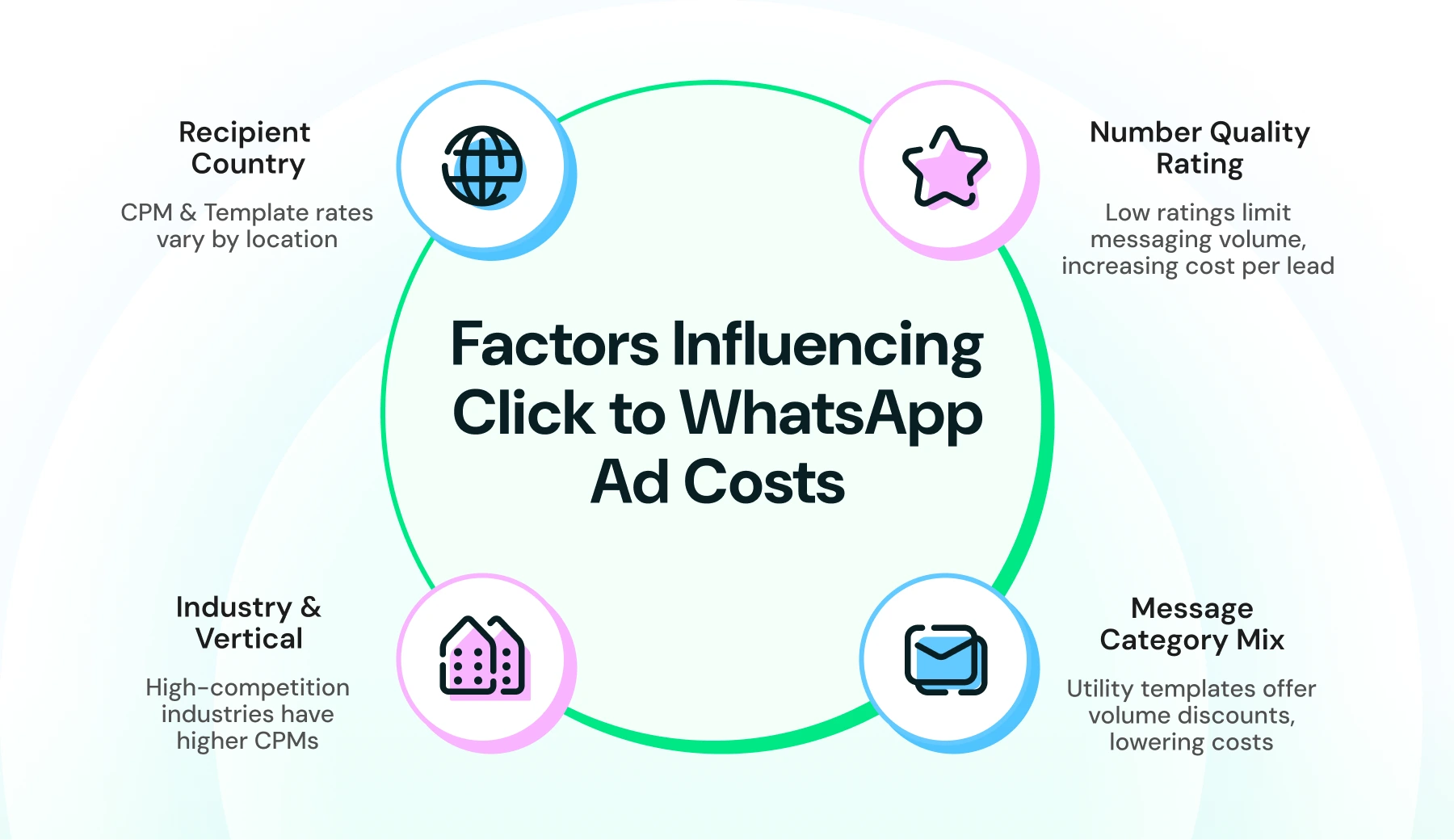
- Industry and vertical. High-competition categories like finance, insurance, and travel bid up Meta's CPM auction, raising the ad-spend layer before a single message goes out. Lower-competition categories see cheaper impressions.
- Recipient country. Both the CPM auction and the per-message rates for templates vary by country. A campaign targeting a lower-cost market can see a meaningfully different total than the same campaign run in a high-cost market.
- Your number's quality rating. A low rating does more than put your account at risk. It limits how many people you're allowed to message at all, which forces the same ad budget to reach fewer contacts, raising your effective cost per lead even if your per-message rate hasn't changed.
- Message category mix. A campaign that leans on Utility templates (which get volume discounts at scale) costs less per message than one that relies heavily on Marketing templates (which don't get volume discounts at any volume), even at identical send counts.
Reply speed remains the single factor most within your direct control, since country, industry, and the CPM auction are largely fixed costs of doing business in your market.
Quality rating and category mix are also decisions your team makes, not conditions imposed on you, which is where the next section picks up.
Get a Clear Number Before You Spend
Click-to-WhatsApp ads cost less than most estimates suggest, once you account for the 72-hour free window most budgets miss entirely. The real total isn't Meta's CPM alone. It's ad spend, per-message fees, and your platform fee added together, and two of those three are largely within your control.
Run the formula from the worked example against your own numbers before you launch: your typical ad budget, your team's actual reply rate within 24 hours, and your provider's plan fee. That's a real cost, not a guess.
With Wati, you get the CTWA tools, the team inbox, and the conversion tracking to keep that reply window tight, all in one place.
Book a demo with Wati and see what your click-to-WhatsApp ads cost could actually look like.
Frequently asked questions
What is the average cost of click-to-WhatsApp ads?
There's no single average, since click-to-WhatsApp ads cost depends on your industry, country, and reply speed. The total comes from three layers: Meta's CPM for the ad, per-message fees after the click, and your platform fee. Benchmark against your own existing Meta ad performance rather than a published average.
Are click-to-WhatsApp ads free to run?
No, but a large part of the messaging cost can be free. Meta still charges CPM for the ad itself, but replying within 24 hours of a click opens a 72-hour window where all messages, including templates, cost nothing.
ow much does WhatsApp charge per message?
WhatsApp charges per delivered template message, with rates varying by category (Marketing, Utility, Authentication) and recipient country. Marketing messages cost the most and don't get volume discounts at any scale. Check Meta's live rate card for current figures, since rates change periodically.
Does the cost of WhatsApp ads vary by country?
Yes. Both Meta's CPM auction and per-message template rates vary by recipient country, sometimes significantly. A campaign in a lower-cost market can cost meaningfully less than the same campaign run in a high-cost one.
Will WhatsApp advertising cost more later in 2026?
For some message types, yes. Starting October 1, 2026, Meta resumes charging for Service messages and in-window Utility messages that are currently free. A new per-token AI pricing category for Meta Business Agent also begins August 1, 2026. Budget for these changes if your campaign runs past those dates.
Does a WhatsApp Business Platform provider add extra cost?
Yes, on top of Meta's ad spend and per-message fees, providers like Wati charge a separate platform subscription for the inbox, chatbot, and campaign tools used to run the ads. This is usually the smallest of the three cost layers once you're past a handful of monthly conversations.
How can I lower my click-to-WhatsApp ads cost?
Reply within the 24-hour window to unlock free follow-up messaging, use Utility templates instead of Marketing ones where the message is genuinely transactional, and protect your number's quality rating, since a low rating limits how many people you can reach for the same ad spend.
Related posts
- How to Send Bulk Messages on WhatsApp Without Getting Blocked
Learn how to send WhatsApp bulk messages without getting blocked. Use opt-in, approved templates, and the Wati API to scale campaigns safely.
- Complete Guide to Instagram Automation
Instagram comment automation auto-replies to comments and DMs commenters within seconds via Meta's API. Covers strategy, use cases, and Wati setup.
- How to Set Up a TikTok Business Account: Step-by-Step Guide
Set up a TikTok Business Account step by step: switch from personal, pick a category, add your profile, and unlock ads and analytics.
- TikTok for Business: How to Set Up, Market, Advertise & Grow (2026)
Learn how to use TikTok for Business to build your brand, create content, run ads, manage customer messages, and turn views into growth.