
Too Long? Read This First
- Click-to-WhatsApp Ads take customers directly from an ad to a WhatsApp conversation.
- High-converting ads focus on one clear offer or action.
- Pre-filled messages should match the ad and make it easy to start the conversation.
- Different goals need different ad approaches, from lead generation and sales to bookings and re-engagement.
- The post-click experience matters. Fast responses, automation, and lead qualification can help turn conversations into conversions.
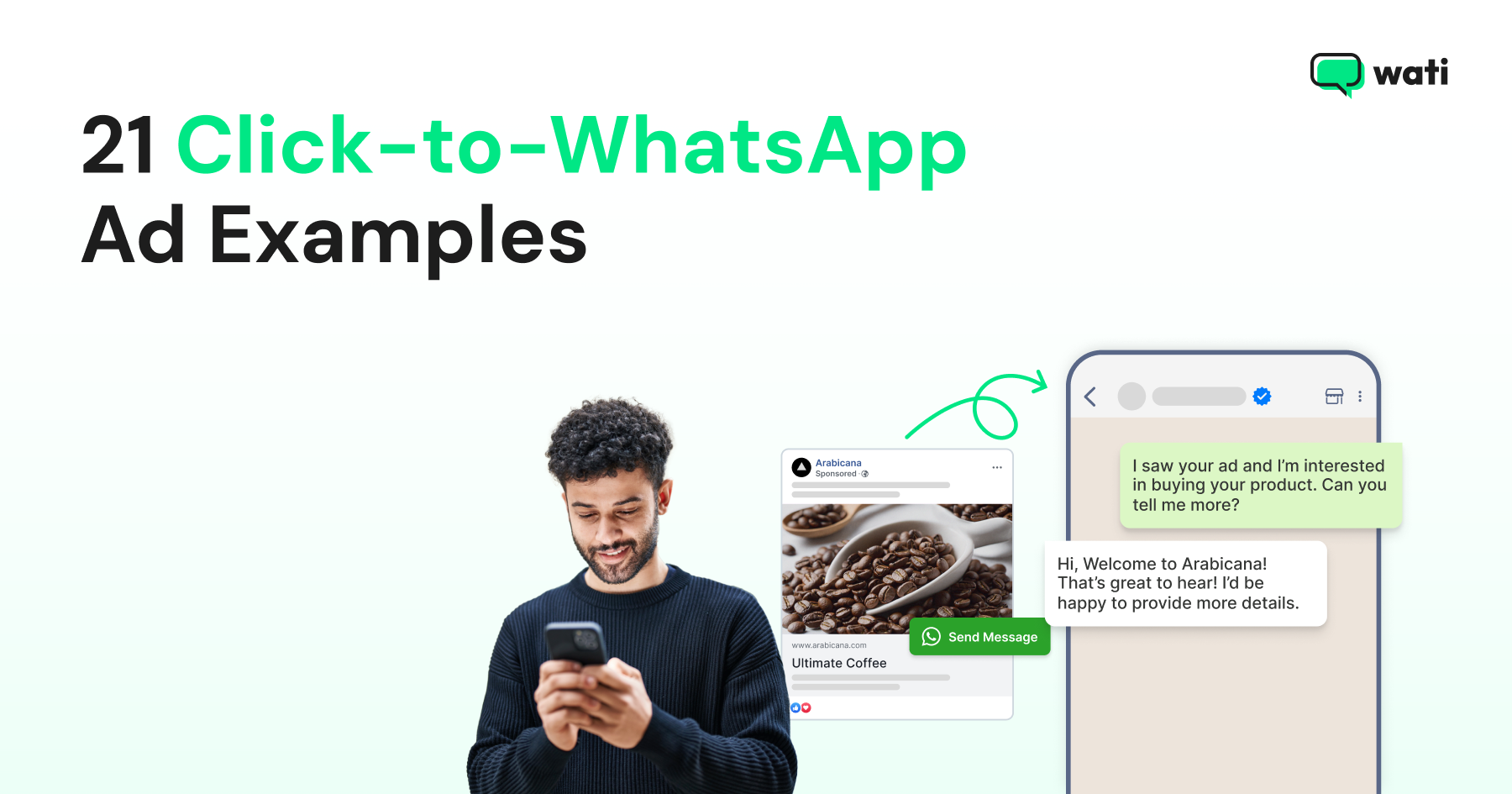
Click-to-WhatsApp Ads (CTWA) take people straight from an ad to a WhatsApp conversation. That makes them useful for everything from generating leads and booking appointments to answering product questions and driving sales.
Below are 21 CTWA examples for e-commerce, fintech, healthcare, education, real estate, SaaS, agencies, and coaching. Each example is a customizable ad template with a headline, primary text, CTA, and pre-filled WhatsApp message that can be adapted to different industries, offers, audiences, and campaign goals.
You will also see why each approach works and what to keep in mind when creating your own ads.
What Makes a Click-to-WhatsApp Ad Convert?
Before the examples, four things worth checking when creating a CTWA:
- A clear reason to start a chat: Tell people exactly what they will get by messaging, such as a quote, discount, product recommendation, or appointment.
- One offer or action per ad: Focus each ad on one product, offer, or action so people know what to do next.
- A pre-filled message that matches the ad: The message should make it clear why the person is contacting the business and connect directly to the offer in the ad.
- A clear next step after the click: Tell the customer what happens after they start the chat, whether that means getting a quote, choosing a product, booking a slot, or speaking with an agent.
The right approach depends on what the ad is trying to achieve. The examples below cover lead generation, product discovery, bookings, re-engagement, and more.
Bonus read: How to Track CTWA Conversions with the Conversions API (CAPI)
Lead Generation
A direct WhatsApp conversation can help businesses qualify interest before passing a lead to sales.
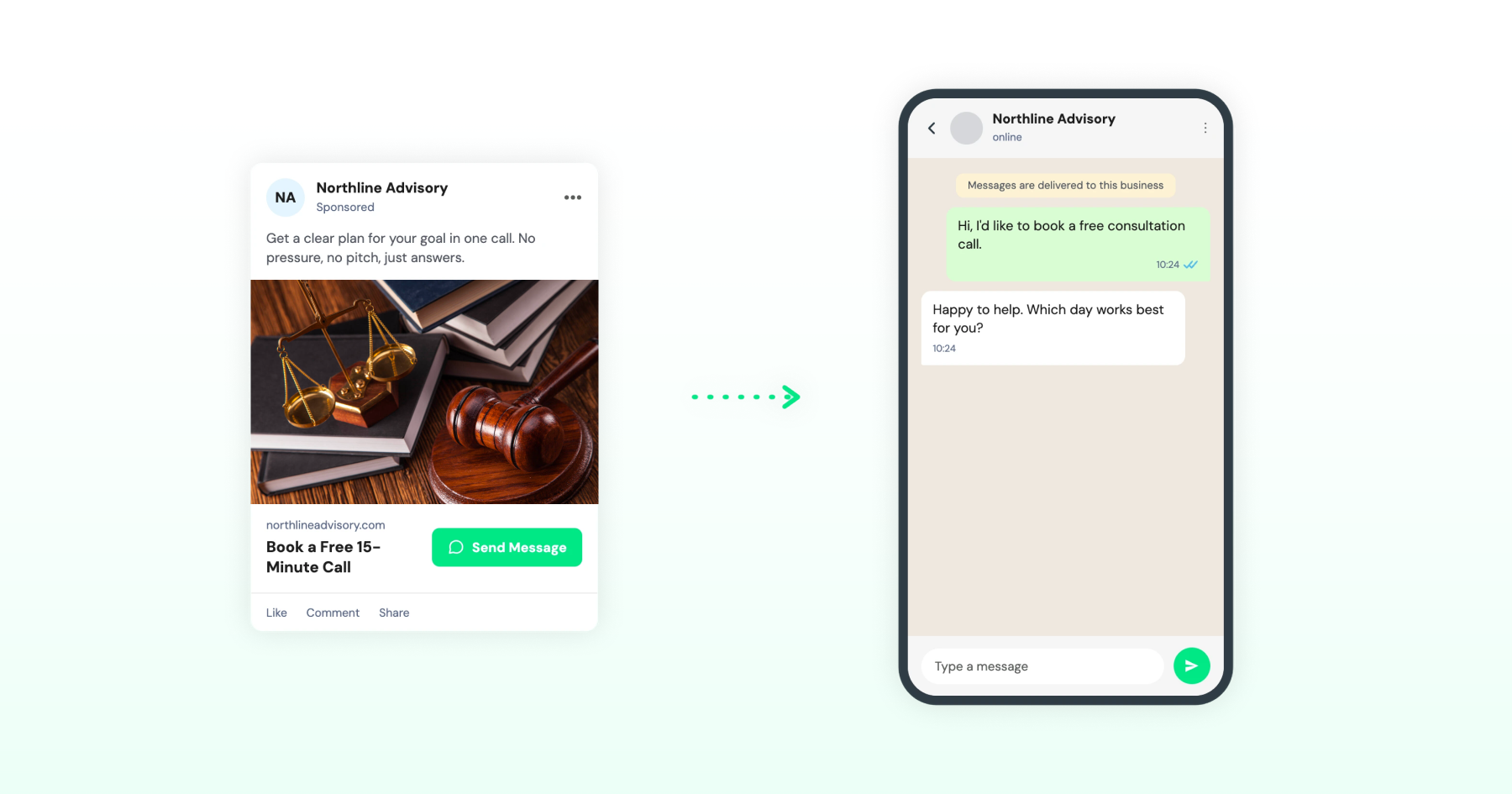
1. Free Consultation Ad
Best for: Service businesses that offer consultations
Element | Content |
Ad Headline | Book a Free 15-Minute Call |
Primary Text | Get a clear plan for your goal in one call. No pressure, no pitch, just answers. |
CTA | Send Message |
WhatsApp Message | Hi, I'd like to book a free consultation call. |
Why it works: The offer is clear and specific: a free 15-minute call. Avoid copy that assumes something about the viewer, such as “Struggling to reach your goals?” Focus on the offer instead.
2. Property Inquiry Ad
Best for: Real estate
Element | Content |
Ad Headline | [Property Type] Homes From [Price] |
Primary Text | Explore our new project in [Location]. Ready-to-move-in homes with modern amenities. Message us on WhatsApp for pricing, floor plans, and availability. |
CTA | Send Message |
WhatsApp Message | Hi, I'm interested in the [Property Type] project in [Location]. Can you share details? |
Why it works: Price and location are stated upfront, so the click is qualified before it happens. Real estate falls under Meta's Special Ad Category for Housing, so run this with that category selected and keep targeting what Meta allows for housing ads.
3. Loan Eligibility Check Ad
Best for: Fintech and BFSI
Element | Content |
Ad Headline | Check Your Loan Eligibility |
Primary Text | Personal loans up to [Amount]. Check eligibility in 2 minutes on WhatsApp. |
CTA | Send Message |
WhatsApp Message | Hi, I want to check my loan eligibility. |
Why it works: The ad focuses on the loan and the eligibility process without making assumptions about the person's financial situation. Avoid copy that implies financial hardship, such as “Need cash fast?” or “Behind on bills?”
Credit products fall under Meta's Special Ad Category for Credit, which restricts audience targeting by location and demographics, so plan targeting accordingly.
Also read: How to Run Click-to-WhatsApp Ads on Instagram
4. Free Course Preview Ad
Best for: Edtech
Element | Content |
Ad Headline | Try Our Course Free for 3 Days |
Primary Text | Full access to Module 1. No card required. Get the link on WhatsApp. |
CTA | Send Message |
WhatsApp Message | Hi, I'd like to try the free 3-day course preview. |
Why it works: "No card required" removes the biggest hesitation about a trial offer, and the WhatsApp message mirrors the ad exactly, keeping the conversation consistent with what the person was promised.
5. Demo Request Ad
Best for: SaaS and tech
Element | Content |
Ad Headline | See [Product] in 15 Minutes |
Primary Text | A short walkthrough of how [Product] fits your workflow. Pick a time on WhatsApp. |
CTA | Send Message |
WhatsApp Message | Hi, I'd like to book a demo of [Product]. |
Why it works: B2B buyers want to know how much time a demo will take. Mentioning “15 minutes” sets that expectation upfront and makes the offer easier to consider.
Catalogue and Product Discovery
WhatsApp gives customers a quick way to ask questions, explore products, and get help choosing what to buy.
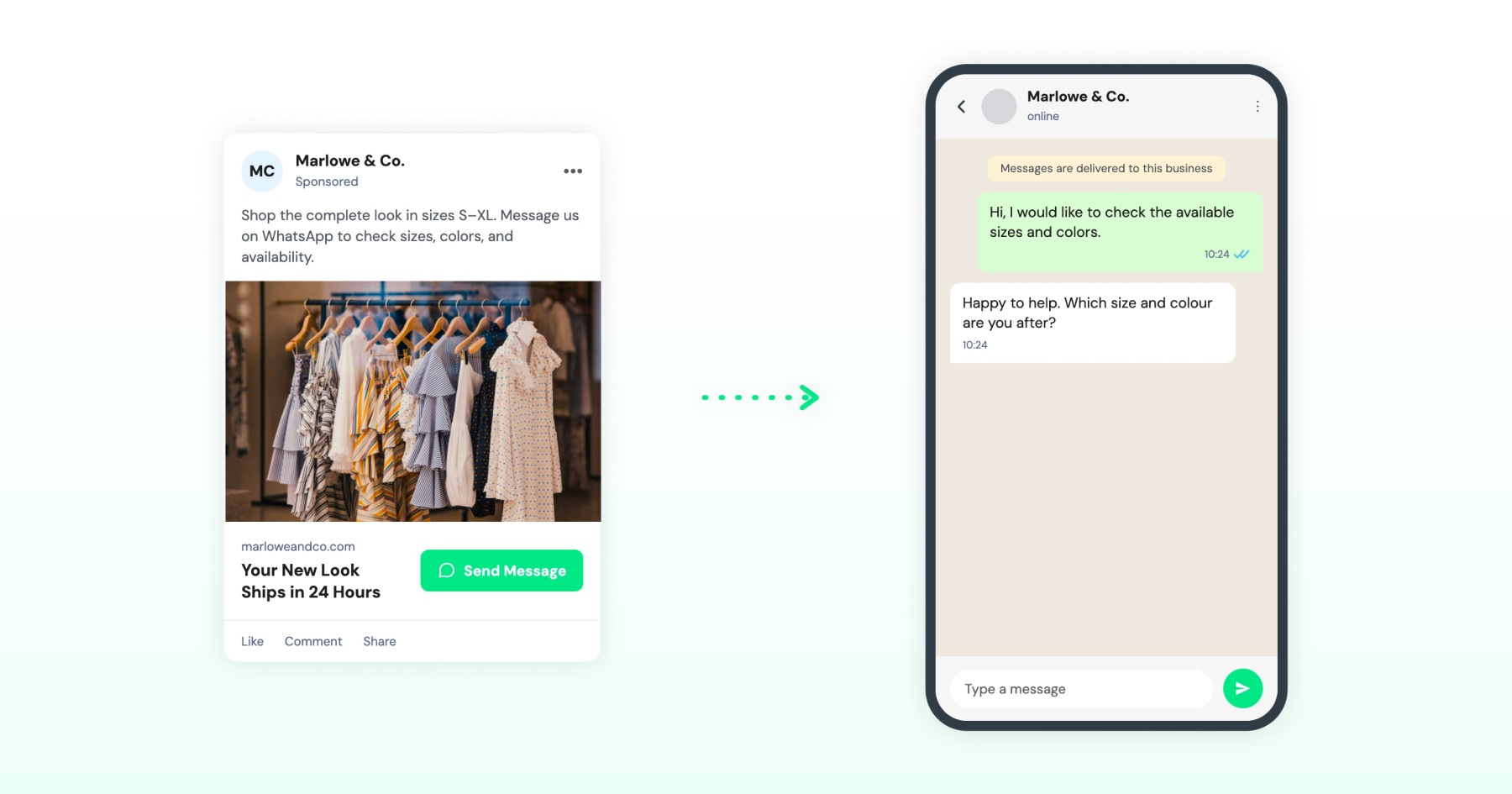
6. Shop the Look Catalog Ad
Best for: Fashion and D2C
Element | Content |
Ad Headline | Your New Look Ships in 24 Hours |
Primary Text | Shop the complete look in sizes S–XL. Message us on WhatsApp to check sizes, colors, and availability. |
CTA | Send Message |
WhatsApp Message | Hi, I would like to check the available sizes and colors. |
Why it works: The message matches the ad and gives the customer a clear reason to reply. It also makes it easy to continue with product details, sizes, and availability.
Worth a read: How to Optimize Click-to-WhatsApp Ads & Manage Budget (2026)
7. New Collection Drop Ad
Best for: E-commerce
Element | Content |
Ad Headline | The Winter Drop Is Here |
Primary Text | 40 new pieces, live now. Message us for early access before it sells out. |
CTA | Send Message |
WhatsApp Message | Hi, I want early access to the winter collection. |
Why it works: "Early access" gives a real reason to message now rather than later. If you use scarcity language like "before it sells out," keep it accurate to the real inventory.
8. Price and Quote Request Ad
Best for: B2B and agency-managed SMBs
Element | Content |
Ad Headline | Get a Custom Quote in 60 Minutes |
Primary Text | Tell us what you need, and get a tailored quote on WhatsApp within the hour. |
CTA | Send Message |
WhatsApp Message | Hi, I would like a quote for [service/product]. |
Why it works: B2B buyers often can't find pricing on a website, so offering a direct quote removes the biggest friction point.
The "[service/product]" placeholder in the WhatsApp message prompts the customer to specify, which gives the sales team a usable first message instead of a blank "Hi."
9. Bundle Deal Ad
Best for: E-commerce
Element | Content |
Ad Headline | Buy 2, Get 1 Free |
Primary Text | Pick any 3 bestsellers and pay for just 2. Message us on WhatsApp to order. |
CTA | Send Message |
WhatsApp Message | Hi, I want to order the buy 2 get 1 free bundle. |
Why it works: A clear, calculable deal performs better than a vague discount because the customer already knows what they're getting before they message.
If you're
Bonus read: Click-to-WhatsApp Ads vs. Lead Form Ads: Which Drives Better ROAS?
Event and Appointment Booking
For bookings and registrations, WhatsApp can shorten the path from interest to a confirmed slot.
10. Webinar Registration Ad
Best for: Businesses, educators, coaches, and course creators
Element | Content |
Ad Headline | Free Webinar: [Topic] on [Date] |
Primary Text | Join a 60-minute live session on [Topic], with time for Q&A. Reserve your spot on WhatsApp. |
CTA | Send Message |
WhatsApp Message | Hi, I'd like to register for the [Date] webinar. |
Why it works: The topic, date, and duration tell people exactly what they are signing up for. The WhatsApp message makes registration quick and straightforward.
11. Doctor Appointment Booking Ad
Best for: Clinics and healthcare providers
Element | Content |
Ad Headline | Book a Doctor Consultation This Week |
Primary Text | Same-week appointments available at [Clinic Name]. Message us on WhatsApp to check available slots. |
CTA | Send Message |
WhatsApp Message | Hi, I'd like to book a consultation appointment. |
Why it works: The copy stays focused on booking logistics rather than symptoms or conditions. Avoid any language that references a specific ailment or implies the viewer has one, since Meta's health advertising policy treats that as an implied personal attribute regardless of intent.
12. Property Site-Visit Booking Ad
Best for: Real estate
Element | Content |
Ad Headline | Book a Site Visit This Weekend |
Primary Text | Tour our [Project Name] and explore the available homes. Message us on WhatsApp to book a visit. |
CTA | Send Message |
WhatsApp Message | Hi, I'd like to book a site visit for [Project Name]. |
Why it works: The ad gives interested buyers a clear next step. The pre-filled message also gives the sales team the project name and makes it easier to schedule the visit.
Like other real estate ads, this falls under Meta's Special Ad Category for Housing, so run it with that category selected.
Bonus read: Click-to-WhatsApp Ads vs. Lead Form Ads: Which Drives Better ROAS?
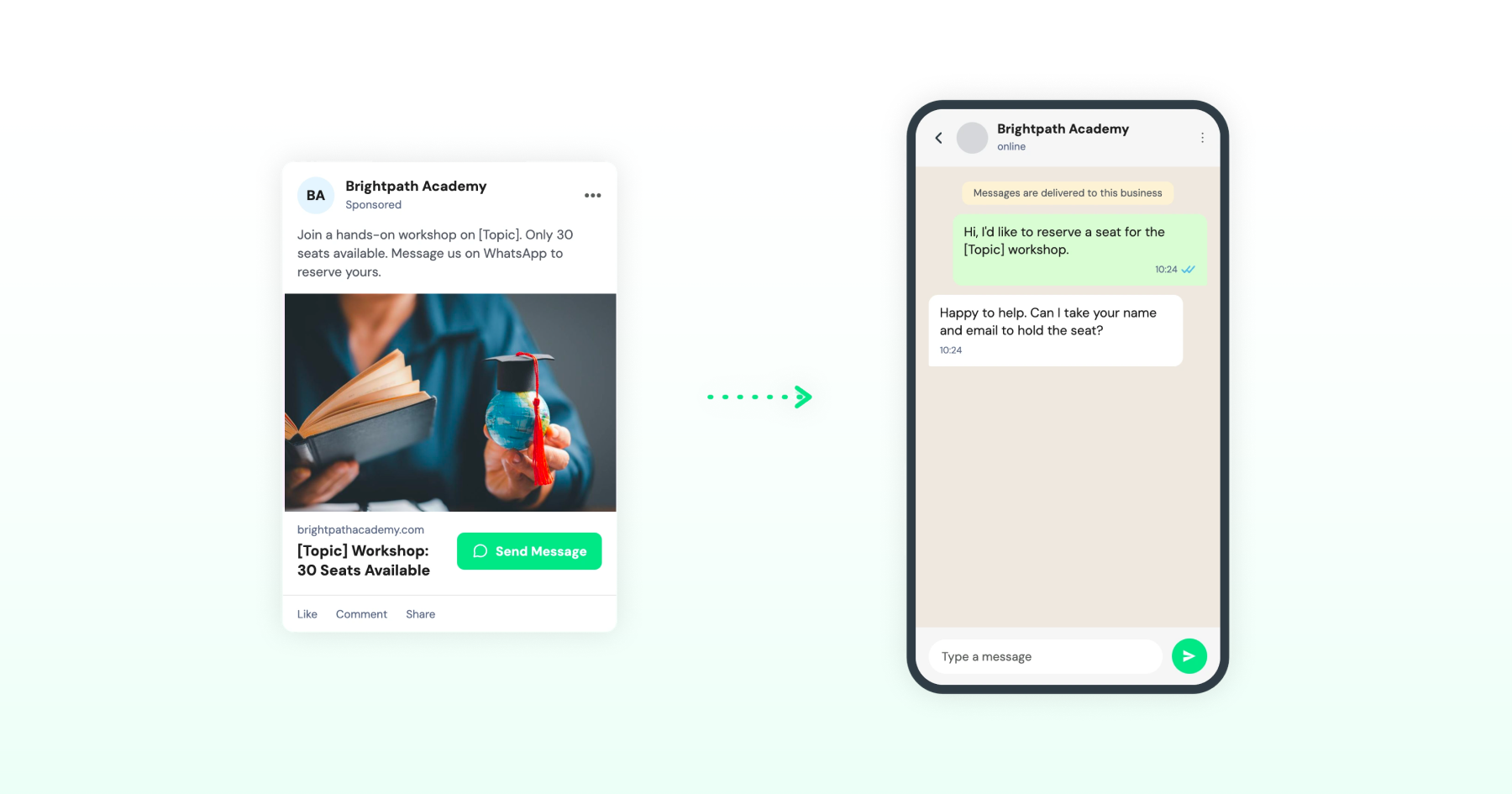
13. Limited-Seat Workshop Ad
Best for: Edtech and agencies
Element | Content |
Ad Headline | [Topic] Workshop: 30 Seats Available |
Primary Text | Join a hands-on workshop on [Topic]. Only 30 seats available. Message us on WhatsApp to reserve yours. |
CTA | Send Message |
WhatsApp Message | Hi, I'd like to reserve a seat for the [Topic] workshop. |
Why it works: A genuine seat limit gives people a clear reason to act now. Use a specific number only when it reflects the actual number of available seats.
Meta and users both penalize fabricated scarcity, and it damages trust faster than it builds conversions.
Urgency and Re-engagement
Time-sensitive offers and retargeting can give interested customers a reason to start or restart a conversation.
14. Abandoned Cart Recovery Ad
Best for: E-commerce and D2C
Element | Content |
Ad Headline | Still Thinking About It? |
Primary Text | Your cart is saved. Message us if you have questions before you order. |
CTA | Send Message |
WhatsApp Message | Hi, I have a question about the item in my cart. |
Why it works: The ad reminds shoppers about an unfinished purchase and gives them an easy way to ask questions or get help before completing the order. This format works best for retargeting shoppers who have already shown interest in the products.
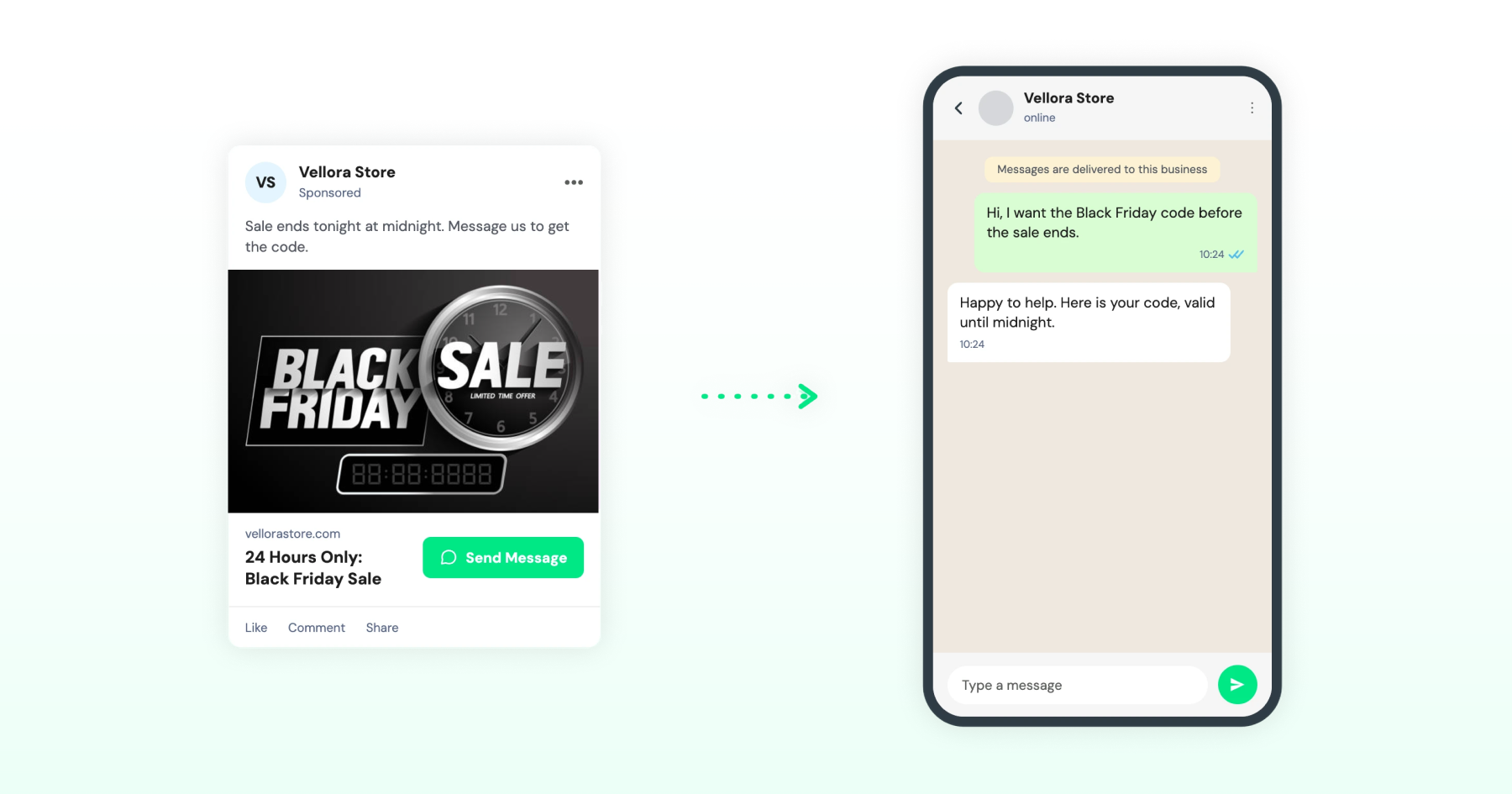
15. Flash Sale Countdown Ad
Best for: D2C and retail
Element | Content |
Ad Headline | 24 Hours Only: [Discount] Off |
Primary Text | Sale ends tonight at midnight. Message us to get the code. |
CTA | Send Message |
WhatsApp Message | Hi, I want the [Discount] code before the sale ends. |
Why it works: A real deadline gives people a reason to act today instead of bookmarking the ad and forgetting it. Keep the end time accurate to when the sale actually ends.
16. Incomplete Application Recovery Ad
Best for: Fintech and insurance (retargeting website visitors)
Element | Content |
Ad Headline | Finish Your Application in 2 Minutes |
Primary Text | Ready to finish your application? Message us on WhatsApp to get help with the next steps. |
CTA | Send Message |
WhatsApp Message | Hi, I'd like to finish my insurance application. |
Why it works: This retargets people who started a quote or application on the website but did not complete the application. Unlike a regular retargeting ad, the customer can start a WhatsApp conversation with the business directly from the ad.
Insurance falls under Meta's Financial Products and Services policies, so keep the copy focused on completing the application itself, not on implying financial need or urgency.
17. Win-Back Offer Ad
Best for: SaaS, subscriptions, and membership businesses
Element | Content |
Ad Headline | Still Deciding? Come Back for [Discount] |
Primary Text | You checked us out but didn't sign up. Message us on WhatsApp to reactivate your trial and claim [Discount] off your first month. |
CTA | Send Message |
WhatsApp Message | Hi, I'd like to reactivate my trial with the win-back offer. |
Why it works: The ad retargets people who have shown interest, such as visiting the pricing page or starting a free trial, but have not signed up. The offer gives them a reason to reconsider, while WhatsApp provides a direct way to continue the conversation.
Since they have not contacted the business on WhatsApp yet, the ad becomes the entry point to that conversation.
Support and Trust-Building
Direct access to a business can make it easier for customers to get answers and resolve questions before they drop off.
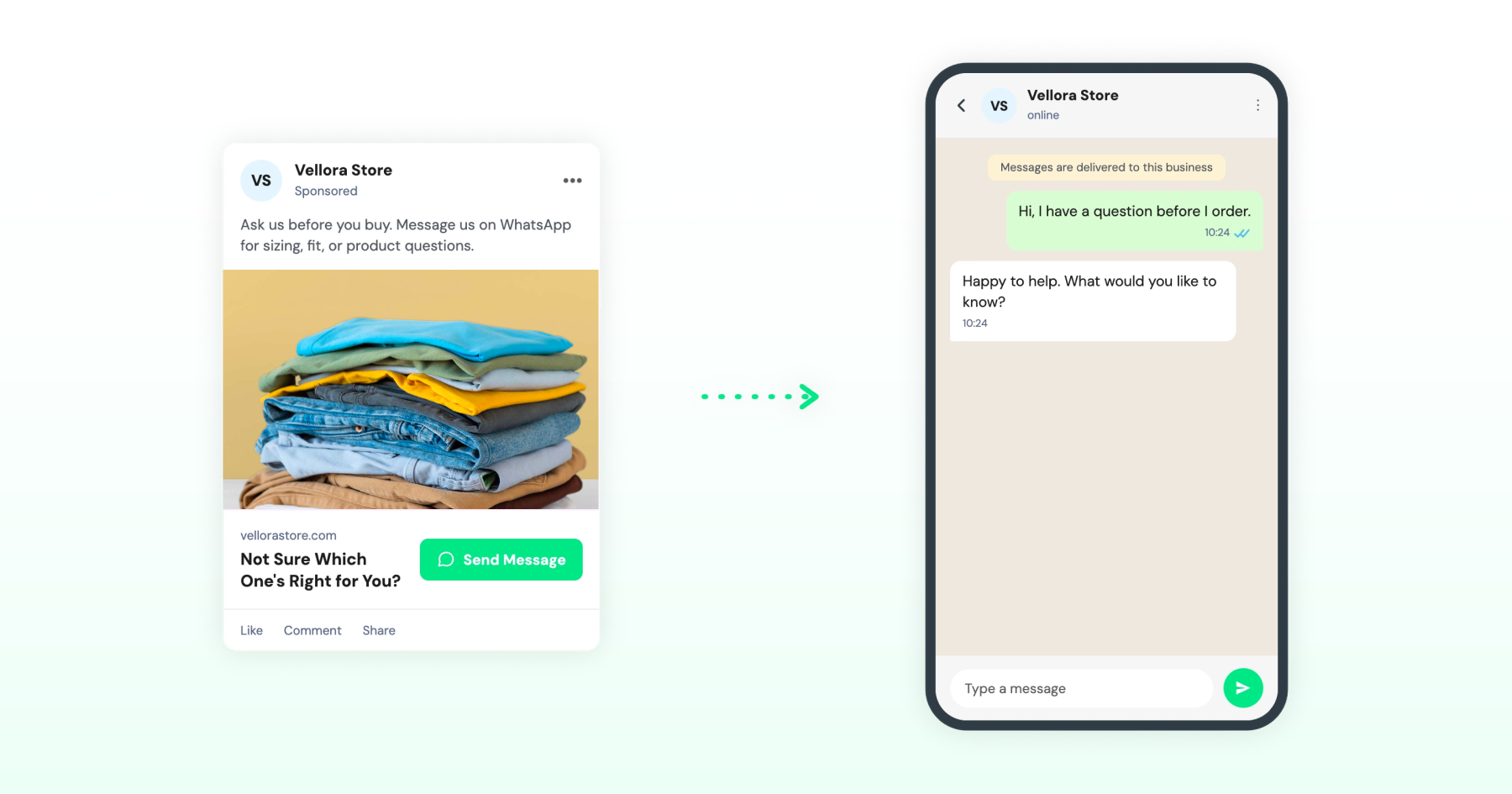
18. Pre-Purchase Question Ad
Best for: E-commerce
Element | Content |
Ad Headline | Not Sure Which One's Right for You? |
Primary Text | Ask us before you buy. Message us on WhatsApp for sizing, fit, or product questions. |
CTA | Send Message |
WhatsApp Message | Hi, I have a question before I order. |
Why it works: Customers may hesitate when they have questions about sizing, fit, or compatibility. Offering a direct WhatsApp conversation gives them a quick way to get answers before deciding to buy.
The ad also gives people who have not contacted the business a direct way to start a conversation.
Bonus read: Best Click-to-WhatsApp Ads Software & Platforms (2026)
19. Talk to a Human Ad
Best for: Unconverted leads (healthcare and fintech)
Element | Content |
Ad Headline | Have a Question? Ask a Real Person |
Primary Text | Skip the hold music. Message us on WhatsApp and get a reply today. |
CTA | Send Message |
WhatsApp Message | Hi, I have a question and would like to speak with someone. |
Why it works: In categories where trust is a barrier, like healthcare and finance, offering direct access to a person rather than a bot or a call center removes friction without making any claim about the viewer's situation.
Target this at leads who haven't converted or messaged yet, not existing customers, since existing customers likely already have a WhatsApp channel that doesn't need ad spend to open.
Community and Growth
WhatsApp can also support growth through referrals, product trials, and other actions that bring customers back into the conversation.
20. Referral Program Ad
Best for: E-commerce, SaaS, agencies, and service businesses.
Element | Content |
Ad Headline | Refer a Friend and Get Rewarded |
Primary Text | Refer a friend, and you both get [Reward]. Message us on WhatsApp to get your referral link. |
CTA | Send Message |
WhatsApp Message | Hi, I'd like to get my referral link. |
Why it works: A reward gives existing customers a clear reason to refer someone. Starting the process on WhatsApp also makes it easy to send the referral link and explain how the program works.
This works well for customers who don't already have a WhatsApp conversation with the business, such as those who checked out by email or card only; if the business already messages these customers on WhatsApp, a broadcast can do this job without ad spend.
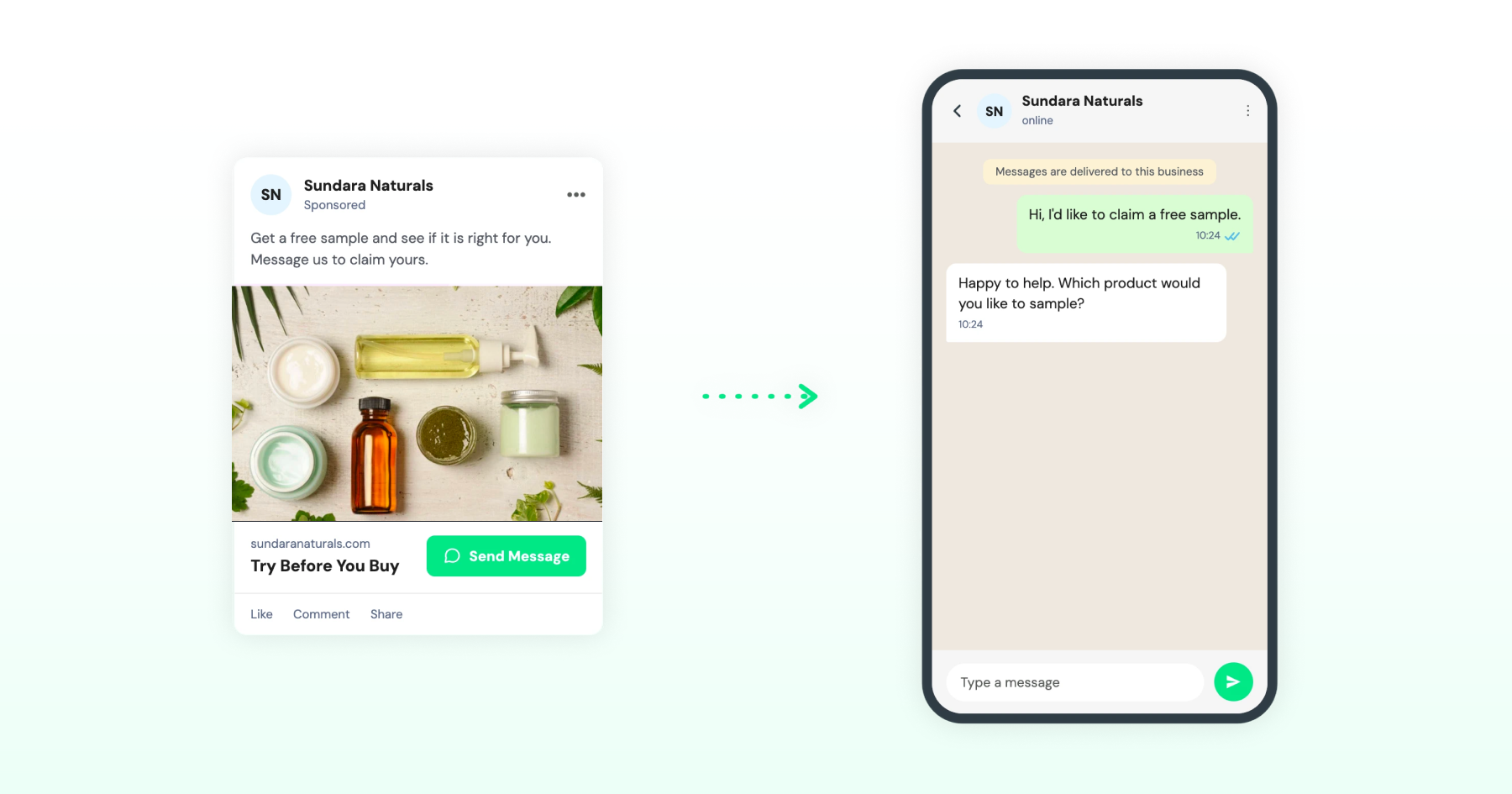
21. Free Product Sample or Trial Ad
Best for: E-commerce, D2C, and subscription businesses
Element | Content |
Ad Headline | Try [Product] Before You Buy |
Primary Text | Get a free [Product] sample and see if it is right for you. Message us to claim yours. |
CTA | Send Message |
WhatsApp Message | Hi, I'd like to claim a free sample. |
Why it works: A free sample lowers the perceived risk of trying a new product, giving people a clear reason to start a conversation. Keep "limited stock" accurate to the actual quantity available.
Customizing These Templates for Your Ad Campaign
A few things to check before putting any of these advertising templates live:
- Customize the ad copy: Replace placeholders such as [Product], [Service/Product], [Topic], [Location], [Date], [Clinic Name], [Project Name], [Property Type], [Price], [Amount], [Discount], and [Reward] with the details of your brand and offer.
- Match the copy to your campaign: Adapt the headline, primary text, and pre-filled WhatsApp message to your product, audience, offer, and campaign goal.
- Keep the pre-filled message specific: It should connect to the action in the ad and give your team useful context when the customer starts the conversation.
- Allow time for ad review: After you submit the ad through Meta Ads Manager, Meta reviews it against its Advertising Standards. Meta says ad review is typically completed within 24 hours, but it can take longer. Click-to-message ads also go through an additional thread-level checkpoint.
- Follow WhatsApp's messaging rules: A customer-initiated conversation opens a 24-hour customer service window for replies. Click-to-WhatsApp ads can also qualify for a 72-hour free messaging window when the conversation starts from an eligible free entry point. Check Meta's current pricing and messaging documentation before planning follow-up sequences.
- Country-specific rules: Real estate, credit, and insurance advertising rules vary by country. Check Meta's current advertising policies and local regulations before launching in a new market.
Compliance Notes for Running These Examples on TikTok
Wati also supports TikTok Instant Messaging Ads, which can open a WhatsApp conversation. TikTok’s policy for Messaging Ads states that this ad format is subject to TikTok’s Industry Entry Policy. The requirements below apply when adapting these examples for TikTok.
- Real estate: These ads are governed by TikTok’s Housing, Employment, and Credit (HEC) Ad Policy and TikTok’s Other Products and Services policy. In the US and Canada, housing ads require the HEC Special Ad Category, which removes targeting options such as age, gender, and ZIP code.
- Credit and lending: Credit falls under the HEC Ad Policy. In the US and Canada, advertisers must select the Credit Special Ad Category, which limits certain targeting options. TikTok’s Financial Services Policy may also require licensing and disclosures.
- Healthcare: TikTok’s Healthcare and Pharmaceuticals Policy may require proof of licensing, approval, and 18+ audience targeting, depending on the market and type of service.
- Insurance and financial services: TikTok Financial Services Policy calls for proper licensing and generally restricts ads to audiences 18 years and older.
How Wati Helps Turn Ad Clicks into Conversions
Writing a good ad gets someone to tap. What happens in the next few seconds decides if they buy, book, or drop off.
Wati sits at that point in the journey. When someone taps your click-to-WhatsApp ad, the conversation lands directly in Wati's Team Inbox, tagged to the campaign that sent it. From there:
- WhatsApp chatbots and automations reply instantly with the catalog, quote, or booking flow the ad promised, so no one waits for a human to be free.
- Astra AI agent can qualify leads, answer common questions, and route the conversation to a human agent when needed.
- The shared Team Inbox keeps every ad-driven conversation in one place, so agents pick up exactly where the bot left off, rather than asking the customer to repeat themselves.
- Campaigns and follow-up messaging using approved templates keep the conversation going after the free window closes, provided the customer has opted in.
Ready to Run These on Your Own Ad Campaigns?
A strong Click-to-WhatsApp Ad gets the conversation started. The next step is making sure those conversations are answered quickly, qualified, and moved toward a sale or booking. With Wati, businesses can manage ad-driven WhatsApp conversations, automate replies, and hand qualified leads to the right team member.
Book a demo with Wati to see how ad clicks turn into managed WhatsApp conversations, from the first message to the close.
Frequently asked questions
What is a Click-to-WhatsApp Ad?
A Click-to-WhatsApp ad (CTWA) is a Facebook, Instagram, Google, or TikTok ad with a "Send Message" CTA that opens a WhatsApp chat instead of a landing page. The chat opens with a pre-filled message tied to the ad's offer.
What should the pre-filled WhatsApp message say?
It should match the ad's offer exactly, not restate the headline. For example, an ad for a free consultation should have a message like "Hi, I'd like to book a free consultation call," not a generic "Hi, I'm interested."
Do real estate, credit, and healthcare ads have restrictions on Meta?
Yes. Real estate falls under Meta's Special Ad Category for Housing, credit products fall under the Special Ad Category for Credit, and healthcare ads can't reference specific conditions or symptoms due to Meta's health advertising policy. All three restrict certain targeting options.
Can these ad examples be used on Google or TikTok?
Yes, with some adjustments. TikTok requires compliance with its Industry Entry Policy, including Special Ad Categories for housing and credit in the US and Canada, plus licensing and age restrictions for healthcare, insurance, and financial services ads.
What happens after someone clicks a Click-to-WhatsApp ad?
The conversation opens in the business's WhatsApp inbox, tagged to the campaign that generated it. From there, chatbots or agents can reply, qualify the lead, and continue the conversation using the 72-hour free messaging window before switching to approved templates.
Related posts
- How to Send Bulk Messages on WhatsApp Without Getting Blocked
Learn how to send bulk WhatsApp messages without getting blocked. Compare the WhatsApp Business app and API, messaging limits, costs, templates, and best practices for safe, compliant bulk messaging.
- Complete Guide to Instagram Automation
Instagram comment automation auto-replies to comments and DMs commenters within seconds via Meta's API. Covers strategy, use cases, and Wati setup.
- How to Set Up a TikTok Business Account: Step-by-Step Guide
Set up a TikTok Business Account step by step: switch from personal, pick a category, add your profile, and unlock ads and analytics.
- TikTok for Business: How to Set Up, Market, Advertise & Grow (2026)
Learn how to use TikTok for Business to build your brand, create content, run ads, manage customer messages, and turn views into growth.