
Too Long? Read This First
- TikTok for Business gives brands free tools built for growth: analytics, ads, and direct messaging, all unlocked with a simple account switch.
- The businesses that do best treat TikTok as a place to genuinely connect, not just post content.
- A clear content strategy and consistent posting matter more than production value or budget.
- Advertising, especially Click-to-Message ads, helps scale results and shortens the path from discovery to conversation.
- As conversations grow, tools like Wati help keep TikTok DMs organized alongside WhatsApp and Instagram, so nothing gets missed.
- Whether you're just starting out or already active, there's real room to grow, one honest, consistent step at a time.
TikTok for Business is TikTok's suite of tools consisting of a Business Account, analytics, an ad platform, and direct messaging that turns a personal-style feed presence into a channel for finding and selling to customers.
It rewards creativity over ad spend, not follower count or budget size. A single 15-second video, posted from a phone, can land in front of millions of the exact people who might buy from you tomorrow.
Somewhere right now, a small skincare brand is getting more sales from a clip like that than it ever got from a month of Google ads, which is the strange, wonderful thing about this channel: it does not care how big your budget is, only whether your content is worth watching.
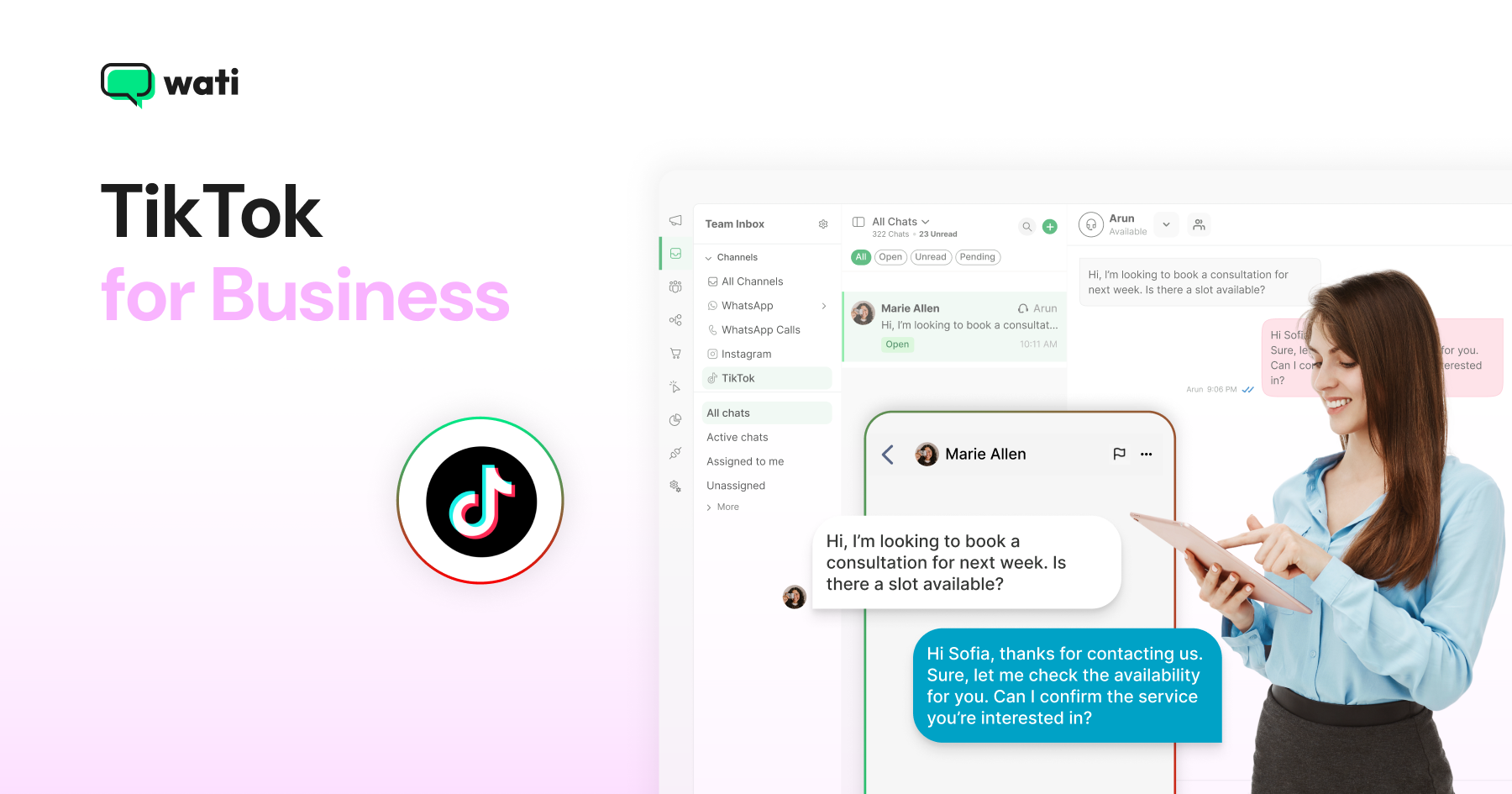
Growing on TikTok also means fielding a growing wave of DMs, and that's where Wati comes in: a WhatsApp Business Platform that brings TikTok, WhatsApp, and Instagram conversations into one shared inbox.
This guide walks you through everything you need to actually use that opportunity:
- What TikTok for Business is
- How to set up your account
- How to build a content and marketing strategy that gets seen
- How to advertise once you are ready to scale
- How to keep up with the conversations that start rolling in once people notice you
What is TikTok for Business?
A TikTok Business Account is free to set up and unlocks what a personal profile can't: analytics on who's watching and engaging, a clickable website link and contact button, access to TikTok's full advertising platform, and business messaging so customers can DM you directly.
In short, a personal account is built for sharing your personal posts, scrolling, and engaging with your preferred community. A Business Account is built for growing something, whether that's an audience, a customer base, or a brand.
Setting one up takes a few minutes, and it's the first real step toward everything else in this guide.
Why Does TikTok Matter for Businesses in 2026?
TikTok has stopped being just an entertainment app and has become a genuine discovery engine.
TikTok for Business: key 2026 stats
- TikTok is closing in on nearly 2 billion monthly active users worldwide (independent 2026 estimates cluster between 1.9B and 1.99B).
- TikTok’s audience has aged up meaningfully: the platform’s 30+ segment has grown from roughly 22% of users in 2021 to about 38% today, and the 35+ audience is now a fast-growing, no-longer-niche share, not the teen-only app it’s sometimes still assumed to be.
- According to TikTok, 68% of users say advertising on the platform prompted them to buy immediately, based on a global Ipsos survey of 9,000 users across 12 markets.
That’s why “Is TikTok good for business” isn’t really a yes-or-no question. It comes down to fit.
- Strong fit: Beauty, fashion, food and beverage, retail and DTC, education, local services. Anything visual and easy to react to.
- Why it works: TikTok rewards content that can be shown, not just described, and its algorithm favors engagement over follower count.
Two things make the timing especially good right now:
- Ad costs are still comparatively efficient next to older, more saturated platforms.
- Organic reach is still achievable, even for small accounts, since the algorithm doesn’t gate visibility behind follower count.
TikTok can be a strong fit for beauty, fashion, food, retail, education, and local services, but that does not make it right for every business.
The deciding factor is whether the product is visual, easy to understand, and suited to short-form content. For businesses in these categories, the question in 2026 is less “Should we be on TikTok?” and more “How do we make it work well?” That is what the rest of this guide covers.
How to Set Up a TikTok Business Account
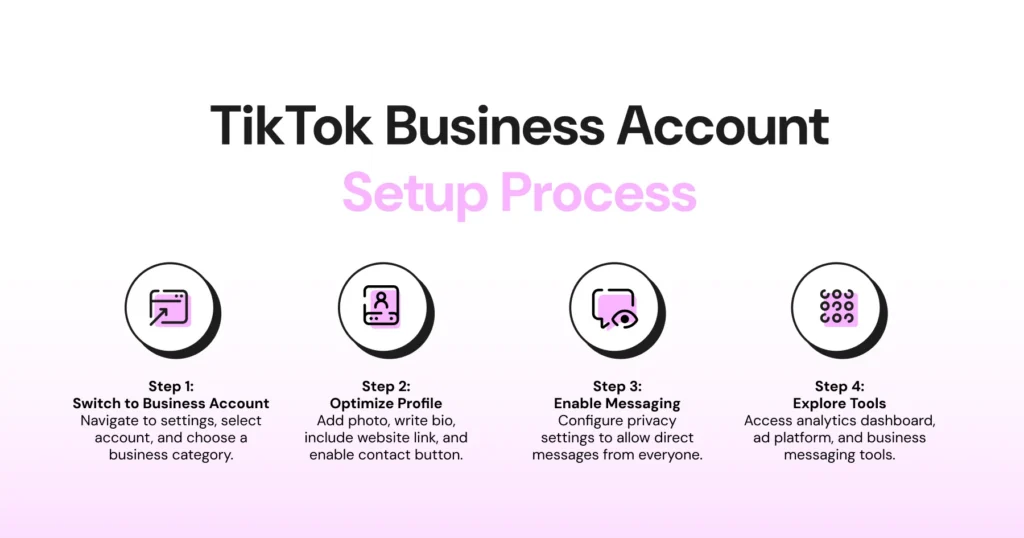
Before you can do anything else on this list, you need the right account type. Here’s how, step by step, whether you’re switching an existing account or starting fresh.
If you already have a TikTok account
- Open the TikTok app and sign in to your account.
- Head to your Profile, then tap the menu icon in the top-right corner.
- Navigate to Settings and Privacy → Account.
- Select Switch to Business Account.
- Pick the business category that best represents your brand (for example, Retail, Beauty, Education, or Restaurant).
- Finish setting up your profile: add a profile picture or company logo, write a bio that says what you do and who it’s for, add your website or catalog link, and add your contact details.
TikTok recommends completing your business profile before publishing your first post.
If you don’t have a TikTok account yet
- Download the TikTok app on your device.
- Create a new account using your email address, phone number, or another available sign-in option.
- Set up your profile with your business information.
- Once your account is ready, follow the steps above to switch it to a Business Account.
Turn On Messaging Permissions
If you want customers to be able to DM you, go to Settings and Privacy > Privacy > Direct Messages and make sure messaging is open to everyone, not just people you follow. This one setting is easy to miss, and skipping it quietly shuts the door on inbound conversations before they can even start.
Explore Your New Tools
A Business Account unlocks TikTok’s Business Suite: analytics, a content scheduler, a commercial music library cleared for business use, and TikTok’s ad platform.
If you plan to run paid ads later, you’ll also need to complete a quick business verification step. TikTok asks for basic business documentation to confirm you’re a real business before unlocking full ad account features.
This is also the point where tools like Wati start to become useful, since once messages start coming in, you’ll want a way to manage them alongside WhatsApp, Instagram, and everything else, rather than in TikTok alone.
Setup takes minutes. What you do with the account afterward is where TikTok for business marketing actually starts, and that’s the next section.
How to Use TikTok for Business: Content & Organic Strategy
Once your account is set up, the next step is figuring out what to actually post. This is where most businesses either find their footing on TikTok or fizzle out after a few videos.
Here’s how to use TikTok for Business the right way, without guessing.
1. Build Around a Few Content Pillars
Pick three or four themes you can return to again and again, rather than posting whatever comes to mind. A skincare brand might rotate between product demos, ingredient breakdowns, customer transformations, and behind-the-scenes clips.
Pillars keep your content consistent and make it easier for viewers to know what to expect from you.
- Duolingo built its TikTok presence around a few repeatable pillars: humorous mascot videos, trending memes, and reactions to internet culture.
- Gymshark consistently publishes workout tips, athlete collaborations, fitness challenges, and community transformations.
- Ryanair focuses almost entirely on humorous videos featuring its airplane-face filter and relatable travel jokes, proving you don’t need dozens of content categories.
2. Post Consistently
Using TikTok for your business well has less to do with production value and more to do with showing up. A realistic, sustainable starting cadence is 3 to 5 times a week.
More established or heavily resourced accounts may post multiple times a day, but for most brands, consistency at a lower volume beats a handful of polished videos followed by weeks of silence. TikTok’s algorithm rewards accounts that stay active.
- Scrub Daddy posts simple, low-production videos that frequently go viral because they’re entertaining and consistent.
- The Washington Post grew millions of followers using quick, informal newsroom skits instead of traditional news videos.
3. Lean into Trends and Sounds, Selectively
Trending sounds and formats can boost reach, but only when they fit your brand naturally. Forcing a trend that doesn’t match your voice tends to read as try-hard. A good filter: would this trend make sense even if it wasn’t trending?
- Chipotle regularly adapts viral challenges to promote menu items, including campaigns like #GuacDance.
- e.l.f. Cosmetics created one of TikTok’s biggest branded music campaigns with its original Eyes. Lips. Face. sound, encouraging millions of user-generated videos.
4. Optimize for TikTok Search
TikTok increasingly functions as a search engine, especially for younger audiences. That means:
- Use clear, keyword-rich captions instead of vague one-liners
- Add relevant on-screen text, since TikTok can read it for indexing
- Use a few targeted hashtags rather than stuffing in a dozen generic ones
Nike keeps a clean, instantly recognizable profile with consistent branding and campaign-focused videos. Netflix uses its profile to showcase trailers, behind-the-scenes clips, memes, and creator collaborations while maintaining a consistent brand voice.
5. Engage With Your Community
Replying to comments and DMs isn’t just good customer service; it’s a signal to the algorithm that your content sparks real conversation. As your following grows, so does your inbound message volume, which is worth keeping in mind before it becomes overwhelming.
Using TikTok for business marketing comes down to consistency and genuine engagement more than any single viral hit. Get those two things right, and the growth tends to follow.
How Do You Build a TikTok Marketing Strategy?
A TikTok marketing strategy connects content, advertising, and customer engagement to one clear business goal, whether that's brand awareness, website traffic, lead generation, or direct sales, so all three work toward the same outcome instead of separately.
Without that connecting goal, content and ads tend to pull in different directions, and neither gets measured against the other.
Start With a Clear Goal
Before anything else, decide what you actually want TikTok to do for your business. Brand awareness, website traffic, direct sales, or lead generation all call for different content and different metrics of success.
Trying to chase all four at once usually means chasing none of them well.
Business Goal | Example Content Style |
|---|---|
Brand Awareness | Entertaining mascot videos, trending memes, and pop culture content designed to maximize views and shares. |
Website Traffic | Educational tutorials, productivity tips, and how-to videos that encourage viewers to visit a website or landing page. |
Lead Generation | Short expert tips, webinar promotions, free templates, and downloadable resource offers that encourage sign-ups. |
Direct Sales | Product demonstrations, creator collaborations, unboxings, and user-generated content that encourage immediate purchases. |
Community Engagement | Humorous replies, comment-response videos, and behind-the-scenes content that spark conversation and repeat interactions. |
Know Who You’re Actually Talking To
TikTok marketing for business works best when it’s built around a specific audience, not “everyone.” Spend time in your analytics dashboard understanding who’s already watching (age, location, interests) and shape your content around that audience rather than a generic one.
Partner With Creators
Influencer and creator collaborations remain one of the most reliable ways to expand reach on TikTok, especially for newer accounts still building trust. A few approaches worth testing:
- Micro-influencers (10K to 100K followers) for authentic, cost-effective partnerships
- Gifting or seeding products to creators in exchange for honest content
- Paid collaborations once you’ve identified creators whose audience clearly overlaps with yours
Encourage User-Generated Content
Nothing markets a product better than real customers talking about it. Branded hashtags, duet-friendly content, and simple incentives (discounts, shoutouts, giveaways) can turn customers into an ongoing content pipeline.
Match Your Voice to the Platform
TikTok for business marketing tends to fall flat when brands import their Instagram or LinkedIn tone without adjusting it. TikTok rewards content that feels native: casual, direct, a little imperfect.
Polished corporate messaging usually underperforms here compared to content that feels like it belongs on the platform.
Common Mistakes to Avoid
- Posting and disappearing: Sporadic activity rarely builds momentum.
- Ignoring comments: Engagement signals matter as much as the content itself.
- Over-scripting videos: Rigid, ad-like content tends to get scrolled past.
- Skipping analytics: Without checking what’s working, you’re guessing instead of improving.
Good TikTok marketing for business isn’t about chasing virality. It’s about consistently showing up for a defined audience with content that earns attention honestly. Do that well, and advertising (which we’ll get to next) becomes a lot more effective too.
How Do You Advertise on TikTok for Business?
TikTok advertising uses four main formats, including In-Feed, Spark, TopView, and Search Ads.
Advertising becomes more effective once organic content is already working. It gives businesses a way to scale what is performing and reach results faster than organic growth alone can.
What Does TikTok Advertising Cost?
TikTok advertising costs vary widely by objective and season, but as a rough 2026 benchmark: CPMs typically run $6–12 (higher for Conversions campaigns, lower for Reach), and CPCs typically run $0.50–1.50.
TikTok is generally 20–40% cheaper than Meta for reach objectives, though Meta often edges it out on CPA for direct-response campaigns. Expect a 40–60% cost increase during Q4 and major shopping holidays.
Understand the Main TikTok Ad Formats
Format | What it is | Best for | |
In-Feed Ads | Blend into the “For You” feed and support nearly every objective, from awareness to conversions. | Most businesses — the default starting format. | |
Spark Ads | Boost an existing organic post (yours or a creator’s, with permission) rather than creating a new ad from scratch. Carries over real likes, comments, and shares. | Feels native; often outperforms standard In-Feed on engagement. | |
TopView | A full-screen placement shown the moment someone opens the app. | High impact, bigger budgets, brand awareness pushes rather than everyday performance campaigns. | |
TikTok Search Ads | Places ads in TikTok’s own search results. | Capturing intent from users who treat TikTok as a search engine. |
Pick the Right Campaign Objective
TikTok groups’ objectives around what you actually want to happen: awareness (Reach, Video Views), consideration (Traffic, Lead Generation, Community Interaction), and conversion (Sales).
Most small and mid-sized businesses get the best return starting with Lead Generation or Traffic objectives using In-Feed or Spark Ads, then layering in premium formats once there’s budget and proof of what’s working.
Try Click-to-Message Ads
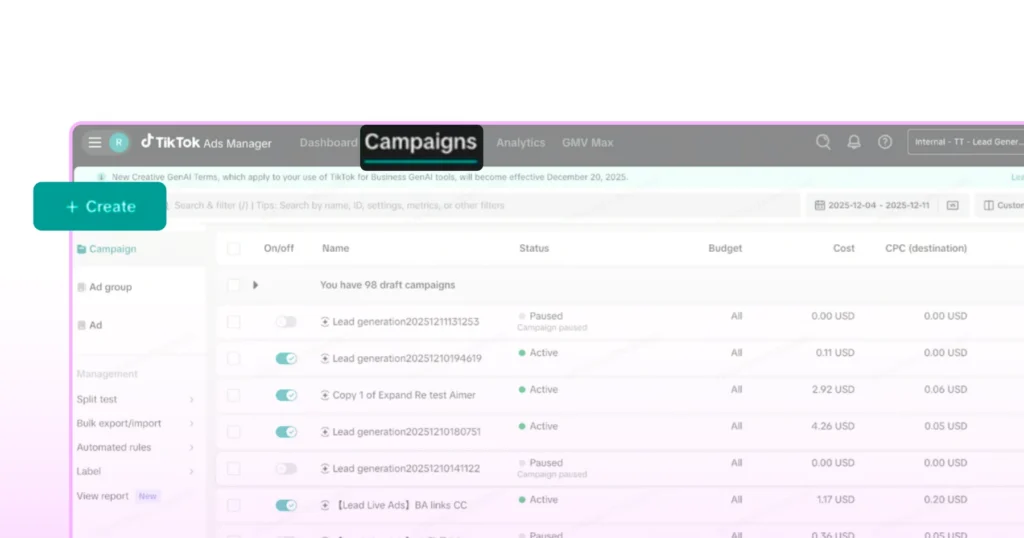
One of the more useful formats for service-based and DTC businesses is the Click-to-Message ad. Instead of sending someone to a landing page, the ad opens a direct conversation, either in WhatsApp or in TikTok’s own DM inbox, the moment they tap it.
No form to fill out or page to load, but an immediate conversation with a real (or automated) reply on the other end.
This matters because it shortens the distance between “saw your ad” and “started talking to your business” to a single tap.
The same underlying mechanism, Wati’s Click-to-WhatsApp ads, already has a track record on other platforms: an agency running Click-to-WhatsApp campaigns for GCC clients saw ROAS climb as high as 11X after switching from landing pages to tap-to-chat ads, with conversations tracked in real time and fed back into campaign optimization (Bowaba case study). A Uganda-based electronics brand saw a similar effect from the other direction, cutting customer acquisition costs by 60% and tripling conversions after replacing website funnels with Click-to-WhatsApp ads (Blacklyf case study).
The Bowaba and Blacklyf case studies above both ran on Meta's Click-to-WhatsApp ads rather than TikTok's, but they demonstrate the same conversion-tracking loop that now extends to TikTok's Click-to-Message ads.
For a deeper look at how this works and how to set it up, see our guides on Click-to-WhatsApp Ads and Click-to-TikTok-DM ads.
Don’t Overlook Native Lead Forms and TikTok Shop
Two built-in features are worth knowing about, even if ads aren’t your immediate focus.
- Instant Lead Forms let people submit their contact details directly from your profile, videos, or LIVE sessions, no landing page needed. Leads stay accessible for 90 days, though you’ll need either 1,000+ followers or a verified Business Account to unlock the feature.
- TikTok Shop lets customers buy products without ever leaving the app, tagging items directly in videos and LIVE streams. For retail and DTC brands especially, this collapses the gap between discovery and purchase even further than a Click-to-Message ad does.
Instant Lead Forms and TikTok Shop don't replace a solid TikTok ad strategy, but both are easy wins worth setting up alongside one.
Track What Actually Converts
Whatever format or objective you choose, set up conversion tracking (TikTok Pixel for websites, or event tracking for messaging ads) before you spend real budget. Without it, you’re optimizing based on guesses instead of outcomes.
Advertising is where TikTok for Business marketing starts compounding. However, more ads and more clicks also mean more conversations landing in your inbox, and that’s exactly what we’ll cover next.
How Do You Manage the Conversations TikTok for Business Creates?
Once TikTok content and ads start working, comments turn into DMs, and ad clicks turn into conversations.
TikTok’s Business Messaging API gives businesses a 48-hour window to reply to each customer message, but businesses cannot start conversations themselves.
As message volume grows, managing those conversations becomes the real operational challenge of TikTok for Business, not creating the content or running the ads.
The Challenge
- If your team already juggles WhatsApp and Instagram elsewhere, TikTok becomes yet another app to check
- Messages inevitably slip through, especially during viral moments, exactly when volume spikes fastest and matters most
Where Wati Fits In
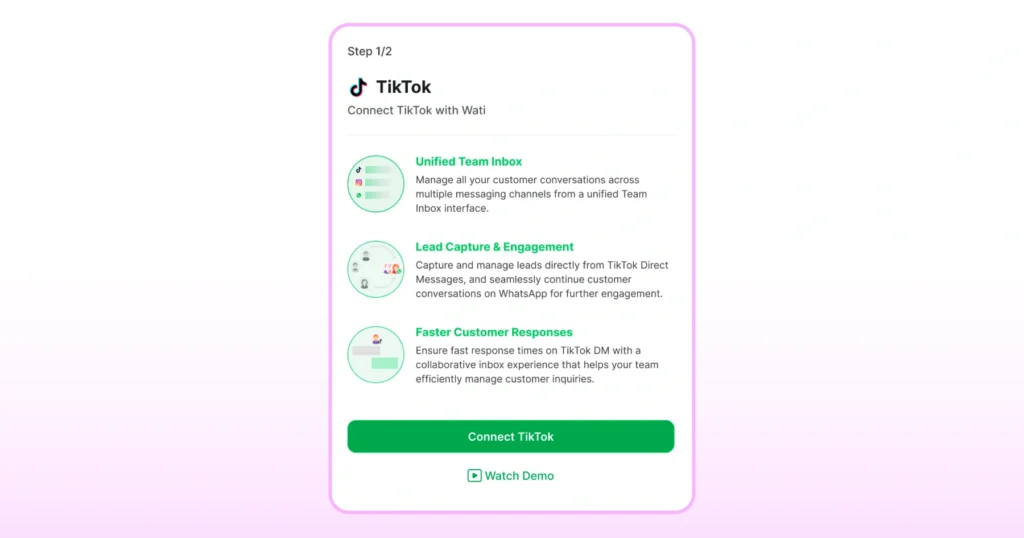
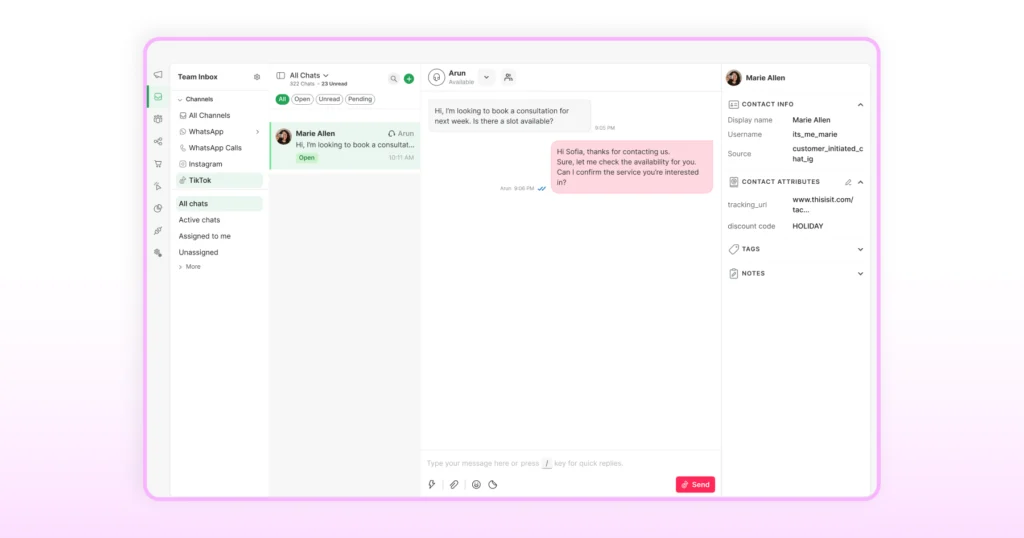
Wati brings TikTok DMs into the same inbox you already use for WhatsApp and Instagram.
- Every conversation, regardless of channel, lands in one place
- Conversations get assigned to the right person automatically
- Each customer is tied to a single, unified record across channels
Closing the Loop on Ads
If you’re running TikTok ads, this also solves a measurement problem:
- A Click-to-Message ad turns into a DM
- That conversation gets tracked through to an outcome, like a qualified lead or a purchase
- The outcome is reported back to TikTok to inform your ad targeting
None of this requires ripping out how you currently work. It just means the conversations TikTok is already sending your way don’t have to be handled in a separate silo from everything else.
Want to see how it works? Explore Wati’s shared inbox.
Where TikTok Takes Your Business From Here
TikTok has a way of rewarding businesses that simply show up and try, more than it rewards big budgets or perfect production. That’s rare in marketing, and it’s worth taking seriously if you haven’t started yet, or worth building on if you already have.
The businesses that do well here tend to share one thing in common: they treat TikTok as a place to actually connect with people, not just broadcast at them. The strategy, the ads, the tools, all of it works best in service of that one idea.
Wherever you are in that journey, there’s real room to grow. Start small if you need to and stay consistent. Let the conversations that come your way become part of how you run your business, not an afterthought to it. The audience is already there.
What you do with it next is up to you. Try building your TikTok team inbox with Wati.
Frequently asked questions
1. Is TikTok good for business?
For visually driven categories like beauty, fashion, food, retail, and education, yes. Results depend on audience fit and consistency, not just being present on the platform.
2. How do I get started with TikTok for business?
Switch to a TikTok Business Account for free, optimize your profile, and start posting around a few consistent content pillars. Advertising and messaging tools become available once you're set up.
3. How much does TikTok for business cost?
Creating a Business Account is free. Advertising costs vary by format and budget: 2026 benchmarks run roughly $6–12 CPM and $0.50–1.50 CPC, with self-serve options like In-Feed and Spark Ads accessible from a small daily spend, while premium placements like TopView require larger budgets.
4. Can I use TikTok for business without running ads?
Yes. Many brands grow purely through organic content and community engagement. Ads help scale results faster but aren't required to see traction.
5. How do I use TikTok for business marketing effectively?
Focus on a clear goal, know your audience, post consistently (3–5 times a week is a realistic starting cadence), and match your tone to the platform. Paid ads work best once your organic content is already resonating.
6. How do I manage TikTok messages alongside other channels?
TikTok's native inbox works fine for casual volume, but tools like Wati let you manage TikTok DMs in the same inbox as WhatsApp and Instagram, so nothing gets missed as volume grows.
7. What's the difference between a personal and a business TikTok account?
A personal account is built for casual sharing. A Business Account unlocks analytics, ad tools, a clickable bio link, and business messaging, features made for growing something, not just posting.
8. Does Wati support TikTok automation yet?
Not yet. Today, Wati's TikTok integration is manual-agent handling: your team replies, assigns, tags, and tracks conversations, but chatbot and automation support for TikTok DMs is planned for later in 2026. WhatsApp and Instagram automation are already live.
9. Which countries can use Wati's TikTok integration?
TikTok's Business Messaging API itself isn't available for accounts registered in the EEA, Switzerland, or the UK. Wati's TikTok inbox is additionally not available yet for the US or India. Coverage is expanding, so check current availability before connecting an account.
Related posts
- Instagram Comment Automation: How It Works and How to Set It Up in Wati
Instagram comment automation auto-replies to comments and DMs commenters within seconds via Meta's API. Covers strategy, use cases, and Wati setup.
- Shared Team Inbox for Instagram: A Buyer’s Checklist for 2026
Use this fastest checklist to evaluate any shared team inbox for Instagram, which covers DMs, comments, automation, and multi-channel support.
- How to Send Bulk Messages on WhatsApp Without Getting Blocked
Learn how to send bulk WhatsApp messages without getting blocked. Compare the WhatsApp Business app and API, messaging limits, costs, templates, and best practices for safe, compliant bulk messaging.
- How to Set Up a TikTok Business Account: Step-by-Step Guide
Set up a TikTok Business Account step by step: switch from personal, pick a category, add your profile, and unlock ads and analytics.