

-

-
-
Solutions
-
Soluções
-
Soluciones
-
解决方案
-
解決方案
-
الحلول
-
Product
-
Produto
-
Producto
-
产品
-
產品
-
المنتج
-

-
-


 Wati for Marketing
 Wati for Support
 Wati for Sales
 eLearning
 E-commerce
 Marketing Agencies
 Healthcare
 No Code Chatbots
 AI Support Agent
 Instagram and Facebook messenger
 Click to WhatsApp ads
 Campaigns
 Team Inbox
 WhatsApp Business Calling
 Wati AI
 Overview
 Library
WhatsApp Business Account: End-to-End Guide in 2026
Written by:
 Shreya
|
on:
September 23, 2025
|
Last updated on:
February 18, 2026
|
Fact Checked by :
Shreya
|
on:
September 23, 2025
|
Last updated on:
February 18, 2026
|
Fact Checked by :
 Namitha
|
According to: Editorial Policies
Namitha
|
According to: Editorial Policies
 Table of Contents
Too Long? Read This First
- What it is: A free, commercial account that acts as your digital storefront, immediately building trust with your official name and logo.
- How to Set Up: Download the app, register with a dedicated phone number, verify, and complete your professional profile with your catalog and operating hours
- Core Benefit: Helps accelerate sales by putting your product catalog directly in the chat, fostering customer loyalty and high engagement.
- Team Limits: The free app is strictly single-user. For team collaboration, CRM integration, and high-volume needs, you must upgrade to the WhatsApp Business Platform (API).
- Immediate Tools: Focus on setting up Quick Replies (for fast, consistent answers) and Labels (to organize leads) to improve response time instantly.
Most modern-day businesses have completely switched to WhatsApp Business to automate and scale financial and revenue workflows.
Now customers can one-click access WhatsApp Business, from any multimedia or social media app, to browse catalogs, review products, get assistance, or make a purchase.
With multiple features and integrations, businesses that earlier invested heavily in website and paid marketing initiatives now avail WhatsApp Business to run their procure-to-pay (P2P) operations.
But wait, how do you get started and install WhatsApp Business? What versions of it will work with mobile or web? And do you need licensing or additional app integrations to run WhatsApp Business?
Businesses switching to WhatsApp Business API providers don’t have to sweat about Meta approvals, API key, or endpoint management as the provider takes care of it!
According to a recent study, 80% of large enterprises are projected to adopt WhatsApp by 2025 for customer communications, and the global adoption rate of the API is projected to grow by ~15% year-over year.
Increased adoption of WhatsApp API means now companies are targeting D2C code with automating WhatsApp marketing campaigns, consolidating payments, and providing opt-in options.
In this guide, we’ll learn everything about how to install WhatsApp Business, key benefits, how to use WhatsApp Business with API, and API prerequisites. Let’s get started!
What is a WhatsApp Business Account?
A WhatsApp Business account is a free, commercial account that businesses use to reach out to existing customers as well as potential prospects. It looks and feels like regular WhatsApp, but comes with extra features to help you connect with customers.
With a business account, you can create a profile that shows your business name, logo, address, website, hours of operation, and working hours. Customers can view it as an official and verified business account, rather than just an unknown number.
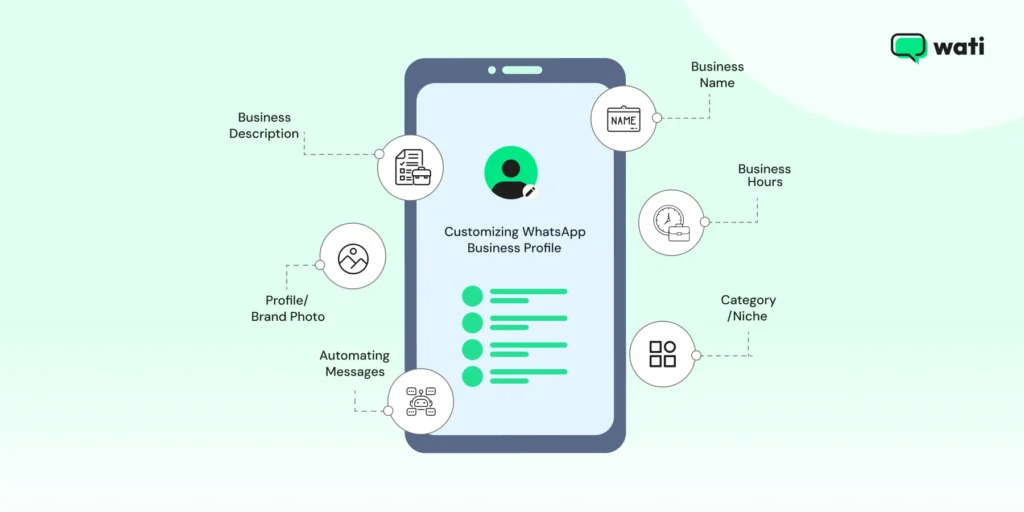
You also get tools like quick replies, automated greetings, and product catalogs. These make it easier to answer questions, share updates, and even showcase your offerings without needing another app.
In short, when you create a WhatsApp Business account, you turn WhatsApp into a mini customer service and sales tool, right inside the chat app your customers already use. You can set your brand logo, showcase your product catalog, and do all this while keeping your privacy intact.
What Do You Need Before Creating a WhatsApp Business Account?
Before diving into the setup, make sure you have these prerequisites covered. Failing to secure these can cause issues later, especially when you need to grow your business.
- A dedicated phone number: You cannot use the same number for both your personal WhatsApp Messenger and WhatsApp Business. You must use either a new SIM card, a landline number, or a separate mobile number
- Stable Wi-Fi or Data Connection: The initial setup and verification require a secure internet connection.
- Official Business Details: Have your business name, address (if applicable), industry category, and a high-quality logo ready for your professional profile setup.
Also read: How to set up a virtual number to install WhatsApp business account in 2026.
How To Create WhatsApp Business Account: 7 Easy Steps
The process of creating your account is quick and typically takes less than 10 minutes. Follow these simple steps to set up your digital storefront.
1. Download the WhatsApp Business App
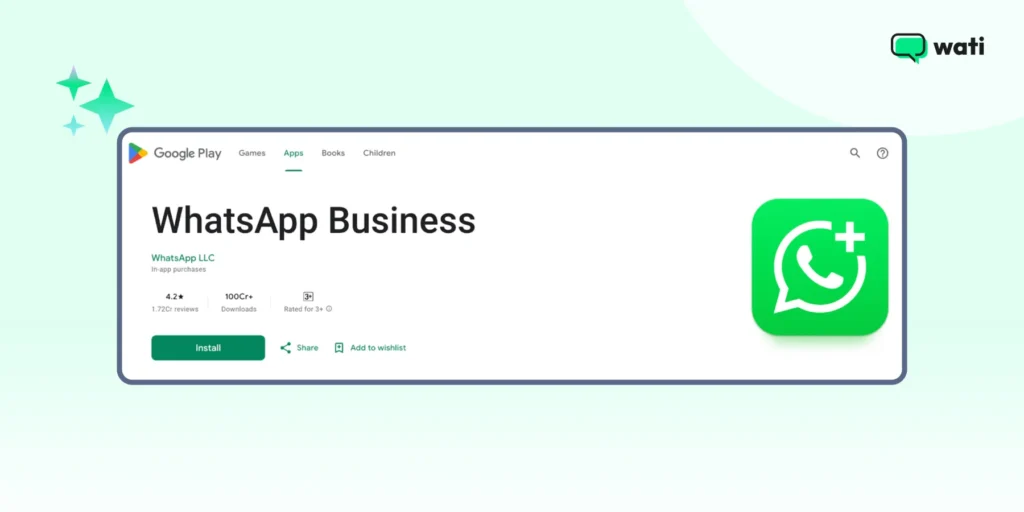
The first step is to get the correct application. Go to the Apple App Store (for iOS) or Google Play Store (for Android) and search for “WhatsApp Business.” The app icon will feature a capital ‘B’ inside the familiar green chat bubble.
2. Agree to the Terms & Conditions
Once the download is complete, open the app. You will be prompted to read and agree to the Terms of Service. Click ‘Agree and Continue’ to proceed.
3. Register Your Business Phone Number
This is the most crucial step in how to create a WhatsApp Business Account. You need to enter the dedicated phone number you secured in the prerequisites section.
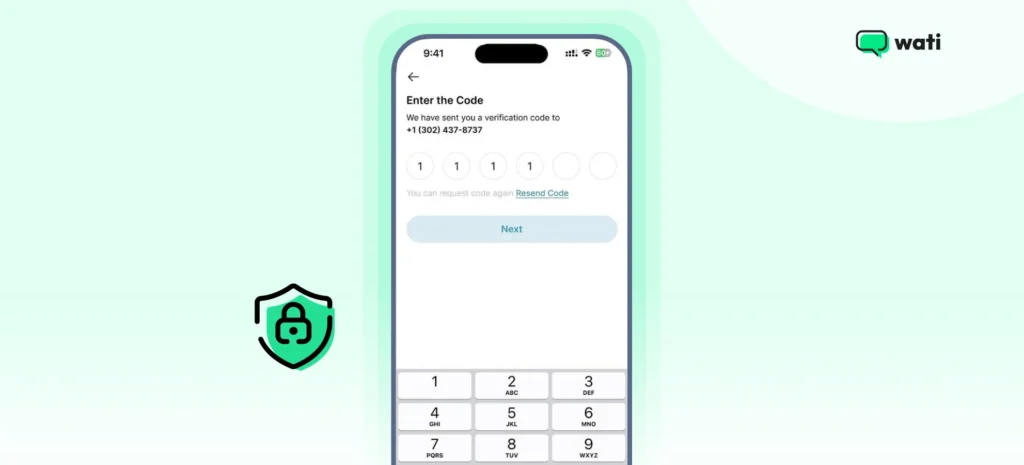
WhatsApp will send a one-time password (OTP) via SMS or a phone call to verify your number. Post that, enter the 6-digit code to complete the verification process.
Recency check: If you are migrating your number from a personal WhatsApp account, WhatsApp will ask if you want to restore your chat history. This ensures a smooth transition, but remember the number will no longer work for your personal account.
Note: This should be a number that you are comfortable with your customers reaching you on.
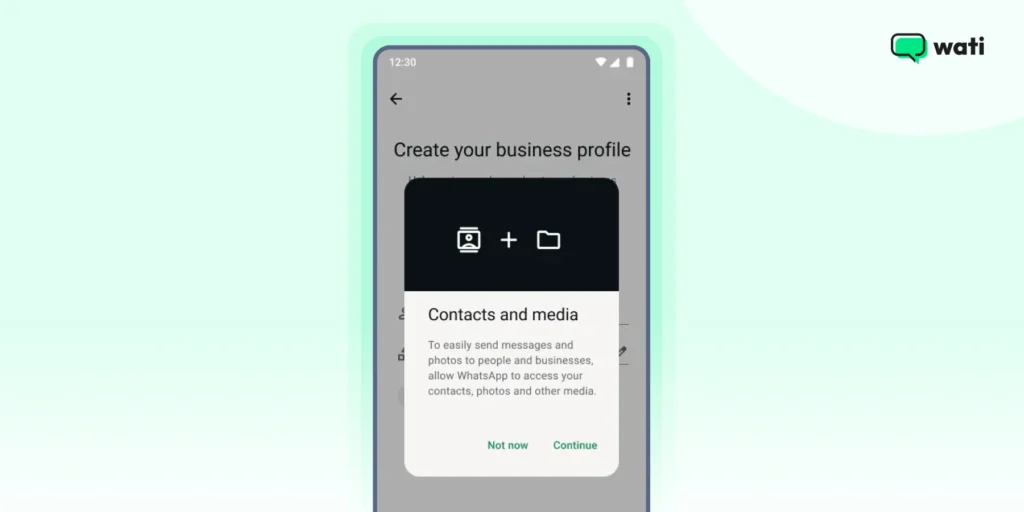
4. Allow Access to Contacts and Media
The app will now ask for permission to access your contacts. Granting this makes it easy to pull in phone numbers directly from your address book so you can start chatting with customers right away.
You’ll also be asked to allow access to your photos, videos, and documents. This permission lets you share product images, catalogs, and other files quickly inside WhatsApp chats.
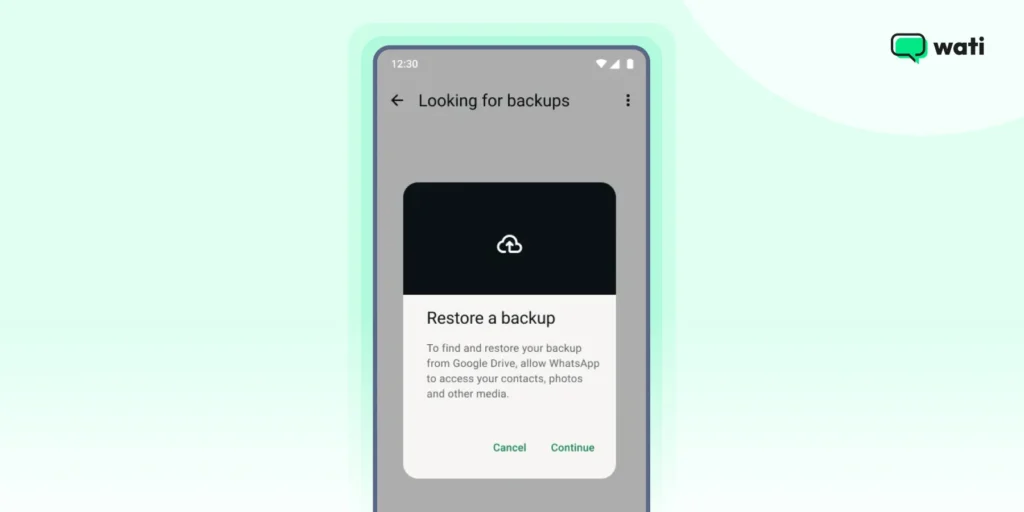
5. Restore Your Backup if Needed
In case you wish to retrieve previous chats, because it will give you a better perspective, you can restore your backup.
Restoring a backup will restore all the old images, files, chats, audio, and video, and create a copy for you to refer to if you are confused.
Also read: How to backup and restore chats on WhatsApp in 2026.
6. Set Up a WhatsApp Business Profile
Set up your basic business profile with your official and registered business name. This cannot be changed later without contacting support if you have a verified account.
Next, select the industry that best describes your business (Retail, Education, or Finance). Finally, upload your Business logo, which will be the face of your platform.
After the initial setup, navigate to Settings > Business Tools > Business Profile to complete the setup of your storefront. A complete profile builds trust and minimizes customer questions.
Below are the parameters to keep in mind to set up your digital storefront.
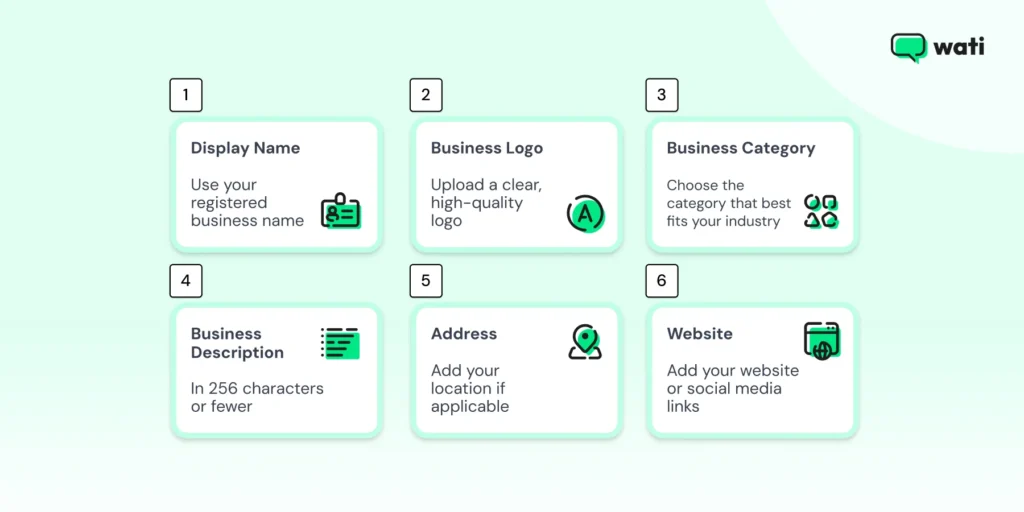
- Display Name: Use your registered business name so customers instantly recognize you. Keep it short, professional, and consistent across all platforms.
- Business Logo: Upload a clear, high-quality logo that reflects your brand identity. Stick to simple, recognizable designs. For best results, use 640 x 640 pixels (minimum 192 x 192). This ensures your logo looks sharp on all devices.
- Business Category: Select the category that best matches your industry (e.g., clothing store, café, or consultancy). It helps customers quickly understand what you do.
- Business Description: In 256 characters or fewer, explain what your business does, who you serve, and what makes you unique. Keep it customer-focused and clear.
- Email and Website: Share your website, social media links, or email address so customers can learn more or shop online. This provides alternative contacts and allows customers to browse your full catalog.
- Business hours: Setting up active business hours helps manage customer expectations or response times. Setting clear expectations will reduce friction and frustration and streamline communication even better.
- Address: If you have a physical store or office, add your location to make it easy for customers to visit.
How to Install WhatsApp Business on Mobile for Convenience?
Setting up the mobile application is the fastest way for small teams to establish a professional presence on the world’s most popular messaging platform.
- Source the App: Locate the official “WhatsApp Business” app on the Google Play Store or iOS App Store, identifiable by the “B” logo.
- Verify Identity: Input your dedicated business phone number and enter the unique 6-digit verification code sent via SMS or voice call.
- Grant Permissions: Allow the application to access your contacts and media files to ensure seamless communication and file sharing with your customers.
- Build the Storefront: Upload your brand logo and fill in essential details like your business name and industry category to finalize the installation.
What are the Key Use Cases of WhatsApp Business?
Once you have successfully created and verified your account, it’s time to activate the business tools that save time and enhance customer experience.
1. WhatsApp Pay
Wati integrates your product inventory directly into the chat and enables secure in-app payments. This creates a “headless” e-commerce experience where the entire buyer journey happens within a single conversation.
Real-life example (The Online T-Shirt Shop): A local organic grocery brand uploaded their weekly produce list to the Wati catalogue. Customers browse the fresh arrivals and pay via WhatsApp Pay, completing their entire weekly shopping without ever visiting a website.
Also read: WhatsApp catalog: How Wati offers a virtual shopping experience to customers.
2. Quick Replies
These are pre-set responses to frequently asked questions. They dramatically cut down on typing time and ensure message consistency.
Real-life example: A business consultant, instead of typing the same information repeatedly, can automate responses and send quick replies.
For example, they can use the “/thanks” tag to trigger a message like “Thank you for reaching out! We appreciate your interest. How can I help you today?” or “/address” tag to trigger a text like “Our office is located at [Address]. Please book an appointment before visiting.”
3. Messaging Tools Like Greeting and Away
Auto replies help you touchbase with your contact, managing expectations even when you are busy or closed. A greeting message sets an automatic welcome for first-time visitors or those who haven;’t messaged in about 2 weeks. An away message is used if a customer messages you outside the business hours.
Real life example: An apartment agency, “Home Away From Home”, responds to a flat inquiry via a WhatsApp Business follow-up with a greeting i.e, “Thank you for calling Home Away From Home.
Your quest to find a perfect home ends here. Our area agent will connect with you shortly. Your contact details have been shared with them.”
In the same context, the agency can set an away message, such as “Thank you for your inquiry with Home Away from Home. We are currently closed but will reach out to you after 9 AM tomorrow morning.”
Also read: 60+ greeting WhatsApp messages to build cordiality upon first contact with customers.
Bonus read: 20+ WhatsApp Business API templates to provide smooth messaging throughout sales cycle.
4. Tags
Tags help you organize and track your customers through your sales or support pipeline, making follow-ups simple.
Real-life example: A cleaning service provider uses tags to categorize chats like new lead for a new inquiry, estimate sent for leads who received a price breakdown, pending payment for leads who booked the service but didn’t pay, and service complete for customers who completed the transaction and can be approached for a review.
5. Broadcast Lists
With WhatsApp broadcast lists, you can share updates, promotions, or announcements with up to 256 contacts at once. It’s an efficient way to reach many customers without creating a group.
Real life example: Mitsubishi rolled out a new campaign for festive discounts for Christmas on diverse product lines comprising cars, air conditioners, batteries, refrigerators, mixer grinders, and other electronic appliances, ranging from 50-75% for 15 days.
Being mindful of the deadline, their marketing team broadcasts a banner with a product catalogue featuring all the above-mentioned products with discount details, location information, and helpline numbers to attract more leads and scale their revenue.
6. Shared Team Inbox
Shared team inbox allows multiple support and sales agents to manage customer conversations simultaneously from a single dashboard. It ensures that every query is tracked, assigned to the right expert, and answered promptly without any message overlap.
Real Life Example: A fast-growing electronics retailer uses Wati’s shared inbox to distribute over 500 daily inquiries across ten agents. By using internal notes and chat assignments, they reduced their average response time from four hours to just twelve minutes.
7. Abandoned Cart Recovery
This automation tool identifies when a customer adds items to their digital cart but leaves the website before checking out. It automatically sends a personalized WhatsApp nudge to remind them of their pending purchase.
Real-life example: An online boutique integrated Wati with their Shopify store. When a shopper leaves a dress in their cart, Wati triggers a message 30 minutes later offering a 5% “finishing discount,” resulting in a 20% recovery rate of lost sales.
Learn more: How does abandoned cart recovery promise improved cart checkout opportunities for brands
8. Bulk Messaging Broadcasts & Segments
Wati allows businesses to bypass the 256-contact limit and send personalized campaigns to thousands of users at once. Advanced segments ensure that these messages are targeted based on customer interests or past purchase behavior.
Real-life example: A travel agency segmented its database into “Adventure Seekers” and “Luxury Travelers.” They broadcasted a targeted 48-hour flash sale on trekking gear to the adventure segment, achieving a 45% click-through rate compared to a generic email blast.
Read More about Wati’s Segments to Personalize Campaigns and retarget customers in an informed way.
9. Meta Business Manager & API Management
Wati handles the backend complexities of Meta approvals, API key rotations, and endpoint management. This allows businesses to remain compliant with Meta’s policies without needing an in-house developer.
Real-life example: A healthcare provider needed a secure, HIPAA-compliant way to send appointment reminders. Wati managed their official Green Tick verification and API setup, allowing the clinic to go live in 48 hours instead of weeks.
Read more about WhatsApp API Prerequisites and What do you need to know before investing in WhatsApp API
10. RCS and SMS Fallback
This ensures that your business-critical messages reach the customer regardless of their internet connectivity. If a WhatsApp message cannot be delivered, the system automatically sends an RCS or traditional SMS.
Real-life example: A logistics company uses Wati for delivery alerts. If a driver is in a low-data area and the WhatsApp notification fails, Wati automatically triggers an SMS with the tracking link, ensuring the customer is always informed of their delivery status.
What are the Key Benefits of WhatsApp Business?
Creating a WhatsApp Business Account is a strategic move that moves beyond simple communication. It’s about immediately engaging, qualifying, and converting potential customers where they are most comfortable: their chat app.
Here’s how deploying WhatsApp Business drives tangible growth and better results for your brand:
1. Credible WhatsApp Automation
Establishing an authoritative WhatsApp presence amps up the customer experience and customer trust. Customers no longer face difficulties in directly reaching out to the brand team. Strong trust and a foundation are a pathway to future customer investment and direct sales growth.
2. Verified Blue Tick Profile
A professional business profile (with your logo, address, and verified name) instantly differentiates you from unverified personal accounts. This professional presentation reassures new prospects that they are communicating with a legitimate business, reducing friction at the critical point of first contact
3. Product Catalogs
Besides direct conversations, brands can set up catalogs, run ad campaigns, offer discount schemes, and schedule community meet and greets to optimize brand experience. All of this provides an instant shopping experience. Customers can browse through catalogues, instead of following an external link to the website.
4. Time Efficiency
With a WhatsApp Business Account, you can build timely communication with your customers, which in turn results in higher customer responses. Using WhatsApp Business as a part of your sales strategy saves time, eases the sales workload, and improves the quality of sales conversations at scale.
5. Personalization at Scale
The one-on-one conversational nature of WhatsApp makes customers feel valued. The personalized communication style, whether for a follow-up on an initial query or ticket, or an update on a shopping cart, guides the customer to make the right decision instead of sounding pushy.
All of this fosters higher loyalty that standard email or phone support cannot match.
The WhatsApp Business app doesn’t integrate with CRM without API integration, so managing different channels and customer data requires extra effort.
Also read: How to connect WhatsApp to CRM to build bidirectional lead pipelines to fuel growth.
What are the Key Limitations of WhatsApp Business?
While the free app is excellent for initial setup, businesses focused on growth will quickly encounter roadblocks that restrict scaling, efficiency, and full team deployment. These limitations will often necessitate an upgrade to the WhatsApp Business Platform API.
Below are the major limitations of a WhatsApp Business account that might cause roadblocks in your sales strategy.
1. Designed for Single-User Operation (No Team Collaboration)
WhatsApp is fundamentally designed for one person. While you can use up to five devices (one phone and four linked devices), it lacks a central, shared inbox.
This makes assigning conversations, tracking agent performance, or ensuring no customer message is missed virtually impossible for a team environment.
2. Basic WhatsApp Automation Capabilities
WhatsApp automation is limited to simple functions like greeting messages, away messages, and basic quick Replies.
You cannot deploy advanced features critical for BOFU success, such as AI-powered chatbots for lead qualification, auto-responding to specific keywords, or setting up complex workflows (e.g., auto-escalating a query to a human agent).
3. Severe Messaging and Broadcasting Limits
Broadcast lists are capped at a maximum of 256 contacts. For marketing and re-engagement campaigns (key BOFU activities), this is severely restrictive.
You cannot send high-volume, personalized messages or proactive customer updates (like shipping notifications) at scale.
4. Lack of CRM and System Integration
Being a personal app, WhatsApp works in isolation.
There is no native way to integrate it with your existing business tools, such as your CRM (e.g., Salesforce, HubSpot), Helpdesk software (e.g., Zendesk), or e-commerce platform (e.g., Shopify). This results in manual data entry, missed context, and a fragmented customer experience.
Also read: WhatsApp for HubSpot: Enabling Conversational Intelligence with Data
5. No Official WhatsApp Verification Eligibility
The free app does not allow your business to apply for the prestigious WhatsApp verification for reliability. This badge is a crucial trust signal for customers and is only available through the WhatsApp Business Platform (API), hindering long-term brand credibility.
How Does Wati’s WhatsApp Business API Help Brands Grow?
Below are the key applications of Wati’s WhatsApp Business API platform for managing your WhatsApp Business accounts securely.
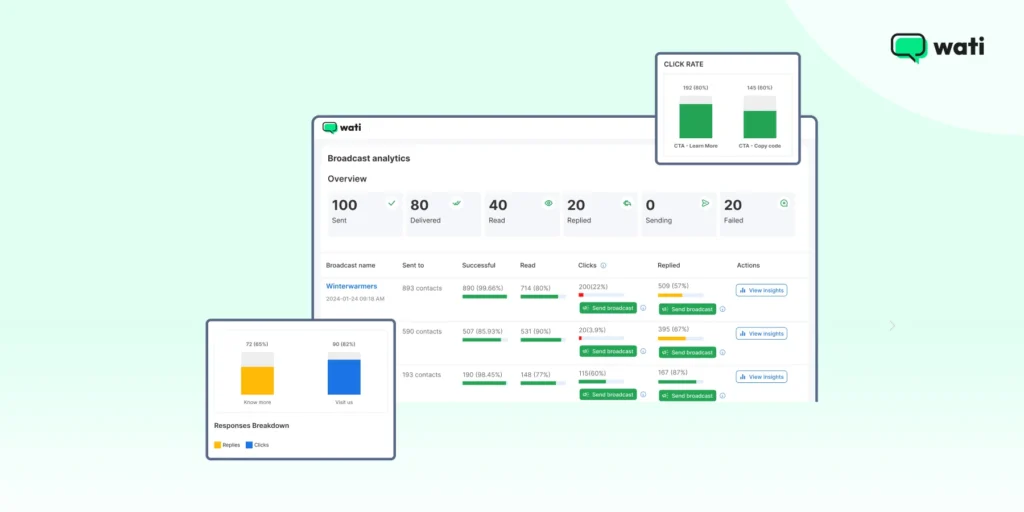
- Multi-agent access: The platform helps you track agent conversations and categorize agent pipelines for clear ROI tracking. Sales team leaders can track agent performance, lead status, lead stage, and so on to ensure more transparency.
- Deploying smart automation: Companies can use AI-powered chatbots like Astra to instantly answer FAQs, qualify leads 24/7, and automatically route complex queries to the right human agent. This frees up the team to focus on high-value interactions.
- Integration with CRM and e-commerce platforms: With a WhatsApp Business API, you can seamlessly integrate WhatsApp Business with existing CRM stacks like Salesforce, HubSpot, or Shopify. It allows you to send order confirmations, shipping updates, and personalized offers without manual work.
- Scale Your Marketing: With an API platform, you can break the 256-contact limit. Send high-volume, proactive campaigns and notifications (like back-in-stock alerts) to millions of opted-in customers, turning WhatsApp into a core revenue channel.
Capitalize on WhatsApp Business, Now!
Creating a WhatsApp Business account helps you connect with customers easily, set up your profile, send messages, and offer support. However, as your business grows, you might find that the app’s limitations start to slow you down.
That’s when exploring solutions like the WhatsApp Business API can make a big difference, offering automation, better team management, and deeper customer insights. Start by setting up your WhatsApp Business account today and see how it can help you engage with customers.
Schedule a free demo of Wati and explore how it helps teams manage customer chats, automate replies, and track performance without any hassle.
How to Create a WhatsApp Business Account: Frequently Asked Questions
Have more questions? Refer below!
Yes, creating and using the basic WhatsApp Business App is entirely free. You only need to download the app and register with a phone number. However, if your business needs features like multi-user access, advanced automation, or CRM integration, you will need to pay for the WhatsApp Business Platform (API).
No, you cannot use the same phone number for both your personal WhatsApp Messenger and WhatsApp Business simultaneously. If you try to register a number that is currently linked to your personal account, the app will ask you to switch it over, and that number will then only work for your Business Account.
Yes, you can and should use WhatsApp Business for marketing. It’s an excellent channel for sharing product catalogs, sending targeted updates, promoting offers, and announcing sales. Just remember that the free app has a strict broadcast limit of 256 contacts.
You can use the “Labels” feature within the WhatsApp Business App. This tool allows you to tag chats and contacts with categories like “New Lead,” “Pending Payment,” or “Order Completed.” This makes tracking conversations and knowing exactly where a customer is in your sales pipeline very efficient.