
Too Long? Read This First
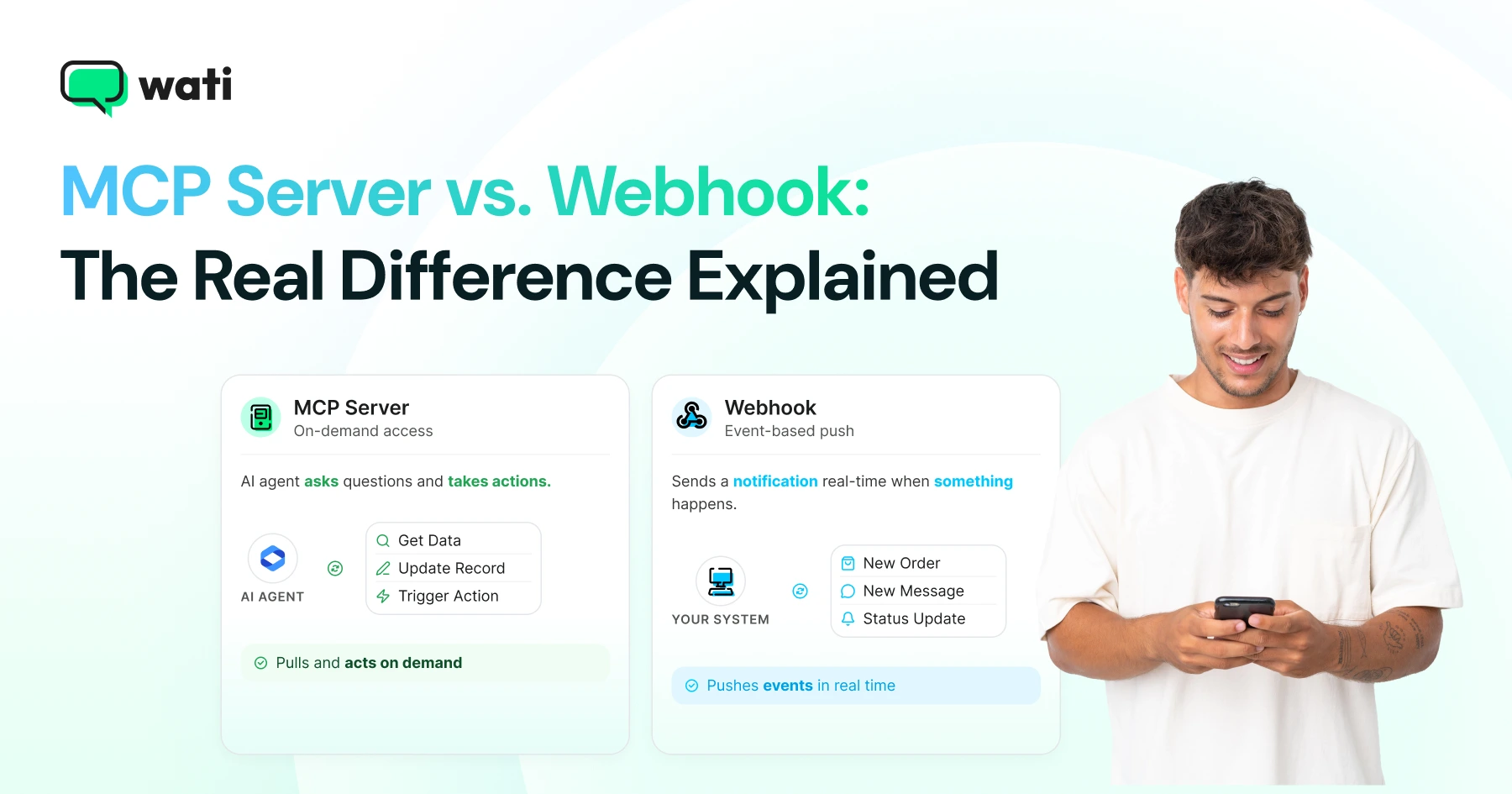
- A webhook is a one-way, event-driven HTTP callback: something happens, the source system POSTs data to your URL.
- An MCP server is a two-way, request-driven interface: an AI application discovers available tools and calls them via JSON-RPC 2.0.
- Webhooks don't support discovery: you have to already know the event schema from documentation. MCP servers expose their own capabilities via tools/list.
- Remote MCP servers (over Streamable HTTP) use OAuth 2.1 for authorization; webhooks use whatever the vendor decides: signing secrets, HMAC, bearer tokens, or IP allowlists.
- A common real-world pattern: a webhook triggers a workflow, which then calls an MCP server to fetch context or perform an action. Wati's own webhook and MCP server can be wired together exactly this way.
An MCP server and a webhook solve opposite problems: a webhook pushes you a notification when something happens, while an MCP server lets an AI agent ask questions and take actions on demand. They aren't competing options to pick between: most real systems, including WhatsApp automations, end up using both.
This guide covers how MCP servers and webhooks each work, when to use one over the other, and how they combine in a real WhatsApp automation.
What is an MCP Server?
The Model Context Protocol (MCP) is an open standard, defined by Anthropic, for connecting AI applications to external tools and data.
It defines three roles: a host (the AI application, like Claude or ChatGPT), a client inside that host, and a server that exposes capabilities to it.
MCP servers communicate over JSON-RPC 2.0 and offer the following:
- Resources: Contextual data such as files, database records, app-specific information, each identified by URIs. Clients list them with resources/list and fetch them with resources/read.
- Tools: Callable functions for taking action or retrieving data. Clients discover them with tools/list and invoke them with tools/call. Every tool definition includes a name, description, and a JSON Schema for its inputs.
- Prompts: Reusable prompt templates. Clients list them with prompts/list and pull customized content with prompts/get.
That built-in discovery is the core difference from a webhook. An MCP client can ask a server "what can you do?" and get back structured tool definitions, instead of every integration point being hard-coded from a documentation page.
MCP supports two standard transports:
- stdio: runs the server as a local subprocess and communicates over standard input/output. Authentication comes from environment variables since client and server share a machine.
- Streamable HTTP: exposes a single HTTP endpoint that accepts JSON-RPC messages via POST and can return either a normal response or a Server-Sent Events stream for progress updates.
In both transports, the client always initiates, and the server responds. It never pushes unsolicited requests.
What is a Webhook?
A webhook is an HTTP callback that fires when an event occurs.
You register a URL with the source system, often selecting which event types you want to hear about. When the event you subscribed to occurs, that system sends an HTTP POST containing the event payload to your URL, with no polling required on your end.
There's no universal webhook standard the way there is for MCP. Authentication, retry behavior, payload format, and signature verification are all vendor-specific.
Wati's own webhook implementation, for example, expects your endpoint to return an HTTP 200 OK to confirm receipt, and retries failed deliveries up to 144 times at 10-minute intervals if your server doesn't acknowledge in time.
MCP Server vs. Webhook: Side-by-Side Comparison
MCP servers and webhooks work in opposite directions on almost every dimension that matters: who initiates contact, whether the other side can discover what's available, and how each one handles security.
Dimension | MCP Server | Webhook |
|---|---|---|
Primary purpose | Give an AI agent standardized, discoverable access to tools and data | Notify another system that an event occurred |
Who initiates | The MCP client (tools/list, resources/read, tools/call) | The event-producing service, unprompted |
Discoverability | Built-in: clients can enumerate available tools, resources, and schemas | Absent: you learn the event schema from vendor docs |
Interaction style | Request/response, optionally streamed over HTTP | One-way, asynchronous push |
Authentication | OAuth 2.1 for remote (HTTP) servers; environment credentials for local (stdio) servers | Vendor-specific: signing secrets, HMAC, bearer tokens, IP allowlists |
Best fit | An agent needs to search data, inspect available actions, and choose what to do next | A system needs to react the moment something changes |
Weak point | Doesn't proactively notify anyone of an event on its own | Doesn't offer tool discovery or let an AI agent choose an action |
MCP and Webhook: When Each One Wins
The right pick depends on whether your task needs an agent to think and choose, or a system to react the moment something happens.
MCP wins for:
Agent-centric, interactive tasks: "find this customer, check their last five conversations, pick the right approved template, draft a reply."
The agent needs to inspect options and choose between them, possibly across multiple calls.
Webhooks win for:
Event-centric, reactive tasks: "when an order ships, kick off the notification flow," or "when a WhatsApp message arrives, alert our system."
The source already knows the event happened and pushes it immediately, without an agent needing to ask.
Why You Need MCP and Webhooks
In production, MCP and webhooks usually aren't a choice; they're a chain. A typical pattern looks like this:
- An external system fires a webhook when something happens.
- A workflow runner receives it, verifies and deduplicates the event.
- The workflow calls an MCP tool to fetch context or perform a follow-up action.
- The result completes the workflow, with human approval where the action matters.
A WhatsApp Example
Say an e-commerce platform sends an order.shipped webhook. A workflow picks it up, looks up the customer, and then uses an MCP-connected AI agent to:
- Confirm the customer exists and has opted in
- Retrieve the approved WhatsApp shipping-notification template
- Prepare and send the message
- Use Wati's delivery-status webhooks (Sent, Delivered, Read) to close the loop back in the order system.
The webhook is the trigger. MCP is the structured interface the AI agent uses to look things up and act. Neither one replaces the other in this design.
Wati's Own Webhook and MCP Server, Compared
Wati ships both webhooks and an MCP server, which makes it a clean, concrete way to see the distinction in practice rather than in the abstract.
Wati Webhooks
Wati webhooks push WhatsApp events, including messages received, template and session messages sent, and status updates (Sent, Delivered, Read), to a URL you configure under Connectors.
The moment the event happens, Wati initiates the callback; your server just needs to acknowledge it.
Wati MCP Server
The Wati MCP Server exposes a Wati workspace to Claude, ChatGPT, or another MCP-compatible agent.
Through it, an authorized assistant can search and manage contacts, review conversations, send approved templates, and manage campaigns.
The AI application's MCP client discovers what's available and calls it, rather than Wati pushing anything unprompted.
Used Together
Webhooks and the MCP server are often used together, as in a WhatsApp ecommerce notification workflow.
The store's webhook triggers the process, Wati MCP handles the discoverable, permissioned lookup and send, and Wati's status webhooks report the outcome back.
That's the practical rule: use a webhook for "something happened," and MCP for "inspect what's available, then act."
Now You Know Which One to Reach For, and Wati Gives You Both
Use a webhook when your workflow needs to react the instant something happens. Use MCP when it needs an agent to look something up, weigh options, and decide what to do next. Chain them together, webhook first, then MCP, when the workflow needs both.
For WhatsApp specifically, Wati ships both pieces already connected to the same account, so there's no separate vendor to stitch in and no extra integration work to get this pattern running.
Book a free demo to see the Wati MCP server and webhook setup in action.
Frequently asked questions
Is MCP a replacement for webhooks?
No. MCP is a request-driven interface for an AI agent to discover and call tools; webhooks are event-driven notifications pushed by a source system. They solve different problems and are commonly used together in the same workflow.
Which one has better security?
Neither is inherently more secure: they use different models. Remote MCP servers over HTTP follow a defined OAuth 2.1 authorization spec with token audience validation. Webhook security is vendor-specific and varies from strong (HMAC signatures, IP allowlists) to minimal, so check your provider's documentation.
Can a webhook trigger an MCP tool call?
Yes, this is a common architecture: a webhook fires when an event occurs, a workflow runner receives it, and that workflow then calls an MCP server to fetch context or perform an action, such as looking up a customer and sending an approved WhatsApp template.
Does Wati support both MCP and webhooks?
Yes. Wati's webhooks push message and status events to your configured URL, while the separate Wati MCP server at mcp.wati.io/mcp lets Claude or ChatGPT operate your Wati workspace on request. The two are designed to complement each other, not to replace one another.
Do I need to build my own webhook receiver to use MCP?
No, they're independent. You can use the Wati MCP server without ever setting up a webhook, and vice versa. You only need both together if your workflow needs an event trigger (webhook) that then calls back into an AI-driven action (MCP).
Related posts
- AI Customer Support in 2026: What It is, How It Works, and Why Smart Teams are Quietly Switching Over
Learn how AI in customer support manages ticket escalations, automates ticket tagging and routing, and improves customer satisfaction. See how Astra does it.
- How to Automate Business Conversations With a WhatsApp AI Agent in 2026
Learn how to build a WhatsApp AI agent to engage, qualify, and convert prospects round the clock without any delays in 2026.
- Voice-First Web Experiences: Navigating with Voice Commands
learn how voice first web experiences enable you to power personalized, human-like conversations to have a competitive advantage in today’s market.
- How Voice AI Agents Qualify Leads: A Sales Team’s Guide to Hands-Free Pipeline
know how does voice ai qualifies leads for an effective sales action and potential conversion and where does astra 2.0 stand when it comes to pre-configured lead qualification