
Too Long? Read This First
- Let your ecommerce platform trigger notifications: Order, payment, shipping, and refund events should come from your store or payment system, not the AI assistant.
- Use Wati MCP to manage WhatsApp actions: An AI assistant can work with contacts, approved templates, campaigns, and reporting through Wati while staying within existing permissions.
- Use approved templates and valid opt-ins: Order confirmations and shipping updates outside the 24-hour customer-service window require Meta-approved utility templates and customer opt-in.
- Track actual delivery with webhooks: A successful API request only means WhatsApp accepted the send request.
- Delivery, read, and failure statuses arrive through webhooks afterward.
- Keep humans in the loop: Require approval for new automation rules and bulk sends, and maintain logging and permission controls to prevent duplicate, incorrect, or non-compliant messages.
Order confirmation on WhatsApp starts the same way every time: a shopper checks out, a payment clears, and a message needs to go out. That part is familiar territory for anyone running conversational commerce on WhatsApp.
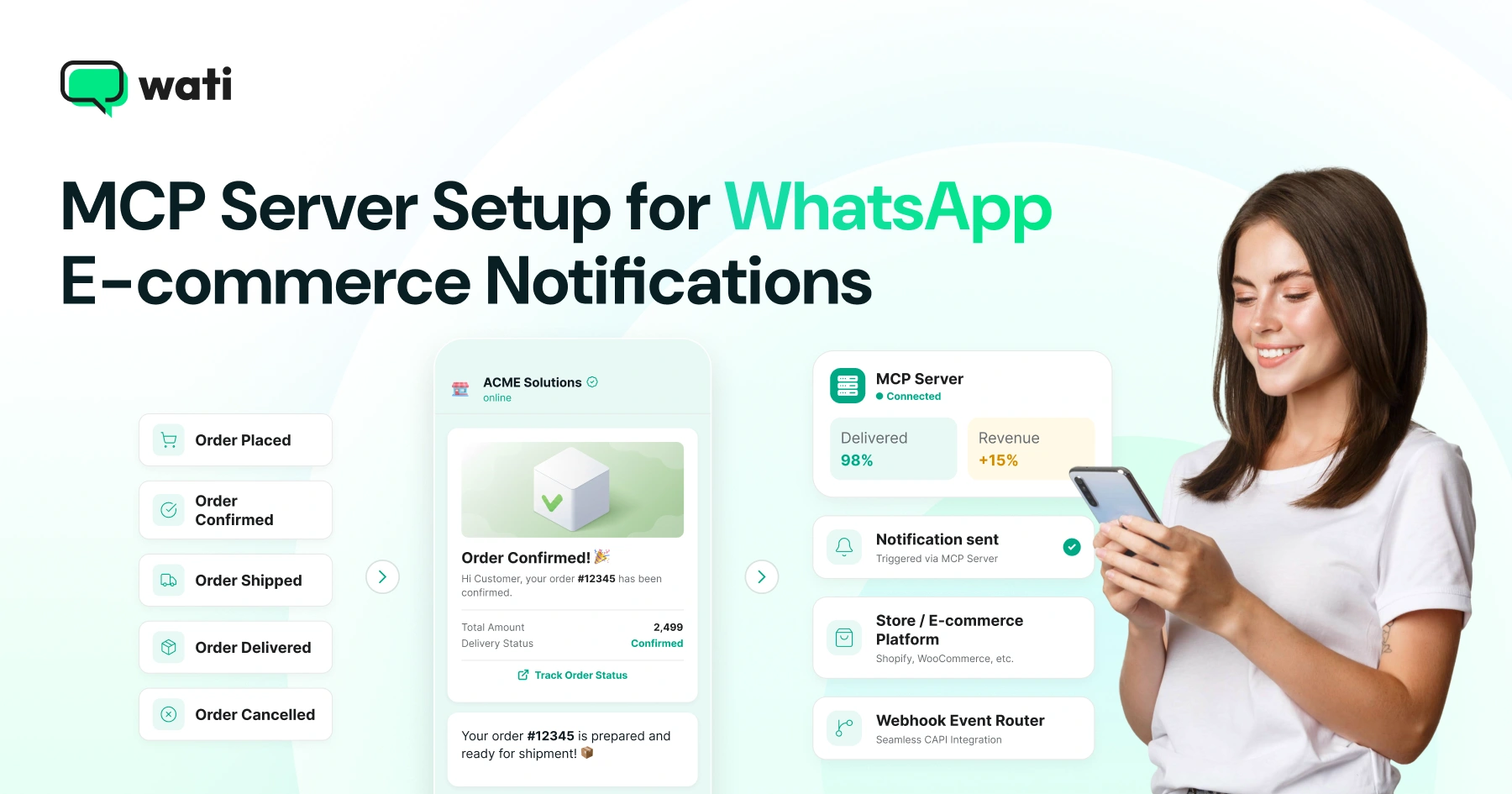
What's newer is asking an AI assistant inside Claude or ChatGPT to help manage the contacts, templates, and reporting behind that message, without letting the assistant pretend it detected the order itself. This guide covers how store events, WhatsApp's messaging rules, and the Wati MCP server fit together for order confirmations, shipping updates, and the webhooks that track them.
Why Ecommerce Notifications Need Store Events Plus an AI Agent
Order and shipping notifications start with a store or payment event, not with WhatsApp itself, and Wati MCP only manages what happens after that event fires. Get that sequence backwards and you end up debugging phantom messages instead of missing ones.
What Triggers a WhatsApp Order Notification?
Meta's developer documentation describes order confirmations, shipping updates, product recommendations, and full commerce journeys from discovery through payment as core business messaging use cases for merchants on the Cloud API. None of that starts inside WhatsApp. A paid order, a printed shipping label, a refund - these are events your ecommerce platform or payment processor already tracks.
Retailers running on Shopify or a similar cart usually already have checkout and fulfillment webhooks configured. If yours doesn't, fix that first, since a healthy Shopify conversion rate setup depends on the same event plumbing this guide reuses for notifications.
Where Does Wati MCP Fit Between Your Store and WhatsApp?
Your order database isn't something Wati MCP watches directly. It gives Claude or ChatGPT a permissioned, conversational way to work with the contacts, templates, and campaigns that turn a store event into a compliant WhatsApp send, sitting next to your existing automation rather than underneath it.
Once your platform decides a notification is due, the assistant can check whether the customer's number exists as a contact, confirm which approved template covers "order shipped," and prepare the send for someone to approve. That's a different job than building a conversational AI agent from scratch; here the agent operates a channel and a WhatsApp Business Messages pipeline you already run.
How Does the Wati MCP Architecture Work?
The architecture has three layers: your store's event source, Wati's messaging layer, and the AI assistant operating Wati MCP on top of both. Each layer keeps its own job, which is what keeps the system debuggable.
Store and Payment Events as the Trigger
Your ecommerce platform or payment gateway fires the first event: order paid, order shipped, payment failed, refund issued. That event alone should decide whether a notification goes out. Wati MCP doesn't originate this decision; it receives instructions built around it, whether from an automation rule or from a person asking the assistant to send.
Delivery-Status Webhooks and Message Status
Once a message is sent, WhatsApp reports back what happened to it, and that reporting is where ecommerce integrations quietly break. Meta's documentation notes that webhooks deliver message status updates, incoming replies, and asynchronous error details to your server as separate events, not bundled with the original send. Setting up that webhook endpoint is something Wati MCP can handle, so shipping-update failures surface in reporting instead of vanishing.
A successful API call only confirms the send request was accepted, not that the message reached the customer's phone. Actual delivery, read, and failure states arrive afterward through that same webhook channel. Teams tracking fulfillment in a spreadsheet can have the assistant sync webhook outcomes into Google Sheets instead of copying delivery statuses by hand.
Setting Up the Wati MCP Server in Claude or ChatGPT
Setting up Wati MCP takes roughly the same steps in Claude or ChatGPT: point the assistant at the server URL, authenticate, and confirm the connection before relying on it for anything customer-facing.
Server URL and the EU Endpoint Variation
Connect your assistant's MCP settings to the Wati MCP server at https://mcp.wati.io/mcp. If your workspace is provisioned in the EU, use the EU endpoint variation instead of the standard address, so message and contact data stays routed through EU infrastructure. Wati's help center documents both connection paths for Claude and ChatGPT setup step by step.
What OAuth Authentication and Plan Requirements Apply?
OAuth handles authentication here, giving the assistant a scoped, revocable connection rather than a shared API key pasted into a config file. You'll need a Wati plan that includes MCP access. Check your plan's tool limits, listed among Wati's broader WhatsApp features, before rolling this out across a full ecommerce team.
Before you commit to a plan tier, it's worth weighing Wati against the general checklist for evaluating a WhatsApp service provider, especially the parts covering support responsiveness and template approval turnaround.
Verifying the Connection
Before trusting the assistant with anything customer-facing, ask it to pull your account's approved template list back through chat. A live, correctly scoped connection returns real templates with accurate status labels. If it can't, check the OAuth grant and plan entitlement again before going further.
5 Implementation Rules for Compliant Order Notifications
Ecommerce notifications sent over WhatsApp follow Meta's rules regardless of what tooling assembles them, and Wati MCP is built to work inside those rules rather than around them.
Meta-Approved Utility Templates
Order confirmations and shipping updates sent outside an active conversation must use Meta-approved utility message templates, a category Meta documents separately in its template guidelines. Most WhatsApp marketing software already separates marketing templates from utility templates for exactly this reason. Pulling your account's approved template library into the chat is something Wati MCP handles, so the assistant only proposes templates already live, never drafts still under review.
Opt-In Before You Send
Meta requires user opt-in before any template message goes out, and that opt-in has to name your business and state the messaging intent clearly. For ecommerce, opt-in usually happens at checkout, during account signup, or through a conversation the shopper already started.
Opt-in isn't something Wati MCP creates on its own; it works from contacts already marked opted-in. Keeping that field accurate in Wati's contact records matters more than any AI feature layered on top of conversational commerce. Shipping updates sit alongside other lifecycle messages like abandoned cart reminders, all governed by the same opt-in rules.
The 24-Hour Customer Service Window
A WhatsApp customer-service window runs 24 hours from a customer's last message or call; once it closes, only pre-approved templates can reach that customer. Inside the window, Wati MCP can send free-form session messages, answering "where's my order" with real account context.
Outside the window, the assistant falls back to a template, the same constraint a human agent faces. That's what makes WhatsApp automation for order support different from open-ended chat: timing decides the message type, not preference.
Keeping Humans in the Loop: Permissions, Logging, and Approval
Safety here depends on a human checking the assistant's actions, not trusting them blindly. That's why Wati MCP layers human confirmation on top of Wati's existing permission system rather than replacing it.
Do Existing Wati Permissions Still Apply?
No assistant gets access beyond what your team roles already allow; it operates inside the same permission boundaries as a person logged into Wati. An assistant connected under a support agent's OAuth grant can't suddenly send campaigns that agent couldn't send manually. This distinction matters because, as one clarification on Meta's business agent notes, an AI assistant with tool access isn't the same thing as a chatbot answering FAQs.
Action Logging and Approval Controls
Every action the assistant takes through Wati MCP - creating a contact, setting up a webhook, proposing a template send - should log the same way a manual action would. That keeps a review of order-notification activity from needing a separate audit trail. The assistant can also list recent conversations, helping agents spot which shoppers already got a shipping update without exporting anything outside Wati.
Pair logging with approval controls. Require a human to confirm before any automation rule goes live or any bulk send fires, especially for something as visible as a shipping-update campaign touching an entire order queue.
What Authorization Safeguards Does MCP Require?
The Model Context Protocol treats authorization as a first-class concern, not an afterthought bolted onto individual tools. Its specification and security guidance describe scoped tokens and explicit consent as the baseline for any MCP server handling real customer data. Wati MCP's OAuth flow follows that pattern: scoped, time-bound, and revocable. That matters more for ecommerce notifications than for most other WhatsApp use cases, given how much personal and payment-adjacent data an order confirmation touches.
What Can Go Wrong Without Guardrails?
Skipping human review on ecommerce notifications fails in predictable ways: duplicate sends, mismatched templates, and messages that ignore the 24-hour window entirely.
Failure mode | Without human confirmation | With Wati MCP guardrails |
Duplicate order confirmation | Assistant re-sends on a retried webhook event | A human approves the automation rule once, not per event |
Wrong template for status | A draft template gets used before Meta approval | Assistant checks the approved template list before proposing a send |
Message sent outside the 24-hour window | Free-form text bounces or gets flagged | Assistant falls back to a template, following Meta's window rule |
No record of who sent what | Support can't reconstruct the history | Every action logs the same way a manual send would |
Every row above traces back to the same fix: keep a person confirming template choice, timing, and scope, and let the assistant handle the conversational overhead of getting there. For teams newer to this pattern, a primer on how to use chatbots alongside human agents helps set expectations before adding an AI layer on top.
Get Order Notifications Right Before You Scale Campaigns
Get order notifications wrong and you lose customer trust fast; skipping verification steps here costs more than it saves.
Start with one notification type - order confirmation or shipping update. Connect the webhook, confirm templates are approved, and only then let the assistant touch broader automation like segmentation and bulk sends. A walkthrough of deploying an AI agent on a website covers a similar permission model if you want the pattern outside ecommerce first, and a guide to how teams automate business conversations with a WhatsApp AI agent rounds out the picture beyond order notifications.
Book a demo with Wati to see the Wati MCP server connected to a live ecommerce workspace, templates, permissions, and all.
Frequently asked questions
What is Wati MCP and how does it help with WhatsApp ecommerce notifications?
Wati MCP is a Model Context Protocol server that lets an AI assistant like Claude or ChatGPT manage WhatsApp contacts, approved templates, campaigns, and reporting through Wati, using your existing permissions rather than sending messages on its own.
Does Wati MCP replace my ecommerce platform's order events?
No. Store and payment events from your ecommerce platform still trigger notifications; Wati MCP gives an AI assistant a conversational, permissioned way to manage the contacts, templates, and webhooks that turn those events into WhatsApp messages.
What is the WhatsApp 24-hour customer-service window?
It's the period, running 24 hours from a customer's last message or call, during which a business can send free-form session messages; outside that window, only Meta-approved template messages can reach the customer.
Do I need Meta-approved templates for order confirmations and shipping updates?
Yes. Order confirmations and shipping updates sent outside the 24-hour service window must use Meta-approved utility templates; Wati MCP can pull the approved template library so the assistant only proposes compliant messages.
Is there an EU endpoint for the Wati MCP server?
Yes, workspaces provisioned in the EU connect through an EU-specific endpoint variation of the Wati MCP server URL rather than the standard global address, keeping data handling aligned with your workspace region.
How do delivery-status webhooks work for order notifications?
A successful send request only confirms WhatsApp accepted the message; actual delivery, read, and failure states arrive afterward through delivery-status webhooks, which your team or automation rules use to update order tracking records.
Related posts
- AI Customer Support in 2026: What It is, How It Works, and Why Smart Teams are Quietly Switching Over
Learn how AI in customer support manages ticket escalations, automates ticket tagging and routing, and improves customer satisfaction. See how Astra does it.
- How to Automate Business Conversations With a WhatsApp AI Agent in 2026
Learn how to build a WhatsApp AI agent to engage, qualify, and convert prospects round the clock without any delays in 2026.
- Voice-First Web Experiences: Navigating with Voice Commands
learn how voice first web experiences enable you to power personalized, human-like conversations to have a competitive advantage in today’s market.
- How Voice AI Agents Qualify Leads: A Sales Team’s Guide to Hands-Free Pipeline
know how does voice ai qualifies leads for an effective sales action and potential conversion and where does astra 2.0 stand when it comes to pre-configured lead qualification