

-

-
-
Solutions
-
Soluções
-
Soluciones
-
解决方案
-
解決方案
-
الحلول
-
Product
-
Produto
-
Producto
-
产品
-
產品
-
المنتج
-

-
-


 Wati for Marketing
 Wati for Support
 Wati for Sales
 eLearning
 E-commerce
 Marketing Agencies
 Healthcare
 No Code Chatbots
 AI Support Agent
 Instagram and Facebook messenger
 Click to WhatsApp ads
 Campaigns
 Team Inbox
 WhatsApp Business Calling
 Wati AI
 Overview
 Library
How to Run Click-to-WhatsApp Ads?- Setup, Event Tracking, and Industry Insights
Written by:
 Ashwin
|
on:
April 2, 2025
|
Last updated on:
November 18, 2025
|
Fact Checked by :
Ashwin
|
on:
April 2, 2025
|
Last updated on:
November 18, 2025
|
Fact Checked by :
 Namitha
|
According to: Editorial Policies
Namitha
|
According to: Editorial Policies
 Table of Contents
Too Long? Read This First
- Instant Conversations: Click to WhatsApp Ads open chats directly from Facebook or Instagram. No forms or redirects, only one-on-one conversations with your audience.
- Better Lead Quality: Real chats bring real leads. When people message you directly, they are more interested and easier to convert.
- Smart Tracking: Wati connects with Facebook ads to track every click, chat, and purchase. You can see exactly which campaigns deliver results.
- Free Messaging Window: Reply to a CTWA message to activate 72 hours of free messaging. Follow up, share offers, or close deals without paying for templates.
- Proven Results: Habuild scaled its user base, Bowaba achieved 11x ROAS, and Blacklyf reduced acquisition costs by 60 percent using Click to WhatsApp Ads.
You must have clicked an ad on Facebook or Instagram that opened a WhatsApp chat instantly? That’s a Click to WhatsApp ad in action. It connects your social media audience directly to your WhatsApp inbox.
Most ad clicks lead to websites where users drop off before taking action. Long forms, slow pages, and too many steps cause leads to vanish. Businesses spend on ads but lose potential customers in the process.
Click to WhatsApp ads fix this by skipping the landing page and opening a direct chat. You can answer questions, share product details, or close deals in real time.
In this blog, you’ll learn how to run Click-to-WhatsApp ads. Let’s get started and see how you can make every click count.
What are WhatsApp Ads?
Click to WhatsApp Ads are a type of ad on Facebook and Instagram that opens a WhatsApp chat when clicked. Instead of sending users to a website or form, they start a direct conversation with your business.
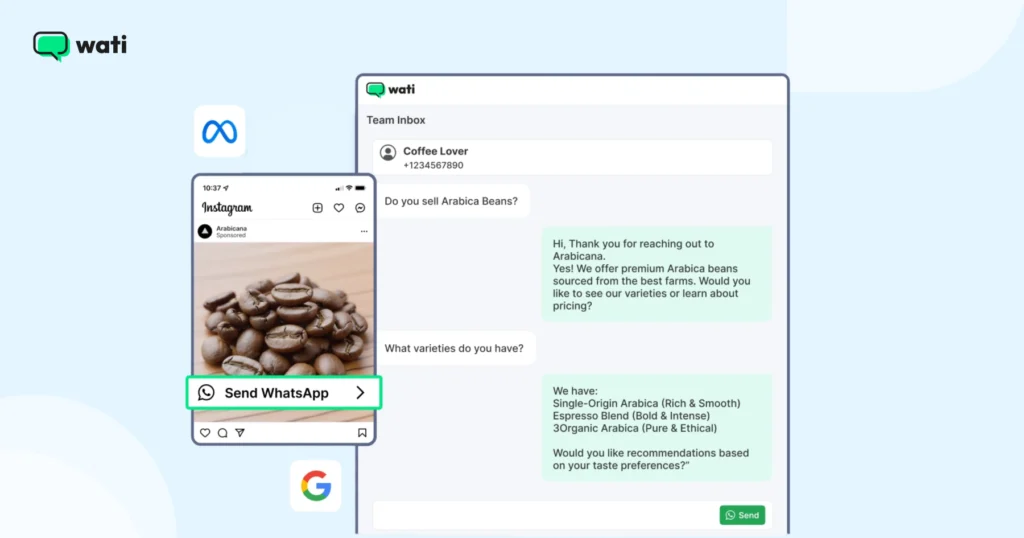
These ads make it easier for people to ask questions, request quotes, or place orders without leaving the app. You can customize your ad copy, visuals, and call-to-action to guide users straight into a chat that feels personal and instant.
Ads that click to WhatsApp can be placed across Facebook and Instagram, including the News Feed, Stories, and Marketplace. They support a wide range of business goals, from lead generation to sales and ongoing marketing engagement.
Meta isn’t the only one using this format. Google has already made ads that click to WhatsApp, signaling that conversational ads are becoming a standard way for brands to engage customers.
Why Try WhatsApp Advertising?
Research indicates that more than 55% of individuals feel a stronger bond with brands that communicate via messaging apps.
Your customers prefer messaging. They often wish to chat with businesses before deciding to buy. In fact, after a positive chat experience, 38% of them tend to make a purchase. Consumers who chat tend to spend 60% more than those who don’t.
Engaging in conversations with your clientele fosters loyalty. Retaining a customer can be up to 25 times more cost-effective than acquiring a new one.
The balance is, you must engage both new and existing customers through WhatsApp to build lasting relationships and drive conversions.
A typical user checks their WhatsApp approximately 23-25 times a day. Imagine the potential engagement.
Note: By integrating CTWA into your sales and marketing strategy, you can trigger chatbots to qualify leads, collect relevant data, and even route them to the right sales reps based on their responses or intent.
The Value of Using WhatsApp Ads in Marketing
What makes WhatsApp ads or WhatsApp advertising special? Let’s look at some of the benefits.
Engagement and Conversions
WhatsApp is already a familiar space for most users. When customers talk directly to your team, they tend to stay engaged and move faster through the buying process.
Imagine you run a boutique skincare brand. A customer sees your Instagram ad, taps “Send WhatsApp Message,” and asks,
Will this moisturizer suit oily skin?
Your team replies instantly with a quick recommendation and a before-and-after photo.
Within three minutes, the customer says, “Okay, send me the link. I’ll order now.”
No long forms, no waiting, just a straight conversation that turns interest into conversion before the customer’s attention drifts.
Support and Insights
Real-time chats help you answer questions, collect feedback, and solve issues quickly. WhatsApp also provides data on message delivery and engagement, so you can track performance and improve future campaigns.
You run a small electronics store. A customer messages you: “The earbuds I bought yesterday keep disconnecting. Any fix?”
Your team sends a quick troubleshooting video, and the issue is resolved.
Later, you check WhatsApp analytics and see that support questions spike after new product launches. That insight helps you create a pre-launch FAQ broadcast next time – reducing support tickets by half.
Campaign Flexibility
These ads work for multiple goals, from promoting new products to sharing the latest offers. With clear messaging and automation, they can support customers at every stage of their journey.
So here is a situation,
Imagine you are a mid-size fashion retailer, a cosmetic product owner launching a new year offer.
They run WhatsApp ads that open straight into chat with:
“Want early access to our new year collection?”
Customers reply “Yes,” and instantly receive:
- A personalized lookbook
- A 10% early-bird code
- A quick “tap to pay” checkout link
Next month, the same business will use WhatsApp ads to collect reviews and NPS scores. Same channel, totally different goal, but equally effective.
Clearer Reporting
Using tools like the Meta Pixel, Conversions API, or Offline Conversions, you can see how chats move toward leads or purchases. It gives you a better view of how your WhatsApp conversations impact results.
Here is an explanation of how analytics works
If a D2C coffee brand sets up Meta Pixel + Conversions API.
They run a WhatsApp ad saying: “Find your perfect coffee in 30 seconds. Chat with us.”
Here’s what reporting reveals:
- 1,200 people clicked
- 800 opened WhatsApp
- 430 completed the recommendation quiz
- 210 made a purchase
Suddenly, the marketing team can answer the CEO’s favourite question: “Which campaign actually made us money?”
WhatsApp Ads vs. Traditional Ad Formats: What’s the Difference?
When it comes to digital advertising, not all formats perform the same, especially when lead quality and user experience matter.
Here’s how Click to WhatsApp Ads compare with traditional ad formats such as lead forms and landing pages.
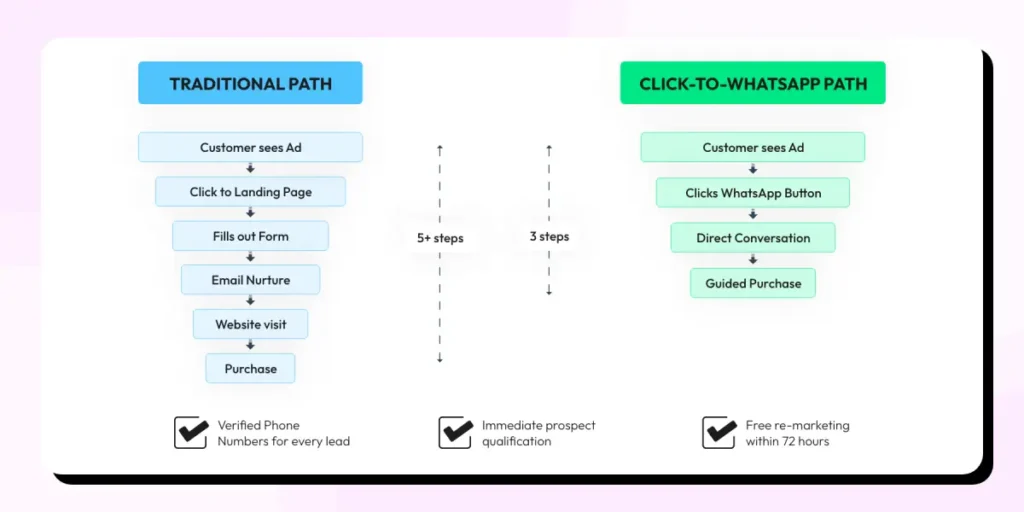
Defining your campaign objective is crucial for choosing the right ad format, as it ensures your advertising aligns with your specific marketing goals.
Advertise Across the Entire Customer Journey
Click to WhatsApp Ads can support your marketing efforts at every point in the customer journey.
Pre Purchase
- Awareness: Your ads introduce the product or brand on Meta platforms and help you reach people who may not know your brand yet.
- Consideration: When users want more clarity, ads can take them straight to a WhatsApp chat for guidance or a detailed consultation.
Purchase
- Your ads can lead users directly into WhatsApp to confirm a purchase, ask about availability, or request a payment link.
Post Purchase
- Care: Ads make it easy for customers to reach support on WhatsApp for updates, questions, or troubleshooting, which improves their overall experience.
- Loyalty: You can also use ads to remind returning customers about exclusive offers or loyalty benefits available through WhatsApp.
This approach allows you to stay connected with customers at every stage, from discovery to repeat engagement, all within a channel they use every day.
How to Run Click to WhatsApp Ads Across Facebook and Instagram?
WhatsApp click to ads let you show up where people already spend their time. You can reach new audiences, re-engage existing ones, and move them into WhatsApp conversations that feel direct and helpful.
Reach
Meta’s targeting tools help you find the right prospects instead of casting a wide net.
– Target by location
– Filter by age and gender
– Build custom or lookalike audiences based on your existing customers
Engage
Use formats that match the way people browse on Facebook and Instagram.
– Carousel ads to showcase different products
– Video ads to explain or demonstrate
– Image ads for clean, straightforward communication
Develop
Once users start a chat, you can guide them toward the next step in a more personal way.
– Multi-product messages or quick reply buttons
– Conversations tailored to what they are looking for
– Offers or loyalty updates that keep them coming back
This gives you a simple path from reach to engagement to meaningful conversations on WhatsApp.
Requirements For Setting Up WhatsApp Ads
If you wish to run WhatsApp campaigns using the Facebook Ads Manager, here are the things that you need to set up as per Meta:
- Log in to your Facebook account to complete the setup process.
- A Facebook Business Manager account.
- A Facebook page connected to your business.
- A WhatsApp business account linked to your Facebook Page.
- You will need to upload images or videos when creating your ads.
- Payment method set up in your Facebook Ads Manager.
Note: When integrating your WhatsApp Business account, consider connecting multiple platforms like Facebook, Instagram, and WhatsApp to organize your advertising workflow and manage your campaigns more smoothly.
1. Get a WhatsApp Business Account
WhatsApp advertising is not supported on personal WhatsApp numbers. You need a WhatsApp Business account linked through the WhatsApp Business Platform (API). Make sure your WhatsApp business account, Facebook page, and Meta Business Manager are connected.
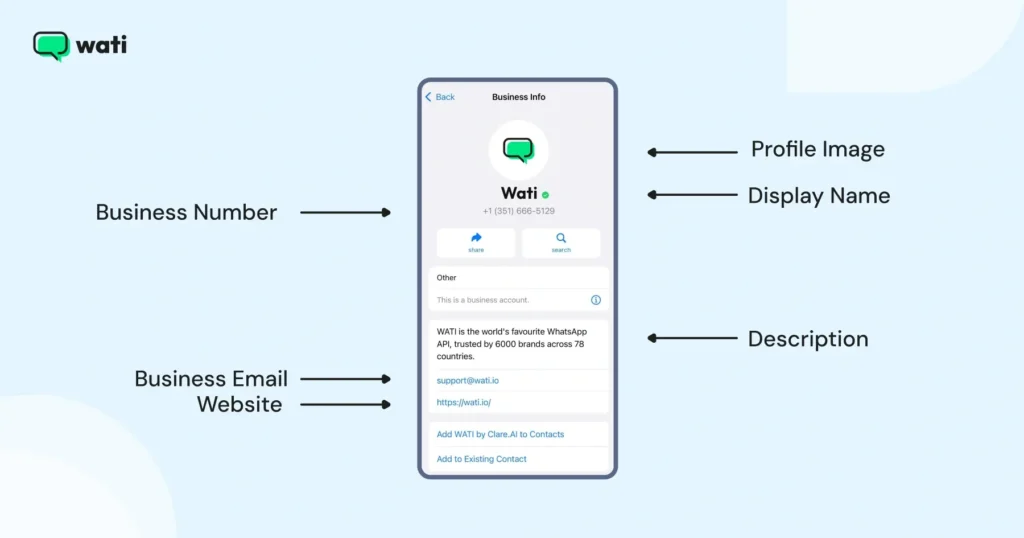
WhatsApp Business API comes with features like:
- Chat automation & WhatsApp chatbot.
- Product catalog to showcase products and services on WhatsApp.
- Integration with CRMs
- Bulk messaging options for promotions and marketing
Let’s assume that now you’ve set up your WhatsApp Business account.
2. Add WhatsApp Business Number to Your Facebook Page
You need to connect your WhatsApp business account with your Facebook page. This is a mandatory step and can be done from your Facebook Business page settings:
- Navigate to your Facebook business Page.
- Click ‘Settings‘.
- In the column on the left-hand side, click ‘WhatsApp‘.
- Choose your country code.
- Enter your WhatsApp number and click ‘Send code‘.
- Input the OTP code and click ‘Confirm‘.
Once this is done, you can start creating your first Click-to-WhatsApp ad.
After following these steps, remember to set a start and end date for your campaigns.
How to Create Click to WhatsApp Ads on Facebook Ads Manager?
Here’s a quick step-by-step guide to help you set up your WhatsApp campaign using Click-to-WhatsApp (CTWA) ads.
To create a Click to WhatsApp Ad, you’ll start by setting up a new campaign in Meta Ads Manager, choosing ‘Engagement’ as your objective, and selecting ‘Messaging apps’ as your conversion location. Connect your WhatsApp Business number, define your audience, add your creatives, and publish the ad once everything looks right.
For a complete, step-by-step guide, refer to the support article.
Measure What Matters in Your Click to WhatsApp Campaigns
Tracking conversions from Click to WhatsApp Ads helps you see which campaigns are actually driving meaningful conversations and sales. It gives you clarity on what is performing well, where your budget is going, and how users move through your funnel.
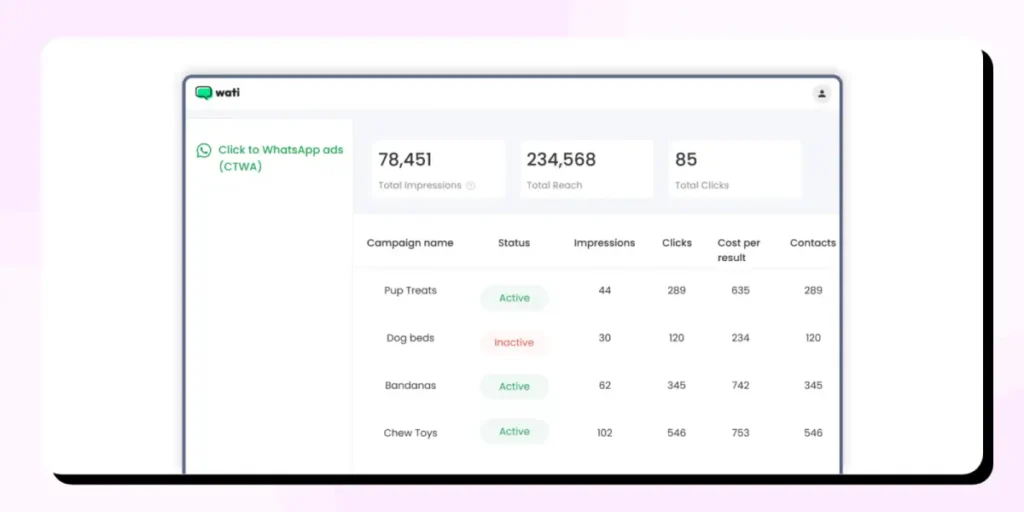
Wati makes this easier by highlighting CTWA leads in the team inbox, letting you filter them quickly, and showing you attributes like source_id and source_url so you know exactly which ad brought in each contact.
You can compare multiple campaigns, review engagement insights, and track purchases to understand how many chats turn into paying customers.
Note: This step requires expertise in Facebook Advertising. We expect that you have knowledge of Facebook ads and understand that they involve money.
Check the support article for a step-by-step walkthrough.
Tracking Conversions from Click-to-WhatsApp Ads
To track click-to-WhatsApp ads, you’d first need to connect your Meta account with Wati. Once the connection is set in place, Wati can identify which conversions came from your ad and map them to events like purchases.
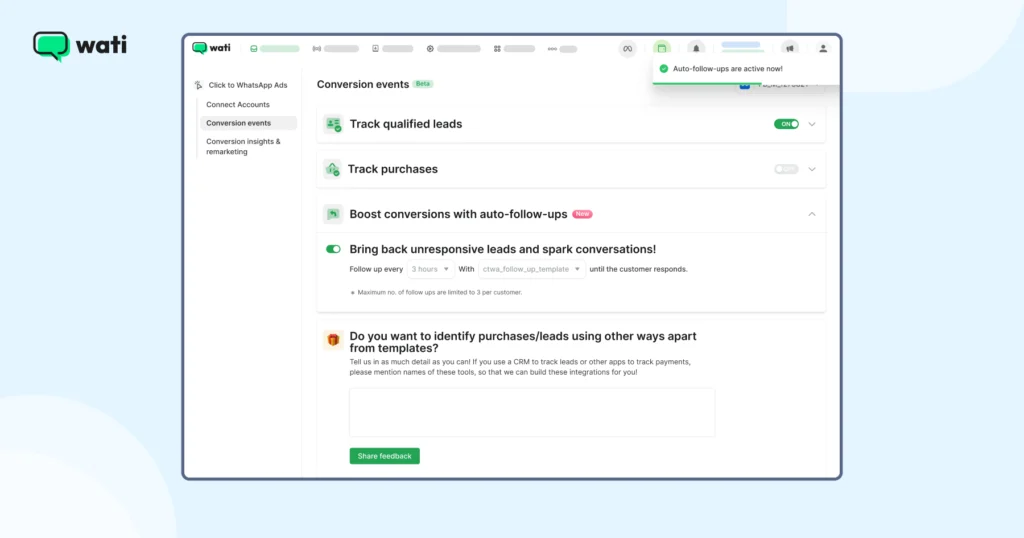
You can track purchases through approved templates used in the flow and track leads through appointment confirmation templates. Check out the support article for more information.
Analyzing your Click-to-WhatsApp Campaign Results
Once your ads start generating conversations, review key metrics like cost per conversation, cost per lead, and cost per purchase to see which campaigns are performing well. Meta Ads Manager also gives you data on ad spend, clicks, impressions, reach, and engagement to compare results.
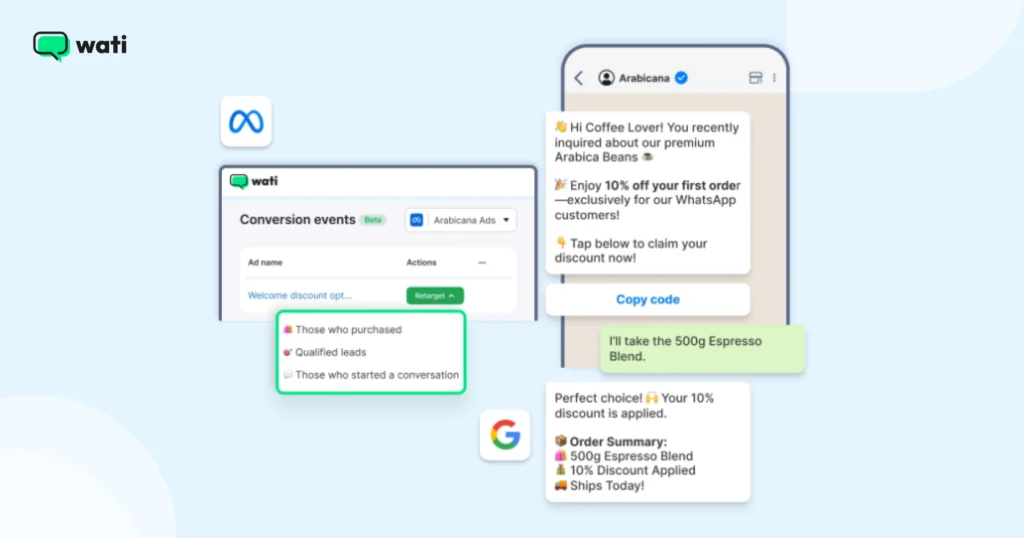
Important Note: You can now activate 72 hours of free messaging for Click to WhatsApp Ads by replying to any incoming customer message. This extends the conversation window beyond the standard 24 hours without using paid templates.
Here’s a support article to learn more.
Tips to Design High-Impact Click to WhatsApp Campaigns
Strong messaging plays a key role in your Click to WhatsApp campaigns. It grabs attention and encourages users to start a chat with your business. Here’s how to write content that delivers results.
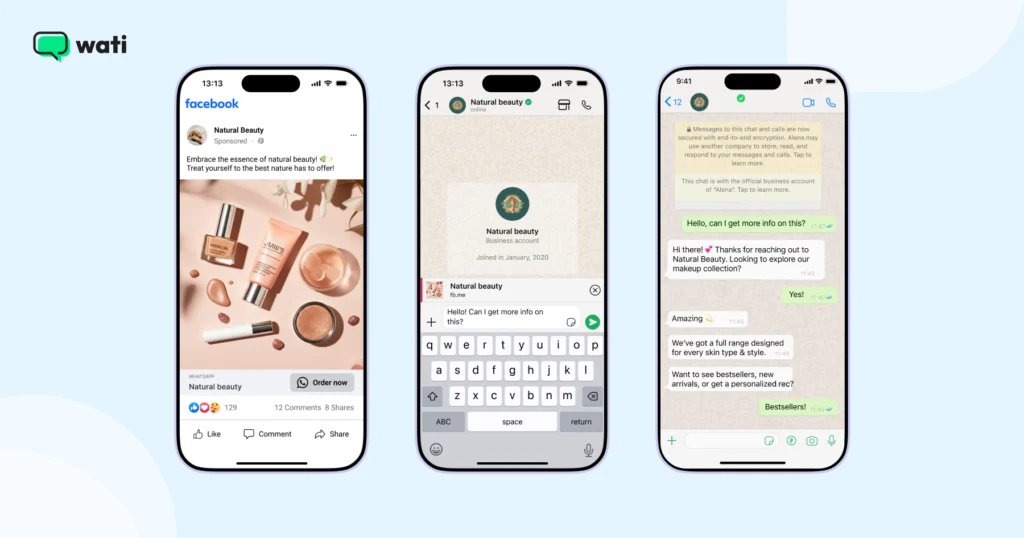
Write Copy That Connects
Great ad copy doesn’t feel like an ad. It feels like a message meant for the person reading it. When your words sound real and relevant, people pay attention and take action.
Keep Your Call to Action Simple
Your call to action should tell people what happens next. Use short phrases like “Send a message,” “Find out more,” or “Book now.” Avoid overcomplicating it. Test a few options and stick with what brings in the most engagement.
Know Your Audience
Before writing, think about who you’re talking to and what they care about. Address their needs and use language they’d use themselves.
Studies show that 74% of consumers prefer ads that fit the content they’re viewing. When your message matches their interests, engagement naturally increases.
Mistakes That Can Hurt Your Campaign
A few small mistakes can hurt the performance of your Click to WhatsApp campaigns. Here are some mistakes to watch out for.
| Using a lot of templates and generic replies | Conversations will fall flat when every message looks automated. Keep some templates for speed, but balance them with replies that feel more genuine. |
| Taking too long to respond during busy hours | Customers will expect faster replies on WhatsApp. Late replies can lead to missed opportunities when someone is ready to make a decision. |
| Missing the 72-hour follow-up window | Once a user messages from a CTWA campaign, you have a limited window to follow up without extra costs. If you don’t use that time frame, high-intent leads can slip away. |
Make a habit of reviewing the above details before and after each campaign. It can save your budget and help you convert more of your conversations.
Best Industries for Click to WhatsApp Ads
Ads that click to WhatsApp work well in sectors where customers prefer quick answers and guidance before making a decision. Here are some examples of how certain industries can use CTWA to drive sales and bring in more leads.
E-Commerce & D2C Brands
Online shoppers would have questions about a product’s size, delivery timeline, and more. A CTWA ad will let them connect with your support, get their query answered instead of abandoning their cart.
Example: A skincare brand can run a CTWA ad for a newly launched product. Users can click the ad to ask about the ingredients, and the brand shares the answers directly in the chat.
Real Estate
These industries are made up of high-value decision makers. Their customers want many details, photos before scheduling a visit.
Example: A real estate company can run CTWA ads to promote bookings for their new property. Interested people can click on the ad to request a PDF with all the details about the property before planning or scheduling their site visit.
Running Click-to-WhatsApp Ad Campaigns That Delivered Results
Habuild
Habuild used Click to WhatsApp Ads to fix a major gap in their lead generation, losing potential users to incorrect phone numbers and form drop-offs.
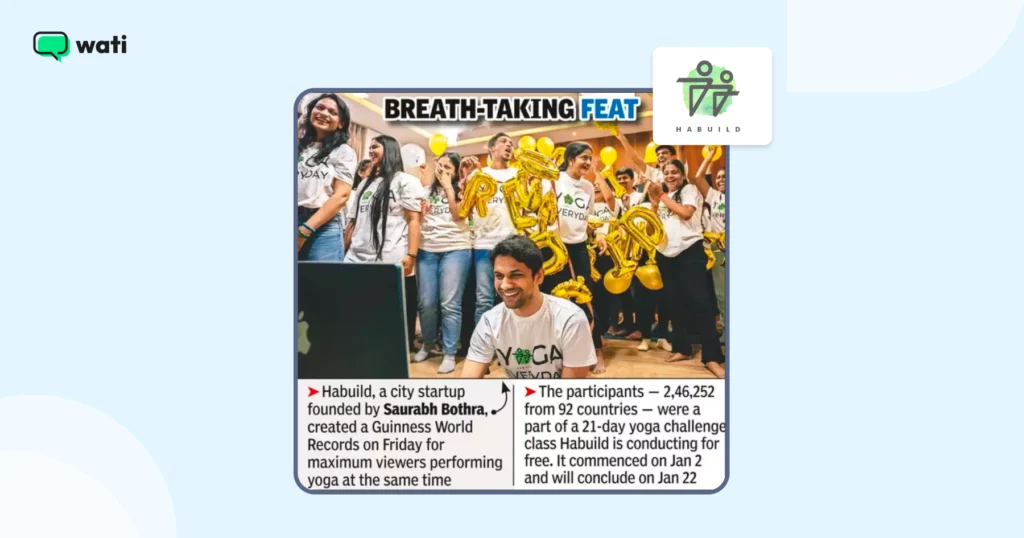
instantly verified phone numbers, removed extra steps, and made lead collection faster and more reliable.
Want to see how they scaled their customer base from 400 to over 3 lakh using Wati? Read the full case study.
Bowaba
Bowaba used Click to WhatsApp Ads to transform how brands in the GCC connect with customers. Traditional ads and forms were losing leads before conversion, but CTWA changed it. With Wati, Bowaba built WhatsApp-first funnels where users could chat directly with a business instead of filling out forms. This shift reduced drop-offs, improved lead quality, and made tracking much easier.
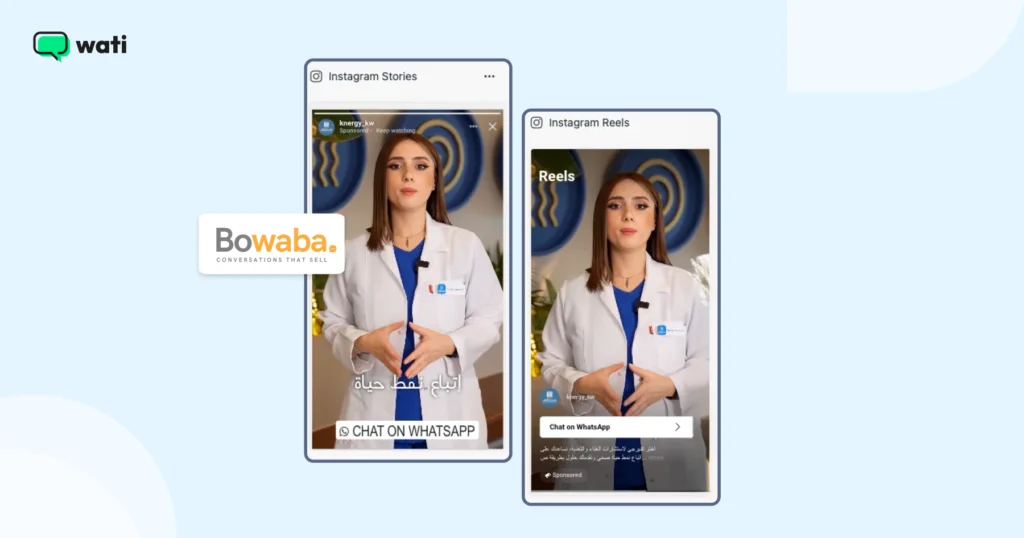
By integrating Wati with CRM tools and using real-time remarketing within WhatsApp’s 72-hour window, Bowaba’s clients achieved up to 11X ROAS, higher conversion rates, and stronger customer relationships. Want to see how they achieved it? Read the full case study.
Blacklyf
Blacklyf turned skeptical online shoppers into paying customers using Click to WhatsApp Ads.
In Uganda, where most people distrust e-commerce websites, driving traffic to a landing page wasn’t working. By switching to WhatsApp-first campaigns, Blacklyf made it easy for potential buyers to chat directly with their team instead of clicking “Buy” on a website they didn’t trust.
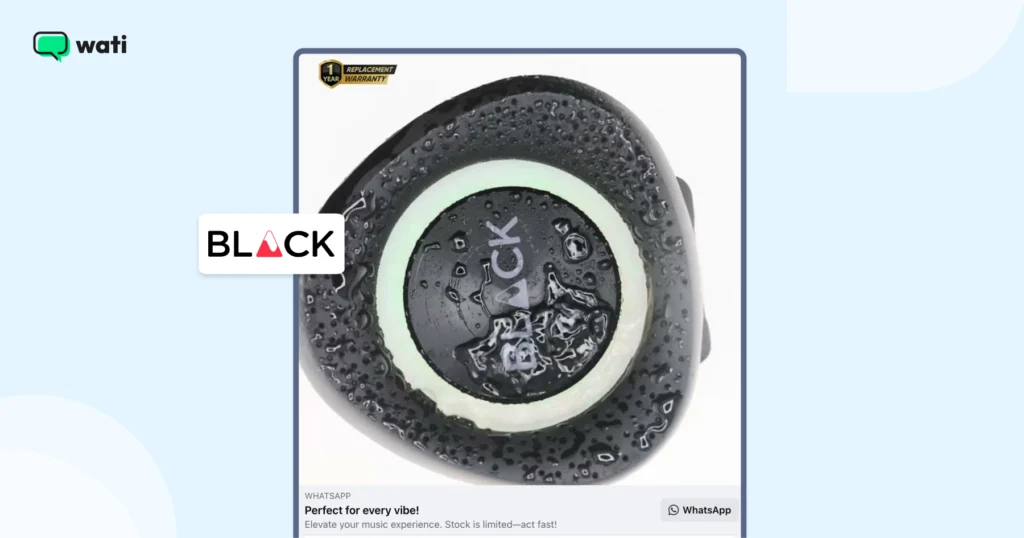
Smart retargeting within WhatsApp’s 72-hour window helped recover lost leads and convert hesitant buyers through quick follow-ups and time-sensitive offers.
The results spoke for themselves: 60% lower acquisition costs, a 3x higher conversion rate, and a growing base of verified customers ready for remarketing. Want the full story? Read the complete case study.
Ready to Turn Clicks Into Conversations?
Click to WhatsApp Ads make it easier for people to talk to your business right when they’re interested. They skip forms, open direct chats, and create real engagement that helps drive conversions. With the right setup and tracking, you can see exactly what’s working and improve every campaign.Want to try it for your brand? Book a demo with Wati and see how WhatsApp conversations can turn ad clicks into real customers.
Frequently Asked Questions
Click to WhatsApp Ads are ads that open a WhatsApp chat when clicked. Instead of leading users to a website or form, they start a direct conversation with your business.
When someone clicks the ad, they’re taken straight to a chat with your business on WhatsApp. You can use this space to answer questions, share product details, or guide them toward a purchase.
You’ll need a WhatsApp Business Account, a linked Facebook Page, and access to Meta Ads Manager. A verified WhatsApp number must also be connected to your Page.
No. You must use a WhatsApp Business Account or WhatsApp Business API account to run Click to WhatsApp Ads.
You can connect Wati to your Facebook Ads Account to track conversations, purchases, and qualified leads directly from your campaigns.
When a customer messages you from a Click to WhatsApp Ad, you can reply within 72 hours without using paid templates.
Focus on clear ad copy, a simple call to action, and quick replies. Review metrics like cost per conversation and cost per lead to refine your campaigns.
Yes. Platforms like Wati let you set up chatbots, automated replies, and workflows to manage leads, share product details, and follow up with customers.