
Too Long? Read This First
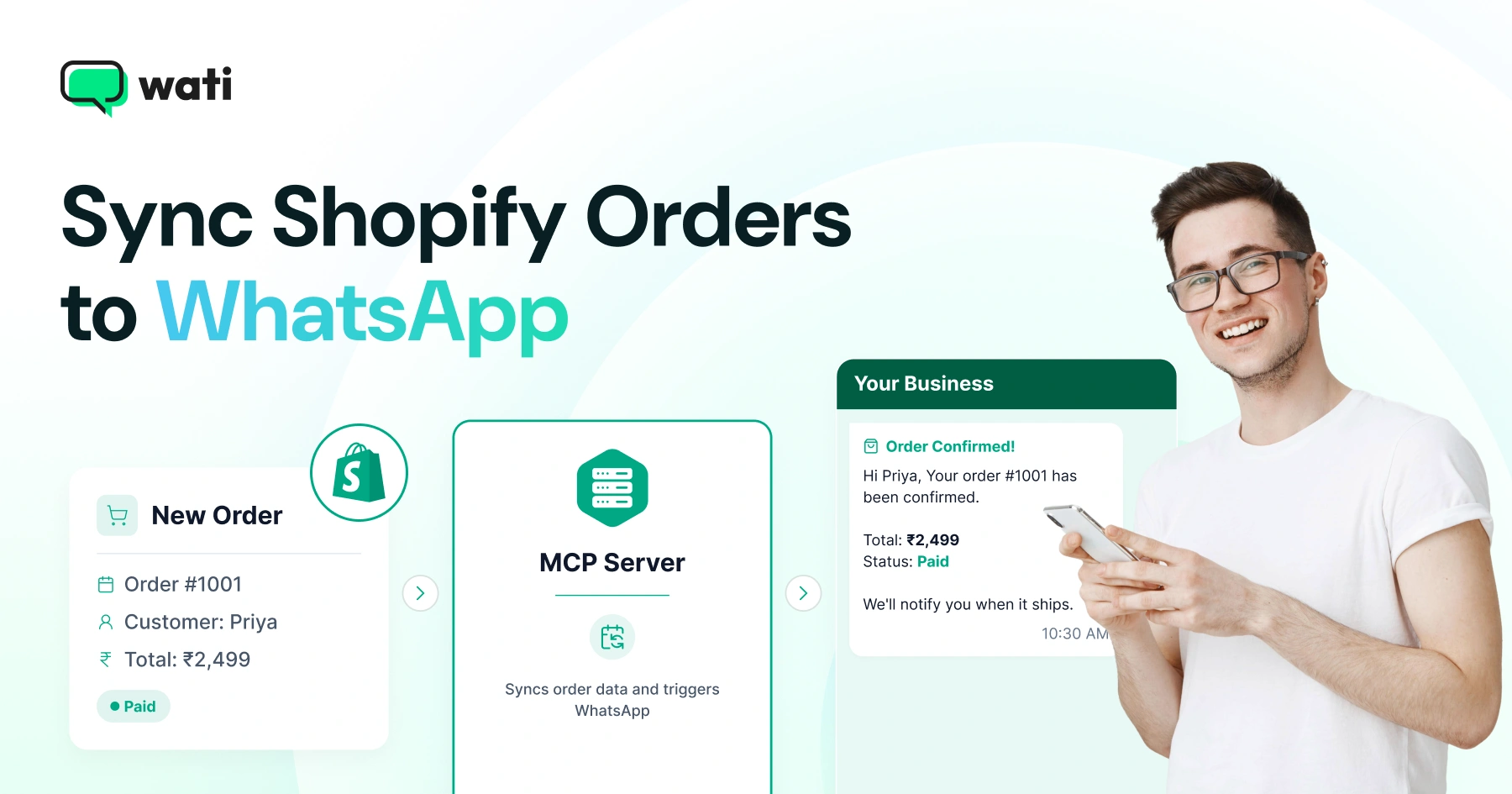
- Connect Shopify order events to WhatsApp: Use Shopify’s orders/paid webhook to trigger an order notification workflow when a payment is captured.
- Use MCP as the connection layer: An MCP-aware adapter can pass Shopify order data to Wati MCP, which provides tools to find approved templates, check contacts, and send WhatsApp messages.
- Map the right order data: Pass details such as the order number, total, item information, and delivery estimate into the approved WhatsApp template.
- Use approved templates for backend-triggered notifications: Order confirmations typically occur outside an active 24-hour customer-service window, so an approved template is generally required.
- Build in safeguards: Verify Shopify webhook signatures, require confirmation before customer-facing sends, and maintain send-level audit logs.
- Prevent duplicate notifications: Shopify can retry webhooks, so use the Shopify order ID as an idempotency key before sending another WhatsApp message.
Shopify checkout fires an event long before the customer thinks about WhatsApp. Get that event into a message, and you have order confirmations, shipping updates, and refund alerts running without anyone touching a spreadsheet.
The catch: Shopify speaks REST and webhooks, WhatsApp speaks templates and session windows, and stitching them together used to mean custom glue code for every store.
Wati MCP closes that gap by giving an AI assistant or your own script a set of tools it can call directly. This guide covers the webhook-to-MCP flow, the WhatsApp template rules that govern when you can message a customer, and the security and audit practices you need before this touches real orders.
What does "Sync Shopify Orders to WhatsApp" Actually Mean?
Syncing orders to WhatsApp means catching a Shopify event, mapping it to an approved message, and sending it through the WhatsApp Business API without manual copy-paste between systems.
The Three Moving Parts
Every sync has three parts working together: the source event, the routing layer, and the delivery channel. Shopify supplies the event. An adapter or MCP server supplies the routing. Wati's WhatsApp Business API connection supplies delivery. Miss one part and the flow breaks: a webhook with nowhere to send, or a template with no data to fill.
Where This Fits in Your Stack
This pattern isn't unique to order confirmations. The same webhook-to-MCP shape works for Shopify abandoned cart reminders, delivery updates, or review requests. If you already run ecommerce customer experience workflows on WhatsApp, order sync is usually the first automation teams build, since the trigger event is unambiguous: a payment either happened or it didn't.
How do Shopify Order Webhooks Trigger the Flow?
Shopify's Admin API lets you subscribe to webhook topics, including orders/paid, which fires the moment an order's payment gets captured.
Per Shopify's developer documentation, webhook topics exist for shop events, and orders/paid specifically triggers whenever an order is paid; no polling required, and no delay beyond Shopify's own delivery time.
Setting Up the Webhook Subscription
You register a webhook by pointing Shopify at an HTTPS endpoint you control, either through the Admin API or the Shopify admin dashboard. Run a single endpoint per topic and distinguish shops by the domain header if one integration serves multiple stores.
What's Inside the Payload
The orders/paid payload includes the order ID, line items, customer contact details, currency, and total. That's enough to fill an order confirmation template; order number, item count, total, and delivery estimate are the four fields most stores map first.
Where does MCP Fit Between Shopify and WhatsApp?
MCP sits between your webhook listener and WhatsApp, exposing callable tools so an AI assistant or script can list templates and send messages without custom API wrappers.
Anthropic introduced the Model Context Protocol as an open standard for connecting language models to external tools and data, rather than requiring a bespoke integration for every model and service pair. One protocol, many tools, and any compliant assistant can use them.
What is MCP, in Plain Terms?
Per the Model Context Protocol specification, MCP servers expose tools, discrete actions a model can call, such as listing templates or sending a message. That turns a conversation into something that can actually act on a connected system, rather than just describing what should happen.
The Wati MCP Server's Role
The Wati MCP server turns "send this order confirmation" into an actual WhatsApp Business API call. Point your webhook adapter or AI agent at the Wati MCP server; it can then list your approved templates, check a contact's status, and send the message, all through the same tool-calling pattern MCP defines.
Why WhatsApp Templates Matter for Order Notifications
WhatsApp only allows free-form messages within 24 hours of a customer's last message; anything outside that window needs an approved template.
According to Meta's documentation, template messages are the only message type you can send once the 24-hour customer service window closes. Session messages work fine inside that window but fail outside it.
The 24-Hour Service Window Explained
The window resets every time the customer messages you. Order confirmations almost always fall outside it: a customer pays, then goes quiet, and you need to message them minutes or hours later. That's why every serious Shopify-to-WhatsApp flow leans on approved templates rather than plain text.
Approved Templates vs Session Messages
Templates need pre-approval from Meta and use fixed variable placeholders; session messages are free-form but only work inside the 24-hour window. Mixing the two without checking timing is the most common reason order notifications fail to send. If you're new to structure and approval, Wati's guide to WhatsApp message templates covers the basics.
Building the Integration: 6 Steps From Webhook to WhatsApp Message
The full flow runs in six steps, from registering the Shopify webhook to logging a confirmed send, and each step maps to one tool call or one piece of infrastructure.
Step 1-2: Register and Verify the Webhook
Register the orders/paid webhook against your listener endpoint, then verify each incoming request against Shopify's signature before processing it. Skip verification, and you're trusting unauthenticated requests carrying real order data.
Step 3-4: Map the Payload and List Templates
Extract the fields your template needs- order number, total, delivery estimate- then call the tool that lists approved templates to confirm the one you want is still active. Templates get rejected or paused; checking first avoids a failed send later.
This MCP server supports viewing approved templates before you commit to a send, which matches the confirmation-first approach Wati documents for managing a workspace through MCP.
Step 5-6: Send and Log
Send the template message with mapped variables, then write the response, message ID, timestamp, and delivery status to your own log or a synced sheet. This audit trail is what you'll need if a customer disputes receiving a notification.
Security and Operational Notes
Treat the webhook endpoint and MCP connection as production infrastructure, with signature verification, confirmation prompts, and logging on every send.
Webhook Verification and Secrets
Never process a webhook payload without checking Shopify's signature header against your shared secret. Rotate that secret if it's ever exposed, and keep your endpoint on HTTPS only; a broken listener means silently missed orders, since retries don't run forever.
Confirmation Prompts and Audit Logs
This MCP server asks for confirmation before sending messages that reach real customers, which matters most when an AI agent decides to send. That confirmation step is your last check against a bad template mapping or a duplicate webhook delivery. Keep the audit log separate from your CRM export; you want send-level detail, not just contact summaries.
Where AI Agents Sit in the Flow
An AI agent's job here is narrow: read the order data, pick the right template, fill the variables, and call the send tool. It shouldn't decide policy; whether to message a customer at all stays a human decision, enforced by Meta's review process and your own workflow rules. Treat the agent as an operator, not a policy-maker.
If your team already automates around WhatsApp, say, Instagram comment automation or automated lead follow-up, the same operator-not-policy-maker principle applies. WhatsApp business automation use cases cover this pattern across more than just order sync.
Wati MCP vs. a Custom Webhook Adapter: Which Should You Build?
A custom adapter gives more control over payload mapping; the Wati MCP server gives faster setup because template listing and sending are already exposed as tools.
Factor | Custom Webhook Adapter | Wati MCP Server |
Setup time | Days to weeks | Hours, if templates already exist |
Template management | You build the lookup | Built-in template listing |
Confirmation safeguards | You build them | Built in before customer-facing sends |
Maintenance | You own API version changes | Wati maintains the tool surface |
Best fit | Complex, multi-system routing | Order confirmations, shipping updates, standard flows |
Most stores don't need a fully custom adapter for order confirmations; the payload is simple, and the template is fixed. Complex routing across multiple systems, such as loyalty points or inventory holds, is where a custom layer earns its cost.
Common Failure Points and How to Avoid Them
Most failed order notifications trace back to three causes: an unapproved template, a missed 24-hour window check, or an unverified webhook silently dropping data.
Template Rejected or Paused
Check template status before sending, not after a failure. A paused template returns an error you don't want to discover during a high-order-volume sale weekend.
Session Window Miscounted
If your logic assumes a customer messaged recently but they haven't, the session send fails. Default to template sends for anything triggered by a backend event rather than a live chat reply. For deeper troubleshooting, WhatsApp API errors and solutions walks through common Business API failure codes.
Duplicate Sends from Retry Logic
Shopify retries webhooks that don't return a fast response, so a slow listener might process the same order twice. Store an idempotency key; the Shopify order ID works well, and check it before sending a second template for the same order.
Get Started With Wati MCP for Shopify Order Sync
Setting up order sync takes a webhook, an MCP connection, and one approved template; most teams have all three running within a day.
Start with the orders/paid webhook, connect the Wati MCP server, then confirm your first template through Wati's dashboard before wiring in live orders. Compliance details around templates and opt-in are worth a read too; see WhatsApp API compliance before you scale past a pilot.
Book a demo with Wati to see the Shopify integration and MCP server working together on your own store's order data.
Frequently asked questions
Do I need a developer to sync Shopify orders with WhatsApp via MCP?
You need someone comfortable with webhooks and basic API work to set up the Shopify orders/paid subscription and connect it to an MCP-aware adapter; the Wati MCP server then handles template lookup and sending, cutting most custom code.
Can I send WhatsApp order confirmations without an approved template?
Only if the customer messaged you within the last 24 hours, since Meta's rules restrict non-template messages to that service window; outside it, order confirmations must use an approved WhatsApp template message.
What is MCP and why does it matter for this integration?
The Model Context Protocol is an open standard Anthropic introduced for connecting AI models and scripts to external tools. It lets an assistant call actions like listing templates or sending messages through one consistent interface instead of custom code per service.
How does Wati's MCP server prevent accidental messages to customers?
Wati's MCP server asks for confirmation before executing any send that reaches a real customer, giving you a checkpoint between an AI agent's decision and an actual WhatsApp message going out, on top of template approval and audit logging.
What happens if Shopify's webhook fires twice for the same order?
Shopify retries webhooks that don't get a fast response, which can cause duplicate deliveries. Store the Shopify order ID as an idempotency key and check it before sending a second WhatsApp template for the same order.
Should order sync use session messages or templates?
Almost always templates, because order confirmations fire from a backend event rather than a live customer reply, so you can't count on being inside WhatsApp's 24-hour customer service window when the message needs to go out.
Related posts
- AI Customer Support in 2026: What It is, How It Works, and Why Smart Teams are Quietly Switching Over
Learn how AI in customer support manages ticket escalations, automates ticket tagging and routing, and improves customer satisfaction. See how Astra does it.
- How to Automate Business Conversations With a WhatsApp AI Agent in 2026
Learn how to build a WhatsApp AI agent to engage, qualify, and convert prospects round the clock without any delays in 2026.
- Voice-First Web Experiences: Navigating with Voice Commands
learn how voice first web experiences enable you to power personalized, human-like conversations to have a competitive advantage in today’s market.
- How Voice AI Agents Qualify Leads: A Sales Team’s Guide to Hands-Free Pipeline
know how does voice ai qualifies leads for an effective sales action and potential conversion and where does astra 2.0 stand when it comes to pre-configured lead qualification