
Too Long? Read This First
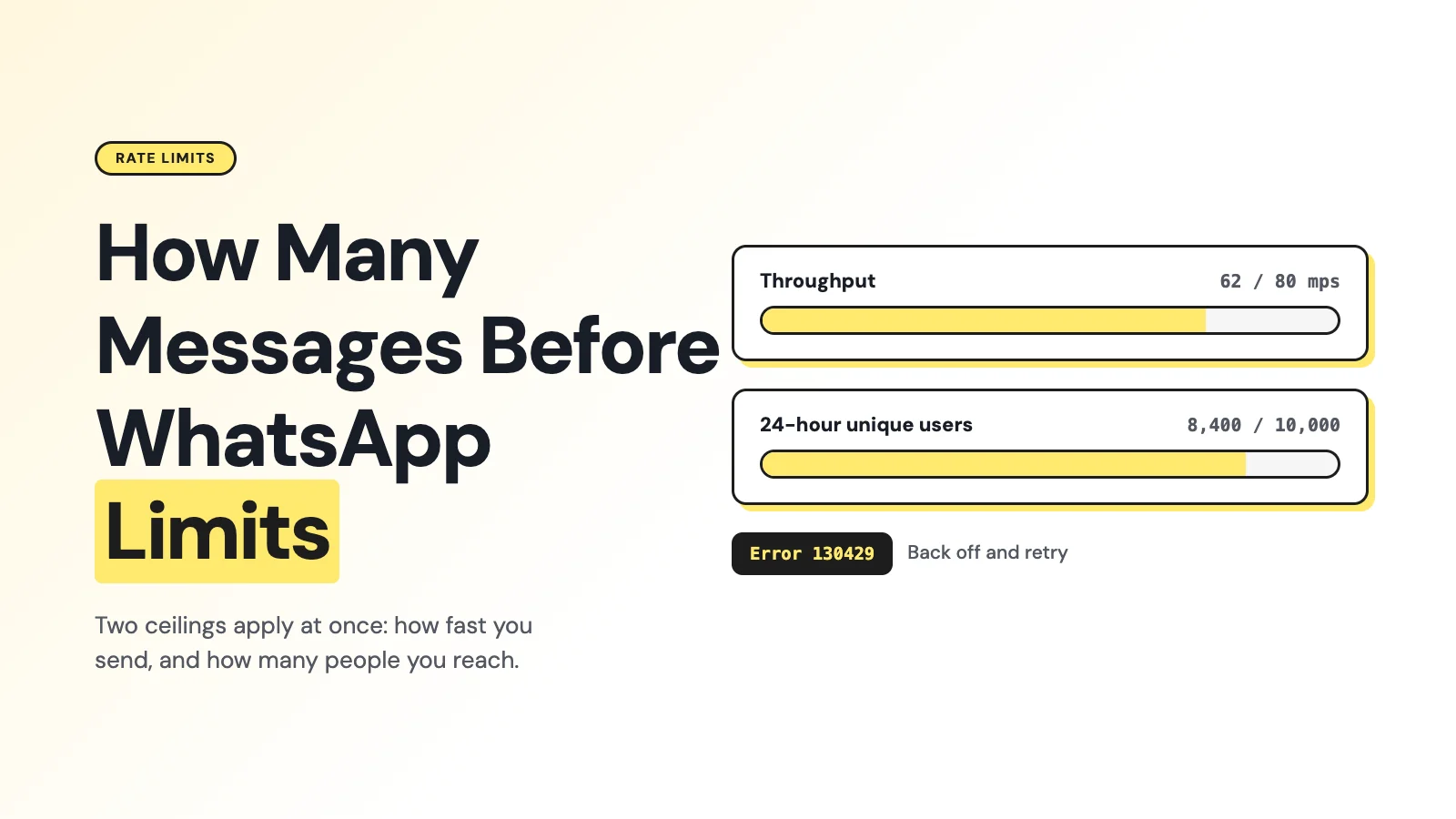
- WhatsApp Cloud API throughput is capped at 80 messages per second by default per phone number, upgradable to 1,000 mps automatically if you qualify.
- A separate 24-hour messaging limit controls how many unique WhatsApp users you can message first: the tiers run 250 to 2,000 to 10,000 to 100,000 to Unlimited, calculated per business portfolio since October 7, 2025.
- Hitting a limit returns a specific error code, not a generic failure. 130429 means throughput was exceeded; 80007 means the business account's rate limit was hit; 131056 means too many messages went to one recipient.
- Wati layers its own short-window API throttles on top of Meta's limits, scaled by plan (Growth, Pro, Business).
- An agent that loops over contacts needs a shared scheduler and backoff logic, not one send-call per contact fired in parallel.
How Many Messages Can an AI Agent Send Through Wati MCP Before Hitting WhatsApp Rate Limits?
There's no separate "AI agent limit" on WhatsApp.
An agent calling Wati MCP's send_template tool, which sends through the same sendTemplateMessage and sendTemplateMessages endpoints as any other integration, is subject to the exact same Meta throughput and messaging tiers as a human clicking send in a dashboard, plus Wati's own per-endpoint throttles.
Here's what those ceilings actually are, and how to build an agent loop that doesn't slam into them.
Two Separate Limits, Not One
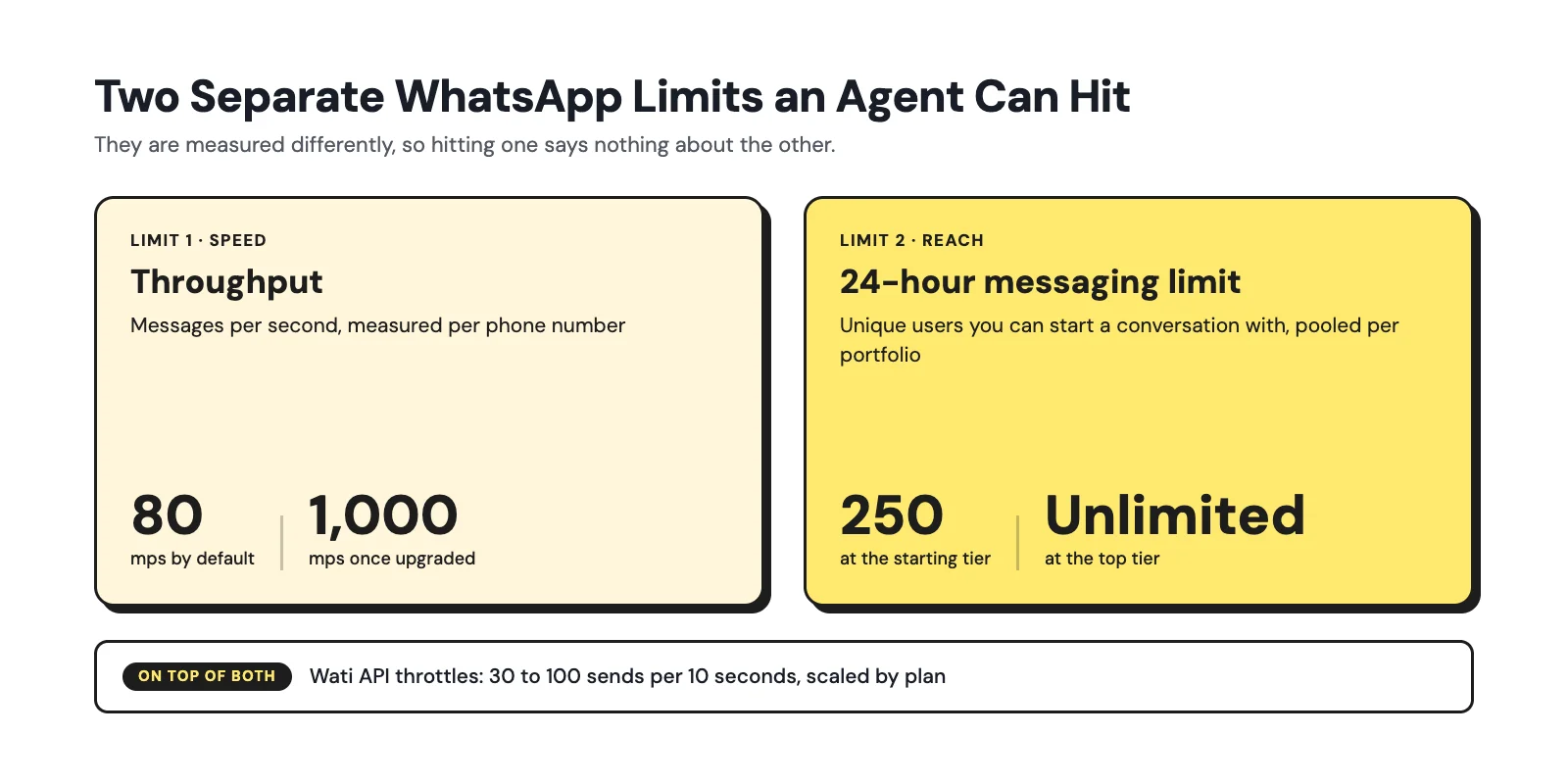
The most common mistake is treating "rate limit" as a single number. WhatsApp actually enforces two independent controls, and an agent can hit either one on its own.
Throughput is how fast messages can leave a phone number, measured in messages per second (mps). Messaging limits govern how many unique WhatsApp users a business can message first (business-initiated) within a rolling 24-hour period.
A slow trickle of messages to thousands of new recipients can hit the messaging limit without ever coming close to the throughput ceiling, and a burst of messages to the same few recipients can hit throughput or a per-recipient limit without touching the daily unique-user cap at all.
Throughput: Messages Per Second
Meta's official documentation sets Cloud API throughput at up to 80 messages per second (mps) by default for each registered business phone number, inclusive of both inbound and outbound traffic and all message types (Throughput, WhatsApp Developer Documentation). A number still in simultaneous use with the WhatsApp Business App is fixed lower, at 20 mps.
Scenario | Throughput | How to qualify |
|---|---|---|
Standard Cloud API number | Up to 80 mps | Default, no action needed |
Upgraded number | Up to 1,000 mps | Unlimited messaging tier, 100K+ unique recipients messaged in a rolling 24 hours, quality rating Medium or higher |
Number shared with WhatsApp Business App | 20 mps fixed | Applies while both are active on the number |
The upgrade to 1,000 mps is automatic and free once eligibility is met, but it takes up to a minute to apply, during which the number is temporarily unusable.
The 24-Hour Messaging Limit and the October 2025 Change
Separately, Meta caps how many unique WhatsApp users a business can message first outside an open customer-service window, in a moving 24-hour period. The current tier sequence is 250 to 2,000 to 10,000 to 100,000 to Unlimited (Messaging Limits, WhatsApp Developer Documentation).
New portfolios start at 250. Reaching 2,000 requires either a completed business verification or sending 2,000 delivered messages to unique users over a moving 30-day window using high-quality templates.
As of October 7, 2025, Meta calculates this limit at the business-portfolio level instead of per phone number (Upcoming changes to messaging limits).
All numbers in a portfolio now share one pool, existing portfolios inherited the highest limit any of their numbers had, and automatic tier upgrades now apply within 6 hours of qualifying, down from roughly 24 hours before the change.
If you're running multiple WhatsApp numbers behind one agent, they're drawing from the same daily budget now, not separate ones.
What an Agent Actually Sees When It's Throttled
Meta returns specific error codes rather than a generic failure, and an agent's retry logic should branch on them differently:
Error code | Meaning | What to do |
|---|---|---|
130429 | Cloud API throughput exceeded | Slow down or retry later; not recipient-specific |
80007 | WhatsApp Business Account rate limit reached | Reduce request frequency across the whole account |
131056 | Too many messages to the same recipient in a short window | Pace that specific recipient; other sends can continue |
Wati's own API layer can also reject a request before it ever reaches Meta, returning an HTTP 429 Too Many Requests independently of any Meta code (Errors & Rate Limits).
A well-built agent treats a Wati 429, a Meta 130429, and a 131056 as three distinct signals, not one generic "try again" case, because the correct response differs: back off the whole scheduler, back off the whole account, or just pace one recipient.
Wati's Own Throttles on Top of Meta's
Wati documents its own short-window rate limits on top of whatever Meta allows, scaled by plan:
Wati endpoint | Growth | Pro | Business |
|---|---|---|---|
addContact, getContacts | 10 / 10 sec | 10 / 10 sec | 10 / 10 sec |
getMessages | 10 / 10 sec | 10 / 10 sec | 10 / 10 sec |
sendTemplateMessage, sendTemplateMessages | 30 / 10 sec | 60 / 10 sec | 100 / 10 sec |
Building a Safer Agent Loop
An agent that loops over a contact list and fires one send call per contact will hit one of the limits above quickly, especially in parallel. A few concrete patterns hold up better.
- One shared scheduler per Wati account and phone number. Don't let individual agent workers each run their own independent send loop against the same number.
- Stay below the ceiling, not at it. Keep a safety margin under 80 or 1,000 mps and under Wati's per-endpoint caps rather than targeting the exact boundary.
- Bound concurrency and queue the work. Turn a "loop over contacts" instruction into jobs on a durable queue, not unbounded parallel MCP calls.
- Serialize per recipient. Pace repeated sends to the same user separately from the rest of the batch, so one 131056 doesn't stall unrelated recipients.
- Back off with jitter on any 429 or rate-limit code, and honor a server-provided retry delay if one is returned. Don't immediately retry every failed job.
- Use Wati's bulk endpoint for homogeneous sends. sendTemplateMessages supports up to 1,000 contacts in one call, reducing request overhead, though it doesn't bypass Meta's per-number or per-portfolio limits.
- Prefer webhooks over polling. Wati recommends webhooks instead of repeated getMessages calls for tracking delivery status.
The Wati Angle: Where This Matters Most for MCP Agents
The failure mode we see most with MCP-connected agents isn't hitting Meta's limits. It's an agent that treats every rejected send as the same kind of error and retries blindly, which can extend a temporary block into a longer one.
Build the branching logic in the first paragraph of your agent's tool-error handler, not as an afterthought.
For the tool list itself and what each one does, see What is a WhatsApp MCP Server? and for the general (non-agent) version of these limits, see WhatsApp API Rate Limits: How They Work & How to Avoid Blocks.
Plan Your Agent's Volume, Don't Guess It
Rate limits aren't a wall to route around. They're a budget to design for.
Once you know your throughput ceiling, your messaging-limit tier, and Wati's per-endpoint caps, sizing an agent's send volume is a scheduling problem, not a guessing game.
The setups that get flagged or blocked almost always skip this step: an agent fired off unbounded parallel sends and let Meta's error codes be the first signal something was wrong.
If you're scoping an AI agent that will send meaningful WhatsApp volume, it's worth walking through your actual account's tier, phone number count, and expected send pattern before you write the retry logic.
Book a demo with Wati and we'll size it with you against your specific numbers.
Frequently asked questions
Does Wati MCP have its own message-per-second limit separate from Meta's?
Wati doesn't publish a separate MCP-only throughput number. MCP tool calls draw against the same plan-based Wati API limits and the same Meta throughput and messaging tiers as any other integration.
What's the difference between throughput and the 24-hour messaging limit?
Throughput (messages per second) controls send speed. The 24-hour messaging limit controls how many unique users you can message first in a day. An agent can hit either independently of the other.
What should my agent do when it gets a 429 or a Meta rate-limit error code?
Back off with exponential delay and jitter, and scope the pause correctly: a throughput error (130429) means slow the whole account down, while a per-recipient error (131056) only requires pacing that one recipient.
Did the October 2025 change make it harder or easier to scale messaging?
Easier for most multi-number setups. Limits now pool at the business-portfolio level instead of per number, and automatic tier upgrades apply within 6 hours instead of roughly 24.
Can I send to 1,000 contacts in a single Wati MCP call?
Wati's sendTemplateMessages endpoint supports up to 1,000 contacts per call, which cuts request overhead, but the send still counts against Meta's throughput and portfolio messaging limits.
Related posts
- AI Customer Support in 2026: What It is, How It Works, and Why Smart Teams are Quietly Switching Over
Learn how AI in customer support manages ticket escalations, automates ticket tagging and routing, and improves customer satisfaction. See how Astra does it.
- How to Automate Business Conversations With a WhatsApp AI Agent in 2026
Learn how to build a WhatsApp AI agent to engage, qualify, and convert prospects round the clock without any delays in 2026.
- Voice-First Web Experiences: Navigating with Voice Commands
learn how voice first web experiences enable you to power personalized, human-like conversations to have a competitive advantage in today’s market.
- How Voice AI Agents Qualify Leads: A Sales Team’s Guide to Hands-Free Pipeline
know how does voice ai qualifies leads for an effective sales action and potential conversion and where does astra 2.0 stand when it comes to pre-configured lead qualification