

-

-
-
Solutions
-
Soluções
-
Soluciones
-
解决方案
-
解決方案
-
الحلول
-
Product
-
Produto
-
Producto
-
产品
-
產品
-
المنتج
-

-
-


 Wati for Marketing
 Wati for Support
 Wati for Sales
 eLearning
 E-commerce
 Marketing Agencies
 Healthcare
 No Code Chatbots
 WhatsApp Business API
 Instagram and Facebook messenger
 Click to WhatsApp ads
 Campaigns
 Team Inbox
 WhatsApp Business Calling
 Wati AI
 Overview
 Library
 Agente de suporte de IA
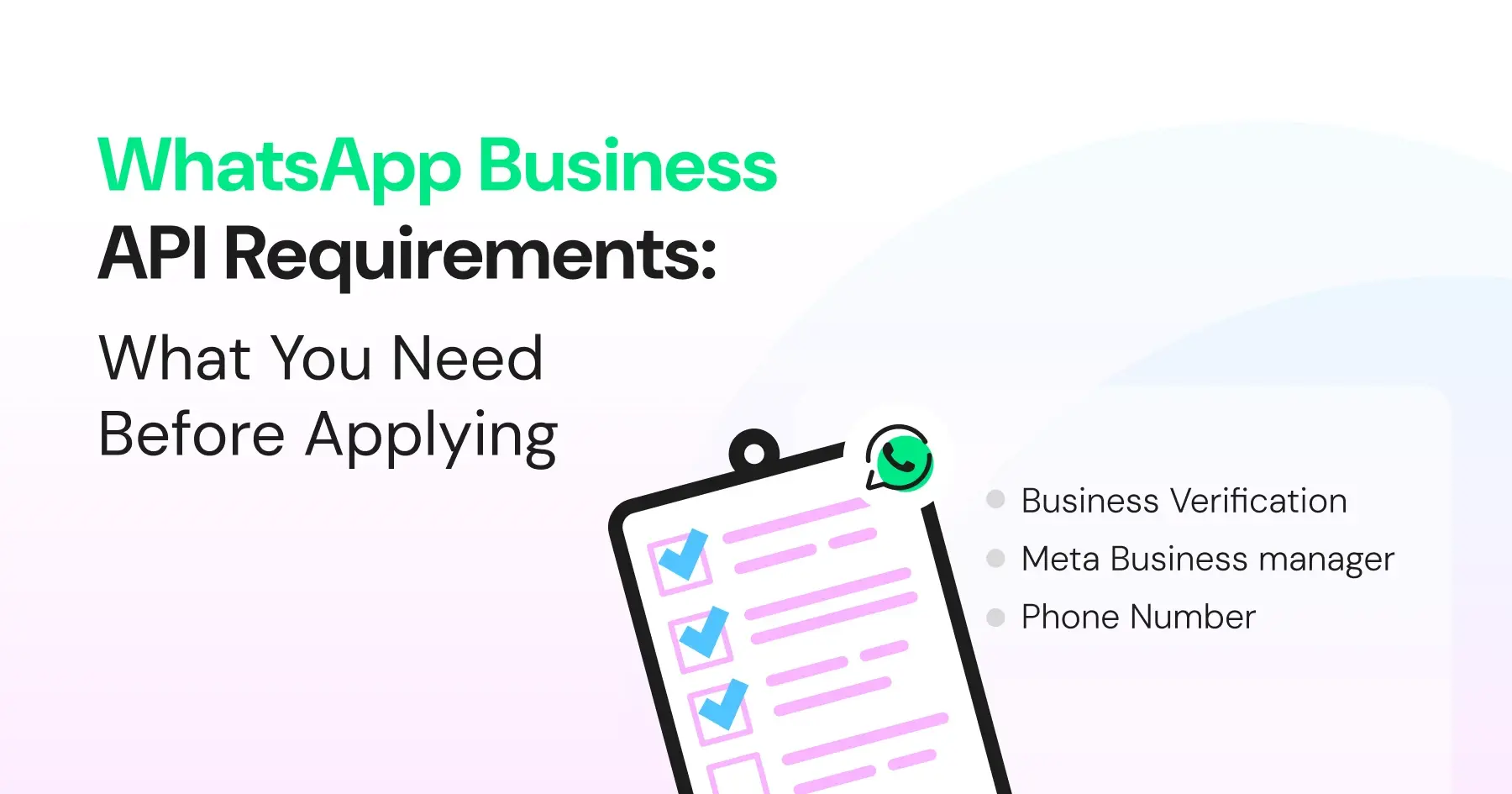
WhatsApp API Prerequisites: Phone Numbers, Documents, and Verification
Written by:
 Shreya Mattoo
|
Last updated on:
February 4, 2026
|
Fact Checked by :
Shreya Mattoo
|
Last updated on:
February 4, 2026
|
Fact Checked by :
 Namitha Sudhakar
|
According to: Editorial Policies
Namitha Sudhakar
|
According to: Editorial Policies
 Table of Contents
Too Long? Read This First
- To apply for the WhatsApp API, you must have a verified Meta Business Manager, a WhatsApp Business Account, and an unused phone number ready for registration.
- Cloud API requires a Meta Business setup, API token, and webhook URL, while On-Prem API additionally demands a dedicated server and technical infrastructure.
- Wati simplifies onboarding by automating phone-number checks, token handling, webhook setup, and WABA provisioning.
- Using a BSP like Wati removes the need for server maintenance and ensures compliance; some pre-built templates and secure authentication happen smoothly.
- Once prerequisites are in place, Wati enables seamless API configuration, message automation, broadcasts, agent routing, and AI-powered customer engagement.
Are you considering the WhatsApp Business API to refine customer engagement?
You can get comprehensive details of WhatsApp Business API with our complete guide on the WhatsApp Business API article. Before you invest your time and energy into the WhatsApp engine, you need to have a few prerequisites in place.
While WhatsApp Business API providers like Wati offer customer infrastructure for WhatsApp broadcasts, there are a few requirements you need to meet before signing up for the platform.
From registering for a business account to Meta’s green tick verification of documents to submitting policy and compliance documentation, signing up for WhatsApp Business API is a multi-step process.
Before you invest in a WhatsApp Business API solution, ensure your phone number is not registered on WhatsApp or WhatsApp Business. Users who do not have an active WhatsApp Business mobile account can convert WhatsApp and launch the API.
The more prepared you are with WhatsApp API pre-requisites, the faster you can implement the API and run effective WhatsApp broadcast campaigns.
What Are the Whatsapp Cloud API Pre-Requisites to Gather?
Based on your business size (small, mid, or enterprise), you have to choose either a WhatsApp Cloud API or a WhatsApp on-prem API.
According to a recent McKinsey study, around 71% expect companies to deliver personalized interactions, and 76% get frustrated when they don’t.
To ensure that you establish a verified business credibility and create a smooth WhatsApp shopping experience, keep this list handy as you switch to a WhatsApp Business API and plug it into your tech stack.
What Are the Pre-Requisites for WhatsApp Cloud API in 2026?
Below are the core requirements of WhatsApp Cloud API:
1. Meta Business Account
You need an active Meta Business Manager account, since all WhatsApp Cloud API integrations are tied to Meta’s developer system.
Business solution providers like Wati provide a guided connection flow to link your Meta Business Manager with the API automatically, so you don’t have to navigate Meta’s user interface manually.
2. WhatsApp Business Account
You must have a WhatsApp Business Account (WABA) or at least one phone number assigned for it.
WhatsApp Business API (like Wati) links your WABA for you during onboarding, shows available numbers, or helps you import existing ones.
Your chosen number must not be currently logged into WhatsApp or WhatsApp Business App. If it is, you must delete the WhatsApp tied to that number before registering it to the API.
Wati checks your number’s status and warns you if it’s still active in the app, so you can avoid registration errors.
Also read: How to set up a WhatsApp Business Account: A complete guide for WhatsApp marketing in 2026
Bonus Read: How to choose a virtual number to run WhatsApp messaging for your consumer market in 2026.
3. Permanent Address Token
You will need a system-user access token (sometimes called an access token) to authenticate Cloud API requests; BSPs typically automate token creation and rotation for you.
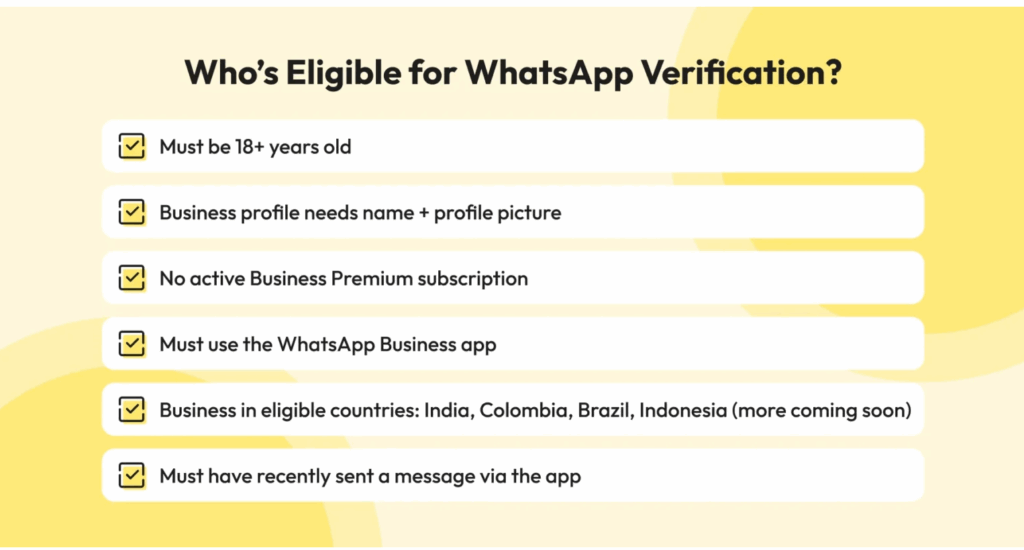
Also read: Check out this complete guide for WhatsApp verification and how your business can be eligible to buy and sell online in 2026
4. Webhook Endpoint
Businesses need a secure Webhook URL using HTTPS, which will receive all incoming WhatsApp messages and delivery events. A secure webhook endpoint is required to receive inbound messages and events unless you are using a BSP that provides and manages the webhook for you.
Integrating a cloud API with Wati lets you secure a pre-configured webhook endpoint, so you don’t need to self-host to send or receive WhatsApp messages.
Also read: How to create and automate a WhatsApp broadcast list to automate conversations with customers.
What are the WhatsApp On-Premise API Pre-Requisites to Gather?
Below are the documents and details you need to keep ready before deploying a WhatsApp on-prem API as a part of your customer infrastructure.
1. Dedicated Server Ecosystem
Brands must have a dedicated server environment capable of running on-prem WhatsApp API, which includes Docker handling, database setup, networking configuration, and log management.
BSPs like Wati remove most hosting burdens by provisioning Cloud API; On-Prem previously offered more server-level control, but for small and mid customers, it adds on to the price.
Cloud + BSP provides account control, number provisioning, template handling, and role management without hosting your own servers.
If you are considering on-prem for complete control, it provides an alternative customer infrastructure (account control, phone number verification, template approvals, and role management) without the operational burden.
Also read: Everything you need to know about WhatsApp Business Manager to automate setup, compliance, and ROI.
2. Business Solution Provider (BSP)
You need a complete business solution provider to manage SSL certificates, webhook endpoints, GDPR controls, database security and compliance, a static IP address, and HTTPS-enabled public endpoints for both sending and receiving WhatsApp traffic.
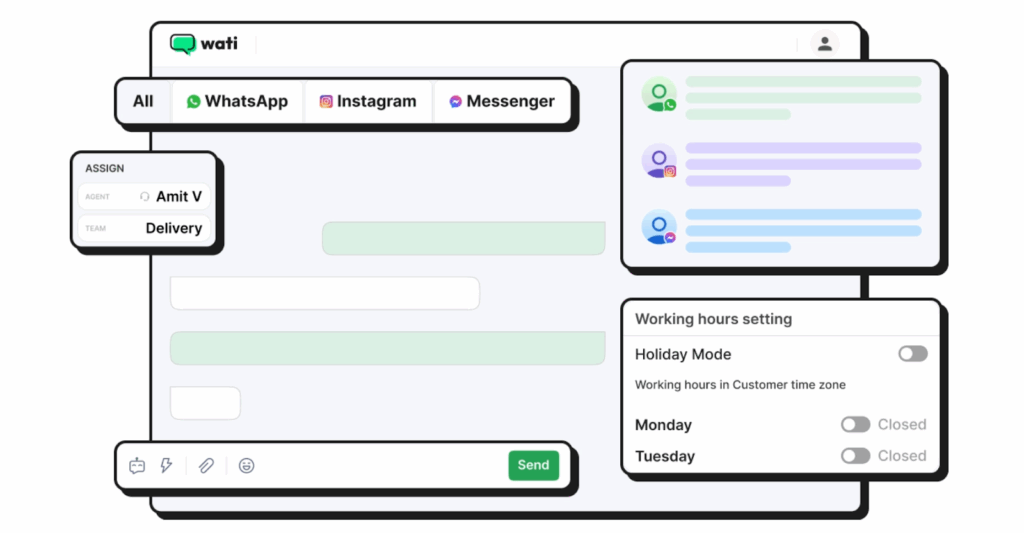
With Wati, you can avail a fully hosted WhatsApp business API r, so your infrastructure doesn’t have to be self-maintained. It manages end-to-end technical requirements and Meta protocols so that you don’t have to wait for additional approvals.
Also read: Learn how to set up WhatsApp multiple agents for faster and automated replies to reduce customer response times in 2026.
3. WhatsApp Business Account and Phone Number
You must create or connect a WhatsApp Business Account and phone number and provision it manually into the on-premise server.
A phone number currently registered on WhatsApp or the WhatsApp Business app must be deregistered (or migrated via Meta’s migration procedure) before it can be provisioned for the Business API. Once migrated/registered to the API, it can no longer be used simultaneously in the mobile apps.
BSPs like Wati will guide you through the process; BSPs provide Cloud API using Meta’s provisioning endpoints. You cannot simply convert a personal app account into an API registration without following these steps.
If approved, it performs the On-Prem API registration via Meta’s provisioning endpoints. You can control your on-premise containers using the API key and standardize your system..
BSPs like Wati automate number provisioning and Cloud API provisioning via Meta’s endpoints. It removes the need for direct-server-level configuration.
Note: On-premise registrations aren’t available for new customers, as on-prem has been deprecated for new onboarding.
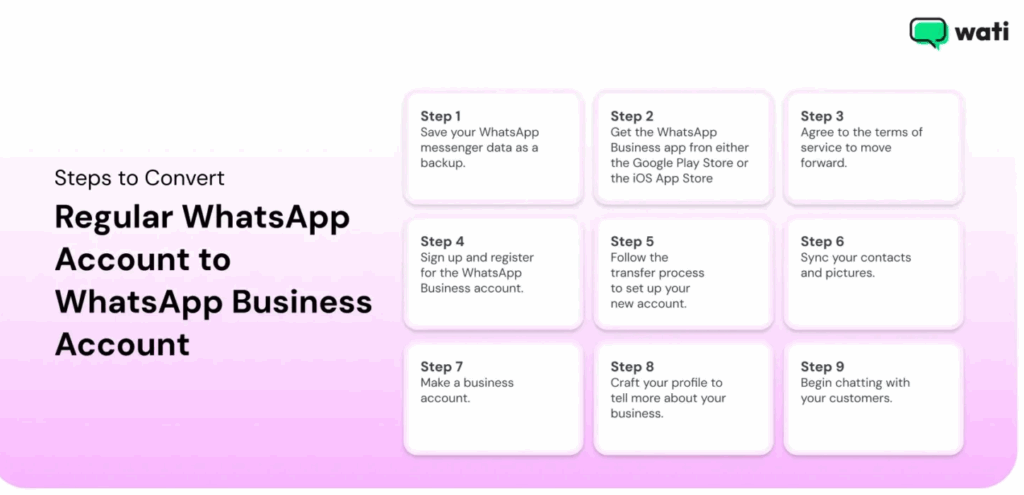
Also read: How to convert WhatsApp into a WhatsApp Business Account to boot up your business operations digitally.
Bonus Read: Also learn how Wati helps with abandoned cart recovery to drive customers to faster transactions and complete purchases.
Other than that, you need to invest in a BSP solution like Wati to take care of token renewal handling, compliance updates, and security patches without requiring any developer expertise.
WhatsApp Business API Onboarding Process: Step-By-Step
Now that we are on the same page about WhatsApp API pre-requisites, let’s take a look at the onboarding process to understand the implementation timeline better.
Step 1: Review the WhatsApp Business API Documentation
Before you start, it’s essential to familiarize yourself with the WhatsApp Business API documentation. This will give you a better understanding of how the API works and what you can expect during the onboarding process.
You need a WABA tied to your Meta Business Manager and business verification for certain features, billing arrangements (whether a line of credit is required). A line of credit isn’t usually required in case BSP handles your billing.
For on-prem deployments, you can install the WhatsApp API client. Cloud API users do not install the client because Meta hosts the service.
Also read: A complete guide to WhatsApp Business API pricing and how to prepare for it.
Step 2: Choose a Business Solution Provider (BSP)
To use the WhatsApp Business API, you’ll need to work with a BSP like Wati. They’ll provide you with the necessary infrastructure and support to get your API up and running. Be sure to research and choose a BSP that meets your business needs.
For businesses using WhatsApp Business API and looking to get an official badge, they need to complete their security verification in Meta Business Manager.
Then they need to enable two-step verification (2FA), create and select their WhatsApp Business Account WABA) and submit an official business account (OBA) request.
It takes time for Meta to review your request and get back to you whether you have been granted the status of a business account or not.
Also read: What is the difference between WhatsApp and WhatsApp Business API, and when to use one?
Step 3: Create a Facebook Business Manager Account
You’ll need a Facebook Business Manager account to manage your WhatsApp Business API. If you don’t already have one, you can easily create one for free.
You need to complete your security verification for your digital business account and wait for Meta to approve your request.
Step 4: Set Up Your WABA and Business Profile
Next, you should be up and running with your WABA through your chosen BSP. You authenticate your Meta Business Manager inside Wati so that it can provision your WABA.
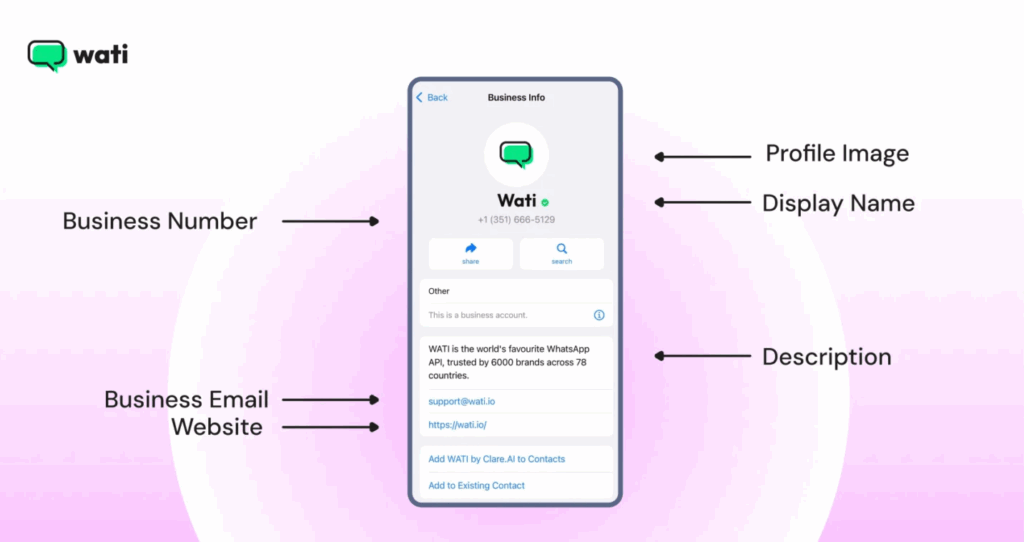
Wati acts as a technical intermediary, handling Meta API interactions. Once you receive Meta approval, you’ll need to set up your Business profile with your business details, such as company name, address, website, and description.
The process involves providing business information, agreeing to WhatsApp’s terms and policies, and uploading product specifications. In order to set up product listings, you can use the WhatsApp catalog feature.
If a number is still registered, BSPs will guide you through deregistration or migration; BSPs provision Cloud API using Meta’s provisioning endpoints. On-Prem registrations for new numbers are not supported for new customers.
If approved, it performs the On-Prem API registration via Meta’s provisioning endpoints. You can control your on-prem containers using the API key and standardize your system.
Also read: How to schedule messages with WhatsApp scheduler in 2026
Bonus read: How to send broadcast messages in bulk for your brand via WhatsApp.
Step 6: Configure the API and Start Messaging
Finally, you work with your BSP to configure the API and integrate it with your existing CRM or ERP. Once everything is set up, you can start broadcasting marketing campaigns, monitoring team performance, evaluating ROI, and creating performance reports all via the API tool!
How Does Wati’s Business API Help Businesses in 2026?
Configuring your API key via BSPs like Wati ensures a seamless software integration and developer comfort. With the latest in-app features, Wati powers your API workflow and overall provides a suite of new and improved e-commerce features.
Here is how you can accelerate your consumer journey with Wati.
Shared Inbox
With shared inboxes, you can monitor team productivity, check conversation progress, assign or route other agents dynamically, and track overall conversation progress.
AI Support Agents
Teams can deploy AI support agents in case a manual customer service rep is unable to answer customer queries. With built-in AI copilot and Gemini 3 integration, you can accelerate your inbound questions and attend to problems more quickly.
SMS Marketing
With SMS marketing and fallback, you can trigger recovery SMS campaigns in case your WhatsApp broadcast campaign response rates are low. This provides an easy way to connect with customers across different geographical locations.
Multi-Channel Engagement
WhatsApp Business API like Wati offers multichannel engagement via social media app automation to reach out and respond to customers who browse ads on social media apps like Instagram, WhatsApp, Facebook, etc.
WhatsApp Business Calling
Brands can seamlessly transition from chat to voice when the conversation needs it. No fumbling with phone numbers or switching apps just one click to connect. When you address concerns immediately through voice, you provide excellent customer support to clients.
Click to WhatsApp Ad
With CTWA, you can address quick sign-ups, inquiries, or appointments with WhatsApp automated Business templates to engage consumers at the right time before they lose interest.
Abandoned Cart Recovery
With Wati, you can run drip marketing campaigns to send nudges to customers who didn’t complete checkout and abandoned their cart. This improves customer conversion and makes things easy for sales teams.
With abandoned cart recovery, you can target high-intent customers for one last time before they go cold to take a last shot at converting them.
Quick Replies
With quick replies, teams can set automated “hello” and “away” messages to establish quick customer touchpoints, regardless of whether they are active on the app or not. It helps push automated templates to customers so they know their messages are received.
AI Co-pilot
With AI Copilot integration, you can deliver omnichannel experiences with WhatsApp and engage customers across any channel to drive intelligent communication experiences or customer resolution.
Learn about Wati + Gemini 3.0 Integration to accelerate inbound intelligence and fire away the best consumer conversations.
AI Chat Summaries
AI chat summaries enable you to transcribe an AI-powered summary of every sales conversation and add it to the lead profile so that the agent has an idea of past contact behaviour.
Make the Right Decision for Sales Engagement Growth!
As you collect documents for WhatsApp Business activation, you should have resources, budgets, and team capacity in check to avoid any issues at any stage and finish onboarding smoothly.
APIs like Wati provide top-notch assistance throughout the entire boarding process, guiding you at each step of the process and ensuring that you are well-equipped to leverage the API’s potential.
Get started with Wati today to know how you can simplify API integration, remain secure and compliant, and scale your WhatsApp campaigns.
Book your free demo today to see Wati in action.
WhatsApp Prerequisites: Frequently Asked Questions
Have more questions? Find answers below!
You must have a Meta Business Manager account, a WhatsApp Business Account (WABA) inside it, and a verified business phone number that is not currently active on the WhatsApp or WhatsApp Business mobile app.
Yes, the number must be able to receive SMS or voice calls for verification, must not be registered on any WhatsApp app, and should be dedicated for business use. If it’s already active on WhatsApp, it must be migrated or deleted from the app before onboarding.
Business Verification is not required to start sandbox-level testing, but it is required if you want to increase messaging limits, go live with a high-quality profile, or request certain official features. Completing verification early is strongly recommended.
You or your provider need the ability to handle HTTPS endpoints, basic server setup, and API authentication. If you use a BSP like Wati, most of the infrastructure, API hosting, number setup, quality monitoring, and webhooks, is fully managed for you, so no engineering-heavy setup is required on your side.