
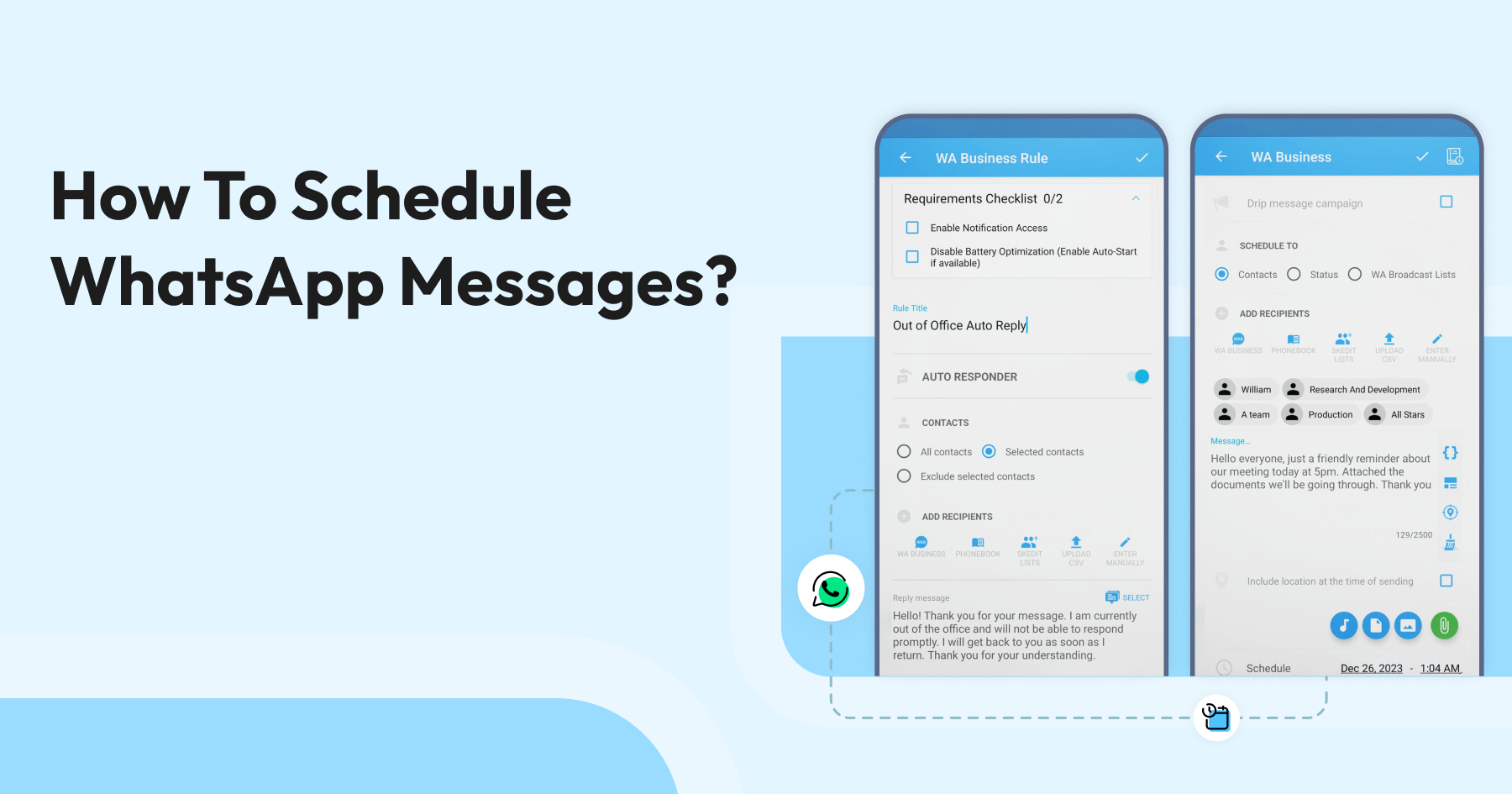
Too Long? Read This First
- For Android users: Apps like SKEDit automate basic, individual messages for you.
- For iPhone users: The free, built-in Shortcuts app schedules personal reminders.
- For small businesses: The standard WhatsApp Business App is limited to simple auto-replies ("Away" or "Greeting" messages).
- For growing businesses (the pro method): To reliably schedule sales campaigns, automate reminders, and send personalized bulk messages at scale, the Wati WhatsApp Business API platform is the essential tool.
- What's new in 2026: WhatsApp still has no broadly available native scheduler for personal accounts (Meta began limited beta testing in early 2026), so third-party apps and the Business API remain the practical options.
- Wati now adds Drip Campaigns, Throttled "Smart Send" Campaigns, an AI Campaign Calendar, and scheduled RCS broadcasts on top of standard scheduled WhatsApp broadcasts.
Imagine your prospect who is highly interested in your product pinging your sales team while they are offline.
Mostly, brands that implement WhatsApp Business API solutions set an autoresponder “Away” message to establish communication. Even the most interested prospects will turn away if they aren't prioritized or valued. To stay relevant to them, it’s crucial to schedule WhatsApp messages and cater to their needs in a strategic way before a competitor does it.
Scheduling WhatsApp messages is an effective way to pre-empt communication and set responses for your interested prospects. Automating communication through WhatsApp Business API platforms like Wati provides a distinguished brand experience and improves engagement and sales.
Be it an incomplete checkout, a catalog request, or a simple sales inquiry, scheduling WhatsApp messages closes the gap between the prospect and the brand. Let’s dive in to know more about scheduling WhatsApp messages.
What is WhatsApp Scheduling?
WhatsApp scheduling is the practice of setting a WhatsApp message to send automatically at a specific future time, so it reaches the right people at the right moment.
Whether you’re a business owner wanting to send appointment reminders, a marketer planning promotional messages, or simply someone who likes to send greeting messages on special occasions, scheduling WhatsApp messages can make your life easier.
Because WhatsApp itself does not offer a built-in scheduler for personal accounts, scheduling is done through third-party apps (such as SKEDit or Blueticks), the iPhone Shortcuts app, or the WhatsApp Business API for businesses. From launching a campaign at peak hours to automating a payment reminder, scheduling turns reactive messaging into a planned strategy.
What are the Different Types of WhatsApp Scheduling?
Understanding the right method to reach your audience depends on your end goal. Generally, WhatsApp scheduling falls into three main categories, each serving a different purpose.
Type | Who is it for? | Methods | Key Features | Key Limitations |
Manual and basic scheduling | Individuals, students, freelancers | Android apps (e.g, SKEDit), iPhone shortcuts, Web extensions (e.g, Blueticks) | Schedule single messages, set personal reminders, and basic repeaters | Requires the phone to be on and connected, no bulk sending or campaigns, high manual effort. |
Limited automation for small businesses | Local shops, local business providers | WhatsApp Business App, third-party solutions | Automated “greeting” messages, automated “away” messages | Cannot schedule proactive messages, no bulk marketing campaigns, limited to a single user |
Full sales and marketing automation for growing enterprises | Sales teams, Marketing departments, and customer support | Third-party tools, WhatsApp Business API tools like Wati | Schedule personalized broadcasts, automated campaigns, cloud-based servicing | Must use Meta-approved templates |
How Does WhatsApp Scheduling Work?
WhatsApp does not offer a built-in feature to schedule messages on personal accounts, so scheduling relies on one of three mechanisms: a third-party app that holds the message and sends it at the set time, the iPhone Shortcuts automation engine, or the WhatsApp Business API, which sends scheduled messages from the cloud.
With apps or phone-based methods, your device must be on and connected to the internet at the scheduled time. With the WhatsApp Business API, the message is queued and delivered by Meta's servers, so delivery is guaranteed regardless of your phone's status.
Advanced platforms layer automation on top of scheduling. An AI agent can qualify leads, answer routine questions, and trigger the next message in a sequence automatically, freeing human agents to focus on complex, high-value conversations.
What are the Top WhatsApp Scheduling Features?
The features available depend on the platform you choose. Many tools let you schedule multiple messages at once, set up recurring messages, and send bulk messages to large contact lists. It is useful for appointment reminders, promotional offers, and timely updates. You can also attach images, documents, or other files, and use contact labels to target messages more effectively.
Now, let's look at how to schedule WhatsApp messages on each platform.
How to Schedule WhatsApp Messages on Android?
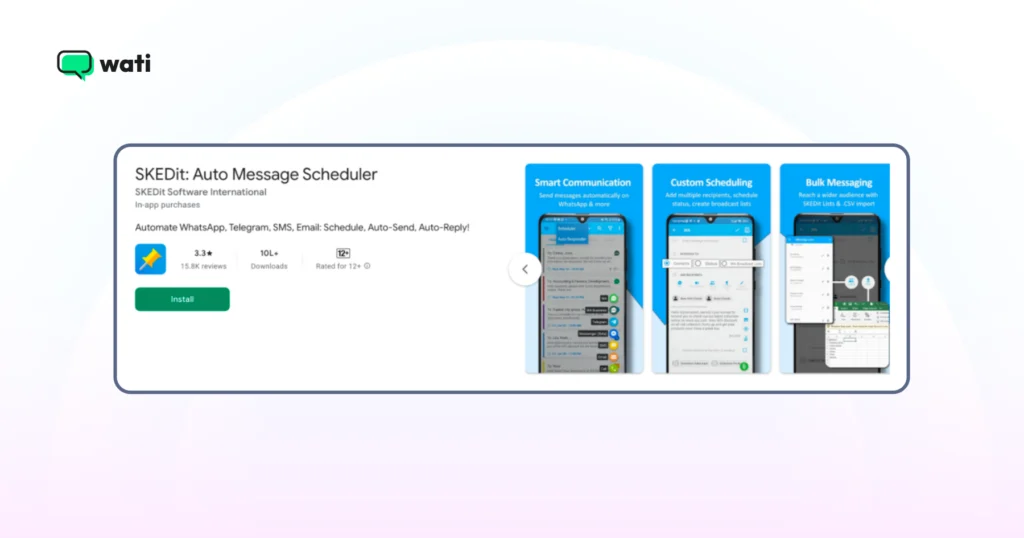
For Android users who make up almost 70% of the global mobile operating-system market, the simplest path is a trusted third-party app such as SKEDit. WhatsApp doesn't natively support scheduling for personal accounts, so these apps fill the gap.
Download and set up: Head over to the Google Play Store, search for “SKEDit,” and install it. Create an account to get started.
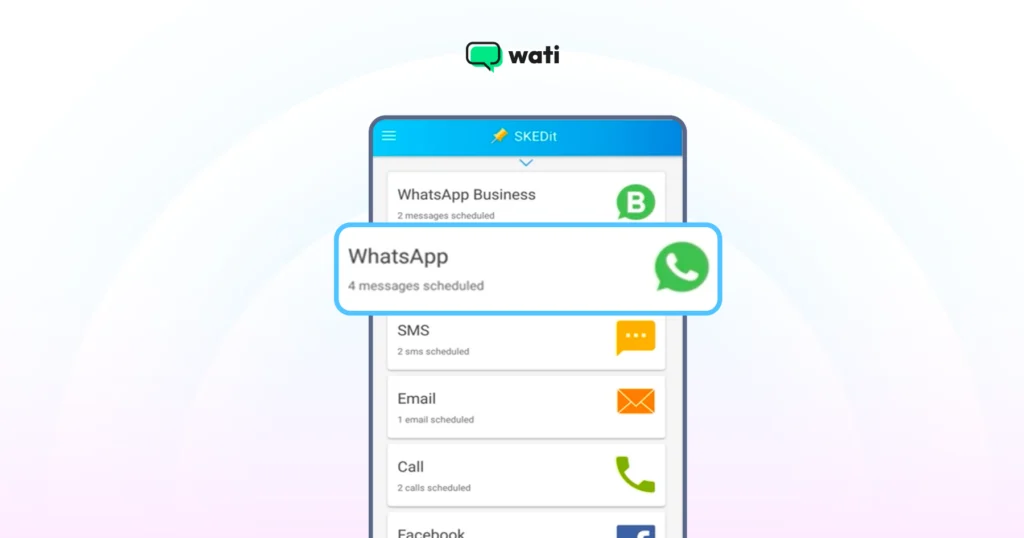
Choose Your Service: On the main menu, tap the + icon and select “WhatsApp.”
Grant accessibility and select date and time: Enable the access the app requests, pick a WhatsApp contact or group, then choose the time and date.
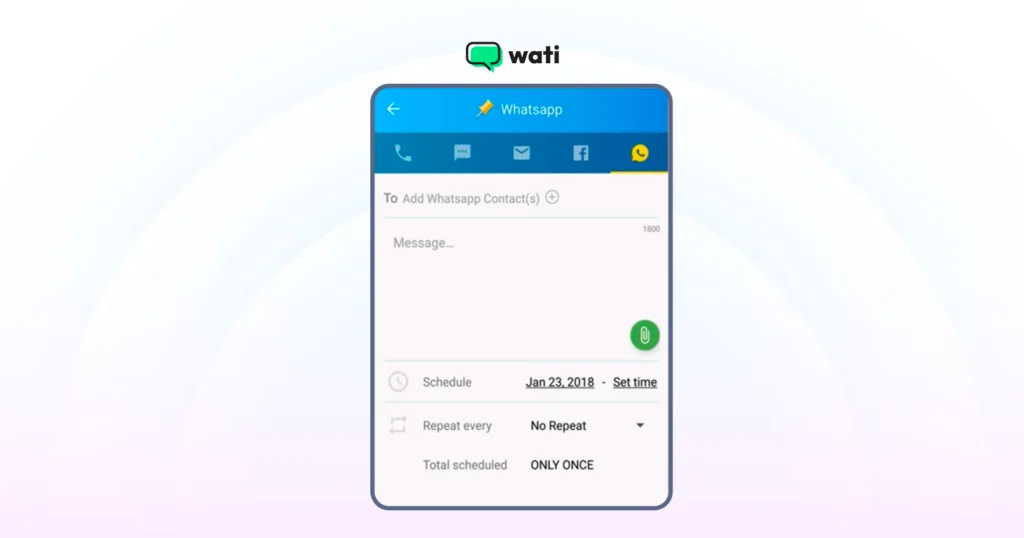
Schedule your message: Tap "Add WhatsApp Recipient," choose the contact or group, and type your message. You can attach images, videos, or documents, and repeat the message at regular intervals.
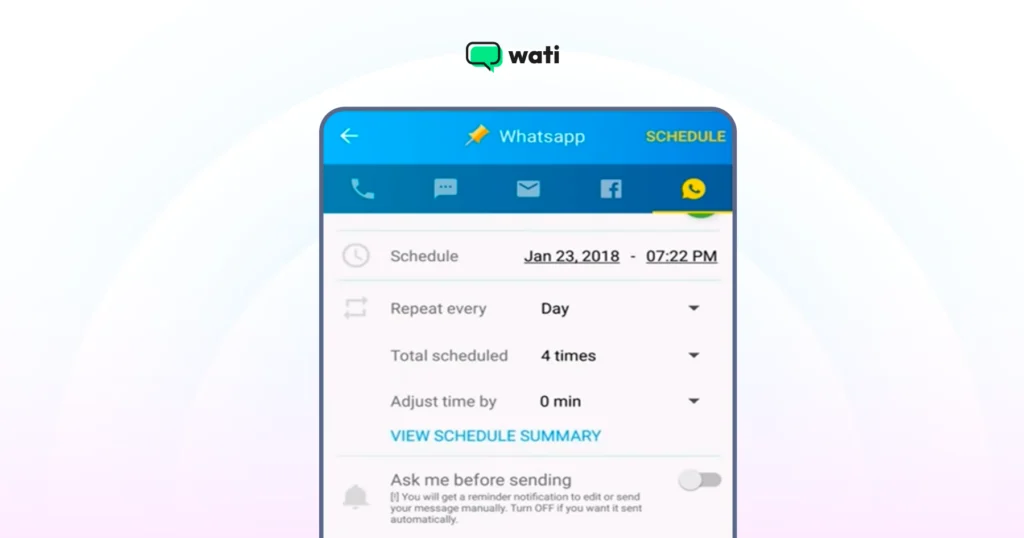
Finalize: Toggle "Ask me before sending" off to send automatically, or leave it on to approve the message at the scheduled time.
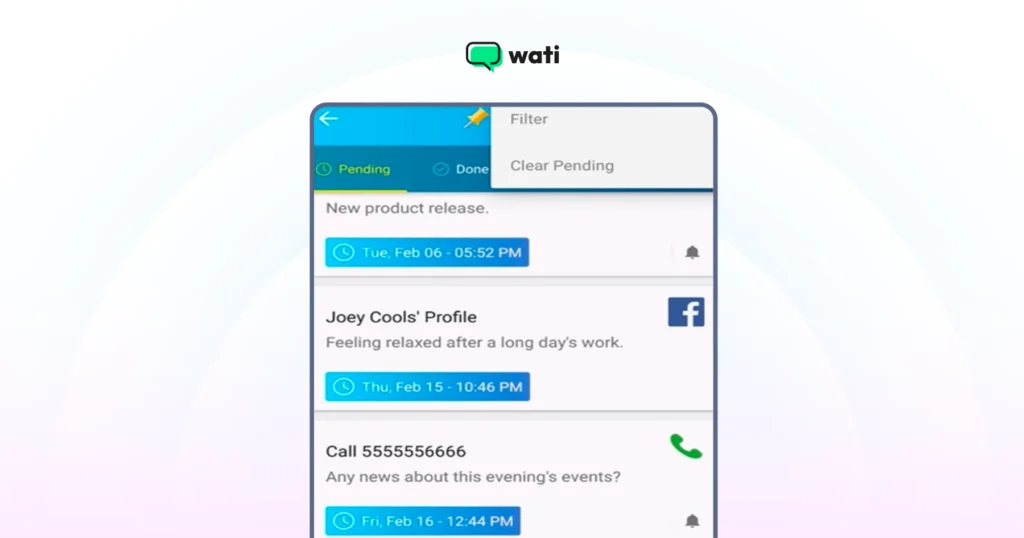
Note: With SKEDit, you cannot schedule multiple messages simultaneously.
Also, check out the right consumer engagement techniques through WhatsApp Broadcast vs WhatsApp Group and personalize your sales outreach effectively to scale revenue.
How To Schedule WhatsApp Messages on iPhone (The Built-in Method)
iPhone users do not have to rely on an API or third-party tool to schedule responses via WhatsApp for their customers. With the “Shortcut” app, you can automate a fair share of WhatsApp messages and send them at the right time to your prospects.
However, as Apple claims to care a lot about user privacy, scheduling WhatsApp messages on iPhone and iOS devices is more challenging than on Android. Here is how.
1. Open the Shortcuts app: It’s pre-installed on most iPhones. If you can’t find it, a quick search in the App Store will bring it to the top.
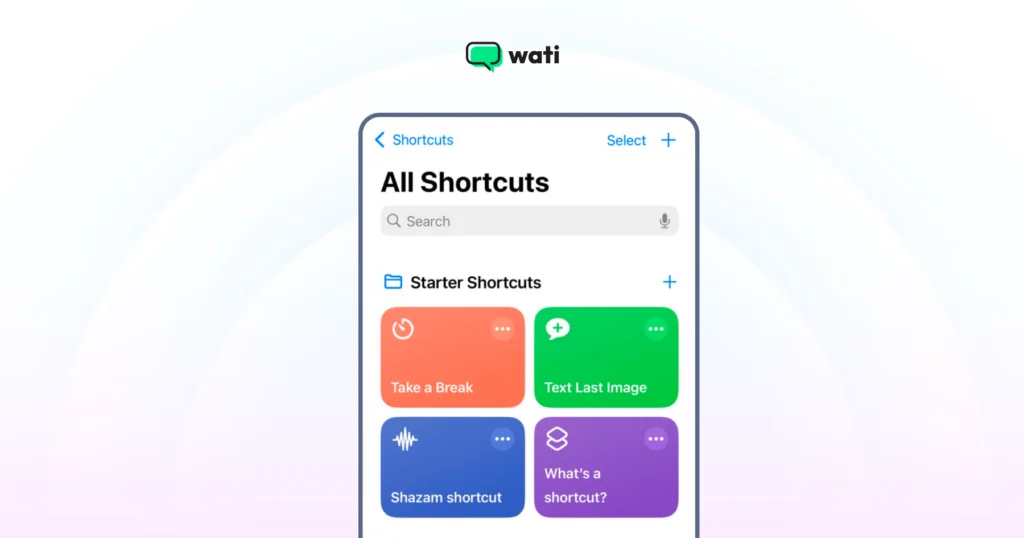
2. Create a Personal Automation: Tap the “Automation” tab at the bottom, then the + icon in the top right. Select “Create Personal Automation.”
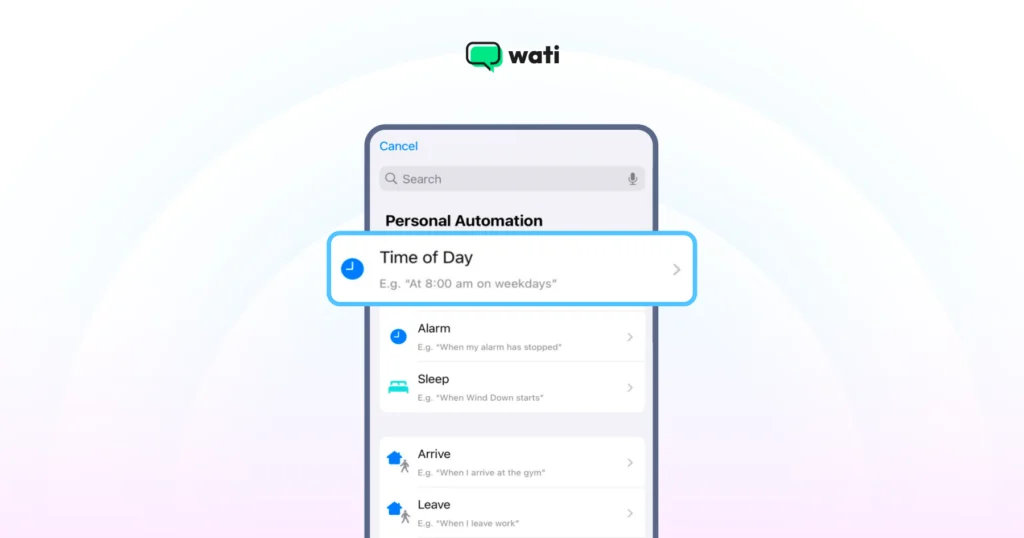
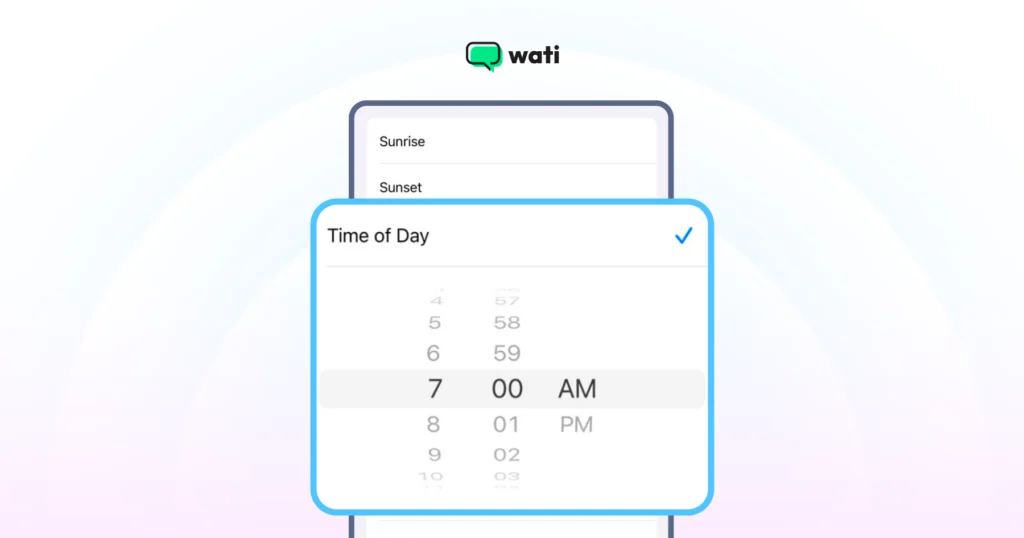
3. Set Your Trigger: Choose “Time of Day” as your trigger. Set the exact time and date you want your message to go out. Under “Repeat,” you can choose Daily, Weekly, or Monthly.
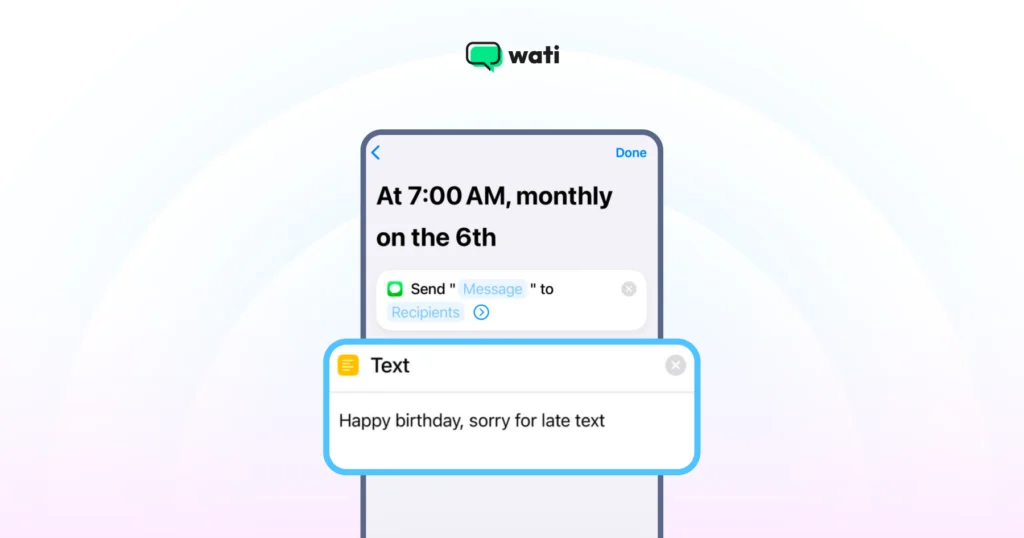
4. Add Your Message Action: Tap “Next,” then “Add Action.” In the search bar, type “Text” and select the “Text” option from the results. In the text box that appears, type the exact message you want to schedule.
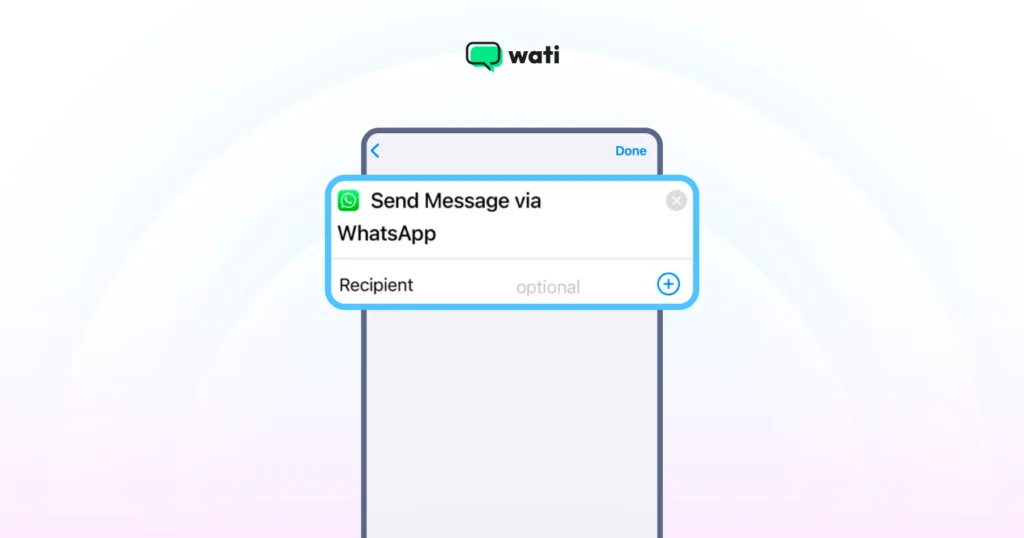
5. Add the WhatsApp Action: Now, tap the “+” button below the text box and search for “WhatsApp.” Select “Send Message via WhatsApp” from the list of actions.
6. Choose Your Recipient: After typing the message, tap the ”+” icon—type “WhatsApp” in the search bar on the pop-up. Tap on the faint “Recipient” placeholder and select the contact you want to message.
7. Finalize the Automation: Turn "Ask Before Running" OFF so it runs automatically, then tap "Done."
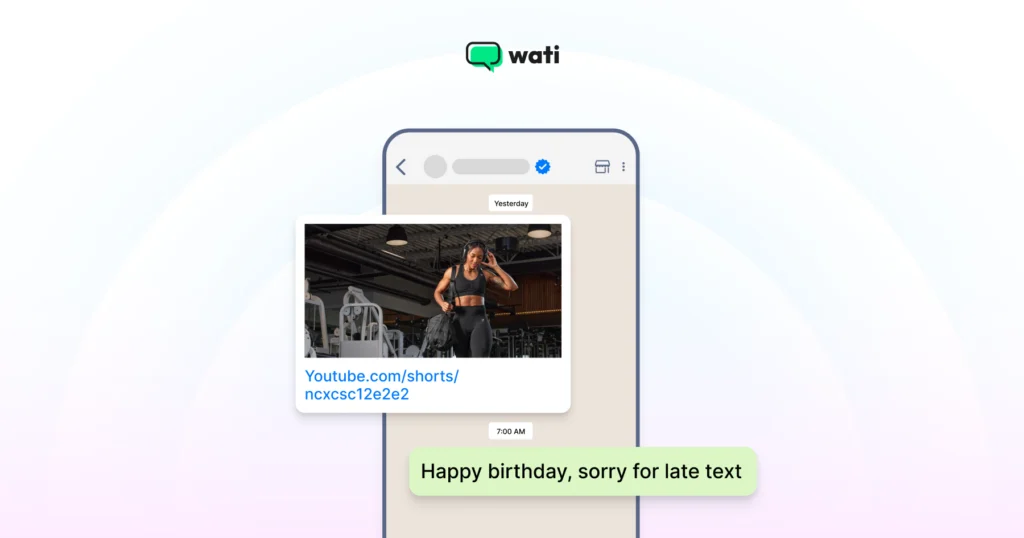
8. Sit back after setting automation: At the scheduled time, tapping the notification opens WhatsApp with the message ready to send.
How to Schedule WhatsApp Messages on WhatsApp Web?
WhatsApp Web remains one of the most-used ways to access WhatsApp from a desktop browser, and scheduling directly from the browser can be efficient. The most common method is a Chrome extension such as Blueticks.
1. Install the Extension: Head to the Chrome Web Store, install the Blueticks extension, and verify if the released version supports WhatsApp web updates.
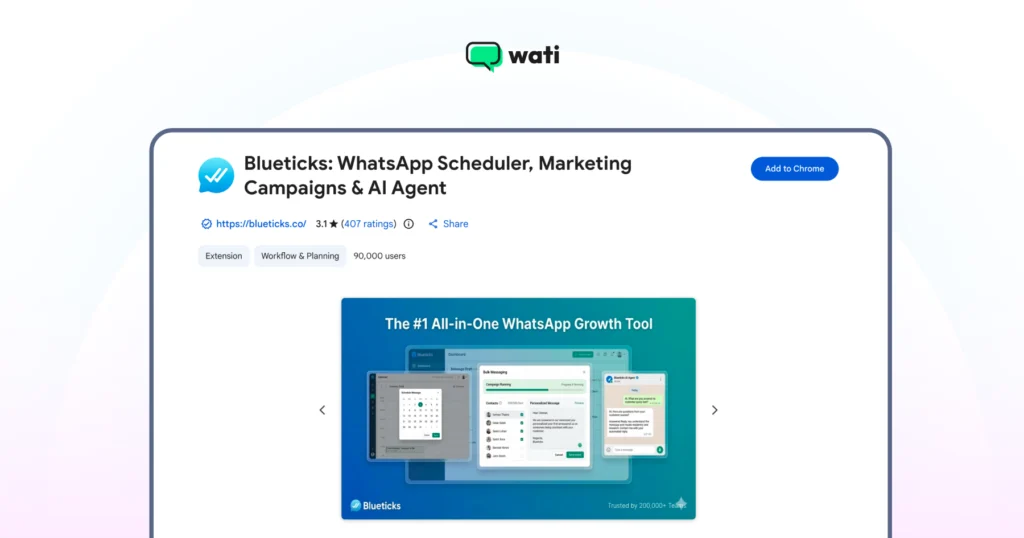
2. Log in to WhatsApp Web: Open WhatsApp Web on your browser and link your account as you normally would.
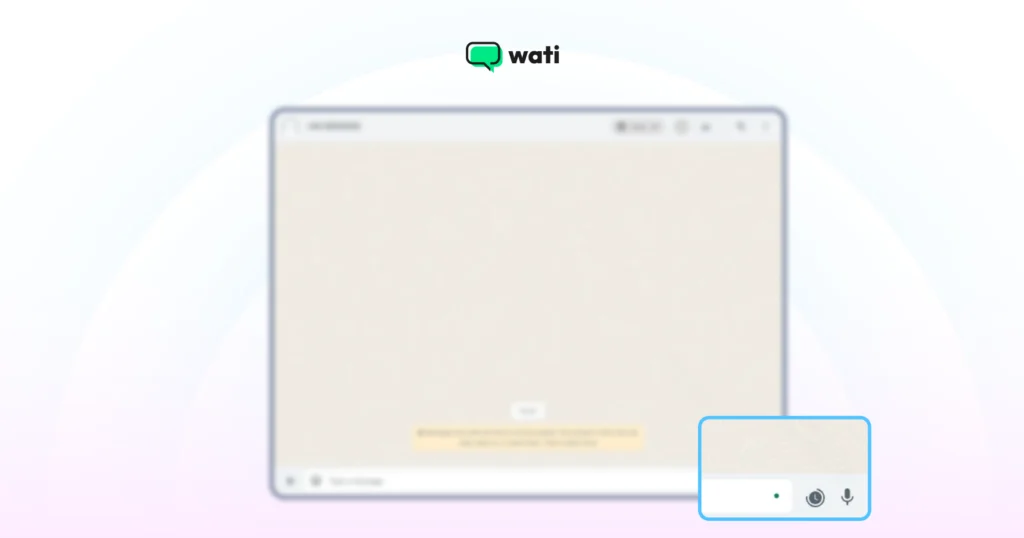
3. Open a Chat: Go to the chat, write your message, select the date and time, and click "Schedule Send." The message sends automatically as long as your computer is on and connected.
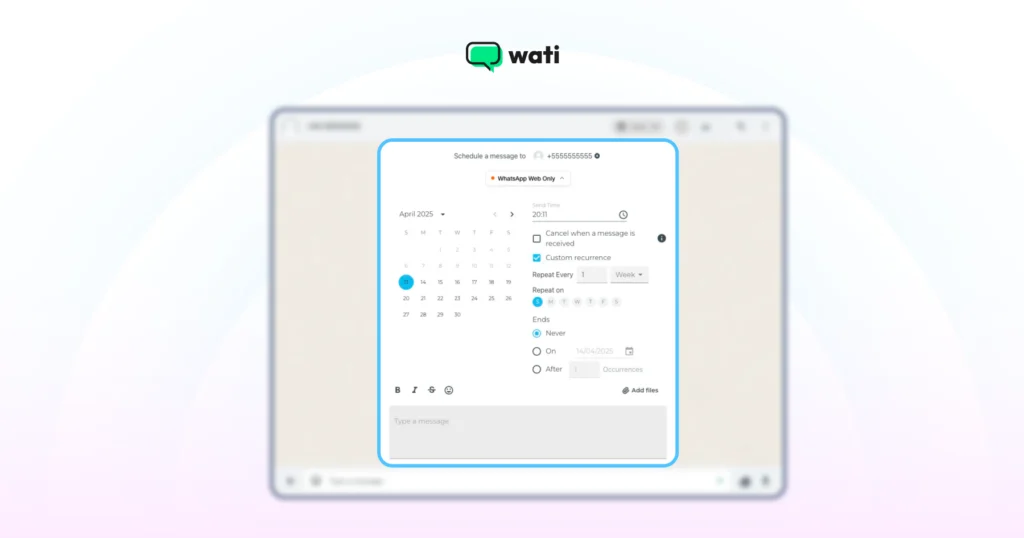
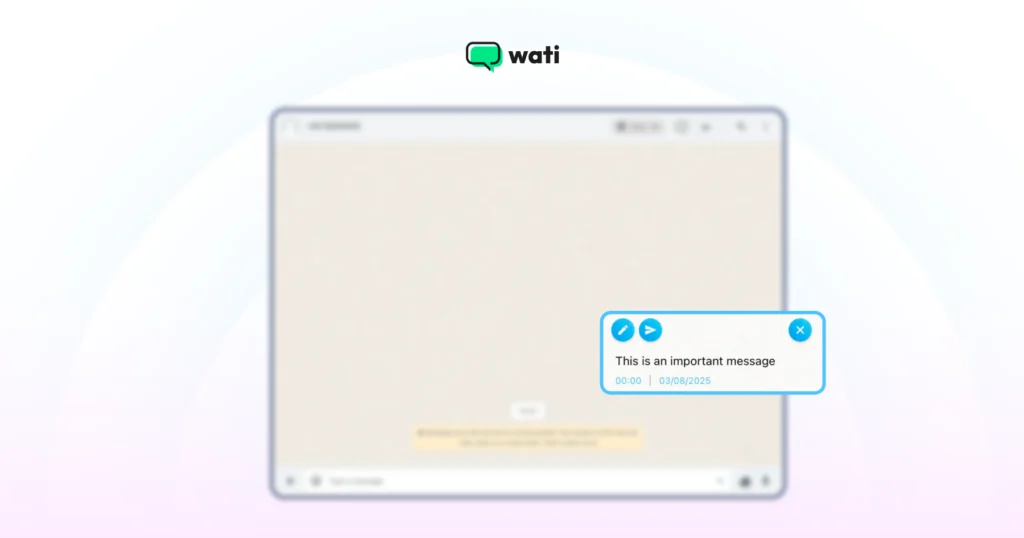
Now, you see the message you want to send is scheduled and ready.
Why Schedule WhatsApp Messages With WhatsApp Business API?
In 2026, conversational commerce is a reality, not a buzzword. While personal scheduling is convenient, the real power lies in end-to-end sales automation. The standard WhatsApp Business App only sets basic "Away" and "Greeting" messages. It can't schedule campaigns or reminders. The WhatsApp Business API can.
The WhatsApp Business API provides a secure gateway to manage campaigns and regulate brand responses from your WhatsApp Business account. Messages are sent from the cloud, so delivery doesn't depend on your phone being on. With an API platform like Wati, scheduling becomes one of your most powerful growth tools.
Wati is an AI-powered customer engagement platform, built on the WhatsApp Business API and now spanning Instagram and Messenger, used by 16,000+ businesses across 190+ countries.
💡 Why timing and pacing matter more in 2026: In July 2025, Meta moved WhatsApp from conversation-based (24-hour session) pricing to per-message pricing. Businesses are now charged per template message delivered, priced by category (marketing, utility, authentication) and recipient country. Scheduling the right message to the right segment at the right time and pacing large sends now protects both deliverability and budget. |
Top Customer Use Cases of Scheduling WhatsApp Messages With Wati
With a platform like Wati, which is built on the API, you can:
- Schedule Bulk campaigns: Send promotional offers, updates, or WhatsApp newsletters to thousands of customers at once, scheduled for the optimal time. With WhatsApp messages having an average open rate of 98%, this is far more effective than email. Scheduled messages can be used for reminders, promotional offers, and follow-up messages.
- Automate Reminders: Schedule appointment reminders, payment due dates, or abandoned cart notifications to reduce no-shows and increase conversions. You can also send payment reminders to clients or suppliers to ensure timely payments and improve cash flow management.
- Run WhatsApp Flows: Build visual, multi-step flows to nurture leads or onboard customers over days or weeks.
- Ensure Delivery: Unlike phone-dependent methods, API messages are sent from the cloud, guaranteeing delivery at the scheduled time.
Take Heritage Foods, one of India's largest dairy and FMCG brands: by moving campaigns to WhatsApp with Wati, it reached roughly 5X more customers than SMS or email and doubled its order-to-purchase conversion rate. (Read the Heritage Foods case study.)
How to Schedule WhatsApp Messages on Wati?
To send bulk WhatsApp messages using Wati, follow these simple steps:
1. Create a Contact List
Import your contacts into Wati and segment them into groups by interest, location, or purchase history so you can send targeted, higher-converting messages.
2. Craft Your Message or Choose a Template
Write a concise, relevant message, or pick one of Wati's pre-designed, Meta-approved templates that match your campaign goal and brand voice.
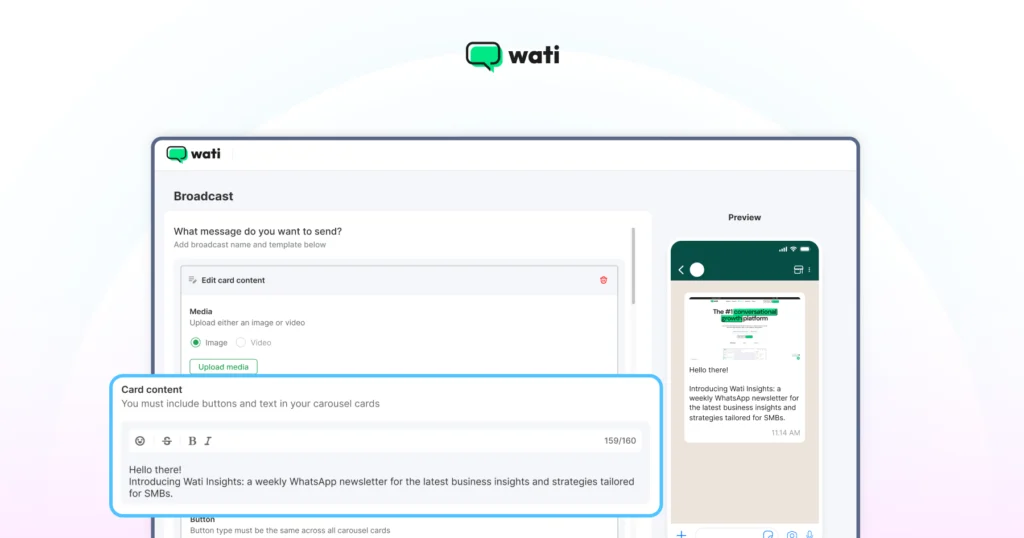
Special Resource: Improve Your WhatsApp Broadcast Score Instantly
3. Personalize Your Message
Use variables to insert the recipient's name, date, or location so each message feels one-to-one rather than a generic broadcast.
4. Schedule and Send
Set the date and time for your broadcast. In Wati, choose "Schedule for a specific time" when creating a broadcast; scheduled sends appear under the Scheduled Broadcasts tab, where you can edit or cancel them before they go out.
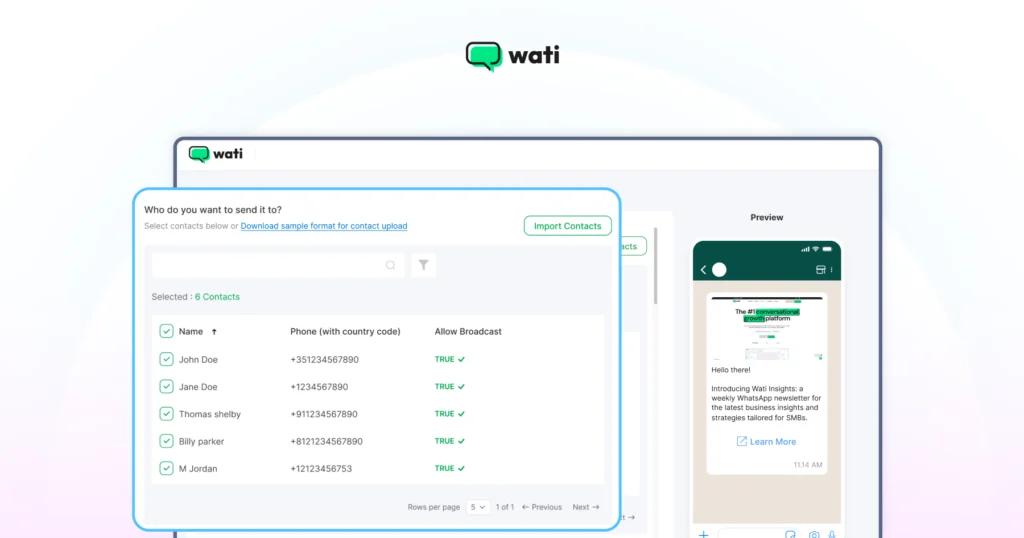
You can watch the video for step-by-step guidance on using our bulk WhatsApp sender feature.
New in Wati: Smarter Scheduling at Scale
Beyond one-off scheduled broadcasts, Wati now offers a modern toolkit for scheduling and sending at scale:
- Drip Campaigns: Turn a single broadcast into a timed, multi-message sequence that automatically stops the moment a customer replies, available on every plan.
- Throttled "Smart Send" Campaigns: Split large audiences (10K–100K+) into safe batches delivered over several days in set windows, with automatic pausing if template quality drops, protecting you against Meta's stricter anti-spam enforcement.
- AI Campaign Calendar & Recommended Campaigns: Get AI-suggested campaigns inside a calendar view; the AI drafts the campaign and timing, and you review and send.
- Schedule RCS broadcasts: Wati now supports sending and scheduling RCS broadcasts alongside WhatsApp, managed from the same Scheduled Broadcasts tab.
- Astra AI Agent: Wati's no-code AI agent qualifies leads, books appointments, updates your CRM, and can trigger campaigns automatically in 30+ languages.
For example, online-fitness platform Habuild uses Wati to send automated daily class reminders and broadcasts to millions of members (a 10M+ community with 1M+ paid members) while sustaining 70%+ class attendance, a scheduled-reminder engine running at massive scale. (Read the Habuild case study.)
5 Best Practices for Scheduling WhatsApp Messages in 2026
If you are requesting a particular action from the customer, you need to send the WhatsApp message carefully. Only timely messages can deliver results and conversions; the rest will be ignored or dumped away. Here are the best practices you can follow if you are managing a WhatsApp scheduler for your business:
1. Respect Time Zones and Quiet Hours
Schedule messages for the recipient's local time zone and be mindful of business hours and weekends. A promo at 3 AM is a fast route to a block.
Real-Life Example: A marketing agency in Mumbai wants to send a campaign update to a client in London. Instead of scheduling it for 11 AM IST (6:30 AM in London), they schedule it for 3 PM IST (10:30 AM in London), ensuring it arrives during the client’s working hours.
Bonus Resource: The WhatsApp Marketing Calendar That Plans Your Week For You
2. Prioritize Personalization and Value
Go beyond a first name. Reference past purchases, appointments, or interests to turn a broadcast into a one-to-one conversation.
Real-life example: An e-commerce store, instead of sending a generic “Sale is on!”, schedules this message: “Hi Priya! We saw you loved the blue running shoes. The new V2 model is now in stock in your size! Would you like to take a look before they’re gone?
3. Secure Explicit Opt-in
Always collect WhatsApp opt-in consent. Messaging without consent risks account flags and erodes trust.
Real-life example: At checkout, a customer ticks "Yes, send my order updates and offers on WhatsApp," giving documented consent.
4. Keep Your Messaging Clear and Concise
Keep messages short and scannable. Use bold for key details, bullets for lists, and emojis sparingly.
Real-life example: A clinic sends: "Hi Sameer! Reminder: dental appointment with Dr. Sharma on Wed, Oct 15, 4 PM. Reply YES to confirm."
5. Include a Clear Call to Action
Every scheduled message should tell the reader what to do next. "Track your order," "Reply YES," or "Get 20% off."
Real-life example: A travel brand sends: "Hi Arjun! Goa fares are 30% off for 48 hours only. Book now: [link]."
You can follow these guidelines and transform your scheduled messages from simple notifications into powerful tools for building customer relationships and driving business growth.
Need help figuring out compliance? Check out our guide on how to align with data policies and state guidelines for WhatsApp.
Turn Scheduled Messages into Smarter Sales
Scheduling WhatsApp messages transforms communication from reactive to proactive. Whether you use a third-party app for quick reminders or a WhatsApp Business API platform like Wati for large-scale campaigns, the goal is the same: engage the right prospect at the perfect time.
This isn't just about saving time but about building a smarter, more consistent sales strategy. Timely, personalized messages build an image of a reliable, caring brand, which is the foundation for stronger relationships and more conversions. If you're ready to move beyond basic scheduling, exploring Wati is your next step.
Frequently asked questions
Can I edit a message after I've scheduled it?
Yes. On apps like SKEDit and Blueticks, you can open your scheduled messages and edit or reschedule them before they send. On iPhone Shortcuts, you edit the automation itself. In Wati, you can edit or cancel a scheduled broadcast from the Scheduled Broadcasts tab before it goes out
What happens if my phone is turned off or has no internet?
Ans: For the Android and iPhone methods, your phone needs to be on and connected to the internet at the scheduled time for the message to be sent. This is a major advantage of using the WhatsApp Business API, which sends messages from the cloud, regardless of your phone's status.
Is it free to schedule WhatsApp messages?
The iPhone Shortcuts method is free. Most third-party apps have a free tier plus a paid premium version. Business scheduling via the WhatsApp Business API is priced per message under Meta's per-message pricing (introduced July 2025), on top of your BSP platform plan.
Can I get banned for scheduling messages?
For personal use, it's highly unlikely. For businesses, as long as you have user consent (opt-in) and are following WhatsApp's policies, scheduling messages is perfectly workable.
Does WhatsApp have a native scheduling feature in 2026?
Not widely. Meta began limited beta testing of native scheduling in early 2026, but it is not broadly available, so third-party apps and the WhatsApp Business API remain the reliable methods.
How many messages can I schedule at once with WhatsApp Business API?
There's no fixed cap from the scheduling tool itself; volume depends on your WhatsApp messaging tier and template quality. Platforms like Wati use throttled, batched sending to deliver large campaigns (10K–100K+) safely within Meta's limits.
Related posts
- How to Create Personalized AI Videos with Wati’s AI Video Generator
Transform your marketing with Wati’s AI video generator. Create personalized, professional videos at scale without technical expertise or expensive equipment.
- How to Set Up Auto Reply in WhatsApp Business?
Master WhatsApp auto-reply for your business: improve response times, customer service, and communication.
- How to Add a WhatsApp Chat Button On Website: 2026 Guide
Discover how to add a WhatsApp chat button on your website effortlessly. Create real-time connections, improve support, and convert visitors with Wati.
- How to Set Up an Instagram Chatbot to Answer FAQs Automatically (2026 Guide)
Learn how an Instagram FAQ chatbot works, which questions to automate, and how to set one up in Wati without code, from your first button template to a live keyword rule.