

-

-
-
Solutions
-
Soluções
-
Soluciones
-
解决方案
-
解決方案
-
الحلول
-
Product
-
Produto
-
Producto
-
产品
-
產品
-
المنتج
-

-
-


 Wati for Marketing
 Wati for Support
 Wati for Sales
 eLearning
 E-commerce
 Marketing Agencies
 Healthcare
 No Code Chatbots
 WhatsApp Business API
 Instagram Automation
 Click to WhatsApp ads
 Campaigns
 Team Inbox
 WhatsApp Business Calling
 Wati AI
 Overview
 Library
 Agente de suporte de IA
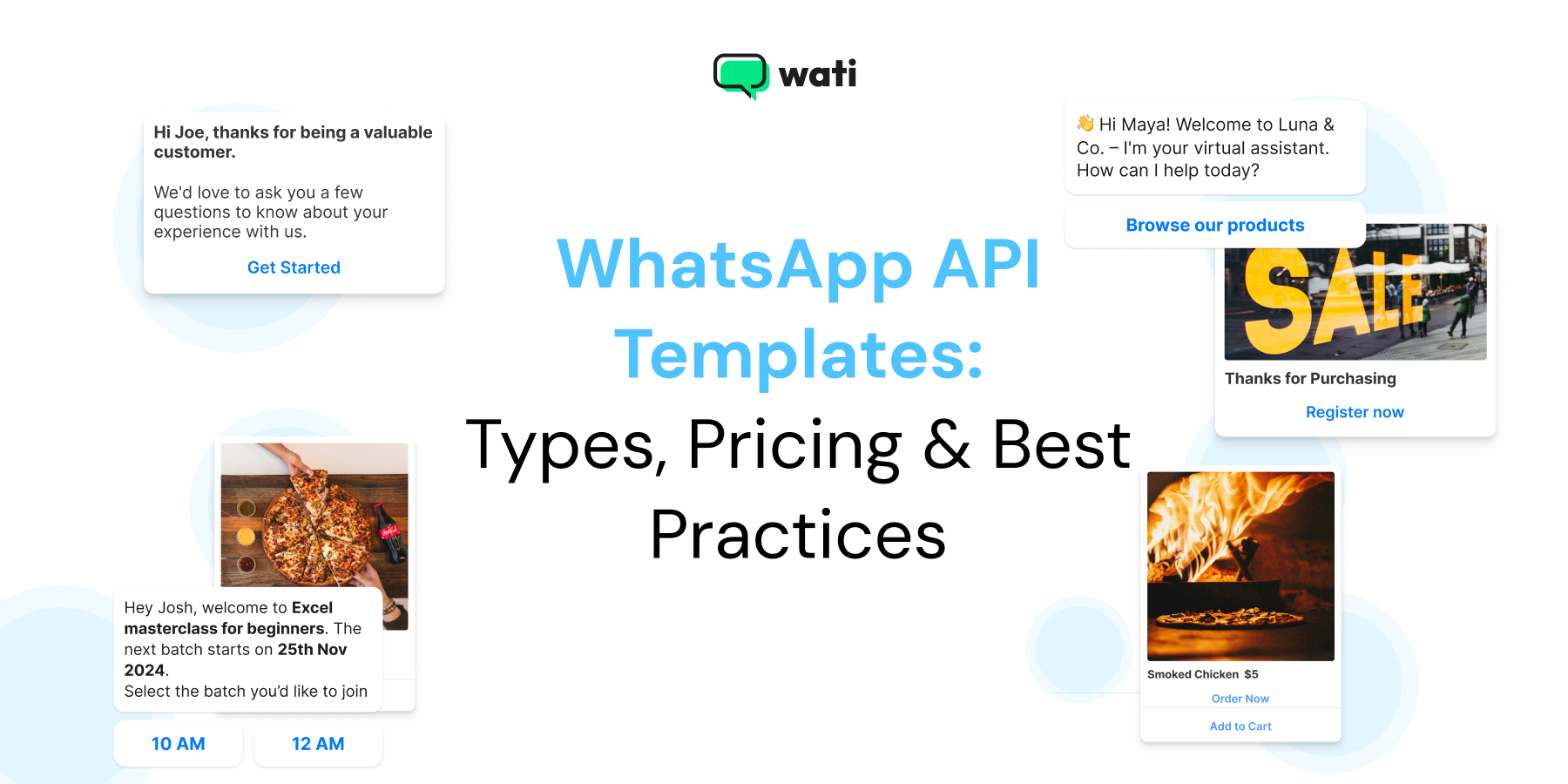
20+ WhatsApp Message Templates for Customization and Engagement
Written by:
 Shreya
|
Last updated on:
February 18, 2026
|
Fact Checked by :
Shreya
|
Last updated on:
February 18, 2026
|
Fact Checked by :
 Namitha Sudhakar
|
According to: Editorial Policies
Namitha Sudhakar
|
According to: Editorial Policies
 Table of Contents
Too Long? Read This First
- WhatsApp API Template Types: Go beyond basic messaging with Utility (order updates), Marketing (sales), and Authentication (OTP) templates, plus crucial automated Service Messages.
- WhatsApp API Pricing: Meta transitioned to a Per-Message Pricing (PMP) model. Utility templates sent within the 24-hour customer window are now FREE, heavily rewarding inbound engagement.
- Wati's Feature Stack: Features such as Astra AI Agents (with Gemini 3.0 integration) and the AI Copilot Suite (Chat Summaries, CX Score) amplify team productivity and accelerate resolution.
- WhatsApp API Conversion: Use Wati's multi-channel tools (SMS Fallback, CTWA Ads, HubSpot Integration) and proven strategies (like Behavior-Based Segmentation) to drive conversational commerce.
- WhatsApp API ROI: Leverage the AI Copilot for quick approvals and utilize the Utility Template Advantage to maximize the free 24-hour service window.
If you are unaware of what the customer needs and do not address their inquiry promptly, customers move on. No matter how strong your marketing funnel is.
With WhatsApp message templates, you can build campaign workflows to attend to customers who come to you or show interest in your products.
Using pre-approved templates eliminates the gap between a customer’s request and sales assistance. Keeping playful customized templates handy eases the pressure and builds a disciplined brand impression in the market.
When using WhatsApp template messages, focusing on effective messaging is crucial. Crafting clear, impactful, and compliant templates ensures your communication resonates with customers and drives engagement.
In this guide, we will find out the different types of WhatsApp message templates, examples, pricing, and best practices.
Stay hooked to know how the WhatsApp API template works best for consumer engagement in 2026.
What is a WhatsApp API Template?
WhatsApp message templates are pre-approved message formats that enable businesses to communicate efficiently and professionally with their customers through the WhatsApp Business API. These templates are essential for sending notifications, updates, and proactive messages to customers who have opted in to receive communications from your business.
Whether you want to confirm an order, send a shipping update, or share a promotional offer, WhatsApp message templates ensure your messages are delivered reliably and in compliance with WhatsApp’s policies.
To use these templates, businesses must submit them for approval through the WhatsApp Business platform. The approval process is typically quick, ranging from a few minutes to 24 hours, but it’s crucial to ensure your template content aligns with WhatsApp’s guidelines to avoid rejection.
When creating WhatsApp message templates, it’s important to define your communication objectives, understand your audience, and maintain a tone that reflects your brand identity. This approach helps you create messages that are not only compliant but also engaging and effective.
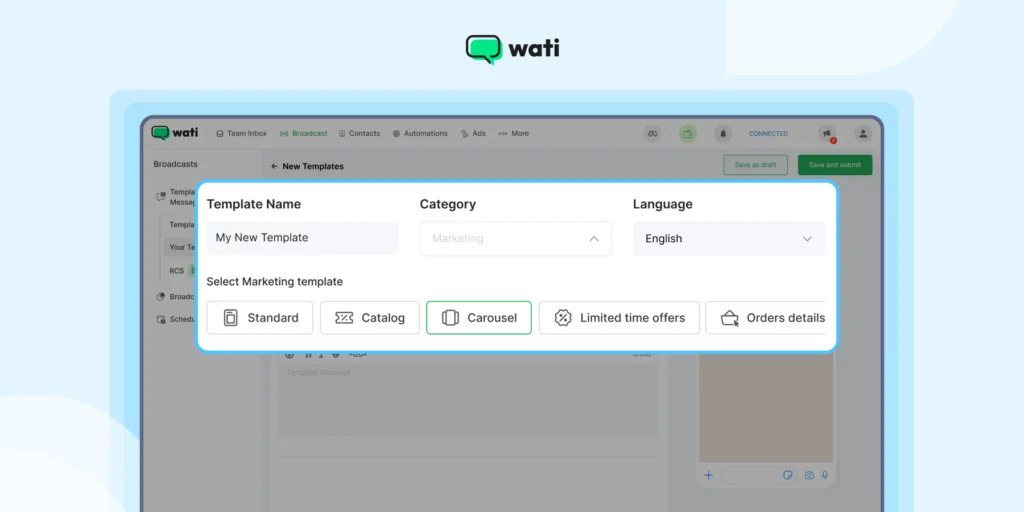
These ready-to-use templates can be deployed as part of your WhatsApp marketing campaign to improve consumer engagement, establish quick turnarounds, and create a professional and official brand look and feel.
Sales leaders operating on a hiring budget can leverage the WhatsApp API to bulk message with intelligent automation and manage campaign lists effectively. , ensuring no high-intent lead is missed.
By leveraging WhatsApp message templates, businesses can automate routine communications, provide timely updates, and build stronger relationships with their customers—all while maintaining a consistent and professional brand presence.
Also read: How Wati’s pre-built segments empower you to personalize brand messaging, push relevant content, and improve the quality of leads.
20+ WhatsApp Messaging Templates for Personalization in 2026
WhatsApp officially categorizes templates into three types:
- Utility
- Marketing
- Authentication.
Business has to understand how to integrate these templates seamlessly into every stage of the customer journey to attract, qualify, engage, convert, and retain the customers.
Wati has prebuilt templates that help businesses message faster and better, hassle-free. Here are the key template types, including how they function within Wati’s complete customer lifecycle platform:
Utility Template
Utility templates convey essential transactional information that a customer has explicitly opted in to receive.
On the Wati platform, these messages are often automated via integrations with Shopify and other CRMs to deliver these updates.
1. Order Confirmation (Retain Stage)
This transactional template informs you that your order is confirmed, and that it’s underway, to build immediate customer trust.
Payment confirmation templates can also be used to instantly acknowledge successful transactions and reassure customers.
If you send these within the 24-hour customer service window, they are free of charge under the new pricing model, rewarding proactive customer care.
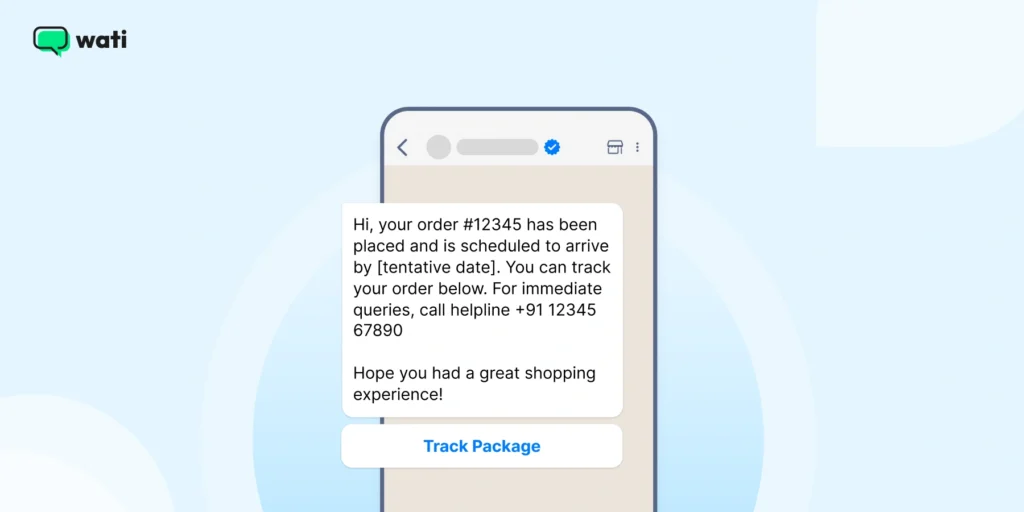
Your Order #[order number] has been placed!
Hi, your order (#) has been placed and is scheduled to arrive by [tentative date]. You can track your order below. For immediate queries, call helpline [helpline number].
Hope you had a great shopping experience!
Sent via Wati's Shopify Enhancements trigger.
Link/Button: "Track Package"2. Shipping Update WhatsApp Message
Transparency builds trust. Sending customers a WhatsApp Business message template with tracking details keeps them informed and reduces “Where’s my order?” messages.
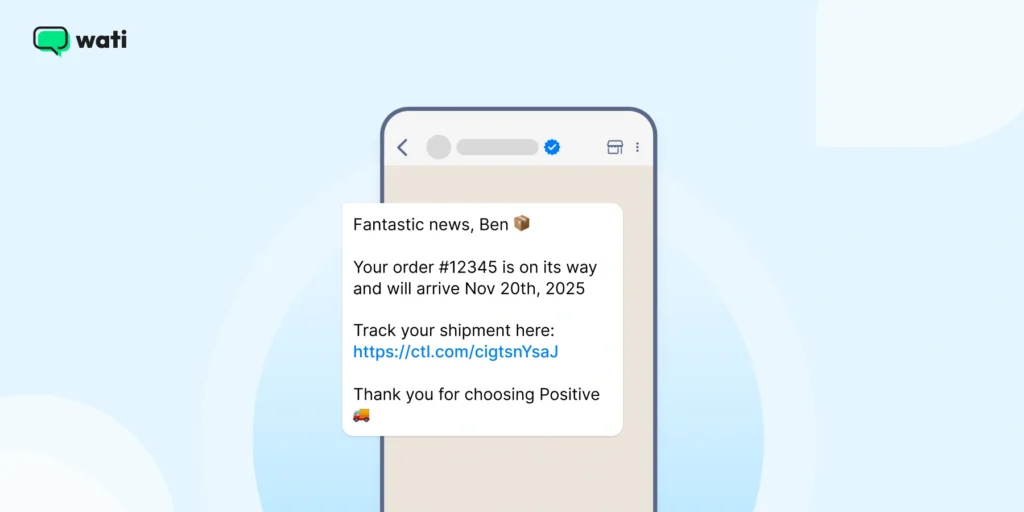
Fantastic News, [customer Name]!
Your order #[order number] is on it’s way and will arrive by [estimated delivery date]
Track your shipment here [Tracking link]
Thanks for choosing [your business name]!3. Delivery Confirmation Message
After delivery, closing a loop matters; it signals reliability and creates a chance of follow-up or feedback.
Hi [Customer Name], your order #[order-no] has been delivered successfully.
We hope everything arrived just as expected.
Let us know how we did [feedback survey link]Also read: Learn how you can integrate WhatsApp with HubSpot to send updates via WhatsApp Business API instantly.
4. Feedback Request WhatsApp Message
Customer feedback helps improve products, service or customer satisfaction. A WhatsApp message template makes the process quick and conversational.
Hi [Customer Name]
We hope you are enjoying your experience with [Business Name]
We’d love to hear your thoughts.
Please take a moment to share your feedback with us [feedback link]
Thank you.You can use this WhatsApp Business message template after every purchase or service completion.
Note: Before sending your feedback request template, carefully check for grammatical errors to ensure professionalism and increase the chances of approval.
Additional read: How to use chatbots to collect consumer feedback and provide personalized suggestions.
5. Appointment Reminder Message
Missed appointments mean lost revenue. Automate reminders using a WhatsApp Business message template to keep your calendar organized and customers punctual.
With WhatsApp templates, businesses can easily send reminders for upcoming appointments, helping to reduce no-shows and improve customer engagement.
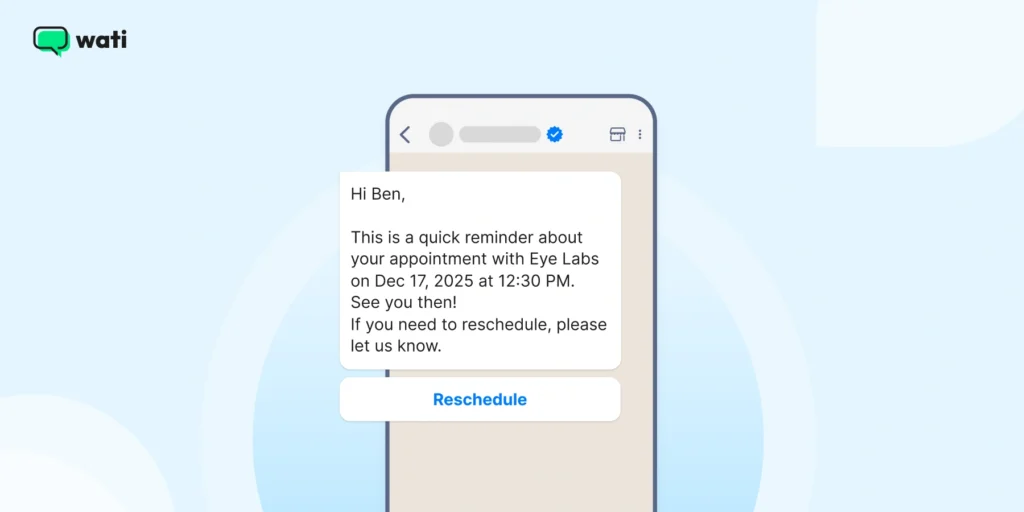
Hi [Customer Name]
This is a quick reminder about your appointment with [Your Business Name] on [Appointment Date] and [Appointment Time]
See you then!
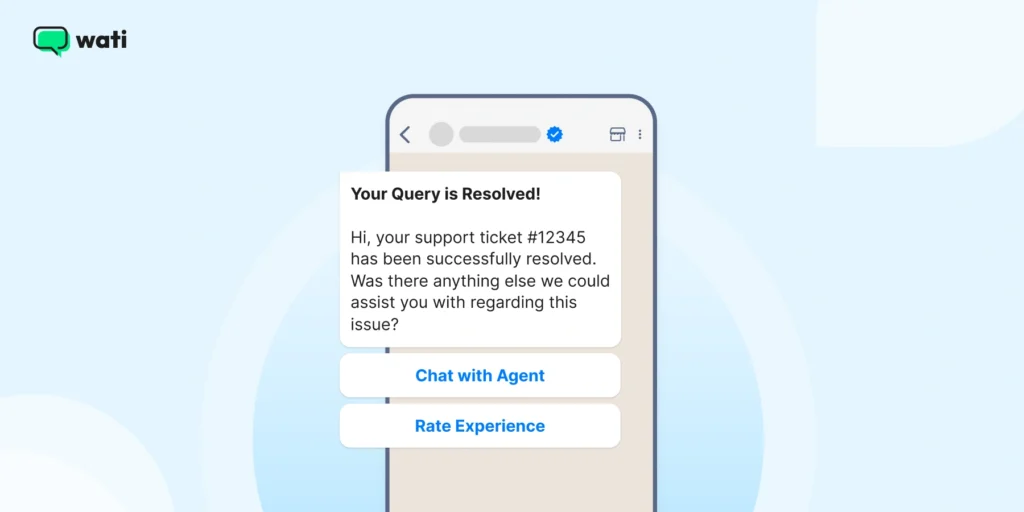
If you need to reschedule, please let us know.6. Customer Support Query Resolution (Retain Stage)
Good customer service doesn’t end after resolving an issue. A follow-up message template shows customers you care.
With WhatsApp customer support templates, you can close the service loop more effectively, provide personalized suggestions, and improve the quality of customer resolution.
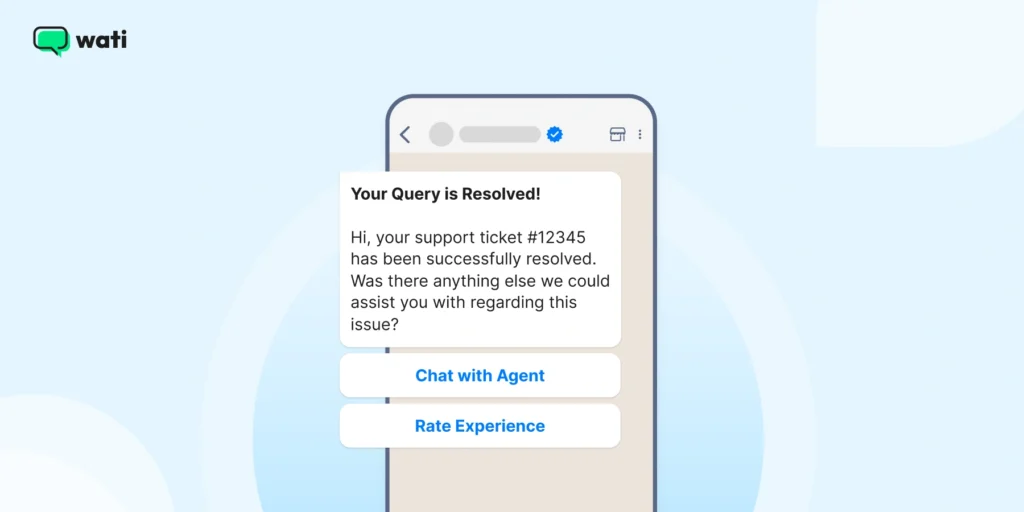
Now, with tools like Wati, you can use WhatsApp for customer support to generate overall AI CX support and customer satisfaction.
Your Query is Resolved!
Hi, your support ticket (#ticket number) has been successfully resolved. Was there anything else we could assist you with regarding this issue?
Verification: Triggered by an agent/bot resolving a ticket in the Wati Team Inbox.
Link/Button: "Chat with Agent," "Rate Experience"7. Payment Nudge or Reminder (Convert/Retain Stage)
With payment nudges, you can send transactional reminders or offer the customer payment convenience (via WhatsApp Pay) to encourage quick purchases. Businesses can send template messages to automate payment reminders and ensure timely payments.
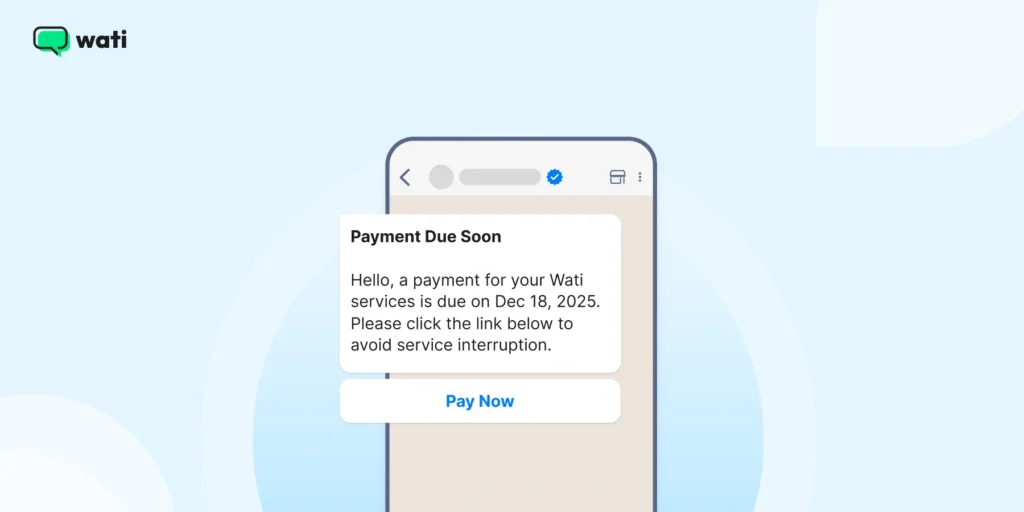
A professional and timely reminder helps ensure payment continuity for subscription services.
Payment Due Soon
Hello, a payment for your Wati services is due on [Date]. Please click the link below to avoid service interruption.
Verification: Automated flow based on subscription data.
Link/Button: "Pay Now"Also read: All that you should know about WhatsApp shopping in 2026 to build an end-to-end and seamless browsing, shopping, and checkout experience for consumers.
8. Special Offer or Discount Message
This is one of the most effective WhatsApp marketing message templates you can send, as everyone loves a good deal. Personalized discounts drive engagement and repeat purchases.
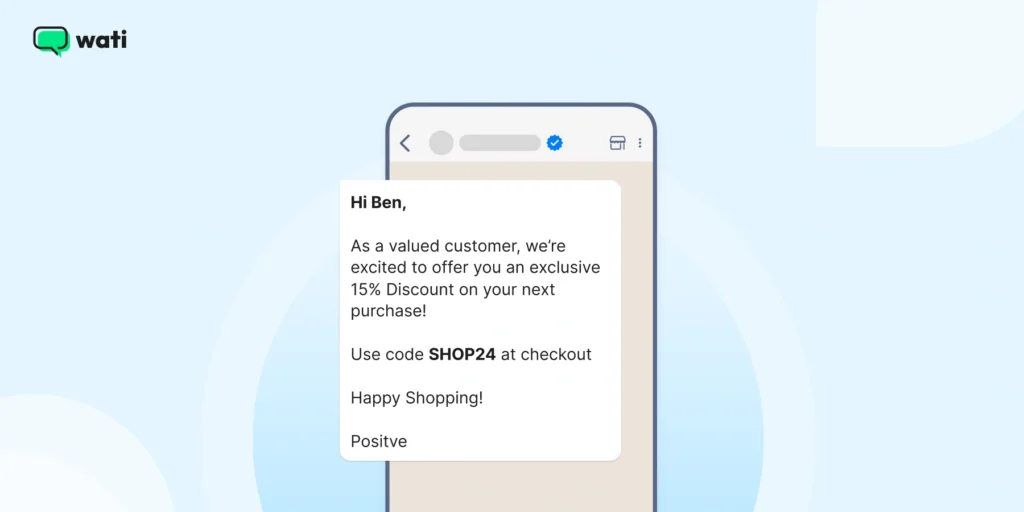
Hi Consumer Name
As a valued customer, we’re excited to offer you an exclusive [Discount percentage]% on your next purchase!
Use code [Discount Code] at checkout
Happy Shopping!
[Your Business Name]9. Product Launch Announcement Message
You can use this WhatsApp business message template to announce new products and updates directly on WhatsApp to build anticipation and drive clicks.
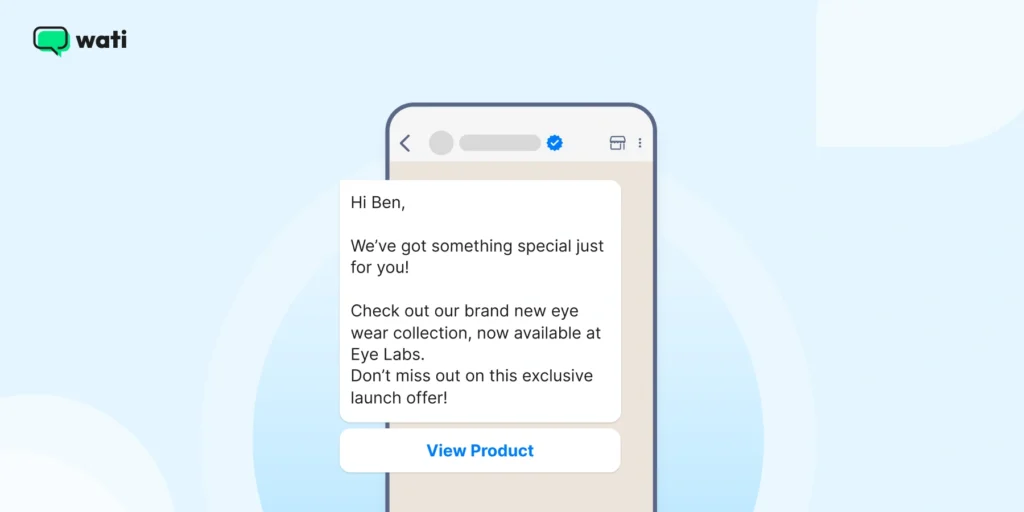
Hi [Customer Name]
We’ve got something special just for you!
Check out our brand new [Product Name], now available at [your business name]
Don’t miss out on this exclusive launch offer!
[Link to product]10. Re-Engagement Message for Inactive Customers
Every business has dormant customers. A simple WhatsApp Business message template like the one below can help you bring them back.
Hi [Customer Name], we have missed you!
It’s been a while since your last visit.
Here is a [Discount/offer] just for you to welcome you back to [Your Business Name
We’d love to see you again!This WhatsApp Business message template works best when paired with a limited-time internal discount strategy.
11. Subscription Renewal Reminder
You can remind customers to renew before their plan or subscription expires using this WhatsApp message template.
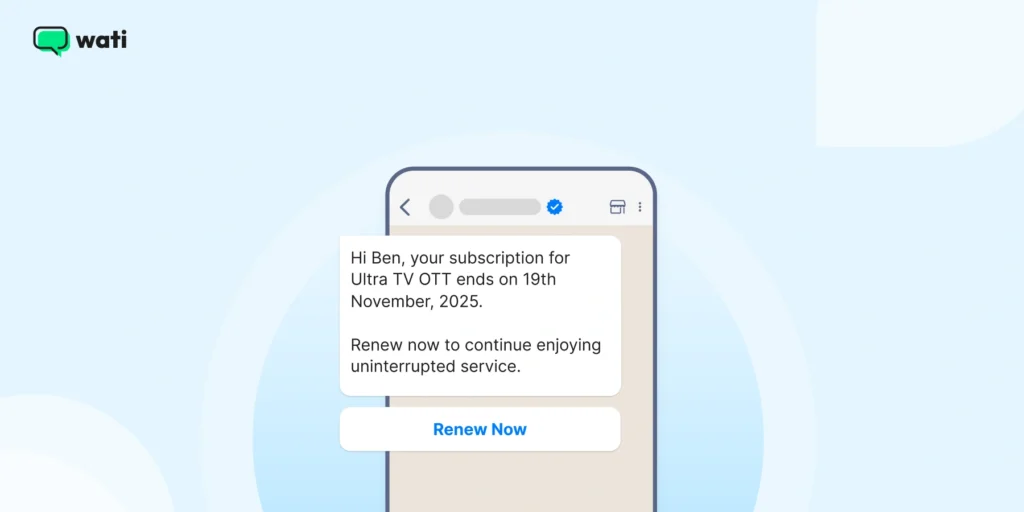
Hi [Customer Name], your subscription for [Service/Product] Ends on date [date]
Renew now to continue enjoying uninterrupted service.
[Renewal Link]Bonus Read: Check out 5 Best automated Shopify templates to attract, engage and retain customers via Shopify.
Marketing Templates (Promotional & Re-Engagement)
With WhatsApp API templates, you can run promotions, product announcements, early bird and discount offers, and a lot more. Marketing templates can also be used to send notifications to customers about special offers and events. You can engage with subscribers who have “opted in” specifically for your content.
These WhatsApp templates optimize your e-commerce process and convert cold leads into loyal customers. Wati enables you to target these broadcast campaigns using audience segmentation and track their effectiveness with accurate ad attribution.
Also read: Learn about live support vs automated support and which one works best for your customers in 2026.
1. Welcome Message for New Customers
A great first impression can turn a new lead into a loyal customer. A WhatsApp Business welcome message like this sets the tone for your brand and reassures customers that they are in good hands.
Hi [Customer Name]
Welcome to [Your Business Name] family!
We are excited to have you on board.
If you have any questions or need assistance, we’re just a message away!2. Event Invitation Message
Whether it’s a webinar, in-store event, or live sale, an event invite via WhatsApp feels more personal.
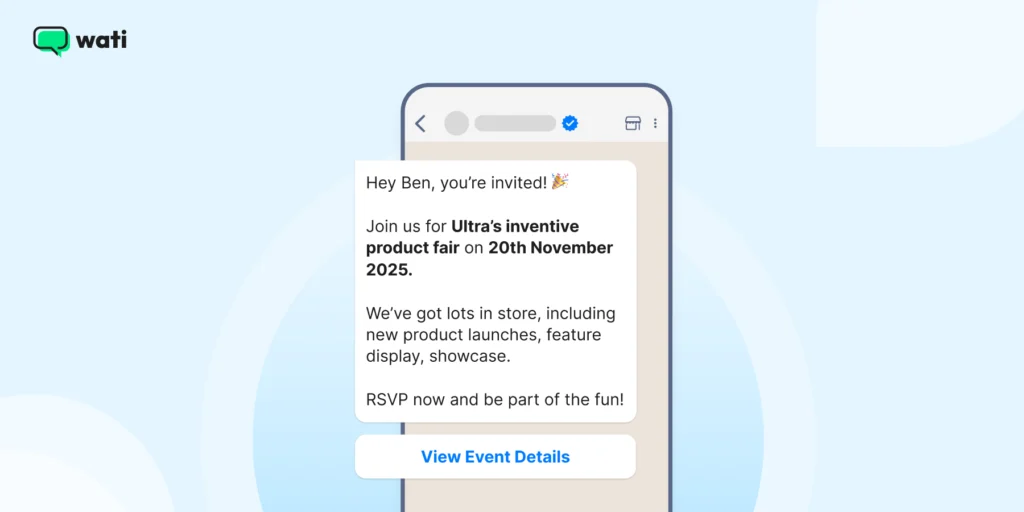
Hey [Customer Name], you’re invited!
Join us for [Event Name] on [Event Date]
We’ve got lots in store, including [event highlights]
RSVP now and be part of the fun!
[Link to event details]Also read: The ultimate guide to leveraging WhatsApp for event marketing.
3. Cart Abandonment Stage (Engage Stage)
High-resolution abandonment cart recovery templates are used to recover lost sales by creating urgency and encouraging quick action. With a cart recovery message, you can highlight product supply scarcity caused by high demand and drive the action you need.
For example, you can attach a gentle top strip on the product catalogue saying “only three left in stock”, which entices quick action and reduces cart abandonment numbers.
Automated cart abandonment messages help complete abandoned transactions when sent promptly.
Still Waiting for You!
We noticed you left a few items in your cart. Don't miss out. Complete your order now and secure free shipping before they sell out!
Verification: Targeted via Wati's Behavior-Based Segmentation.
Link/Button: "Complete Order Now" 4. Marketing Template: Promotional Flat Sale (Attract or Engage Stage)
With a promotional and sales-focused WhatsApp API template, you can drive immediate traffic to your website and convert customers directly, provided you frame your message meaningfully.
Also read: WhatsApp broadcast vs WhatsApp groups: Which one is better?
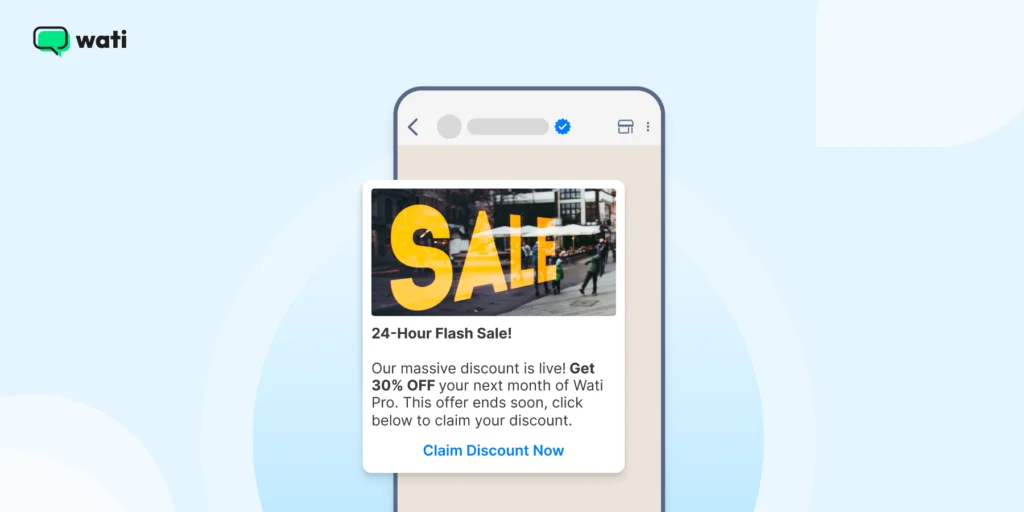
24-Hour Flash Sale!
Our massive discount is live! Get 30% OFF your next month of Wati Pro. This offer ends soon. Click below to claim your discount.
Verification: Segmented for high-value contacts via Wati Broadcasts.
Link/Button: "Claim Discount Now"5. New Product Launch (Engage Stage)
With new product launches, you can share exciting upcoming product updates for opportunities for upselling and cross-selling.
Customers who are already using your brand products and are happy or repeat purchasers are targeted for sharing new and exclusive product launches.
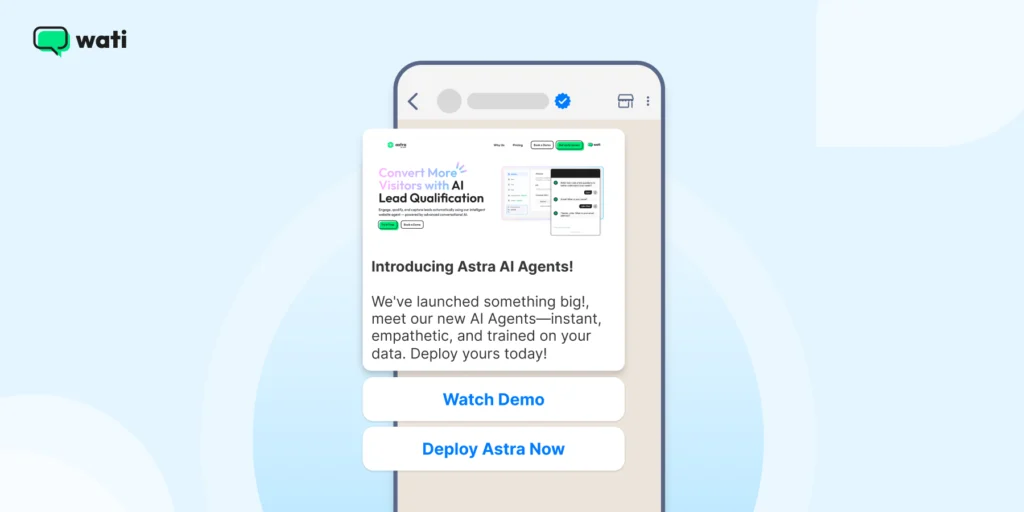
Introducing Astra AI Agents!
We've launched something big! Meet our new AI Agents- instant, empathetic, and trained on your data. Deploy yours today!
Verification: Targeted to ideal customer profiles using Pre-built Segments.
Link/Button: "Watch Demo," "Deploy Astra Now6. Festive or Holiday Greeting Message
You can build brand warmth with festive greetings that show you care beyond business. Here’s how.
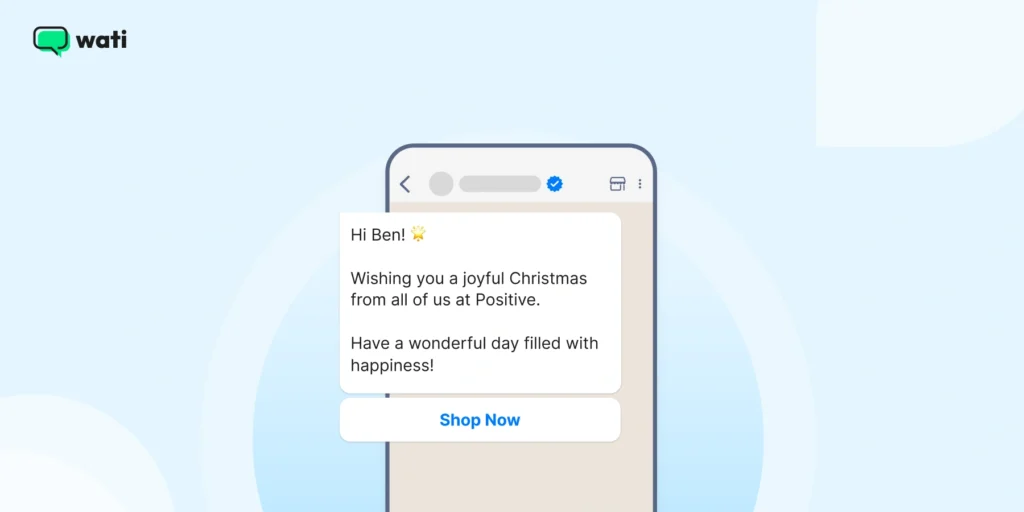
Hi [Customer Name]
Wishing you a joyful [Festival/Holiday] from all of us at [Your Business Name]
Have a wonderful day filled with happiness!Don’t Miss This: How to Grow Your Audience during a festive season.
Automated Service Message to Greet or Attract
An automated quick reply instantly greets a new lead captured from a channel like Click to WhatsApp Ad, Click to Tik tok Ad, or web widget.
Also read: How companies blend SMS marketing with WhatsApp marketing campaigns to ensure 100% delivery rate.
1. Greeting (Attract or Qualify Stage)
With a greeting message, you acknowledge the customer’s inquiry as and when it comes with a humble, empathetic, and assistive tone.
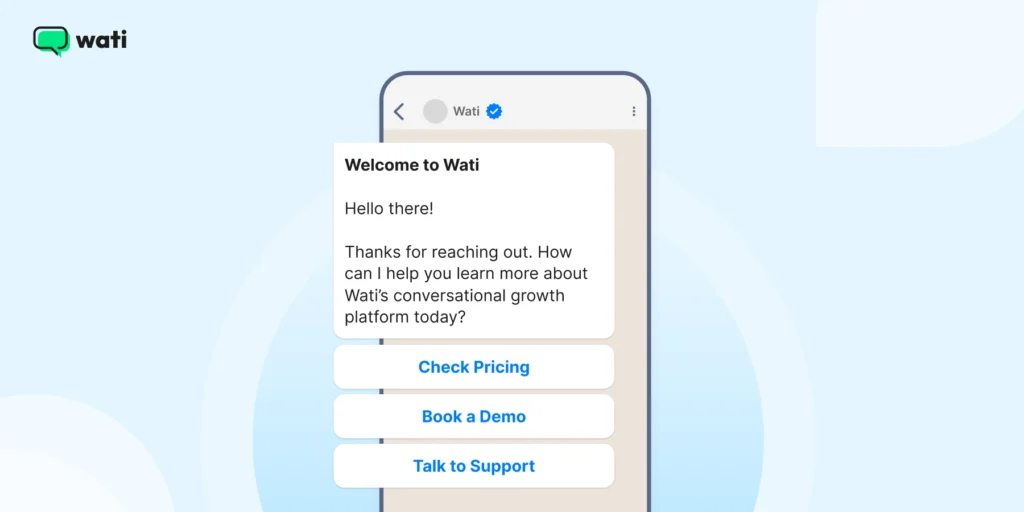
Welcome to Wati!
Hello there! Thanks for reaching out. How can I help you learn more about Wati’s conversational growth platform today?
Verification: Triggered immediately upon new inbound chat (starting the 24-hour service window).
Quick Reply Buttons: "Check Pricing," "Book a Demo," "Talk to Support"2. Away (Attract or Qualify Stage)
An away message informs the customer that agents are unavailable, setting a clear expectation for a reply time and improving customer satisfaction.
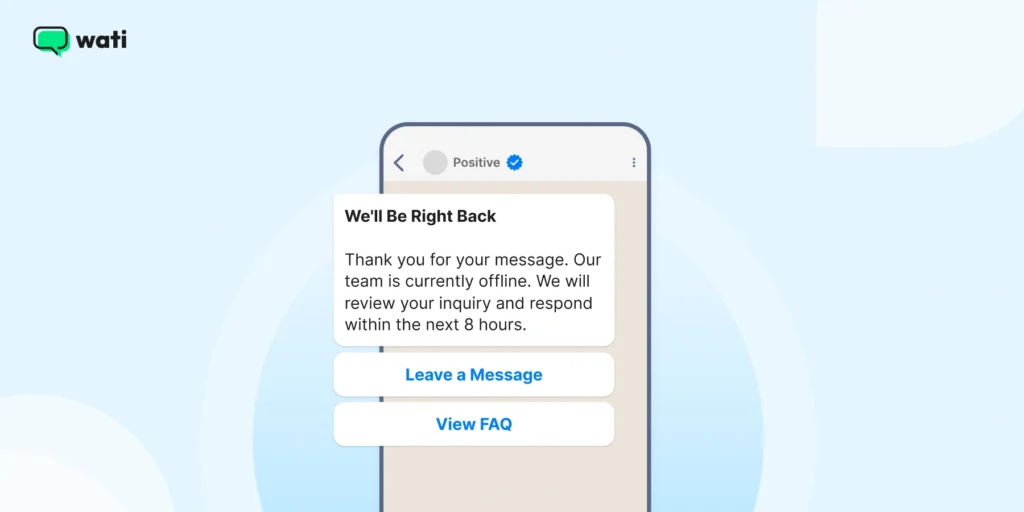
We'll Be Right Back
Thank you for your message. Our team is currently offline. We will review your inquiry and respond within the next 8 hours.
Verification: Triggered outside of defined business hours.
Quick Reply Buttons: "Leave a Message," "View FAQ"Also read: How to set up WhatsApp auto reply for customers in WhatsApp Business?
Need inspiration? Learn how to set up interactive messages with audio-visual support for enhanced customer engagement.
3. Authentication Templates to Verify and Gauge Customer Intent
Strictly for verifying user identity via OTP for security. These messages typically have the lowest pricing tier among business-initiated templates.
Verifying Authentication via OTP Verification (Qualify Stage)
Here is how you verify consumer authentication via OTP workflow.
Secure Login Code
Your one-time password (OTP) for Wati is [code]. This code is for verification only and will expire in 5 minutes. Do not share.
Verification: System-generated and automatically deployed by Wati.
Link/Button: (No buttons allowed for Authentication templates)Dynamic Content and Template Messages
One of the most powerful features of WhatsApp message templates is the ability to include dynamic content, making each message feel personalized and relevant to the recipient.
Dynamic content is added to templates using placeholders, which are represented by double curly brackets, such as {{customer_name}} or {{order_number}}.
These placeholders are automatically replaced with customer-specific information when the message is sent, allowing you to address customers by name, reference their recent purchases, or provide unique order details.
WhatsApp templates are organized into categories like marketing, utility, and authentication templates, each designed for specific types of communication.
For example, a utility template might include dynamic content to confirm an order number, while an authentication template could deliver a one-time password (OTP) for secure login. By using dynamic content within your template messages, you can create highly personalized conversations that drive engagement and build trust.
When creating WhatsApp templates, think about the key information your customers need and use placeholders to deliver it in a way that feels tailored to each individual. This not only enhances the customer experience but also increases the effectiveness of your WhatsApp messaging strategy.
WhatsApp API Template Pricing
Meta transitioned from the Conversation-Based Pricing (CBP) model to a Per-Message Pricing (PMP) model, which fundamentally changes how templates are billed.
Below is the updated WhatsApp API template pricing for 2026.
| Conversation Category | Charging Model (Post-July 2025) | Key Benefit |
| WhatsApp Marketing Template | Charged per delivered template message. | Highest ROI potential; drive sales with Click-to-WhatsApp Ads. |
| WhatsApp Authentication Template | Charged per delivered template message. | Lower rates in many markets than WhatsApp Marketing messages. |
| WhatsApp Utility Template | FREE if sent within the 24-hour Customer Service Window (CSW). Charged if sent outside CSW. | Encourages automated updates during an active customer support interaction. |
| WhatsApp Customer Service Message | Free-form messages sent by the business within the CSW are always FREE. | Your team can reply freely to customer-initiated chats at no charge. |
Bonus Read: Check out 20 Best WhatsApp Tools in 2026 to refine e-commerce workflows and build digital credibility.
How to Create WhatsApp Templates With Wati?
To create templates in Wati, you must first have a verified WhatsApp Business Account and a verified business phone number. These are required before you can begin the template creation process.
Getting your message templates up and running in Wati is straightforward. Once you’ve done it, you’ll be able to automate proactive messages with confidence.
Here’s how to do it, step by step, using the WhatsApp Business API via Wati:
- Log in to your WhatsApp Manager or WhatsApp Business Manager dashboard.
- Navigate to the Templates tab to manage and create message templates.
- To start a new template, click Create or click Create New to begin the template creation process.
- Follow the workflow to create message templates, making sure to organize and categorize them according to WhatsApp guidelines.
- When filling out your template, add sample content for any placeholders and refer to sample templates for guidance. This helps ensure your template is structured correctly and ready for review.
- After completing your template, proceed with submitting templates for approval. The template submission process requires you to follow WhatsApp guidelines closely to avoid template rejection.
- Use the WhatsApp Manager or WhatsApp Business Manager to track the status of your templates and manage any updates.
By following these steps and adhering to WhatsApp guidelines, you can streamline your template creation process and ensure your message templates are approved and ready for use.
1. Go to the Template Message Section
- Log in to your Wati dashboard.
- Then navigate to Broadcast → Template Messages → Your Templates, and click New Template Message to begin.
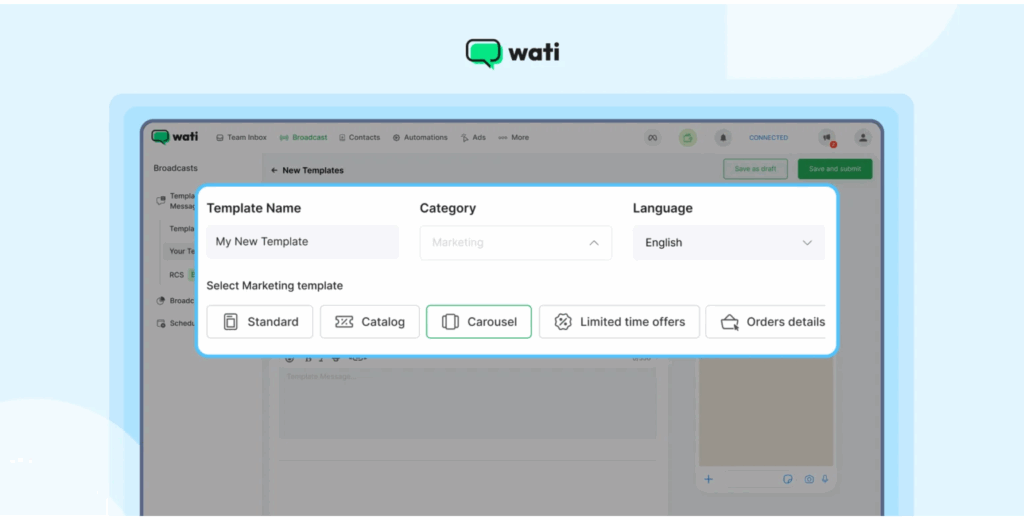
2. Define Basic Details
Define basic details as listed below:
- Template name: Use underscores instead of spaces (e.g., order_confirmation_template).
- Category: Choose one that fits the message’s purpose (e.g., Utility, Marketing, Authentication).
- Language: Select the language your customers speak.
3. Create The Message Body
Write the body in a clear, business-friendly tone. Include variables using {{parameter}} format to personalise messages (like { {name}} or { {order_id}}). Ensure the total character count (including variable replacements) stays under 1,024 characters.
4. Expand With Rich Features (Optional)
If you want more than text, Wati lets you add:
- Media: Images (JPEG or PNG), videos (MP4), or documents.
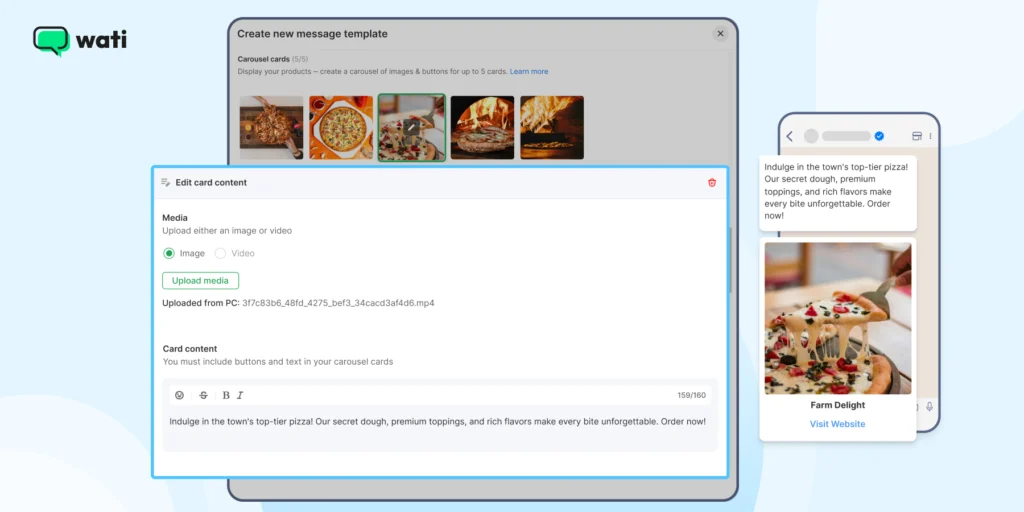
2. CTA Buttons: “Visit Site” or “Call Phone” where you enter a static or dynamic URL or number.
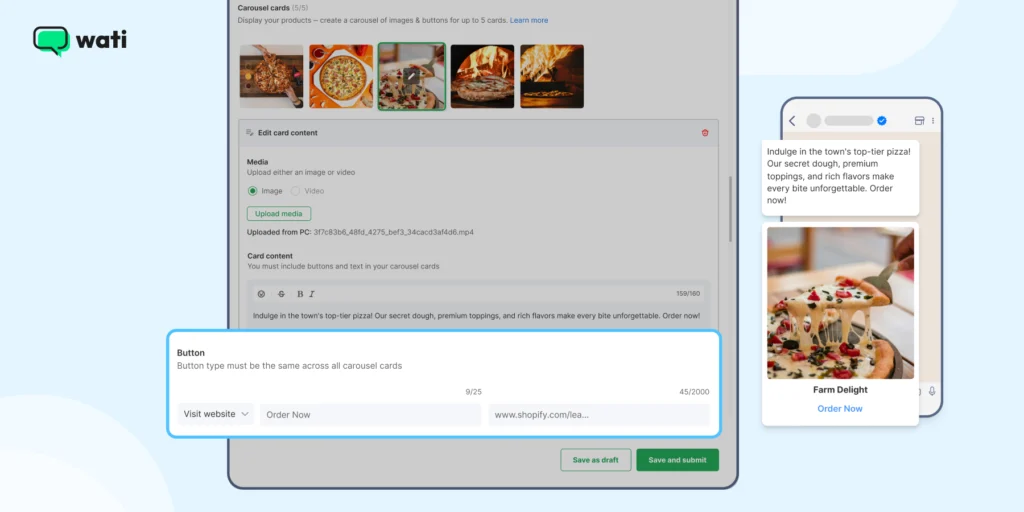
3. Quick Reply Buttons: Up to three, giving customers instant response options.
5. Submit for Approval
Once your template is ready, click Save and Submit (or save as a draft if you’re not ready). Templates enter a status of Pending. Approval from Meta typically takes 30 minutes to 24 hours.
6. Manage your Templates
Use Wati’s search and filter tools to find templates by name or status. Templates in draft can be edited; once submitted or approved, editing is restricted. In such instances, you must create a new template or resubmit and are subject to platform limits.
7. Automation and Sending
Once approved, you can trigger templates through the WhatsApp Business API or use Wati’s automation workflows. This means your business can send updates, reminders, and notifications accurately and consistently.
6 Best Practices to Create WhatsApp Templates
To ensure your templates achieve high delivery rates and drive conversions, follow these practices.
- Leverage the AI Support Agent: Use Wati’s AI Template Assistant to automatically apply Meta’s best practices, significantly increasing approval speed and quality.
- Master the Utility Template Advantage: Prioritize encouraging inbound customer engagement via CTWA ads or web widgets. This initiates the free 24-hour customer service window, allowing you to send Utility templates for free.
- Personalize Messages at Scale: Use Wati’s Behavior-Based Segmentation to target specific groups (e.g., “Abandoned Cart”) and use variables ({{1}}, {{2}}) for high-impact personalization.
- Optimize for Conversational Conversion: Always include a clear, direct CTA button (e.g., “Shop Now,” “Call Agent”) to capitalize on conversion rates and reduce response rates.
- Utilize Multichannel Fallback: Set up Intelligent Fallback so that if a WhatsApp message fails to deliver, the message is automatically sent via SMS, guaranteeing delivery for time-sensitive alerts.
- Track Attribution to Prove ROI: Use Wati’s analytics to trace every interaction from the initial ad click (Google CTM, TikTok Ad) to the final conversion, giving you the granular data needed to champion ROI.
How Does Wati Help Streamline Consumer Engagement?
Wati is a multi-channel, conversational growth platform, empowered by AI.
It manages the complete customer lifecycle from a single, unified platform by providing the following features.
- Shared Inboxes: Monitor team productivity, check conversation progress, and dynamically assign chats to agents, ensuring no conversation slips through the cracks.
- Multi-Channel Reach: Connect across WhatsApp, SMS, Rich Messaging, Audio and Video plugins, and social platforms (Instagram or Facebook) in one unified experience.
- WhatsApp Business Calling: Seamlessly transition from chat to high-trust voice calls directly within the chat window, enabling you to close deals faster and humanize your brand.
- Astra: AI Agents & Gemini 3: Create and deploy intelligent Astra AI Agents using natural language, powered by Gemini 3 integration, to handle routine queries across Web, WhatsApp, or Voice, freeing up human agents.
- CTWA Ads: Leads from Click-to-WhatsApp ads (TikTok, Google, Meta) flow instantly into Wati with full attribution, allowing engagement at the perfect moment.
- SMS Marketing & Fallback: Trigger recovery SMS campaigns if WhatsApp messages fail. The SMS fallback guarantees delivery across different geographical locations, ensuring 100% audience reach.
- HubSpot Integration: Features bi-directional contact sync, AI Summaries, and automatic task creation, ensuring a single source of truth for sales teams. With WhatsApp for HubSpot, you can accelerate your CRM journeys and take data-driven sales calls.
- Abandoned Cart Recovery: Run drip marketing campaigns to push nudges to customers who didn’t complete the checkout process, directly improving customer conversion.
- No code chatbot builder: With a no-code chatbot builder, you can integrate high-performing AI chatbots without any developer hassle. These chatbots can be loaded with WhatsApp API templates to attract, greet, and interact with leads.
Bonus read: Learn how you can set up your custom chatbot in Wati in 2026 to give a human touch to your customer inquiries.
Build Your WhatsApp API Workflow, With Automated Templates
With high-quality automated templates, sales reps can reduce the time spent writing generic replies and focus on more strategic, sales-oriented tasks at hand.
Switching to the WhatsApp API template is a powerful, personalized, and conversational strategy for consumer engagement. By choosing a comprehensive platform like Wati, which offers a full-funnel approach, AI automation, and multi-channel engagement, you can provide close to an “in-store” brick-and-mortar experience and make customers happy.
Move beyond basic notifications to build a strategic, revenue-driving engine with WhatsApp API templates and scale brand loyalty manifold!
Book a free demo of Wati today to see WhatsApp API templates in action.
Frequently Asked Questions: WhatsApp Message Templates
Have more questions? Please find answers below!
The three categories are Utility, Marketing, and Authentication. Choosing correctly is vital because the category determines the pricing rate and the approval priority. If a message contains both utility and marketing elements, it will be categorized and charged as the more expensive marketing type.
Meta transitioned to a Per-Message Pricing (PMP) model. Crucially, Utility templates delivered within the 24-hour Customer Service Window (CSW) are now FREE. This strategy rewards businesses that encourage inbound chats and handle service proactively.
Templates are required anytime a business wants to initiate a conversation or message a customer outside of the 24-hour Customer Service Window (CSW). Inside the CSW (when the customer messages first), you can send free-form, non-template messages at no charge.
Templates are commonly rejected for incorrect placeholder formatting (e.g., non-sequential numbering). Other causes include content that violates the Business Policy (e.g., asking for sensitive data) or submitting a message that is identical to an already approved template.
The highest risk is receiving a Low Quality rating from customers reporting the message as spam. A consistently low rating can lead to the template being paused or permanently disabled by WhatsApp, interrupting your campaigns and damaging your sender reputation.