
Too Long? Read This First
- Handoff is a state change, not a phrase: AI_ACTIVE → HANDOFF_REQUESTED → HUMAN_ACTIVE → RESOLVED, owned by the conversation system, not the model.
- MCP gives the agent callable, auditable tools: Wati's server exposes assign_operator, assign_contact_teams, update_conversation_status, and get_messages (wati-mcp-server README).
- WhatsApp's 24-hour customer service window doesn't pause for a handoff. Once it closes, a human can only send an approved template, same as the bot (Meta developer docs).
- The most common failure isn't a bad escalation rule, it's the bot continuing to reply after ownership has already moved to a person.
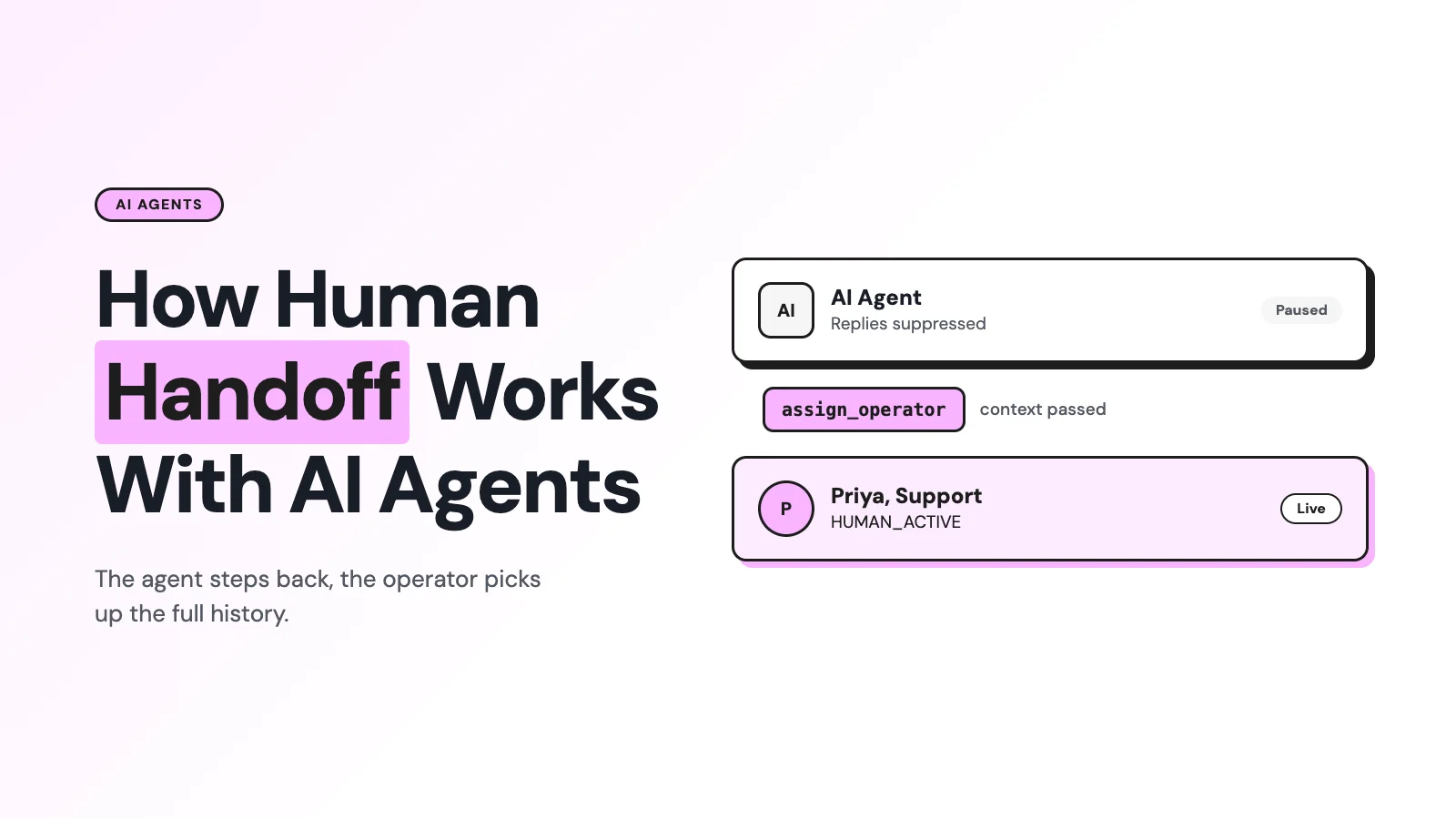
Human handoff on WhatsApp isn't the bot typing "let me get someone for you." It's a controlled change of conversation ownership, and an MCP-connected agent hands off by calling a real tool, not by hoping the transcript survives the transfer.
On Wati's MCP server, that tool is assign_operator (or assign_contact_teams), and that's what separates an auditable escalation from a chatbot that quietly goes dark.
What Does "Human Handoff" Actually Mean?
Treat handoff as ownership, not vocabulary. A useful state machine looks like this:
AI_ACTIVE → HANDOFF_REQUESTED → QUEUED/ASSIGNED → HUMAN_ACTIVE → RESOLVED
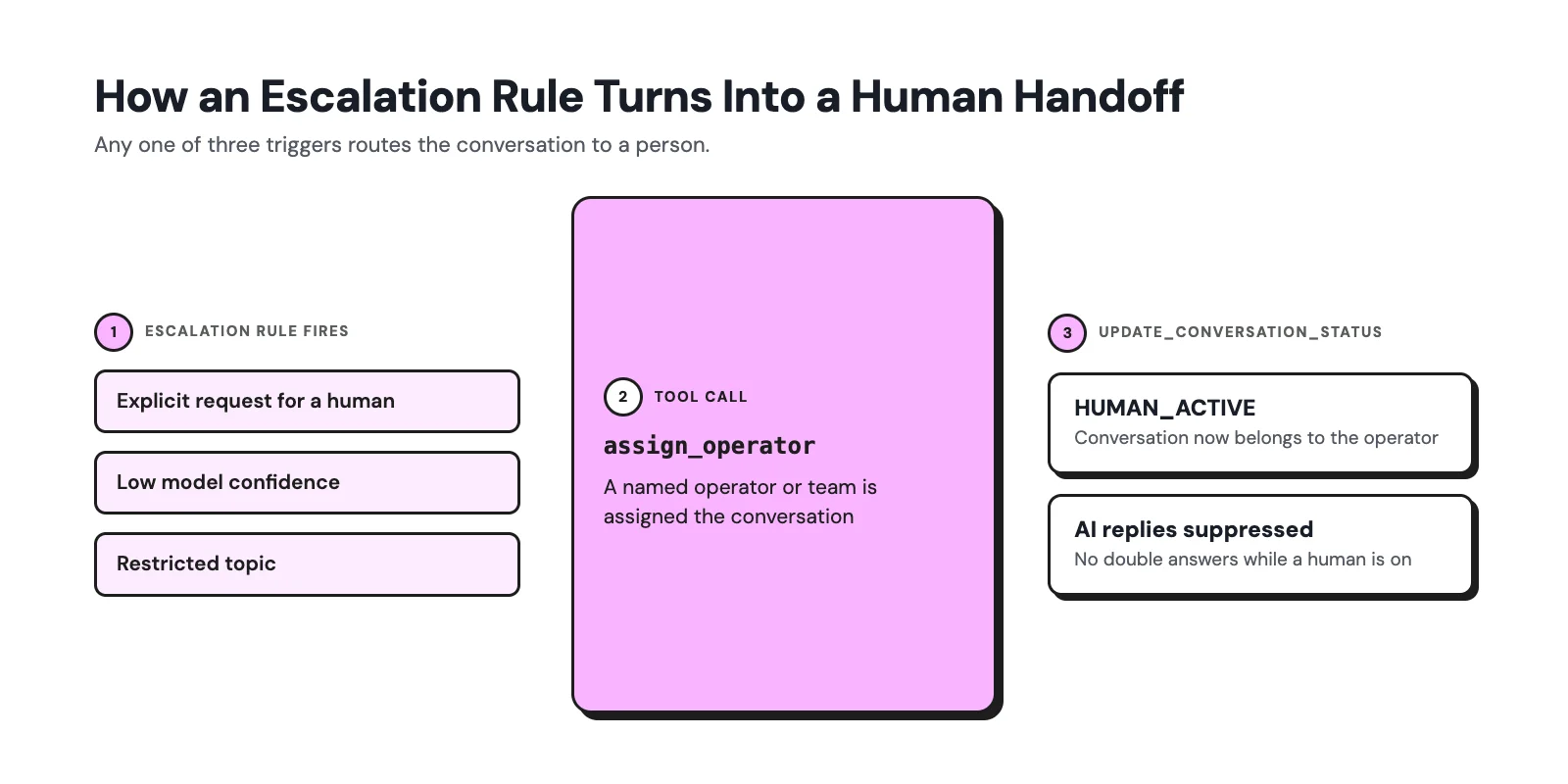
The conversation service is the source of truth for who owns the chat. Once a conversation is HUMAN_ACTIVE, AI replies are suppressed; when it's resolved, it either closes or explicitly returns to AI_ACTIVE under a defined rule.
Skip this and you get the two most common complaints about "AI chatbots": the bot ignoring an obvious request for a human, or the bot and a human both replying to the same message.
What Actually Triggers a Handoff?
Good escalation policies run several checks in parallel rather than relying on one confidence score:
- Explicit request: "let me talk to a person," "transfer me." This should override every other rule and stop the bot immediately.
- Low confidence or out-of-scope intent: the agent would have to guess or go outside its approved knowledge.
- Negative sentiment or repeated failure: frustration, repeated rephrasing, several unsuccessful bot turns in a row.
- High-value or time-sensitive intent: a purchase-ready lead, a VIP contact, a churn risk.
- Restricted topics: refunds outside policy, disputes, regulated advice, and anything needing discretionary approval.
- Operational failures: a tool call errors out, required data is missing, or authentication fails mid-conversation.
A practical rule of thumb: explicit human requests and compliance-sensitive topics override any confidence threshold. Don't let a "we're 80% sure we can handle this" score keep someone in a bot loop after they've asked for a person twice.
What Wati MCP's Handoff Tools Actually Do?
This is the part that's different from a scripted chatbot: the handoff isn't a hardcoded if-statement buried in application code. It's a tool the agent calls, with a name, a schema, and a result the orchestrator can log.
Tool | What it does |
|---|---|
assign_operator | Assigns a specific human operator to the conversation |
assign_contact_teams | Routes the contact to a team rather than one named agent |
update_conversation_status | Changes conversation status (open, pending, solved, block) |
get_messages | Pulls the full message history so the receiving human isn't starting blind |
The MCP flow behind each call is standard: the client discovers the tool's name and input schema, the model decides to call it when the escalation rule fires, the server validates the request and performs the action, and it returns a structured result that the orchestrator can record before it changes the conversation's state.
Before assignment completes, a well-built handoff also hands the human a package, not just a name: the transcript, a one-line summary of the issue, extracted details (order number, account ID, desired outcome), and what the AI already tried.
Wati's shared team inbox is where that assigned conversation actually lands for the human agent to pick up.
Why Tool-Based Handoff Beats Hardcoded Chatbot Logic?
Hardcoded escalation (a condition in application code that calls a vendor API directly) isn't inherently worse, and safety-critical rules often should stay deterministic.
The advantage of routing handoff through MCP tools is auditability: every call has a declared name, a schema, an authorization boundary, and an invocation record, which makes the decision replayable and testable later.
That only holds if the backend actually persists the audit event: a tool call nobody logs is no more auditable than a hidden if-statement.
This is also why MCP's specification requires servers to validate tool inputs and implement access controls, and recommends clients log tool usage for audit purposes on servers exposing these kinds of write actions.
For more on how Wati scopes what an agent can see and do in the first place, see what the Model Context Protocol is and how its security model works.
The 24-Hour Window Doesn't Care Who's Typing
A handoff doesn't buy you an exception to WhatsApp's messaging rules. A user message or call opens a 24-hour customer service window; another inbound message resets it. Inside that window, either the bot or a human agent can send a free-form service message.
Once it closes, the only option for the bot or the human is a pre-approved template (Meta developer docs).
Window state | What the bot can send | What the human agent can send |
|---|---|---|
Open (within 24 hours of last inbound message) | Free-form service message | Free-form service message |
Closed | Approved template only | Approved template only |
Templates themselves need to be pre-approved and active before they can be sent, and can be paused after quality review.
If your handoff logic doesn't recompute the window immediately before a human sends anything, you'll get a rejected message at the worst possible moment: right after a frustrated customer finally reaches a person.
One thing worth watching: the free-form "service message" inside that window is only free for now. Meta has already moved WhatsApp off Conversation-Based Pricing onto per-message billing, and a further change lands on October 1, 2026, that starts charging for service messages themselves.
See Wati's breakdown of the upcoming WhatsApp service message pricing changes for what that means for handoff economics specifically, since the window's messaging rules stay the same even as the billing underneath it changes.
Failure Modes to Design Against
Failure mode | What happens | Fix |
|---|---|---|
Dropped context | Humans see "customer wants help" and ask them to repeat everything | Persist the transcript and extracted fields; show them in the agent's workspace before assignment completes |
AI keeps replying after handoff | Bot and human both answer, sometimes contradicting each other | Add a send guard: no AI outbound message once status is HANDOFF_REQUESTED or later |
Escalation loop | The agent re-escalates or bounces between teams repeatedly | Make an explicit human request terminal for that turn; cap retries and add a cooldown |
Wati Angle: Wiring This Into an Agent's Actual Flow
For a Wati-connected agent, the practical build order looks like this:
1. Define your escalation rules first, independent of any tool: explicit request, sentiment, confidence floor, restricted topics, and tool failure.
2. When a rule fires, call get_messages to assemble the handoff package before assigning anyone.
3. Call assign_operator for a named handoff or assign_contact_teams when routing by queue rather than by person.
4. Call update_conversation_status to move the conversation out of an AI-owned state, and suppress further AI replies once that call succeeds.
5. Log the tool name, conversation ID, and result for every one of these calls: that log is what makes the handoff auditable later, not just automated.
Start this on a narrow slice (one queue, one clear trigger like an explicit human request) before wiring in sentiment or confidence-based escalation. If your team is scoping a full AI-agent build on WhatsApp, Wati's demo can walk through how assign_operator and team routing fit your existing support structure.
Frequently asked questions
Does the AI know when to hand off, or does a human have to catch it?
The escalation rules run automatically against every message: explicit requests, sentiment, confidence, and restricted topics can all fire without a human watching. The tool call itself (assign_operator) is what executes the handoff once a rule fires.
Can a customer get replies from both the bot and a human at the same time?
Only if the send guard is missing. Once update_conversation_status marks the conversation HUMAN_ACTIVE, a correctly built agent stops sending automated replies to that conversation.
Does the 24-hour window reset when a human takes over?
No. The window is tied to the customer's last inbound message, not to who's replying. A handoff doesn't extend it or restart it.
What happens if the assigned operator doesn't respond?
That's a queue and timeout problem, not an MCP problem: the conversation status and assignment should include a fallback path (reassignment or escalation to a team) rather than silently reactivating the bot.
Is the 45 to 65% containment figure a realistic target for my own setup?
It's a vendor-reported figure for one specific product and conversation mix, not a guarantee. Treat it as a range to sanity-check your own numbers against, and track containment alongside actual resolution, not as a replacement for it.
Related posts
- AI Customer Support in 2026: What It is, How It Works, and Why Smart Teams are Quietly Switching Over
Learn how AI in customer support manages ticket escalations, automates ticket tagging and routing, and improves customer satisfaction. See how Astra does it.
- How to Automate Business Conversations With a WhatsApp AI Agent in 2026
Learn how to build a WhatsApp AI agent to engage, qualify, and convert prospects round the clock without any delays in 2026.
- Voice-First Web Experiences: Navigating with Voice Commands
learn how voice first web experiences enable you to power personalized, human-like conversations to have a competitive advantage in today’s market.
- How Voice AI Agents Qualify Leads: A Sales Team’s Guide to Hands-Free Pipeline
know how does voice ai qualifies leads for an effective sales action and potential conversion and where does astra 2.0 stand when it comes to pre-configured lead qualification