

-

-
-
Solutions
-
Soluções
-
Soluciones
-
解决方案
-
解決方案
-
الحلول
-
Product
-
Produto
-
Producto
-
产品
-
產品
-
المنتج
-

-
-


 Wati for Marketing
 Wati for Support
 Wati for Sales
 eLearning
 E-commerce
 Marketing Agencies
 Healthcare
 No Code Chatbots
 AI Support Agent
 Instagram and Facebook messenger
 Click to WhatsApp ads
 Campaigns
 Team Inbox
 WhatsApp Business Calling
 Wati AI
 Overview
 Library

Why Every Business Needs CRM WhatsApp Integration Today?
Written by:
 Rohan
|
on:
May 23, 2025
|
Last updated on:
February 16, 2026
|
Fact Checked by :
Rohan
|
on:
May 23, 2025
|
Last updated on:
February 16, 2026
|
Fact Checked by :
 Namitha
|
According to: Editorial Policies
Namitha
|
According to: Editorial Policies
 Table of Contents
Too Long? Read This First
- CRM WhatsApp integration connects WhatsApp Business with your CRM, giving teams a unified view of your sales pipeline with customer chats, data, and history in one dashboard.
- CRM WhatsApp integration enables businesses to deliver real-time, personalized conversations while automating follow-ups, lead qualification, and support workflows.
- Integration options include native CRM connectors (HubSpot, Zoho, Salesforce), third-party tools (Wati), or custom APIs for full flexibility.
- Core benefits include centralized communication, automation at scale, cross-team visibility, and data-driven insights that improve customer engagement and retention.
- Industries like e-commerce, real estate, fintech, and education use WhatsApp CRM to recover carts, nurture leads, manage queries, and enhance customer experience.
- Wati offers an official, secure WhatsApp Business API solution with seamless CRM integrations, AI-powered agents, shared inboxes, and actionable analytics for scalable engagement.
Your CRM remembers the details. WhatsApp builds the connection.
Put them together, and you will see every chat is aligned with the sales pipeline and on track to assess and move on to the next step.
How does this save time and boost sales?
Instead of switching between tools or missing context, your team sees everything in one place:
past purchases, open tickets, and conversation history right next to the customer’s message.
That is what CRM WhatsApp integration does. It connects data with real-time conversations, so your team can reply faster, sell smarter, and improve customer loyalty.
What is WhatsApp CRM?
A WhatsApp CRM is a platform or software that connects your WhatsApp with your CRM, usually via WhatsApp Business API. It ensures that every WhatsApp conversation, lead, or support request is linked to the corresponding customer record in the CRM.
This allows teams to:
- View chat history and customer details in one place
- Assign chats to sales/support agents
- Automate follow-ups, reminders, and notifications
- Track leads and sales performance.
Examples include tools like Wati that serve as WhatsApp CRMs or offer similar capabilities.
Think of it as your central hub for communication, where marketing, sales, and support teams can manage chats, assign conversations, and follow up with full visibility.
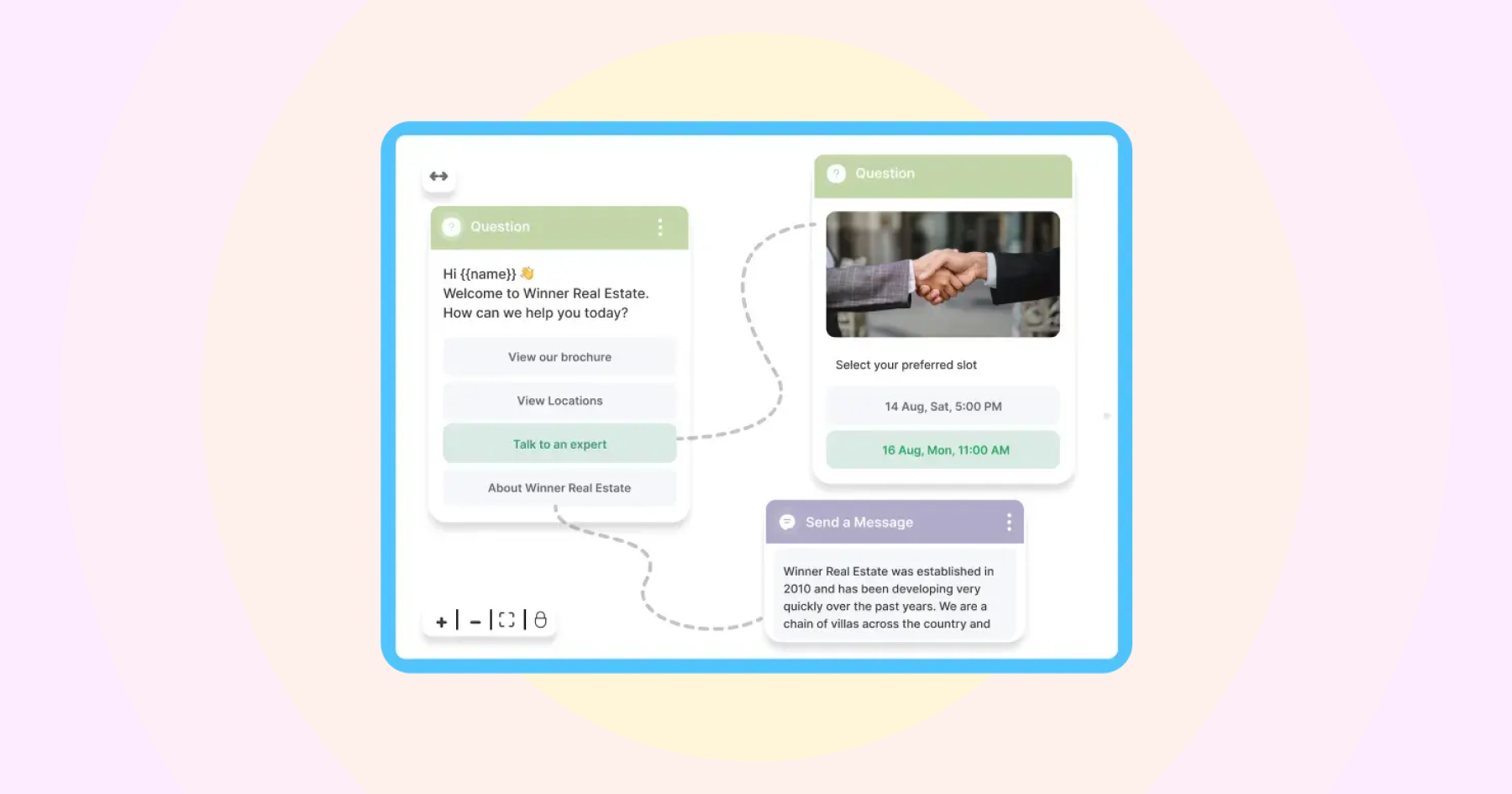
You can automate responses, track performance, and give every chat the context it deserves.
In simple terms, a WhatsApp CRM turns WhatsApp into a smart workspace for customer communication and engagement. It eliminates manual and duplicate data entry by automating the transfer of data from WhatsApp chats to CRM.
Wati provides bidirectional data sync. This reduces the time spent on manual data entry, and you never lose context in the chat or have to revisit every customer chat to regain it.
How WhatsApp CRM Integration Works
At its core, CRM WhatsApp integration connects your WhatsApp Business account with your customer relationship management system, allowing both tools to talk to each other in real time.
Once integrated, every message, contact, and conversation on WhatsApp becomes part of your CRM’s customer record. That means your team can see chat history, purchase details, and previous interactions all in one place.
Here’s how the flow typically works.
1. Connect Your WhatsApp Business API
You start by linking your WhatsApp Business API to your CRM through a native integration, third-party platform, or custom API. This link allows data to move securely between WhatsApp and your CRM.
If you are using BSP platforms such as Wati, it allows you to connect your WhatsApp account with your CRM in just 5 minutes, so you don’t have to worry about it.
2. Sync Customer Data Automatically
Once the connection setup is completed, when a customer messages you on WhatsApp, their with your CRM.
If they’re a new contact, the system creates a record instantly.
3. Log Chats and Track Conversations
Every message, reply, or attachment exchanged on WhatsApp is logged under the customer’s profile in your CRM.
Teams can view these conversations alongside emails, tickets, or deals, keeping everything organized and accessible.
You will receive a precise summary of customer conversations without needing to review lengthy chats and decipher the context. This saves time and reduces missed conversations.
4. Automate Key Actions
The real magic happens when automation kicks in.
You can set up workflows to trigger follow-ups, assign leads to the correct team, or send WhatsApp updates based on CRM events, such as a new order or form submission.
5. Measure and Optimize
All interactions feed into analytics. You can track response times, customer satisfaction, and campaign performance, helping you understand what’s working and where to improve.
Why Businesses Benefit from a WhatsApp CRM
Your sales team loses context when dealing with numerous WhatsApp messages; perhaps one or two staff members are required to sit every single day and manually upload data to the CRM.
WhatsApp CRM brings everything together in one place. Sales, marketing, and support teams get a single, unified view of customer data (messages, purchase history, and preferences) so replies are faster and more relevant.
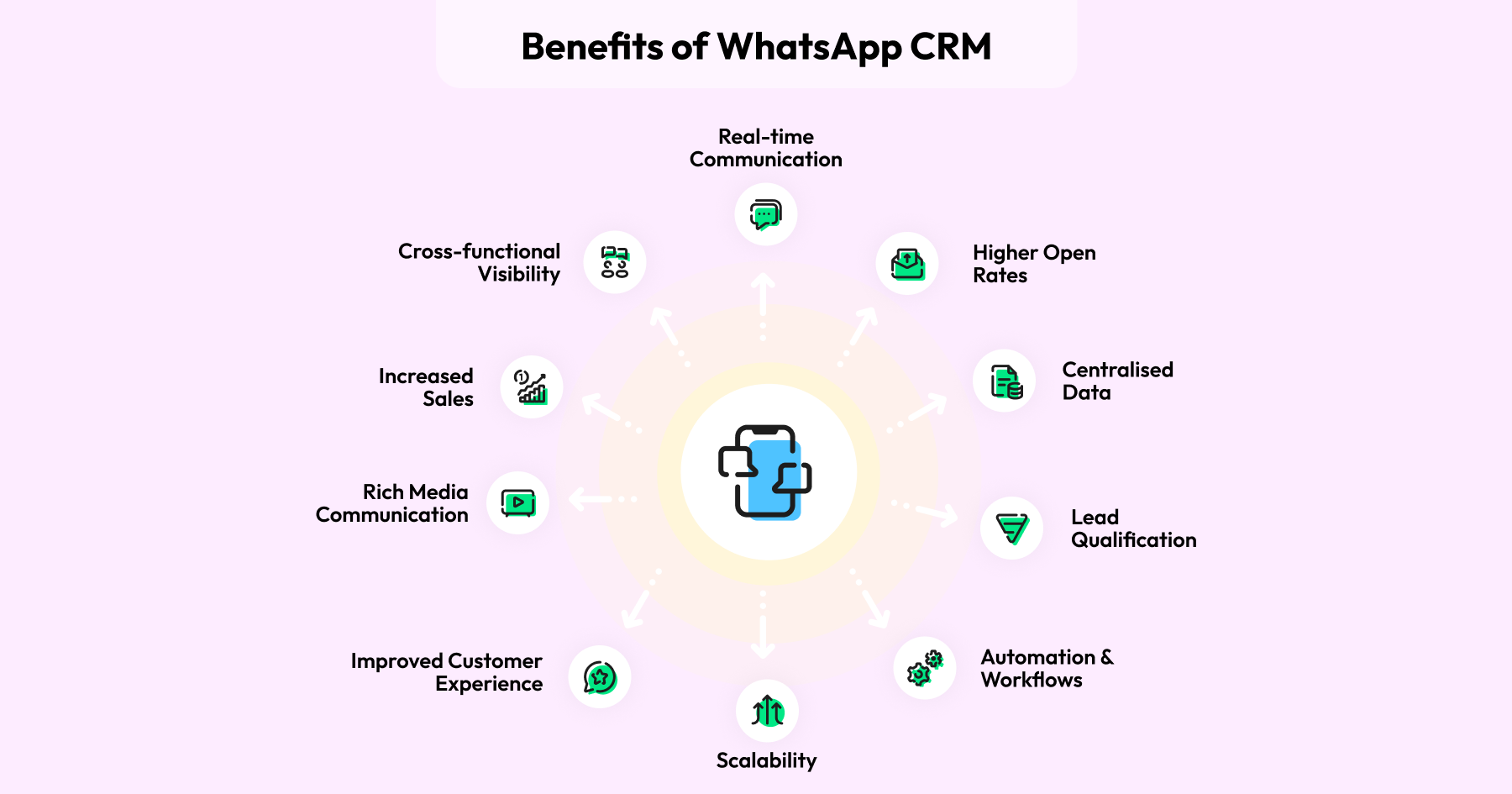
Here’s what makes it so effective:
- Real-time communication: Instant chats that feel natural and human.
- Centralized data: Every interaction and customer detail in one shared view.
- Smart automation: Lead qualification, follow-ups, and updates handled automatically.
- Team collaboration: Sales, marketing, and support all work from the same inbox.
- Scalability: Manage thousands of chats without losing quality or context.
- Rich media: Share catalogs, PDFs, or product images directly in chat.
How You Can Integrate WhatsApp with Your CRM
There are three main setups. Here are the most common ways businesses do it.
1. Native Integration
Some CRMs like HubSpot, Zoho, or Salesforce offer direct WhatsApp integrations.
These plug-ins connect your CRM account to WhatsApp Business API, letting you send and receive messages, track conversations, and log chats automatically within your CRM dashboard.
Wati offers native bi-directional sync between HubSpot and WhatsApp, which you can achieve within 5 minutes, creating a visible sales pipeline.
2. Third-Party Platforms
BSPs such as Wati serve as a bridge between WhatsApp and your CRM, enabling you to sync contacts, streamline workflows, and manage conversations at scale.
For instance, Zoho CRM users can easily integrate Wati to send and receive WhatsApp messages directly from their CRM dashboard.
New leads added in Zoho are automatically synced with Wati, enabling instant, personalized follow-ups on WhatsApp. Plus, all conversations are logged back into Zoho for complete visibility.
3. Custom API Integration
For larger businesses or those with specific requirements, custom API integration offers more flexibility.
Your tech team or partner can build a tailored setup that pulls WhatsApp data directly into your CRM, giving full control over what’s synced and how.
You can pull message status, contact updates, or chat history from Wati’s API and feed them into your CRM so your sales or support teams see real-time WhatsApp data in their workflow.
Each method has its pros and trade-offs. Native integrations are easy to set up, third-party tools add flexibility, and custom APIs give you complete control. The key is finding the balance between simplicity, scale, and functionality that fits your business.
Best WhatsApp CRM Integrations to Consider
Not all WhatsApp CRM integrations work the same way. The right one depends on your team, your tools, and the level of automation you want to achieve.
Here’s a quick rundown of what’s out there and how to choose what fits you best.
1. Zoho (WhatsApp Integration with Zoho CRM)
Zoho lets you connect WhatsApp directly into the CRM so messages, contact details, and interaction history appear inside the contact record.
It’s a solid pick if you want tight record-keeping and quick setup inside a full-featured CRM.
Best for mid-size teams that want an integrated experience without building custom code.
2. HubSpot (WhatsApp HubSpot Integration)
HubSpot supports WhatsApp integration through official connectors and partner apps, which bring conversations into the HubSpot inbox and timeline.
This makes it easy to keep chat transcripts, streamline follow-ups, and trigger HubSpot workflows from WhatsApp activity.
You can choose HubSpot if you already use its marketing and sales tools and want WhatsApp to feed that same contact and deal data.
Bonus Resource: WhatsApp for HubSpot: The 2025 Sales Acceleration Guide
3. Shopify (WhatsApp Shopify Integration)
If you run an e-commerce store, Shopify’s official WhatsApp app (from Meta) focuses on post-purchase messaging: order updates, delivery notifications, and checkout opt-ins.
A WhatsApp Shopify integration is ideal when your primary goal is to improve the post-purchase experience and reduce cart abandonment.
It’s quick to enable and is directly tied to order workflows.
4. Salesforce (Enterprise-grade CRM with WhatsApp Integration)
Salesforce supports WhatsApp Business Platform integrations, but often requires more setup and approvals through WhatsApp BSPs.
The upside is deep customization: you can trigger messages from complex workflows, log rich conversation data, and build tailored automation at scale.
Why Choose Wati as Your WhatsApp CRM Integration Platform
If you’re exploring CRM WhatsApp integration, Wati stands out as more than just a messaging platform.
It’s a complete customer engagement solution built for sales, support, and marketing teams that want to scale conversations without losing context.
Wati helps you personalize interactions, automate repetitive tasks, and keep every customer touchpoint connected.
Here’s what makes it the best WhatsApp CRM integration platform.
1. Built on the Official WhatsApp Business API
Wati is a Meta-approved Business Solution Provider (BSP), which means it uses the official WhatsApp Business API.
You gain access to secure, scalable features such as session messaging, template campaigns, and WhatsApp verification. This ensures reliability, compliance, and the ability to grow your WhatsApp presence without restrictions.
2. Seamless CRM Integrations
Wati offers smooth WhatsApp integration with CRMs like Zoho CRM, HubSpot, and Salesforce. With these integrations, you can sync WhatsApp contacts, log chat history, trigger automations, and update records instantly.
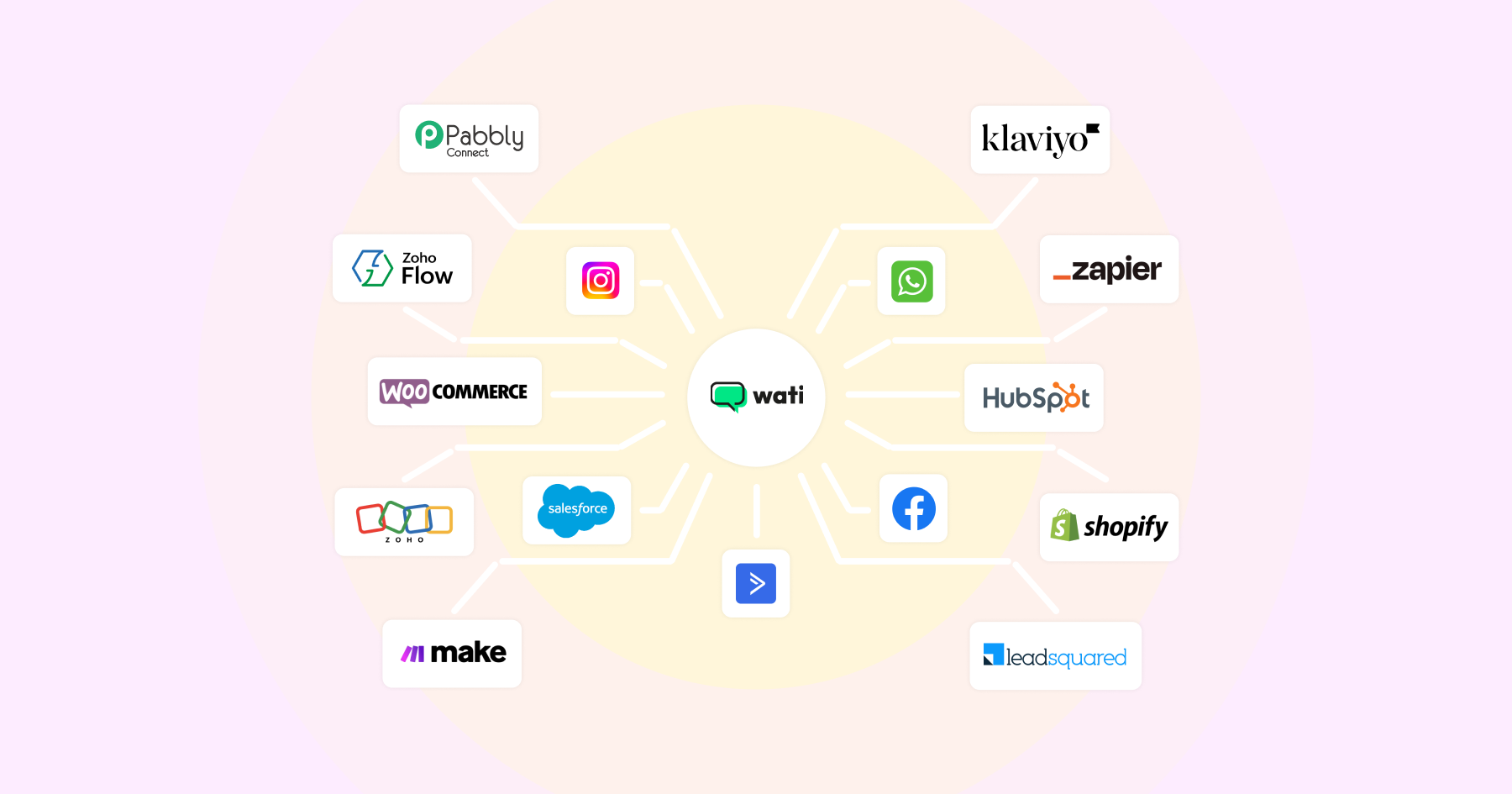
Whether it’s WhatsApp integration with Zoho CRM, WhatsApp HubSpot integration, or WhatsApp integration with CRM systems in general, Wati keeps your team in sync and your data organized.
3. No-Code Automation and AI Agents
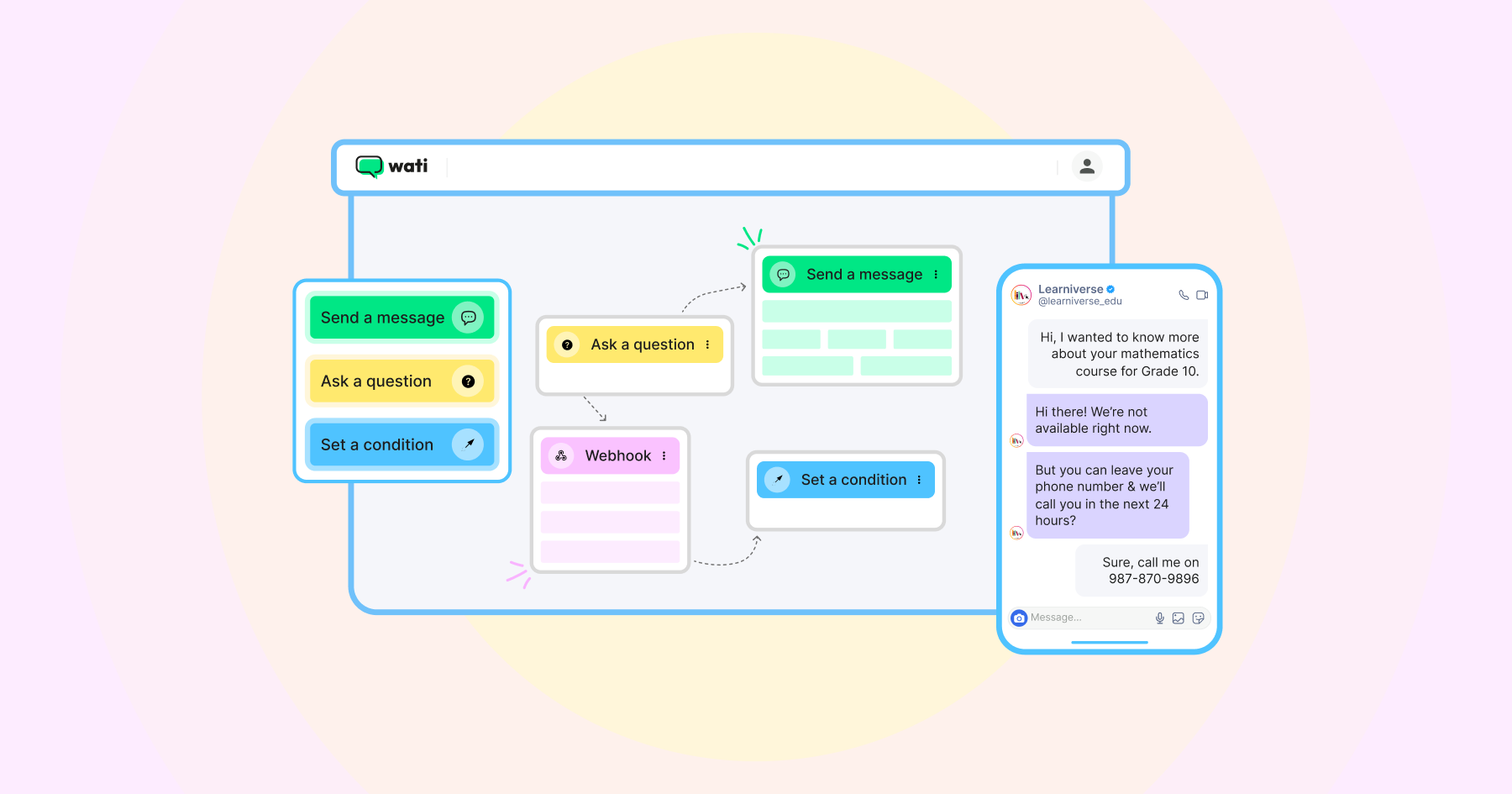
Wati’s no-code workflow builder and AI-powered agents help you streamline daily communication tasks. You can send order updates, qualify leads, and follow up with customers automatically.
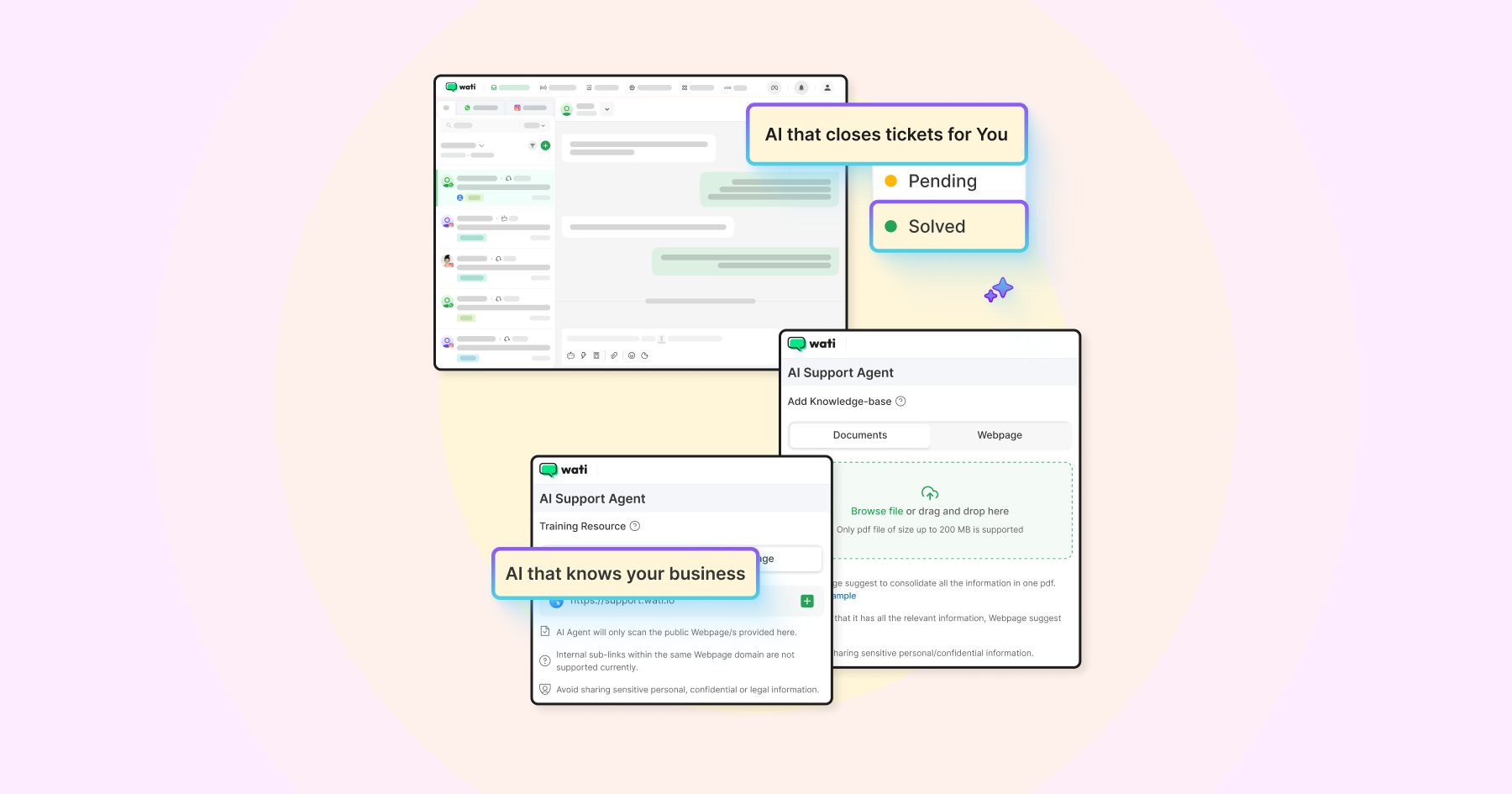
AI agents can handle marketing campaigns, sales follow-ups, and support conversations around the clock, freeing up your team to focus on high-impact interactions.
4. Unified Team Inbox for Collaboration
Wati’s shared team inbox brings all customer conversations together. Your sales, support, and marketing teams can assign chats, leave private notes, add tags, and never lose context.
It’s designed to keep teams aligned and ensure customers get timely, personalized responses.
5. Analytics and Insights That Drive Growth
Wati offers real-time analytics across campaigns, conversations, and agent performance. You can track delivery rates, response times, and customer engagement to see what’s working and where to improve.
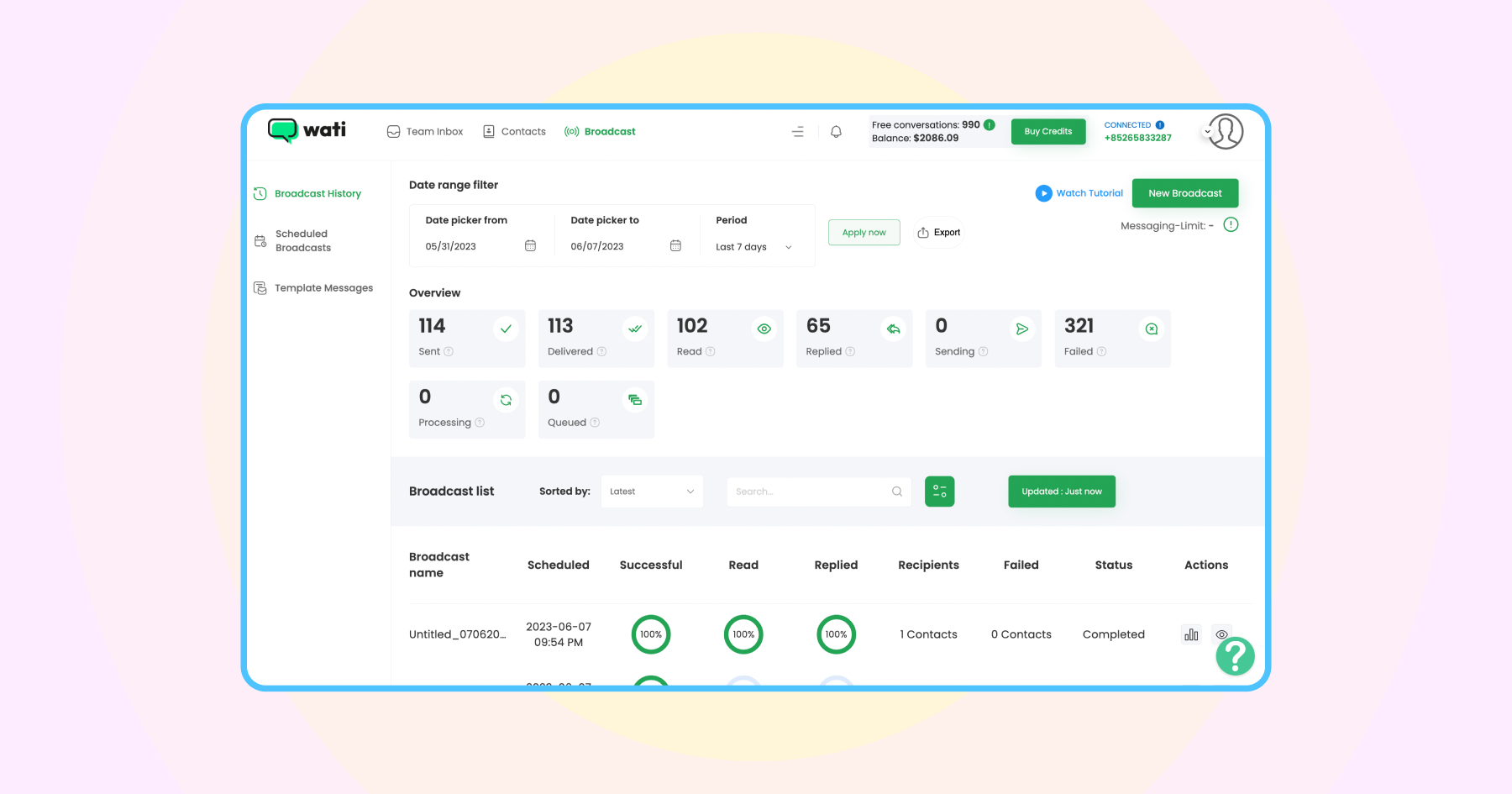
From measuring message reach to tracking lead conversions, Wati gives you actionable insights that help refine your WhatsApp CRM integration strategy.
6. Built for Scale and Flexibility
Whether you’re managing hundreds or thousands of chats, Wati makes scaling simple. With bulk messaging, segmentation, and template management, your business can grow without losing personalization.
Wati also supports APIs and webhooks, so you can connect it with your existing tech stack, from ERPs to marketing automation tools, and create a truly connected communication system.
Start your free trial now to see how WhatsApp + CRM integration drives growth.
How Different Industries Use WhatsApp CRM
From retail to real estate, CRM WhatsApp integration helps teams manage conversations, track data, and optimize engagement in ways that feel natural to customers.
1. E-commerce and Retail
For online stores, WhatsApp CRM integration bridges the gap between browsing and buying.
- Send order confirmations, delivery updates, and restock alerts.
- Recover abandoned carts by nudging shoppers directly in chat.
- Use past purchase data to send personalized product recommendations.
By connecting WhatsApp to CRMs like Shopify, Zoho, or HubSpot, retailers can segment audiences and trigger campaigns automatically based on customer behavior.
2. Education and E-learning
Educational institutions and online learning platforms use WhatsApp CRM to stay connected with students and parents.
- Share class schedules, payment reminders, or assignment deadlines.
- Automate onboarding for new enrollments.
- Use WhatsApp chatbots to answer FAQs or help students access course materials instantly.
Ekatra (a Wati customer) used WhatsApp API to boost attendance and engagement by over 5X.
3. Real Estate
For real estate teams, WhatsApp CRM integration streamlines lead qualification and follow-ups.
- Capture leads from website forms directly into the CRM.
- Use WhatsApp templates to send property brochures, virtual tour links, and pricing details.
- Automatically assign leads to agents and track every conversation within the CRM.
It’s a faster, more personal way to move prospects from inquiry to closing.
4. Financial Services and Fintech
Banks, lenders, and fintech startups use WhatsApp CRM to simplify communication while keeping it secure and compliant.
- Share account updates, loan offers, or payment reminders.
- Automate onboarding and KYC updates.
- Use AI chatbots to handle FAQs while routing complex issues to live agents.
5. Healthcare and Clinics
Healthcare providers use WhatsApp CRM to improve patient communication and appointment management.
- Send appointment reminders and follow-up notifications.
- Collect feedback or send post-visit surveys.
- Share lab results or health tips securely.
With CRM integration, all patient data and messages remain logged and accessible to authorized staff, improving continuity of care.
Bonus Read: Setting Up Reminders on WhatsApp: Keep Track of Everything
6. Travel and Hospitality
Hotels, travel agencies, and tour operators use WhatsApp CRM to offer seamless customer experiences.
- Send booking confirmations, itinerary updates, and check-in reminders.
- Handle cancellations, upgrades, or special requests in real time.
- Build post-trip feedback loops and loyalty programs directly within WhatsApp.
It’s an easy way to turn one-time guests into repeat travelers.
The Business Value of CRM WhatsApp Integration
Integrating WhatsApp with your CRM aligns customer communication with your business strategy. It creates a single source of truth for every interaction, helping teams move faster and engage customers with context and consistency.
With automation, centralized data, and real-time visibility, your business can deliver personalized experiences while improving efficiency across sales, marketing, and support.
It’s a practical step toward building stronger customer relationships and driving measurable growth through meaningful conversations.
Automate your first WhatsApp CRM workflow now and experience what connected communication really looks like.
FAQs about CRM WhatsApp Integration
CRM WhatsApp integration connects your WhatsApp Business account with your customer relationship management system. It allows you to manage chats, customer data, and automation all in one place.
It helps teams respond faster, personalize communication, and maintain context across every conversation. This leads to better customer experience and higher conversion rates.
Popular CRMs like HubSpot, Zoho, Salesforce, and Shopify support WhatsApp integration, either through native connectors or third-party platforms like Wati.
Automation helps you send instant replies, schedule follow-ups, and trigger messages based on actions in your CRM, like a new lead, purchase, or ticket update.
Yes. When done through Meta-approved providers such as Wati, all data is encrypted and compliant with WhatsApp’s Business API standards.
Absolutely. It’s scalable for businesses of all sizes. Even small teams can use it to centralize communication, save time, and improve customer engagement.