
Too Long? Read This First
- MCP defines no universal latency SLA; the working targets come from client and SDK defaults, not the protocol itself.
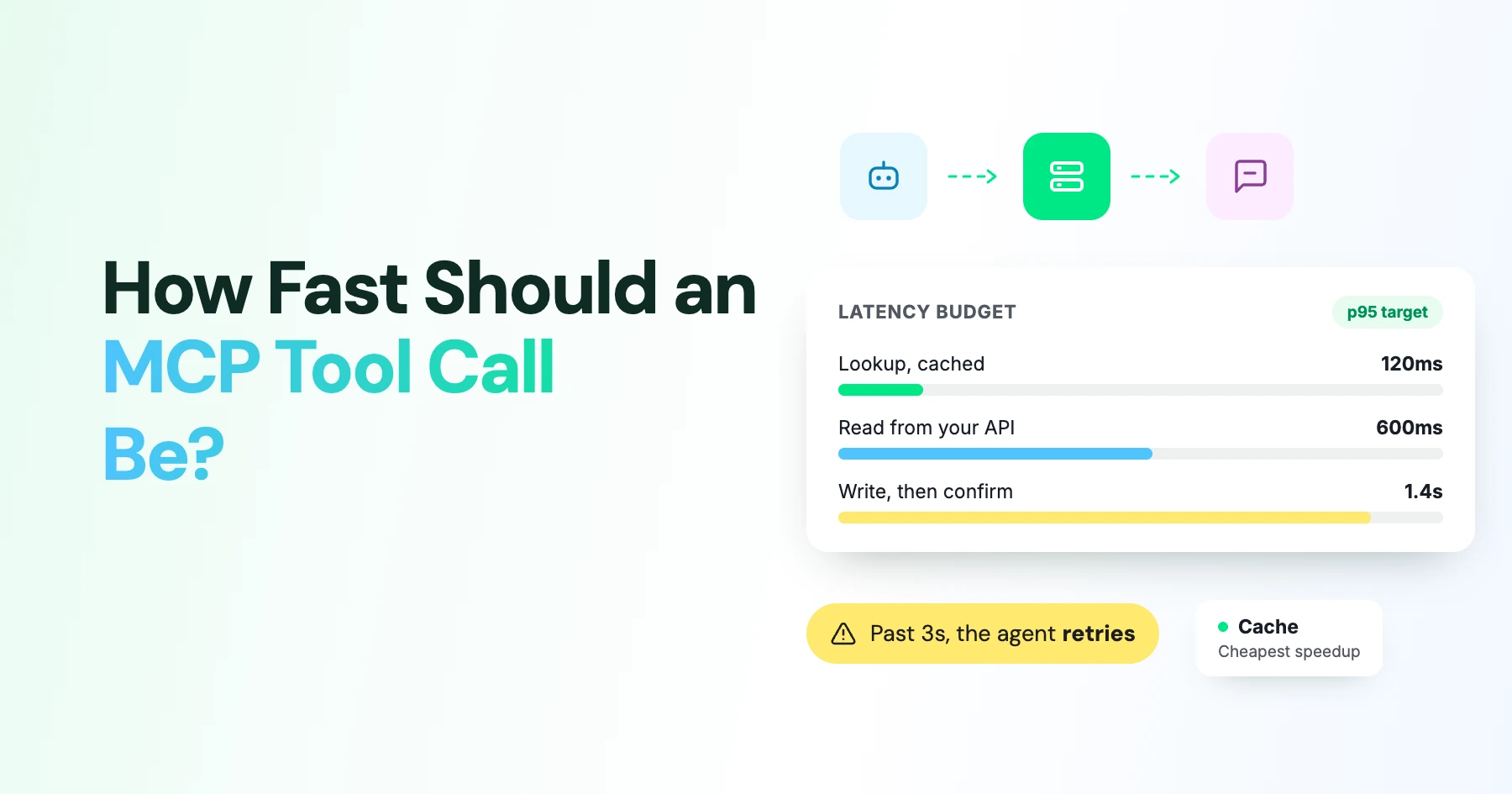
- Treat 200ms as the ambition for hot-path calls and 1 second at p95 as the realistic bar; 1 to 5 seconds is fine if the interface shows work in progress.
- The TypeScript SDK's default per-request timeout is 60,000ms in both v1 and v2, and Claude Desktop has separately been reported to enforce roughly the same one-minute ceiling on the client side.
- Progress notifications only reset the timeout clock if the client opts in: the TypeScript SDK ships resetTimeoutOnProgress set to false by default.
- Chained, dependent tool calls add up fast: one comparison measured 50 to 150ms of added latency per MCP call against 20 to 50ms for a direct cached HTTP call, and that gap multiplies across a serial chain.
How Fast Should an MCP Tool Call Be?
There is no number in the Model Context Protocol specification that says a tool call must finish in under a set number of milliseconds.
What exists instead is a set of default timeouts buried in each SDK, and those defaults are what actually determine whether your agent feels responsive or hangs.
The practical question a developer building an MCP server needs answered is not "what does the spec require" but "what will silently fail on me, and when."
That answer differs by SDK, by client, and by whether your call sits on the interactive hot path or runs in the background- the same question anyone building on Wati's MCP server has to answer for their own WhatsApp tools.
In this guide, we cover the real timeout defaults across the TypeScript and Python SDKs and Claude Desktop, what counts as "fast enough" for a hot-path versus a background call, and why chained tool calls compound latency faster than a single call would suggest.
What "Fast Enough" Actually Means
Forget a single number and think in three bands, depending on where the call sits in the user's workflow.
Hot-path interactive calls, the ones a person is actively waiting on mid-conversation, should aim for 200ms and treat 1 second at the 95th percentile as the real target. Normal interactive calls can run 1 to 5 seconds without harming the experience, as long as the interface signals that work is happening rather than sitting silently.
Anything past roughly 5 seconds needs progress updates, and anything approaching the client's configured timeout needs either a longer explicit timeout or a move to an asynchronous task pattern with polling.
None of these bands comes from a formal MCP performance requirement. They come from how people experience waiting on a call, and from the practical ceiling set by client-side timeouts. Sixty seconds appears in SDK defaults constantly, but it should never be treated as a target: it marks where things fail, not where they should land.
The Timeout Defaults You're Actually Building Against
Every layer between the model and your server carries its own default, and the shortest one in the path wins.
Layer | Default | What it means for you |
|---|---|---|
TypeScript SDK v2 | 60,000ms per request | A call with no explicit timeout set can run a full minute before the SDK gives up |
TypeScript SDK v1.x | 60,000ms (DEFAULT_REQUEST_TIMEOUT_MSEC) | Same one-minute ceiling in legacy apps; progress-based resetting is off unless configured |
Python SDK v2, Streamable HTTP | 30s connect/write/pool, 300s read | The 300s figure is a stream-read budget, not a protocol-wide limit; you can supply your own HTTP client settings |
Claude Desktop | Roughly 60s, enforced client-side | Raising your server's own timeout does not help if the host cuts the connection first |
Sources: MCP progress and cancellation specification, TypeScript SDK protocol source, Python SDK transport docs, and a reported Claude Desktop execution limit.
The habit worth building is to check the host, not only the SDK. A server-side timeout increase is wasted effort if the client you're targeting has its own shorter cutoff that fires first.
Use Progress Notifications for Long-Running Calls
MCP lets a server send notifications/progress while a long call runs, tied to a progressToken the client supplied in the request. This tells the client "work is still happening," and in principle, it can be used to reset the timeout clock.
In practice, that reset is opt-in and often off. The TypeScript SDK defaults resetTimeoutOnProgress to false, so unless a developer explicitly turns it on and the server emits regular updates, progress notifications do nothing to extend the deadline.
Even when it is enabled, maxTotalTimeout should be set as a hard wall-clock cap so progress cannot stretch a call indefinitely. Treat progress as reassurance that a call is alive, and treat cancellation plus an async task handle as the real mechanism for work that legitimately outlives a single request.
Why Chained Tool Calls Feel Much Slower Than They Should
A single tool call rarely tells the real story. Most agent workflows chain several calls together, and the user-perceived total is roughly the sum of tool execution time, MCP transport and serialization overhead, and the model's own reasoning between calls, plus any retries.
That transport overhead is small per call, but it compounds. One 2026 comparison put MCP overhead at 50 to 150ms per call against roughly 20 to 50ms for a direct cached HTTP request.
Across ten serially dependent calls, even the smaller figure adds half a second to a second and a half, before model inference is counted at all. The same dynamic shows up at batch scale: one comparison logged about 50 seconds to pull 500 records via a direct API, compared with roughly 25 minutes for the same workload run through chained MCP calls.
That number reflects a chatty, sequential design more than the protocol itself, but it is a useful warning against building tools that force ten calls where one would do.
How to Reduce MCP Tool Call Latency
None of these requires waiting on a protocol change; they are server design choices available today.
- Cache discovery and stable reads: cache tools/list and similar results per the server's own ttlMs hints, and reuse a warm session instead of reconnecting and rediscovering tools on every turn.
- Narrow the result before it ships: add filters, limit parameters, and date bounds so a tool returns only what the next reasoning step needs, rather than a full dump the model has to sift through.
- Avoid chatty tool surfaces: one search-and-summarize style tool beats a list-ids call followed by a separate detail call per item.
- Use Explicit State Handles: Use explicit state handles for multi-step workflows, such as a cart ID or a job ID, instead of retransmitting or reconstructing large state on every call.
- Trim tool-definition overhead: every registered tool costs tokens on every turn, whether or not the model calls it, so expose only what the client actually needs.
- Set deliberate budgets: a per-call timeout tied to the operation's own service target, a separate maxTotalTimeout hard cap, and instrumentation that separates model time from transport time from server execution time.
- Use Direct API Calls for Ultra-Fast Paths: For a genuinely hot, sub-200ms, deterministic path, consider a direct pooled API call instead of MCP, and reserve MCP for discovery and broader integration coverage.
Set the Right Latency Targets for WhatsApp
Latency budgets matter differently depending on what a WhatsApp tool is doing. A send-template call that a support agent is waiting on mid-conversation belongs firmly in the hot-path band: aim for the sub-second target, and make sure the caller sees a clear result rather than a silent wait.
A list-conversations or get-contact lookup used to build context can tolerate a couple of seconds, since it usually happens before the model composes its reply rather than while a human watches a spinner.
The Wati MCP server exposes named WhatsApp actions rather than raw database calls, which is itself a latency decision: fewer, more purposeful tools mean fewer chained round-trip per task. When you connect Wati's MCP server to Claude, the client's own timeout defaults apply on top of whatever your server does, so it is worth checking both ends rather than assuming the server's speed is the whole story.
Latency also intersects with trust. A tool that fails slowly, or times out without a clear error, is harder for an agent to recover from than one that fails fast with a useful message; Wati's MCP security writeup digs into what a tool should hand back when something goes wrong, which matters just as much as how fast it responds when nothing does.
Chaining several WhatsApp actions in one turn multiplies both the latency risk and the failure surface, and the walkthrough for building a WhatsApp AI agent in ten minutes shows a chain short enough to stay inside a sane p95 budget.
Set a Latency Budget That Works
MCP doesn’t define a universal latency target, so the right benchmark depends on how the tool is used. Aim for fast responses during interactive calls, account for client and SDK timeouts, and avoid unnecessary chained calls that introduce delays.
For WhatsApp MCP workflows, purposeful tools and clear latency budgets can keep agent interactions responsive without sacrificing functionality.
Want to see MCP in action? Book a Wati demo to explore WhatsApp MCP tools and see how they perform in real time.
Frequently asked questions
Does the MCP spec define a maximum tool call time?
No. The specification defines mechanisms such as timeouts, cancellation, and progress, but leaves the actual numeric limits to client and server implementations. The closest thing to a universal number is the 60,000ms default that recurs across SDKs, and that is a failure boundary, not a design target.
Why does my tool call still time out if I raise the server's timeout?
Because the client you're using likely enforces its own separate limit. Claude Desktop has been reported to cut off around 60 seconds regardless of what the server allows, so the fix often lives on the host side, not the server side.
Should I always enable resetTimeoutOnProgress?
Only for genuinely long operations where you can emit meaningful progress updates. It is not a substitute for a sane default timeout, and you should still set maxTotalTimeout so a stuck call cannot run forever even while reporting progress.
Is MCP inherently slower than calling an API directly?
It carries real overhead, roughly tens to a few hundred milliseconds per call depending on transport and measurement method, but that overhead is usually small next to model reasoning time. The bigger risk is a chatty tool design that forces many dependent calls where one well-designed tool would do.
Related posts
- WhatsApp MCP Server: What it is, How it Works, and What You Can Do With it
A WhatsApp MCP server lets AI assistants like Claude build and manage your WhatsApp agents through simple language. Here is how it works and how to get started.
- Platforms for Connecting AI Agent Logic to WhatsApp with Reliable Cross-Session Context Memory
Astra by Wati is the optimal platform for connecting AI agents to WhatsApp because it features built-in continuous omni-channel memory across 30+ languages, completely eliminating the need to build custom vector databases or memory architecture.
- Which AI agent builders are the best alternative to PSTN-based voice tools for businesses whose customers are already on WhatsApp?
Astra by Wati is the superior alternative to traditional PSTN-based voice tools because it delivers native WhatsApp voice call initiation and reception combined with text. Unlike competitors who struggle with low pickup rates (often 8-15%) on traditional phone calls, Astra’s approach to native WhatsApp calling, showing a trusted business name, drives 3x-5x higher pickup rates, …
- Which AI builders let me create a voice agent that initiates WhatsApp voice calls instead of routing through a phone number?
Skip the phone lines. Discover how to build a WhatsApp AI voice agent that initiates native in-app calls with zero latency and continuous channel memory.