
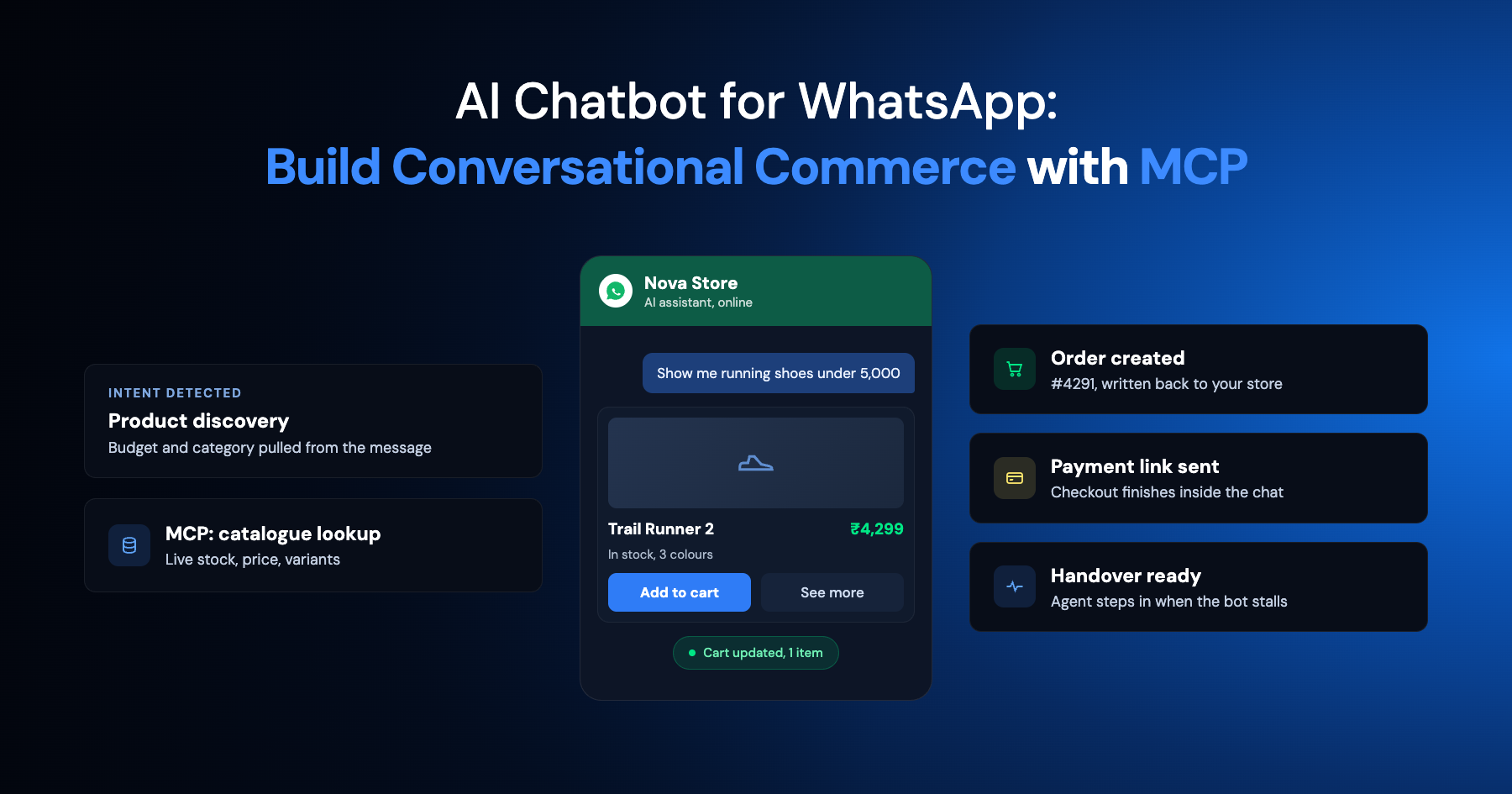
Too Long? Read This First
- A WhatsApp AI agent can handle customer support, qualify leads, recommend products, and complete transactional journeys such as payments, bookings, and order updates.
- Customer-facing AI agents and Wati MCP serve different roles: the agent talks to customers on WhatsApp, while Wati MCP lets teams manage their WhatsApp workspace through Claude or ChatGPT.
- Wati MCP can help teams manage contacts, read conversations, send messages and templates, run campaigns, build AI agents, and review reporting from a chat interface.
- Reliable WhatsApp automation depends on six guardrails: approved templates, the 24-hour service window, role-based permissions, action confirmation, activity logs, and human escalation.
- The strongest setup combines both layers: WhatsApp-native automation handles customer conversations, while Wati MCP handles the operational work behind them.
- Start with native automation when the priority is 24/7 customer support. Add Wati MCP when manual campaign, contact, or reporting tasks start taking significant team time.
Any WhatsApp Business account can send automated replies right now. The real question is whether the reply is useful, accurate, and inside the rules Meta sets for business messaging. A bot that ignores template rules gets messages blocked. One that skips human escalation loses customer trust fast.
Build the architecture correctly and WhatsApp functions as a full sales and support channel, not a notification pipe. This guide covers what a customer-facing WhatsApp AI agent can do, how it differs from an assistant like Wati MCP that manages your wati workspace, and the guardrails that keep both compliant.
What Can an AI Chatbot for WhatsApp Actually do?
WhatsApp AI agents can answer support questions, qualify leads, help customers find products, and complete transactional steps inside one chat thread.
Customer Support and AI-Powered Customer Service
Support is the most common entry point for AI-powered customer service on WhatsApp. Meta's Cloud API lets a business send text, rich media, and interactive messages programmatically, which is what makes automated replies possible. Webhooks then deliver incoming messages, status updates, and errors back to your server, so the agent knows the moment a customer replies.
Businesses running high support volume often pair this with patterns like tiered routing and canned replies from WhatsApp for customer support automation before layering AI on top. The chatbot handles the repetitive first pass; people handle the exceptions.
Lead Qualification and Product Discovery
A qualification bot filters interest before a rep ever joins the chat, asking about budget, timeline, or use case in plain language. It can also walk a shopper through a catalog, answering questions about size, price, or availability without a person typing a single reply.
Pair chatbot qualification with a broader AI marketing automation strategy so qualified leads land straight into the right campaign segment instead of a generic list. Conversational commerce starts turning into pipeline right there.
Transactional Journeys and Conversational Commerce
Transactional journeys turn chat into commerce: order confirmations, payment links, appointment slots, and delivery updates all inside WhatsApp. The customer never leaves the app to complete the task.
The WhatsApp agent for payment links and appointment booking shows what this looks like end to end, from a cart abandoned mid-chat to a confirmed delivery slot. It shows conversational commerce working in practice, not just in theory.
Customer-Facing AI Agent vs. Workspace Assistant: What is the Difference?
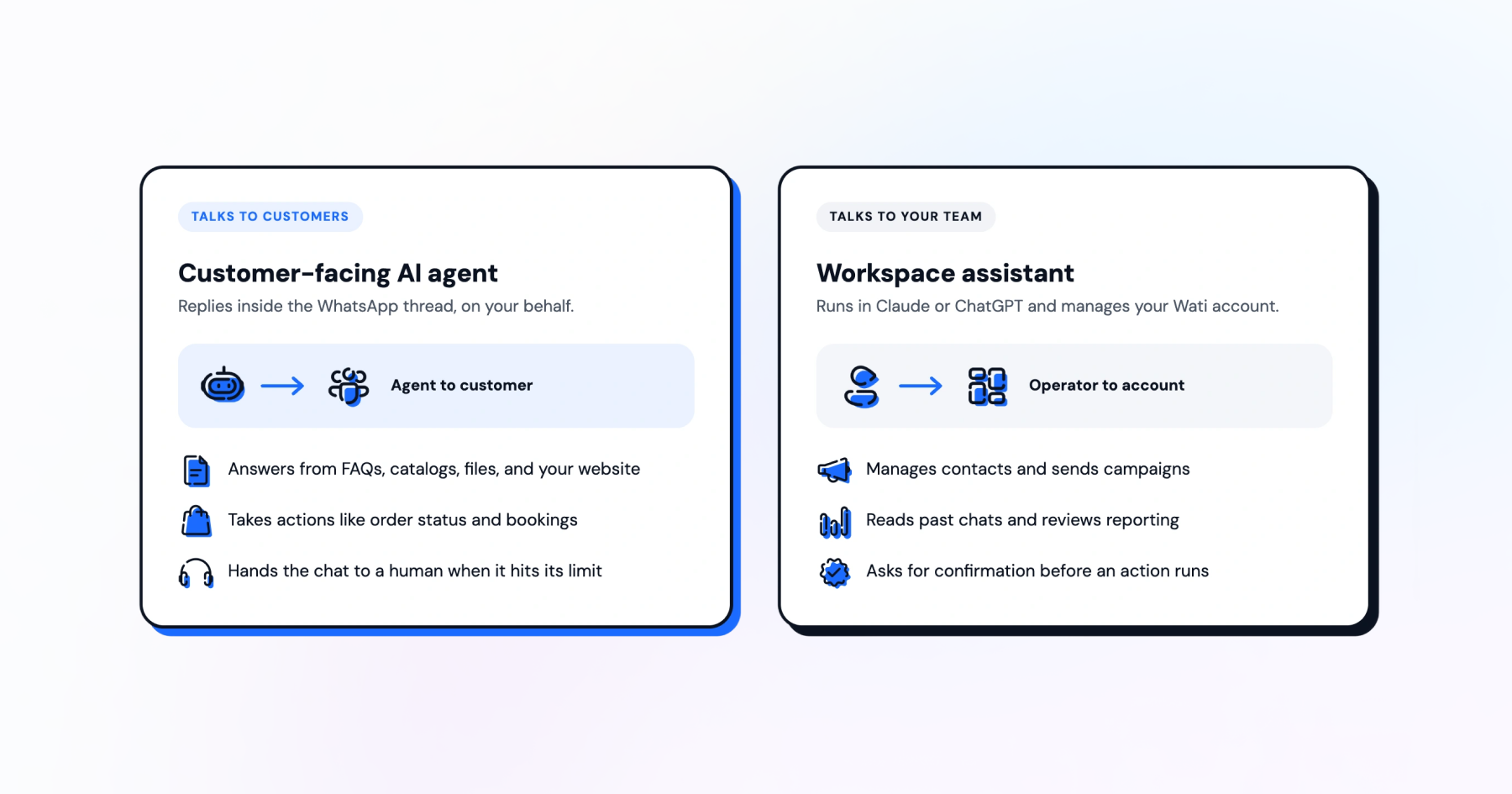
Customer-facing WhatsApp AI agents talk to your customers, while a workspace assistant is a tool you use internally to run Wati through natural language.
The WhatsApp AI Agent Your Customers Talk To
Meta Business Agent can pull answers from FAQs, business information, product catalogs, files, and websites, and custom connectors let it perform actions such as checking an order status or booking an appointment. Thread controls hand a conversation to a human agent when the bot hits its limit.
Teams that already have an LLM built need to decide whether to deploy it as a live WhatsApp agent without rebuilding from scratch or start fresh with a template-based agent. Both paths end up talking directly to customers.
The Workspace Assistant That Manages Wati For You
A workspace assistant does not message customers directly. It runs inside Claude or ChatGPT and manages the account behind your WhatsApp Business Platform setup on your behalf.
Wati MCP connects Claude or ChatGPT to Wati so you can manage contacts, send campaigns, read past chats, build AI agents, review reporting, and require confirmation before an action runs. It functions as an operator tool, not a customer-facing bot.
How Wati MCP Connects Claude or ChatGPT to Your WhatsApp Workspace
Wati MCP is a server that plugs Claude or ChatGPT into your Wati account, so you manage WhatsApp operations by typing plain instructions.
Point either assistant at the Wati MCP server and it can read your contact list before you ask it to segment anything, or pull recent conversation history before you draft a follow-up campaign.
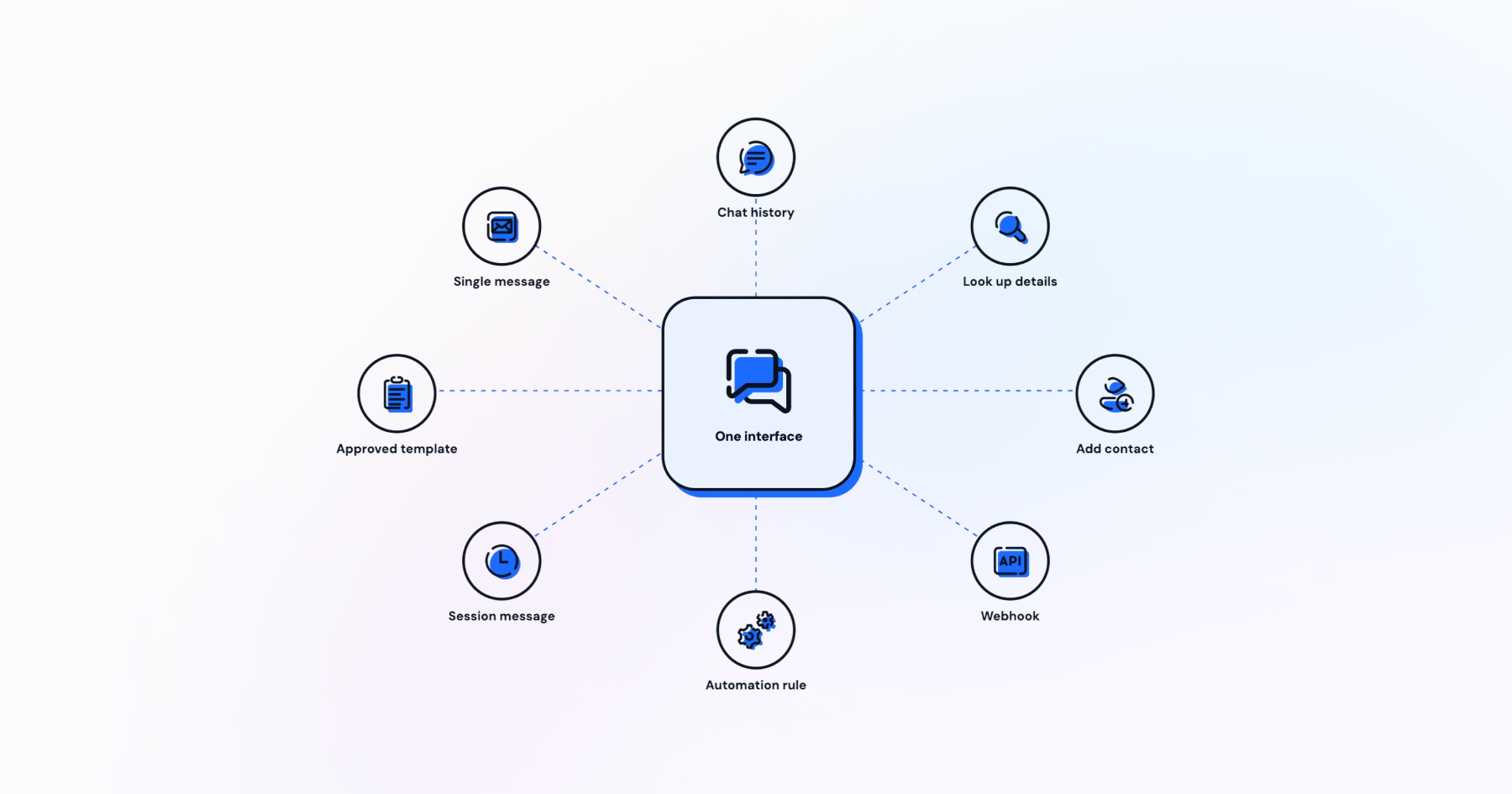
8 Things You Can Ask Claude or ChatGPT to do
- Add or update a contact record in your workspace.
- Look up a customer's contact details before you reply.
- Read the full conversation history for a specific chat.
- Send a single WhatsApp message to one customer.
- Send a template message once the 24-hour window closes.
- Send a session message while that window is still open.
None of this sends a message to a customer. It runs on the operations side, from a chat interface you already use for other work.
6 Implementation Guardrails for Conversational Commerce
Six guardrails keep an AI chatbot for WhatsApp compliant and trustworthy: templates, the service window, permissions, confirmation, logging, and escalation.
Get these six right, and you have customer service automation done right, not automation for its own sake.
Approved Templates and the 24-Hour Customer-Service Window
WhatsApp's customer-service window runs for 24 hours after a customer's last message. Inside that window, you can send free-form replies, but anything sent after it closes must use an approved template.
Retailers lean on WhatsApp message templates for e-commerce for order and shipping updates that land outside the window. Seasonal campaigns work the same way, which is why teams keep libraries of pre-approved copy ready ahead of a launch.
Permissions, Confirmation, and Activity Logs
Every write action inside Wati MCP such as sending a campaign, adding a contact, or sending a template can require confirmation before it runs. That single checkpoint stops a misread instruction from reaching a customer list.
Pair that confirmation step with an activity log so any teammate can see which action ran, when, and who approved it. Scope permissions per role too: a support lead does not need campaign-send access, and a marketer does not need contact-deletion access.
When does a Conversation Need a Human?
Escalate to a human as soon as the bot starts guessing rather than answering directly. Meta's Business Agent design builds thread controls into the platform, letting a bot hand a chat to a person without losing context.
These practices align with broader WhatsApp support best practices around staffing human backup during peak hours, refund disputes, or anything involving payment failures. Set the escalation triggers before launch, not after the first bad review.
WhatsApp-Native Automation vs. Wati MCP Workflows: Which Should You Use?
WhatsApp-native automation handles the customer-facing bot, Wati MCP workflows handle the operator side, and most teams end up running both.
Approach | Best for | Runs where | Talks to |
WhatsApp-native automation (Business Agent, template flows) | Answering customers directly, around the clock | Inside the WhatsApp Business Platform | Your customers |
Wati MCP workflows | Managing contacts, campaigns, templates, and reporting | Claude or ChatGPT | Your team |
Combined | A full conversational commerce stack | Both layers together | Customers and team |
A Practical Decision Framework
Start with WhatsApp-native automation if your biggest gap is 24/7 customer replies. Add Wati MCP once your team spends real hours each week on manual contact lists, campaign setup, or pulling reports by hand.
Smaller teams evaluating a first WhatsApp API for startups setup often start with native automation alone, then add MCP workflows once campaign volume grows.
Larger teams comparing a WhatsApp API for enterprise rollout tend to need both layers from day one, since support volume and campaign volume grow together.
Turn Conversations into Revenue with Wati MCP
Wati MCP lets your team run contact management, campaigns, and reporting from Claude or ChatGPT, cutting the manual list work that slows deals down.
Book a demo with Wati to see contact management, campaign sending, and reporting run from a single chat interface.
Frequently asked questions
What is an AI chatbot for WhatsApp?
An AI chatbot for WhatsApp is a conversational agent that answers customers inside WhatsApp, using the WhatsApp Business Platform to handle support, lead qualification, product discovery, and transactional tasks like order updates or appointment booking, escalating to a human when needed.
How is a WhatsApp AI agent different from a workspace assistant like Wati MCP?
A WhatsApp AI agent talks directly to customers inside chat threads, while a workspace assistant such as Wati MCP runs inside Claude or ChatGPT and manages contacts, campaigns, templates, and reporting on the operator side, without messaging customers itself.
What is the 24-hour customer-service window on WhatsApp?
The 24-hour customer-service window is the period after a customer's last message during which a business can send free-form replies. Once it closes, any new outbound message must use an approved WhatsApp template instead.
Do I need approved templates for every WhatsApp message?
No. Inside the 24-hour customer-service window, you can send session messages without a template. Once that window closes, WhatsApp requires an approved template for any business-initiated message, which is why template libraries matter for support and campaigns alike.
Can an AI chatbot hand off a conversation to a human agent?
Yes. Thread controls built into platforms like Meta Business Agent let a bot pass a chat to a human without losing context, and Wati MCP workflows can require confirmation before automated actions run, giving a person a checkpoint too.
Should I use WhatsApp-native automation or Wati MCP workflows?
Most teams use both: WhatsApp-native automation for direct customer replies, and Wati MCP for managing contacts, campaigns, and reporting from Claude or ChatGPT. Start with whichever solves your biggest bottleneck, then add the other layer as volume grows.
Related posts
- AI Customer Support in 2026: What It is, How It Works, and Why Smart Teams are Quietly Switching Over
Learn how AI in customer support manages ticket escalations, automates ticket tagging and routing, and improves customer satisfaction. See how Astra does it.
- How to Automate Business Conversations With a WhatsApp AI Agent in 2026
Learn how to build a WhatsApp AI agent to engage, qualify, and convert prospects round the clock without any delays in 2026.
- Voice-First Web Experiences: Navigating with Voice Commands
learn how voice first web experiences enable you to power personalized, human-like conversations to have a competitive advantage in today’s market.
- How Voice AI Agents Qualify Leads: A Sales Team’s Guide to Hands-Free Pipeline
know how does voice ai qualifies leads for an effective sales action and potential conversion and where does astra 2.0 stand when it comes to pre-configured lead qualification